Introduction
Timesheet Management Tools are specialized software platforms designed to record, track, and analyze the time employees spend on specific tasks and projects. While basic versions offer simple start-stop timers, advanced enterprise solutions include multi-level approval workflows, automated cost calculations, and deep integrations with accounting and HR systems. These tools move beyond mere attendance; they provide a granular view of how labor—a company’s most expensive resource—is being utilized across various business units.
The importance of these tools lies in their ability to eliminate “time leakage” and human error associated with manual data entry. Real-world use cases include law firms billing clients by the minute, construction companies tracking site labor across multiple geofenced locations, and software agencies monitoring “burn rates” on fixed-price contracts. When choosing a tool, users should evaluate ease of submission, mobile accessibility, reporting flexibility, and the robustness of the approval hierarchy.
Best for: Professional services firms (legal, accounting, marketing), construction and field service businesses, large enterprise HR departments, and any organization managing a mix of hourly contractors and salaried employees.
Not ideal for: Micro-businesses with very few employees and non-billable workflows, or creative studios that prefer purely result-oriented metrics where time spent is considered irrelevant to the final output.
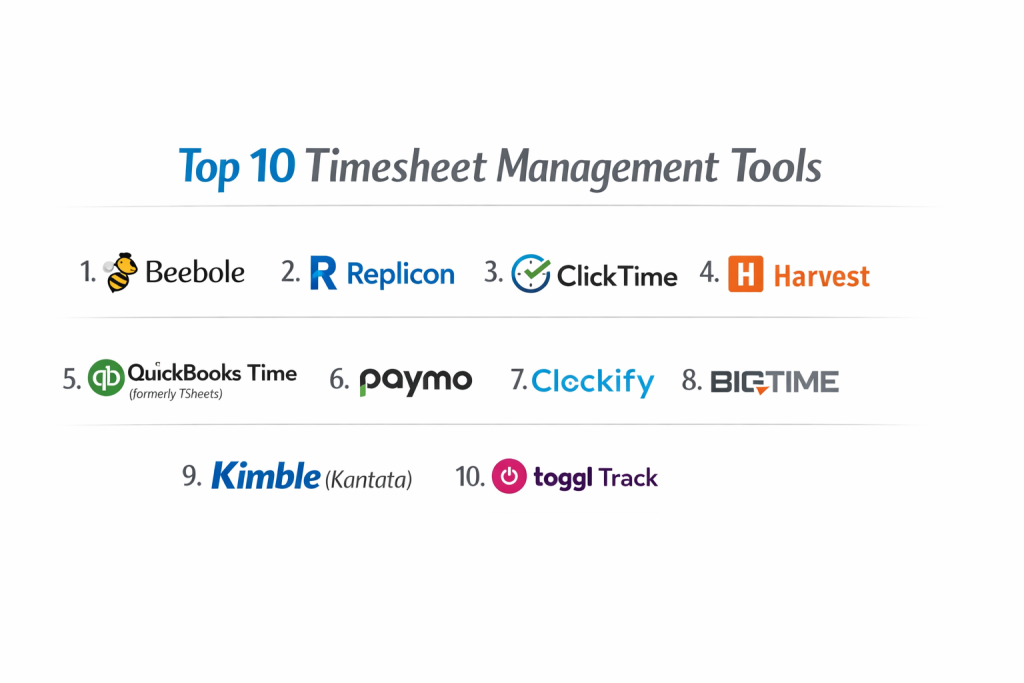
Top 10 Timesheet Management Tools
1 — Beebole
Beebole is a highly flexible timesheet solution built specifically for mid-market and enterprise business intelligence. It focuses on providing a clean, distraction-free environment for both employees and managers.
- Key features:
- Configurable Timesheets: Users can enter time daily, weekly, or monthly based on company policy.
- Multi-Level Approvals: Set up complex approval paths involving multiple managers or department heads.
- Budget Tracking: Monitor project hours and costs against initial estimates in real-time.
- Automated Reminders: Send custom notifications to employees who have forgotten to submit their timesheets.
- Attendance & Leave: Track vacations, sick leave, and holidays alongside billable hours.
- Advanced Reporting: Drag-and-drop report builder with KPI dashboards.
- Pros:
- Extremely fast and lightweight interface that minimizes the “chore” of time entry.
- High level of customization for different user roles and permissions.
- Cons:
- The UI is functional but lacks the “modern” aesthetic of consumer-grade apps.
- Does not include built-in invoicing; it is a pure time-tracking and reporting tool.
- Security & compliance: GDPR compliant, 256-bit SSL encryption, DPA available, and hosted on secure AWS servers.
- Support & community: Excellent multi-lingual support, detailed documentation, and personalized onboarding for larger teams.
2 — Replicon
Replicon is an enterprise-grade “Time Intelligence” platform. It is designed for global organizations that need to manage complex labor regulations and project accounting at scale.
- Key features:
- AI-Powered Timesheets: Uses machine learning to pre-fill timesheets based on calendar and app activity.
- Global Compliance: Built-in rules for overtime, meal breaks, and labor laws in over 80 countries.
- Project Costing: Real-time visibility into CAPEX and OPEX for financial reporting.
- Shared Services Optimization: Track time across different business units for internal chargebacks.
- Mobile App with GPS: Allow field workers to clock in with location-stamped entries.
- Integration Ecosystem: Native connectors for SAP, Oracle, and Salesforce.
- Pros:
- Unrivaled for global compliance and complex labor law adherence.
- Highly scalable; can handle tens of thousands of users without performance degradation.
- Cons:
- The setup process is complex and usually requires professional services or a dedicated admin.
- The pricing is on the higher end, aimed at enterprise-level budgets.
- Security & compliance: SOC 2 Type II, ISO 27001, HIPAA, GDPR, and FedRAMP compliant.
- Support & community: 24/7 global support, dedicated account managers, and an extensive enterprise knowledge base.
3 — ClickTime
ClickTime is a professional services-oriented tool that bridges the gap between simple time tracking and complex resource planning. It is famous for its “easy-to-use” yet powerful reporting.
- Key features:
- Instant Timesheet Completion: A grid-based entry system designed for speed.
- Resource Planning: Forecast future staffing needs based on historical timesheet data.
- Utilization Dashboard: See which employees are billable vs. non-billable at a glance.
- Customizable Fields: Track additional metadata like “Work Location” or “Billing Code.”
- Expense Management: Capture receipts and link them to specific project timesheets.
- DCAA Compliance: Features specific tools for government contractors who need to pass audits.
- Pros:
- Excellent at showing project profitability in real-time.
- Provides great “stop-loss” alerts when a project is approaching its budget limit.
- Cons:
- The mobile app is functional but not as feature-rich as the desktop version.
- Some of the most valuable resource planning tools are only available on higher tiers.
- Security & compliance: SOC 2, HIPAA, GDPR, and DCAA compliant.
- Support & community: High-quality phone and email support, along with a library of training videos.
4 — Harvest
Harvest is a favorite among creative agencies and consultants because it seamlessly combines timesheet management with professional invoicing and payments.
- Key features:
- Timer & Manual Entry: Switch between a live stopwatch and a manual entry grid.
- Integrated Invoicing: Automatically pull timesheet data into professional, branded invoices.
- Capacity Monitoring: Visual bars showing how much time a person has left in their week.
- Online Payments: Integrates with Stripe and PayPal for instant invoice settlement.
- Browser Extension: Track time directly inside Trello, Asana, or Basecamp.
- Automatic Reminders: Gently nudge the team to submit their time for the week.
- Pros:
- Beautifully designed interface that users actually enjoy navigating.
- Simplifies the entire “work-to-pay” cycle for small and medium agencies.
- Cons:
- Lacks the deep “compliance” features needed for heavy industrial or government work.
- Limited flexibility in approval workflows compared to enterprise tools like Replicon.
- Security & compliance: SOC 2, GDPR, and data encryption at rest.
- Support & community: Extensive help center, reliable email support, and a large community of agency users.
5 — QuickBooks Time (formerly TSheets)
QuickBooks Time is the market leader for mobile and field-based workforces. It is best known for its robust mobile app and tight integration with the QuickBooks accounting ecosystem.
- Key features:
- Mobile GPS Tracking: Track worker locations in real-time while they are clocked in.
- Geofencing: Remind employees to clock in or out when they enter/leave a job site.
- Crew Tracking: Allow a manager to clock an entire team in or out simultaneously.
- Scheduling: Create shifts and notify employees via mobile push notifications.
- Facial Recognition: Use “Kiosk” mode on tablets with photo-capture to prevent buddy punching.
- Direct Payroll Sync: Move timesheet data to QuickBooks Payroll with a single click.
- Pros:
- The best tool for construction, landscaping, and other mobile industries.
- Drastically reduces payroll processing time for QuickBooks users.
- Cons:
- The per-user price plus the base monthly fee can make it expensive for very small teams.
- Not designed for “deep” project management or task-level reporting.
- Security & compliance: GDPR compliant, SOC 2, and follows Intuit’s enterprise-grade security protocols.
- Support & community: 24/7 phone support, a massive community of QuickBooks ProAdvisors, and extensive training documentation.
6 — Paymo
Paymo is a “Work Management” platform that puts timesheets in the context of the whole project. It’s ideal for small businesses that want their tasks, timesheets, and files in one place.
- Key features:
- Automatic Time Tracking: A desktop app that records your activity and lets you assign it to projects later.
- Kanban & Gantt Charts: View your timesheet data as part of a larger project timeline.
- Timesheet Approvals: Dedicated module for managers to review and reject entries.
- Integrated Invoicing: Create invoices based on time, flat fees, or milestones.
- Team Scheduling: Plan the team’s week and see it reflected on their timesheets.
- Project Accounting: Track finances, expenses, and profit margins.
- Pros:
- Replaces multiple tools by combining PM, time tracking, and invoicing.
- The “Static” automatic tracker is great for employees who forget to click start.
- Cons:
- The sheer amount of features can be overwhelming if you only want a timesheet.
- Not as “deep” in resource forecasting as specialized tools like ClickTime.
- Security & compliance: GDPR compliant, SSL encryption, and hosted on secure EU-based servers.
- Support & community: Responsive chat and email support, video tutorials, and a detailed knowledge base.
7 — Clockify
Clockify disrupted the market by offering unlimited users and projects for free. It is the go-to solution for budget-conscious organizations that need professional timesheet management.
- Key features:
- Manual & Auto Entry: Standard grid timesheets or live stopwatches.
- Kiosk Mode: Use a shared device for employees to clock in with a PIN code.
- Billable Rates: Set different rates for projects, users, or tasks.
- Time Off Management: Request and approve vacation days within the app.
- Expense Tracking: Log receipts and project-related costs.
- GPS Tracking: (Paid feature) Track the movement of field staff.
- Pros:
- The free version is incredibly generous, making it accessible to startups and non-profits.
- Simple, clean UI that mimics Toggl but offers more “timesheet-centric” features.
- Cons:
- Many “essential” enterprise features (like SSO or bulk editing) are locked in the highest paid tier.
- Reporting can feel a bit basic compared to specialized tools like Beebole.
- Security & compliance: GDPR, ISO 27001, and SOC 2. Data residency options (EU, US, UK, AU) available for paid tiers.
- Support & community: 24/7 support for paid users, a very active user forum, and a vast library of “how-to” guides.
8 — BigTime
BigTime is a high-growth solution specifically tailored for professional services firms like engineering, accounting, and architecture firms.
- Key features:
- DCAA Support: Specialized tools for government contractors to ensure audit readiness.
- Custom Invoicing: Highly flexible billing templates that support complex fee structures.
- Review/Approval Workflows: Streamlined process for partner-level approval of billable time.
- Smart Filters: Group timesheets by department, client, or labor category.
- WIP Management: Track “Work In Progress” to see unbilled revenue in real-time.
- Project Budgets: Visual alerts when project costs approach their limit.
- Pros:
- Deeply understands the billing needs of professional service “partners.”
- Excellent integration with Sage, QuickBooks, and Lacerte.
- Cons:
- The learning curve is steeper than simpler apps like Harvest.
- The interface can feel a bit dense for non-administrative staff.
- Security & compliance: SOC 2, HIPAA, and GDPR compliant.
- Support & community: Top-rated customer success team, dedicated onboarding, and a strong network of professional firm users.
9 — Kimble (Kantata)
Kimble, now part of Kantata, is a Salesforce-native solution. It is designed for large consulting organizations that want their timesheets and resource management to live inside their CRM.
- Key features:
- Salesforce Native: Perfect data sync with your sales pipeline and client records.
- Intelligent Resource Matching: Suggests the best consultant for a project based on skills and availability.
- Revenue Recognition: Automates complex accounting for long-term consulting contracts.
- Mobile Timesheet Entry: Simple, clean app for consultants on the move.
- Profitability Analytics: See the “real-time” margin of every project as hours are logged.
- Governance Tools: Enforce company policies on time and expense entry.
- Pros:
- The absolute best choice for companies already using Salesforce for their whole business.
- Provides the most “integrated” view of the business, from lead to ledger.
- Cons:
- If you don’t use Salesforce, this tool is not an option.
- Very high cost and high complexity for implementation.
- Security & compliance: Inherits Salesforce’s world-class security: ISO 27001, SOC 2, HIPAA, etc.
- Support & community: Enterprise-level support, a massive Salesforce ecosystem, and dedicated Kantata success teams.
10 — Toggl Track
Toggl Track is the king of “low-friction” time tracking. While it started as a stopwatch, its timesheet view is now a staple for small teams that hate traditional administrative overhead.
- Key features:
- Stopwatch Efficiency: The fastest way to start tracking a task in the industry.
- Calendar Integration: Drag and drop calendar events onto your timesheet to log them as work.
- Pomodoro Timer: Built-in focus tool for productivity.
- Idle Detection: Automatically prompts you if you left the timer running while away.
- Automated Entries: Based on the apps you use or the websites you visit.
- Team Dashboards: High-level view of what everyone is working on right now.
- Pros:
- Unrivaled for user adoption; people who hate timesheets usually find Toggl acceptable.
- The browser extension works in almost every web-based productivity tool.
- Cons:
- Lacks native “Approval” workflows in the basic versions.
- Not designed for complex project accounting or field service GPS needs.
- Security & compliance: GDPR compliant, SOC 2 Type II, and 256-bit encryption.
- Support & community: Great documentation, responsive email support, and a massive community of enthusiasts.
Comparison Table
| Tool Name | Best For | Platform(s) Supported | Standout Feature | Rating (Gartner) |
| Beebole | Mid-Market BI | Web, iOS, Android | Highly Configurable KPIs | 4.6 / 5 |
| Replicon | Global Enterprise | Web, iOS, Android | Global Labor Compliance | 4.5 / 5 |
| ClickTime | Resource Planning | Web, iOS, Android | Utilization Heatmaps | 4.6 / 5 |
| Harvest | Creative Agencies | Web, Mac, Mobile | Invoicing/Payment Flow | 4.6 / 5 |
| QB Time | Field Service | Web, iOS, Android | Geofencing/GPS Tracking | 4.4 / 5 |
| Paymo | SMB Projects | Web, Desktop, Mobile | Auto-Time Recording | 4.5 / 5 |
| Clockify | Budget Constraints | Web, Desktop, Mobile | Unlimited Free Users | 4.7 / 5 |
| BigTime | Prof. Services | Web, iOS, Android | DCAA/Audit Compliance | 4.5 / 5 |
| Kimble | Salesforce Users | Salesforce/Web | Native CRM Integration | 4.4 / 5 |
| Toggl Track | High Adoption | Web, Desktop, Mobile | Low-Friction stopwatch | 4.7 / 5 |
Evaluation & Scoring of Timesheet Management Tools
To provide an objective ranking, we have evaluated each tool against a weighted scoring rubric that represents the priorities of a modern business owner or HR manager.
| Category | Weight | Description |
| Core Features | 25% | Multi-device tracking, approval workflows, and reporting depth. |
| Ease of Use | 15% | Time to value and user adoption friction. |
| Integrations | 15% | Connectivity with Payroll, Accounting, and CRM systems. |
| Security & Compliance | 10% | SOC 2, GDPR, HIPAA, and labor law automation. |
| Performance | 10% | App stability, offline sync, and mobile responsiveness. |
| Support & Community | 10% | Quality of documentation and responsiveness of help teams. |
| Price / Value | 15% | Feature set relative to the monthly per-user cost. |
Which Timesheet Management Tool Is Right for You?
Selecting the right tool depends on your organization’s specific “bottlenecks.” Is your problem getting people to submit time, or is it getting that data into your payroll system?
Solo Users vs. SMB vs. Mid-market vs. Enterprise
For solo users, Toggl Track or the free tier of Clockify are usually more than enough. SMBs (10-100 employees) often find the sweet spot in Harvest or Paymo, where invoicing and project management are included. Mid-market and Enterprise firms should look at Beebole or Replicon, as these tools provide the administrative control and compliance required at scale.
Budget-conscious vs. Premium Solutions
If budget is the primary driver, Clockify is the king. If you are a premium buyer who needs high-end data accuracy and compliance (especially for government contracts or international labor laws), BigTime or Replicon justify their higher price points through automation and risk reduction.
Feature Depth vs. Ease of Use
There is often a trade-off here. Beebole and Toggl prioritize ease of use, which lead to 100% submission rates. Kimble and Replicon prioritize feature depth, which provides incredible business intelligence but requires a dedicated training phase for the staff.
Integration and Scalability Needs
If you are already using QuickBooks, QuickBooks Time is the logical choice. If you are a Salesforce shop, Kimble (Kantata) is the winner. For those who need a tool that grows with them regardless of their stack, Beebole offers a robust API and generic connectors that integrate with almost anything.
Frequently Asked Questions (FAQs)
1. Why should I use a tool instead of Excel?
Excel lacks real-time reporting, automated reminders, and audit trails. A digital tool prevents employees from “inventing” hours at the end of the month and integrates directly with payroll.
2. Can these tools help with overtime laws?
Yes, enterprise tools like Replicon and QuickBooks Time have built-in alerts for overtime and meal-break violations, helping you avoid legal penalties.
3. Do employees feel “watched” by these tools?
Transparency is key. If you use tools for billing and capacity planning, teams usually embrace them. If you use “activity monitoring” (like screenshots), it can damage morale.
4. How do I improve timesheet submission rates?
Choose a tool with a great mobile app and automated reminders. The less “clicks” it takes to submit time, the more likely your team will do it on time.
5. Are these tools safe for HIPAA-regulated data?
Many (like Replicon and ClickTime) offer HIPAA compliance for healthcare providers, ensuring that patient-related time tracking meets privacy standards.
6. Can I track time without an internet connection?
Yes, most mobile and desktop apps (like Paymo and Toggl) allow you to track time offline and will sync the data once you reconnect.
7. What is DCAA compliance?
It refers to the Defense Contract Audit Agency. If you are a US government contractor, you need a tool like BigTime or ClickTime that tracks time in a way that passes federal audits.
8. Can I manage vacation and sick leave in these tools?
Most professional-grade timesheet tools (like Beebole and Clockify) include a “Time Off” module so leave and work hours are in one calendar.
9. How do these tools help with project profitability?
By setting a “cost rate” for each employee and a “billing rate” for each client, the software shows you exactly how much profit you are making per hour.
10. Do I need to pay for every employee?
Usually, yes. Most tools charge a “per-user, per-month” fee. However, some tools like Clockify have a free tier that allows unlimited users for basic features.
Conclusion
Effective Timesheet Management is no longer just an HR task; it is a critical driver of business profitability. Whether you need the simplicity of Toggl Track, the field-ready GPS of QuickBooks Time, or the enterprise intelligence of Beebole, the right tool exists for your specific needs.
The “best” tool is ultimately the one that your team will actually use. When time entry becomes effortless, data becomes accurate. And when data is accurate, you can make the strategic decisions necessary to grow your business with confidence.