Introduction
A Kanban Tool is a visual project management platform that uses boards, columns, and cards to represent work items. The core idea is simple: you create columns representing stages of your work (like “To Do,” “In Progress,” and “Done”) and move cards from left to right as you finish them. This visual flow helps teams identify bottlenecks—places where too many tasks are piling up—and ensures that work keeps moving smoothly without overloading anyone.
This methodology is vital because it limits “Work in Progress” (WIP), forcing teams to finish what they start before taking on new tasks. Real-world use cases include software development “sprints,” editorial content calendars, HR recruitment pipelines, and even personal habit tracking. When choosing a tool, you should look for visual flexibility, automation capabilities, integration with your existing software, and analytical reporting (like lead time and cycle time) to measure your team’s efficiency over time.
Best for: Agile development teams, creative agencies, marketing departments, and HR professionals. It is ideal for mid-sized teams to large enterprises that need to visualize complex workflows and improve delivery speed.
Not ideal for: Industries that require strict, rigid project timelines (Waterfall) with thousands of inter-dependent tasks that don’t follow a flow, such as heavy civil engineering or large-scale physical manufacturing where sequences cannot be iterated upon.
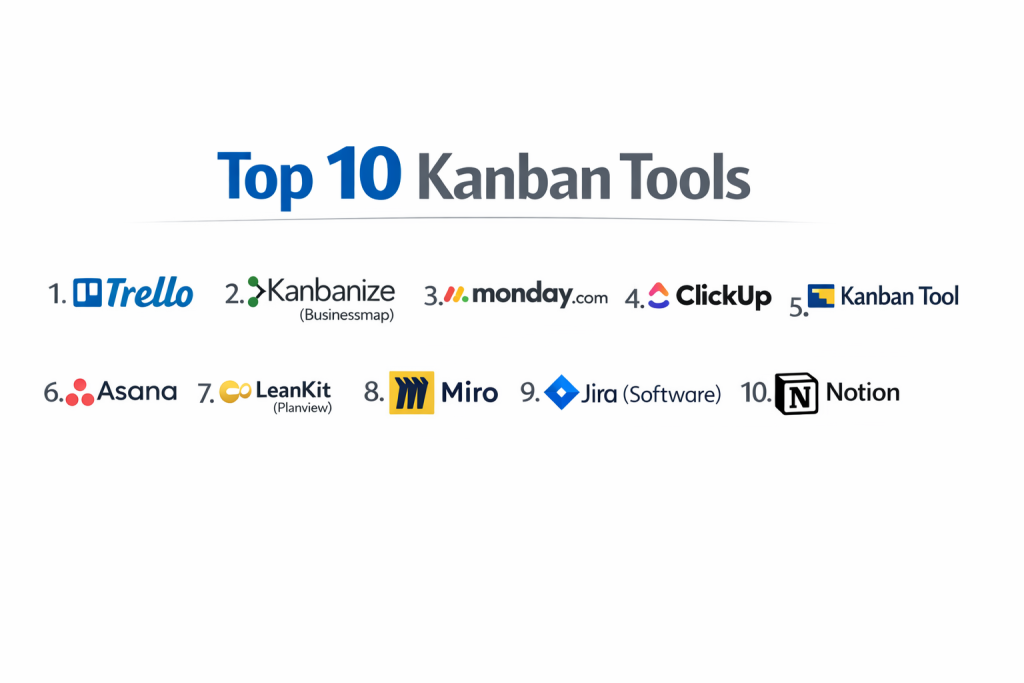
Top 10 Kanban Tools
1 — Trello
Trello is arguably the most famous Kanban tool in the world. It popularized the “board and card” aesthetic for the digital age and remains the gold standard for ease of use and simplicity.
- Key features:
- Drag-and-Drop Interface: Intuitively move cards between columns with zero learning curve.
- Butler Automation: A built-in robot that automates common actions based on rules you set.
- Power-Ups: Hundreds of integrations that add features like calendars, maps, and voting to your boards.
- Checklists with Progress Bars: Break down large cards into small, manageable steps.
- Templates: A massive library of community-made boards for everything from house hunting to software dev.
- Mobile Accessibility: One of the most responsive and feature-complete mobile apps on the market.
- Pros:
- It is incredibly easy to get started; you can build your first board in less than two minutes.
- The free version is exceptionally generous for small teams and solo users.
- Cons:
- It lacks built-in reporting (like Cumulative Flow Diagrams) without using external Power-Ups.
- Can become cluttered and difficult to navigate once a board has hundreds of cards.
- Security & compliance: SOC 2 Type II, ISO 27001, and GDPR compliant. Supports 2FA and SSO through Atlassian Access.
- Support & community: Extensive documentation, a huge user community sharing templates, and reliable technical support for business tiers.
2 — Kanbanize (Businessmap)
Kanbanize, recently rebranded as Businessmap, is a powerhouse designed for “Scaled Kanban.” It is built for organizations that need to link strategy to execution across multiple departments.
- Key features:
- Management Boards: Link small team tasks to high-level “Initiatives” on a separate board.
- WIP Limits: Strict rules that prevent too many tasks from entering a specific column.
- Powerful Analytics: Built-in Monte Carlo simulations to predict when your project will finish.
- Business Rules Engine: Automate workflows across different boards based on specific triggers.
- Timeline View: Combines the visual flow of Kanban with a traditional project timeline.
- Custom Fields: Track metadata like “Cost,” “Effort,” or “Risk” directly on the cards.
- Pros:
- It offers the most sophisticated analytical tools for teams that take data seriously.
- Excellent for “Portfolio Kanban,” allowing executives to see the health of every project in one view.
- Cons:
- The interface is much more complex than Trello and requires significant training for new users.
- The price point is aimed at enterprises, making it expensive for small startups.
- Security & compliance: ISO 27001, SOC 2, GDPR, and HIPAA compliant. Offers data encryption at rest and in transit.
- Support & community: High-quality onboarding, dedicated account managers for enterprise clients, and a deep knowledge base.
3 — Monday.com
Monday.com is a “Work OS” that offers one of the most flexible Kanban views available. It is famous for its colorful interface and its ability to handle almost any type of business process.
- Key features:
- Multi-View Toggle: Instantly turn your Kanban board into a Spreadsheet, Gantt, or Calendar view.
- Status Labels: Highly visual, color-coded labels that make board health obvious at a glance.
- Formula Columns: Perform math directly on your Kanban cards (e.g., Budget minus Spend).
- Integration Center: Seamlessly connects to Slack, Gmail, Zoom, and Salesforce.
- Apps Marketplace: A store of widgets that can be added to your board for extra functionality.
- Workload View: See which team member has too many Kanban cards assigned to them.
- Pros:
- The UI is incredibly “fun” and modern, which significantly helps with team adoption.
- It is highly adaptable; you can use it for CRM, HR, or IT, not just project management.
- Cons:
- The pricing is based on “seats” (groups of users), which can be frustrating if you fall between tiers.
- The Kanban view, while good, lacks some of the strict “Agile” features found in dedicated Kanban tools.
- Security & compliance: ISO 27001, ISO 27018, SOC 1/2/3, GDPR, and HIPAA.
- Support & community: 24/7 support with a very fast response time, a massive “Monday Academy” for learning, and a huge user forum.
4 — ClickUp
ClickUp markets itself as the “one app to replace them all.” It offers a massive feature set that allows for highly customized Kanban workflows at a very competitive price.
- Key features:
- Everything View: See all Kanban cards from every project in your company on one giant board.
- Custom Statuses: Create unique workflow stages for every folder or project.
- Sprints: Native support for Agile sprints with story point tracking on Kanban cards.
- Threaded Comments: Discuss tasks directly on the back of the card without losing context.
- Slash Commands: Use keyboard shortcuts to quickly edit cards and move them.
- Multitask Toolbar: Select dozens of cards at once to move them or change their status.
- Pros:
- It offers more features in its free version than most companies offer in their paid plans.
- It is probably the most “customizable” tool on this list.
- Cons:
- The sheer number of buttons and features can be overwhelming for non-technical users.
- The mobile app can occasionally be slower than simpler tools like Trello.
- Security & compliance: SOC 2 Type II, GDPR, and HIPAA compliant (on enterprise plans). 256-bit AES encryption.
- Support & community: Excellent documentation, 24/7 support, and a very active community of “Power Users” who share custom setups.
5 — Kanban Tool
This is a “pure” Kanban application. It focuses on doing one thing—Kanban—extremely well, without the clutter of extra project management features.
- Key features:
- Swimlanes: Horizontal rows that help categorize tasks (e.g., by Priority or by Department).
- Time Tracking: Built-in timer on every card to track exactly how long work takes.
- Cumulative Flow Diagrams: Visual charts that show exactly where work is piling up over time.
- External Card Integration: Create tasks on the board simply by sending an email.
- Cloning & Recurring Tasks: Automatically create the same card every Monday morning.
- On-Site Option: One of the few tools that offers a self-hosted version for maximum security.
- Pros:
- It is very fast and lightweight; the pages load almost instantly.
- It stays true to the “Lean” roots of Kanban, making it great for purists.
- Cons:
- The user interface looks a bit dated compared to Monday.com or ClickUp.
- It doesn’t have the “flashy” integrations or marketplace of larger platforms.
- Security & compliance: GDPR compliant, SSL encryption, and ISO 27001 data centers. Supports SSO.
- Support & community: Solid documentation and responsive email support. Smaller community than Trello.
6 — Asana
Asana is a heavyweight in the PM space that introduced a Kanban “Board” view to compete with Trello. It excels at showing how small Kanban tasks contribute to massive company goals.
- Key features:
- Timeline & Board Sync: Changes made on the Kanban board instantly update the project timeline.
- Goals Tracking: Link a column of cards directly to a high-level company objective.
- Forms: Create a “request form” that automatically creates a card in the “To Do” column.
- Milestones: Mark critical cards that represent major project achievements.
- Proofing: Leave comments on specific parts of images or PDFs attached to a card.
- Smart Summaries: Uses AI to summarize the history of a Kanban card for a new worker.
- Pros:
- The interface is very “clean” and professional; it feels like an office tool.
- Excellent at managing task dependencies (making sure Card A is done before Card B can start).
- Cons:
- You cannot assign a card to multiple people, which can be difficult for collaborative tasks.
- Many of the best reporting features are locked behind the very expensive “Advanced” plan.
- Security & compliance: SOC 2 Type II, ISO 27001, GDPR, and HIPAA compliant. Enterprise-grade audit logs.
- Support & community: Top-tier support, a dedicated “Asana Academy,” and a huge network of “Asana Ambassadors” for hire.
7 — LeanKit (Planview)
LeanKit is an enterprise-grade Kanban tool designed specifically for large software and engineering firms that follow strict Lean-Agile principles.
- Key features:
- Highly Flexible Layouts: Create complex boards with nested columns and horizontal swimlanes.
- Lean Metrics: Built-in calculation of Lead Time, Cycle Time, and Throughput.
- Cross-Team Connections: Link cards across different boards to show how departments depend on each other.
- Risk Visualizer: Automatically flags cards that have been sitting in a column for too long.
- Enterprise Scalability: Built to handle boards with thousands of cards across thousands of users.
- Strategic Alignment: Connects the “boots on the ground” Kanban cards to the C-suite’s annual plan.
- Pros:
- It is the most “Lean” compliant tool on the list; it teaches you how to do Kanban correctly.
- It handles complex dependencies between different teams better than almost anyone else.
- Cons:
- It has a high price point and is generally not sold to individuals or tiny teams.
- The interface can feel a bit “engineering-heavy” and lacks the polish of Asana.
- Security & compliance: ISO 27001, SOC 2, HIPAA, and GDPR. Strong focus on enterprise data sovereignty.
- Support & community: Professional onboarding services, enterprise-level support contracts, and deep technical documentation.
8 — Miro
While Miro is primarily a digital whiteboard, it has become a top-tier Kanban tool for teams that want a “freeform” experience. It is perfect for remote brainstorming that turns into action.
- Key features:
- Infinite Canvas: Place your Kanban board next to a mind map, a video, or a set of sticky notes.
- Digital Sticky Notes: Cards that feel like real paper, making it great for “Design Thinking.”
- App Integrations: Turn a Miro sticky note into a Jira issue or an Asana task with one click.
- Visual Bulk Editing: Group cards by color or tag instantly using your mouse.
- Voting: Have the team vote on which Kanban cards are the highest priority.
- Timer: Run a “Sprint Planning” session directly on the board with a built-in clock.
- Pros:
- It is the best tool for teams that find regular project management software too “restrictive.”
- It allows for much more creative collaboration than a standard list-based tool.
- Cons:
- It doesn’t have “structured” data like time tracking or automatic reporting.
- It is easy to “make a mess” on an infinite canvas if the team isn’t disciplined.
- Security & compliance: SOC 2 Type II, ISO 27001, GDPR, and HIPAA. SSO and SCIM provisioning available.
- Support & community: Massive “Miroverse” where users share board templates, and a very helpful community.
9 — Jira (Software)
Jira is the “industrial” choice for software developers. Its Kanban boards are built for technical teams that need to track bugs, features, and releases in a highly structured way.
- Key features:
- Agile Boards: Professional-grade Kanban and Scrum boards with full backlog management.
- JQL (Jira Query Language): Write “code” to find specific cards based on complex rules.
- Developer Tool Integration: See code commits and pull requests directly on the back of a Kanban card.
- Roadmaps: Visualizes how Kanban tasks roll up into big product releases.
- Automation: A deep automation engine that can perform complex “if-this-then-that” logic.
- Permissions: Incredibly granular control over who can see or move specific cards.
- Pros:
- It is the most powerful tool for software development; it is the industry standard.
- It can handle the most complex workflows imaginable.
- Cons:
- It is notoriously difficult to set up and often requires a dedicated “Jira Admin.”
- Non-technical teams (like Marketing) often find the interface too “clunky” and technical.
- Security & compliance: SOC 2, ISO 27001, GDPR, HIPAA, and FedRAMP compliant.
- Support & community: The largest user community in the world and an endless supply of “Solution Partners” to help with setup.
10 — Notion
Notion is a “blank canvas” tool that has become a favorite for startups. It allows you to build your own Kanban system inside a document, making it perfect for teams that write a lot.
- Key features:
- Linked Databases: View the same data as a Kanban board, a Table, a List, or a Calendar.
- Wiki Integration: Keep your “How-To” guides and your “Kanban Board” on the same page.
- Custom Properties: Add any type of data to a card (Select, Multi-select, Formula, Date, Person).
- Relational Data: Link a card in your “Tasks” board to an item in your “Clients” database.
- Notion AI: Ask the AI to write a description for a Kanban card or summarize the comments.
- Templates: A huge community of creators selling “Agile” and “Kanban” setups for Notion.
- Pros:
- It is the most flexible tool for “knowledge work”—where the task is mostly writing or thinking.
- It is very affordable and offers a great “personal” version for free.
- Cons:
- It lacks “native” Kanban features like WIP limits or Lead Time charts.
- It can become slow if your database has thousands of cards.
- Security & compliance: SOC 2 Type II, GDPR, and uses TLS 1.2 encryption.
- Support & community: A massive community on YouTube and Reddit; help is mostly through documentation and chat.
Comparison Table
| Tool Name | Best For | Platform Supported | Standout Feature | Rating (Gartner) |
| Trello | Solo & Small Teams | Web, iOS, Android | Ease of Use / Power-Ups | 4.4 / 5 |
| Kanbanize | Scaled Enterprise | Web, iOS | Monte Carlo Forecasting | 4.8 / 5 |
| Monday.com | Visual Collaboration | Web, iOS, Android | Status Label Flexibility | 4.6 / 5 |
| ClickUp | Feature Seekers | Web, Mac, PC, Mobile | “Everything” Board View | 4.7 / 5 |
| Kanban Tool | Lean Purists | Web, On-Premise | Self-hosted option | N/A |
| Asana | Goal-oriented Teams | Web, iOS, Android | Timeline/Board Sync | 4.5 / 5 |
| LeanKit | Engineering / Lean | Web / Cloud | Multi-level Board Logic | 4.3 / 5 |
| Miro | Remote Brainstorming | Web, App, Tablet | Infinite Canvas Boards | 4.8 / 5 |
| Jira | Software Developers | Web, iOS, Android | Deep Developer Linking | 4.4 / 5 |
| Notion | Startups / Wiki users | Web, Mac, PC, Mobile | Task/Doc Integration | 4.7 / 5 |
Evaluation & Scoring of Kanban Tools
To determine which tool truly offers the most value, we evaluated each based on a weighted rubric that reflects the real-world needs of a busy team.
| Category | Weight | Description |
| Core Features | 25% | Kanban boards, swimlanes, WIP limits, and sub-tasks. |
| Ease of Use | 15% | Time to value and how intuitive the card movement feels. |
| Integrations | 15% | Connectivity with Slack, Google Drive, and developer tools. |
| Security & Compliance | 10% | Data safety, SOC 2, HIPAA, and GDPR standards. |
| Performance | 10% | Sync speed across devices and reliability during high loads. |
| Support & Community | 10% | Quality of help docs and size of the user ecosystem. |
| Price / Value | 15% | Feature set relative to the monthly per-user cost. |
Which Kanban Tool Is Right for You?
Choosing a tool is less about “which is best” and more about “which fits your team’s culture.”
Solo Users and Small Businesses (SMB)
If you are just starting out, Trello is almost always the right answer. It is free, simple, and won’t confuse your team. If you also need to keep a lot of notes and documents, Notion is a fantastic alternative that keeps everything in one place.
Mid-Market and Growing Agencies
If your team is growing and you need better visual reporting, Monday.com or Asana are the top choices. They offer a “professional” feel that clients appreciate, and they can handle more complex project dependencies than Trello.
Enterprises and Technical Teams
For software development, Jira is the industry standard. However, if you are a non-software enterprise that needs to manage hundreds of boards and link them to corporate strategy, Kanbanize (Businessmap) or LeanKit are the sophisticated choices.
Budget vs. Premium
If you have zero budget, ClickUp gives you the most “bang for your buck.” If you are a high-end agency that wants the most polished experience possible and budget is not a major concern, Asana and Monday.com provide the most refined “premium” feel.
Frequently Asked Questions (FAQs)
1. What is the difference between Kanban and Scrum?
Scrum is based on “sprints” (fixed time boxes like 2 weeks). Kanban is a continuous flow where work can be added or moved at any time, as long as there is capacity.
2. What are “WIP Limits” and why do they matter?
WIP (Work In Progress) limits set a maximum number of cards allowed in a column. This forces the team to finish current tasks before starting new ones, preventing bottlenecks.
3. Can I use these tools for personal tasks?
Yes! Trello, Notion, and Todoist (which has a board view) are excellent for personal productivity, like planning a wedding or tracking a fitness routine.
4. How long does it take to implement a Kanban tool?
Simple tools like Trello take 5 minutes. Complex enterprise tools like Jira or Kanbanize can take weeks of setup and training to get right.
5. Are these tools safe for sensitive data?
Most (like Monday.com and Asana) use bank-level encryption. If you need extreme security, Kanban Tool offers an on-premise version you can run on your own servers.
6. Do I need a Kanban tool if I have a small team?
Even a team of two benefits from a visual board. It prevents the question “What are you working on today?” and stops tasks from being forgotten in an inbox.
7. Can I see my Kanban board on my phone?
Yes, almost every tool on this list has a dedicated iOS and Android app. Trello and ClickUp are generally considered to have the best mobile experiences.
8. What is “Lead Time”?
Lead Time is the total time from when a task is first requested until it is finished. Most advanced Kanban tools track this automatically.
9. Can I invite my clients to see my boards?
Yes, most tools allow “Guest Access.” You can invite a client to see one specific board without giving them access to your internal team’s other projects.
10. What is the biggest mistake teams make with Kanban?
Having too many columns or not enforcing WIP limits. If you have 50 cards in “In Progress,” you don’t have a flow—you have a pile of work.
Conclusion
The “best” Kanban tool is ultimately the one that your team actually enjoys using. If a tool is too complicated, people will stop updating their cards, and the visual board will become useless. If you want speed and simplicity, go with Trello. If you want visual beauty and flexibility, Monday.com is your winner. And if you are a data-driven enterprise, Kanbanize is the tool that will help you scale.
Kanban is more than just moving cards; it’s about a culture of “finishing.” By picking the right tool, you aren’t just buying software—you are buying clarity, focus, and a faster way to get things done.