Project Management Software is a digital solution designed to help individuals and teams plan, execute, and track work in a centralized environment. At its core, it provides a way to visualize tasks, manage resources, track time, and communicate without digging through endless email threads. These tools allow you to break down a giant goal into bite-sized tasks, assign them to the right people, and set deadlines that keep everyone accountable.
The importance of these tools cannot be overstated. Without them, projects often fall victim to “scope creep,” missed deadlines, and poor communication. Real-world use cases include a construction firm tracking building phases, a software team managing a “sprint” for a new app, or a marketing agency coordinating a multi-channel product launch. When evaluating these tools, users should prioritize ease of use, flexibility of views (like Gantt or Kanban), integration capabilities, and reporting depth.
Best for: Project managers, team leads, freelancers, and growing organizations across industries like IT, marketing, construction, and healthcare. It is ideal for anyone managing multiple stakeholders or overlapping deadlines.
Not ideal for: Solo users with very linear, simple tasks that rarely change, or tiny teams that prefer physical whiteboards and don’t need digital record-keeping. In these cases, a simple spreadsheet or a basic notes app might be more efficient than a full-scale platform.
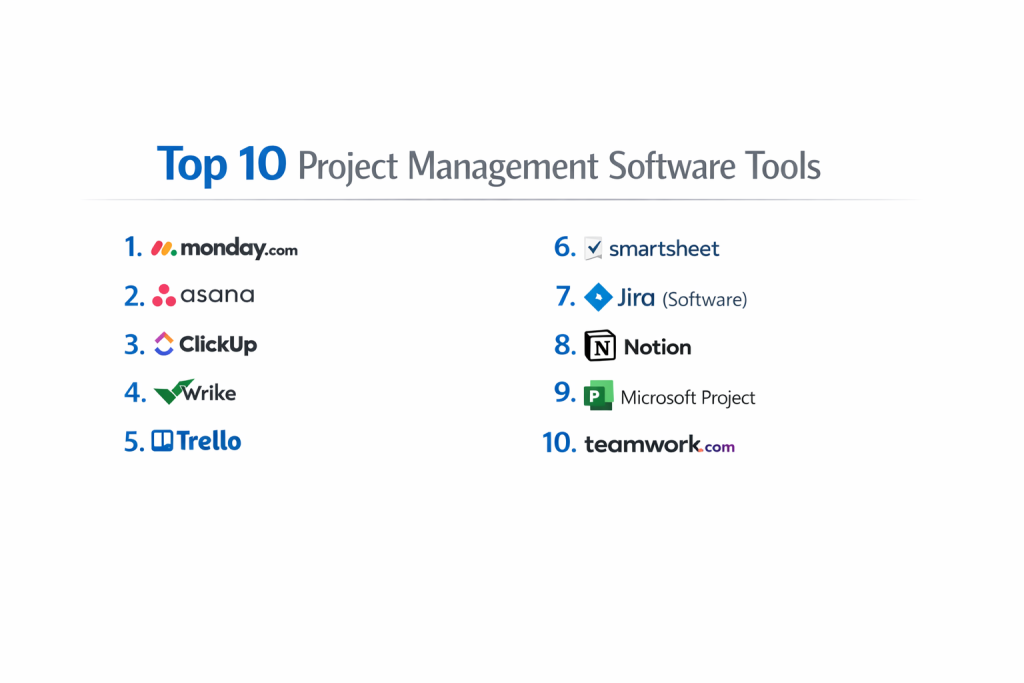
Top 10 Project Management Software Tools
1 — Monday.com
Monday.com is a highly visual “Work OS” that prides itself on being extremely customizable. It is designed for teams that want a colorful, intuitive interface that can be adapted for sales, HR, IT, or creative workflows.
- Key features:
- Visual Boards: Highly customizable columns for status, priority, time tracking, and more.
- Automations: No-code “recipes” that handle repetitive tasks (e.g., “when status changes, notify manager”).
- Multiple Views: Toggle easily between Kanban, Gantt, Calendar, and Map views.
- Dashboards: Real-time data hubs that pull information from multiple boards for high-level reporting.
- Workload Management: Visualizes team capacity to prevent burnout.
- Guest Access: Allows external clients to view specific boards without seeing the whole system.
- Pros:
- The interface is incredibly modern and fun to use, which helps with team adoption.
- Exceptionally flexible; you can build almost any workflow without needing a developer.
- Cons:
- The pricing structure is based on “seats” (groups of users), which can be expensive for small teams.
- Some of the more advanced reporting features are locked behind higher-priced tiers.
- Security & compliance: SOC 1/2/3, ISO 27001, ISO 27018, GDPR, and HIPAA (on Enterprise plans). Supports SSO and 2FA.
- Support & community: 24/7 customer support, a massive “Monday Academy” for training, and an active community forum for sharing templates.
2 — Asana
Asana is built for clarity and accountability. It is widely considered the gold standard for professional teams that need to track complex projects with a focus on who is doing what and by when.
- Key features:
- Timeline View: A professional Gantt chart that helps teams see how project parts fit together.
- Milestones: Identifies critical progress points to keep the team motivated.
- Forms: Streamlines work requests by turning form submissions into actionable tasks.
- Custom Fields: Adds specific data points to tasks, such as “Estimated Hours” or “Cost.”
- Proofing: Allows users to leave comments directly on images or PDFs for creative feedback.
- Universal Reporting: Search across all projects to find specific data or bottlenecks.
- Pros:
- The user experience is very polished and feels “logical” for professional workflows.
- Excellent at managing task dependencies (making sure Step B can’t start until Step A is done).
- Cons:
- You cannot assign a single task to multiple people, which can be frustrating for collaborative work.
- The free version is quite limited for larger teams compared to competitors.
- Security & compliance: SOC 2 Type II, ISO 27001, GDPR, and HIPAA (Enterprise). Includes audit logs and advanced data encryption.
- Support & community: High-quality documentation, a dedicated community forum, and “Asana Ambassadors” available for hire to help with setup.
3 — ClickUp
ClickUp markets itself as the “one app to replace them all.” It is an aggressive, feature-rich platform that combines tasks, docs, goals, whiteboards, and chat into a single interface.
- Key features:
- Hierarchy System: Uses Spaces, Folders, and Lists to organize even the largest companies.
- Everything View: Allows managers to see every task across every department in one list.
- Native Docs: A built-in alternative to Google Docs that links directly to tasks.
- Mind Maps: Visualizes projects in a “tree” format for brainstorming.
- Time Tracking: Includes native timers and manual entry with detailed billing reports.
- Whiteboards: A collaborative canvas for real-time team planning.
- Pros:
- Offers the most features for the lowest price, including an incredibly generous free tier.
- Highly customizable; you can turn features on or off to keep the interface clean.
- Cons:
- The sheer number of buttons and settings creates a steep learning curve for new users.
- Occasionally suffers from performance lag due to the high complexity of the software.
- Security & compliance: SOC 2 Type II, GDPR, HIPAA (on specific plans), and ISO 27001. Data is encrypted at rest and in transit.
- Support & community: 24/7 support, a very active YouTube channel with tutorials, and a massive community of “ClickUp Power Users.”
4 — Wrike
Wrike is an enterprise-grade platform designed for large-scale operations. It excels in managing creative agencies and marketing departments that need high-end resource management and proofing tools.
- Key features:
- Dynamic Request Forms: Routes requests to the right team and populates project templates automatically.
- Cross-Tagging: Allows the same task to live in multiple folders without duplicating data.
- Advanced Resource Management: Detailed views of team capacity and project hours.
- Custom Item Types: Lets you rename “tasks” to “leads,” “candidates,” or “orders” to fit your industry.
- AI Work Intelligence: Predicts project risks and suggests ways to avoid delays.
- Interactive Gantt Charts: Full drag-and-drop scheduling with dependency tracking.
- Pros:
- Extremely stable and robust; it handles massive amounts of data without slowing down.
- Excellent for large-scale external collaboration with clients.
- Cons:
- The interface feels “corporate” and can be less inviting than Monday or Asana.
- The initial setup can be quite complex, usually requiring an admin or consultant.
- Security & compliance: ISO 27001, SOC 2 Type II, GDPR, HIPAA, and CCPA. Includes user-owned encryption keys on higher plans.
- Support & community: 24/7 support, professional onboarding services, and a deep knowledge base for technical users.
5 — Trello
Trello is the king of simplicity. It popularized the “Kanban” style—using digital cards on a board—to make project management accessible to everyone from wedding planners to software developers.
- Key features:
- Kanban Boards: A simple “To Do,” “Doing,” “Done” layout that anyone can understand.
- Power-Ups: Hundreds of integrations that add features like calendars or maps to boards.
- Butler Automation: Built-in AI that automates common actions based on user behavior.
- Checklists: Allows for sub-tasks inside cards with clear progress bars.
- Card Templates: Standardizes the way tasks are created to ensure no data is missed.
- Mobile App: One of the most responsive and easy-to-use mobile apps in the industry.
- Pros:
- Requires almost zero training; if you can move a sticky note, you can use Trello.
- The free version is perfectly adequate for most small teams and personal use.
- Cons:
- It lacks built-in reporting and native Gantt charts (you must use Power-Ups).
- Not suitable for complex projects with hundreds of task dependencies.
- Security & compliance: SOC 2 Type II, ISO 27001, and GDPR compliant (part of the Atlassian family).
- Support & community: Vast library of community-created templates and a reliable help center.
6 — Smartsheet
Smartsheet is the tool for people who love Excel but hate its limitations. It takes the familiar spreadsheet interface and adds the power of project automation and collaboration.
- Key features:
- Grid View: A powerful spreadsheet interface with built-in hierarchy and formulas.
- Critical Path: Automatically highlights the sequence of tasks that determines the project end date.
- WorkApps: Allows you to build simple mobile apps from your project data for field workers.
- Data Shuttle: Automatically moves data between Smartsheet and other ERP/CRM systems.
- Forms: Collects data from stakeholders and adds it directly into a sheet.
- Portfolio Management: High-level views that track the health of multiple projects at once.
- Pros:
- Ideal for industries like construction or finance that rely on heavy data and math.
- Exceptionally strong at managing budgets alongside tasks.
- Cons:
- It has a “dull” interface compared to modern tools like ClickUp.
- Can become difficult to manage if sheets become too large and complex.
- Security & compliance: ISO, SOC 2, GDPR, HIPAA, and FedRAMP (for government use).
- Support & community: Professional certifications available, a strong user group, and expert consulting.
7 — Jira (Software)
Jira is the undisputed leader for software development teams. Built by Atlassian, it is designed to support Agile, Scrum, and Kanban methodologies for building technology.
- Key features:
- Scrum Boards: Specifically designed for “sprint” planning and backlog management.
- Issue Tracking: Deeply detailed bug tracking and feature request management.
- Roadmaps: Visualizes how different software releases connect to the long-term vision.
- Agile Reporting: Includes burn-down charts, velocity charts, and cumulative flow diagrams.
- Jira Query Language (JQL): Allows developers to run complex searches for specific code issues.
- DevOps Integration: Connects directly with code repositories like GitHub and Bitbucket.
- Pros:
- The absolute best tool for developers who need to manage code releases and technical tasks.
- Massive ecosystem of “Add-ons” in the Atlassian Marketplace.
- Cons:
- Infamously difficult for non-technical teams (like Marketing or HR) to use.
- The interface can be cluttered and confusing for a general project manager.
- Security & compliance: SOC 2, ISO 27001, GDPR, HIPAA, and FedRAMP.
- Support & community: A massive community of “Atlassian Experts” and exhaustive technical documentation.
8 — Notion
Notion is a “blank canvas” productivity tool. It is unique because it combines notes, wikis, databases, and project tasks into one flexible workspace that you build yourself.
- Key features:
- Linked Databases: Create a task in a list and see it instantly on a calendar or board.
- Wiki Pages: A central “knowledge base” for company policies and project briefs.
- Blocks: Move any piece of content (text, image, task) anywhere on the page.
- Templates: Thousands of community-built templates for every imaginable project.
- Notion AI: Summarizes meeting notes, generates task lists, and brainstorms ideas.
- Relations & Rollups: Connects data between different tables (e.g., link “Tasks” to “Clients”).
- Pros:
- Unmatched flexibility; you can build a system that works exactly like your brain.
- Keeps “knowledge” (notes) and “action” (tasks) in the same place.
- Cons:
- It requires a lot of “building” time before it is ready to use for a team.
- Lacks professional PM features like “Critical Path” or native time tracking timers.
- Security & compliance: SOC 2 Type II compliant, GDPR ready, and data is encrypted using TLS 1.2.
- Support & community: A massive YouTube and Reddit community. Most support is via email or community forums.
9 — Microsoft Project
Microsoft Project is the “original” PM tool. It is a high-powered, professional application designed for career project managers who need to manage massive, multi-year initiatives.
- Key features:
- Gantt Charts: The most advanced scheduling engine in the world.
- Resource Leveling: Automatically reschedules tasks to prevent over-allocating people.
- Baseline Tracking: Compares current progress against the original project plan.
- ERP Integration: Connects deeply with Microsoft Dynamics and Power BI.
- Timephased Data: Allows for extremely granular budget and hour tracking.
- Portfolio Analytics: Models different project scenarios to see which are most profitable.
- Pros:
- If you are a certified Project Management Professional (PMP), this tool speaks your language.
- Handles thousands of tasks and dependencies without breaking a sweat.
- Cons:
- Extremely expensive and difficult for the average office worker to learn.
- The cloud version is better, but the desktop version feels very dated.
- Security & compliance: Follows all Microsoft 365 standards (ISO, SOC, HIPAA, GDPR).
- Support & community: Global support network and professional training courses available in most cities.
10 — Teamwork.com
Teamwork is designed specifically for “client-facing” teams. It is perfect for agencies that need to manage internal tasks while also keeping clients informed and billing them for hours.
- Key features:
- Client Users: Allows you to invite clients to projects for free to approve tasks.
- Billing & Invoicing: Turns tracked time directly into professional invoices.
- Task Dependencies: Simple, visual mapping of how tasks connect.
- Project Health Reports: One-click views to see if a project is on budget and on time.
- Profitability Tracking: Shows which clients are making you money and which are costing you.
- Intake Forms: Standardizes how new client requests are received.
- Pros:
- It strikes a perfect balance between “powerful” and “easy to use.”
- The most specialized tool for agencies and professional services.
- Cons:
- The interface isn’t quite as “slick” or modern as Monday.com.
- Some integrations can be a bit clunky compared to Asana.
- Security & compliance: SOC 2 Type II, GDPR, and uses AWS data centers with high-level encryption.
- Support & community: Excellent customer service with a reputation for being very helpful to small businesses.
Comparison Table
| Tool Name | Best For | Platform(s) Supported | Standout Feature | Rating (Gartner) |
| Monday.com | Visual / Creative Teams | Web, iOS, Android | No-code Automations | 4.6 / 5 |
| Asana | Team Accountability | Web, iOS, Android | Project Timeline View | 4.5 / 5 |
| ClickUp | Feature Seekers | Web, Mac, PC, Mobile | “All-in-one” Hierarchy | 4.7 / 5 |
| Wrike | Enterprise Marketing | Web, Mac, PC, Mobile | Cross-Tagging Tasks | 4.2 / 5 |
| Trello | Simple Kanban Work | Web, iOS, Android | Ease of Use / Butler AI | 4.4 / 5 |
| Smartsheet | Data / Excel Fans | Web, iOS, Android | Sheet-to-App builder | 4.5 / 5 |
| Jira | Software Developers | Web, iOS, Android | Agile / Scrum Engine | 4.4 / 5 |
| Notion | Notes + Task Mix | Web, Mac, PC, Mobile | Block-based Flexibility | 4.7 / 5 |
| MS Project | Career PMs | Windows, Web | Professional Scheduling | 4.1 / 5 |
| Teamwork | Client Agencies | Web, iOS, Android | Billing & Client Portals | 4.4 / 5 |
Evaluation & Scoring of Project Management Software
To determine which tool truly offers the most value, we have evaluated them against a weighted scoring rubric that prioritizes the things that matter most in a daily work environment.
| Category | Weight | Description |
| Core Features | 25% | Assessment of task views, Gantt charts, time tracking, and reporting. |
| Ease of Use | 15% | How quickly a non-technical team member can become productive. |
| Integrations | 15% | The ability to connect with Slack, Google Drive, Outlook, and CRMs. |
| Security & Compliance | 10% | Existence of SOC 2, HIPAA, GDPR, and enterprise-grade encryption. |
| Performance | 10% | App speed, mobile responsiveness, and uptime reliability. |
| Support & Community | 10% | Quality of documentation and availability of human help. |
| Price / Value | 15% | Whether the feature set justifies the per-user monthly cost. |
Which Project Management Software Tool Is Right for You?
Selecting the “perfect” tool is less about the software and more about your team’s culture and needs.
Solo Users vs. SMB vs. Mid-Market vs. Enterprise
For solo users and freelancers, Trello or Notion are the clear winners because they stay out of your way and are often free. Small to Mid-sized Businesses (SMB) should look at Monday.com or Teamwork because they offer a professional look without requiring an IT degree. Enterprises with hundreds of users should lean toward Wrike or Microsoft Project for their robust security and deep reporting.
Budget-Conscious vs. Premium Solutions
If you have zero budget, ClickUp offers the most features for free. However, if you are looking for a premium experience where everything “just works” and looks beautiful, Asana is worth the extra investment.
Feature Depth vs. Ease of Use
If you need feature depth (complex dependencies, resource leveling, and math), Smartsheet and Jira are the leaders. If you prioritize ease of use so your team actually uses the tool, Trello and Monday.com are the best options.
Integration and Scalability Needs
For those heavily invested in the Microsoft ecosystem, MS Project or Planner is a natural fit. For developers, Jira is non-negotiable. If you plan to grow from 10 to 1,000 employees quickly, Salesforce-integrated tools or Wrike offer the best scalability.
Frequently Asked Questions (FAQs)
1. What is the difference between Task Management and Project Management?
Task management is about “to-do lists” and individual items. Project management is about the “big picture”—timelines, budgets, resources, and how tasks relate to each other over time.
2. Is my data safe in the cloud?
Most of these tools (like Monday and Asana) use bank-level encryption and have “SOC 2” certifications. This means they are audited regularly to ensure your data is safe from hackers.
3. Can I use these tools offline?
Most are web-based and need an internet connection. However, Trello, ClickUp, and Notion have mobile or desktop apps that allow for some offline editing which syncs once you are back online.
4. Why is Jira only for developers?
It’s not only for them, but it uses technical language (like “issues,” “sprints,” and “backlogs”) that can be very confusing for a marketing team or a lawyer.
5. How long does it take to set up a new tool?
Simple tools like Trello take 10 minutes. Complex enterprise tools like Wrike or MS Project can take weeks of setup and staff training.
6. Can I invite my clients to see the project?
Yes, most tools (especially Teamwork and Monday.com) allow you to invite “Guest Users” who can see specific parts of the project without seeing your internal team’s private notes.
7. Do I need a PMP certification to use these?
No. Most modern tools are designed for regular office workers. However, for “Microsoft Project,” a basic understanding of project management theory is very helpful.
8. Can these tools help with my budget?
Yes. Smartsheet and Teamwork are particularly good at tracking how much money you are spending versus your original project budget.
9. What is “Agile” project management?
It is a way of working where you break projects into short “sprints” (usually 2 weeks) and adjust your plan as you go, rather than planning everything a year in advance.
10. What is the most common mistake when choosing software?
Buying the most “powerful” tool when your team only needs a simple list. If the tool is too hard to use, your team will stop using it and go back to emails.
Conclusion
The “best” project management software isn’t the one with the most buttons; it is the one that your team actually enjoys using every morning. If you want visual beauty, choose Monday.com. If you want professional accountability, go with Asana. If you want limitless features, ClickUp is your answer.
Before you buy, start a 14-day trial and invite three of your team members. If they find it easy to use without a manual, you have found your winner. By centralizing your work, you aren’t just buying software—you are buying back your team’s time and sanity.