Introduction
Case Management Platform is a computer system designed to handle complex work that doesn’t follow a straight line. While regular software might handle a simple sales order, case management handles “situations.” A situation—like a legal dispute, a medical insurance claim, or a HR investigation—can change every day. These platforms bring together emails, documents, notes, and task lists into one central place so that nothing gets lost.
This technology is very important because it helps people make better decisions. Instead of digging through old emails to find a missing file, a worker can see the entire history of a case in a single click. Real-world uses include managing court cases for lawyers, tracking patient care in hospitals, and handling complex customer complaints in big companies. When choosing a tool, you should look for one that is easy to search, safe enough to hold private secrets, and flexible enough to change when your rules change.
Best for: Lawyers, social workers, insurance adjusters, and HR managers in medium to large companies. It is perfect for any industry where every “job” is unique and involves many different steps and documents.
Not ideal for: Small shops that sell the same five products every day. If your work is very simple and never changes, a basic to-do list or a spreadsheet is much cheaper and faster to use than a full case management system.
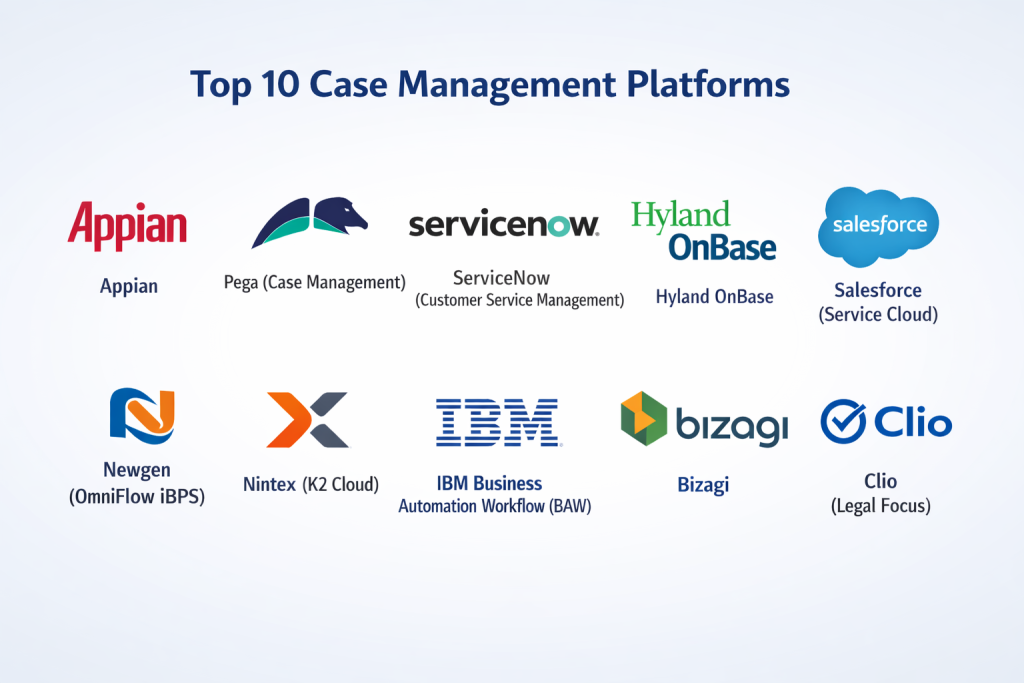
Top 10 Case Management Platforms Tools
1 — Appian
Appian is a top choice for big companies that want to build their own custom case management tools without writing thousands of lines of code. It is famous for being “low-code,” which means you can build it by dragging and dropping boxes on a screen.
- Key features:
- Dynamic Case Management: It allows workers to add new tasks even after a case has started.
- Data Fabric: It connects to all your other computer programs so you can see all data in one spot.
- AI Assistant: It can read long documents and tell you the most important parts quickly.
- Mobile App: You can update a case from your phone while you are out of the office.
- Collaboration Tools: A built-in chat area where team members can talk about a specific case.
- Audit Trails: It records every single person who looked at or changed a file.
- Pros:
- It is extremely flexible; you can make it look and work exactly how your office needs.
- It is very fast to set up compared to building software from scratch.
- Cons:
- It is very expensive, making it hard for small non-profits or tiny law firms to afford.
- You still need a person who is good with computers to help set it up the first time.
- Security & compliance: Very high safety; it meets SOC 2, HIPAA for medical data, and GDPR for privacy.
- Support & community: They have a large online school and a very big group of users who help each other.
2 — Pega (Platform)
Pega is a heavy-duty tool made for the world’s largest banks and insurance companies. It is designed to handle millions of cases at once without ever slowing down or making a mistake.
- Key features:
- Case Lifecycle Management: A visual map that shows exactly which stage a case is in.
- Intelligent Automation: It uses “brains” to suggest what a worker should do next.
- Email Bot: It can read incoming emails and automatically start a new case.
- Omni-channel: It works on the web, on phones, and even through chat apps.
- Rule Engine: You can set very complex rules for who is allowed to see certain cases.
- Global Scaling: It works just as well in an office with ten people as it does in one with ten thousand.
- Pros:
- It is incredibly powerful and can handle the most complicated business rules in the world.
- The “self-healing” feature helps the system keep working even if a connection to another program breaks.
- Cons:
- It is very technical and usually requires hiring a professional to keep it running.
- The cost is at the very top of the market.
- Security & compliance: Top-tier security; trusted by global governments and ISO certified.
- Support & community: High-end professional support and a dedicated academy for training staff.
3 — ServiceNow (Customer Service Management)
ServiceNow started as a tool for IT workers, but it is now one of the best platforms for managing customer cases. It focuses on solving problems fast and making customers happy.
- Key features:
- Agent Workspace: A single screen that shows everything a worker needs to solve a problem.
- Playbooks: Step-by-step guides that show new workers how to handle a case.
- Knowledge Base: A library of articles that can help solve common problems automatically.
- Predictive Intelligence: It groups similar cases together to find big problems early.
- Customer Portal: A website where customers can check the status of their own case.
- Visual Task Boards: A way to see work moving like sticky notes on a wall.
- Pros:
- It is excellent at making sure no customer complaint is ever forgotten.
- It connects very easily to other office tools like email and calendar.
- Cons:
- It can feel very “techy” and might be too much for a simple social work office.
- The pricing can be confusing because they charge for many different “add-ons.”
- Security & compliance: Very safe; it uses strong encryption and meets all major global safety rules.
- Support & community: One of the biggest user communities in the world with thousands of help articles.
4 — Clio
Clio is a specialist tool. It is made specifically for lawyers and legal teams. It doesn’t just manage cases; it also manages the business of being a lawyer, like tracking hours and sending bills.
- Key features:
- Legal Document Management: A safe place to store sensitive court papers.
- Time Tracking: A built-in stopwatch to track how much time is spent on each case.
- Client Portal: A secure way to send messages to clients without using regular email.
- Court Rules Integration: It automatically adds important court dates to your calendar.
- Billing & Payments: It can send a bill and collect money from clients directly.
- Conflict Check: It helps you make sure you aren’t helping two people who are fighting each other.
- Pros:
- It is very easy for lawyers to use because it uses the words and rules they know.
- It saves a lot of time by doing the billing and the case management in one place.
- Cons:
- It is only for legal work; you wouldn’t use it for a hospital or a construction site.
- It can be expensive for a lawyer who is just starting out on their own.
- Security & compliance: Built for legal secrets; it follows all law society rules for data safety.
- Support & community: Excellent customer service that you can call on the phone anytime.
5 — Hyland OnBase
OnBase is a tool that focuses on “content.” It is designed for offices that are drowning in paper and scanned documents. It takes those pictures and turns them into a working case.
- Key features:
- Document Imaging: It is the best at taking a scanned photo and reading the words on it.
- Workflow Automation: It moves a document from a clerk to a manager automatically.
- Electronic Forms: You can create digital forms that look exactly like your old paper forms.
- Outlook Integration: You can save an email into a case without ever leaving your inbox.
- Records Management: It knows exactly when it is safe to delete old files according to the law.
- Full-text Search: You can search for a single word inside a pile of ten thousand documents.
- Pros:
- If your office has too much paper, this is the best tool to get organized.
- It is very stable and has been used by big companies for many years.
- Cons:
- The software can look a bit old-fashioned compared to newer tools.
- It takes a long time to set up and train the staff on how to use it.
- Security & compliance: Highly secure; used by many government offices and healthcare providers.
- Support & community: Very professional support and a strong network of experts who can visit your office.
4 — Salesforce (Service Cloud)
Salesforce is the biggest name in customer software. Their Service Cloud tool uses the famous Salesforce “engine” to track customer cases and help people work together.
- Key features:
- 360-Degree View: See everything about a person—what they bought and their past complaints.
- Omni-channel Routing: Sends the case to the best worker available at that moment.
- Service Analytics: Charts that show how fast cases are being closed.
- AppExchange: A store where you can buy extra features for your case system.
- Einstein AI: A smart helper that can write email replies for you.
- Field Service: A way to track workers who have to go out and fix things at a house.
- Pros:
- It is the most famous tool, so it is very easy to find people who already know how to use it.
- It can grow with your company from a small team to a giant corporation.
- Cons:
- It can be very complicated and “busy” with too many buttons on the screen.
- The cost can become very high as you add more and more features.
- Security & compliance: World-class security; they set the standard for cloud safety.
- Support & community: The largest community in the world with millions of “Trailblazers” helping each other.
7 — CaseFlow (formerly Filevine)
CaseFlow is a modern tool that feels more like a social network than a boring piece of software. It is very popular with law firms and teams that want to talk to each other quickly.
- Key features:
- Activity Feed: A list of updates that looks like a Facebook wall for your case.
- Text-to-Case: You can send a text message to the system and it saves it to the right file.
- Deadline Assistant: It sends you alerts so you never miss a big meeting or court date.
- Custom Reporting: Build your own charts just by clicking on what you want to see.
- Settlement Tools: Special tools for tracking how much money is owed in a legal case.
- Document Assembly: It can take a template and fill in the names and dates automatically.
- Pros:
- It is very easy to learn and feels “natural” to use for people who use smartphones.
- The “texting” feature makes it very easy to talk to clients who don’t use email.
- Cons:
- It is mostly built for legal teams and might not work for other industries as well.
- It doesn’t have as many “plugs” for old computer programs as Pega or Appian.
- Security & compliance: Very safe; it uses modern encryption and SOC 2 safety rules.
- Support & community: They have a very friendly support team and good training videos.
8 — Kissflow
Kissflow is a tool made for “regular” offices. It is designed to be so simple that you don’t need an IT person to set it up. It is great for HR cases, simple legal work, or office requests.
- Key features:
- No-Code Builder: You can build your case system just by drawing it on the screen.
- Unified Platform: It handles cases, projects, and simple tasks all in one place.
- Dynamic Routing: It can send a case to a different manager if the cost is too high.
- Simple Dashboards: Colored charts that show you where work is slowing down.
- Mobile App: A clean app that works just like the website.
- Collaboration: You can tag coworkers in a note to get their help fast.
- Pros:
- It is much cheaper than the big tools like Salesforce or Pega.
- It is very pretty and simple, so your workers won’t be scared to use it.
- Cons:
- It is not powerful enough for a huge bank or a very complex hospital.
- It cannot handle as many documents as a tool like Hyland OnBase.
- Security & compliance: Very good; it follows all the standard rules for business safety.
- Support & community: Good online chat support and many helpful articles.
9 — Microsoft Dynamics 365 (Customer Service)
Since almost every office uses Windows and Excel, Microsoft made their own tool to handle cases. It works perfectly with all the other Microsoft programs you already have.
- Key features:
- Teams Integration: You can talk about a case inside Microsoft Teams.
- Outlook Link: Turn an email into a case with one button inside Outlook.
- AI Suggestions: It looks at old cases to tell you how to solve the current one.
- Unified Routing: It makes sure the same person handles a case if the customer calls back.
- Real-time Analytics: It uses “Power BI” to make very detailed charts of your work.
- Knowledge Management: A place to store all the rules and guides for your workers.
- Pros:
- If you already use Microsoft Office, this is the easiest tool to connect to your work.
- It is very powerful and can be changed to fit almost any type of business.
- Cons:
- It can be very hard to set up and usually requires a professional consultant.
- Sometimes it can feel a bit slow because it is such a big program.
- Security & compliance: World-class; it uses Microsoft’s global security systems.
- Support & community: Massive help is available everywhere because so many people use Microsoft.
10 — IBM Business Automation Workflow
IBM is the choice for the world’s most serious organizations, like governments and military offices. It is built to be extremely safe and to follow very strict rules.
- Key features:
- Content Integration: It links your cases directly to your secure file storage.
- Process Mining: It watches your work to find where you are wasting time.
- Governance: It keeps very strict records of who did what, which is great for auditors.
- Scalability: It can handle millions of cases across hundreds of different offices.
- Low-Code Tools: It has newer tools to help make simple screens faster.
- Hybrid Cloud: You can run it on your own servers or on the internet.
- Pros:
- It is the most “stable” tool; it is built to last for decades.
- It is the best for companies that have very high security needs.
- Cons:
- It is very old-fashioned and can be very difficult for a normal person to use.
- It is very expensive and takes a long time to learn.
- Security & compliance: The highest level of safety; used by the world’s biggest banks and governments.
- Support & community: Very professional support and deep technical documentation.
Comparison Table
| Tool Name | Best For | Platform(s) Supported | Standout Feature | Rating (Gartner) |
| Appian | Building custom systems | Cloud / Mobile | Low-code speed | 4.6 / 5 |
| Pega | Huge enterprises | Cloud / On-prem | Intelligent “Brains” | 4.4 / 5 |
| ServiceNow | Customer service | Web / Mobile | Agent Workspace | 4.5 / 5 |
| Clio | Legal teams | Web / App | Legal billing & time | 4.8 / 5 |
| Hyland OnBase | Paper-heavy offices | Windows / Cloud | Document Reading | 4.5 / 5 |
| Salesforce | Growing companies | Cloud / Mobile | Huge app store | 4.4 / 5 |
| CaseFlow | Modern law firms | Web / Mobile | Text-to-Case | 4.7 / 5 |
| Kissflow | Simple SMB needs | Web / App | Very simple UI | 4.3 / 5 |
| MS Dynamics | Microsoft users | Windows / Cloud | Teams & Outlook link | 4.3 / 5 |
| IBM Workflow | Government & Banks | Hybrid Cloud | Extreme stability | 4.1 / 5 |
Evaluation & Scoring of Case Management Platforms
We have looked at these tools and given them scores based on what matters most to a real business. We use a “weighted” score, which means some things are more important than others.
| Category | Weight | What we look for |
| Core features | 25% | Can it store files, track tasks, and send emails? |
| Ease of use | 15% | Can a new worker learn it in one afternoon? |
| Integrations | 15% | Does it work with Excel, Outlook, and other tools? |
| Security & compliance | 10% | Will it keep our secrets safe from hackers? |
| Performance | 10% | Is it fast, even when thousands of people use it? |
| Support & community | 10% | Is there someone to call if it breaks? |
| Price / value | 15% | Is it worth the money we are paying? |
Which Case Management Platforms Tool Is Right for You?
Picking the right tool is like picking the right car. You don’t need a massive truck if you are just driving to the grocery store.
Solo Users and Very Small Teams
If you are working by yourself, look for a tool like Clio (if you are a lawyer) or Kissflow. They are easy to set up and you don’t need a team of experts to help you. They also cost much less money per month.
Small to Mid-Market (SMB)
If your company is growing, Salesforce or CaseFlow are great because they can grow with you. They have enough features to keep you organized without being too “heavy” or slow. They are also very good at connecting to your phone.
Large Enterprises and Banks
If you have a thousand workers, you need the power of Pega or Appian. These tools allow you to build very complex rules that make sure everyone follows the law. They are expensive, but they save money by preventing big mistakes.
Security and Compliance
If you work for the government or a hospital, security is the only thing that matters. IBM or Hyland OnBase are the safest bets because they are built for the most strict rules in the world.
Frequently Asked Questions (FAQs)
1. What is the difference between Case Management and Project Management?
Project management is for a “plan” with a finish line (like building a house). Case management is for a “situation” that could go in many different directions (like a court case or a sick patient).
2. Can I use these tools if I am not a lawyer?
Yes! While some tools like Clio are for lawyers, most others like Salesforce or Kissflow can be used by any business that handles complex tasks.
3. Do I need a special server to run this?
Most modern tools are “Cloud-based,” which means they run on the internet. You don’t need to buy any hardware; you just log in through your web browser.
4. Can I see my cases on my phone?
Almost every tool on our list has a mobile app. This is great for workers who have to travel to meet clients or visit work sites.
5. How much does it cost?
It varies a lot. Simple tools can cost $20 per person per month. Large enterprise tools can cost thousands of dollars per month.
6. Is my data safe in the “Cloud”?
Yes, usually it is safer than your own office computer. These companies spend millions of dollars on hackers and safety rules to keep your data locked up.
7. Can a robot do my work for me in these tools?
Many tools like Pega and Appian have “RPA” (robots) that can do boring typing for you, but they can’t make the big decisions that a human needs to make.
8. How long does it take to learn?
Simple tools like Kissflow take a few hours. Complex tools like MS Dynamics or IBM can take weeks of training to master.
9. Can I move my data from one tool to another?
Yes, but it can be hard. Most tools allow you to “export” your data to an Excel file, which you can then “import” into a new tool.
10. What is the biggest mistake people make?
Buying a tool that is too complicated. Start with the simplest tool that does what you need. You can always buy a bigger tool later.
Conclusion
Choosing the right Case Management Platform is about finding the right “fit” for your team. If you want something that is easy and fun to use, CaseFlow or Kissflow are wonderful. If you need a tool that works with your Microsoft email, Dynamics 365 is the way to go. If you are a giant bank that needs extreme power, Pega is the champion.
Remember, the goal of these tools is to make your life easier. They take the “mess” of paper and emails and turn it into a clear, organized list. By picking the right tool, you can spend less time looking for files and more time actually helping your clients and finishing your work.