Introduction
A Webhook Management Tool is a centralized infrastructure layer that sits between an event provider and a consumer. Its primary job is to ensure that asynchronous messages are delivered successfully, even if the receiving server is down or the network is unstable. These tools manage the “plumbing” of event-driven architecture, including automatic retries, signature verification, payload transformation, and detailed logging. Without them, developers often find themselves spending more time building retry logic and debugging missing events than building core product features.
Real-world use cases are vast: a payment processor like Stripe needing to notify thousands of merchants about successful transactions; a SaaS platform triggering automated emails when a user signs up; or a GitHub repository firing a build command to a CI/CD pipeline. When evaluating these tools, users should look for delivery guarantees, security features (like HMAC signatures), rate limiting, developer portals, and comprehensive audit logs.
Best for: Software engineers, API product managers, and DevOps teams at tech-driven companies of all sizes. It is particularly vital for fintech, e-commerce, and B2B SaaS industries where missing a single event can lead to lost revenue or data inconsistency.
Not ideal for: Hobbyists with very low traffic or monolithic applications where all internal processes happen within a single database. If you only handle one or two events per day and don’t care about sophisticated retry logic, a direct HTTP call is often sufficient.
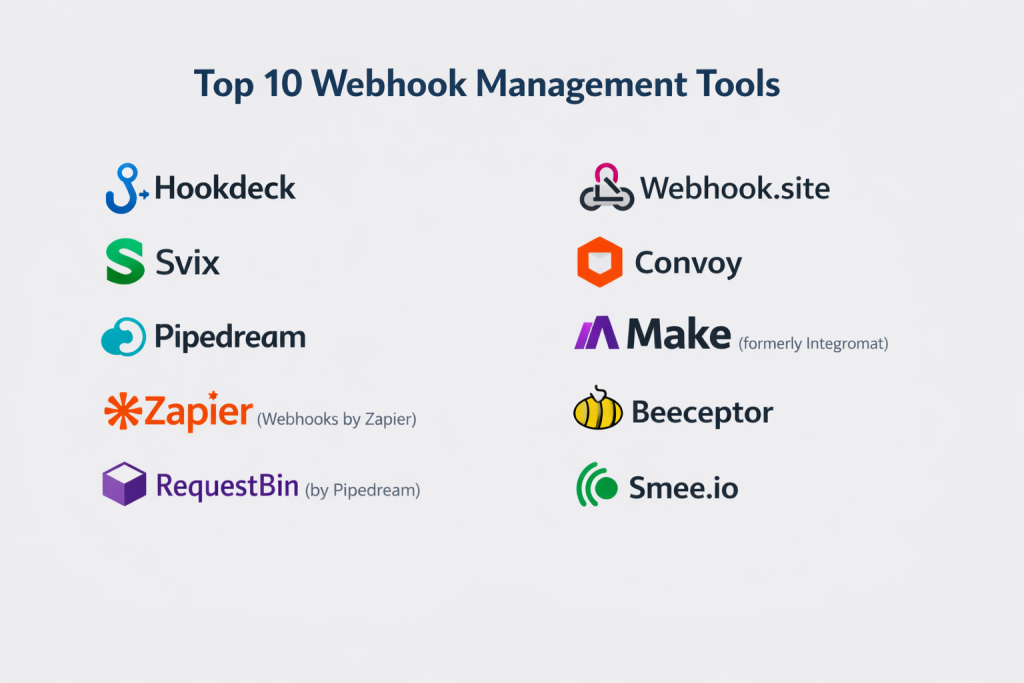
Top 10 Webhook Management Tools
1 — Svix
Svix is widely considered the industry leader for “webhooks-as-a-service.” It provides a complete, developer-ready infrastructure that allows companies to send webhooks to their customers with minimal setup.
- Key features:
- Pre-built Developer Portal: A white-label UI where your customers can manage their own endpoints.
- Automatic Retries: Sophisticated exponential backoff schedules.
- Payload Transformations: Modify the data structure before it hits the consumer.
- Static IPs: Allows customers to whitelist specific IP addresses for security.
- Message Fanning: Send a single event to multiple destinations simultaneously.
- Signature Verification: Automated HMAC headers to prevent spoofing.
- Operational Monitoring: Real-time health checks on consumer endpoints.
- Pros:
- Extremely fast integration; what usually takes months to build is reduced to an API call.
- The documentation is world-class, specifically tailored for developers.
- Cons:
- Can become expensive as event volume grows into the millions.
- Primarily focused on sending webhooks rather than receiving/proxying them.
- Security & compliance: SOC 2 Type II, HIPAA, GDPR, and ISO 27001 compliant.
- Support & community: High-touch engineering support, active Slack community, and extensive documentation.
2 — Hookdeck
Hookdeck is a powerful webhook infrastructure designed specifically for receiving and ingesting webhooks. It acts as a reliable queue and proxy for your incoming events.
- Key features:
- Webhook Ingestion: Ingest massive spikes of traffic without crashing your backend.
- Event Queueing: Buffers events and releases them at a rate your server can handle.
- Request Inspection: Deep visibility into headers and payloads for debugging.
- Issue Tracking: Automatic alerts when delivery failure rates cross a threshold.
- Replay Functionality: Re-send any failed or successful event with one click.
- Payload Transformation: Map incoming third-party data to your internal schema.
- Pros:
- Essential for teams integrating with “noisy” third-party APIs (like Shopify or X).
- Provides peace of mind through a reliable buffer between the web and your server.
- Cons:
- The UI can be complex for beginners due to the depth of routing options.
- Free tier has lower retention periods for event logs.
- Security & compliance: SOC 2 Type II, GDPR, and encryption at rest/transit.
- Support & community: Responsive customer support, helpful blog tutorials, and a growing community of integration engineers.
3 — Convoy
Convoy is an open-source webhook gateway that manages both incoming and outgoing webhooks. It is designed for high-performance environments and offers a self-hosted option.
- Key features:
- Bi-directional Support: Manage webhooks you send and webhooks you receive.
- Circuit Breaking: Automatically pauses delivery if an endpoint is consistently failing.
- Customer-Facing Dashboard: Allow your users to see their own webhook logs.
- Searchable Logs: High-speed indexing of millions of webhook events.
- Scalable Architecture: Built in Go for high concurrency and low latency.
- Custom Retry Policies: Granular control over how and when to retry events.
- Pros:
- Open-source core allows for maximum flexibility and no vendor lock-in.
- Excellent performance for enterprise-scale traffic.
- Cons:
- Self-hosting requires significant DevOps knowledge and maintenance.
- The managed “Cloud” version is newer than some competitors.
- Security & compliance: GDPR compliant; supports SSO, RBAC, and payload encryption.
- Support & community: Active GitHub community, Discord support, and enterprise SLAs available for paid plans.
4 — Webhook.site
Webhook.site is a unique tool that started as a debugging utility and evolved into a robust automation and management platform for custom workflows.
- Key features:
- Instant URL Generation: Create a unique URL to capture webhooks instantly.
- Custom Actions: Execute scripts (JavaScript) when a webhook is received.
- Variable Extraction: Extract specific data from JSON payloads for further use.
- Conditional Logic: Route webhooks to different destinations based on content.
- Schedules: Automate tasks based on received webhook events.
- Database Integration: Direct storage of webhook data into SQL or NoSQL.
- Pros:
- Unrivaled for rapid testing and prototyping during development.
- “Custom Actions” allow for complex logic without setting up a full server.
- Cons:
- Not designed as a core infrastructure piece for massive enterprise event-driven architectures.
- UI is functional but lacks the “enterprise” feel of Svix or Hookdeck.
- Security & compliance: Varies; offer private instances for better security control.
- Support & community: Documentation-heavy with email-based support.
5 — Zapier (Webhook Module)
While Zapier is a general automation tool, its “Webhooks by Zapier” feature is one of the most widely used methods for SMBs to manage event-based data.
- Key features:
- No-Code Interface: Connect webhooks to 5,000+ apps without writing code.
- GET/POST/PUT Support: Comprehensive support for all HTTP methods.
- Payload Parsing: Automatically turns JSON into selectable “fields.”
- Authentication: Supports Basic Auth and Header-based auth.
- Error Handling: Basic retry logic and notification system.
- Integration Ecosystem: Move webhook data directly into Slack, Sheets, or CRM.
- Pros:
- The easiest way for non-technical users to manage and route webhooks.
- Massive library of pre-built “actions” for the data you receive.
- Cons:
- High latency compared to dedicated gateways like Svix or Convoy.
- Expensive for high-volume event streams (priced per “Task”).
- Security & compliance: SOC 2, SOC 3, GDPR, and HIPAA (on high-tier plans) compliant.
- Support & community: Massive community, “Zapier Experts” for hire, and 24/7 support.
6 — Beeceptor
Beeceptor is a powerful mocking and proxying tool that allows developers to intercept webhooks, modify them, and route them to local environments.
- Key features:
- Mock Servers: Simulate webhook providers to test your backend.
- Local Tunneling: Route webhooks from the cloud to your local machine (
localhost). - Real-time Inspection: See every header and byte of the payload as it arrives.
- Rule-based Logic: Redirect or block webhooks based on specific criteria.
- Payload Templating: Return custom responses to the webhook sender.
- Pros:
- Perfect for solving the “localhost” problem when developing webhook handlers.
- Very low friction; no installation required for basic use.
- Cons:
- Primarily a developer tool, not a long-term production management platform.
- Limited long-term logging and audit capabilities.
- Security & compliance: GDPR compliant; data is typically transient and not stored indefinitely.
- Support & community: Good documentation and active email support.
7 — Pipedream
Pipedream is a developer-centric integration platform that provides an incredibly flexible “workflow” approach to managing webhooks.
- Key features:
- Serverless Workflows: Write Node.js, Python, or Go code for every webhook.
- Managed Auth: Handles OAuth for hundreds of integrated apps.
- Event History: Visual timeline of every webhook received and processed.
- SQL Service: Query your webhook history using standard SQL.
- High Concurrency: Scales automatically to handle traffic bursts.
- Source Templates: Pre-configured triggers for major APIs (GitHub, Stripe).
- Pros:
- Offers the perfect middle ground between no-code (Zapier) and custom code.
- Extremely generous free tier for developers.
- Cons:
- Requires coding knowledge to get the most out of the platform.
- Workflow management can become disorganized with hundreds of small scripts.
- Security & compliance: SOC 2 Type II compliant and GDPR ready.
- Support & community: Vibrant Slack community and a huge library of reusable code snippets.
8 — RequestBin (by Pipedream)
A classic in the industry, RequestBin (now part of the Pipedream family) is the standard for checking what a webhook sends.
- Key features:
- Public/Private Bins: Temporary endpoints to collect requests.
- Human-Readable Payloads: Nicely formatted JSON and XML views.
- Source Identification: Tracks the IP and User-Agent of the sender.
- Integration with Pipedream: Easily upgrade a bin to a full workflow.
- Collaborative Views: Share a bin URL with teammates for debugging.
- Pros:
- Zero-configuration debugging; the fastest way to “see” a webhook.
- Totally free for basic use.
- Cons:
- No retry logic, security verification, or production-grade management.
- Bins are temporary and data is deleted after a short period.
- Security & compliance: N/A (Transient data).
- Support & community: Community-supported via Pipedream forums.
9 — Inngest
Inngest is an event-driven platform that handles webhooks by treating them as “reliable functions,” ensuring that every event triggers the appropriate logic.
- Key features:
- Zero-Infrastructure Queues: No need to manage Redis or SQS for your events.
- Stateful Workflows: Create multi-step processes that wait for other webhooks.
- Local Development Suite: A local UI to trigger and test events.
- Event Versioning: Safely update your webhook logic without breaking old events.
- Fan-out: Trigger multiple functions from a single webhook event.
- Pros:
- Shifts the focus from “receiving a call” to “executing a business process.”
- Excellent for complex, multi-step asynchronous logic.
- Cons:
- Different mental model than a standard proxy; takes time to learn.
- Requires using the Inngest SDK within your application.
- Security & compliance: SOC 2 Type II compliant and GDPR ready.
- Support & community: Excellent Discord community and highly technical documentation.
10 — Azure Event Grid
For enterprise users within the Microsoft ecosystem, Event Grid provides a massive-scale webhook management and routing engine.
- Key features:
- Massive Throughput: Can handle billions of events per day.
- Native Azure Integration: Connects webhooks to Logic Apps, Functions, and Storage.
- Dead Lettering: Automatically sends failed events to storage for later analysis.
- Advanced Filtering: Route events based on complex logic and metadata.
- Custom Topics: Create your own event types for internal communication.
- Security: Integrated with Azure Active Directory (SSO).
- Pros:
- Best-in-class reliability for high-volume enterprise traffic.
- Extremely low cost per million events for high-volume users.
- Cons:
- Significant “cloud lock-in” within the Azure ecosystem.
- UI is buried within the complex Azure Portal.
- Security & compliance: ISO, SOC, HIPAA, FedRAMP, and GDPR compliant.
- Support & community: Professional Microsoft Enterprise support and a vast ecosystem of certified consultants.
Comparison Table
| Tool Name | Best For | Platform(s) Supported | Standout Feature | Rating |
| Svix | Sending Webhooks | Cloud (SaaS) | White-label Dev Portal | 4.8 / 5 |
| Hookdeck | Receiving Webhooks | Cloud (SaaS) | Webhook Queueing & Replay | 4.7 / 5 |
| Convoy | High-perf Teams | Cloud / Self-hosted | Bi-directional Gateway | 4.6 / 5 |
| Webhook.site | Prototyping | Cloud / Self-hosted | Custom Scripting Actions | 4.5 / 5 |
| Zapier | SMB / No-Code | Cloud (SaaS) | 5,000+ Integrations | 4.8 / 5 |
| Beeceptor | Local Development | Cloud (SaaS) | Local Tunneling | 4.4 / 5 |
| Pipedream | Dev Workflows | Cloud (SaaS) | Serverless Code Steps | 4.7 / 5 |
| RequestBin | Instant Debugging | Cloud (SaaS) | Zero-Config Setup | N/A |
| Inngest | Event-driven Logic | Cloud / SDK | Reliable Functions | 4.6 / 5 |
| Azure Event Grid | Enterprise | Azure Cloud | Multi-billion Event Scale | 4.5 / 5 |
Evaluation & Scoring of Webhook Management Tools
Choosing the right tool requires a balanced look at technical capability versus ease of use. Below is our scoring rubric based on industry standards.
| Category | Weight | Evaluation Criteria |
| Core Features | 25% | Retries, replaying, filtering, and payload transformation. |
| Ease of Use | 15% | Time to first event, UI clarity, and onboarding. |
| Integrations | 15% | Connectivity with third-party APIs and internal stacks. |
| Security & Compliance | 10% | HMAC verification, encryption, and SOC 2/GDPR. |
| Performance | 10% | Latency overhead and throughput limits. |
| Support & Community | 10% | Documentation, Slack/Discord access, and SLAs. |
| Price / Value | 15% | Cost scalability and free-tier utility. |
Which Webhook Management Tool Is Right for You?
Solo Users vs SMB vs Mid-Market vs Enterprise
If you are a solo user or building a side project, Pipedream or Webhook.site offer the most flexibility for the lowest cost. SMBs looking to build customer-facing webhooks should look at Svix, while those needing to connect apps together should use Zapier. Mid-market and Enterprise companies with high traffic and strict security needs should choose Hookdeck (for ingestion) or Convoy/Azure (for scale).
Budget-Conscious vs Premium Solutions
For those on a strict budget, the open-source version of Convoy is unbeatable. Beeceptor and RequestBin are free for debugging. If you are a premium buyer who wants to offload the entire engineering burden, Svix and Hookdeck offer high-value managed services that pay for themselves in saved engineering hours.
Feature Depth vs Ease of Use
If you prioritize Ease of Use, Zapier is the winner. You can manage webhooks with zero code. If you prioritize Feature Depth—such as circuit breaking, static IPs, and custom retry logic—Svix and Convoy are the clear choices.
Integration and Scalability Needs
If you are already in a major cloud, Azure Event Grid offers the best scale for the price. If you integrate with many diverse APIs, Hookdeck’s ability to normalize and queue incoming traffic is a game-changer for stability.
Frequently Asked Questions (FAQs)
1. What is a “Webhook Gateway”?
A gateway is a specialized server that manages the security, routing, and delivery of webhooks. It acts as a shield for your backend, handling retries and spikes so your server doesn’t have to.
2. Why can’t I just use a standard HTTP request?
You can, but HTTP is “fire and forget.” If the receiving server is down, the data is lost forever. Webhook management tools provide a “store and forward” mechanism to ensure delivery.
3. What is “Signature Verification”?
This is a security practice where the sender signs the payload with a secret key. Management tools automatically check this signature to ensure the data hasn’t been tampered with and truly comes from the claimed source.
4. How do webhooks differ from APIs?
An API is “pull” (you ask for data); a webhook is “push” (the server tells you data is ready). Webhooks are much more efficient for real-time updates.
5. Can I manage webhooks on my local machine?
Yes, tools like Beeceptor and Hookdeck provide local tunnels that allow webhooks from the internet to reach your localhost development environment.
6. What is “Exponential Backoff”?
This is a retry strategy where the tool waits longer after each failure (e.g., 1 min, 5 mins, 30 mins) before trying again. This prevents “hammering” a server that is already struggling.
7. Is it better to buy or build webhook infrastructure?
For almost all companies, it is better to buy. Building reliable retry logic, logging, and a customer portal takes months of engineering time that could be spent on your core product.
8. What is “Fan-out”?
Fan-out is when one incoming webhook event is duplicated and sent to multiple different destinations (e.g., sending a “New Sale” event to both a database and a Slack channel).
9. How do these tools handle security compliance?
Leading tools like Svix and Hookdeck are SOC 2 compliant, meaning they follow strict protocols for data handling and privacy, which is essential for regulated industries.
10. Do webhooks have a size limit?
Yes, most providers and management tools have a limit (often 1MB to 5MB). For larger data transfers, webhooks are usually used to send a “notification,” and the receiver then calls an API to download the full file.
Conclusion
The shift toward real-time, event-driven architectures has made webhook management a critical part of the modern tech stack. No longer just an “extra feature,” the ability to reliably send and receive events is now a core requirement for business continuity.
When choosing your tool, remember that the “best” option depends on which side of the transaction you are on. If you are sending webhooks to customers, Svix provides the most polished experience. If you are receiving messy data from multiple sources, Hookdeck is your best friend. For those who want absolute control and the ability to self-host, Convoy stands out. By investing in the right management infrastructure today, you ensure that your data flows smoothly tomorrow, no matter how much you scale.