Introduction
A Website Builder is a “what-you-see-is-what-you-get” (WYSIWYG) platform that typically uses drag-and-drop technology. It allows users to arrange text, images, videos, and forms on a digital canvas. These tools are important because they democratize the web; they give small businesses, artists, and entrepreneurs the power to establish an online presence in a matter of hours. Beyond simple aesthetics, modern website builders handle the heavy lifting of hosting, security, and mobile responsiveness automatically.
Real-world use cases are vast. A local restaurant might use a website builder to display their menu and accept reservations. A freelance photographer might use one to host a high-definition portfolio. An e-commerce startup might use it to process credit card payments and track inventory. When choosing a builder, you should evaluate it based on design flexibility, SEO capabilities, loading speed, and scalability. You want a tool that is easy to use today but won’t limit your growth tomorrow.
Best for: Small to medium-sized businesses (SMBs), freelancers, creative professionals, and non-technical entrepreneurs. It is ideal for those who need a high-quality site quickly and don’t have the budget or desire to manage a dedicated web development team.
Not ideal for: Large-scale enterprises with highly custom database needs, complex web applications (like building the next Facebook), or high-frequency trading platforms. In these cases, custom-coded solutions or headless CMS architectures are usually superior.
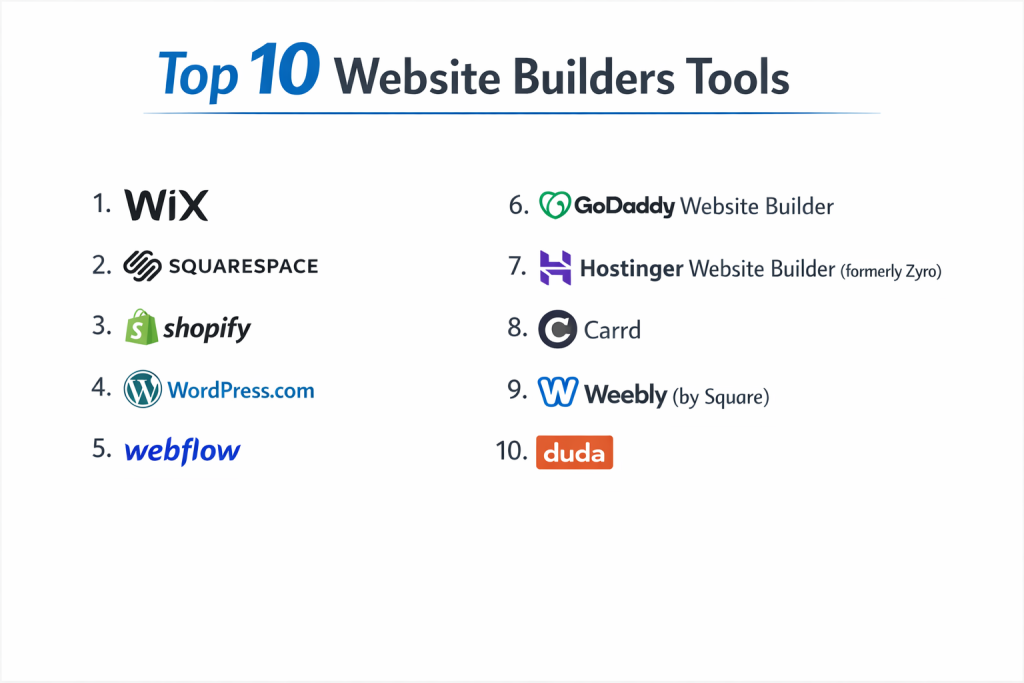
Top 10 Website Builders Tools
1 — Wix
Wix is a global leader in the website builder space, known for its incredible design freedom. It offers a “blank canvas” approach that allows users to move any element anywhere on the page without restriction.
- Key features:
- Drag-and-Drop Editor: Total pixel-perfect control over every element.
- Wix ADI (Artificial Design Intelligence): Automatically builds a site for you based on a few questions.
- Velo by Wix: An open development platform for adding custom JavaScript and APIs.
- App Market: Over 300 third-party and native apps to add features like bookings or forums.
- SEO Wiz: A personalized plan to help your site rank on Google.
- Mobile Editor: Dedicated tool to customize how your site looks on smartphones.
- Business Suite: Integrated tools for email marketing, CRM, and invoicing.
- Pros:
- The most flexible visual editor available today; if you can imagine it, you can build it.
- Massive template library with over 800 designer-made options for every industry.
- Cons:
- Once you pick a template, you cannot switch to a completely different one without rebuilding your content.
- The sheer number of options can feel overwhelming for a complete beginner.
- Security & compliance: GDPR and CCPA compliant; includes SSL certificates, 24/7 monitoring, and PCI DSS Level 1 for payments.
- Support & community: Extensive help center, 24/7 callback service, and a very active user forum and Facebook community.
2 — Squarespace
Squarespace is the gold standard for aesthetics. It is designed for those who want a “high-end” look with minimal effort, making it the top choice for photographers, designers, and boutiques.
- Key features:
- Award-Winning Templates: Modern, clean, and highly visual designs that look professional out of the box.
- Fluid Engine: A grid-based drag-and-drop editor that balances flexibility with structure.
- E-commerce Tools: Robust features for selling physical products, digital downloads, and subscriptions.
- Integrated Scheduling: Built-in tool for clients to book appointments.
- Email Campaigns: Native email marketing that pulls content directly from your site.
- Member Areas: Ability to create gated, “members-only” content for a fee.
- Pros:
- The most consistently beautiful templates in the industry; it is very hard to make a “bad-looking” site here.
- Everything is built-in, meaning you don’t have to worry about third-party plugins breaking your site.
- Cons:
- The editor has a slight learning curve compared to more basic builders.
- It is generally more expensive than some budget-friendly competitors.
- Security & compliance: SOC 2 compliant, GDPR/CCPA ready, SSL encryption, and Tier 1 PCI compliance.
- Support & community: 24/7 email support, live chat during business hours, and a highly polished “Squarespace Circle” for professional designers.
3 — Shopify
While often categorized as an e-commerce platform, Shopify is an elite website builder for anyone whose primary goal is to sell products. It is built to handle everything from one product to a million.
- Key features:
- Online Store Builder: Drag-and-drop themes optimized for conversion and sales.
- Shopify Payments: Native payment processor that supports hundreds of currencies.
- App Store: Thousands of apps for dropshipping, loyalty programs, and advanced shipping.
- Inventory Management: Tracks stock across multiple locations and online/offline stores.
- Point of Sale (POS): Syncs your physical store sales with your website.
- Shopify Markets: Tools to handle international taxes, duties, and languages automatically.
- Pros:
- The most powerful and scalable e-commerce infrastructure on the planet.
- Incredible loading speeds and checkout security that builds trust with customers.
- Cons:
- Monthly costs can add up quickly once you start adding paid apps.
- Design flexibility is more limited than Wix or Squarespace for non-store pages.
- Security & compliance: PCI DSS Level 1 compliant, SOC 1/2/3 reports available, GDPR compliant, and 256-bit SSL encryption.
- Support & community: 24/7 live chat and phone support, massive “Shopify Academy,” and an enormous global ecosystem of experts.
4 — WordPress.com
Not to be confused with the self-hosted WordPress.org, WordPress.com is a managed version that combines the power of the world’s most popular CMS with the ease of a hosted builder.
- Key features:
- Block Editor (Gutenberg): Uses content “blocks” to build layouts for posts and pages.
- Plugin Support: Access to over 50,000 plugins on higher-tier plans.
- Jetpack Integration: Built-in security, backups, and performance optimization.
- Global Styles: Change colors and fonts across the entire site with one click.
- Monetization: Easy tools for ads, recurring payments, and donations.
- Multi-site Management: Manage multiple websites from a single dashboard.
- Pros:
- The most “future-proof” choice; you can export your data and move to any web host later.
- Unrivaled for blogging and content-heavy websites.
- Cons:
- The interface is more “administrative” and less “visual” than Wix.
- Access to plugins—which is WordPress’s best feature—requires a more expensive plan.
- Security & compliance: Managed hosting with firewalls, DDoS protection, and GDPR compliance.
- Support & community: “Happiness Engineers” (support staff) available via chat, and the largest web community in existence.
5 — Webflow
Webflow is the choice for professional designers who want “code-level” control without actually writing the code. It is a visual development tool that outputs clean, professional HTML/CSS.
- Key features:
- Designer: A professional visual interface that mirrors CSS properties.
- CMS (Content Management System): Build custom structures for blogs, portfolios, or real estate listings.
- Interactions & Animations: Build complex, trigger-based animations without JavaScript.
- Logic: Visual flow-builder for automating site tasks and user data.
- Editor: A simplified interface for clients to change text and images without breaking the layout.
- Localization: Built-in tools to translate and customize sites for global regions.
- Pros:
- Zero design limits; it is as powerful as writing code by hand.
- Extremely high performance; sites load faster than almost any other drag-and-drop builder.
- Cons:
- Very steep learning curve; you need to understand the basics of box models and CSS hierarchy.
- Pricing can be complex and expensive for smaller projects.
- Security & compliance: SOC 2 Type II compliant, ISO 27001, GDPR compliant, and hosted on AWS with SSL.
- Support & community: “Webflow University” (the best video tutorials in the industry) and a very passionate professional community.
6 — GoDaddy Website Builder
GoDaddy is built for speed and simplicity. It is designed for the small business owner who needs a functional website live in under an hour.
- Key features:
- InSight: An AI tool that provides data-driven suggestions to improve your site.
- Marketing Suite: Built-in email marketing, social media creator, and SEO tools.
- Online Bookings: Allows clients to book services directly.
- Standardized Sections: Uses pre-made layout “blocks” that you stack to build a page.
- Content Creator: Simple graphic design tool for social media posts and logos.
- Unified Inbox: Manage customer messages from the web, Facebook, and Instagram in one place.
- Pros:
- The fastest way to get a website live; no design skills required whatsoever.
- Excellent value for money as it bundles many marketing tools into the price.
- Cons:
- Very limited design flexibility; you cannot move elements freely.
- Not suitable for complex sites or businesses that need unique, custom features.
- Security & compliance: SSL included, GDPR compliant, and 24/7 security monitoring.
- Support & community: 24/7 phone support, live chat, and a large knowledge base.
7 — Hostinger Website Builder (formerly Zyro)
Hostinger has created an AI-heavy builder that focuses on affordability and high-speed site creation. It is an excellent budget-friendly alternative to Wix.
- Key features:
- AI Website Generator: Builds a custom site layout in seconds.
- AI Heatmap: Predicts where visitors will look on your page to improve conversions.
- AI Writer: Generates SEO-friendly text for your pages.
- Logo & Slogan Makers: Built-in tools for branding your new business.
- Drag-and-Drop Grid: A helpful grid system that keeps your design aligned.
- E-commerce Lite: Simple tools for selling up to 500 products.
- Pros:
- One of the most affordable builders on the market, especially for beginners.
- Extremely fast and lightweight interface.
- Cons:
- Lacks some of the deep “app store” functionality found in Wix.
- Customization is more limited for advanced users.
- Security & compliance: SSL encryption, GDPR compliant, and hosted on Hostinger’s secure cloud servers.
- Support & community: 24/7 customer success team via live chat and email.
8 — Carrd
Carrd is a specialist tool designed for “one-page” websites. It is the perfect choice for landing pages, personal profiles, and “coming soon” announcements.
- Key features:
- Single-Page Focus: Optimized specifically for high-converting, one-page layouts.
- Responsive by Default: Every page looks perfect on a phone automatically.
- Custom CSS: Ability to add your own code on higher-tier plans.
- Widget Support: Embed third-party tools like Stripe, PayPal, or Typeform.
- Forms: Simple capture for email signups and contact requests.
- Incredible Speed: Lightweight code means pages load almost instantly.
- Pros:
- Unbelievably low price (often less than $20 per year).
- Fastest workflow for simple projects; you can be “done” in 15 minutes.
- Cons:
- Cannot be used for multi-page sites or complex blogs.
- No e-commerce inventory management or deep SEO tools.
- Security & compliance: Varies / Standard encryption and GDPR compliance for account data.
- Support & community: Documentation and email-based support.
9 — Weebly (by Square)
Weebly is a classic builder that was acquired by the payment company Square. It is now highly focused on “local” businesses and simple e-commerce.
- Key features:
- App Center: Add features like pricing tables or testimonials easily.
- Square Integration: Seamlessly syncs with Square’s payment and POS systems.
- Mobile App: Allows you to edit your entire website from your phone.
- Video Backgrounds: Easy way to add high-end visual interest to headers.
- Automated Tax & Shipping: Built-in calculators for e-commerce.
- SEO Settings: Simple, structured fields to help Google find your pages.
- Pros:
- Very easy to use; the “structured” drag-and-drop prevents you from making design mistakes.
- Excellent for brick-and-mortar stores that already use Square for their registers.
- Cons:
- The platform has seen fewer updates since the Square acquisition.
- Design options feel a bit dated compared to Squarespace or Wix.
- Security & compliance: PCI compliant, SSL included, and GDPR compliant.
- Support & community: Phone, chat, and email support, plus a large library of articles.
10 — Duda
Duda is the “Agency” builder. It is designed for professionals who build websites for other people and need to manage many clients at once.
- Key features:
- Client Management: Custom portals where clients can see their site stats.
- White Labeling: Put your own brand on the editor and dashboard.
- Content Collection: Tools to automatically pull text and images from a client’s old site.
- Personalization Rules: Change the site based on the visitor (e.g., show a coupon to a first-time visitor).
- Dynamic Pages: Build multiple pages from a single data source (like a list of apartments).
- Site Comments: Clients can leave feedback directly on the design during the build.
- Pros:
- The best tool for scaling a web design business or a marketing agency.
- High-end performance and SEO out of the box.
- Cons:
- More expensive than “DIY” builders for a single-site owner.
- The interface is more professional and less “playful” than Wix.
- Security & compliance: AWS hosting, SSL included, GDPR compliant, and SOC 2 reports available.
- Support & community: High-touch support team and a dedicated “University” for agency training.
Comparison Table
| Tool Name | Best For | Platform(s) | Standout Feature | Rating (Gartner/TrueReview) |
| Wix | Total Creative Freedom | Web, App | Unrestricted Drag-and-Drop | 4.4 / 5 |
| Squarespace | Visual Professionals | Web, App | Award-Winning Design | 4.3 / 5 |
| Shopify | E-commerce Power | Web, App | Best-in-Class Checkout | 4.6 / 5 |
| WordPress.com | Bloggers & Content | Web, App | Ecosystem & Portability | 4.4 / 5 |
| Webflow | Professional Designers | Web | Code-Level Visual Control | 4.5 / 5 |
| GoDaddy | Small Business Speed | Web, App | AI Marketing InSight | 4.1 / 5 |
| Hostinger | Budget / AI Help | Web | AI Heatmaps & Writing | 4.5 / 5 |
| Carrd | One-Page Landing Pages | Web | Incredible Price Value | 4.7 / 5 |
| Weebly | Local Retailers | Web, App | Square POS Integration | 4.0 / 5 |
| Duda | Agencies & Scaling | Web | White-Label Reporting | 4.6 / 5 |
Evaluation & Scoring of Website Builders
We have scored these tools based on a weighted rubric to help you identify which one excels in the areas most important to your business.
| Category | Weight | Description |
| Core Features | 25% | Variety of templates, blogging, and e-commerce power. |
| Ease of Use | 15% | Intuitiveness of the editor and time-to-launch. |
| Integrations | 15% | Availability of third-party apps and API connections. |
| Security & Compliance | 10% | SSL, GDPR, PCI compliance, and platform stability. |
| Performance | 10% | Page load speeds and mobile responsiveness. |
| Support & Community | 10% | Help center quality and response times. |
| Price / Value | 15% | Affordability relative to the features offered. |
Which Website Builder Tool Is Right for You?
Choosing the right tool is a balance between your current skills and your future goals.
Solo Users vs. SMBs vs. Enterprises
If you are a solo user looking for a personal brand, Carrd or Squarespace are perfect for their simplicity and style. SMBs looking to drive growth and sales should look at Wix for flexibility or GoDaddy for speed. Enterprise-level needs or those scaling an agency should look at Webflow or Duda, as these provide the control and client-management features necessary for high-volume work.
Budget-Conscious vs. Premium Solutions
If you are on a tight budget, Hostinger Builder and Carrd offer the most features for the lowest price. However, if you have a premium budget, you are paying for the ecosystem. Shopify and Squarespace might cost more per month, but they save you money in the long run by providing all your marketing, payment, and security tools in one place.
Feature Depth vs. Ease of Use
If you want Ease of Use, go with GoDaddy or Hostinger. These use AI to make decisions for you. If you want Feature Depth, go with Webflow or WordPress.com. These tools allow you to build complex database structures and unique animations, but they will take you much longer to learn.
Frequently Asked Questions (FAQs)
1. Do I need to buy web hosting separately?
No. All the tools on this list are “hosted” platforms. This means the price you pay includes the software to build the site and the “digital space” where the site lives.
2. Can I use my own domain name (e.g., .com)?
Yes. Every builder on this list allows you to connect a custom domain you bought elsewhere (like Namecheap or GoDaddy) or buy a new one directly through them.
3. Will my site work on mobile phones?
Yes. Modern builders use “responsive design,” which means they automatically shrink and re-arrange your content to look great on iPhones, Androids, and tablets.
4. Is it possible to move my site to another builder later?
It is difficult. Most builders like Wix and Squarespace use proprietary code. While you can copy your text and images, you usually cannot “export” the design to a different platform easily.
5. How much does a website builder cost?
Prices range from $0 (with ads) to about $30 per month for standard sites. E-commerce sites typically cost $30 to $80 per month depending on the features.
6. Do I need to know how to code?
Not at all. These tools are built specifically so that you never have to see a single line of code unless you want to.
7. Can I sell products on any website builder?
Most offer e-commerce, but some are better than others. Shopify is the king of sales, while Carrd is only good for selling one or two simple items.
8. Which builder is best for SEO?
Historically, WordPress.com and Webflow are considered the best for SEO because they give you the most control over the technical “under-the-hood” details.
9. Can I have a blog and a store on the same site?
Yes. Tools like Wix, Squarespace, and Shopify allow you to easily mix different types of pages together.
10. What happens if I stop paying my monthly fee?
Your website will go offline. Most platforms will save your data for a few months, but eventually, your site will be deleted if the subscription is not renewed.
Conclusion
The “best” website builder is the one that you actually enjoy using. If the tool feels like a chore, your website will likely suffer. When making your final decision, remember that your website is a living thing. It will grow and change as your business does.
If you are a creative who values beauty above all else, Squarespace is your winner. If you are an entrepreneur who wants to sell everything to everyone, Shopify is your powerhouse. And if you are a small business owner who just wants to “get it done” so you can get back to work, GoDaddy or Hostinger are your best friends. Take advantage of free trials, play with the editors, and choose the platform that makes you feel empowered to share your vision with the world.