Introduction
A Landing Page Builder is a tool that utilizes a “what you see is what you get” (WYSIWYG) interface, typically featuring drag-and-drop functionality. Unlike traditional website builders that manage an entire site’s structure, landing page builders focus on maximizing “conversion rates”—the percentage of visitors who take a specific action, such as signing up for a newsletter or purchasing a product. These tools are vital because they allow for rapid testing. If you want to see if a red button sells more than a blue one, these platforms make it easy to find out through data rather than guesswork.
Key real-world use cases include launching “coming soon” pages for new products, creating dedicated destinations for Google or Meta ad campaigns, and building lead-capture forms for webinars. When choosing a builder, users should evaluate the platform based on its loading speed, the quality of its mobile responsiveness, and the depth of its built-in analytics. A beautiful page that takes ten seconds to load is a page that loses money.
Best for: These tools are a godsend for digital marketers, small business owners, real estate agents, and SaaS (Software as a Service) companies. They are ideal for anyone running paid advertising campaigns who needs a dedicated, clutter-free destination to drive conversions.
Not ideal for: Those looking to build a complex blog, a multi-page corporate website with deep navigation, or a large-scale e-commerce store with hundreds of products. In those cases, a full Content Management System (CMS) or dedicated e-commerce platform is a much better choice.
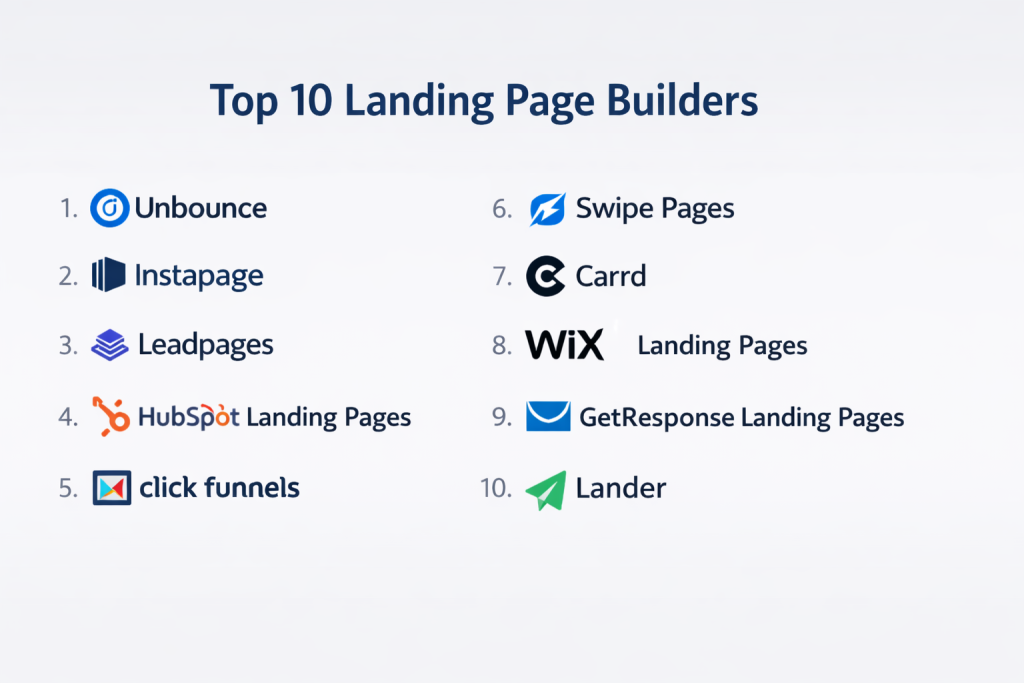
Top 10 Landing Page Builders Tools
1 — Instapage
Instapage is widely considered the “Cadillac” of landing page builders, specifically designed for teams and agencies that spend significant budgets on advertising. It focuses heavily on “AdMaps” and page speed.
- Key features:
- Thor Render Engine: Specialized technology that ensures pages load almost instantly.
- AdMap: A visual tool that maps your ad campaigns directly to specific landing pages.
- Postclick Automation: Tools to personalize the page based on the ad the user clicked.
- Built-in Collaboration: Allows team members to leave comments directly on the design.
- Heatmaps: Shows where users are clicking and scrolling without needing extra tools.
- Global Blocks: Update a single element (like a logo) across hundreds of pages at once.
- Pros:
- Unrivaled page loading speeds which help lower your cost-per-click on Google Ads.
- The collaboration features are a huge time-saver for agencies with multiple clients.
- Cons:
- One of the most expensive options on the market.
- Some of the best features are only available on the “Custom” enterprise plan.
- Security & compliance: SOC 2 Type II compliant, GDPR compliant, SSO (Single Sign-On) available, and SSL encryption.
- Support & community: High-quality documentation, 24/7 live chat for premium plans, and a dedicated Customer Success Manager for enterprise users.
2 — Unbounce
Unbounce is a pioneer in the industry, famous for its advanced “Smart Traffic” AI and its robust drag-and-drop builder that offers complete creative freedom.
- Key features:
- Smart Traffic: An AI tool that automatically sends visitors to the version of the page they are most likely to convert on.
- Dynamic Text Replacement: Changes page text to match the exact keywords a user searched for.
- Unrestricted Drag-and-Drop: Move any element anywhere on the page without being stuck in rows.
- Pop-ups and Sticky Bars: Built-in tools to capture leads without a full page reload.
- AMP Support: Create Accelerated Mobile Pages for ultra-fast mobile browsing.
- External Integrations: Connects with over 1,000 tools via Zapier or direct webhooks.
- Pros:
- The AI Smart Traffic feature can increase conversions by 20% or more automatically.
- High level of design flexibility for users who want total control over the look.
- Cons:
- The learning curve is slightly steeper than some “simpler” competitors.
- Managing many different pages can become disorganized in the backend.
- Security & compliance: GDPR and CCPA compliant; uses secure Amazon Web Services (AWS) hosting and SSL encryption.
- Support & community: Extensive knowledge base, active community forum, and responsive email/chat support.
3 — Leadpages
Leadpages is designed for small businesses and solo entrepreneurs who value speed and ease of use over complex design features. It is built to get you online in minutes.
- Key features:
- Conversion-Optimized Templates: Thousands of templates sorted by their actual conversion rate.
- Leadmeter: A real-time tool that tells you how well your page is likely to perform as you build it.
- Unlimited Leads and Traffic: They do not charge you more just because your page is popular.
- Leadboxes: Two-step opt-in forms that are proven to increase sign-ups.
- Simple E-commerce: Allows you to sell digital products directly on the landing page.
- SMS Opt-ins: Let users join your list by texting a keyword.
- Pros:
- Extremely fast and easy for people who are not “tech-savvy.”
- The flat pricing for unlimited traffic makes it very budget-friendly for high-volume sites.
- Cons:
- The drag-and-drop builder is a bit “stiff” and less flexible than Unbounce.
- A/B testing is not available on the lowest-priced plan.
- Security & compliance: GDPR compliant and provides SSL certificates for all pages.
- Support & community: Excellent onboarding, weekly group coaching calls, and chat support.
4 — Swipe Pages
Swipe Pages is a newer player that has gained a cult following for its focus on mobile-first design and ultra-fast “ROO” (Relatively Optimized Objects) pages.
- Key features:
- AMP-First: Dedicated to building Accelerated Mobile Pages that load in under 2 seconds.
- Multi-Step Forms: High-converting form structures that don’t overwhelm the user.
- Direct Payments: Integration with Stripe to handle checkouts natively.
- Dynamic Elements: Create carousels and tabs that work smoothly on mobile.
- E-commerce Blocks: Drag-and-drop product modules for quick selling.
- Sub-accounts: Manage different clients or projects in separate workspaces.
- Pros:
- The best tool for marketers who get most of their traffic from social media (mobile).
- Very affordable pricing for the number of features included.
- Cons:
- Fewer third-party integrations compared to the “big” names.
- The template library is smaller than Leadpages or Instapage.
- Security & compliance: GDPR compliant; SSL and secure cloud hosting included.
- Support & community: Rapidly growing community and very responsive founder-led support.
5 — Landingi
Landingi is an end-to-end platform that offers a massive library of templates and a unique “funnel” builder that helps you map out the entire customer journey.
- Key features:
- 300+ Templates: One of the largest libraries in the industry.
- Image Editor: Edit and crop photos directly inside the builder.
- Campaign Scheduler: Automatically turn pages on or off based on a date.
- Funnel Builder: Visualize how users move from page A to page B.
- Dynamic Content: Show different text to different visitors automatically.
- Lead Inbox: A centralized place to manage every lead captured.
- Pros:
- Great balance between ease of use and professional feature depth.
- The scheduling feature is perfect for seasonal promotions or limited-time offers.
- Cons:
- The interface can feel a bit cluttered compared to the modern look of Swipe Pages.
- Page speeds are good but not quite at the “Instapage” level.
- Security & compliance: GDPR compliant and offers secure AWS hosting.
- Support & community: Solid documentation and a helpful team based in Europe.
6 — Hubspot Landing Pages
For companies already using the HubSpot CRM, their landing page builder is a natural choice. It allows for deep data integration that other builders simply cannot match.
- Key features:
- CRM Integration: Every lead is automatically sorted into your sales database.
- Smart Content: Change the entire page based on who the visitor is (e.g., show a different offer to a CEO vs. a Manager).
- SEO Recommendations: Built-in tool that tells you how to rank higher on Google.
- Form Builder: Powerful forms that remember users so they don’t have to type their name twice.
- Adaptive Testing: AI-driven testing that finds the best version of your page automatically.
- Full Marketing Suite: Connects directly to your email, ads, and blog tools.
- Pros:
- The best choice for “B2B” companies that need to nurture leads over a long time.
- “Smart Content” is incredibly powerful for personalized marketing.
- Cons:
- It is very expensive if you only need the landing page builder and not the full CRM.
- The builder is less flexible for “creative” designs compared to Unbounce.
- Security & compliance: SOC 2, GDPR, HIPAA (with specific settings), and ISO 27001 compliant.
- Support & community: World-class support, huge academy for learning, and a massive global community.
7 — Carrd
Carrd is the “minimalist” choice. It is designed for creating simple, one-page websites and landing pages for free or for an incredibly low annual price.
- Key features:
- Single Page Focus: Optimized purely for one-page layouts.
- Responsive by Default: Every page looks perfect on a phone without any work.
- Custom CSS: Allows advanced users to add their own code.
- Form Integration: Connects to Mailchimp, GetResponse, and others on paid plans.
- Widgets: Embed code from third-party tools like Stripe or PayPal.
- Incredible Speed: Very lightweight pages that load instantly.
- Pros:
- By far the most affordable option (often under $20 per year).
- Extremely fast to build; you can have a page live in five minutes.
- Cons:
- Lacks advanced marketing features like A/B testing or heatmaps.
- Not suitable for complex marketing funnels or high-end professional campaigns.
- Security & compliance: GDPR compliant; standard encryption for account data.
- Support & community: Simple documentation and email-based support.
8 — ClickFunnels
ClickFunnels is more than a page builder; it is a “Sales Funnel” builder. It focuses on the psychological journey of the buyer, from first look to final checkout.
- Key features:
- One-Click Upsells: Offer an extra product after the user buys, increasing your average order value.
- Backpack: A tool to create your own affiliate program so others can sell for you.
- Membership Sites: Build pages that are locked behind a password.
- Follow-up Funnels: Automated emails that trigger based on page actions.
- Drag-and-Drop Editor: Simple but effective grid-based builder.
- Funnel Recipes: Pre-made paths for specific goals (like selling a book or a course).
- Pros:
- The best tool for creators selling digital products, courses, or coaching.
- Focuses on the “Sale” more than the “Design,” which is great for ROI.
- Cons:
- The pages often look a bit “dated” and similar to each other.
- The software can be “buggy” and slow compared to newer SaaS platforms.
- Security & compliance: PCI compliant for payments and GDPR compliant.
- Support & community: Massive Facebook group, “Funnel Hacking” events, and extensive video training.
9 — ConvertKit (Landing Pages)
ConvertKit is primarily an email marketing tool for “Creators” (bloggers, YouTubers, authors). Their built-in landing page builder is designed to grow your email list fast.
- Key features:
- Creator Focused: Templates designed specifically for newsletters, podcasts, and ebooks.
- Direct Integration: Lead info goes straight into your email sequences.
- Free Plan: Build unlimited landing pages even if you have zero budget.
- Unsplash Integration: Millions of free professional photos built into the builder.
- Automated Deliverables: Automatically send a PDF or “freebie” to anyone who signs up.
- Custom Domains: Use your own URL even on lower plans.
- Pros:
- The easiest way for an author or blogger to start building an audience for free.
- Excellent “deliverability,” ensuring your “thank you” emails don’t hit the spam folder.
- Cons:
- Very limited design flexibility; you can’t move elements wherever you want.
- No A/B testing or advanced analytics.
- Security & compliance: GDPR compliant and highly secure email infrastructure.
- Support & community: Very helpful community of creators and strong email support.
10 — Pagewiz
Pagewiz is a reliable, professional tool that focuses on high-end A/B testing and “White Label” reporting for agencies that need to show results to clients.
- Key features:
- Unlimited A/B Testing: Included in every plan to ensure you are always optimizing.
- White Labeling: Put your own agency logo on the reports you send to customers.
- Secure Lead Management: Export leads to CSV or push them to any CRM.
- Expert Templates: All designs are vetted by conversion experts.
- Fast Servers: Global CDN (Content Delivery Network) for quick loading.
- Multiple Account Management: Perfect for agencies handling 20+ clients.
- Pros:
- Very stable and reliable; a “workhorse” for marketing agencies.
- Simple pricing that doesn’t punish you for being successful.
- Cons:
- The interface hasn’t changed much in years and feels a bit old-fashioned.
- Lacks some of the AI features found in Unbounce or Instapage.
- Security & compliance: GDPR compliant and uses enterprise-grade hosting.
- Support & community: Known for very fast personal email support.
Comparison Table
| Tool Name | Best For | Platform(s) Supported | Standout Feature | Rating (Gartner/TrueReview) |
| Instapage | High-Budget Ad Teams | Web | Thor Render Engine | 4.5 / 5 |
| Unbounce | Creative Control / AI | Web | Smart Traffic AI | 4.6 / 5 |
| Leadpages | Small Business Speed | Web | Conversion Leadmeter | 4.3 / 5 |
| Swipe Pages | Mobile / Social Ads | Web | AMP-First Tech | 4.7 / 5 |
| Landingi | Funnel Visualization | Web | Campaign Scheduler | 4.4 / 5 |
| HubSpot | B2B / CRM Users | Web | Smart Content | 4.5 / 5 |
| Carrd | Minimalist / Budget | Web | Annual Price Under $20 | 4.8 / 5 |
| ClickFunnels | Course Creators | Web | One-Click Upsells | 4.2 / 5 |
| ConvertKit | Email List Building | Web | Free Plan for Creators | 4.4 / 5 |
| Pagewiz | Marketing Agencies | Web | White Label Reports | 4.1 / 5 |
Evaluation & Scoring of Landing Page Builders
To choose the best tool, we have evaluated these platforms across seven key metrics, weighted by their importance to a successful marketing campaign.
| Category | Weight | Description |
| Core Features | 25% | Presence of A/B testing, drag-and-drop, and templates. |
| Ease of Use | 15% | How quickly a beginner can go from “Zero” to “Live.” |
| Integrations | 15% | Does it connect to CRM, Email, and Ad platforms? |
| Security & Compliance | 10% | Adherence to GDPR, SSL, and enterprise safety. |
| Performance | 10% | How fast the final pages load on mobile and desktop. |
| Support & Community | 10% | Quality of the knowledge base and human response. |
| Price / Value | 15% | Is the monthly cost justified by the ROI? |
Which Landing Page Builder Is Right for You?
Choosing a builder is about matching the tool to your specific stage of business.
Solo Users vs SMB vs Mid-Market vs Enterprise
If you are a solo user looking to build a brand, Carrd or ConvertKit are unbeatable for their price and simplicity. SMBs looking to grow through paid ads should look at Leadpages or Swipe Pages. Mid-Market teams with an agency or multiple products will find the most value in Unbounce. Enterprises with large ad spends ($50k+/month) should only consider Instapage or HubSpot due to the advanced security and personalization needs.
Budget-Conscious vs Premium Solutions
If you are on a tight budget, start with the free version of ConvertKit or the $19/year plan from Carrd. If you have a premium budget, you are paying for Time and Optimization. A tool like Instapage might cost $200 a month, but if it improves your conversion rate by 5%, it will pay for itself many times over in saved ad costs.
Feature Depth vs Ease of Use
If you want Ease of Use, go with Leadpages. If you want Feature Depth, go with Unbounce or ClickFunnels. Remember: more features usually mean more time spent learning the software. Don’t buy a complex tool if you only need a simple email signup page.
Frequently Asked Questions (FAQs)
1. What is the difference between a landing page and a website?
A website is a collection of pages with many goals (about us, blog, contact). A landing page has only one goal (buy now, sign up). It removes navigation menus so the user doesn’t get distracted.
2. Do I need a domain name to use a landing page builder?
Most builders allow you to use their “subdomain” for free (e.g., yourname.leadpages.co), but for a professional look, you should connect your own custom domain.
3. Will these tools slow down my site?
No, because landing pages usually live on their own. However, the pages themselves can be slow if you use too many big images. Tools like Instapage and Swipe Pages are built specifically to solve this speed problem.
4. Are landing pages good for SEO?
Usually, no. Landing pages are designed for “Paid Traffic” (ads). Because they have very little text and no navigation, Google often finds them less valuable than a full blog post.
5. Can I use these builders with WordPress?
Yes. Almost every tool on this list (including Leadpages and Unbounce) has a WordPress plugin that allows you to “push” your landing pages onto your WordPress site easily.
6. What is A/B testing?
It is when you create two versions of a page (A and B) and show them to different users. The tool tells you which one got more sign-ups, so you can delete the “loser” and keep the “winner.”
7. Is my data safe with these platforms?
Most modern builders are very secure. Look for GDPR compliance and SSL certificates. If you are in a high-security industry like banking, look for SOC 2 compliance.
8. Can I sell products on a landing page?
Yes. Tools like ClickFunnels, Swipe Pages, and Leadpages have built-in checkout systems that connect to Stripe or PayPal.
9. How many templates do I get?
It varies. Carrd has about 50, while Landingi has over 300. However, remember that “Quality” is better than “Quantity.” You only need one perfect template to have a successful campaign.
10. What is a “Conversion Rate”?
It is the number of visitors divided by the number of people who took action. If 100 people visit and 5 sign up, your conversion rate is 5%. Most ASO tools aim for 3% to 10%.
Conclusion
A Landing Page Builder is the most powerful weapon in a marketer’s digital arsenal. By removing the technical barriers to web design, these tools empower you to test ideas, capture leads, and sell products with unprecedented speed.
When choosing your tool, remember that the “best” one is the one that fits your current workflow. If you are a designer, you will love Unbounce. If you are a busy small business owner, you will love Leadpages. If you are a creator, you will love ConvertKit. No matter which you choose, the goal remains the same: stop sending traffic to a home page and start sending it to a landing page that converts.