Introduction
An SEO Tool is a piece of software that looks under the hood of your website. It acts like a digital detective, finding clues about why a website is or isn’t popular. These tools are very important because they take the guessing game out of the internet. Instead of hoping people find you, you can use data to see exactly which words (keywords) people are typing into their computers. When a business uses SEO tools correctly, they don’t have to pay for every click like they do with ads; instead, they earn “organic” traffic that stays consistent over time.
In the real world, these tools are used for many daily tasks. A writer might use one to find a title that people are actually looking for. A computer programmer might use one to find “broken links” that are frustrating visitors. A business owner might use one to see what their competitors are doing better than them. When choosing an SEO tool, you should look for how accurate the data is, how often it is updated, and whether the dashboard is easy enough for you to understand without a special degree.
Best for: These tools are essential for website owners, blog writers, marketing managers, and professional SEO consultants. They are used by companies of all sizes, from a local bakery trying to be found on a map to a global bank trying to rank for “credit cards.”
Not ideal for: Someone who just has a small personal diary online and doesn’t care if anyone reads it. It is also not necessary for businesses that get 100% of their customers from word-of-mouth or physical flyers and have no desire to grow through the internet.
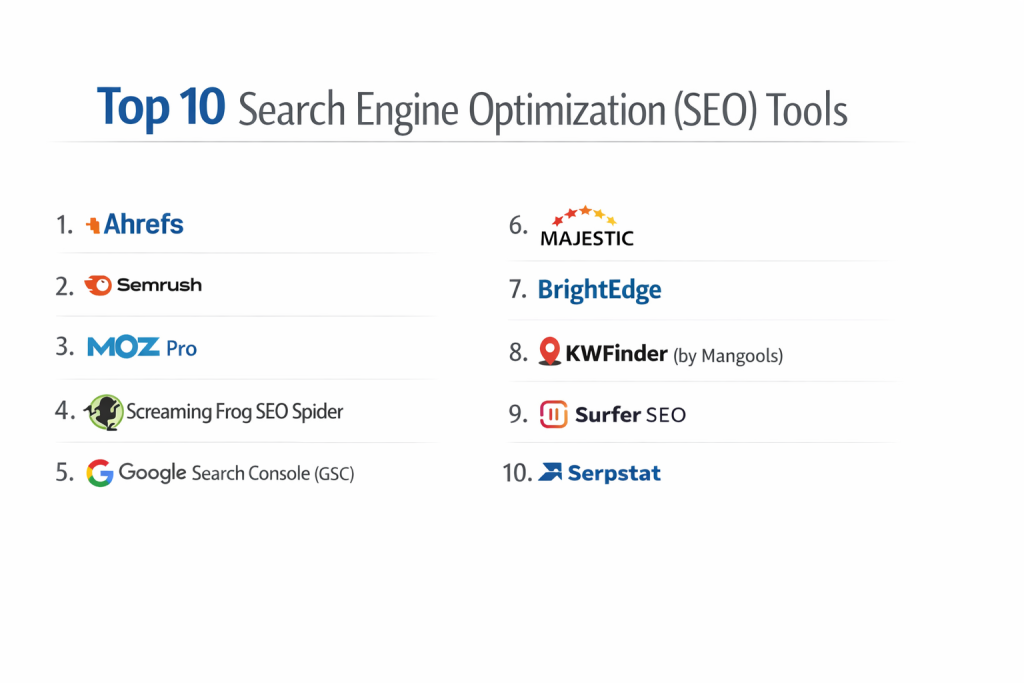
Top 10 Search Engine Optimization (SEO) Tools
1 — Semrush
Semrush is often called the “Swiss Army Knife” of SEO. It is a massive platform that covers everything from keyword research and tracking your daily rankings to looking at your competitor’s secret strategies.
- Key features:
- Keyword Magic Tool with a database of over 25 billion search terms.
- Domain Overview to see exactly how much traffic any website gets.
- Site Audit tool that scans your pages for over 140 different technical issues.
- Position Tracking to see your rank on Google every single day.
- Backlink Analytics to see which other sites are linking to yours.
- Social Media toolkit to manage your posts and track your growth.
- Content Marketing platform to help you write better articles.
- Pros:
- It is a true “all-in-one” tool; you rarely need to buy any other software if you have this.
- The data for competitors is widely considered the best in the industry.
- Cons:
- The price is quite high for a single user or a very small business.
- There are so many buttons and reports that it can feel scary for a beginner.
- Security & compliance: SOC 2 Type II compliant, GDPR compliant, and uses 256-bit encryption for all data.
- Support & community: Excellent help center, 24/7 email support, and a huge “Semrush Academy” with free certification courses.
2 — Ahrefs
Ahrefs started as a tool to track “backlinks” (links from other sites), and it is still the king of that category. Today, it is a full SEO suite that is loved by professionals for its clean design and very high-quality data.
- Key features:
- Site Explorer which gives the most detailed look at any website’s link profile.
- Keywords Explorer which shows you how hard it will be to rank for a specific word.
- Content Explorer to find the most shared articles on any topic.
- Rank Tracker that sends you weekly reports on your progress.
- Site Audit that provides a “health score” for your website.
- Competitive Analysis tool to compare your site against five others at once.
- Pros:
- The interface is very clean and easy to use compared to other big tools.
- Their “crawlers” (the bots that search the web) are the most active in the world after Google.
- Cons:
- They recently changed their pricing to a “pay-for-what-you-use” model, which can be very expensive.
- Some of the features are a bit limited on the lower-priced plans.
- Security & compliance: SOC 2 Type II, GDPR, and CCPA compliant.
- Support & community: Very fast chat support and one of the most respected SEO blogs and YouTube channels in the world.
3 — Moz Pro
Moz is one of the oldest names in SEO. It is famous for creating the “Domain Authority” (DA) score, which is a number from 1 to 100 that tells you how “strong” a website is.
- Key features:
- Domain Authority and Page Authority scores to judge website strength.
- Link Explorer to check the quality of your website’s links.
- Keyword Explorer that includes a “Priority” score to show you which words are most worth your time.
- Moz Local to help physical shops show up on maps and local searches.
- Custom reports that you can brand with your own company logo.
- Site Crawl that identifies technical errors like duplicate content.
- Pros:
- It is very beginner-friendly and uses simple language to explain problems.
- The “MozBar” is a free tool for your browser that is incredibly helpful for quick checks.
- Cons:
- It doesn’t update its data as quickly as Semrush or Ahrefs.
- The tool can feel a bit “old” and lacks some of the modern AI features found elsewhere.
- Security & compliance: GDPR compliant and follows standard web security protocols.
- Support & community: Known for its “Whiteboard Friday” videos and a very helpful community forum.
4 — Google Search Console
This is a free tool provided by Google themselves. It is the only way to talk directly to the search engine and see exactly how they see your website.
- Key features:
- Shows the exact “Queries” (words) people typed to find your site.
- Performance reports showing how many people saw your site versus how many clicked.
- URL Inspection tool to see if a specific page is working correctly on Google.
- Indexing reports to see if Google has “read” all your pages.
- Core Web Vitals report to see if your site is fast enough for mobile phones.
- Manual Actions report to see if Google has “punished” your site for any reason.
- Pros:
- It is 100% free for everyone.
- The data comes directly from Google, so it is the most accurate information you can get.
- Cons:
- It only shows data for your own website; you cannot use it to look at competitors.
- It doesn’t help you find new keywords; it only tells you about the ones you already have.
- Security & compliance: Protected by Google’s world-class security systems; fully GDPR compliant.
- Support & community: Extensive documentation and a massive global community, but no “live” person to call for help.
5 — Screaming Frog SEO Spider
Unlike the tools above that live on a website, Screaming Frog is a program you download to your computer. It is like a high-powered microscope for technical SEO.
- Key features:
- Finds broken links (404 errors) and server errors instantly.
- Audits “Redirects” to make sure they are not slowing down your site.
- Analyzes page titles and “meta descriptions” to see if they are too long or too short.
- Finds “duplicate content” which can confuse Google.
- Creates “Sitemaps” which are like maps that tell Google how to navigate your site.
- Integrates with Google Search Console to see all data in one list.
- Pros:
- It is incredibly fast at finding technical mistakes on huge websites.
- There is a free version that works for up to 500 pages.
- Cons:
- It looks like a complicated spreadsheet and can be very scary for non-tech users.
- It doesn’t help with keyword research or tracking your daily ranks.
- Security & compliance: Since it is a desktop app, security depends on your own computer; however, the company is GDPR compliant.
- Support & community: Very good technical documentation and email support for paid users.
6 — Yoast SEO
Yoast is a “plugin” for websites built on WordPress. It is designed to help you write better content while you are actually typing your blog posts.
- Key features:
- A “traffic light” system (Green, Orange, Red) that tells you if your post is ready.
- Readability check to make sure your writing isn’t too difficult to understand.
- Focus Keyword tool to make sure you use your main word enough (but not too much).
- Social Media preview to see what your post will look like on Facebook or X.
- Automatic “Schema” code that helps Google understand if your post is a recipe, a review, or an article.
- Pros:
- It makes SEO feel like a simple game that anyone can win.
- It handles many of the “boring” technical things automatically in the background.
- Cons:
- It can sometimes make people worry too much about “getting a green light” instead of writing for real humans.
- The free version has many “ads” trying to get you to buy the paid version.
- Security & compliance: GDPR compliant and regularly updated to stay safe on WordPress.
- Support & community: Huge knowledge base and a dedicated support team for paid users.
7 — SpyFu
SpyFu is built specifically for “spying” on your competition. It specializes in showing you what your competitors are doing in both free search and paid ads.
- Key features:
- Competitor Keyword History to see which words your rivals have used for years.
- Domain Comparison (Kombat) to see which words your competitor ranks for but you don’t.
- PPC (Pay-Per-Click) research to see which ads your competitors are buying.
- Backlink Outreach tool to help you find people who link to your rivals.
- Unlimited data downloads on all plans.
- Pros:
- It is very affordable compared to big tools like Semrush.
- The “Kombat” feature is one of the best ways to find new ideas for your website.
- Cons:
- The data is mostly focused on the US and UK; it isn’t as good for other countries.
- The interface can feel a bit cluttered and messy.
- Security & compliance: Standard web encryption and GDPR compliant.
- Support & community: Offers live chat, phone support, and many video tutorials.
8 — Ubersuggest
Ubersuggest was created to be an affordable alternative to the big, expensive SEO tools. It is a great “entry-level” tool for small business owners and beginners.
- Key features:
- Keyword Ideas that show you exactly how many people search for a word.
- Content Ideas to show you which blog posts are popular in your industry.
- Site Audit to find simple mistakes that are hurting your rank.
- Daily Rank Tracking for your most important keywords.
- Chrome Extension that shows you SEO data while you browse the web.
- Pros:
- It is much cheaper than Semrush or Ahrefs and even has a “Lifetime” payment option.
- It is very simple and doesn’t overwhelm you with too much data.
- Cons:
- The data is not as deep or accurate as the premium tools.
- The website can sometimes be slow and has many pop-ups.
- Security & compliance: GDPR compliant and uses standard security protocols.
- Support & community: Good email support and a lot of free training from its creator, Neil Patel.
9 — Majestic SEO
Majestic is a specialist tool that focuses entirely on links. While other tools try to do everything, Majestic focuses on mapping the “web of links” that connects the internet.
- Key features:
- Trust Flow score to see if a website is trustworthy or “spammy.”
- Citation Flow score to see how many people are linking to a site.
- Historic Index that allows you to look back at links from 15 years ago.
- “Neighborhood” checker to see if your site is hosted near “bad” websites.
- Search Explorer to find pages that mention a specific topic.
- Pros:
- Their link data is very deep and goes back further than almost any other tool.
- It is very good at spotting “bad” links that could get your site in trouble.
- Cons:
- It doesn’t do keyword research or technical audits very well.
- The website looks very old and can be difficult to navigate.
- Security & compliance: ISO 27001 certified and GDPR compliant.
- Support & community: Good technical support and a specialized user base of link-building experts.
10 — AnswerThePublic
This is a unique tool that focuses on “Search Intent.” It shows you the actual questions people are asking their computers, which is perfect for coming up with new blog topics.
- Key features:
- Visualization “Wheels” that show questions starting with Who, What, Where, When, and Why.
- Comparison charts showing how people compare two different products.
- Alphabetical lists of every search phrase related to your topic.
- Search Listening alerts that tell you when a new question becomes popular.
- Data downloads for use in spreadsheets.
- Pros:
- It is the best tool in the world for understanding “why” people are searching.
- It helps you write content that actually answers people’s real-life problems.
- Cons:
- It doesn’t give you any technical data or help you track your rankings.
- The free version is very limited (only a few searches per day).
- Security & compliance: GDPR compliant and uses standard web security.
- Support & community: Good email support and a very simple knowledge base.
Comparison Table
| Tool Name | Best For | Platform(s) Supported | Standout Feature | Rating (G2/Capterra) |
| Semrush | All-in-one Growth | Web | Competitor Analysis | 4.6 / 5 |
| Ahrefs | Link Building | Web | Backlink Database | 4.7 / 5 |
| Moz Pro | Beginners | Web | Domain Authority | 4.4 / 5 |
| Search Console | Accuracy | Web | Direct Google Data | 4.8 / 5 |
| Screaming Frog | Technical Audits | Windows, Mac | Desktop Crawling | 4.7 / 5 |
| Yoast SEO | Content Writing | WordPress | Traffic Light System | 4.6 / 5 |
| SpyFu | Rival Research | Web | Keyword History | 4.5 / 5 |
| Ubersuggest | Small Budgets | Web, Chrome | Lifetime Pricing | 4.2 / 5 |
| Majestic | Link Quality | Web | Trust Flow | 4.1 / 5 |
| AnswerThePublic | Content Ideas | Web | Question Wheels | 4.5 / 5 |
Evaluation & Scoring of Search Engine Optimization (SEO) Tools
To help you understand how these tools compare, we have used a scoring system based on what professional users care about most.
| Category | Weight | Meaning of the score |
| Core Features | 25% | Does it do keyword research, audits, and link tracking? |
| Ease of Use | 15% | Can a regular person understand it without help? |
| Integrations | 15% | Does it work with Google, WordPress, and other tools? |
| Security & Compliance | 10% | Is your business data kept safe from hackers? |
| Performance | 10% | Is the website fast and is the data updated often? |
| Support & Community | 10% | Is there a person to help you if you get stuck? |
| Price / Value | 15% | Is the tool worth the money you pay every month? |
Which Search Engine Optimization (SEO) Tool Is Right for You?
Choosing an SEO tool is a big decision because it will guide everything you do on your website. Here is a simple way to decide.
For Solo Users and Small Businesses
If you are just starting out and don’t have a big budget, you should start with the free Google Search Console. It gives you the most accurate data for your own site. If you want to find new keywords but can’t afford $130 a month, Ubersuggest is a great choice. If you use WordPress, you should also install the free version of Yoast SEO to help you write better posts.
For Growing SMBs and Mid-Market Teams
If your business is growing and you want to beat your competitors, you need a professional tool. Semrush is usually the best choice here because it handles your social media, your ads, and your SEO all in one place. If you are very focused on writing the best articles in your industry, Ahrefs is also an excellent option because its link data is so clean.
For Large Enterprises
Big companies with thousands of pages need the power of Ahrefs or Semrush for their daily work, but they also need Screaming Frog to find technical mistakes that could hide on a big site. They also prioritize Security and Compliance, so they often choose the higher-tier “Enterprise” plans that offer SSO (Single Sign-On) and advanced audit logs to keep their data safe.
For Content Creators and Bloggers
If your main job is writing, you don’t need a heavy technical tool. AnswerThePublic is perfect for finding new ideas, and Yoast SEO will help you make sure those ideas are written in a way that Google likes. These tools focus on “human” elements like readability and answering questions.
Frequently Asked Questions (FAQs)
1. Do I really need a paid SEO tool?
Not necessarily. You can do a lot with free tools like Google Search Console. However, paid tools save you hundreds of hours of work and show you what your competitors are doing, which free tools cannot do.
2. Is SEO difficult to learn?
The basics are easy—it’s mostly about being helpful and organized. However, the technical side (like how a server talks to Google) can be complex and takes time to master.
3. How long does it take to see results?
SEO is a “slow” game. Usually, it takes 3 to 6 months of hard work before you see your website move up in the rankings.
4. Can I use these tools for YouTube?
Yes. Tools like Semrush and Ahrefs have special sections to help you find keywords that are popular on YouTube as well as Google.
5. What is “Domain Authority”?
It is a score (created by Moz) that guesses how likely a website is to rank on Google. A higher score means a “stronger” website.
6. Will these tools fix my website automatically?
No. These tools are like a doctor—they can tell you what is wrong, but you (or your programmer) still have to do the work to fix it.
7. Is my data safe with these companies?
Yes. Major tools like Ahrefs and Semrush are very serious about security and follow global laws like GDPR to protect your information.
8. Can I just pay Google to rank higher?
No. You can pay for “Ads,” which show up at the very top with a small “Sponsored” label. But you cannot pay Google to change your “Organic” (free) rank.
9. Why do different tools show different numbers?
Every tool has its own “crawlers” and its own way of guessing traffic. Google Search Console is the only one with 100% correct data for your site.
10. What is the most common SEO mistake?
Writing for search engines instead of real people. If your content is hard to read or boring, people will leave, and Google will eventually lower your rank.
Conclusion
The world of SEO Tools is vast, but it doesn’t have to be confusing. The most important thing to remember is that these tools are there to help you be more helpful to your customers. Whether you choose a giant like Semrush, a link-expert like Ahrefs, or a free tool like Google Search Console, the goal remains the same: to make sure your business is the one people find when they are looking for help.
The “best” tool is the one that you feel comfortable using every day. Start small, learn the basics, and as your business grows, you can move into the more powerful platforms.