A social media management tool is a computer program or a website that helps you manage all your different social media accounts from one single dashboard. In the past, if you wanted to post a photo on Facebook, a video on Instagram, and a news update on LinkedIn, you had to log into each website one by one, upload your files, and type your captions. This took a lot of time and made it easy to make mistakes. A management tool connects to all these accounts for you. It lets you write one post and send it to all your pages at the same time, or even better, it lets you schedule them so they post themselves while you are busy doing other work or sleeping.
These tools are very important because they help you stay consistent. If you only post when you remember to, your followers might forget about you. By using a tool, you can spend a few hours on a Monday morning planning out everything for the whole month. This ensures that your business stays active online every single day. Businesses also use these tools to make sure they never miss a customer’s question. Instead of checking five different apps for messages, all the comments and questions show up in one “inbox” inside the tool. When you are looking for a tool, you should look for one that is easy to understand, fits your monthly budget, and works with the specific social media sites your customers use.
Best for: Marketing workers, owners of small and large shops, people who run online stores, and groups like charities that need to talk to their supporters. It is perfect for anyone who feels overwhelmed by having to check social media every hour of the day.
Not ideal for: People who only use social media for their personal life to see photos of their family, or very small local businesses that only have one account and prefer to post only once or twice a month.
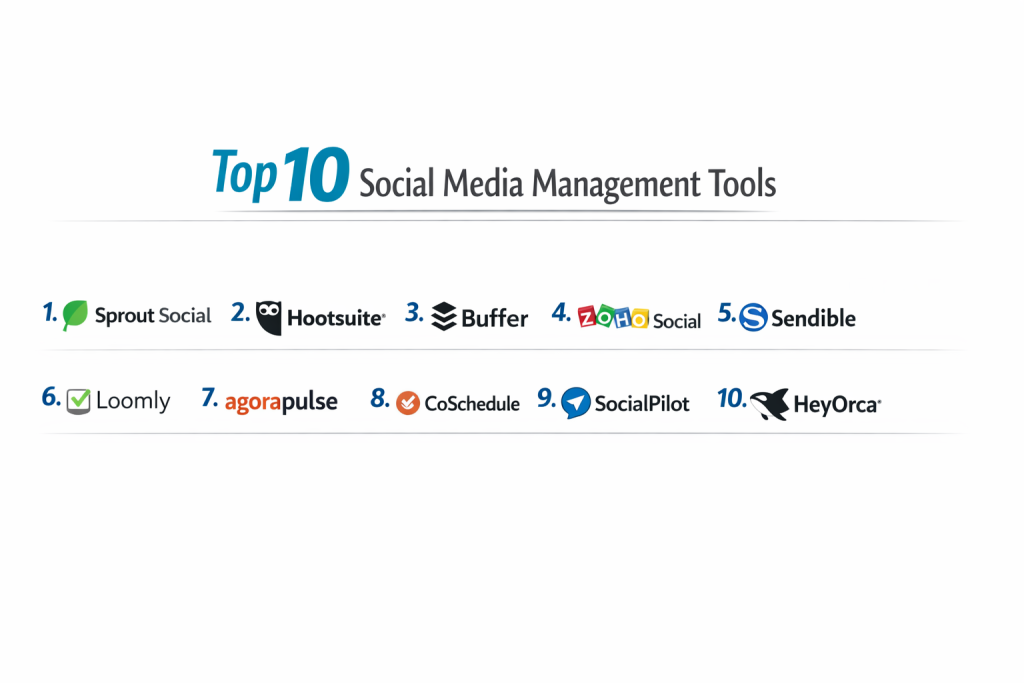
Top 10 Social Media Management Tools
1 — Sprout Social
Sprout Social is a very high-quality tool built for businesses that want to be very professional. It is not just for posting; it is for understanding exactly who your audience is and what they like. It is best for companies that have a dedicated team for social media.
- Key Features:
- A “Smart Inbox” that puts all your messages, tags, and comments in one long list.
- Listening tools that tell you when people are talking about your business, even if they don’t tag you.
- A very detailed calendar that shows exactly what is going out and when.
- Professional reports that you can show to a boss to prove your work is helping the business.
- A system that figures out the best time to post based on when your fans are online.
- Tools that let your employees share company news on their own pages easily.
- A mobile app that works very well so you can answer customers from your phone.
- Pros:
- Everything looks very neat and organized, so it is hard to get confused.
- Their customer service is very fast and can help you fix problems quickly.
- Cons:
- It is one of the most expensive tools on the market.
- It can be a bit much for a person working alone who just wants simple features.
- Security & compliance: They use very high-level locks to keep your data safe and they follow all international privacy laws like GDPR.
- Support & community: They have a large library of videos and articles, and you can talk to a real person for help at any time.
2 — Hootsuite
Hootsuite is one of the oldest and most famous tools. It uses a unique design where you see different “streams” or columns. One column might show your Facebook posts, while the next one shows your Twitter mentions.
- Key Features:
- Side-by-side columns so you can watch many different social media feeds at once.
- A bulk uploader that lets you schedule hundreds of posts by just uploading one file.
- An AI helper that can help you write better captions if you are stuck.
- A library with over 150 extra apps you can connect to your account.
- A way to see how your paid ads are doing alongside your regular posts.
- Suggestions for the best times to post to get the most “likes.”
- Security settings that prevent employees from posting things they shouldn’t.
- Pros:
- It works with a huge number of social media sites, even niche ones.
- Because it has been around so long, it is very steady and reliable.
- Cons:
- The screen can look very messy if you have too many columns open.
- It has become quite expensive over the years for small businesses.
- Security & compliance: They offer very strong protection and keep records of every single thing done in the account for safety.
- Support & community: They have a famous “Academy” where you can take classes and get a certificate in social media.
3 — Buffer
Buffer is the best choice for people who want something that is not confusing. Their goal is to make social media simple. It is great for individuals, bloggers, and very small teams.
- Key Features:
- A very clean calendar where you can drag and drop your posts.
- A tool called “Pablo” that helps you make simple images with text for your posts.
- A simple dashboard to see your newest comments and reply to them.
- Basic charts that show you which posts got the most clicks.
- A “Start Page” feature which is a simple website for your Instagram “link in bio.”
- Direct posting for videos and “Reels” so you don’t have to do it manually.
- A way for teammates to write a post and wait for the owner to click “Approve.”
- Pros:
- It is so simple that a child could probably figure out how to use it.
- You can choose to pay for only the parts you need, like just the scheduling part.
- Cons:
- It does not have fancy tools for “listening” to what people are saying across the whole internet.
- Big companies might find it too simple for their needs.
- Security & compliance: They are very open about how they keep data safe and they follow all standard privacy rules.
- Support & community: They are famous for being very kind and they write a lot of helpful advice on their blog.
4 — Zoho Social
Zoho Social is part of a large family of business tools. If your company already uses Zoho for your email or your sales lists, this social media tool will fit in perfectly.
- Key Features:
- A “Live Stream” that shows you every time someone likes or shares your post in real-time.
- A prediction tool that tells you exactly when your followers are most likely to see your post.
- Special tools for Google Business so you can update your shop’s hours or news.
- A chat area for your team to discuss ideas without using email.
- Reports that you can build yourself to show only the numbers you care about.
- A way to see if a person who commented on your post is already a customer in your sales list.
- Monitoring tools to watch for specific words or competitors.
- Pros:
- It is much cheaper than many other professional tools.
- It saves time because it shares information with your other office programs.
- Cons:
- The design of the website feels a bit old-fashioned compared to others.
- The app for your phone is missing some of the features found on the computer.
- Security & compliance: They have very high security and follow all the major laws about keeping customer data private.
- Support & community: They have a very large group of users who help each other and a big support team.
5 — Sendible
Sendible is a tool built specifically for agencies. An agency is a company that manages the social media for 10, 20, or even 100 different businesses. It helps keep all those businesses organized and separate.
- Key Features:
- Separate folders and dashboards for every single client you work for.
- Reports that look like you made them yourself, with your own logo and colors.
- A system where your clients can log in and check your work before it posts.
- A content finder that suggests interesting articles to share with followers.
- One inbox that handles messages for all your clients at once.
- You can change the name of the software so it looks like your own company made it.
- Works with Canva so you can design photos without leaving the site.
- Pros:
- It is perfect for people who manage many different businesses and don’t want to get them mixed up.
- It helps you look more professional to your clients by giving them their own login.
- Cons:
- The way they charge money is based on how many “services” you use, which can be hard to track.
- It can take a little bit of time to learn how to set everything up correctly.
- Security & compliance: They use strong encryption and follow GDPR to make sure your clients’ data stays safe.
- Support & community: They offer special training for agencies to help them find more customers.
6 — Loomly
Loomly is a tool that focuses on how your posts look. It is very popular with teams that make a lot of visual content like photos and videos and need to plan them out visually.
- Key Features:
- A master calendar that shows you your whole month of content at a glance.
- A list of ideas for every day of the year, like “National Pizza Day.”
- Mockups that show exactly how your post will look on a phone screen before you post it.
- Settings that let you send different versions of a post to different cities.
- A central library to keep all your company’s videos, logos, and photos.
- A place for team members to leave comments like “Make this photo brighter.”
- Simple charts that show which posts your audience liked the most.
- Pros:
- The visual calendar makes it very easy to see if you are posting too much or too little.
- It is very good for teams that need to talk a lot before they finish a post.
- Cons:
- It is not as powerful as some tools for watching what the competition is doing.
- It might not have every single feature that a massive global company would want.
- Security & compliance: They use very safe computer servers and follow all the standard rules for internet safety.
- Support & community: They have very friendly help and their guides are written in a way that is easy to understand.
7 — Agorapulse
Agorapulse is a tool that tries to make social media feel simple and calm. They focus on making it very easy to manage your messages so you never ignore a customer.
- Key Features:
- A social inbox that lets you label messages as “Complaints” or “Questions.”
- A special tool that helps you calculate if your social media is actually making you money.
- An automatic assistant that can hide spam or mean comments for you.
- A list of your “Best Fans” so you can thank them for their support.
- A way to send your calendar to a boss for them to see without them needing an account.
- Detailed reports that show how fast you are answering your customers.
- A very fast phone app so you can manage your community while you are at the store.
- Pros:
- It is probably the best tool for answering messages quickly and staying organized.
- You get a lot of high-end features for a price that is fair for a medium business.
- Cons:
- It might still be a little too expensive for someone just starting out alone.
- It does not connect to as many outside programs as some of the bigger tools.
- Security & compliance: They have passed many safety tests and are very careful with how they store your information.
- Support & community: Their help team is known for being one of the fastest in the business.
8 — CoSchedule
CoSchedule is not just for social media; it is for your whole marketing life. It is like a giant digital wall calendar where you can see your social posts, your blog articles, and your emails all together.
- Key Features:
- A giant “Marketing Calendar” for every single project your team is working on.
- A tool called “ReQueue” that finds your best old posts and resends them automatically.
- A system to check your titles to see if people will actually click on them.
- A way to give “To-Do” lists to different people on your team.
- A safe place to store every file, photo, and video your company owns.
- Works with all the big sites like Facebook, LinkedIn, and Pinterest.
- Reports that show how much work each person on your team is doing.
- Pros:
- It is the absolute best for staying organized if you have many different types of projects.
- The tool that resends your old content saves you from having to write new things every single day.
- Cons:
- It is a very big program with many buttons, so it takes a while to learn it all.
- If you only want to post on Instagram, this tool is much more than you need.
- Security & compliance: They follow all the standard safety rules and keep your business data private.
- Support & community: They offer a lot of advice on how to be more productive and get more work done.
9 — SocialPilot
SocialPilot is a great tool for people who need to manage a lot of accounts but don’t have a lot of money. It is built to give you the most “bang for your buck.”
- Key Features:
- A way to upload 500 posts at once using a simple spreadsheet.
- You can put your own logo on the reports so you look like a big company.
- A system for clients to connect their pages to your tool without giving you their password.
- A tool that finds interesting articles from across the web for you to share.
- A calendar where you can easily move posts to different days with your mouse.
- A browser tool that lets you schedule a picture you find on a website in one click.
- Support for many different sites, including TikTok and Google Business.
- Pros:
- You can manage a lot of pages for a price that is much lower than the big names.
- It is very fast to set up and you don’t need to be a computer expert to use it.
- Cons:
- The charts and numbers it shows you are not as deep as the expensive tools.
- It is not the best tool for a business that gets thousands of messages a day.
- Security & compliance: They use standard internet protection and follow all the privacy laws.
- Support & community: They have a very helpful blog that teaches small business owners how to grow.
10 — HeyOrca
HeyOrca is a specialized tool for teams that need to have their work approved by a client or a manager. It focuses on making the “Review” process very easy so you don’t have to send a hundred emails back and forth.
- Key Features:
- Visual previews that show exactly what your post will look like on a real phone.
- A “Review Link” you can send to someone so they can approve a post without needing to log in.
- You can add as many people as you want to your team without the price going up.
- Separate calendars for every business you manage to keep things neat.
- A way to chat with your team directly on the draft of a post.
- Simple charts that show if your accounts are getting more followers.
- Works with all the major websites including LinkedIn and Instagram.
- Pros:
- It saves hours of time by letting clients click “Approve” instead of sending emails.
- It is very fair because you don’t get charged more money as your team grows.
- Cons:
- If you are a one-person shop and don’t need anyone to check your work, this tool is not for you.
- It is missing some of the high-end “listening” tools that other programs have.
- Security & compliance: They are very safe and follow all the standard rules for keeping data private.
- Support & community: They have a very friendly team and they care a lot about the success of their users.
Comparison Table
| Tool Name | Best For | Works On | Standout Feature | Rating |
| Sprout Social | Big Business | Web/Phone | Smart Inbox | 4.4 / 5 |
| Hootsuite | Global Brands | Web/Phone | Column View | 4.3 / 5 |
| Buffer | Simple Posting | Web/Phone | Easy Calendar | 4.5 / 5 |
| Zoho Social | Office Teams | Web/Phone | Sales Link | 4.4 / 5 |
| Sendible | Agency Work | Web/Phone | Client Areas | 4.5 / 5 |
| Loomly | Visual Planning | Web/Phone | Post Previews | 4.6 / 5 |
| Agorapulse | Fast Replies | Web/Phone | Message Labels | 4.7 / 5 |
| CoSchedule | All Projects | Web | Master Calendar | 4.4 / 5 |
| SocialPilot | Low Budget | Web/Phone | Bulk Uploads | 4.5 / 5 |
| HeyOrca | Team Approvals | Web | Review Links | 4.8 / 5 |
How We Evaluate These Tools
To help you decide, we look at each tool using a simple point system. We focus on what matters most to a regular business person.
| Criteria | Importance | What We Look For |
| Core Features | 25% | Can it schedule posts reliably and give you clear reports? |
| Ease of Use | 15% | Can you learn how to use it in one afternoon? |
| Integrations | 15% | Does it connect to other apps like Canva or your CRM? |
| Security | 10% | Does it have strong locks to keep hackers out? |
| Performance | 10% | Is the website fast and does it rarely crash? |
| Support | 10% | Is there a real person to help you if things go wrong? |
| Price / Value | 15% | Is the tool worth the money you are paying every month? |
Which Tool Is Right for You?
Choosing the right tool is about matching the program to your specific life and work.
Working Alone vs Having a Team
If it is just you, choose Buffer. It is simple and keeps you from getting distracted by too many buttons. If you have a team of five or ten people, you need Loomly or HeyOrca so everyone can see what the others are doing. If you have a massive company, go with Sprout Social.
If You Are Worried About Money
If you are on a tight budget, SocialPilot or Zoho Social are the best choices. They allow you to manage many pages for a very small monthly fee. Remember that some tools have a free version, but they usually only let you connect three accounts.
Finding a Tool That Is Easy
Some programs like Hootsuite have a lot of features, but they can be very hard to learn. If you are not a “tech person,” you will be much happier with Agorapulse or Buffer because they are built to be very easy to understand right away.
Security and Safety
If your business handles sensitive information, you must pick a tool that takes security very seriously. Look for a tool that mentions “SOC 2.” This is a special certificate that means experts have checked the company to make sure they are very safe and protect your information well.
Frequently Asked Questions (FAQs)
1. Is it better than just using the Facebook website?
Yes, because these tools let you manage many sites at once. Also, they have better “scheduling” features that help you plan your work for the whole month instead of just one day.
2. Is it safe to connect my business accounts?
Yes. These companies use a safe system called “API” that lets them post for you without ever seeing your password. It is like giving someone a key to your porch but not to your front door.
3. Will my posts get less views if I use a tool?
No. This is an old myth. Facebook and Instagram treat posts from these tools just like posts you type yourself, as long as the content is good.
4. Can I answer my Instagram messages in these tools?
Yes, tools like Agorapulse and Sprout Social put all your messages in one place so you can answer them without opening the Instagram app.
5. Can I use these for my personal accounts?
You can, but these tools are built for businesses. For a personal account, they might be more work than they are worth.
6. Do these tools work on my phone?
Almost all of them have an app for Android and iPhone so you can check your schedule or answer a fan while you are out.
7. Can these tools help me find things to post?
Yes, some of them have a “content finder” that shows you news stories or photos that your followers might find interesting.
8. Can I schedule videos and Stories?
Yes, most modern tools can now handle videos, “Reels,” and even Stories, though some have special rules you need to follow.
9. What if I want to cancel?
Most of these are “pay-as-you-go.” If you decide you don’t like a tool, you can usually cancel at any time and you won’t be charged again.
10. Do I need to be good at computers to use these?
No. Most of them are built for regular people. If you can use email and Facebook, you can learn to use these tools very quickly.
Conclusion
In the end, there is no one tool that is perfect for every single person. The best tool for you is the one that fits your budget and feels easy for you to use. If you want simplicity, try Buffer. If you have a big team and a big budget, try Sprout Social. If you are an agency managing many clients, Sendible or HeyOrca will make your life much easier.
Most of these tools offer a “Free Trial” for 14 days. The best thing you can do is pick two that you like, sign up for the free trial, and see which one you like best before you pay any money.