Email marketing software is a specialized category of digital tools designed to facilitate the creation, distribution, and management of bulk electronic mail communications. At its core, this software provides a centralized platform where businesses can store subscriber data, design professional messages using visual templates, and dispatch those messages to thousands of recipients simultaneously. Beyond simple delivery, these platforms act as sophisticated databases that track how recipients interact with content—recording metrics such as who opened a message, which links were clicked, and whether a recipient ultimately made a purchase. This allows organizations to move away from generic messaging and toward targeted communication.
The importance of these tools lies in their ability to build and maintain direct relationships with an audience without relying on third-party social media algorithms. In a professional context, email marketing software is used for a variety of critical functions: lead nurturing, where prospective customers are guided through a sales cycle; transactional messaging, such as sending digital receipts or shipping updates; and retention marketing, which involves keeping existing customers engaged with brand updates. When selecting a tool, an organization must evaluate the platform based on its deliverability rates (the technical ability to bypass spam filters), the complexity of its automation engine, and the robustness of its data security protocols to ensure subscriber information remains protected.
Best for: Marketing managers at small to mid-sized enterprises, e-commerce business owners requiring automated sales sequences, and nonprofit organizations seeking to manage donor relations through structured newsletters. It is particularly effective for those who need to maintain a high volume of contact records while ensuring professional design standards.
Not ideal for: Individual users looking to send one-to-one personal correspondence, or high-frequency cold outreach practitioners who require specialized tools for “scraping” or unsolicited prospecting, as marketing platforms generally require permission-based lists.
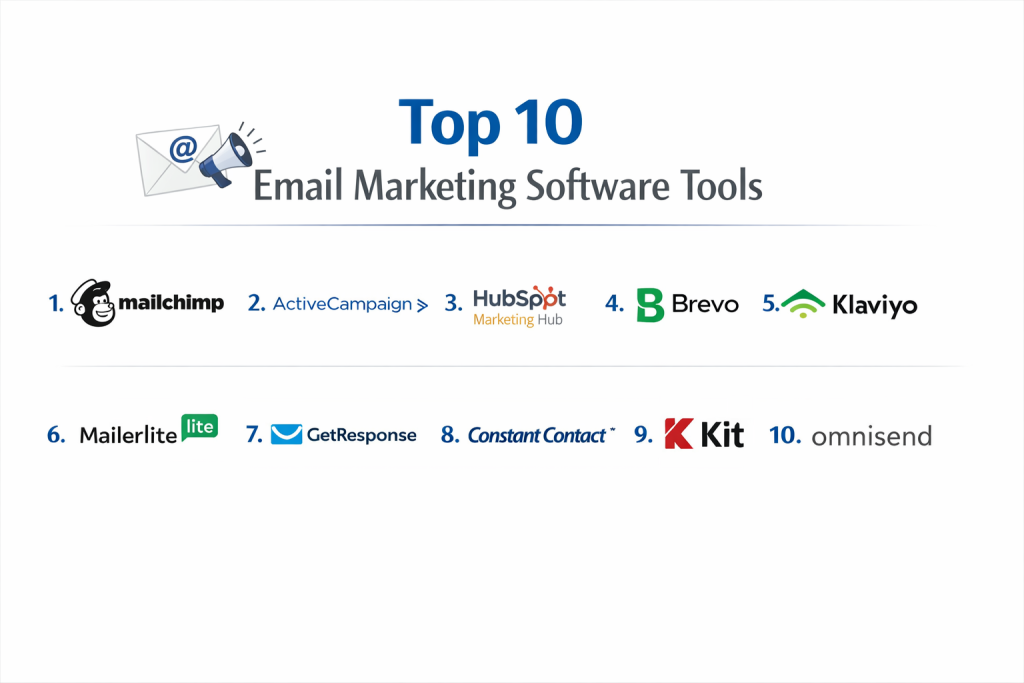
Top 10 Email Marketing Software Tools
1 — Mailchimp
Mailchimp is a widely recognized marketing platform that has grown from a simple email tool into a comprehensive suite for brand management. It is primarily designed for growing businesses that require a balance between advanced analytical data and a user interface that does not demand extensive technical coding knowledge.
- Key Features:
- A comprehensive drag-and-drop editor for visual message construction.
- Behavioral targeting tools that segment users based on their interactions.
- Multi-step customer journey mapping for automated responses.
- Extensive integration library connecting to major commerce platforms.
- Built-in content studio for managing brand assets and imagery.
- Detailed reporting dashboards focusing on click maps and revenue.
- Retargeting ad capabilities for social media platforms.
- Pros:
- The interface is structured logically, making it accessible for staff members with varying levels of technical expertise.
- It offers a wide variety of pre-designed templates that ensure messages look professional across different devices and screen sizes.
- Cons:
- The pricing structure utilizes a tiered system that can become quite expensive as the number of subscribers increases.
- Customer support access is often limited for users on the lower-cost or free service tiers.
- Security & compliance: This platform maintains SOC 2 Type II compliance and adheres strictly to GDPR regulations for data handling; it also offers two-factor authentication for account security.
- Support & community: Users have access to a vast library of self-help documentation, video tutorials, and a network of certified agencies and freelancers.
2 — ActiveCampaign
ActiveCampaign is a sophisticated platform that emphasizes customer experience automation. It is built for organizations that require deep logic-based workflows, where an email is just one part of a larger, automated sequence involving CRM updates and lead scoring.
- Key Features:
- A visual automation builder that supports complex “if/then” logic branches.
- Integrated sales CRM that allows for seamless transitions between marketing and sales teams.
- Site tracking capabilities to monitor how subscribers interact with specific website pages.
- Dynamic content blocks that display different information to different users within the same email.
- Machine learning features that predict the best time to send a message to each individual.
- Lead scoring systems to identify the most engaged prospects.
- SMS and site messaging capabilities to supplement email efforts.
- Pros:
- It provides one of the most flexible automation engines available, allowing for hyper-personalized customer journeys.
- The platform consolidates marketing and sales data, reducing the need for multiple disparate software subscriptions.
- Cons:
- The complexity of the tool results in a steeper learning curve, often requiring several weeks for a team to become fully proficient.
- Occasionally, the user interface can feel overwhelmed by the sheer number of advanced settings and configuration options.
- Security & compliance: Provides data encryption both at rest and during transit, is fully GDPR compliant, and offers HIPAA-compliant configurations for healthcare organizations.
- Support & community: Offers one-on-one strategy sessions for new users, an active community forum, and responsive live chat support for all paid subscribers.
3 — HubSpot Marketing Hub
HubSpot is an all-in-one inbound marketing platform that connects email marketing directly to a powerful, centralized CRM. It is intended for mid-market and enterprise-level companies that want to track the entire customer lifecycle from the first website visit to the final sale.
- Key Features:
- Direct synchronization with a free-to-use CRM for real-time data updates.
- Smart content functionality that personalizes email body text based on CRM data.
- Comprehensive A/B testing for subject lines, images, and body copy.
- Detailed attribution reporting to determine which emails generated the most revenue.
- Automated list hygiene tools to remove inactive or bouncing addresses.
- Integrated landing page and form builders for lead generation.
- Advanced SEO recommendations and blog management tools within the same dashboard.
- Pros:
- Having all marketing, sales, and service data in one place creates a “single source of truth” for the entire company.
- The platform is backed by world-class educational resources and certifications that help staff improve their marketing skills.
- Cons:
- The cost of the professional and enterprise versions is significantly higher than most standalone email tools.
- The vast array of features can be excessive for small businesses that only need to send a monthly newsletter.
- Security & compliance: ISO 27001 certified and SOC 2 Type II compliant; it features robust user permissions and audit logs for administrative actions.
- Support & community: Higher-tier users receive 24/7 phone support, and the company hosts a global network of user groups for networking and troubleshooting.
4 — Brevo
Brevo is a versatile communication platform that distinguishes itself through its pricing model and its focus on transactional communications. It is designed for businesses that may have large databases but send messages less frequently, or those that need to integrate email with SMS and WhatsApp.
- Key Features:
- A powerful API for sending transactional emails like order confirmations and password resets.
- Unified inbox for managing customer conversations across email and social media.
- Shared team inboxes for collaborative customer support.
- Built-in SMS marketing and WhatsApp campaign management.
- Simple workflow automation for welcome sequences and abandoned carts.
- Real-time heatmaps to visualize where recipients are clicking within an email.
- Localized sender identities to improve deliverability in specific regions.
- Pros:
- The pricing model is based on the volume of emails sent rather than the number of contacts, which offers significant savings for large lists.
- It is particularly strong for European businesses due to its strict adherence to regional privacy and data sovereignty laws.
- Cons:
- The template library is somewhat smaller and less visually diverse than those of its primary competitors.
- The speed of the web interface can sometimes lag when handling very large data exports or complex segments.
- Security & compliance: Maintains GDPR compliance with data centers primarily located in Europe and offers dedicated IP addresses for improved security.
- Support & community: Multi-language support is available via email and chat, with phone support reserved for users on higher-level enterprise plans.
5 — Klaviyo
Klaviyo is a specialized platform built exclusively for the e-commerce sector. It prioritizes deep data integration with online storefronts, allowing businesses to send highly targeted messages based on specific shopping behaviors and purchase history.
- Key Features:
- One-click integrations that pull historical sales data from platforms like Shopify and Magento.
- Pre-configured “flows” for specific e-commerce milestones like “Browse Abandonment.”
- Predictive analytics that estimate the likelihood of a customer making a future purchase.
- Dynamic product blocks that automatically show items a user recently viewed on the site.
- Benchmarking tools that compare your store’s performance against industry averages.
- Advanced segmentation that targets users based on their total lifetime spend.
- Multi-channel attribution tracking for both email and SMS revenue.
- Pros:
- It offers the most powerful data-driven segmentation for online retailers, directly linking marketing efforts to dollars earned.
- The automated flows are designed based on proven e-commerce best practices, requiring minimal setup to see results.
- Cons:
- The interface and feature set are very specific to e-commerce, making it a poor fit for service businesses or nonprofits.
- Monthly costs increase rapidly as the business grows, which can be a barrier for startups with tight margins.
- Security & compliance: Fully SOC 2 compliant and adheres to global data privacy standards, including GDPR and CCPA.
- Support & community: Provides an extensive “Academy” for e-commerce growth and a community forum where retailers share strategy and technical tips.
6 — MailerLite
MailerLite is a modern email marketing tool that focuses on providing a clean, uncomplicated user experience. It is designed for creators, small business owners, and bloggers who want a professional look without the complexity of enterprise-level software.
- Key Features:
- A minimalist drag-and-drop editor that is fast and responsive.
- Integrated website and landing page builders for consolidated online presence.
- Tools for creating and selling paid newsletter subscriptions.
- Automated RSS-to-email functionality for blog updates.
- Pop-up and embedded form builders with varied display triggers.
- Straightforward A/B testing for optimizing message performance.
- Basic automation workflows that cover the most common marketing needs.
- Pros:
- It is highly regarded for its simplicity and speed, allowing users to build and send a campaign in a matter of minutes.
- The pricing is among the most competitive in the industry, offering a robust free tier for those just starting out.
- Cons:
- The platform has a very strict manual approval process for new accounts, which can delay the initial setup for some users.
- It lacks the advanced CRM and multi-channel features required by larger, more complex organizations.
- Security & compliance: GDPR compliant and utilizes standard SSL encryption; it provides clear documentation on data processing agreements.
- Support & community: Known for having very fast live chat response times and a helpful collection of video tutorials.
7 — GetResponse
GetResponse is a comprehensive marketing solution that goes beyond email to include webinar hosting and automated sales funnels. It is ideal for digital marketers and educators who need to manage lead generation and delivery within a single platform.
- Key Features:
- Built-in webinar software that integrates directly with email invitations and follow-ups.
- “Conversion Funnel” feature that automates the entire sales process from landing page to checkout.
- AI-assisted website and email builders for rapid content creation.
- Advanced list hygiene and spam testing tools to maximize deliverability.
- Visual automation workflows that use “if/then” logic for subscriber tagging.
- Paid ad integration for Facebook and Google within the platform.
- Push notifications for web browsers to reach users outside of their inbox.
- Pros:
- It serves as an all-in-one “marketing machine,” reducing the need for separate webinar or funnel-building software.
- The deliverability rates are consistently high, and the platform offers detailed insights into why emails might be filtered.
- Cons:
- The user interface for the automation builder can feel dated and less fluid than more modern competitors.
- The pricing can become complicated because certain essential features are locked behind higher-tier plans.
- Security & compliance: GDPR compliant with a dedicated security team and regular external audits to ensure data integrity.
- Support & community: Offers 24/7 chat support in several languages and maintains an extensive blog focused on conversion optimization.
8 — Constant Contact
Constant Contact is one of the most established names in the industry, catering primarily to small businesses and local organizations. Its focus is on providing high-touch customer support and simple, reliable tools for those who may not be comfortable with modern technology.
- Key Features:
- Specialized event management tools for handling registrations and ticket sales.
- Social media scheduling and ad management from a single dashboard.
- A library of over 600 professionally designed templates for various industries.
- Survey and poll tools to gather feedback directly from subscribers.
- Contact list growth tools, including QR codes and text-to-join features.
- Basic automated welcome and birthday emails.
- Integration with local business tools like Google My Business.
- Pros:
- It is one of the few providers that offers high-quality phone support, making it excellent for users who prefer verbal guidance.
- The event management features are a unique value add for nonprofits and community organizers.
- Cons:
- The automation capabilities are significantly more limited than other tools on this list, focusing mostly on linear sequences.
- The monthly price is relatively high given the lack of advanced segmentation and technical features.
- Security & compliance: Adheres to SOC 2 Type II standards and provides standard GDPR compliance tools for managing subscriber rights.
- Support & community: Outstanding reputation for customer service, including live phone support, chat, and an extensive library of live training webinars.
9 — Kit
Kit is a platform specifically engineered for the “creator economy,” focusing on the needs of authors, podcasters, and professional bloggers. It favors a minimalist, text-first approach to email that prioritizes high deliverability and personal connection over flashy design.
- Key Features:
- A visual automation builder designed to deliver lead magnets and “bribe” content.
- The Creator Network, which allows users to partner with other creators for mutual list growth.
- Integrated commerce tools for selling digital products, subscriptions, and “tip jars.”
- Landing pages designed for high conversion from social media traffic.
- A subscriber-centric tagging system rather than traditional, siloed lists.
- Simple, clean email templates that mimic personal correspondence.
- Advanced reporting on subscriber growth and engagement trends.
- Pros:
- The platform’s philosophy favors high deliverability by discouraging the use of heavy, image-laden code that triggers spam filters.
- It is exceptionally well-aligned with the workflow of individuals who monetize their expertise or personality.
- Cons:
- Design flexibility is intentionally limited, which may frustrate users who want to build highly branded, complex layouts.
- It does not offer the deep e-commerce or CRM features found in tools designed for traditional retail or B2B sales.
- Security & compliance: Fully GDPR compliant and provides the necessary data processing agreements for professional creators working internationally.
- Support & community: Features a very active community of professional creators and reliable email-based technical support.
10 — Omnisend
Omnisend is an e-commerce-focused platform that aims to make multi-channel marketing accessible to small and medium-sized online shops. It integrates email, SMS, and push notifications into single, cohesive workflows to reach customers wherever they are most active.
- Key Features:
- Multi-channel automation workflows that combine email and SMS in one path.
- Interactive signup forms like “Wheel of Fortune” to increase subscription rates.
- “Product Picker” tool that allows users to drag products directly from their store into an email.
- Automated sequences for specific shop events, such as shipping notifications or order cancellations.
- Robust reporting that shows revenue generated per campaign and per subscriber.
- Easy-to-use “Styles” feature that ensures brand consistency across all forms and emails.
- Global SMS credits that do not require separate country-by-country contracts.
- Pros:
- It is generally easier to set up and navigate than other e-commerce specialists, making it ideal for teams without a technical lead.
- The platform offers excellent value by including SMS and push notifications in a unified subscription.
- Cons:
- It has a smaller ecosystem of third-party app integrations compared to the largest market leaders.
- Some of the more advanced reporting features are only available on the highest-tier “Pro” plans.
- Security & compliance: Compliant with GDPR and CCPA; offers enterprise-grade security features like Single Sign-On (SSO) for larger teams.
- Support & community: Provides 24/7 customer support and an educational “Academy” that focuses on teaching e-commerce marketing strategy.
Comparison Table
| Tool Name | Best For | Platform(s) Supported | Standout Feature | Rating |
| Mailchimp | General SMBs | Web, Mobile | AI Content Studio | 4.4 / 5 |
| ActiveCampaign | Advanced Automation | Web, Mobile | Logic-based CRM | 4.6 / 5 |
| HubSpot | Enterprise / Mid-Market | Web, Mobile | Full CRM Integration | 4.5 / 5 |
| Brevo | High Volume Sending | Web, Mobile | Transactional API | 4.3 / 5 |
| Klaviyo | Online Retailers | Web | Purchase Data Science | 4.6 / 5 |
| MailerLite | Simplicity / Creators | Web, Mobile | Fast, Clean UI | 4.5 / 5 |
| GetResponse | Digital Educators | Web, Mobile | Webinar Hosting | 4.4 / 5 |
| Constant Contact | Nonprofits / Events | Web, Mobile | Event Management | 4.5 / 5 |
| Kit | Personal Brands | Web | Creator Network | 4.7 / 5 |
| Omnisend | E-commerce SMBs | Web | Omnichannel Workflows | 4.8 / 5 |
Evaluation & Scoring of Email Marketing Software
The following table provides a breakdown of how these tools are evaluated. This rubric is used by industry experts to determine the overall value and effectiveness of a platform for a professional business environment.
| Criteria | Weight | Evaluation Focus |
| Core Features | 25% | Assessment of deliverability rates, design flexibility, and segmentation power. |
| Ease of Use | 15% | How quickly a new user can learn the system and send their first campaign. |
| Integrations | 15% | The ability to connect with third-party software like Shopify, Salesforce, or Zapier. |
| Security & Compliance | 10% | Adherence to legal standards like GDPR and technical safety like 2FA. |
| Performance | 10% | Stability of the software, uptime, and speed of automation execution. |
| Support & Community | 10% | The availability of human help and the depth of the self-service knowledge base. |
| Price / Value | 15% | Comparing the feature set against the monthly cost relative to list size. |
Which Email Marketing Tool Is Right for You?
Selecting the correct software requires an honest assessment of your current technical skills and your long-term business goals. A tool that works for a solo blogger will likely fail a 50-person marketing department, and vice versa. Use the following categories to help narrow your search.
Solo Users vs SMB vs Mid-Market vs Enterprise
If you are operating as a solo entrepreneur or a small team, your primary constraint is likely time. In this scenario, MailerLite or Kit are the most appropriate choices because they remove the technical “friction” of sending mail. For small to mid-sized businesses that need a balance of marketing and sales, Mailchimp or Brevo offer the most versatility. Large-scale enterprise organizations must prioritize data integrity and multi-departmental access, making HubSpot or ActiveCampaign the only viable options due to their robust permission settings and deep CRM capabilities.
Budget-Conscious vs Premium Solutions
Budget considerations should be viewed in terms of “cost per acquisition.” While Brevo offers the lowest entry price for high-volume sending, a premium tool like Klaviyo might actually be “cheaper” in the long run if its advanced automation recovers thousands of dollars in abandoned carts that a simpler tool would have missed. However, if your budget is strictly limited and you do not require complex automation, MailerLite provides the best features-to-price ratio on the market today.
Feature Depth vs Ease of Use
There is often an inverse relationship between how much a tool can do and how easy it is to use. ActiveCampaign has incredible depth, but it requires a significant time investment to master. Conversely, Constant Contact is very easy to use but will feel restrictive if you want to create complex, multi-stage customer journeys. Determine if you have the staff hours available to learn a complex system before you pay for features you may never use.
Integration and Scalability Needs
Consider where your customer data currently lives. If you run a Shopify store, you should prioritize Klaviyo or Omnisend because they are built specifically to talk to your store’s database. If you use a wide variety of different tools for your business, ensure the software you choose has a healthy “Zapier” integration or a well-documented API so your systems can communicate with each other as you scale.
Security and Compliance Requirements
For organizations in the healthcare, legal, or financial sectors, security is a non-negotiable requirement. You must look for platforms that offer SOC 2 certification and HIPAA compliance. Furthermore, if you have a significant number of subscribers in the European Union, you must ensure the provider offers a clear Data Processing Agreement (DPA) and has a transparent policy on where their data servers are physically located.
Frequently Asked Questions (FAQs)
1. What is the difference between email marketing and a regular email service?
A regular email service like Gmail is designed for one-to-one communication and lacks the infrastructure to send thousands of messages at once. Email marketing software is built specifically to handle bulk delivery, track open rates, and manage unsubscribes automatically to comply with the law.
2. How do I prevent my emails from going to the spam folder?
Deliverability depends on using a reputable software provider, asking for permission before adding someone to your list, and setting up technical authentication records like SPF and DKIM. Avoiding “spammy” subject lines with excessive capital letters or symbols also helps.
3. What is a “Welcome Sequence”?
This is an automated series of emails that is triggered the moment someone signs up for your list. It usually includes an introduction to your brand, a delivery of any promised “lead magnet” (like a discount code or PDF), and a series of educational messages to build trust.
4. Do I need to buy a list of email addresses to get started?
No. Buying lists is strongly discouraged and often prohibited by email marketing software providers. These lists are usually low quality and will result in high spam complaints, which can get your account permanently banned. It is better to grow a list organically through your website.
5. What does “A/B Testing” mean in email marketing?
A/B testing, or split testing, involves sending two slightly different versions of an email to a small portion of your list to see which performs better. You might test two different subject lines or two different call-to-action buttons to see which one gets more clicks.
6. Is it necessary to have a “Double Opt-In”?
Double opt-in requires a user to click a link in a confirmation email before they are added to your list. While it adds an extra step, it ensures that your subscribers are genuinely interested and that their email addresses are valid, which improves your overall deliverability.
7. Can I use these tools to send invoices and receipts?
Yes, but you should use a tool with strong “transactional email” capabilities like Brevo or HubSpot. Transactional emails have different legal requirements than marketing emails and are often sent through a different technical path to ensure they arrive instantly.
8. What is “List Segmentation”?
Segmentation is the practice of dividing your email list into smaller groups based on specific criteria, such as geographic location, past purchase history, or how recently they opened an email. This allows you to send more relevant content to each group.
9. How often should I send emails to my subscribers?
There is no universal rule, but consistency is more important than frequency. Whether you send once a week or once a month, the goal is to provide value so that your subscribers look forward to hearing from you. Sending too frequently without value leads to high unsubscribe rates.
10. What are the most common mistakes beginners make?
The most common mistakes include sending emails that are too large in file size, forgetting to include a clear “Unsubscribe” link, and not testing how the email looks on a mobile phone before sending it to the entire list.
Conclusion
The selection of an email marketing platform is a foundational decision for any digital strategy. As we have explored, the market offers a diverse range of tools tailored to specific needs—from the e-commerce power of Klaviyo to the creator-focused simplicity of Kit. The common thread among all successful implementations is a focus on deliverability, ease of automation, and respect for subscriber data.
Ultimately, the “best” tool is the one that your team will actually use consistently. A sophisticated platform that is too complex to manage will yield worse results than a simple tool used effectively. Focus on your specific business model, your budget, and your technical comfort level to make a choice that will support your organization’s growth for years to come.