Introduction
Feature Flag Management Tools (also known as Feature Toggle tools) are software solutions that allow development teams to release, control, and manage features in production environments dynamically without deploying new code. By using feature flags, companies can gradually roll out new functionality, run A/B tests, and quickly disable features if issues arise, enhancing agility and reducing risks.
In today’s fast-paced software landscape, feature flags are essential for continuous delivery, experimentation, and risk mitigation. They empower teams to decouple deployments from releases, allowing incremental rollouts, testing in production, and personalized experiences. Real-world use cases include gradual feature rollout, canary releases, beta testing, dark launches, and targeted personalization.
When evaluating feature flag management tools, organizations should consider integration capabilities with CI/CD pipelines, scalability, ease of implementation, real-time flag toggling, targeting and segmentation, audit trails, collaboration features, and security compliance. The right tool ensures teams can maintain high-quality releases while accelerating innovation.
Best for:
DevOps teams, product managers, software engineers, QA teams, and enterprises aiming for controlled feature releases, rapid experimentation, and improved product reliability.
Not ideal for:
Small projects or simple applications with infrequent updates may not require dedicated feature flag tools; manual releases or simple configuration flags might suffice.
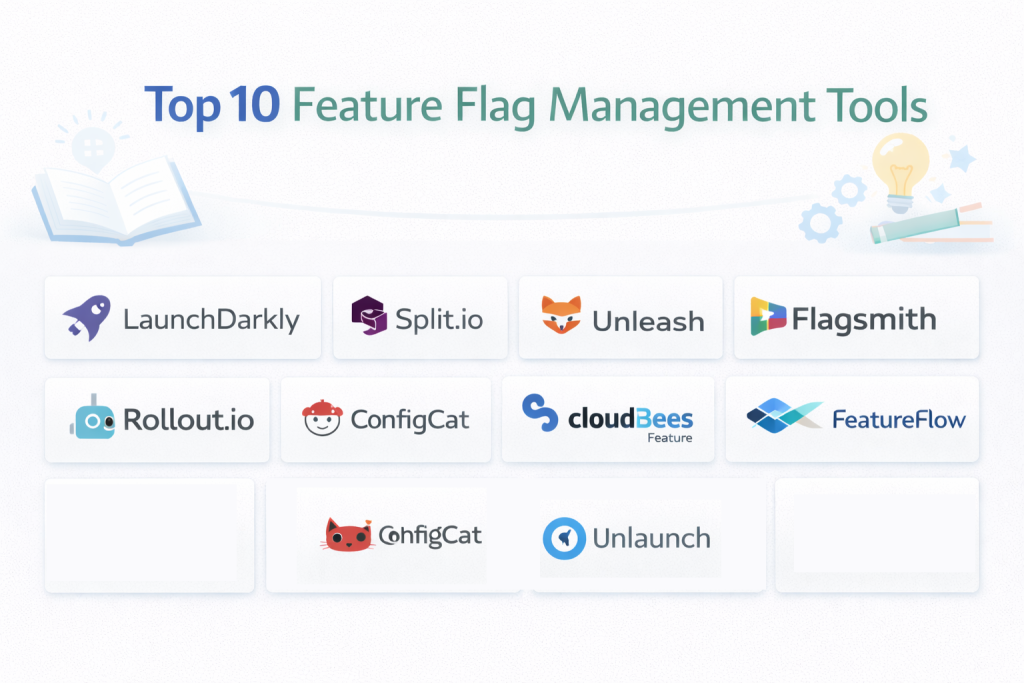
Top 10 Feature Flag Management Tools
1 — LaunchDarkly
LaunchDarkly is a leading feature management platform designed for enterprises and large-scale teams. It allows product and development teams to release features safely, test in production, and personalize user experiences using robust targeting rules and real-time flag controls.
Key features:
- Feature flags with granular targeting and segmentation
- Canary releases and gradual rollouts
- A/B testing and experimentation
- Real-time flag updates and dynamic toggling
- Audit logs and detailed analytics
- Integrations with CI/CD, Jira, GitHub, and Slack
- Multi-platform SDKs for web, mobile, and server environments
Pros:
- Enterprise-grade scalability and reliability
- Real-time feature toggling without redeploying code
- Strong analytics and reporting for experiments
Cons:
- Premium pricing may be high for small teams
- Complexity in advanced targeting rules
- Learning curve for new users
Security & compliance:
SSO, SOC 2, GDPR, HIPAA, ISO
Support & community:
Comprehensive documentation, onboarding support, webinars, and enterprise-level support.
2 — Split.io
Split.io is a feature experimentation and flagging platform that combines feature management with A/B testing. It is designed for teams that want to measure the impact of features on key metrics while safely rolling them out.
Key features:
- Feature flag management with targeting rules
- A/B testing and experimentation analytics
- Real-time updates and progressive rollouts
- Metrics tracking and performance measurement
- SDKs for multiple languages and platforms
- Integration with data warehouses and monitoring tools
- Role-based access controls
Pros:
- Combines feature flagging with metrics-driven experimentation
- Supports both web and mobile applications
- Strong data and analytics integration
Cons:
- May be complex for non-technical users
- Enterprise features require paid plans
- Advanced reporting setup can be time-consuming
Security & compliance:
SSO, GDPR, SOC 2, encryption
Support & community:
Documentation, onboarding support, community forums, and dedicated enterprise support.
3 — Unleash
Unleash is an open-source feature management platform offering flexibility and control. It is ideal for organizations that want self-hosted feature flags with customization and the ability to integrate seamlessly into internal workflows.
Key features:
- Open-source and self-hosted deployment
- Gradual rollouts and experimentation
- API-first architecture for integration
- Custom strategies and targeting rules
- Multi-environment support
- Analytics dashboard for flag usage
- Webhooks and SDKs for multiple platforms
Pros:
- Full control and self-hosting options
- Flexible and customizable
- Free for open-source deployment
Cons:
- Requires technical expertise to manage
- Less polished UI compared to commercial alternatives
- Limited support unless enterprise plan is purchased
Security & compliance:
Varies / N/A (depends on self-hosting setup)
Support & community:
Active open-source community, documentation, and enterprise support available.
4 — Flagsmith
Flagsmith is a cloud-based and self-hosted feature flag platform designed for teams looking for flexible deployment options. It enables controlled feature rollouts and experimentation while maintaining real-time flag updates.
Key features:
- Cloud and self-hosted options
- Targeted rollouts and feature toggles
- A/B testing support
- Multi-environment management
- SDKs for web, mobile, and server
- Audit logging and analytics
- Integration with CI/CD pipelines
Pros:
- Offers both cloud and self-hosted solutions
- Easy-to-use dashboard and management
- Open-source flexibility
Cons:
- Advanced features may require paid plans
- Self-hosting adds infrastructure overhead
- Smaller community compared to LaunchDarkly
Security & compliance:
SSO, GDPR, encryption
Support & community:
Documentation, community support, and paid enterprise support.
5 — Rollout.io
Rollout.io is a feature flagging and experimentation platform built for mobile applications. It allows teams to release features gradually, conduct experiments, and control exposure for iOS and Android apps.
Key features:
- Mobile-specific feature flags
- Gradual rollouts and canary releases
- Targeting based on user segments
- A/B testing and experimentation
- Analytics and usage tracking
- Multi-platform SDK support
- CI/CD integration
Pros:
- Optimized for mobile development
- Enables controlled experimentation
- Detailed targeting and segmentation
Cons:
- Less focused on web applications
- Premium pricing for advanced features
- Setup may require mobile development expertise
Security & compliance:
SSO, GDPR, SOC 2
Support & community:
Documentation, mobile-specific tutorials, enterprise support.
6 — ConfigCat
ConfigCat is a simple and scalable feature flag management tool for web and mobile apps. It is ideal for small to mid-sized teams needing fast, easy-to-use feature toggles with real-time updates.
Key features:
- Cloud-based feature flag management
- Real-time flag updates without redeploys
- Targeting rules and segmentation
- Multi-environment management
- SDKs for various languages and platforms
- Analytics for flag usage
- Role-based access control
Pros:
- Simple and quick to deploy
- Affordable pricing for small teams
- Real-time flag control
Cons:
- Limited enterprise-grade features
- Fewer integrations than larger platforms
- Not ideal for highly complex deployment scenarios
Security & compliance:
SSO, GDPR, encryption
Support & community:
Documentation, email support, and community forum.
7 — CloudBees Feature Management
CloudBees Feature Management provides feature flagging integrated with CI/CD pipelines, ideal for DevOps teams looking to ship features safely and measure impact in production environments.
Key features:
- Progressive rollouts and canary releases
- Integration with CI/CD and DevOps workflows
- Feature targeting and segmentation
- Analytics dashboards for flag usage
- Multi-environment support
- SDKs for web, mobile, and server
- Audit logs and reporting
Pros:
- Deep CI/CD integration
- Enterprise-ready with compliance and scalability
- Advanced targeting capabilities
Cons:
- Expensive for small teams
- Advanced setup requires DevOps expertise
- Can be complex for beginners
Security & compliance:
SSO, SOC 2, GDPR, ISO
Support & community:
Documentation, DevOps integration guides, enterprise support.
8 — FeatureFlow
FeatureFlow is a feature flag platform designed for modern software teams needing flexible rollout options and experimentation support. It emphasizes speed, collaboration, and secure feature control.
Key features:
- Gradual rollouts and canary releases
- Targeting and segmentation rules
- A/B testing and experimentation
- Real-time flag updates
- Analytics for feature usage
- Multi-platform SDK support
- Collaboration and access control
Pros:
- Fast and responsive UI
- Supports experimentation and testing
- Flexible and scalable
Cons:
- Smaller enterprise adoption
- Limited third-party integrations
- Some advanced analytics require premium plan
Security & compliance:
SSO, GDPR, encryption
Support & community:
Documentation, community support, and enterprise assistance.
9 — Flagsmith Enterprise
Flagsmith Enterprise is a premium version of Flagsmith, offering additional features for enterprise-grade deployments, including audit logging, compliance controls, and extended scalability.
Key features:
- Advanced targeting and segmentation
- Audit logging and reporting
- Multi-environment and multi-team management
- SLA-backed uptime and support
- SDKs for web, mobile, and server
- Cloud or self-hosted deployment
- Integration with CI/CD pipelines
Pros:
- Enterprise-ready with compliance features
- Flexible deployment options
- Scalable for large teams
Cons:
- Premium pricing
- Complexity in initial setup
- Smaller community than top-tier competitors
Security & compliance:
SSO, GDPR, SOC 2, HIPAA
Support & community:
Enterprise documentation, onboarding, and dedicated support.
10 — Unlaunch
Unlaunch is a feature management tool focused on simplicity and ease of use for small to medium-sized teams. It provides flag management, gradual rollouts, and user targeting without requiring complex configuration.
Key features:
- Cloud-hosted feature flag management
- Gradual rollout and targeting rules
- Event tracking and analytics
- Multi-environment support
- SDKs for web and mobile
- Simple UI and dashboard
- Integrations with CI/CD tools
Pros:
- Easy to use and deploy
- Affordable for SMBs
- Real-time flag control
Cons:
- Lacks enterprise-grade features
- Limited analytics and integrations
- Not ideal for highly complex workflows
Security & compliance:
SSO, GDPR, encryption
Support & community:
Documentation, email support, and community forum.
Comparison Table
| Tool Name | Best For | Platform(s) Supported | Standout Feature | Rating |
|---|---|---|---|---|
| LaunchDarkly | Enterprises | Web, Mobile, Server | Real-time feature toggling | N/A |
| Split.io | Experimentation & Feature Management | Web, Mobile, Server | A/B testing + feature flags | N/A |
| Unleash | Open-source flexibility | Web, Mobile, Server | Self-hosted control | N/A |
| Flagsmith | SMBs & Enterprise | Web, Mobile, Server | Cloud + self-hosted options | N/A |
| Rollout.io | Mobile apps | iOS, Android | Mobile feature flag management | N/A |
| ConfigCat | SMBs | Web, Mobile | Simple, real-time toggling | N/A |
| CloudBees | DevOps & CI/CD | Web, Mobile, Server | CI/CD integration | N/A |
| FeatureFlow | Modern dev teams | Web, Mobile, Server | Experimentation & testing | N/A |
| Flagsmith Enterprise | Enterprise | Web, Mobile, Server | Compliance + SLA | N/A |
| Unlaunch | SMBs & Startups | Web, Mobile | Simplicity and affordability | N/A |
Evaluation & Scoring of Feature Flag Management Tools
| Criteria | Weight |
|---|---|
| Core features | 25% |
| Ease of use | 15% |
| Integrations & ecosystem | 15% |
| Security & compliance | 10% |
| Performance & reliability | 10% |
| Support & community | 10% |
| Price / value | 15% |
Which Feature Flag Management Tool Is Right for You?
- Solo / SMB: ConfigCat, Unlaunch, Flagsmith for simple deployment and affordability
- Mid-market: Flagsmith, FeatureFlow, Rollout.io for gradual rollouts and experimentation
- Enterprise: LaunchDarkly, Split.io, CloudBees, Flagsmith Enterprise for scalable, secure, and feature-rich deployments
Frequently Asked Questions (FAQs)
- What is a feature flag?
A feature flag is a toggle that allows you to enable or disable features without deploying new code. - Why use feature flag management tools?
To safely release features, run experiments, and manage rollouts dynamically. - Are feature flag tools secure?
Yes, most offer encryption, SSO, GDPR, SOC 2, and HIPAA compliance. - Can I use them for mobile apps?
Yes, most platforms support iOS, Android, and web applications. - Do feature flags support A/B testing?
Many tools, like Split.io and LaunchDarkly, offer experimentation capabilities. - Can I integrate feature flags with CI/CD?
Yes, enterprise tools like CloudBees and LaunchDarkly integrate with CI/CD pipelines. - Are feature flags suitable for small teams?
Yes, tools like ConfigCat and Unlaunch are simple and affordable for SMBs. - How does a gradual rollout work?
A feature can be released to a subset of users before full deployment to mitigate risk. - Can feature flags help with personalization?
Yes, targeting rules allow features to be enabled for specific user segments. - Are open-source feature flag tools reliable?
Yes, tools like Unleash offer flexibility and self-hosted control but may require technical setup.
Conclusion
Feature Flag Management Tools are essential for modern DevOps, product, and engineering teams looking to release features safely, run experiments, and maintain high-quality software. The best tool depends on team size, technical resources, budget, and workflow complexity. Evaluating features, integrations, security, and support ensures the chosen platform delivers agility, control, and scalability.