Introduction
Knowledge base software is a specialized platform that allows organizations to create, organize, manage, and distribute information in a centralized, searchable repository. These tools typically feature rich text editors, categorization systems, powerful search engines, version control, and analytics to track content usage, often with public-facing self-service portals and internal wikis for employee access.
The importance of knowledge base software cannot be overstated in today’s information-driven world. It reduces support tickets by empowering self-service, preserves institutional knowledge amid turnover, accelerates onboarding, and improves customer satisfaction through quick resolutions. With AI advancements, modern platforms offer content generation, smart search, and personalization, turning static repositories into dynamic resources. Key real-world use cases include SaaS companies building customer help centers, IT departments documenting internal procedures, HR teams maintaining policy libraries, product teams creating feature wikis, and educational institutions compiling learning materials.
When evaluating knowledge base software, look for intuitive authoring tools (WYSIWYG or Markdown), AI-assisted content creation/search, customization for branding, robust analytics on article performance, seamless integrations with helpdesk/CRM, multilingual support, access controls, and scalability for growing content volumes.
Best for: Customer support managers, IT administrators, HR professionals, product managers, trainers, and knowledge curators benefit most from knowledge base software. It suits SMBs establishing self-service portals, mid-market companies scaling support, and enterprises in SaaS, tech, finance, healthcare, and education requiring secure, compliant repositories for extensive knowledge assets.
Not ideal for: Individuals with personal notes—simple apps suffice. Teams with minimal documentation could use shared drives. Organizations needing full ECM might require broader systems beyond knowledge sharing.
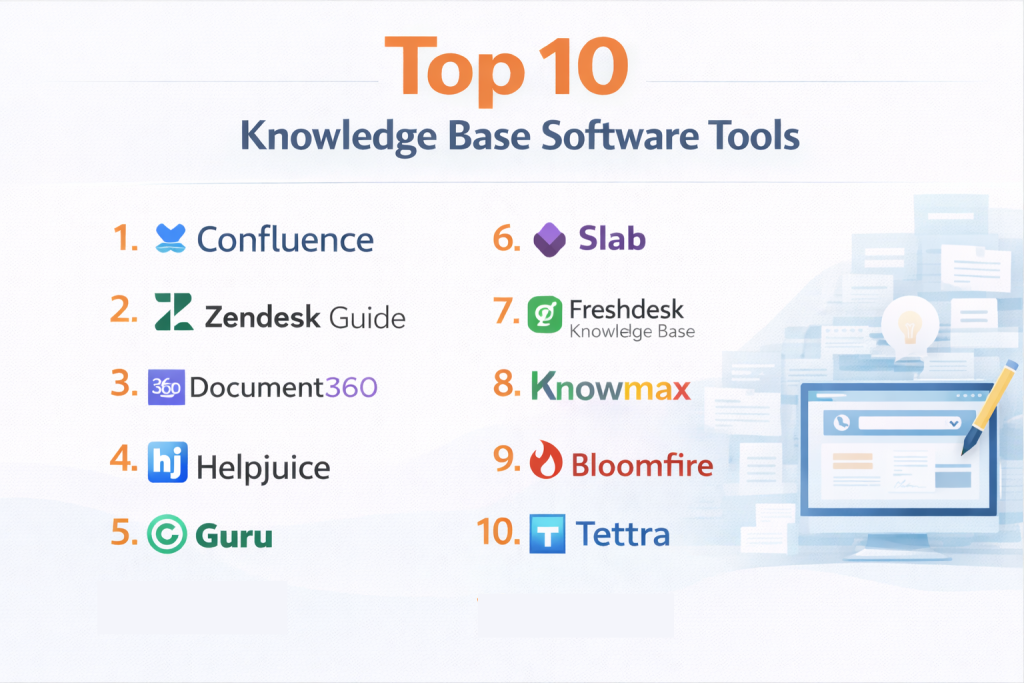
Top 10 Knowledge Base Software Tools
1 — Atlassian Confluence
Atlassian Confluence is a powerful collaborative knowledge base platform deeply integrated with Jira and the Atlassian suite, designed for teams to create, organize, and share documentation in real-time. It excels in agile and tech environments where development, support, and operations teams need a single source of truth for processes, requirements, and decisions. Confluence provides structured spaces, page trees, and templates for building comprehensive internal wikis and public knowledge bases, with AI enhancements and analytics helping teams maintain up-to-date, searchable content that evolves with projects.
Key features:
- AI-powered search and content suggestions.
- Space hierarchies and page trees for organization.
- Templates and blueprints for consistent docs.
- Real-time co-editing and comments.
- Integrations with Jira, Microsoft Teams, Slack.
- Analytics on page views and engagement.
- Mobile apps and offline access.
Pros:
- Seamless with Atlassian suite for devops workflows.
- Highly scalable for large teams.
- Strong community and frequent updates.
Cons:
- Can feel overwhelming for small teams.
- Pricing per user adds up.
- Search sometimes requires tuning.
Security & compliance: SSO, encryption, audit logs; SOC 2, GDPR, HIPAA compliant in enterprise.
Support & community: Extensive docs, academy, forums; enterprise support available.
2 — Zendesk Guide
Zendesk Guide is an intelligent knowledge base solution integrated with Zendesk Support, focused on customer self-service and agent efficiency. It uses AI to recommend articles and analyze gaps, making it ideal for support teams reducing ticket volume through proactive help content. Guide combines article management with help center themes and multilingual support, enabling companies to build branded, searchable portals that deflect common queries and empower customers while providing agents contextual knowledge.
Key features:
- AI article recommendations and content cues.
- Help center theming and customization.
- Multilingual content management.
- Article versioning and scheduling.
- Analytics and content gap insights.
- Integrations with Zendesk suite.
- Community forums add-on.
Pros:
- Excellent deflection metrics and ROI.
- Tight Zendesk integration.
- User-friendly for support teams.
Cons:
- Best within Zendesk ecosystem.
- Advanced features premium.
- Limited for internal-only use.
Security & compliance: SSO, encryption; SOC 2, GDPR, HIPAA.
Support & community: Zendesk resources, enterprise
3 — Document360
Document360 is a SaaS knowledge base platform with AI search and authoring tools, designed for creating public and private knowledge bases with advanced analytics. It offers category management, version control, and reader feedback, suited for SaaS companies and enterprises needing branded, multilingual self-service portals with detailed insights on content performance.
Key features:
- AI-powered Eddie search bot.
- Category manager and backups.
- Reader feedback and analytics.
- Markdown editor.
- Custom domains and branding.
- API and webhooks.
- Role-based access.
Pros:
- Strong analytics and AI.
- Easy setup.
- Good pricing.
Cons:
- Some features add-on.
- Integration depth varies.
- Mobile editing limited.
Security & compliance: SSO, encryption; SOC 2, GDPR.
Support & community: Chat, academy.
4 — Helpjuice
Helpjuice is a cloud knowledge base tool focused on simplicity and intelligence for customer and internal support. It provides AI search, analytics, and customization, ideal for growing teams wanting quick deployment and measurable self-service impact.
Key features:
- AI search and writing assistant.
- Article analytics.
- Custom branding.
- Feedback widgets.
- Version history.
- Integrations (Slack, Salesforce).
- Multilingual.
Pros:
- Intuitive and fast.
- Strong search.
- Affordable scaling.
Cons:
- Limited advanced workflows.
- Design flexibility moderate.
- No offline.
Security & compliance: Encryption; GDPR.
Support & community: Email, resources.
5 — Guru
Guru is a knowledge management platform that captures and surfaces information in-context across tools. It uses browser extension and Slack bot for instant access, suited for sales and support teams needing knowledge at point of need.
Key features:
- In-app knowledge overlay.
- AI suggestions and search.
- Collections and boards.
- Verification workflows.
- Slack/Teams integration.
- Analytics.
- Capture extension.
Pros:
- Reduces context switching.
- Great for remote teams.
- Easy capture.
Cons:
- Less for public portals.
- Pricing per user.
- Search tuning needed.
Security & compliance: SSO, encryption; SOC 2, GDPR.
Support & community: Chat, resources.
6 — Slab
Slab is a modern knowledge base for teams with beautiful design and fast search. It organizes posts into topics with integrations, ideal for startups and tech teams wanting simple, attractive internal wikis.
Key features:
- Unified search.
- Topics and groups.
- Slack/Teams bot.
- Embed media.
- Analytics.
- Custom domains.
- Export.
Pros:
- Clean, fast interface.
- Easy adoption.
- Good value.
Cons:
- Limited public portals.
- Fewer advanced features.
- Scaling costs.
Security & compliance: SSO, encryption; GDPR.
Support & community: Help, chat.
7 — Freshdesk Knowledge Base
Freshdesk Knowledge Base is part of Freshworks suite for customer support self-service. It offers multi-language and SEO-friendly articles, suited for support teams integrating with ticketing.
Key features:
- Canned responses.
- Forum add-on.
- Analytics.
- Customization.
- AI Freddy.
- Mobile.
- Integrations.
Pros:
- Tight ticketing tie.
- Multilingual strong.
- Affordable.
Cons:
- Best with Freshdesk.
- Design limited.
- Advanced paid.
Security & compliance: Encryption; GDPR, HIPAA.
Support & community: Freshworks.
8 — Knowmax
Knowmax is an AI knowledge platform for customer experience with decision trees and visual guides. It supports omnichannel delivery, ideal for contact centers needing guided support.
Key features:
- Decision trees.
- Visual guides.
- AI search.
- Analytics.
- Integrations.
- Mobile.
- Feedback.
Pros:
- Visual/decision strong.
- CX focused.
- AI robust.
Cons:
- Niche for call centers.
- Pricing enterprise.
- Learning curve.
Security & compliance: Enterprise.
Support & community: Dedicated.
9 — Bloomfire
Bloomfire is an AI knowledge engagement platform for sales enablement and support. It uses Q&A and collections, suited for revenue teams needing searchable insights.
Key features:
- AI search/Q&A.
- Collections.
- Engagement analytics.
- Integrations.
- Mobile.
- Content curation.
- Transcripts.
Pros:
- Strong engagement.
- Sales focused.
- Easy sharing.
Cons:
- Less structured.
- Premium pricing.
- Search tuning.
Security & compliance: SSO, encryption; SOC 2, GDPR.
Support & community: Resources, support.
10 — Tettra
Tettra is a simple internal wiki with Slack integration for team knowledge. It offers Q&A and verifications, ideal for growing teams needing quick internal docs.
Key features:
- Slack bot.
- Q&A.
- Verification.
- Integrations.
- Categories.
- Search.
- Templates.
Pros:
- Slack-native.
- Simple/fast.
- Affordable.
Cons:
- Limited public.
- Basic features.
- Scaling limits.
Security & compliance: Encryption; GDPR.
Support & community: Chat, docs.
Comparison Table
| Tool Name | Best For | Platform(s) Supported | Standout Feature | Rating |
|---|---|---|---|---|
| Atlassian Confluence | Team collaboration | Cloud, Server | Jira integration | N/A |
| Zendesk Guide | Customer self-service | Cloud | AI content cues | N/A |
| Document360 | SaaS knowledge bases | Cloud | Eddie AI search | N/A |
| Helpjuice | Simple & intelligent KB | Cloud | Analytics | N/A |
| Guru | In-context knowledge | Cloud | Browser overlay | N/A |
| Slab | Modern team wikis | Cloud | Fast search | N/A |
| Freshdesk KB | Support integration | Cloud | Multilingual | N/A |
| Knowmax | CX with visual guides | Cloud | Decision trees | N/A |
| Bloomfire | Sales enablement | Cloud | Q&A engagement | N/A |
| Tettra | Slack teams | Cloud | Slack bot | N/A |
Evaluation & Scoring of Knowledge Base Software
| Tool Name | Core Features (25%) | Ease of Use (15%) | Integrations & Ecosystem (15%) | Security & Compliance (10%) | Performance & Reliability (10%) | Support & Community (10%) | Price / Value (15%) | Total Score |
|---|---|---|---|---|---|---|---|---|
| Confluence | 9.5 (2.375) | 8 (1.2) | 9.5 (1.425) | 9 (0.9) | 9 (0.9) | 9 (0.9) | 8 (1.2) | 8.9 |
| Zendesk Guide | 9 (2.25) | 9 (1.35) | 9 (1.35) | 9 (0.9) | 9 (0.9) | 9 (0.9) | 8.5 (1.275) | 8.93 |
| Document360 | 9 (2.25) | 9 (1.35) | 8.5 (1.275) | 8.5 (0.85) | 9 (0.9) | 8.5 (0.85) | 9 (1.35) | 8.83 |
| Helpjuice | 8.5 (2.125) | 9 (1.35) | 8 (1.2) | 8 (0.8) | 9 (0.9) | 8 (0.8) | 9 (1.35) | 8.53 |
| Guru | 9 (2.25) | 9 (1.35) | 9 (1.35) | 8.5 (0.85) | 8.5 (0.85) | 8 (0.8) | 8 (1.2) | 8.65 |
| Slab | 8 (2.0) | 9.5 (1.425) | 8 (1.2) | 8 (0.8) | 9 (0.9) | 8 (0.8) | 9 (1.35) | 8.48 |
| Freshdesk KB | 8.5 (2.125) | 9 (1.35) | 9 (1.35) | 9 (0.9) | 9 (0.9) | 9 (0.9) | 8.5 (1.275) | 8.8 |
| Knowmax | 9 (2.25) | 8 (1.2) | 8.5 (1.275) | 9 (0.9) | 8.5 (0.85) | 8 (0.8) | 8 (1.2) | 8.48 |
| Bloomfire | 8.5 (2.125) | 8.5 (1.275) | 8 (1.2) | 8.5 (0.85) | 8.5 (0.85) | 8 (0.8) | 8 (1.2) | 8.3 |
| Tettra | 8 (2.0) | 9 (1.35) | 8.5 (1.275) | 8 (0.8) | 9 (0.9) | 8 (0.8) | 9 (1.35) | 8.48 |
Which Knowledge Base Software Tool Is Right for You?
Solo users: Not typical—simple notes better.
SMBs: Helpjuice or Slab for ease; Tettra for Slack.
Mid-market: Document360 or Guru for analytics.
Enterprise: Confluence or Zendesk Guide for scale.
Budget-conscious: Slab or Tettra.
Premium solutions: Confluence or Knowmax for depth.
Feature depth vs. ease of use: Confluence depth; Slab ease.
Integration and scalability: Confluence Atlassian; Zendesk support.
Security and compliance: Enterprise plans strong.
Consider internal vs. customer focus—Confluence internal; Zendesk customer.
Frequently Asked Questions (FAQs)
What is knowledge base software? It centralizes searchable articles for self-service and team knowledge.
Why use dedicated KB software? For search, analytics, collaboration beyond files/wikis.
Pricing range? $5-50/user/month; some free tiers.
Internal or customer KB? Many support both; Zendesk customer strong.
AI features? Search/suggestions in Confluence/Document360.
Implementation time? Weeks for basic; months for migration.
Common mistake? Poor organization—leads bad search. Best: Plan structure early.
Scalability? All handle thousands articles; enterprise for millions.
Alternatives? Notion/Slab for simple; full ECM for docs.
Mobile access? Most have apps; Confluence/Slab good.
Conclusion
Knowledge base software ranges from collaborative Confluence to customer-focused Zendesk Guide and AI-rich Document360. Trends: AI search, analytics, integrations for seamless access.
Prioritize use—internal collaboration, customer self-service, analytics. The “best” fits your team size, integrations, and content goals. Trial, involve users, choose one reducing tickets and boosting knowledge flow. Effective KB turns information into competitive advantage.