Introduction
Document automation tools are software solutions that streamline the creation, management, and distribution of documents through automated workflows. They replace manual processes by generating documents from templates, integrating data from multiple sources, and automating approvals, signatures, and distribution. These tools reduce errors, save time, and ensure consistency across all business documents.
Document automation is crucial for organizations that handle high volumes of contracts, invoices, reports, HR forms, or legal documentation. By automating repetitive document processes, businesses can enhance accuracy, ensure compliance, accelerate turnaround times, and improve overall productivity. These tools also help standardize documents and enforce organizational policies.
Real-world use cases include automating contract generation in legal and sales departments, creating HR onboarding documents, automating financial reports, producing compliance reports for regulated industries, and streamlining customer communication. Organizations use document automation to reduce administrative overhead while maintaining high-quality, error-free documentation.
When choosing a document automation tool, organizations should evaluate template management, data integration capabilities, workflow automation, compliance features, ease of use, collaboration tools, deployment options, and reporting capabilities. Security, scalability, and integration with existing business systems are also critical considerations.
Best for:
Legal teams, finance departments, HR professionals, marketing and sales teams, and enterprises of all sizes that need to streamline document workflows, enforce consistency, and maintain compliance.
Not ideal for:
Individuals or small teams that only create a few simple documents may not require a full document automation solution. Manual templates or standard office software may suffice in such cases.
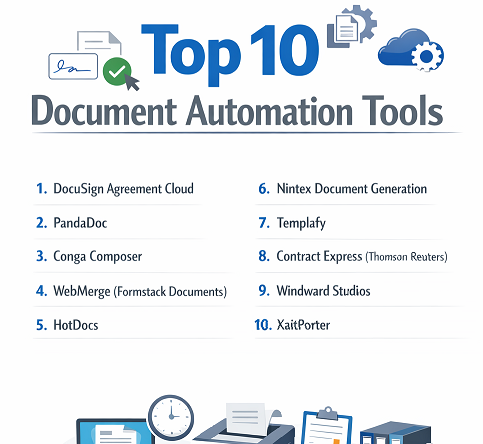
Top 10 Document Automation Tools
1 — DocuSign Agreement Cloud
DocuSign Agreement Cloud is an end-to-end document automation solution designed for contract lifecycle management, digital signatures, and workflow automation. It is ideal for enterprises, legal departments, and sales teams seeking to automate contract creation, approvals, and secure signing. DocuSign ensures faster execution and compliance while integrating with popular enterprise applications.
Key features:
- Contract creation and template management
- Digital signature and e-sign workflows
- Automated approvals and routing
- Integration with Salesforce, Microsoft 365, and Google Workspace
- Real-time audit trails
- Cloud-based storage and secure access
Pros:
- Accelerates contract execution
- Ensures compliance and auditability
- Easy integration with existing workflows
Cons:
- Premium pricing for enterprise plans
- Advanced features require training
- Limited offline capabilities
Security & compliance:
SSO, encryption, SOC 2, GDPR, ISO
Support & community:
Extensive documentation, tutorials, webinars, and enterprise-level support.
2 — PandaDoc
PandaDoc is a versatile document automation tool designed for sales, HR, and marketing teams. It automates the creation, approval, and delivery of documents such as proposals, contracts, quotes, and onboarding forms. PandaDoc helps teams close deals faster while maintaining compliance and consistency.
Key features:
- Drag-and-drop document builder
- Templates and content library
- Automated workflow approvals
- eSignatures and payment integrations
- Analytics and document tracking
- Integration with CRM and productivity tools
Pros:
- Intuitive interface for quick adoption
- Streamlines sales and HR processes
- Real-time tracking of documents
Cons:
- Limited advanced customization in basic plan
- Some integrations require premium plan
- Collaboration features may need improvement
Security & compliance:
SSO, encryption, GDPR, SOC 2
Support & community:
Documentation, knowledge base, webinars, and responsive customer support.
3 — Conga Composer
Conga Composer is a document automation tool primarily for Salesforce users. It allows businesses to generate reports, invoices, contracts, and proposals directly from CRM data. Conga Composer streamlines the creation of data-driven documents and reduces manual effort for sales, finance, and operations teams.
Key features:
- Salesforce integration
- Automated document generation from CRM data
- Template and merge field management
- Workflow automation for approvals
- Export to multiple formats (PDF, Word, Excel)
- Reporting and analytics
Pros:
- Tight integration with Salesforce
- Reduces manual errors in documents
- Supports complex data-driven documents
Cons:
- Limited outside Salesforce environment
- Advanced features require expertise
- Costly for smaller teams
Security & compliance:
SSO, encryption, GDPR, SOC 2
Support & community:
Documentation, community forums, and enterprise support.
4 — WebMerge (Formstack Documents)
WebMerge, now part of Formstack Documents, automates document generation from forms, CRM data, and spreadsheets. It is ideal for businesses needing quick, repeatable, and accurate document creation without manual entry. Users can create contracts, invoices, letters, and other documents with minimal effort.
Key features:
- Merge data from forms, CRM, or spreadsheets
- Template library and custom document design
- Automated delivery via email, cloud storage, or e-signature
- Workflow and approval automation
- Cloud-based collaboration
Pros:
- Fast and repeatable document generation
- Reduces errors in repetitive documents
- Supports automated distribution
Cons:
- Limited collaboration tools
- Advanced workflow customization requires training
- Subscription pricing may be high for small businesses
Security & compliance:
SSO, encryption, GDPR, SOC 2
Support & community:
Documentation, tutorials, and email/phone support.
5 — HotDocs
HotDocs is a document automation solution targeted at legal, financial, and insurance sectors. It automates the creation of complex, compliance-driven documents such as contracts, policy forms, and legal agreements. HotDocs ensures accuracy, reduces errors, and accelerates document preparation processes.
Key features:
- Automated templates for complex documents
- Integration with CRM and enterprise systems
- Data-driven document creation
- Workflow automation for approvals
- Version control and audit trails
Pros:
- Handles complex, compliance-heavy documents
- Reduces manual errors
- Scales for enterprise use
Cons:
- High learning curve
- Premium pricing
- Limited flexibility for small organizations
Security & compliance:
SSO, encryption, HIPAA, GDPR, SOC 2
Support & community:
Documentation, training programs, and enterprise support.
6 — Nintex Document Generation
Nintex Document Generation is part of the Nintex workflow automation suite. It enables businesses to automatically generate contracts, reports, and invoices from data in Microsoft 365, Salesforce, or other enterprise systems. It is ideal for organizations seeking integrated workflow automation and document creation.
Key features:
- Workflow automation and document generation
- Template management
- Integration with Microsoft 365, Salesforce, and SharePoint
- eSignatures and approvals
- Cloud-based document delivery
- Reporting and analytics
Pros:
- Strong integration with enterprise workflows
- Streamlines repetitive tasks
- Improves compliance and auditability
Cons:
- Costly for smaller teams
- Complex setup for advanced workflows
- Limited offline access
Security & compliance:
SSO, encryption, GDPR, SOC 2
Support & community:
Documentation, webinars, and enterprise support.
7 — Templafy
Templafy is a document automation and template management platform designed for enterprises that need consistent, brand-compliant documents. It enables legal, sales, and marketing teams to create professional documents quickly while maintaining corporate standards.
Key features:
- Centralized template library
- Brand and compliance enforcement
- Automated document creation
- Integration with Microsoft Office and Google Workspace
- Real-time content updates
- Analytics for document usage
Pros:
- Ensures brand consistency
- Reduces document creation errors
- Streamlines enterprise workflows
Cons:
- Premium pricing
- Requires setup for enterprise deployment
- Learning curve for new users
Security & compliance:
SSO, encryption, GDPR, SOC 2
Support & community:
Documentation, onboarding, enterprise support.
8 — Contract Express (Thomson Reuters)
Contract Express is a document automation tool designed for law firms and legal departments. It automates the creation of contracts and legal documents, reduces drafting errors, and enforces compliance with internal and external policies.
Key features:
- Automated legal document drafting
- Conditional logic and templates
- Compliance enforcement
- Integration with document management systems
- Audit trails and version control
Pros:
- Ideal for legal professionals
- Reduces drafting errors
- Ensures compliance and consistency
Cons:
- High cost
- Requires legal expertise for template setup
- Limited use outside legal sector
Security & compliance:
SSO, encryption, GDPR, HIPAA, SOC 2
Support & community:
Documentation, tutorials, and legal support services.
9 — Windward Studios
Windward Studios offers document automation for reports, invoices, and contracts across enterprises. It allows organizations to generate documents from databases and spreadsheets while providing template-based design flexibility. Windward is ideal for finance, HR, and operations teams.
Key features:
- Template-based document generation
- Integration with SQL, Excel, and CRM systems
- Automated delivery via email or cloud storage
- Conditional logic for complex documents
- Analytics and reporting
Pros:
- Flexible template design
- Reduces repetitive work
- Supports complex data-driven documents
Cons:
- Setup can be complex
- Premium pricing
- Requires IT support for integrations
Security & compliance:
SSO, encryption, GDPR, SOC 2
Support & community:
Documentation, tutorials, and email/enterprise support.
10 — XaitPorter
XaitPorter is a collaborative document automation platform for enterprises that need complex, multi-author documents such as proposals, contracts, and technical reports. It allows teams to co-author, automate content, and maintain version control with real-time updates.
Key features:
- Multi-author collaboration
- Workflow automation and approvals
- Document templates and content libraries
- Version control and audit trails
- Cloud and on-premise deployment
- Integration with CRM and ERP systems
Pros:
- Excellent for collaborative document creation
- Streamlines complex documents
- Reduces manual errors
Cons:
- Costly for small teams
- Setup requires training
- Complex interface for new users
Security & compliance:
SSO, encryption, GDPR, SOC 2
Support & community:
Documentation, tutorials, and enterprise support.
Comparison Table
| Tool Name | Best For | Platform(s) Supported | Standout Feature | Rating |
|---|---|---|---|---|
| DocuSign | Enterprises | Web, Mobile | Contract lifecycle automation | N/A |
| PandaDoc | Sales & HR | Web, Desktop | Intuitive document builder | N/A |
| Conga Composer | Salesforce Users | Web, Desktop | Data-driven document creation | N/A |
| WebMerge | SMBs | Web | Form & CRM integration | N/A |
| HotDocs | Legal & Financial | Web, Desktop | Complex legal documents | N/A |
| Nintex | Enterprise | Web, Desktop | Workflow integration | N/A |
| Templafy | Enterprises | Web, Desktop | Brand-compliant automation | N/A |
| Contract Express | Legal | Web, Desktop | Automated contract drafting | N/A |
| Windward | Finance & Operations | Web, Desktop | Template-based reporting | N/A |
| XaitPorter | Enterprises | Web, Desktop | Multi-author collaboration | N/A |
Evaluation & Scoring of Document Automation Tools
| Criteria | Weight |
|---|---|
| Core features | 25% |
| Ease of use | 15% |
| Integrations & ecosystem | 15% |
| Security & compliance | 10% |
| Performance & reliability | 10% |
| Support & community | 10% |
| Price / value | 15% |
Which Document Automation Tools Tool Is Right for You?
- Solo users / SMBs: PandaDoc, WebMerge, Windward Studios for cost-effective automation.
- Mid-market teams: DocuSign, Conga Composer, Templafy for workflow integration and compliance.
- Enterprise / Legal: Contract Express, HotDocs, XaitPorter, and Nintex for advanced automation, multi-author collaboration, and complex document workflows.
- Consider document complexity, collaboration needs, compliance, and budget.
Frequently Asked Questions (FAQs)
- What is a document automation tool?
Software that automates document creation, management, and distribution. - Why use document automation?
It improves accuracy, speeds up workflows, and ensures compliance. - Can SMBs benefit?
Yes, lightweight tools like PandaDoc or WebMerge are ideal. - Are these tools secure?
Most provide encryption, SSO, audit logs, and regulatory compliance. - Do these tools integrate with other software?
Yes, integrations with CRM, ERP, and productivity apps are common. - Can multiple users collaborate?
Yes, platforms like XaitPorter and Templafy allow co-authoring. - Are templates supported?
All top tools provide template creation and management. - Is training required?
Some enterprise-grade tools require onboarding for advanced features. - Can they generate legal documents?
Yes, HotDocs and Contract Express specialize in legal automation. - Which tool is best for contract workflows?
DocuSign and Contract Express lead for contract lifecycle management.
Conclusion
Document automation tools are essential for organizations aiming to streamline document workflows, reduce errors, and maintain compliance. The ideal solution depends on user needs, team size, document complexity, collaboration requirements, and budget. Evaluating features, integrations, and security ensures a long-term, productive implementation.