Introduction
Desktop publishing (DTP) software is specialized applications that allow users to create professional layouts for print and digital publications, combining text, images, graphics, and typography into visually appealing documents like magazines, brochures, books, flyers, newsletters, and interactive PDFs. These tools provide precise control over page elements, master pages, styles, and export options, going far beyond basic word processors.
DTP software is crucial in today’s content-driven world because it enables high-quality, consistent branding and production without relying on external printers or designers for every project. It empowers creators to produce polished materials efficiently, supporting both traditional print and modern digital formats. Key real-world use cases include designing marketing collateral for businesses, laying out books and catalogs for publishers, creating branded templates for teams, producing educational materials, and crafting interactive eBooks or annual reports.
When evaluating DTP tools, look for master pages and styles for consistency, advanced typography (kerning, ligatures), object styling and effects, preflight checks for print readiness, interactive PDF support, template libraries, and collaboration features. Also consider platform compatibility, import/export formats (like IDML or PDF), performance with large files, and whether it’s subscription or one-time purchase.
Best for: Graphic designers, marketing teams, publishers, small business owners, educators, and agencies benefit most from desktop publishing software. It suits solo freelancers creating client deliverables, SMBs producing in-house materials, mid-market firms managing branded content, and enterprises in advertising, publishing, education, and corporate communications needing scalable workflows.
Not ideal for: Casual users making simple documents—word processors like Google Docs suffice. Those focused solely on web design might prefer specialized tools. Beginners seeking ultra-simple interfaces may start with drag-and-drop apps before advanced DTP.
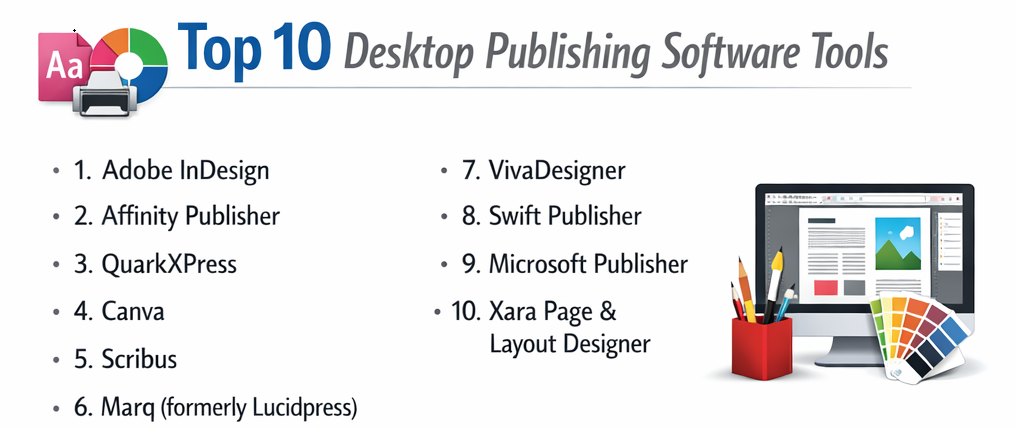
Top 10 Desktop Publishing Software Tools
1 — Adobe InDesign
Adobe InDesign is the industry-leading professional DTP software for creating complex layouts, trusted by designers and publishers for print and digital media. It offers advanced page layout tools with seamless integration into Creative Cloud, ideal for magazines, books, brochures, and interactive publications. With its robust features for multi-page documents and collaborative workflows, it’s perfect for teams handling high-volume professional projects.
Key features:
- Master pages and paragraph/character styles for consistency.
- Advanced typography with OpenType support and glyph scaling.
- Interactive elements like buttons, hyperlinks, and animations for digital PDFs.
- Content-aware fit and auto-layout adjustments.
- Preflight and packaging for error-free exports.
- AI-powered features like Subject-Aware Text Wrap.
- Collaboration via shared reviews and cloud documents.
Pros:
- Unparalleled precision and features for professional workflows.
- Tight integration with Photoshop, Illustrator, and Stock assets.
- Regular updates with cutting-edge tools.
Cons:
- Subscription model can be costly long-term.
- Steep learning curve for new users.
- Resource-intensive on older hardware.
Security & compliance: Cloud encryption, SSO, audit logs; GDPR and SOC 2 compliant in enterprise plans.
Support & community: Extensive Adobe tutorials, forums, help center; 24/7 enterprise support.
2 — Affinity Publisher
Affinity Publisher is a powerful, affordable DTP tool offering professional features in a one-time purchase model, rivaling InDesign for many users. It provides studio-linked editing with Designer and Photo personas, suited for books, magazines, and marketing materials without subscriptions. This makes it an excellent choice for independent designers and small studios seeking cost-effective, high-performance layout solutions with seamless vector and raster integration.
Key features:
- IDML import for InDesign file compatibility.
- Master pages, spreads, and global layers.
- Advanced typography and baseline grids.
- Live preview and non-destructive effects.
- PDF/X export and preflight checker.
- Integration with Affinity suite for seamless vector/raster work.
- Book and chapter management for long documents.
Pros:
- Excellent value with perpetual license and free updates.
- Fast performance and intuitive interface.
- Strong community-driven improvements.
Cons:
- No cloud collaboration features.
- Smaller template ecosystem than Adobe.
- Occasional missing niche pro features.
Security & compliance: N/A – Local application with basic file protection.
Support & community: Video tutorials, active forums, responsive email support.
3 — QuarkXPress
QuarkXPress is a veteran professional DTP software known for robust layout tools and digital publishing capabilities. It excels in print production with precise control, popular in publishing houses for magazines and catalogs. With its long history of innovation, it caters to experienced designers who require reliable tools for both traditional print workflows and emerging digital formats like responsive HTML5 exports.
Key features:
- Advanced color management and spot colors.
- Interactive layouts for HTML5 and eBooks.
- Callout anchors and conditional styles.
- Direct PDF import/edit.
- AI-enhanced tools for image conversion.
- Flex layouts for responsive digital output.
- Job Jackets for workflow standardization.
Pros:
- Superior print output and color accuracy.
- One-time purchase option.
- Strong for complex, long-form documents.
Cons:
- Interface feels dated to some.
- Higher cost than alternatives.
- Slower adoption of AI features.
Security & compliance: N/A – Primarily desktop; enterprise options available.
Support & community: Documentation, webinars, ticket support; pro user groups.
4 — Canva
Canva is a web-based design platform with strong DTP capabilities, focused on templates and ease for non-designers. It enables quick creation of print-ready and digital publications, ideal for marketers and small teams. By leveraging AI-assisted features and a vast library of assets, it democratizes professional design for users who need fast, collaborative results without deep technical skills.
Key features:
- Thousands of customizable templates.
- Drag-and-drop editor with brand kits.
- Magic Studio AI for text-to-image and resizing.
- Real-time collaboration and comments.
- Print ordering integration.
- Animated elements and video exports.
- Team folders and approval workflows.
Pros:
- Extremely beginner-friendly and fast.
- Free tier with generous features.
- Excellent for social and quick marketing materials.
Cons:
- Less precise control for complex layouts.
- Print quality not as pro as dedicated DTP.
- Internet required for use.
Security & compliance: Encryption, SSO, GDPR compliant in pro/enterprise.
Support & community: Help center, tutorials; community designs.
5 — Scribus
Scribus is a free, open-source DTP tool offering professional features for layout and prepress. It supports CMYK and spot colors, suitable for newsletters, books, and posters on a budget. As a community-driven project, it appeals to users in non-profits, education, or small businesses who require reliable print preparation without commercial costs, emphasizing extensibility through scripts.
Key features:
- Professional color management and ICC profiles.
- Vector drawing tools and text frames.
- PDF export with interactivity.
- Scriptable automation.
- CMYK separations and preflight.
- Extensible via Python scripts.
- Cross-platform support including Linux.
Pros:
- Completely free with no limits.
- Strong print preparation tools.
- Active open-source development.
Cons:
- Dated interface and workflow.
- Steeper learning curve.
- Limited templates.
Security & compliance: N/A – Open-source, user-managed.
Support & community: Wiki, forums, mailing lists.
6 — Marq (formerly Lucidpress)
Marq is a cloud-based brand templating platform with DTP features for consistent marketing materials. It locks templates for on-brand designs, great for teams and franchises. Focused on enterprise-level control, it helps organizations maintain visual identity across distributed teams while enabling easy customization for various campaigns and materials.
Key features:
- Template locking and data merge.
- Brand asset management.
- Interactive digital publications.
- Collaboration and approvals.
- Print and digital exports.
- Integrations with DAM systems.
- Analytics for document performance.
Pros:
- Ensures brand consistency across teams.
- Easy for non-designers.
- Scalable for large organizations.
Cons:
- Less flexible for fully custom layouts.
- Subscription pricing.
- Dependent on internet.
Security & compliance: SSO, encryption, SOC 2, GDPR.
Support & community: Tutorials, chat support, enterprise options.
7 — VivaDesigner
VivaDesigner is a versatile DTP tool with desktop and web versions for cross-platform use. It offers high-end layout features, aimed at pros needing flexibility. By bridging desktop power with browser accessibility, it’s suitable for remote teams or users who switch devices, providing consistent tools for intricate designs like catalogs or annual reports.
Key features:
- Desktop and web editions sync.
- Advanced typography and tables.
- Picture and text effects.
- PDF import/edit.
- Multilingual support.
- Automation scripts.
- Print and digital output.
Pros:
- Unique web/desktop hybrid.
- Powerful for complex documents.
- Good value.
Cons:
- Smaller user base.
- Interface not as polished.
- Limited integrations.
Security & compliance: Varies – Enterprise features available.
Support & community: Manuals, email support.
8 — Swift Publisher
Swift Publisher is a Mac-focused DTP app for easy creation of flyers, brochures, and newsletters. It provides templates and tools for home/small business users. Tailored to the Apple ecosystem, it integrates smoothly with Mac apps, making it a go-to for users who prioritize simplicity and quick results in personal or small-scale professional projects.
Key features:
- 500+ templates and clipart.
- Layer management and master pages.
- Barcode generator.
- Calendar wizard.
- Print and export options.
- Integration with Photos app.
- Touch Bar support.
Pros:
- Intuitive for Mac users.
- Affordable one-time buy.
- Lightweight and fast.
Cons:
- Mac-only.
- Fewer advanced pro features.
- Limited collaboration.
Security & compliance: N/A – Local Mac app.
Support & community: Tutorials, email support.
9 — Microsoft Publisher
Microsoft Publisher is an entry-level DTP tool integrated with Office for simple publications. It uses familiar ribbon interface for brochures and cards. As part of the Microsoft suite, it’s ideal for business users already in the ecosystem, offering straightforward tools for basic layouts without needing advanced design expertise.
Key features:
- Building blocks and templates.
- Mail merge for personalization.
- Ruler and guides alignment.
- Picture tools and swaps.
- Commercial print preparation.
- Integration with Word/Excel.
- Cloud saving via OneDrive.
Pros:
- Easy for Office users.
- Included in Microsoft 365.
- Good for quick projects.
Cons:
- Being discontinued in 2026.
- Limited advanced features.
- Windows-focused.
Security & compliance: Microsoft enterprise standards.
Support & community: Microsoft docs, forums.
10 — Xara Page & Layout Designer
Xara Page & Layout Designer is a vector-based DTP tool for fast print and web documents. It combines layout with graphics editing. With its emphasis on speed and integrated photo tools, it’s well-suited for users who blend illustration and publishing, such as small agencies or freelancers handling versatile design tasks efficiently.
Key features:
- Direct vector editing.
- Photo tools and effects.
- Template-based design.
- PDF export with layers.
- Web export options.
- Text flow and styles.
- Fast rendering.
Pros:
- Speedy performance.
- Affordable.
- Good photo handling.
Cons:
- Less known community.
- Not as feature-rich for long docs.
- Windows primary.
Security & compliance: N/A.
Support & community: Tutorials, forums.
Comparison Table
| Tool Name | Best For | Platform(s) Supported | Standout Feature | Rating |
|---|---|---|---|---|
| Adobe InDesign | Professional publishing | Windows, Mac | AI-powered layout tools | N/A |
| Affinity Publisher | Subscription-free pro work | Windows, Mac, iPad | Studio link integration | N/A |
| QuarkXPress | Print production & digital | Windows, Mac | Flex responsive layouts | N/A |
| Canva | Quick templates & teams | Web, Mobile | Magic Studio AI | N/A |
| Scribus | Free professional layouts | Windows, Mac, Linux | CMYK & prepress support | N/A |
| Marq | Brand consistency | Web | Template locking | N/A |
| VivaDesigner | Cross-platform flexibility | Windows, Mac, Web | Desktop/web sync | N/A |
| Swift Publisher | Mac users & small projects | Mac | Template library | N/A |
| Microsoft Publisher | Office-integrated basics | Windows | Mail merge | N/A |
| Xara Page & Layout Designer | Vector-integrated design | Windows | Fast photo handling | N/A |
Evaluation & Scoring of Desktop Publishing Software
| Tool Name | Core Features (25%) | Ease of Use (15%) | Integrations & Ecosystem (15%) | Security & Compliance (10%) | Performance & Reliability (10%) | Support & Community (10%) | Price / Value (15%) | Total Score |
|---|---|---|---|---|---|---|---|---|
| Adobe InDesign | 10 (2.5) | 7 (1.05) | 10 (1.5) | 9 (0.9) | 9 (0.9) | 10 (1.0) | 7 (1.05) | 8.9 |
| Affinity Publisher | 9 (2.25) | 8 (1.2) | 9 (1.35) | 5 (0.5) | 9 (0.9) | 8 (0.8) | 10 (1.5) | 8.5 |
| QuarkXPress | 9 (2.25) | 7 (1.05) | 7 (1.05) | 6 (0.6) | 9 (0.9) | 8 (0.8) | 8 (1.2) | 7.85 |
| Canva | 8 (2.0) | 10 (1.5) | 9 (1.35) | 8 (0.8) | 9 (0.9) | 9 (0.9) | 9 (1.35) | 8.8 |
| Scribus | 8 (2.0) | 6 (0.9) | 6 (0.9) | 5 (0.5) | 8 (0.8) | 7 (0.7) | 10 (1.5) | 7.3 |
| Marq | 8 (2.0) | 9 (1.35) | 8 (1.2) | 8 (0.8) | 9 (0.9) | 8 (0.8) | 8 (1.2) | 8.25 |
| VivaDesigner | 8 (2.0) | 8 (1.2) | 7 (1.05) | 6 (0.6) | 8 (0.8) | 7 (0.7) | 9 (1.35) | 7.7 |
| Swift Publisher | 7 (1.75) | 9 (1.35) | 6 (0.9) | 5 (0.5) | 8 (0.8) | 7 (0.7) | 9 (1.35) | 7.35 |
| Microsoft Publisher | 7 (1.75) | 9 (1.35) | 8 (1.2) | 8 (0.8) | 8 (0.8) | 9 (0.9) | 8 (1.2) | 7.8 |
| Xara Page & Layout Designer | 7 (1.75) | 8 (1.2) | 6 (0.9) | 5 (0.5) | 9 (0.9) | 7 (0.7) | 9 (1.35) | 7.3 |
Which Desktop Publishing Software Tool Is Right for You?
Your choice depends on scale, budget, and complexity.
Solo users: Affinity Publisher or Canva for value and ease; Scribus if free.
SMBs: Canva or Marq for team templates; Swift Publisher for Mac shops.
Mid-market: InDesign or QuarkXPress for pro output.
Enterprise: InDesign or Marq for collaboration and compliance.
Budget-conscious: Scribus, Affinity, or Canva free tier.
Premium solutions: InDesign or QuarkXPress for advanced needs.
Feature depth vs. ease of use: InDesign/Quark depth; Canva/Marq simplicity.
Integration and scalability: Adobe ecosystem; Marq for brands; Canva cloud.
Security and compliance: Enterprise plans in Adobe, Canva, Marq.
Test trials—match to print vs. digital focus.
Frequently Asked Questions (FAQs)
What is desktop publishing software? It’s tools for professional layouts of text/images for print/digital, offering precision beyond word processors.
Why use DTP over Word or Pages? For master pages, typography control, prepress checks, and complex multi-page docs.
How much does DTP software cost? Free (Scribus) to $20-50/month (InDesign) or one-time $50-500 (Affinity, Quark).
Is InDesign worth the subscription? Yes for pros needing updates/integration; alternatives for one-time buy.
Best free DTP tool? Scribus for full features; Canva for ease.
Can DTP handle interactive digital? Yes—InDesign, Quark, Canva support hyperlinks, animations.
Common mistake? Ignoring preflight—leads to print errors. Best: Always check bleed/color.
Scalability for teams? Cloud tools like Canva/Marq excel; InDesign for shared files.
Alternatives if discontinuing Publisher? Affinity, Canva, or Swift Publisher.
AI in DTP helpful? Yes for auto-layouts, image gen in Canva/InDesign.
Conclusion
The desktop publishing landscape blends established leaders like Adobe InDesign with affordable challengers like Affinity Publisher and cloud innovators like Canva. Key trends include AI assistance, brand templating, and hybrid print/digital support.
Prioritize workflow fit—precision for print pros, ease for teams, value for independents. No single tool wins universally; the best amplifies your creativity while matching budget and needs. Trial options to find your ideal match and elevate your publications.