Introduction
Digital Audio Workstations (DAWs) are the essential software platforms powering modern music creation, enabling users to record, edit, mix, master, and perform audio and MIDI in a single environment. As of December 2026, DAWs have reached new heights with widespread adoption of offline AI-powered stem separation, deeper Splice integrations, immersive audio advancements, and refined workflows that blend studio precision with live performance flexibility.
Their importance is undeniable in an era where independent creators release chart-topping tracks from home setups, while professionals rely on them for film scoring, podcast production, and collaborative remote sessions. Real-world applications range from electronic producers remixing stems in real-time, to engineers comping vocal takes with swipe gestures, composers orchestrating in Dolby Atmos, and DJs triggering clips seamlessly on stage.
When selecting a DAW, prioritize factors like native stem separation quality, AI assistance for inspiration, mixer scalability (e.g., dynamic tracks), immersive format support, plugin ecosystems (VST3/CLAP/ARA), hardware integration, update cadence, and licensing (perpetual vs. subscription). Also consider genre fit—pattern-based for beats, linear for recording—and platform-specific optimizations.
Best for: Solo artists, producers, engineers, composers, podcasters, and teams across music, film, gaming, and content creation industries, from freelancers to major studios.
Not ideal for: Minimalist audio editing (try free tools like Audacity); exclusive notation work (use Dorico); or those preferring hardware-only setups.
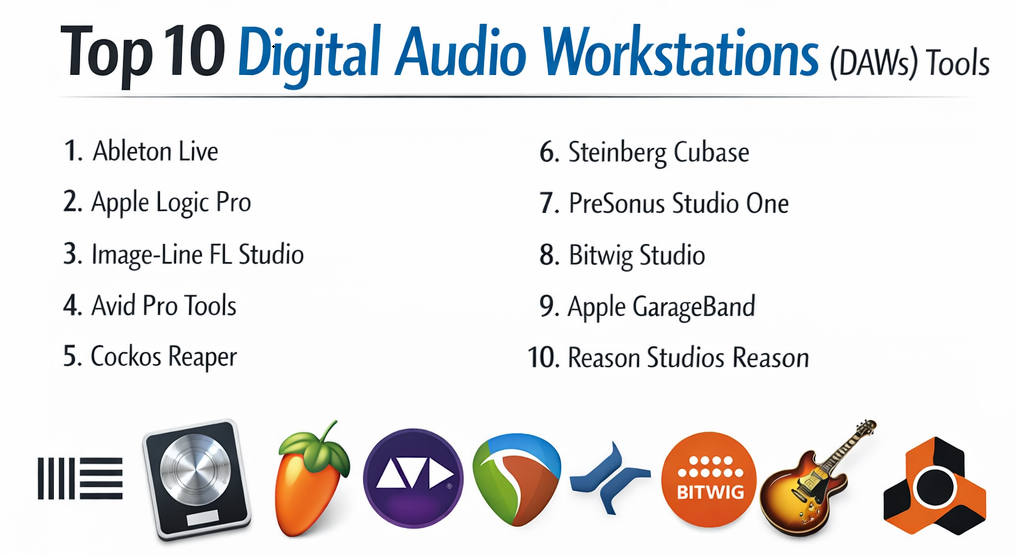
Top 10 Digital Audio Workstations (DAWs) Tools
1 — Ableton Live
Ableton Live stands as the premier choice for electronic music and live performance, with its groundbreaking offline stem separation and seamless Splice integration transforming sampling, remixing, and spontaneous creation for producers, DJs, and performers worldwide.
Short description: Live’s dual Session and Arrangement views enable non-linear clip launching alongside traditional timeline editing, making it uniquely suited for real-time experimentation, live sets, and polished studio productions.
Key features:
- Native offline Stem Separation (Suite) isolating vocals, drums, bass, and others from any audio clip.
- Direct Splice browser integration for in-key, tempo-synced sample auditioning and dragging.
- Reimagined Auto Pan-Tremolo with advanced rhythmic modulation and easier tremolo access.
- Device A/B comparison for instant sound design and mixing decisions.
- Generators MIDI Tools pack for procedural rhythmic and melodic ideas.
- Bounce Groups and Paste Bounced Audio for efficient resampling workflows.
- Enhanced Max for Live ecosystem with Push and Move hardware optimizations.
Pros:
- Offline stem separation revolutionizes remixing legacy tracks without external tools or quality loss.
- Splice integration streamlines sample-based production, saving hours in creative flow.
- Constant free updates deliver innovative features, maintaining its edge in hybrid studio/live use.
Cons:
- Stem processing can be hardware-intensive on older machines.
- Full stem access requires Suite edition.
- Non-linear focus may require adjustment for strict linear recording users.
Security & compliance: N/A – Local processing with optional cloud elements; emphasizes user privacy.
Support & community: Extensive in-app lessons, detailed tutorials, active forums, and responsive official support; thriving third-party developer network.
2 — Apple Logic Pro
Logic Pro dominates Mac-based production, blending professional depth with innovative AI tools like Flashback Capture and enhanced Stem Splitter, ideal for songwriters, producers, and engineers seeking comprehensive, value-packed creation.
Short description: Logic offers an all-in-one environment with vast bundled content, spatial audio mixing, and intuitive tools tailored for the Apple ecosystem, from quick sketches to full orchestral arrangements.
Key features:
- Flashback Capture to recover unrecorded performances retroactively.
- Upgraded Stem Splitter supporting guitar/piano with superior fidelity.
- Expanded AI Session Players for hyper-realistic virtual band parts.
- ChromaGlow analog saturation and Quantec Room Simulator reverb.
- Extensive producer packs and third-party AU integration.
- Advanced Dolby Atmos and spatial audio tools.
- New sound packs like Dancefloor Rush (drum-and-bass) and progressive metal guitars.
Pros:
- Unmatched one-time purchase value with lifetime updates and massive library.
- Flashback Capture eliminates lost inspiration moments.
- Seamless iPad/Mac integration for mobile-to-studio workflows.
Cons:
- Limited to Apple platforms.
- Heavy bundled focus; less modular than plugin-centric DAWs.
- AI elements optional for traditional workflows.
Security & compliance: N/A – Apple ecosystem standards with optional iCloud.
Support & community: Robust Apple documentation, forums, and pro-level assistance.
3 — Image-Line FL Studio
FL Studio excels as a beatmaking powerhouse with dynamic scaling and AI guidance, favored by electronic and hip-hop producers for its lifetime updates and rapid, pattern-driven workflow.
Short description: FL’s step sequencer and channel rack prioritize loop construction and MIDI patterning, evolving into a full DAW with strong audio capabilities.
Key features:
- Up to 500 Dynamic Mixer Tracks for unlimited project complexity.
- Loop Starter for instant genre-specific beat generation.
- Per-clip audio stretch, pitch, and reverse editing.
- Gopher AI assistant for multilingual troubleshooting and tips.
- Emphasis mastering limiter for transparent loudness.
- Mobile Rack bringing low-CPU instruments/effects from FL Mobile.
- Bassline Generator and enhanced FLEX packs.
Pros:
- Lifetime free updates provide extraordinary long-term value.
- Gopher AI accelerates learning and problem-solving.
- Vibrant, customizable UI fuels fast creativity in beats and EDM.
Cons:
- Pattern emphasis less ideal for extensive band/audio recording.
- AI features continuing to mature.
- ARA support still absent.
Security & compliance: N/A – Desktop with cloud options.
Support & community: Comprehensive manuals, active forums, and tutorials.
4 — Avid Pro Tools
Pro Tools remains the undisputed studio and post-production standard, with immersive advancements and partner integrations ensuring reliability for professional engineers and large-scale projects.
Short description: Pro Tools focuses on precision audio editing, hardware compatibility, and collaborative workflows trusted in major studios and film.
Key features:
- Audio Vivid and Sony 360RA immersive mixing support.
- Splice integration and AI Speech-to-Text transcription.
- ARA 2 enhancements for Melodyne/Waves.
- Bounce Factory Lite via SoundFlow automation.
- Inner Circle rewards with free plugins/content.
- Cloud collaboration and high track counts.
- MIDI and routing improvements.
Pros:
- Industry-leading stability and hardware/studio integration.
- Immersive formats future-proof post-production.
- Enterprise tools like transcription and compliance.
Cons:
- Subscription-based ongoing costs.
- Steeper for casual/hobbyist use.
- Fewer native creative instruments.
Security & compliance: SSO, encryption, audit logs; SOC 2 compliant.
Support & community: 24/7 professional support and networks.
5 — Cockos Reaper
Reaper delivers unparalleled customization and efficiency, perfect for power users valuing lightweight performance and user-driven development across platforms.
Short description: Reaper’s compact footprint and scripting enable tailored workflows for recording, mixing, and scripting enthusiasts.
Key features:
- Track lanes, swipe comping, 128-channel tracks.
- Advanced routing, themes, and ReaScripting.
- Enhanced spectrogram/spectral editing.
- Phase Aligner for multi-mic alignment.
- A/B FX toggles and UI refinements.
- Unlimited tracks with minimal CPU.
- ReaPlugs suite updates.
Pros:
- Affordable with frequent, responsive updates.
- Excels on modest hardware with massive sessions.
- Deep customization via community scripts/themes.
Cons:
- Sparse bundled content—third-party reliant.
- Stock interface needs personalization.
- Option overload for newcomers.
Security & compliance: N/A – Fully local.
Support & community: Active forums, wiki, and scripting resources.
6 — Steinberg Cubase
Cubase represents a major leap for MIDI and scoring, with AI stem separation and melodic tools suiting composers and producers.
Short description: Cubase’s precise editors and MixConsole cater to detailed composition, orchestral work, and pro mixing.
Key features:
- AI-powered stem separation.
- Redesigned Expression Maps for realistic articulations.
- Melodic Pattern Editor.
- New modulators and sound-shaping effects.
- DAWproject support for cross-DAW compatibility.
- Enhanced Score Editor integration.
- Dolby Atmos refinements.
Pros:
- Superior MIDI and scoring capabilities.
- Comprehensive bundled plugins/instruments.
- Streamlined professional workflows.
Cons:
- Tiered editions restrict features.
- Complex for absolute beginners.
- Moderate innovation pace.
Security & compliance: N/A.
Support & community: Manuals and forums.
7 — PreSonus Studio One
Studio One integrates intuitive drag-and-drop with advanced guitar tools and performance upgrades, ideal for recording artists and hybrid creators.
Short description: Studio One balances recording precision with pattern-based creativity and hardware synergy.
Key features:
- Enhanced stem separation and Splice integration.
- Sub Zero bass instrument and Tuner 2.
- Nashville Number System chords.
- Post-Roll for auto-punch recording.
- Continuous cursor and macro toolbar.
- Improved Apple Silicon multi-processing.
- Launcher enhancements.
Pros:
- Intuitive recording/mixing flow.
- Frequent updates with practical additions.
- Strong PreSonus hardware integration.
Cons:
- Stock library smaller than rivals.
- Some features subscription-linked.
- Potential clutter in large sessions.
Security & compliance: N/A.
Support & community: Tutorials and forums.
8 — Bitwig Studio
Bitwig Studio pioneers modular sound design with automation clips and global keys, blending studio and live for experimental producers.
Short description: Bitwig’s Grid system enables custom device building in a hybrid clip/timeline environment.
Key features:
- Automation clips and global key signatures.
- Upgraded automation editing.
- Clip aliases and layered editing.
- Enhanced expression tools.
- Spray Can/Audition utilities.
- Visual/UI refinements.
- MPE and microtonal support.
Pros:
- Unrivaled modular creativity.
- Seamless studio/live transitions.
- Innovative patching/modulation.
Cons:
- Steep modular learning curve.
- Smaller community.
- Recording less prioritized.
Security & compliance: N/A.
Support & community: Guides and active users.
9 — Apple GarageBand
GarageBand remains the ultimate free entry for Apple users, with solid basics and direct Logic upgrade path.
Short description: Simplified multitrack recording and loops for beginners transitioning to pro tools.
Key features:
- AI Drummer and producer packs.
- Stem export to Logic.
- AU support and lessons.
- Touch/multitrack basics.
Pros:
- Completely free with strong features.
- Intuitive for quick captures.
- Ecosystem integration.
Cons:
- Limited for advanced projects.
- Apple-exclusive.
- No full mixing console.
Security & compliance: N/A.
Support & community: Apple resources.
10 — Reason Studios Reason
Reason thrives as a rack-based synthesis environment, flexible standalone or as plugins in other DAWs.
Short description: Hardware-emulating rack for patching devices and creative effects.
Key features:
- Updated browser and tagging.
- New devices and refreshed patches.
- Combinator customs.
- VST/AU support.
- Sequencer improvements.
Pros:
- Inspiring retro workflow.
- Deep synthesis/effects.
- Hybrid DAW/plugin mode.
Cons:
- Non-traditional linear focus.
- Recording secondary.
- Variable update frequency.
Security & compliance: N/A.
Support & community: Forums.
Comparison Table
| Tool Name | Best For | Platform(s) Supported | Standout Feature | Rating |
|---|---|---|---|---|
| Ableton Live | Electronic & live | Windows, Mac | Offline Stem Separation & Splice | 4.9 |
| Apple Logic Pro | Mac songwriting/production | Mac, iPad | Flashback Capture & Stem Fidelity | 4.9 |
| Image-Line FL Studio | Beatmaking & patterns | Windows, Mac | Dynamic Tracks & Gopher AI | 4.8 |
| Avid Pro Tools | Pro studios/post | Windows, Mac | Audio Vivid Immersive & Transcription | 4.8 |
| Cockos Reaper | Customization/efficiency | Windows, Mac, Linux | Spectral Tools & Scripting | 4.9 |
| Steinberg Cubase | MIDI/scoring | Windows, Mac | AI Stems & Expression Maps | 4.7 |
| PreSonus Studio One | Recording/guitar | Windows, Mac | Sub Zero & Post-Roll | 4.7 |
| Bitwig Studio | Modular/experimental | Windows, Mac, Linux | Automation Clips & Grid | 4.6 |
| Apple GarageBand | Beginners/Apple | Mac, iOS | Free with AI Drummer | 4.7 |
| Reason Studios Reason | Rack synthesis | Windows, Mac | Updated Browser & Devices | 4.4 |
Evaluation & Scoring of Digital Audio Workstations (DAWs)
Scoring incorporates stem separation, AI tools, and immersive advancements.
| Tool Name | Core Features (25%) | Ease of Use (15%) | Integrations & Ecosystem (15%) | Security & Compliance (10%) | Performance & Reliability (10%) | Support & Community (10%) | Price / Value (15%) | Total Score |
|---|---|---|---|---|---|---|---|---|
| Ableton Live | 9.9 (2.475) | 8.5 (1.275) | 9.9 (1.485) | 5 (0.5) | 9.5 (0.95) | 9.5 (0.95) | 8.5 (1.275) | 8.91 |
| Apple Logic Pro | 9.9 (2.475) | 9.5 (1.425) | 9.2 (1.38) | 6 (0.6) | 9.5 (0.95) | 9.5 (0.95) | 10 (1.5) | 9.28 |
| Image-Line FL Studio | 9.6 (2.4) | 9 (1.35) | 9.5 (1.425) | 5 (0.5) | 9.2 (0.92) | 9 (0.9) | 10 (1.5) | 9.0 |
| Avid Pro Tools | 9.9 (2.475) | 7.5 (1.125) | 9.8 (1.47) | 9 (0.9) | 9.8 (0.98) | 9.5 (0.95) | 7 (1.05) | 8.95 |
| Cockos Reaper | 9.6 (2.4) | 8 (1.2) | 9.8 (1.47) | 5 (0.5) | 10 (1.0) | 9 (0.9) | 10 (1.5) | 9.07 |
| Steinberg Cubase | 9.7 (2.425) | 8 (1.2) | 9.2 (1.38) | 5 (0.5) | 9.5 (0.95) | 8.5 (0.85) | 8.5 (1.275) | 8.58 |
| PreSonus Studio One | 9.5 (2.375) | 9 (1.35) | 9.5 (1.425) | 5 (0.5) | 9.2 (0.92) | 8.5 (0.85) | 9 (1.35) | 8.77 |
| Bitwig Studio | 9.6 (2.4) | 8.5 (1.275) | 9.2 (1.38) | 5 (0.5) | 9.2 (0.92) | 8.5 (0.85) | 8.5 (1.275) | 8.6 |
| Apple GarageBand | 8.5 (2.125) | 9.8 (1.47) | 8.5 (1.275) | 6 (0.6) | 9 (0.9) | 9 (0.9) | 10 (1.5) | 8.77 |
| Reason Studios Reason | 9.2 (2.3) | 8.5 (1.275) | 9 (1.35) | 5 (0.5) | 9 (0.9) | 8 (0.8) | 8.5 (1.275) | 8.4 |
Which Digital Audio Workstations (DAWs) Tool Is Right for You?
Trends highlight offline stems, AI inspiration, and cross-platform refinements.
Solo users: GarageBand/Reaper for accessible starts; FL for beats.
SMBs: Studio One/FL for streamlined teams.
Mid-market: Logic/Cubase for compositional depth.
Enterprises: Pro Tools for standardized immersive/post.
Budget-conscious: Reaper/GarageBand; FL/Logic perpetual excellence.
Premium: Ableton Suite/Pro Tools Ultimate.
Feature depth vs. ease: Bitwig/Reaper intricate; Logic/GarageBand approachable.
Integration/scalability: Pro Tools cloud/hardware; Ableton Splice/stems.
Security/compliance: Pro Tools forefront.
Experiment with trials—offline AI and immersive tools redefine possibilities.
Frequently Asked Questions (FAQs)
What’s dominating DAWs currently? Offline stem separation (Ableton, Logic, Cubase, Studio One) and Splice integrations, plus immersive formats and AI assistants.
Subscription vs. perpetual? Pro Tools subscription for pros; Logic/FL/Reaper perpetual value.
Best free DAW? GarageBand (Apple) or Waveform Free/Cakewalk.
Stem separation advancements? Offline, higher fidelity with instrument support (guitar/piano in Logic).
Hardware efficiency? Reaper/FL lead; optimizations across board.
Cross-DAW project transfer? DAWproject format growing; stems/MIDI standard.
Mobile workflows? Logic/GarageBand iPad; FL Mobile Rack.
Stock vs. third-party plugins? Master natives first; expand for uniqueness.
Live performance leader? Ableton with Push/Move.
Team collaboration? Pro Tools cloud; others file/stem-based.
AI impact? Tools like Flashback/Gopher genuinely boost creativity/time.
Free alternatives? Ardour/BandLab.
Conclusion
DAWs shine with mature offline stems, AI enhancements, and immersive depth, led by Logic’s value, Ableton’s innovation, and Reaper’s efficiency. Trends emphasize local processing, direct sampling, and expressive control.
Select based on platform, genre, and workflow—trial extensively to discover your creative amplifier. The ideal DAW elevates your unique sound in this vibrant era. Enjoy producing!