Introduction
Color grading software refers to specialized tools used to adjust and enhance the color, tone, contrast, saturation, and overall aesthetic of visual media — primarily video footage and digital film. While basic editing tools allow you to trim, cut, and splice images or clips, color grading tools enable creators to manipulate every pixel to achieve a desired emotional tone, visual consistency, or artistic style. For filmmakers, editors, and content creators, color grading is an essential step in the visual storytelling process.
This process is important because color subtly — yet powerfully — influences how audiences perceive mood, continuity, time, and atmosphere in visual content. Whether you want to evoke tension in a thriller, warmth in a documentary, or vibrancy in a music video, effective color grading elevates raw footage into a polished narrative experience.
Common real‑world use cases include:
- Feature Films & TV Shows: Achieving cinematic looks and consistent tone across scenes.
- Commercial & Advertising Work: Enhancing brand imagery and product visuals.
- Documentaries & Corporate Videos: Balancing natural looks with creative enhancement.
- Social Media Content: Making visuals stand out in feeds and attract viewer attention.
- Independent & Student Film Projects: Professionalizing visuals without huge budgets.
When evaluating color grading software, users should consider:
- Color control precision: How granular are the hue, saturation, luminance tools?
- Real‑time playback & performance: Can the tool handle 4K or higher media smoothly?
- Integration with editing workflows: Does it integrate with NLEs (Non‑Linear Editors)?
- Supported formats & hardware acceleration: Does it support industry codecs and GPU acceleration?
- Learning curve & interface usability: How steep is the learning curve?
Best for:
Video editors, cinematographers, colorists, media producers, post‑production studios, freelance creatives, and digital marketing teams. Whether you are a solo creator or part of a mid‑sized production house, color grading software helps enhance visual quality and achieve professional results.
Not ideal for:
Users focused only on simple trimming/cutting of footage or those who only post casual mobile videos without quality control requirements. Basic video editors or mobile apps can suffice if advanced grading isn’t required.
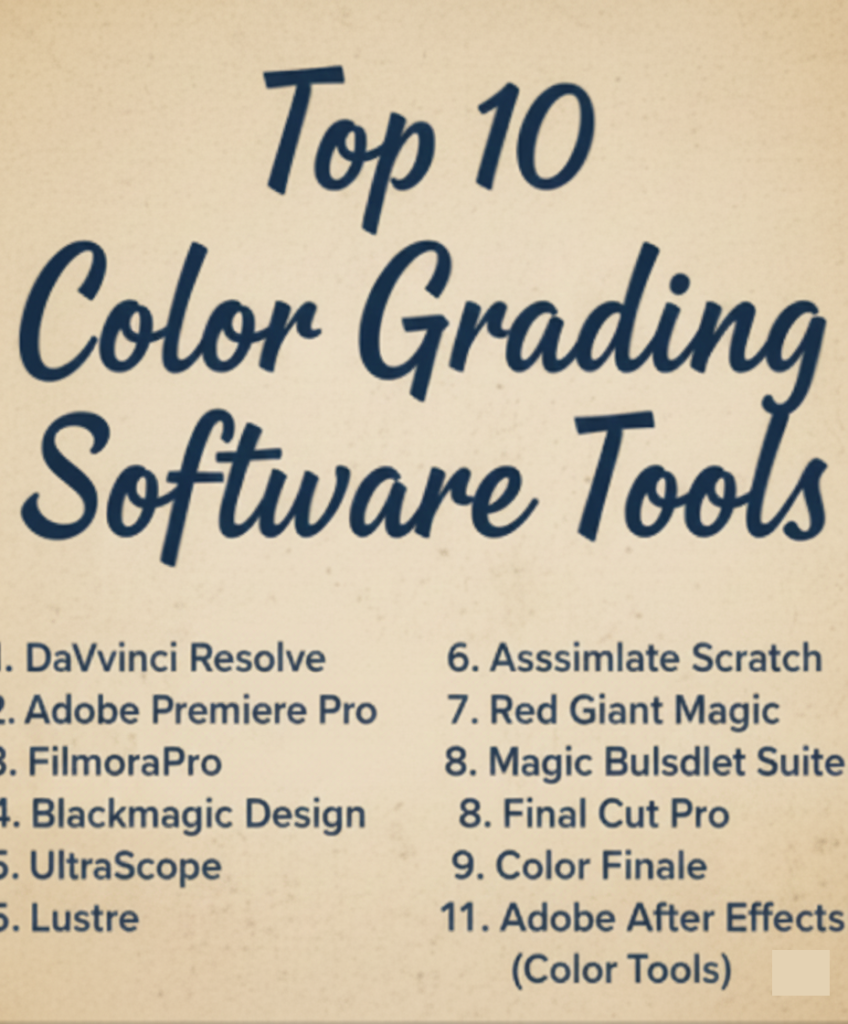
Top 10 Color Grading Software Tools
1 — DaVinci Resolve
Description:
DaVinci Resolve is widely regarded as the industry standard for color grading, offering deep control over color, tone, and dynamic range. It integrates editing, visual effects, and audio post‑production into a single platform.
Key features:
- Advanced primary and secondary color correction
- Node‑based color workflow for flexible grading
- HDR grading tools and scopes
- Built‑in editing and Fairlight audio suite
- Powerful film emulation and LUT support
Pros:
- Extremely powerful color control
- Includes full editing and post‑production suite
Cons:
- Complex for beginners
- High performance requirements
Security & compliance:
Varies / N/A
Support & community:
- Extensive documentation and tutorials
- Large global user community
- Professional support available
2 — Adobe Premiere Pro (Lumetri Color)
Description:
Adobe Premiere Pro is a full‑featured video editing application with integrated Lumetri Color tools for grading and color correction within editing timelines.
Key features:
- Lumetri panels for basic and advanced color adjustment
- Built‑in curves, color wheels, and LUT support
- Real‑time playback
- Integration with Adobe Creative Suite ecosystem
- GPU acceleration and color match tools
Pros:
- Seamless editing + color grading workflow
- Great for users familiar with Adobe ecosystem
Cons:
- Not as deep as dedicated grading tools
- Subscription‑based model
Security & compliance:
Varies / N/A
Support & community:
- Comprehensive tutorials and guides
- Large creative user community
3 — Final Cut Pro
Description:
Apple’s Final Cut Pro is a professional video editing application that includes powerful color grading tools designed for Mac users, optimized for Apple hardware.
Key features:
- Color wheels, curves, and hue/saturation curves
- Automatic balancing and exposure tools
- Scopes for waveform, vectorscope, and histogram
- HDR support and color presets
- Magnetic timeline for efficient editing workflow
Pros:
- Fast performance on Mac systems
- Intuitive interface for editors
Cons:
- Mac only
- Limited advanced nodes workflow compared to Resolve
Security & compliance:
Varies / N/A
Support & community:
- Official support resources
- Strong Mac editor community
4 — Adobe After Effects (Color Tools)
Description:
Adobe After Effects is a motion graphics and visual effects platform with high‑precision color tools, often used for detailed grading and finishing.
Key features:
- Advanced curves and color correction effects
- LUT application and color blending
- Integration with Premiere Pro and Photoshop
- Masking and keying tools for selective grading
- Plugin support for specialized looks
Pros:
- Deep control for stylized looks
- Excellent for VFX heavy workflows
Cons:
- Steep learning curve
- Not primarily designed as dedicated color grading software
Security & compliance:
Varies / N/A
Support & community:
- Extensive Adobe ecosystem resources
- Large creative forums and tutorials
5 — FilmoraPro
Description:
FilmoraPro is a mid‑tier video editing and color grading tool suitable for creators who want powerful grading without steep complexity.
Key features:
- Color wheels and curves
- Scopes and histogram
- LUT support
- Vignette and stylization tools
- Keyframe color animation
Pros:
- Easier to learn than high‑end tools
- Good balance of power & accessibility
Cons:
- Less advanced than Resolve or Premiere
- Fewer professional grading features
Security & compliance:
Varies / N/A
Support & community:
- Help guides and tutorials
- Growing user community
6 — Blackmagic Design UltraScope
Description:
UltraScope is a professional color grading monitoring software designed for colorists needing detailed scopes and waveform visualization.
Key features:
- High‑precision waveform and vector scopes
- RGB parade and histogram views
- Full‑screen monitoring
- Real‑time signal visualization
Pros:
- Extremely detailed monitoring
- Great for broadcast workflows
Cons:
- Not a full editing/grading suite
- Specialist tool for scope monitoring
Security & compliance:
Varies / N/A
Support & community:
- Professional user guides
- Limited broader community
7 — Lustre
Description:
Lustre is a high‑end color grading system used in Hollywood and high‑budget production environments, known for its real‑time performance and filmic grading tools.
Key features:
- Advanced grading toolset
- Real‑time color manipulation
- Film‑look workflows
- Remote collaboration features
Pros:
- Professional cinema results
- Industry‑trusted for high‑end productions
Cons:
- Very expensive
- Complex and specialized
Security & compliance:
Varies / N/A
Support & community:
- Professional vendor support
- Elite user community
8 — Assimilate Scratch
Description:
Assimilate Scratch is a powerful grading and finishing tool for high‑end post‑production workflows, with real‑time color correction and editorial finishing.
Key features:
- Real‑time color grading
- Multi‑format support
- Live playback with grading feedback
- Timeline editing and finishing tools
Pros:
- Fast performance for heavy media
- Strong support for high‑end formats
Cons:
- Pricey for beginners
- Overkill for simple projects
Security & compliance:
Varies / N/A
Support & community:
- Professional support
- Specialized user base
9 — Color Finale
Description:
Color Finale is a professional color grading plugin for Final Cut Pro users who want deeper grading tools without switching applications.
Key features:
- Layer‑based color grading
- Custom curves and color wheels
- LUT support
- Real‑time previews
Pros:
- Enhances Final Cut Pro grading capabilities
- Great balance of power & workflow
Cons:
- Requires Final Cut Pro
- Limited outside of that ecosystem
Security & compliance:
Varies / N/A
Support & community:
- Dedicated support forums
- Active user community
10 — Red Giant Magic Bullet Suite
Description:
Magic Bullet Suite is a set of color grading and film‑style tools for editors and motion designers, known for stylized looks and film emulation.
Key features:
- Film look presets
- Color correction wheels
- Skin tone correction
- Stylization and vignette tools
Pros:
- Easy to create cinematic stylization
- Great for creative grading
Cons:
- Not a full grading suite on its own
- Works best within host apps
Security & compliance:
Varies / N/A
Support & community:
- Tutorials and presets libraries
- Creative community support
Comparison Table
| Tool Name | Best For | Platform(s) | Standout Feature | Rating |
|---|---|---|---|---|
| DaVinci Resolve | Professional cinema & post‑production | Win/Mac/Linux | Node‑based grading | N/A |
| Adobe Premiere Pro | Integrated edit & grade | Win/Mac | Lumetri Color panels | N/A |
| Final Cut Pro | Mac users & creators | Mac | Optimized color wheels | N/A |
| Adobe After Effects | Motion graphics | Win/Mac | Advanced color tools | N/A |
| FilmoraPro | Mid‑tier creators | Win/Mac | Balanced power & ease | N/A |
| UltraScope | Broadcast & monitoring | Win/Mac | Detailed scopes | N/A |
| Lustre | High‑end film production | Win/Mac | Cinema‑grade grading | N/A |
| Assimilate Scratch | Post workflows & finishing | Win/Mac/Linux | Real‑time high‑end grading | N/A |
| Color Finale | Final Cut Pro enhancements | Mac | Layer‑based grading | N/A |
| Magic Bullet Suite | Stylized grading | Win/Mac | Film emulation presets | N/A |
Evaluation & Scoring of Color Grading Software
| Tool Name | Core features (25%) | Ease of use (15%) | Integrations & ecosystem (15%) | Security & compliance (10%) | Performance & reliability (10%) | Support & community (10%) | Price / value (15%) | Total Score |
|---|---|---|---|---|---|---|---|---|
| DaVinci Resolve | 25 | 9 | 15 | 8 | 10 | 10 | 12 | 89 |
| Adobe Premiere Pro | 23 | 12 | 15 | 8 | 9 | 10 | 10 | 87 |
| Final Cut Pro | 21 | 13 | 12 | 8 | 10 | 9 | 10 | 83 |
| Adobe After Effects | 22 | 8 | 14 | 8 | 9 | 9 | 9 | 79 |
| FilmoraPro | 18 | 14 | 11 | 8 | 9 | 8 | 11 | 79 |
| UltraScope | 15 | 10 | 10 | 8 | 10 | 6 | 8 | 67 |
| Lustre | 24 | 7 | 12 | 8 | 10 | 7 | 7 | 75 |
| Assimilate Scratch | 23 | 8 | 13 | 8 | 9 | 7 | 8 | 76 |
| Color Finale | 17 | 12 | 10 | 8 | 9 | 7 | 9 | 72 |
| Magic Bullet Suite | 18 | 13 | 12 | 8 | 8 | 8 | 9 | 76 |
Which Color Grading Software Tool Is Right for You?
Solo creators:
- FilmoraPro and Magic Bullet Suite provide powerful tools without overwhelming complexity.
- Color Finale is perfect for Final Cut Pro users seeking deeper grading.
SMB and mid‑market editors:
- Adobe Premiere Pro provides an all‑in‑one editing and grading workflow.
- Final Cut Pro offers high performance for Mac‑centric workflows.
High‑end post & enterprise studios:
- DaVinci Resolve remains the gold standard for professional color grading.
- Lustre and Assimilate Scratch are excellent for cinematic and high‑budget productions.
Budget‑conscious vs premium:
- Free versions (like Resolve’s free tier) offer unmatched value for powerful grading.
- Premium suites deliver specialized tools for advanced colorists.
Feature depth vs ease of use:
- Tools like FilmoraPro and Magic Bullet favor usability, while DaVinci Resolve and Premiere Pro prioritize deep control.
Integration & scalability needs:
- Premiere Pro and After Effects excel within Adobe ecosystems.
- DaVinci Resolve integrates editing, grading, and audio work in one platform.
Security & compliance requirements:
- Most color grading tools operate locally on media; enterprise teams can enforce secure workflows via collaborative server systems and file governance.
Frequently Asked Questions (FAQs)
1. What is the difference between color correction and color grading?
Color correction fixes exposure and balance issues, while color grading adds a style or mood to the footage.
2. Do I need powerful hardware for color grading?
Yes. High‑resolution grading benefits greatly from strong CPUs, GPUs, and abundant memory.
3. Is color grading only for film?
No — it’s also used in commercials, online content, weddings, documentaries, and social media videos.
4. What should I look for in color grading software?
Look for precision controls, real‑time playback, format support, integration with editing tools, and learning resources.
5. Can beginners learn professional grading tools?
Yes — but some tools like Resolve and Premiere have steep learning curves compared to simpler editors.
6. Are LUTs (Look‑Up Tables) useful?
Yes, LUTs help apply consistent visual styles quickly and are widely used in professional workflows.
7. Can I grade footage shot on any camera?
Most tools support popular formats, but high‑end professional formats may require specific workflows.
8. Do color grading tools support HDR workflows?
Yes, many modern tools support HDR grading for richer visual quality.
9. What’s the difference between Resolve and Premiere grading?
Resolve offers deeper, node‑based grading, while Premiere’s Lumetri panels are integrated but less granular.
10. Should I use separate grading software or integrated tools?
It depends on your workflow: integrated tools are efficient for editing‑centric work, while standalone grading apps offer deeper controls.
Conclusion
Color grading software is essential for creators who want to elevate their visuals beyond basic edits. From powerful professional tools like DaVinci Resolve to more accessible options like FilmoraPro, there’s a solution for every level of creator and every budget.
What matters most when choosing a tool is a balance between feature depth, ease of use, integration with your workflow, performance needs, and long‑term goals. Whether you’re a solo creator or part of a production studio, the right color grading software will help you bring your visual storytelling to life with clarity, tone, and impact.
Remember, there is no single “best” tool for everyone — your specific needs and creative vision should guide your choice.