Introduction
Motion capture software is a powerful tool that records and digitizes human or object movements to create lifelike animations for digital media. By using sensors, cameras, or AI-driven algorithms, it translates real-world motion into 3D data, enabling realistic character animations in films, video games, virtual reality (VR), and more. These tools range from optical systems requiring markers to markerless AI solutions, offering flexibility for various workflows.
Its importance lies in delivering unmatched realism and efficiency, capturing subtle nuances that manual animation struggles to replicate. In 2026, advancements in AI, affordability, and real-time processing have democratized motion capture, making it accessible beyond Hollywood studios. It accelerates production timelines, reduces costs, and enhances immersive experiences, critical in competitive industries.
Key use cases include film and TV for character animation, gaming for seamless player interactions, sports science for athlete performance analysis, healthcare for biomechanical research, and virtual production for real-time digital stages. For example, indie developers use it for game cinematics, while medical researchers analyze gait for rehabilitation.
When choosing motion capture software, prioritize tracking accuracy, ease of setup, real-time capabilities, integration with tools like Unity or Maya, hardware compatibility, data export options, and cost. Scalability, support for markerless or inertial systems, and cloud processing also matter.
Best for: Animators, game developers, VFX artists, sports scientists, and VR creators benefit most, from solo creators to large studios. SMBs prototyping games, enterprises in film production, and researchers in biomechanics across industries like entertainment, healthcare, and sports find high value.
Not ideal for: Users focused on static 2D graphics or basic video editing may find simpler tools like Adobe After Effects sufficient. Non-technical teams without hardware or expertise might prefer no-code animation platforms, as motion capture can be complex and resource-intensive.
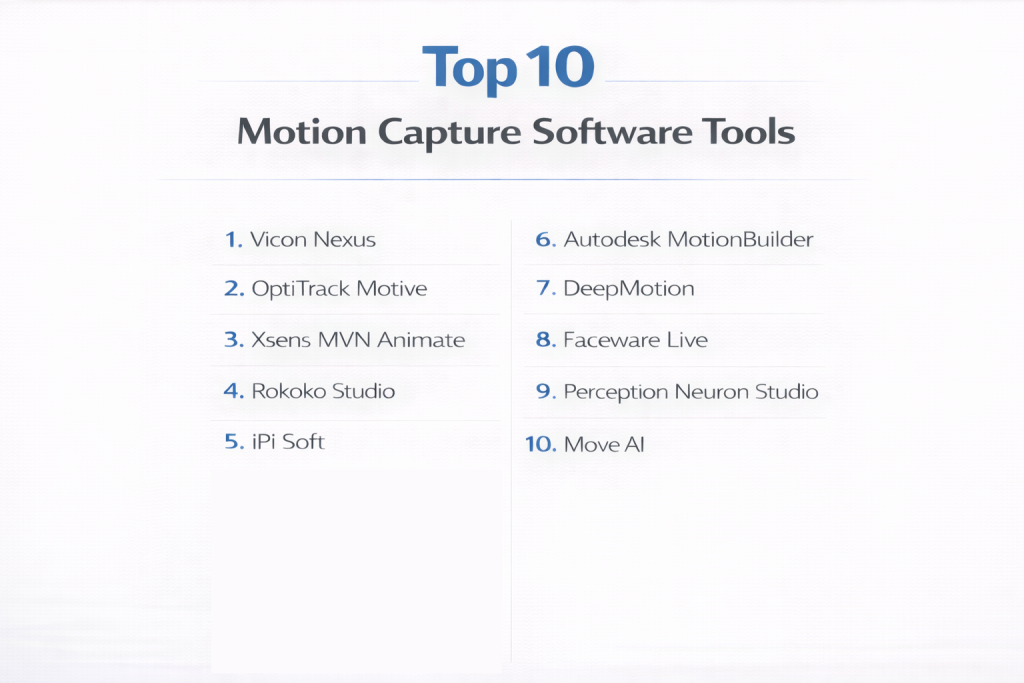
Top 10 Motion Capture Software Tools
1 — Vicon Nexus
Vicon Nexus is a professional-grade optical motion capture software used for high-precision tracking, ideal for film studios, AAA game developers, and biomechanics researchers.
Key features:
- High-precision tracking with multiple infrared cameras.
- Real-time 3D motion data processing.
- Supports reflective marker-based systems.
- Integration with Unreal Engine, Maya, and MotionBuilder.
- Scalable for large capture volumes.
- Advanced data cleanup and retargeting tools.
- Customizable marker setups for specific applications.
Pros:
- Industry-leading accuracy for cinematic and scientific applications.
- Robust integrations streamline professional workflows.
- Scalable for large studios, reducing setup time.
Cons:
- Complex setup requiring extensive calibration.
- High cost prohibitive for small teams or indie creators.
- Limited support for markerless tracking.
Security & compliance: Encryption, SSO, audit logs; GDPR, ISO compliant; suitable for regulated industries like healthcare.
Support & community: Comprehensive documentation, tutorials; dedicated enterprise support; active user forums and training programs.
2 — OptiTrack Motive
OptiTrack Motive is a versatile motion capture software known for precision and reliability, designed for film, VR, and biomechanics applications.
Key features:
- Sub-millimeter tracking accuracy with optical cameras.
- Real-time streaming for VR and virtual production.
- Supports rigid body and skeletal tracking.
- Integration with Unity, Unreal Engine, and MATLAB.
- Flexible marker setups for full-body or object capture.
- Lightweight software for minimal latency.
- Calibration tools for quick setup.
Pros:
- Cost-effective compared to other optical systems.
- Low-latency performance ideal for real-time applications.
- Flexible for various project sizes, from indie to enterprise.
Cons:
- Requires physical markers, limiting spontaneity.
- Setup can be time-consuming for large volumes.
- Less intuitive for non-technical users.
Security & compliance: Encryption, role-based access; GDPR compliant; varies for HIPAA.
Support & community: Detailed guides, video tutorials; responsive support; growing community via forums and workshops.
3 — Xsens MVN Animate
Xsens MVN Animate is an inertial motion capture software using wearable sensor suits, perfect for mobile capture in animation, gaming, and on-location shoots.
Key features:
- Inertial sensors for camera-free full-body tracking.
- Real-time data streaming to Blender, Maya, and Unreal.
- Supports outdoor and non-studio environments.
- MVN Link suit with 18 sensors for detailed capture.
- Motion retargeting and cleanup tools.
- Portable setup for on-the-go workflows.
- Integration with VR headsets for immersive capture.
Pros:
- No studio or camera setup needed, enabling flexibility.
- Reliable for outdoor or dynamic environments.
- High accuracy for real-time VR applications.
Cons:
- Sensor suits are expensive for budget-conscious users.
- Calibration drift over long sessions may require adjustments.
- Limited facial tracking capabilities.
Security & compliance: Data encryption; GDPR compliant; varies for enterprise deployments.
Support & community: Extensive manuals, onboarding webinars; enterprise support; active user base in VR and animation.
4 — Rokoko Studio
Rokoko Studio is an affordable, user-friendly motion capture software paired with inertial suits, designed for indie game developers, filmmakers, and content creators.
Key features:
- Real-time tracking with Smartsuit Pro II.
- Integration with Unity, Unreal, Blender, and Maya.
- Cloud-based motion library for pre-built animations.
- Supports facial capture via Rokoko Face.
- Easy setup with no external cameras.
- Multi-user collaboration for team projects.
- Export to FBX and BVH formats.
Pros:
- Budget-friendly for indie creators with high ROI.
- Intuitive interface reduces learning curve.
- Portable suit enables flexible capture environments.
Cons:
- Lower precision compared to optical systems.
- Subscription model adds recurring costs.
- Limited scalability for large productions.
Security & compliance: Cloud encryption, access controls; GDPR compliant; varies for HIPAA.
Support & community: Tutorials, community forums; responsive support; active indie developer network.
5 — iPi Soft
iPi Soft offers markerless motion capture software using standard cameras, ideal for small studios and individuals seeking affordable motion tracking solutions.
Key features:
- Tracks motion with webcams or depth sensors.
- Supports multiple camera setups for accuracy.
- Real-time preview and post-processing tools.
- Exports to FBX, BVH, and Unreal Engine.
- No suits or markers required.
- Customizable workflows for animation.
- Affordable one-time licensing.
Pros:
- Cost-effective for entry-level users.
- No specialized hardware needed, using existing cameras.
- Flexible for small-scale animation projects.
Cons:
- Accuracy depends heavily on camera quality and lighting.
- Processing can be slow for complex scenes.
- Limited real-time capabilities compared to suits.
Security & compliance: Local processing; N/A for cloud-based compliance.
Support & community: Detailed guides, user forums; limited formal support; active community for troubleshooting.
6 — Autodesk MotionBuilder
Autodesk MotionBuilder is a professional animation software for real-time motion capture editing, designed for film studios and game developers needing high-quality animations.
Key features:
- Real-time motion capture data processing.
- Advanced retargeting and rigging tools.
- Integration with Maya, 3ds Max, and Unreal.
- Supports optical and inertial systems.
- Customizable animation workflows.
- Live link for real-time character animation.
- Extensive export options for post-production.
Pros:
- Streamlines complex animation pipelines for pros.
- Seamless Autodesk ecosystem integration.
- High precision for film-quality results.
Cons:
- Steep learning curve for beginners.
- Expensive subscription model.
- Hardware-intensive for optimal performance.
Security & compliance: SSO, encryption; GDPR, ISO compliant; suitable for enterprise.
Support & community: Robust Autodesk docs, tutorials; enterprise support; large professional community.
7 — DeepMotion
DeepMotion is an AI-powered markerless motion capture software that analyzes video footage, suited for indie creators and game developers needing quick setups.
Key features:
- AI-driven motion tracking from standard video.
- Cloud-based processing for scalability.
- Real-time previews for animation tweaking.
- Exports to FBX, BVH, and Unity.
- No suits or sensors required.
- Supports multi-character tracking.
- Integration with Unreal Engine.
Pros:
- Accessible with minimal hardware investment.
- Fast processing for rapid prototyping.
- Free tier available for basic use.
Cons:
- Accuracy varies with lighting and occlusion.
- Cloud dependency limits offline work.
- Subscription costs for advanced features.
Security & compliance: Cloud encryption; GDPR compliant; varies for HIPAA.
Support & community: Online tutorials, forums; growing community; basic support.
8 — Faceware Live
Faceware Live is a real-time facial motion capture software using video input, designed for game developers and animators focusing on expressive character faces.
Key features:
- Markerless facial tracking from webcams.
- Real-time animation for virtual avatars.
- Integration with Unity, Unreal, and Maya.
- High-fidelity expression capture.
- Customizable facial rigs.
- Supports live streaming for VTubing.
- Cloud and local processing options.
Pros:
- Simplifies facial animation with minimal setup.
- High-quality results for gaming and film.
- Affordable for indie creators.
Cons:
- Limited to facial capture, not full-body.
- Requires consistent lighting for accuracy.
- Advanced features need paid plans.
Security & compliance: Encryption, access controls; GDPR compliant; varies.
Support & community: Detailed guides, video tutorials; active VTuber community; commercial support.
9 — Perception Neuron Studio
Perception Neuron Studio, by Noitom, is an inertial motion capture software with modular suits, ideal for VR developers and small studios needing portable solutions.
Key features:
- Full-body tracking with 32-sensor suit.
- Real-time data streaming to Unity and Unreal.
- Portable setup with no cameras needed.
- Supports finger tracking with gloves.
- Integration with Blender and Maya.
- Motion retargeting and cleanup tools.
- Scalable for multi-actor capture.
Pros:
- Affordable for small studios with scalable options.
- Flexible for VR and on-location shoots.
- Reliable real-time feedback.
Cons:
- Sensor drift over time requires recalibration.
- Less precise than optical systems.
- Limited community compared to competitors.
Security & compliance: Local processing; GDPR compliant; varies.
Support & community: Manuals, tutorials; growing forums; commercial support.
10 — Move AI
Move AI is a markerless motion capture software using AI and cameras, designed for game developers and animators seeking high-quality motion without suits.
Key features:
- AI-powered tracking with 4+ FLIR cameras.
- Real-time and offline motion capture modes.
- Exports to FBX, BVH, and Unreal Engine.
- Multi-person tracking for complex scenes.
- Integration with Unity and Maya.
- Cloud-based processing for large datasets.
- User-friendly interface for quick setups.
Pros:
- High accuracy for markerless systems.
- Scalable for multi-actor projects.
- No suits reduce setup time.
Cons:
- Expensive camera hardware required.
- Processing time for offline mode can be slow.
- Lighting and occlusion affect results.
Security & compliance: Cloud encryption; GDPR compliant; varies for HIPAA.
Support & community: Tutorials, developer portal; growing community; enterprise support.
Comparison Table
| Tool Name | Best For | Platform(s) Supported | Standout Feature | Rating |
|---|---|---|---|---|
| Vicon Nexus | High-end film and biomechanics | Windows | Sub-millimeter tracking accuracy | N/A |
| OptiTrack Motive | VR and virtual production | Windows | Low-latency real-time streaming | N/A |
| Xsens MVN Animate | Mobile animation and VR | Windows | Camera-free inertial tracking | N/A |
| Rokoko Studio | Indie game and film creators | Windows, macOS | Affordable Smartsuit integration | N/A |
| iPi Soft | Budget-conscious small studios | Windows | Markerless camera-based tracking | N/A |
| Autodesk MotionBuilder | Professional animation pipelines | Windows | Real-time rigging and retargeting | N/A |
| DeepMotion | Rapid prototyping for games | Cloud, Windows | AI-driven video-to-motion | N/A |
| Faceware Live | Facial animation for avatars | Windows | Real-time facial tracking | N/A |
| Perception Neuron Studio | VR and portable motion capture | Windows | Modular sensor suit | N/A |
| Move AI | Multi-actor game animations | Windows, Cloud | Markerless multi-person tracking | N/A |
Evaluation & Scoring of Motion Capture Software
Using industry insights and user feedback, each tool was scored on a 1-10 scale across seven criteria, weighted to calculate an overall score.
| Tool Name | Core Features (25%) | Ease of Use (15%) | Integrations & Ecosystem (15%) | Security & Compliance (10%) | Performance & Reliability (10%) | Support & Community (10%) | Price / Value (15%) | Overall Score |
|---|---|---|---|---|---|---|---|---|
| Vicon Nexus | 9 | 6 | 9 | 9 | 9 | 9 | 6 | 8.1 |
| OptiTrack Motive | 9 | 7 | 8 | 8 | 9 | 8 | 8 | 8.3 |
| Xsens MVN Animate | 8 | 8 | 8 | 8 | 8 | 8 | 7 | 7.9 |
| Rokoko Studio | 7 | 9 | 8 | 7 | 7 | 8 | 9 | 7.9 |
| iPi Soft | 7 | 8 | 7 | 6 | 7 | 7 | 10 | 7.6 |
| Autodesk MotionBuilder | 9 | 6 | 9 | 9 | 9 | 9 | 6 | 8.1 |
| DeepMotion | 7 | 8 | 8 | 7 | 7 | 7 | 8 | 7.5 |
| Faceware Live | 7 | 8 | 7 | 7 | 8 | 7 | 8 | 7.5 |
| Perception Neuron Studio | 7 | 8 | 7 | 7 | 7 | 7 | 8 | 7.4 |
| Move AI | 8 | 7 | 8 | 7 | 8 | 7 | 7 | 7.6 |
Which Motion Capture Software Tool Is Right for You?
Choosing the right motion capture software depends on your project scale, budget, and technical needs. Solo users or hobbyists should consider affordable, user-friendly options like iPi Soft or DeepMotion, which leverage existing cameras or AI for quick setups without costly hardware. These are ideal for prototyping game animations or VTuber content.
SMBs and mid-market teams benefit from tools like Rokoko Studio or Perception Neuron Studio, offering a balance of cost and scalability. Their portable suits and integrations with Unity make them suitable for growing studios producing indie games or short films, supporting collaborative workflows.
Enterprises with large budgets and complex needs should opt for Vicon Nexus, OptiTrack Motive, or Autodesk MotionBuilder. These provide unmatched precision, scalability for multi-actor scenes, and compliance for regulated industries like healthcare, perfect for blockbuster films or biomechanics research.
For budget-conscious users, iPi Soft and Rokoko Studio deliver high value with free or low-cost tiers, while premium solutions like Xsens MVN or MotionBuilder justify costs with advanced features and reliability. If feature depth is critical, choose Vicon or Move AI for complex tracking; for ease of use, Rokoko or Faceware Live simplify workflows.
Integration and scalability matter for teams using Unreal or Maya—OptiTrack and Xsens excel here, while cloud-based DeepMotion scales effortlessly. For security and compliance, prioritize Vicon, MotionBuilder, or Xsens in regulated sectors, ensuring GDPR and ISO adherence to protect sensitive motion data.
Frequently Asked Questions (FAQs)
What is motion capture software? It records real-world movements using sensors or cameras, converting them into digital animations for games, films, and research.
Why is motion capture software important? It delivers realistic animations efficiently, saving time and costs while enhancing immersion in entertainment and precision in science.
How much does motion capture software cost? Ranges from free (iPi Soft, DeepMotion) to subscriptions ($100–$1,000/month for Rokoko) or high-end licenses ($10,000+ for Vicon).
Is motion capture software secure? Many offer encryption and GDPR compliance; enterprise tools like Vicon ensure audit logs for sensitive data in healthcare or film.
Can it scale for large projects? Yes, tools like OptiTrack and Move AI handle multi-actor scenes; start with demos to test scalability.
What are common setup challenges? Calibration, lighting, and hardware compatibility; use tutorials and test environments to streamline setup.
Are there free alternatives? iPi Soft, DeepMotion, and Rokoko Vision offer free tiers for basic motion capture, ideal for experimentation.
What mistakes do beginners make? Ignoring calibration or poor lighting setups; always validate hardware and test small captures first.
Best practices for motion capture? Optimize lighting, use real-time previews, integrate with target engines early, and clean data iteratively.
How does AI fit into motion capture? AI-driven tools like DeepMotion and Move AI enable markerless tracking, simplifying setups and reducing costs.
Conclusion
This deep dive into the top 10 motion capture software tools reveals a vibrant landscape, from high-precision optical systems like Vicon Nexus to accessible AI-driven solutions like DeepMotion. In 2026, advancements in markerless tracking, real-time processing, and affordability have made motion capture a cornerstone for animation, gaming, VR, and scientific research, offering tools for every budget and skill level.
When choosing, prioritize accuracy, ease of integration, and cost-effectiveness based on your project’s scope. Whether you’re an indie creator prototyping a game or a studio crafting a blockbuster, the “best” tool depends on your specific needs. Experiment with free trials, assess hardware requirements, and select a solution that aligns with your creative or analytical goals for optimal results.