Introduction
Level design tools are software applications used to create interactive environments, game worlds, maps, and playable spaces within digital games and simulations. These tools give designers the ability to craft experiences, define gameplay flow, balance challenge and reward, and integrate artistic and technical elements into a cohesive level. In essence, they bridge imagination and functionality — allowing creators to shape levels that are both engaging and technically sound.
Good level design is critical because it directly influences how players interact with a game, how smoothly a user moves through space, and how memorable the overall experience becomes. Whether it’s the winding streets of an open‑world RPG, the puzzle room of a mystery game, or the strategic battlefield of a multiplayer shooter, level design tools enable designers to place obstacles, narrative elements, spawn points, interactive objects, lighting, camera paths, and more with precision and creative freedom.
Real‑world use cases include building immersive worlds for AAA titles, creating platformer levels with tight gameplay flow, designing educational simulations with interactive objectives, and prototyping VR environments where spatial awareness and interactivity are essential.
When choosing a level design tool, users should look for:
- Ease of use and learning curve: intuitive interfaces and support for non‑technical designers
- Integration with game engines: seamless compatibility with engines like Unity or Unreal
- Asset workflows: import/export support for models, textures, animations
- Gameplay scripting and logic tools: ability to define interactions and triggers
- Collaboration features: team workflows, version control, and feedback loops
- Performance and iteration speed: quick previews and real‑time updates
Best for:
Game designers, environment artists, technical designers, indie developers, studios of all sizes, and interactive storytellers benefit most from level design tools. These tools are key in industries such as gaming, simulation training, VR/AR experiences, and educational software development.
Not ideal for:
Users who only need basic visual design or layout tools without interactivity, or those focused purely on graphic design. Traditional illustration tools or 3D modeling apps without level logic or engine integration will not replace dedicated level design platforms.
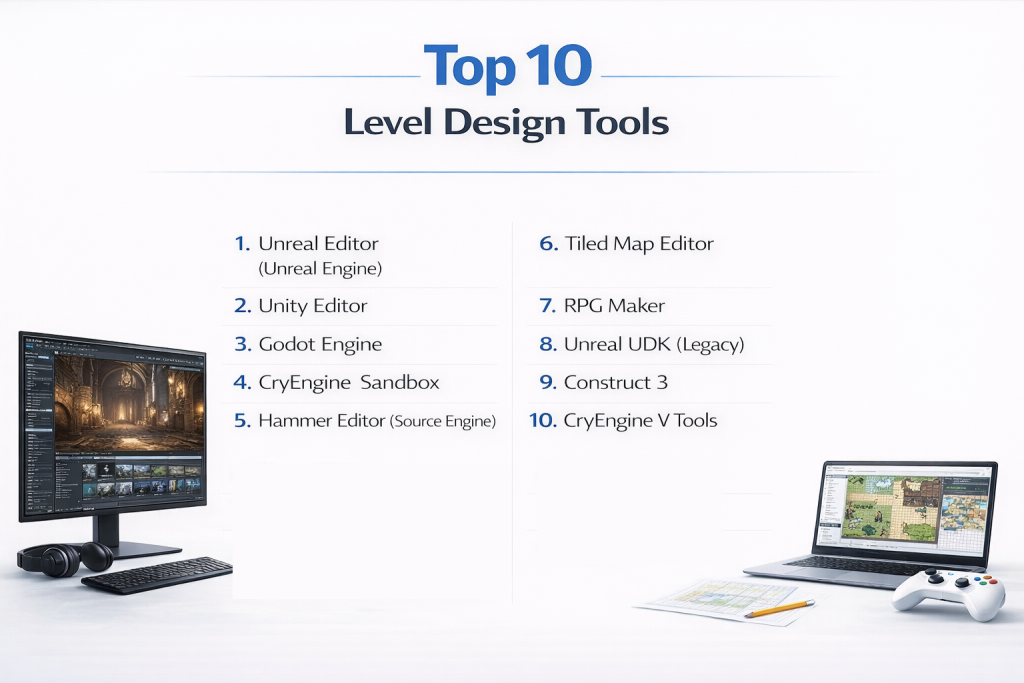
Top 10 Level Design Tools
1 — Unreal Editor (Unreal Engine)
Description:
Unreal Editor is part of Unreal Engine’s comprehensive development suite. It is a powerful level design tool used for high‑end, AAA game development, architectural visualization, and cinematic experiences.
Key features:
- Real‑time rendering with photorealistic visuals
- Blueprint visual scripting for gameplay logic
- Terrain and landscape sculpting tools
- Asset placement and environment design workflows
- Integrated lighting, foliage, and particle systems
- VR editing support for immersive layout design
Pros:
- Unmatched visual quality and rendering capabilities
- Visual scripting eliminates coding barriers for designers
Cons:
- Can be complex for beginners
- High hardware requirements for large projects
Security & compliance:
Varies / N/A
Support & community:
- Extensive official documentation
- Massive global community and learning resources
- Frequent updates and tutorials
2 — Unity Editor
Description:
Unity Editor is a versatile game development platform that provides robust tools for creating levels, game logic, animation, and interactive experiences across platforms.
Key features:
- Scene and prefab systems for modular level design
- Visual scripting with tools like Bolt
- Lighting and particle editors
- Asset store ecosystem for models and environments
- Multi‑platform export and testing
- Performance profiling and debugging tools
Pros:
- Highly flexible for 2D and 3D level design
- Large third‑party asset ecosystem
Cons:
- Requires plugins or extensions for some advanced features
- Visual fidelity can be lower without enhancements
Security & compliance:
Varies / N/A
Support & community:
- Large developer community and forums
- Extensive tutorials and sample projects
- Professional support tiers available
3 — Godot Engine
Description:
Godot Engine is an open‑source game engine with a built‑in editor for scene and level design. It is suitable for indie developers and 2D/3D projects.
Key features:
- Node‑based scene system
- Lightweight and efficient editor
- Scripting with GDScript and visual scripting
- Built‑in animation and tilemap tools
- Cross‑platform export
- Open‑source and extensible
Pros:
- Free and open‑source with no royalties
- Fast iteration and lightweight workflow
Cons:
- Smaller ecosystem compared to Unity or Unreal
- May lack advanced tools for AAA needs
Security & compliance:
Varies / N/A
Support & community:
- Active open community
- Growing tutorials and user‑created extensions
- Limited official support
4 — CryEngine Sandbox
Description:
CryEngine Sandbox is a level and environment editor designed for photorealistic game creation, especially in FPS and expansive world genres.
Key features:
- Real‑time rendering with high‑fidelity visuals
- Terrain tools for large outdoor environments
- Audio and physics integration
- Entity system for gameplay logic
- Vegetation and ecosystem editors
Pros:
- Strong visuals and environmental tools
- Great for open‑world and FPS design
Cons:
- Steep learning curve
- Smaller community than mainstream engines
Security & compliance:
Varies / N/A
Support & community:
- Official docs and sample projects
- Niche but dedicated forums
5 — Hammer Editor (Source Engine)
Description:
Hammer Editor is Valve’s level design tool used for building maps in Source Engine titles. It is popular among modders and classic map designers.
Key features:
- Grid‑based level construction
- Entity placement and logic tools
- Lighting and texture tools
- BSP and brush editing
- Compile and testing workflows
Pros:
- Familiar to longtime modding communities
- Great for classic FPS and multiplayer maps
Cons:
- Outdated interface compared to modern editors
- Limited to Source Engine ecosystems
Security & compliance:
Varies / N/A
Support & community:
- Strong modder guides and community help
- Tutorials and sample maps
6 — Tiled Map Editor
Description:
Tiled Map Editor is a free, open‑source tool focused on 2D tilemap creation — widely used for platformers, top‑down games, and grid‑based level design.
Key features:
- Tilemap and object layer management
- Terrain and auto‑tiling tools
- Custom properties and event triggers
- Multi‑orientation support (orthogonal, isometric)
- Export to many game formats
Pros:
- Lightweight and easy to use
- Excellent for 2D level creation
Cons:
- Not suitable for 3D environments
- Requires engine integration for full workflows
Security & compliance:
Varies / N/A
Support & community:
- Active community forums
- Tutorials for beginners
7 — RPG Maker
Description:
RPG Maker is a specialized level design and game creation tool tailored for 2D RPG games with event systems and narrative‑driven maps.
Key features:
- Tile‑based map editor
- Built‑in event and dialogue systems
- Asset libraries for sprites and tiles
- Database for items, characters, skills
- Quick playtesting and debugging
Pros:
- Beginner‑friendly for RPG creation
- All‑in‑one design environment
Cons:
- Limited beyond RPG genre
- Less flexible for non‑RPG projects
Security & compliance:
Varies / N/A
Support & community:
- Active communities and resource shares
- Official tutorials
8 — Unreal UDK (Legacy)
Description:
Unreal Development Kit (UDK) is the classic Unreal Engine editor used before current Unreal Editor versions — still used by some designers for legacy projects.
Key features:
- BSP and terrain tools
- Material and lighting editors
- Kismet visual scripting
- Classic asset pipelines
Pros:
- Simple interface for older projects
- Familiar to legacy developers
Cons:
- Outdated for modern game design
- Limited support and modern features
Security & compliance:
Varies / N/A
Support & community:
- Legacy forums and guides
- Community help
9 — Construct 3
Description:
Construct 3 is a browser‑based game and level creation platform focused on 2D games, ideal for quick prototyping and educational projects.
Key features:
- Visual event system
- Tilemap and layout editor
- Real‑time previews in browser
- Asset management tools
- Export to multiple platforms
Pros:
- Easy to pick up for beginners
- No local install required
Cons:
- Limited 3D capabilities
- Subscription required for full features
Security & compliance:
Varies / N/A
Support & community:
- Documentation and examples
- Active user forums
10 — CryEngine V Tools
Description:
CryEngine V Tools is the modern suite for CryEngine’s current version, offering enhanced workflows for environment and level design with next‑generation visuals.
Key features:
- Real‑time rendering with ray tracing support
- Procedural vegetation and landscape tools
- Physics and particle system integration
- Scriptable gameplay systems
- VR and AR design support
Pros:
- Cutting‑edge visual tools for immersive environments
- Strong for large world design
Cons:
- Requires high‑end hardware
- Smaller ecosystem than mainstream engines
Security & compliance:
Varies / N/A
Support & community:
- Official tutorials and documentation
- Active development community
Comparison Table
| Tool Name | Best For | Platform(s) Supported | Standout Feature | Rating |
|---|---|---|---|---|
| Unreal Editor | AAA/3D immersive worlds | Win/Mac/Linux | Real‑time photoreal visuals | N/A |
| Unity Editor | Cross‑platform 2D/3D | Win/Mac/Linux | Flexible scene workflows | N/A |
| Godot Engine | Indie devs/2D & 3D | Win/Mac/Linux | Lightweight open‑source | N/A |
| CryEngine Sandbox | High‑fidelity FPS levels | Win | Terrain & environment tools | N/A |
| Hammer Editor | Classic FPS/mod maps | Win | Grid‑based map design | N/A |
| Tiled Map Editor | 2D tile‑based levels | Win/Mac/Linux | Flexible tilemaps | N/A |
| RPG Maker | Narrative RPG creation | Win/Mac | Built‑in RPG focused tools | N/A |
| Unreal UDK | Legacy Unreal levels | Win | Classic Unreal workflows | N/A |
| Construct 3 | Quick 2D game builds | Browser | Browser‑based editor | N/A |
| CryEngine V Tools | Next‑gen immersive environments | Win | Ray tracing support | N/A |
Evaluation & Scoring of Level Design Tools
| Tool Name | Core features (25%) | Ease of use (15%) | Integrations & ecosystem (15%) | Security & compliance (10%) | Performance & reliability (10%) | Support & community (10%) | Price / value (15%) | Total Score |
|---|---|---|---|---|---|---|---|---|
| Unreal Editor | 25 | 10 | 14 | 8 | 10 | 10 | 8 | 85 |
| Unity Editor | 24 | 12 | 15 | 8 | 9 | 9 | 9 | 86 |
| Godot Engine | 20 | 13 | 12 | 9 | 9 | 8 | 12 | 83 |
| CryEngine Sandbox | 22 | 9 | 11 | 8 | 9 | 7 | 7 | 73 |
| Hammer Editor | 15 | 10 | 8 | 8 | 9 | 8 | 11 | 69 |
| Tiled Map Editor | 18 | 14 | 11 | 9 | 8 | 8 | 12 | 80 |
| RPG Maker | 17 | 15 | 10 | 9 | 8 | 8 | 11 | 78 |
| Unreal UDK | 14 | 10 | 7 | 8 | 7 | 7 | 10 | 63 |
| Construct 3 | 15 | 14 | 9 | 9 | 8 | 8 | 10 | 73 |
| CryEngine V Tools | 23 | 10 | 10 | 8 | 9 | 8 | 8 | 76 |
Which Level Design Tool Is Right for You?
Solo developers & indie teams:
- Godot Engine: Free, flexible, and powerful for both 2D and 3D level design without licensing costs.
- Tiled Map Editor: Ideal for 2D games and quick iteration.
Budget‑conscious creators:
- Construct 3: Affordable and accessible for beginners and educators.
- RPG Maker: Great for narrative games and easy world creation.
Mid‑market studios & professionals:
- Unity Editor: Excellent balance of workflow flexibility, ecosystem, and platform support.
- Unreal Editor: Best choice when visual fidelity, large worlds, and complex systems matter.
High‑end studios & AAA development:
- Unreal Editor and CryEngine V Tools: Provide top‑tier tools for photoreal environments, immersive gameplay, and advanced visuals.
Feature depth vs ease of use:
- Unity Editor and Godot Engine strike a balance of power and accessibility, while Unreal Editor excels in complex and large‑scale productions.
Integration and scalability needs:
- Tools like Unity and Unreal offer seamless pipeline integration with asset stores, scripting support, and modern workflows for teams.
Security and compliance requirements:
- Most game engines focus on internal project security. For collaborative teams, consider version control and role‑based access through third‑party tools.
Frequently Asked Questions (FAQs)
1. What is a level design tool?
Level design tools let creators build playable environments, define gameplay flow, and control interactive elements within a game or simulation.
2. Do I need coding skills to use these tools?
Not always. Many platforms offer visual scripting that limits or eliminates the need for traditional code.
3. Are level design tools only for games?
No — they are also used in simulations, training environments, architectural walkthroughs, and interactive experiences.
4. Which tool is best for beginners?
Tools like Construct 3, Tiled Map Editor, and RPG Maker are beginner‑friendly and quick to start.
5. What’s the difference between Unity and Unreal?
Unity is highly flexible and broad in application, while Unreal excels in high‑end visuals and large‑scale projects.
6. Can level design tools handle VR/AR environments?
Yes, many modern engines support VR and AR workflows with previews and specialized tooling.
7. Are there free level design tools?
Yes — Godot Engine and Tiled Map Editor are free and open‑source with powerful capabilities.
8. How important is collaboration in level design?
Very — modern development requires shared workflows, version control, and feedback tools for efficient team production.
9. Can these tools integrate with asset stores?
Yes. Engines like Unity and Unreal include marketplaces or asset libraries to speed up level creation.
10. Can level design tools be used for non‑game projects?
Absolutely. They are used for simulations, educational programs, interactive exhibits, and architectural visualizations.
Conclusion
Level design tools are essential for shaping how players interact with game worlds and interactive experiences. From beginner‑friendly editors to professional engines capable of AAA production, there’s a tool suited for every creator and project.
Whether you’re crafting pixel art dungeons or expansive open worlds, the right level design tool depends on your team size, technical expertise, project ambition, budget, and long‑term goals. Take time to evaluate your needs, try samples, and align your tool choice with your creative process. The “best” platform is the one that helps you bring your vision to life with clarity, performance, and joy.