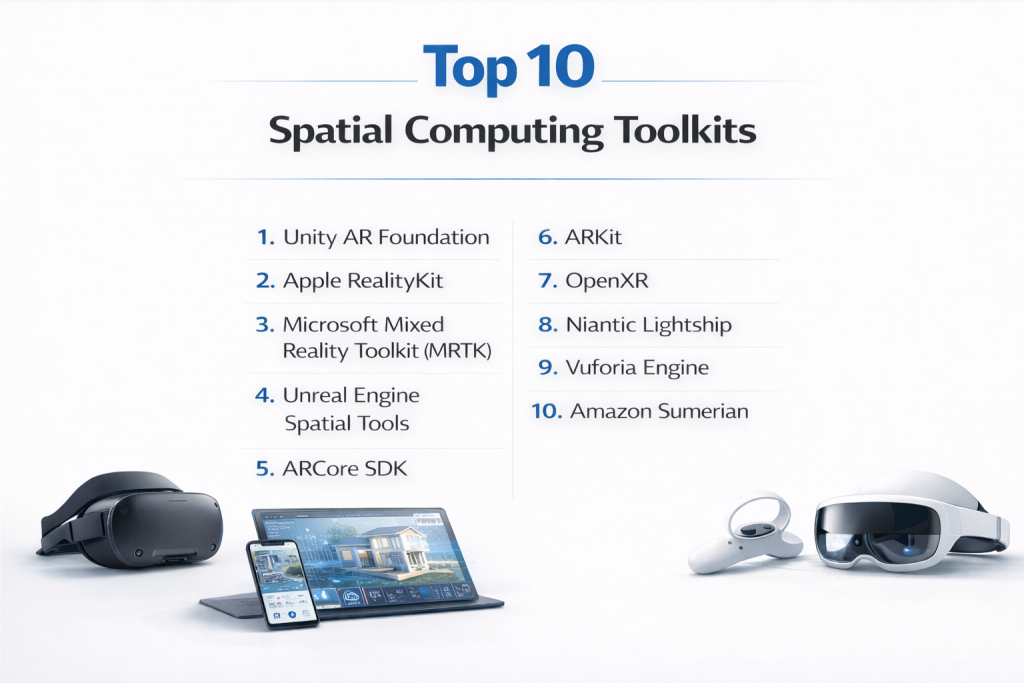
Introduction
Spatial computing toolkits are specialized software frameworks that empower developers to build immersive experiences where digital content interacts dynamically with the physical world. These toolkits leverage technologies like augmented reality (AR), virtual reality (VR), mixed reality (MR), 3D modeling, computer vision, and spatial mapping to create applications that understand and respond to real-world environments in real time. They provide APIs, SDKs, and tools for handling spatial data, user interactions, and rendering, making it easier to develop apps for devices ranging from smartphones to headsets.
The importance of spatial computing toolkits stems from their role in bridging the gap between digital and physical realms, driving innovation in how we work, learn, and play. As hardware like smart glasses and advanced sensors becomes more accessible, these toolkits enable cost-effective prototyping, reduce development time, and ensure scalability for complex scenarios. In 2026, with the explosion of metaverse applications and AI-integrated realities, they are essential for staying competitive in tech-driven markets.
Key real-world use cases include surgical simulations in healthcare for precise training, digital twins in manufacturing for predictive maintenance, interactive shopping experiences in retail where customers virtually try products, architectural visualizations for on-site planning, and collaborative remote education tools that overlay 3D models in classrooms. For instance, automotive companies use them to simulate vehicle designs in real environments, while gaming studios create location-based AR adventures.
When choosing spatial computing toolkits, users should look for evaluation criteria such as cross-platform compatibility to avoid vendor lock-in, robust spatial tracking and mapping accuracy for reliable interactions, integration capabilities with existing ecosystems like Unity or Unreal, performance optimization for low-latency experiences, ease of use with intuitive APIs and documentation, scalability for multi-user scenarios, and support for emerging standards like OpenXR. Pricing models, community resources, and hardware-specific optimizations also matter for long-term viability.
Best for: Developers, XR engineers, UI/UX designers, simulation experts, and content creators benefit most, along with startups innovating in immersive apps, SMBs exploring AR for marketing, mid-market firms in training simulations, and enterprises scaling digital twins. Industries like healthcare, manufacturing, architecture, retail, gaming, education, automotive, and defense see the highest value.
Not ideal for: Teams focused on purely 2D web or mobile apps without spatial elements might find traditional frameworks like React Native sufficient. Organizations lacking AR/VR hardware or technical expertise could opt for no-code platforms or basic visualization tools instead, as full spatial toolkits may introduce unnecessary complexity and overhead.
Top 10 Spatial Computing Toolkits Tools
1 — Unity AR Foundation
Unity AR Foundation is a versatile cross-platform framework that simplifies building AR applications within the Unity engine, designed for developers creating immersive experiences deployable on iOS, Android, and headsets.
Key features:
- Unified API supporting multiple AR backends like ARKit and ARCore.
- Real-time plane detection, object tracking, and environmental understanding.
- Light estimation and occlusion for realistic blending.
- Face and body tracking with gesture recognition.
- Integration with Unity’s physics, animation, and asset store.
- Cloud anchors for persistent AR experiences.
- Support for multi-user collaboration.
Pros:
- Accelerates development with a vast ecosystem of assets and plugins, as praised by indie developers.
- Excellent cross-platform consistency, reducing rework for multi-device apps.
- Community-driven updates ensure compatibility with latest hardware.
Cons:
- Dependent on Unity’s learning curve, which can intimidate absolute beginners.
- Performance overhead in highly complex scenes without optimization.
- Limited to AR-focused features compared to full MR toolkits.
Security & compliance: Varies by deployment; supports data encryption and platform-specific compliance like GDPR via Unity’s enterprise tools; N/A for HIPAA without custom setups.
Support & community: Comprehensive documentation with interactive tutorials; active forums, Unity Learn platform; enterprise support available with SLAs.
2 — Apple RealityKit
Apple RealityKit is a high-level framework for rendering realistic AR content on Apple devices, tailored for iOS developers seeking seamless integration with Swift and hardware like LiDAR scanners.
Key features:
- Photorealistic rendering with physics-based materials.
- Entity-component system for efficient scene management.
- Advanced occlusion and people detection.
- Integration with SceneKit and Metal for custom graphics.
- Support for USDZ models and animations.
- Collaborative sessions for shared AR.
- Optimized for Apple Vision Pro and iPhones.
Pros:
- Delivers stunning visuals with minimal code, ideal for consumer apps.
- Leverages Apple’s ecosystem for superior performance on native hardware.
- Regular updates align with iOS advancements, per expert reviews.
Cons:
- Restricted to Apple platforms, limiting broader reach.
- Requires Swift proficiency for full utilization.
- Less flexible for non-AR spatial tasks.
Security & compliance: Built-in encryption, SSO via Apple ID; complies with GDPR, HIPAA options through Apple Health; ISO-aligned for enterprise.
Support & community: Detailed Apple Developer docs and sample code; WWDC sessions; robust community on Stack Overflow and Apple forums.
3 — Microsoft Mixed Reality Toolkit (MRTK)
Microsoft Mixed Reality Toolkit is an open-source collection of components for building MR apps, optimized for HoloLens and Windows Mixed Reality, but extendable to other platforms.
Key features:
- Pre-built UI controls and interaction behaviors.
- Spatial audio and hand-eye tracking.
- Cross-platform profiles for Unity integration.
- Solvers for object placement and manipulation.
- Voice command support via Azure Speech.
- Extensible architecture for custom inputs.
- Holographic remoting for remote development.
Pros:
- Speeds up prototyping with ready-made building blocks, valued in enterprise training.
- Open-source nature fosters customization and community contributions.
- Strong focus on accessibility and inclusive design.
Cons:
- Best suited for Microsoft hardware, with adaptations needed elsewhere.
- Documentation can be overwhelming for newcomers.
- Potential bloat in large projects without careful selection.
Security & compliance: SSO, encryption, audit logs; SOC 2, GDPR, HIPAA compliant via Azure; ISO for enterprise deployments.
Support & community: Extensive GitHub repos and tutorials; Microsoft Learn; active community and enterprise support channels.
4 — Unreal Engine Spatial Tools
Unreal Engine’s spatial tools provide high-fidelity rendering for VR/AR/MR applications, aimed at creators needing photorealistic simulations in gaming, film, and architecture.
Key features:
- Nanite for massive geometry handling.
- Lumen dynamic global illumination.
- VR/AR templates with motion controls.
- Blueprint system for no-code prototyping.
- Multi-user editing in real time.
- Integration with OpenXR for cross-device.
- Chaos Physics for realistic interactions.
Pros:
- Unmatched visual quality for immersive experiences, as noted in industry benchmarks.
- Scalable for high-end simulations like digital twins.
- Free for most users with royalty model.
Cons:
- Steep hardware requirements for optimal performance.
- More geared toward visuals than lightweight AR.
- Complex for small-scale projects.
Security & compliance: Encryption in cloud deployments; varies, with GDPR support via Epic’s tools; N/A for core engine.
Support & community: Vast Unreal documentation and Marketplace; forums, UE Learn; enterprise licensing with dedicated support.
5 — ARCore SDK
ARCore SDK is Google’s platform for Android AR development, focusing on environmental understanding and motion tracking for mobile apps.
Key features:
- Depth API for accurate 3D mapping.
- Instant placement and geospatial anchors.
- Augmented faces and images.
- Cloud-based persistent anchors.
- Integration with Sceneform or Unity.
- Environmental HDR lighting.
- Multi-camera support.
Pros:
- Broad Android device compatibility, enabling wide reach.
- Lightweight and efficient for mobile performance.
- Free with ongoing Google innovations.
Cons:
- Android-exclusive, missing iOS users.
- Dependent on device sensors for accuracy.
- Less advanced for full MR.
Security & compliance: Google Play policies; encryption; GDPR compliant; varies for apps.
Support & community: Developer site with samples; Google forums; active Android dev community.
6 — ARKit
ARKit is Apple’s core AR framework for iOS, providing precise world tracking and scene understanding for mobile and headset applications.
Key features:
- Motion tracking with visual-inertial odometry.
- Plane estimation and object anchoring.
- Body and face tracking with expressions.
- LiDAR-enabled scene geometry.
- Collaborative sessions.
- Integration with Reality Composer.
- Support for Quick Look AR previews.
Pros:
- High precision on LiDAR devices for professional use.
- Seamless with iOS ecosystem tools.
- Consistent updates with hardware.
Cons:
- Limited to Apple devices.
- Requires modern hardware for best features.
- Coding-intensive without wrappers.
Security & compliance: Device-level encryption; GDPR, HIPAA via HealthKit; ISO standards.
Support & community: Apple docs and betas; developer forums; extensive third-party resources.
7 — OpenXR
OpenXR is an open royalty-free standard for XR app development, enabling portable code across hardware vendors.
Key features:
- Unified API for VR/AR access.
- Extension model for vendor features.
- Runtime abstraction layer.
- Conformance testing suite.
- Integration with engines like Unity/Unreal.
- Future-proof design.
- Community-driven evolution.
Pros:
- Avoids fragmentation, future-proofing investments.
- Broad industry adoption by major players.
- Free and open for all.
Cons:
- Lower-level, needing engine wrappers.
- Emerging ecosystem compared to proprietary.
- Variable runtime quality.
Security & compliance: Varies/N/A; depends on implementing runtime.
Support & community: Khronos Group specs; growing forums; vendor-backed.
8 — Niantic Lightship
Niantic Lightship ARDK enables real-world AR with global mapping, suited for location-based games and apps.
Key features:
- Visual Positioning System (VPS).
- Shared AR sessions for multiplayer.
- Semantic segmentation.
- Meshing for dynamic occlusion.
- Unity integration.
- Privacy-focused scanning.
- Cross-platform mobile support.
Pros:
- Excels in outdoor, shared experiences.
- Leverages Niantic’s mapping expertise.
- Scalable for large audiences.
Cons:
- Cloud-dependent for advanced features.
- Less ideal for indoor enterprise.
- Emerging compared to giants.
Security & compliance: Encryption, user privacy controls; GDPR; varies.
Support & community: Docs and samples; developer portal; growing community.
9 — Vuforia Engine
Vuforia Engine is PTC’s AR platform for industrial applications, emphasizing markerless tracking and recognition.
Key features:
- Model Target recognition.
- Area Targets for large spaces.
- Cloud and device databases.
- Unity and native SDKs.
- Ground plane detection.
- Extended tracking.
- Vuforia Studio for no-code.
Pros:
- Robust for manufacturing and service.
- High accuracy in recognition.
- Enterprise scalability.
Cons:
- Subscription-based pricing.
- Focused more on AR than full spatial.
- Integration overhead.
Security & compliance: SSO, encryption; SOC 2, GDPR, ISO.
Support & community: PTC docs; enterprise support; user forums.
10 — Amazon Sumerian
Amazon Sumerian is a web-based toolkit for creating 3D scenes with VR/AR, integrated with AWS services for scalable immersive content.
Key features:
- Browser-hosted 3D environments.
- AI hosts with Lex and Polly.
- Asset import from FBX/GLTF.
- Scripting with JavaScript.
- Cross-device viewing.
- AWS Lambda integration.
- Analytics via CloudWatch.
Pros:
- No install required, cloud-first.
- Easy AI/ML incorporation.
- Cost-effective scaling.
Cons:
- Deprecated in some views, but revived.
- Limited offline capabilities.
- Web-focused, less mobile-native.
Security & compliance: AWS encryption, audit logs; SOC 2, GDPR, HIPAA, ISO.
Support & community: AWS docs; re:Post forums; enterprise SLAs.
Comparison Table
| Tool Name | Best For (target user or scenario) | Platform(s) Supported | Standout Feature | Rating |
|---|---|---|---|---|
| Unity AR Foundation | Cross-platform AR development | iOS, Android, Windows, XR | Unified AR API | N/A |
| Apple RealityKit | High-fidelity Apple AR apps | iOS, visionOS | Physics-based rendering | N/A |
| Microsoft MRTK | Enterprise MR solutions | Windows, Unity XR | Pre-built interaction components | N/A |
| Unreal Engine Spatial Tools | Photorealistic simulations | Multi-platform | Dynamic global illumination | N/A |
| ARCore SDK | Android mobile AR | Android | Geospatial anchors | N/A |
| ARKit | Precise iOS AR experiences | iOS | LiDAR scene reconstruction | N/A |
| OpenXR | Vendor-agnostic XR apps | Multi-platform | Open standard interoperability | N/A |
| Niantic Lightship | Location-based shared AR | iOS, Android | Visual Positioning System | N/A |
| Vuforia Engine | Industrial object tracking | Multi-platform | Model Target recognition | N/A |
| Amazon Sumerian | Cloud-hosted 3D/VR content | Web, VR | AI-integrated hosts | N/A |
Evaluation & Scoring of Spatial Computing Toolkits
| Tool Name | Core Features (25%) | Ease of Use (15%) | Integrations & Ecosystem (15%) | Security & Compliance (10%) | Performance & Reliability (10%) | Support & Community (10%) | Price / Value (15%) | Overall Score |
|---|---|---|---|---|---|---|---|---|
| Unity AR Foundation | 9 | 8 | 9 | 7 | 9 | 9 | 8 | 8.5 |
| Apple RealityKit | 9 | 8 | 8 | 9 | 9 | 8 | 7 | 8.3 |
| Microsoft MRTK | 8 | 7 | 9 | 9 | 8 | 9 | 8 | 8.2 |
| Unreal Engine Spatial Tools | 9 | 6 | 9 | 7 | 9 | 9 | 8 | 8.2 |
| ARCore SDK | 8 | 8 | 8 | 8 | 8 | 8 | 9 | 8.2 |
| ARKit | 8 | 8 | 8 | 9 | 9 | 8 | 8 | 8.3 |
| OpenXR | 7 | 6 | 9 | 6 | 8 | 7 | 10 | 7.7 |
| Niantic Lightship | 8 | 7 | 8 | 7 | 8 | 7 | 8 | 7.8 |
| Vuforia Engine | 8 | 7 | 8 | 8 | 8 | 8 | 7 | 7.8 |
| Amazon Sumerian | 7 | 8 | 9 | 9 | 7 | 8 | 7 | 7.7 |
Which Spatial Computing Toolkits Tool Is Right for You?
Navigating the choice of spatial computing toolkits depends on your team’s size, resources, and project scope. Solo users or hobbyists might start with free, accessible options like OpenXR or ARCore SDK, which offer foundational features without steep costs or complexity, perfect for experimenting with mobile AR prototypes.
For SMBs and mid-market companies, tools like Unity AR Foundation or Niantic Lightship provide a balance of usability and scalability, supporting collaborative development for apps like interactive marketing campaigns or training modules. These allow growth from small pilots to broader deployments without overhauling workflows.
Enterprises handling large-scale implementations, such as digital twins or global AR experiences, should consider premium suites like Microsoft MRTK, Unreal Engine, or Vuforia Engine, which excel in robustness, integrations with corporate systems, and support for multi-user scenarios.
Budget-conscious teams can leverage open-source or free tiers from ARKit, ARCore, or OpenXR, delivering high value for R&D without subscriptions. Premium solutions like Apple RealityKit or Amazon Sumerian warrant investment for their optimized performance and ecosystem perks, especially in high-stakes environments.
If feature depth is crucial for advanced simulations, opt for Unreal Engine over simpler kits like EasyEDA equivalents—prioritize tools with strong physics and rendering. For ease of use, Unity or Apple frameworks shine for quick iterations. Integration needs favor ecosystems like AWS for Sumerian or Azure for MRTK, ensuring seamless scalability. Finally, for regulated sectors, select kits with proven security like MRTK or Vuforia, meeting GDPR, SOC 2, or HIPAA to safeguard data in healthcare or defense applications.
Frequently Asked Questions (FAQs)
What exactly are spatial computing toolkits? They are software frameworks for creating AR/VR/MR apps that blend digital elements with the physical world, using tracking, mapping, and rendering tools.
Why invest in spatial computing now? With hardware advancements in 2026, it boosts efficiency in training, design, and customer engagement, offering competitive edges in multiple industries.
How do I choose between AR-focused and full XR toolkits? AR kits like ARCore suit mobile overlays; XR like OpenXR for immersive VR/MR—match to your hardware and interaction needs.
What are typical pricing models? Free/open-source (OpenXR, ARKit cores); subscriptions ($100–$1,000/month for enterprise like Vuforia); royalty-based (Unreal).
Is data security a concern in spatial apps? Yes, but toolkits with encryption and compliance (e.g., MRTK’s SOC 2) mitigate risks; always review app-specific implementations.
Can these scale for enterprise use? Absolutely—tools like Unity or Unreal handle millions of users; start small and leverage cloud integrations for growth.
What implementation challenges arise? Hardware compatibility and optimization; test on target devices early and use profiling tools to avoid latency issues.
Are there no-code alternatives? Yes, platforms like Reality Composer or Vuforia Studio for basics; ideal if avoiding deep coding.
Common mistakes when starting? Overlooking user comfort (motion sickness) or ignoring cross-device testing; prioritize UX and iterative feedback.
Best practices for development? Use modular designs, integrate analytics for user insights, and collaborate via version control for team efficiency.
Conclusion
This overview of the top 10 spatial computing toolkits highlights a dynamic field where innovation in AR, VR, and MR is transforming industries through immersive, interactive technologies. From Unity’s versatile ecosystem to specialized options like Niantic Lightship for real-world mapping, these tools offer diverse capabilities to suit various scales and needs, backed by evolving standards and hardware support.
What matters most in selection is alignment with your project’s requirements—consider platform reach, performance demands, integration ease, and compliance to maximize ROI. Remember, the “best” toolkit isn’t universal; it hinges on your specific goals, whether rapid prototyping for a startup or enterprise-grade simulations. Evaluate through trials, factor in future-proofing, and choose one that unlocks your vision for spatial innovation.