Augmented Reality (AR) and Virtual Reality (VR) development platforms are specialized software environments that provide the essential toolkits, engines, and frameworks for building immersive digital experiences. An AR platform allows developers to overlay digital content—like 3D models, text, or animations—onto the real world, which users view through smartphone cameras or smart glasses. A VR platform is used to create fully immersive, computer-simulated environments that users explore using head-mounted displays, blocking out the physical world entirely.
These platforms are critically important because they are the foundational technology powering a shift from traditional screen-based interaction to experiential computing. They enable industries to visualize complex data, simulate real-world scenarios for training, and create interactive customer engagements that were previously impossible. The global AR & VR market, reflecting this importance, is projected to reach significant value, with estimates in the tens to hundreds of billions by 2026 and beyond.
Key real-world use cases are vast and growing:
- Enterprise & Training: Immersive simulations for high-risk jobs (aviation, surgery, machinery), virtual assembly instructions, and remote assistance.
- Retail & Marketing: Virtual try-ons for furniture, clothing, and cosmetics; interactive product launches and AR-powered marketing campaigns.
- Healthcare: Surgical planning simulations, VR exposure therapy for mental health, and anatomy education for medical students.
- Education & Design: Virtual classrooms, historical recreations, and collaborative 3D design reviews in architecture and engineering.
When choosing a platform, key evaluation criteria include target devices and operating systems (iOS, Android, standalone headsets), development expertise required (coding vs. visual scripting), graphical fidelity needs, the strength of its ecosystem and community, and the total cost of ownership, including licensing and royalties.
Best for:
AR/VR platforms are essential for game developers, enterprise innovation teams, industrial designers, and R&D departments. They provide immense value to startups creating immersive apps, SMBs in retail or real estate, and large enterprises in manufacturing, automotive, aerospace, and healthcare for training, design, and customer engagement.
Not ideal for:
These specialized tools are often unnecessary for projects centered on simple 2D applications, static marketing content, or basic video. Teams with very limited budgets or no access to testing hardware (like VR headsets) may find the barrier to entry too high. In such cases, traditional web or mobile app development tools are more practical.
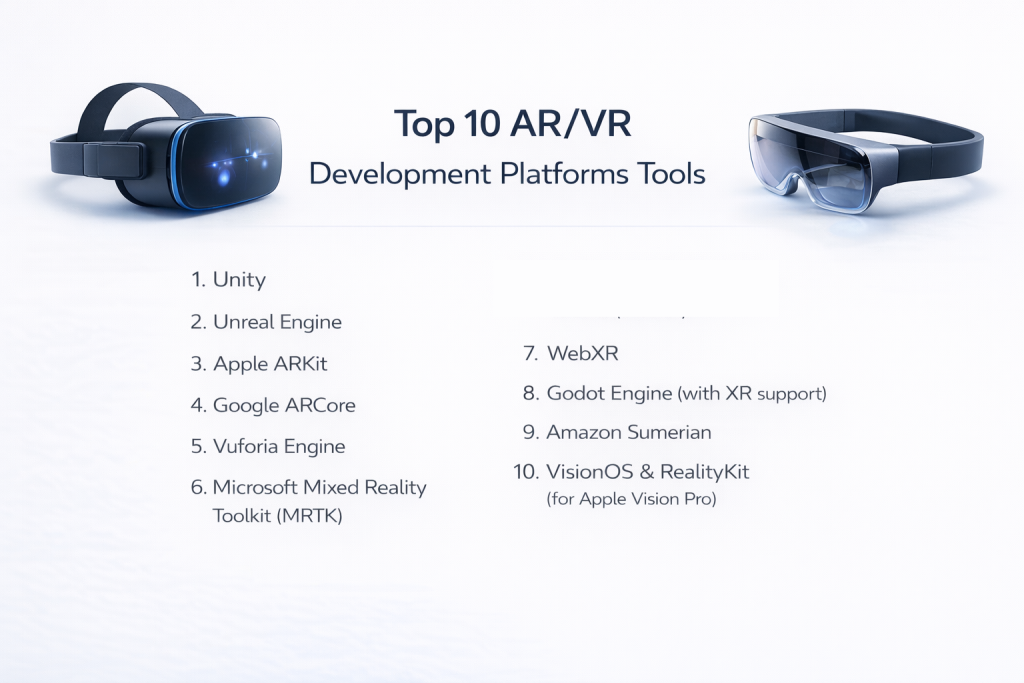
Top 10 AR/VR Development Platforms Tools
1 — Unity
Short description: Unity is the most widely adopted real-time 3D development platform, renowned for its versatility and strong cross-platform support. It’s the go-to engine for a massive range of AR, VR, and mobile experiences.
Key features:
- Unmatched cross-platform deployment to mobile, desktop, consoles, and all major XR headsets.
- Core scripting in C#, considered easier to learn than C++, with a powerful visual scripting system.
- Vast Asset Store with plugins, 3D models, and tools to accelerate development.
- Built-in XR Interaction Toolkit to standardize input across devices.
- Strong support for multiplayer and social VR applications with dynamic content loading.
- Flexible rendering pipelines, though achieving ultra-high fidelity requires more configuration than Unreal.
Pros:
- Largest developer community and learning resources, making it easier to find help and hire talent.
- Ideal for rapid prototyping and mid-core graphics projects, especially for mobile and standalone VR.
Cons:
- Licensing costs apply once a company’s revenue or funding exceeds $100,000.
- Out-of-the-box graphical fidelity is lower than Unreal; achieving photorealism requires more expertise.
Security & compliance: Offers enterprise security features, encryption, and supports GDPR compliance. Specifics vary by deployment model.
Support & community: Unrivaled global community, exhaustive official documentation, countless tutorials, and professional enterprise support plans.
2 — Unreal Engine
Short description: Unreal Engine is an industry-leading powerhouse known for delivering cinematic, photorealistic graphics and high-fidelity simulations. It’s the engine of choice for visually stunning AAA games and enterprise applications.
Key features:
- Blueprint Visual Scripting, a node-based system that allows complex logic creation with minimal traditional coding.
- Nanite virtualized geometry and Lumen global illumination for groundbreaking photorealism.
- Niagara VFX system for creating complex, interactive particle effects.
- Robust cinematic rendering tools for virtual production and archviz.
- Open-source core engine code for deep customization.
Pros:
- Best-in-class visual quality right out of the box, minimizing effort for high-fidelity projects.
- Powerful for complex simulations, architectural visualization, and automotive configurators.
Cons:
- Steeper learning curve, especially for its C++ framework and advanced systems.
- Heavier performance footprint requires more optimization for mobile and standalone VR platforms.
- Royalty model: 5% of gross revenue after the first $3,000 per product per quarter.
Security & compliance: Enterprise-grade security controls are available. Data handling and compliance depend on the specific deployment.
Support & community: Excellent official documentation, professional training from Epic, and a strong enterprise support framework. The community is large but slightly smaller than Unity’s.
3 — Apple ARKit
Short description: ARKit is Apple’s native AR framework for iOS and iPadOS. It provides deep, hardware-optimized access to the powerful sensors on iPhones and iPads to create seamless AR experiences.
Key features:
- Precise motion tracking and scene understanding using the LiDAR scanner (on supported devices).
- People Occlusion, allowing digital content to realistically pass behind and in front of people in real-time.
- Collaborative sessions for shared multi-user AR experiences.
- Object and image tracking for anchoring content to specific items in the real world.
- Tight integration with Apple’s ecosystem, including Core ML for AI and Metal for graphics.
Pros:
- Unmatched performance and stability on Apple devices due to deep hardware/software integration.
- Access to a premium, engaged user base through the iOS App Store.
Cons:
- Exclusively for Apple platforms (iOS, iPadOS), locking you out of Android and other ecosystems.
- Less flexible for cross-platform needs compared to Unity or Unreal.
Security & compliance: Inherits Apple’s strong device-level security and privacy framework. GDPR compliant through Apple’s ecosystem policies.
Support & community: Top-tier official documentation and tutorials from Apple. Supported by the massive and active iOS developer community.
4 — Google ARCore
Short description: ARCore is Google’s platform for building augmented reality experiences on Android. It brings environmental understanding and motion tracking to a wide range of devices.
Key features:
- Motion tracking and environmental understanding to place objects on surfaces.
- Light estimation to match the lighting of virtual objects to the real world.
- Cloud Anchors enable persistent, shared AR experiences across Android and iOS devices.
- Augmented Images API for triggering AR content from 2D pictures or posters.
Pros:
- Vast potential reach across the enormous and diverse Android device ecosystem.
- Free to use and well-documented, with easy integration into Android projects.
Cons:
- Device capability fragmentation can lead to inconsistent performance across different phones.
- Some advanced features (like depth sensing) are less universally available than on iOS.
Security & compliance: Adheres to Google’s platform security standards. Specific compliance (like GDPR) is the responsibility of the app developer.
Support & community: Comprehensive documentation from Google and support from the vast global Android developer community.
5 — Vuforia Engine
Short description: Vuforia is a mature, enterprise-focused AR platform specializing in computer vision and object recognition. It excels in industrial applications where digital content must attach to complex real-world machinery or printed materials.
Key features:
- Advanced Image & Model Target recognition to track 2D images and complex 3D objects.
- VuMarks, customizable fiducial markers for robust tracking in industrial settings.
- Area Targets to create AR experiences mapped to large-scale physical spaces.
- CAD data support for easy import and alignment of engineering models.
- Cross-platform support for phones, tablets, and AR glasses.
Pros:
- Industry-leading tracking robustness, crucial for mission-critical enterprise and industrial AR.
- Comprehensive SDK tailored for complex, real-world object interaction.
Cons:
- Licensing costs can be high for commercial deployment, with various tiers.
- Primarily an AR solution; not designed for building full virtual reality environments.
Security & compliance: Offers enterprise-grade security options and supports GDPR-ready deployments.
Support & community: Good official documentation and onboarding. Support is strong, with a focus on enterprise clients rather than a large indie community.
6 — Microsoft Mixed Reality Toolkit (MRTK)
Short description: MRTK is a cross-platform, open-source project from Microsoft that provides a set of components and features for building mixed reality applications. It’s the standard toolkit for Microsoft HoloLens and optimizes for all-inclusive and hand-interaction input.
Key features:
- Input abstraction system for hand, gaze, voice, and controller interaction.
- Spatial awareness components for understanding walls, floors, and other surfaces.
- Cross-platform support (Unity & Unreal) for building to HoloLens, Meta Quest, and more.
- UI controls pre-built for 3D/holographic environments.
- Strong integration with Azure Spatial Anchors for shared cross-device experiences.
Pros:
- Dramatically accelerates MR development by providing reusable, best-practice interaction building blocks.
- Excellent for enterprise applications targeting HoloLens for remote assist, training, and design.
Cons:
- Ecosystem is smaller than major game engines, with fewer third-party assets.
- Initially focused on HoloLens/Windows MR, though it has expanded to other platforms.
Security & compliance: Aligns with Microsoft’s enterprise-grade security standards and Azure compliance certifications.
Support & community: Good documentation from Microsoft and an active open-source community on GitHub. Enterprise support is available through Microsoft.
7 — WebXR
Short description: WebXR is a web standard API that enables VR and AR experiences to run directly inside compatible web browsers. It removes the need for app store downloads, offering instant accessibility.
Key features:
- Browser-based delivery – no installation required; users access experiences via a URL.
- Cross-platform by nature, running on desktops, phones, and VR headsets with a WebXR-enabled browser.
- Integrates with standard web technologies like JavaScript, WebGL, and WebAssembly.
- Progressive Web App (PWA) support for app-like functionality from the browser.
Pros:
- Lowest barrier to entry for users – just click a link. Ideal for marketing, education, and quick demos.
- Simplified distribution and updates – you update the website, not an app store binary.
Cons:
- Limited performance and graphical fidelity compared to native applications built in Unity or Unreal.
- Browser and device compatibility can vary, requiring careful testing.
Security & compliance: Governed by standard web security models (HTTPS, CORS). Compliance is the responsibility of the developer/company hosting the experience.
Support & community: Growing open-source community and evolving documentation from the W3C and browser vendors (Mozilla, Google, etc.).
8 — Godot Engine (with XR support)
Short description: Godot is a popular, fully open-source game engine that has been steadily building its XR capabilities. It’s a compelling, royalty-free alternative for developers who value complete source code access and a lightweight workflow.
Key features:
- Completely free and open-source (MIT license) with no royalties or revenue caps.
- Lightweight and performant engine with a clean, node-based scene architecture.
- Custom GDScript language (Python-like) and support for C# and C++.
- Growing native XR support for OpenXR, allowing deployment to major headsets.
- Active development with a strong focus on usability and 2D game development.
Pros:
- Zero financial cost – completely free for any use, commercial or otherwise.
- Full source code access allows for deep engine customization and understanding.
Cons:
- XR ecosystem is still maturing; fewer specialized tools and assets compared to Unity/Unreal.
- Smaller overall community and professional support network for enterprise XR projects.
Security & compliance: As an open-source desktop engine, security and compliance depend entirely on the developer’s implementation and deployment practices. Varies / N/A.
Support & community: Enthusiastic and fast-growing open-source community. Documentation is good and improving, but lacks the sheer volume of official enterprise support options.
9 — Amazon Sumerian
Short description: Amazon Sumerian is a browser-based, cloud-hosted platform for creating and publishing AR, VR, and 3D applications without requiring deep programming or 3D expertise. It integrates seamlessly with AWS services.
Key features:
- Hosted editor that runs in a web browser, requiring no local software installation.
- Visual scripting and drag-and-drop environment for logic and scene building.
- Pre-built AI-powered host avatars for creating virtual assistants or guides.
- Native integration with AWS for backend services, storage, and AI/ML.
- Publish experiences as web links or within mobile apps.
Pros:
- Rapid prototyping and creation for simple 3D and interactive scenes.
- Leverages AWS scalability for global deployment and hosting.
Cons:
- Limited graphical and interaction depth compared to full game engines.
- Vendor lock-in to the AWS ecosystem for full functionality.
Security & compliance: Inherits AWS cloud security standards (encryption, IAM). Can be configured for HIPAA compliance for healthcare applications.
Support & community: Decent AWS documentation and tutorials. The user community is relatively small compared to the major engine communities.
10 — VisionOS & RealityKit (for Apple Vision Pro)
Short description: VisionOS is Apple’s groundbreaking spatial operating system, and RealityKit is the high-level 3D framework for building immersive apps for Apple Vision Pro. It’s designed for “spatial computing” that blends digital content with the user’s physical space.
Key features:
- Native development for Apple Vision Pro, leveraging its high-resolution displays and advanced sensors.
- RealityKit’s robust 3D rendering, physics, and spatial audio optimized for passthrough AR and full VR.
- Seamless integration with SwiftUI for building hybrid 2D/3D spatial interfaces.
- Unique input paradigms like eye tracking, hand gestures, and voice for intuitive control.
- Access to Apple’s premium ecosystem and user base seeking cutting-edge experiences.
Pros:
- Definitive platform for the highest-fidelity consumer spatial computing experiences.
- Backed by Apple’s design-first philosophy, providing powerful tools for creating intuitive, human-centered interfaces.
Cons:
- Exclusively for the high-cost Apple Vision Pro platform, severely limiting audience reach.
- New and evolving platform with a smaller talent pool and more nascent best practices.
Security & compliance: Built on Apple’s foundational security and privacy architecture, including data encryption and strict app sandboxing. GDPR compliant.
Support & community: High-quality official documentation and resources from Apple. The developer community is currently smaller, specialized, and rapidly growing.
Comparison Table
This table provides a quick overview to help you identify the best platform for your primary objective.
| Tool Name | Best For (Target User or Scenario) | Platform(s) Supported | Standout Feature | Rating |
|---|---|---|---|---|
| Unity | Cross-platform AR/VR, rapid prototyping, mobile XR | Windows, macOS, iOS, Android, all major XR headsets | Largest ecosystem & development flexibility | N/A |
| Unreal Engine | High-fidelity visuals, AAA games, enterprise sims | Windows, macOS, iOS, Android, consoles, XR headsets | Photorealistic graphics out-of-the-box | N/A |
| Apple ARKit | High-performance iOS/iPadOS AR apps | iOS, iPadOS | Deep Apple hardware integration & performance | N/A |
| Google ARCore | Broad-reach Android AR apps | Android (wide device range) | Free, accessible AR for the Android ecosystem | N/A |
| Vuforia Engine | Industrial AR, object/image recognition | iOS, Android, AR Glasses | Robust computer vision for enterprise | N/A |
| MRTK | HoloLens & cross-platform mixed reality apps | HoloLens, Quest, etc. (via Unity/Unreal) | Accelerated MR interaction development | N/A |
| WebXR | Accessible, no-install browser-based XR | Web browsers (Chrome, Edge, etc.) | Instant user access via URL | N/A |
| Godot Engine | Open-source enthusiasts, indie XR projects | Windows, macOS, Linux, Web, XR | Completely free & open-source | N/A |
| Amazon Sumerian | Cloud-hosted, low-code 3D/XR prototyping | Web, mobile apps (via publishing) | AWS integration & browser-based editor | N/A |
| VisionOS & RealityKit | Cutting-edge apps for Apple Vision Pro | Apple Vision Pro only | Native spatial computing on Vision Pro | N/A |
Evaluation & Scoring of AR/VR Development Platforms
Use the following weighted rubric to systematically evaluate platforms against your project’s specific needs. Score each candidate out of 100 for each criterion, then multiply by the weight to get a weighted score.
| Criteria | Weight | Explanation & What to Look For |
|---|---|---|
| Core Features | 25% | Depth of rendering, physics, animation, and XR-specific tools (tracking, input). Does it have the specialized capabilities your project requires? |
| Ease of Use | 15% | Learning curve and developer experience. Quality of visual scripting, documentation, and workflow intuitiveness. |
| Integrations & Ecosystem | 15% | Third-party plugins, asset stores, and compatibility with other services (cloud, analytics, backend). Strength of the partner network. |
| Security & Compliance | 10% | Data encryption, access controls, audit trails, and adherence to standards (GDPR, HIPAA, SOC 2). Critical for enterprise. |
| Performance & Reliability | 10% | Runtime stability, frame rate consistency, and optimization tools. How well does it handle your target hardware? |
| Support & Community | 10% | Quality of official support, documentation, and the size/activity of the user community for troubleshooting. |
| Price / Value | 15% | Total cost of ownership: licensing fees, royalties, required plugins, and the productivity ROI it delivers. |
Which AR/VR Development Platform Is Right for You?
- Solo Developers & Indie Studios: Prioritize low cost, accessibility, and strong communities. Godot is the ultimate free choice. Unity offers a gentle entry with a free tier and limitless tutorials. WebXR is perfect for simple, shareable projects.
- Small to Medium-Sized Businesses (SMBs) & Startups: Look for a balance of capability, speed, and cost. Unity remains the safest, most versatile bet. For Android-focused AR, ARCore is essential. For quick cloud-based proofs-of-concept, Amazon Sumerian can be useful.
- Mid-Market & Professional Teams: Consider advanced needs, team scalability, and project complexity. Unity and Unreal Engine are the primary contenders here. Choose Unreal if photorealistic visuals are the top priority. For industrial AR with complex tracking, Vuforia becomes a key tool.
- Large Enterprises & Specialized Industries: Focus on performance at scale, security, compliance, and integration. Unreal Engine is standard for high-end simulations and automotive. Vuforia and Microsoft MRTK are staples for industrial and frontline worker solutions. Developing for Apple Vision Pro with VisionOS is a strategic move for premium consumer/design applications.
Additional Decision Drivers:
- Budget vs. Premium: Open-source (Godot) and web-based (WebXR) tools minimize cost. Premium platforms like Unreal (royalties) and enterprise Vuforia licenses justify their price with advanced capabilities and support.
- Feature Depth vs. Ease of Use: Unity and Unreal’s Blueprints strive for a balance. Apple’s ARKit and Google’s ARCore are relatively easy for mobile AR but have limited scope. VisionOS is powerful but has a steep learning curve due to its novelty.
- Integration & Scalability Needs: If your project relies on cloud AI, data, or backend services, Amazon Sumerian’s AWS integration or a game engine with strong plugin support is key. For future growth, consider the engine’s ability to handle larger teams and more complex projects.
- Security & Compliance: For healthcare (HIPAA), finance, or defense, platforms with robust enterprise security features and clear compliance pathways (Unity, Unreal, Vuforia, MRTK) are mandatory.
Frequently Asked Questions (FAQs)
1. What is the core difference between an AR platform and a VR platform?
AR (Augmented Reality) platforms are for overlaying digital content onto the real world (e.g., using your phone’s camera). VR (Virtual Reality) platforms are for creating fully immersive, enclosed digital environments where the real world is blocked out.
2. Do I need physical AR/VR hardware to start developing?
You can begin learning and prototyping basic logic and scenes without hardware. However, meaningful testing and iteration require the actual target devices (headsets, specific phones) to evaluate performance, comfort, and user interaction accurately.
3. Which platform is best for a complete beginner?
Unity is often recommended due to its massive number of tutorials, forgiving C# language, and flexible approach. Unreal’s Blueprint visual scripting is also beginner-friendly for logic, but the engine’s overall complexity is higher.
4. Are there free AR/VR development platforms?
Yes. Godot Engine is completely free and open-source. Unity and Unreal Engine have free tiers for learning and development, with costs applying once you reach certain revenue thresholds.
5. Can one project support both AR and VR experiences?
Yes, this is increasingly common and is called “cross-platform XR.” Engines like Unity and Unreal are designed for this, allowing you to build core logic once and deploy to multiple device types, though some device-specific code is often needed.
6. Is WebXR a viable alternative to native app development?
For broad accessibility, simple experiences, and marketing campaigns, yes. For graphically intense, performance-critical, or highly interactive applications, native apps built with Unity or Unreal will provide a superior and more reliable user experience.
7. What industries are investing the most in AR/VR?
While gaming remains a major driver, significant growth is in enterprise training, healthcare simulation, automotive/industrial design, retail commerce, and education. These sectors see measurable ROI in efficiency, safety, and engagement.
8. What’s a common mistake when starting an AR/VR project?
Choosing a platform based on hype or a single feature without considering the target audience’s hardware, the team’s skills, and the long-term maintenance cost. Always start with a clear definition of the user problem you’re solving.
9. How important is community size when choosing a platform?
Very important for most teams. A large community (like Unity’s) means easier troubleshooting, more learning resources, and a larger talent pool for hiring. Niche platforms may offer superior tech for specific uses but with less support.
10. Should I develop for Apple Vision Pro?
Only if your target audience is early-adopting professionals, designers, or consumers willing to pay a premium for a cutting-edge spatial experience. It’s a high-potential but currently niche platform compared to smartphones or mainstream VR headsets.
Conclusion
The landscape of AR/VR development platforms offers powerful, specialized tools for every type of creator and project. From the accessible, all-purpose nature of Unity to the visual powerhouse of Unreal Engine, and from the wide reach of WebXR to the specialized precision of Vuforia, the right tool can transform your innovative concept into a compelling, immersive reality.
When making your choice, remember that the “best” software is not a universal title. It is the tool that most closely aligns with your specific project goals, target devices, team expertise, and budget. Prioritize a solution that not only has the technical features you need today but also possesses the scalability, support structure, and community to support your success into the future.
Investing time in a thorough evaluation—considering the criteria outlined here—is an investment in your project’s foundation. In the immersive world of AR and VR, your development platform is more than just software; it is the essential framework that brings your virtual vision to life. Choose with your users, your team, and your long-term goals in mind.