Introduction
Mechanical design software is the essential digital toolkit for engineers and designers who bring physical products to life. These specialized programs, often called Mechanical Computer-Aided Design (MCAD) tools, allow for the creation of detailed digital models of parts and assemblies. The process goes beyond simple drawing, enabling precise 3D modeling, real-world performance simulation, and the generation of manufacturing-ready documentation before a single piece of metal is cut.
This technology is fundamental to modern engineering and manufacturing because it dramatically reduces development time, minimizes costly errors, improves product quality, and lowers overall project costs. From the smartphone in your pocket to the car you drive and the medical devices that save lives, nearly every manufactured product begins its journey inside mechanical design software.
Key real-world use cases include:
- Designing complex mechanical components and assemblies.
- Simulating stress, heat transfer, motion, and fatigue to ensure reliability.
- Creating detailed engineering drawings and automatic Bill of Materials (BOM).
- Generating toolpaths for Computer-Aided Manufacturing (CAM) and CNC machining.
- Facilitating collaboration across global design and engineering teams.
When choosing the right software, you must evaluate tools based on modeling depth (parametric, surface, direct), ease of use, integration capabilities with other tools (like CAM or simulation), performance with large assemblies, scalability, and the total cost of ownership.
Best for:
Mechanical design software is indispensable for mechanical engineers, product designers, manufacturing engineers, and R&D teams. It benefits everyone from solo entrepreneurs and startups creating new products to large enterprises managing complex engineering projects in industries like automotive, aerospace, industrial machinery, consumer electronics, and medical devices.
Not ideal for:
These advanced tools are often overkill for non-technical users, purely conceptual artists, or teams that only require simple 2D diagrams or graphic visualization. For basic drafting or illustration, more lightweight and affordable alternatives exist.
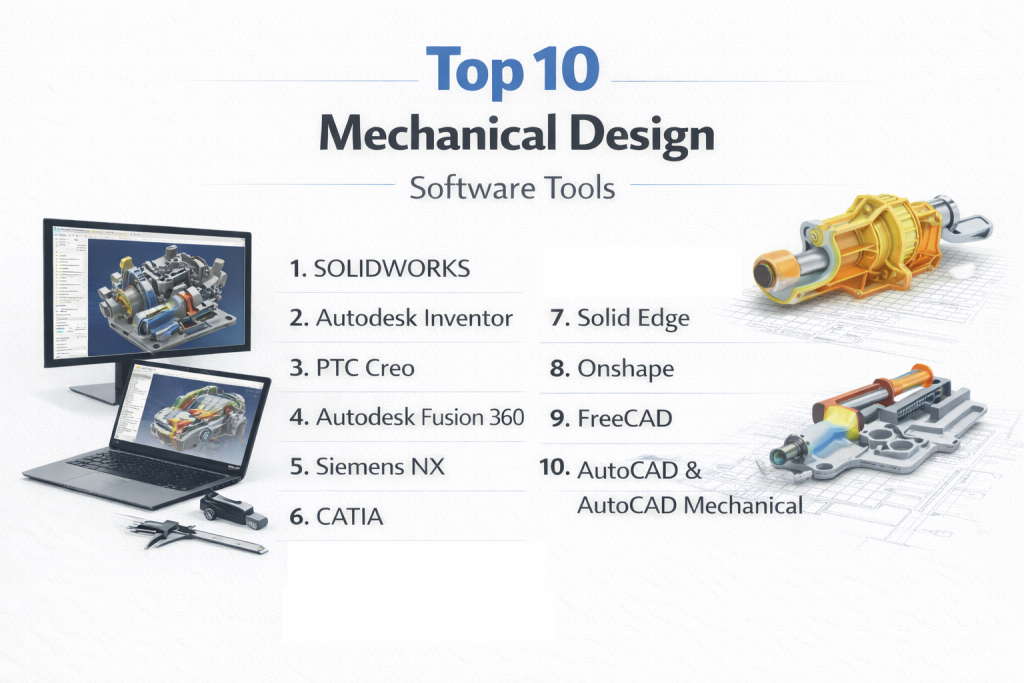
Top 10 Mechanical Design Software Tools
1 — SOLIDWORKS
Short description: SOLIDWORKS is arguably the most widely adopted 3D CAD platform in the world. Known for its intuitive interface and powerful parametric modeling, it is the workhorse for product design teams, SMBs, and educational institutions alike.
Key features:
- Robust parametric 3D part and assembly modeling.
- Integrated simulation (FEA) and motion analysis tools.
- Dedicated tools for sheet metal, weldments, and complex surfacing.
- Automated drawing and documentation generation from 3D models.
- Large library of standard components (Toolbox) and design automation features.
- Strong ecosystem of third-party plugins and add-ons.
Pros:
- Excellent balance of power and usability, with a shallower learning curve than many high-end tools.
- Immense industry acceptance makes it a safe choice for collaboration and hiring talent.
- Large, active global community and extensive learning resources.
Cons:
- Premium pricing can be a barrier for individuals and very small teams.
- Performance can become challenging with extremely large assemblies (thousands of parts).
- Traditionally a Windows-only application.
Security & compliance: Offers enterprise-grade security features including SSO, encryption, and access controls. Specific compliance (like ISO) varies by deployment and license level.
Support & community: Backed by extensive official documentation, a global network of certified resellers and trainers, a massive user community, and professional enterprise support plans.
2 — Autodesk Inventor
Short description: Inventor is a professional-grade mechanical design and engineering software focused on 3D modeling, simulation, and creating manufacturing-ready designs. It integrates deeply with the broader Autodesk ecosystem.
Key features:
- Powerful parametric and direct modeling tools.
- Integrated stress, motion, and dynamic simulation.
- Advanced assembly management and large model handling.
- Comprehensive sheet metal and frame design tools.
- iLogic for rules-based design automation.
- Seamless integration with AutoCAD and other Autodesk products.
Pros:
- Superior integration within the Autodesk ecosystem, ideal for teams also using AutoCAD, Fusion 360, or Vault.
- Strong tools for automation and design reuse, boosting productivity for established workflows.
- Excellent for creating detailed, manufacturable designs.
Cons:
- Steep learning curve for advanced features like simulation and iLogic automation.
- Can experience performance issues with very complex assemblies.
- Subscription-based pricing model.
Security & compliance: Enterprise-level security with data encryption and access controls. Compliant with standards like GDPR.
Support & community: Well-documented learning resources, active user forums, and professional support options through Autodesk and partners.
3 — PTC Creo
Short description: Creo is a robust, scalable CAD solution known for its flexibility, offering parametric, direct, and revolutionary generative design capabilities. It’s built for advanced engineering teams working on complex products.
Key features:
- Unified parametric and direct (“Freestyle”) modeling.
- Advanced generative design and topology optimization tools.
- Integrated simulation (FEA, CFD) and augmented reality (AR) visualization.
- Superior handling of very large assemblies.
- Scalable modules that integrate with Windchill PLM.
Pros:
- Unmatched flexibility in modeling approach, adaptable to different design challenges.
- Industry-leading generative design tools for lightweight, optimized structures.
- Highly scalable and reliable for enterprise-wide deployment.
Cons:
- User interface can feel less intuitive and more complex compared to some rivals.
- Higher training requirements to master its full potential.
- Modular pricing can become complex.
Security & compliance: Enterprise-grade security and access controls. Compliance offerings vary by deployment.
Support & community: Strong professional technical support, detailed documentation, and an active engineering-focused community.
4 — Autodesk Fusion 360
Short description: Fusion 360 is a modern, cloud-connected platform that integrates CAD, CAM, CAE, and PCB design into a single, collaborative environment. It’s popular among startups, makers, and distributed teams.
Key features:
- Hybrid modeling: parametric, direct, surface, and mesh.
- Integrated CAM for 2.5 to 5-axis machining.
- Cloud-powered simulation, rendering, and generative design.
- Real-time cloud collaboration and version control.
- Unified data management and cross-platform access (Windows, macOS).
Pros:
- Unbeatable value and all-in-one integration of design, engineering, and manufacturing.
- Exceptional collaboration tools for distributed teams, with seamless data sharing.
- Lower cost of entry compared to traditional enterprise CAD.
Cons:
- Cloud-centric model means limited full functionality offline.
- Less powerful for managing very large assemblies compared to desktop-bound rivals.
- The breadth of features can have a learning curve.
Security & compliance: Cloud-based security with encryption; compliance (like GDPR) varies by region.
Support & community: Extensive online tutorials, a very active “maker” and professional community, and standard or premium Autodesk support plans.
5 — Siemens NX
Short description: Siemens NX is a high-end, all-in-one solution for integrated CAD, CAE, and CAM. It is a powerhouse used by large enterprises for designing, simulating, and manufacturing some of the world’s most complex products.
Key features:
- Unmatched synchronous technology for flexible parametric and direct modeling.
- Fully unified CAD, CAE (simulation), and CAM capabilities.
- Industry-leading digital twin creation and management.
- Superior performance and stability with massive assemblies.
- Deep integration with Siemens’ Teamcenter PLM ecosystem.
Pros:
- Best-in-class for end-to-end engineering, from design to manufacturing.
- Exceptional performance and data handling for large-scale, complex projects.
- Highly scalable and reliable for global enterprise deployment.
Cons:
- Very high cost of licenses, implementation, and training.
- Complex to deploy and manage, often requiring dedicated IT and expert users.
- Significant expertise required to use it effectively.
Security & compliance: Built with enterprise-grade security, detailed audit controls, and readiness for stringent industry compliance.
Support & community: Backed by direct enterprise support from Siemens, comprehensive documentation, and a network of expert partners.
6 — CATIA
Short description: CATIA is the pinnacle of high-end mechanical design and systems engineering platforms. Developed by Dassault Systèmes, it is the undisputed leader in aerospace, automotive, and other industries dealing with exceptionally complex products and systems.
Key features:
- Unrivaled advanced surface modeling (Class-A surfacing) for organic shapes.
- Multi-disciplinary systems engineering and product lifecycle integration.
- Tools for managing extraordinarily large and complex assemblies.
- Sophisticated simulation and engineering analysis suites.
- End-to-end workflow from conceptual design to manufacturing.
Pros:
- Unmatched capability for complex systems engineering and industrial design.
- The gold standard in aerospace and automotive engineering.
- Highly scalable for global enterprise deployment and collaboration.
Cons:
- Extremely high cost, placing it out of reach for all but the largest organizations.
- One of the steepest learning curves in the industry.
- Overkill for simpler products or standard mechanical design.
Security & compliance: Enterprise-grade security with robust access controls and compliance support for regulated industries.
Support & community: Typically involves dedicated enterprise onboarding, formal training contracts, and direct professional support channels.
7 — Solid Edge
Short description: Solid Edge, from Siemens, is a powerful yet accessible 3D CAD solution that uniquely combines synchronous technology (direct editing) with traditional parametric modeling. It’s known for ease of use and fast design changes.
Key features:
- Unique synchronous technology for flexible, history-free editing.
- Integrated parametric modeling for design intent.
- Strong sheet metal, frame, and piping design tools.
- Built-in simulation and manufacturing preparation.
- Good cloud collaboration and data management features.
Pros:
- Exceptional flexibility for editing imported geometry and making rapid changes.
- More approachable and cost-effective than its sibling, Siemens NX.
- Strong integration with simulation and manufacturing workflows.
Cons:
- Smaller market share and community compared to SOLIDWORKS or Inventor.
- Can require a mindset shift for engineers deeply trained in purely parametric systems.
- Ecosystem of third-party add-ons is not as vast as the market leaders.
Security & compliance: Offers enterprise security features and data management tools; specific compliance varies by deployment.
Support & community: Supported by Siemens and a network of partners, with good documentation and a growing user community.
8 — Onshape
Short description: Onshape is a fully cloud-native, browser-based CAD system built from the ground up for modern, real-time collaboration. It eliminates traditional file-based workflow headaches with built-in data management.
Key features:
- 100% cloud-based, runs in any modern web browser.
- Real-time multi-user editing with no file locking or version conflicts.
- Built-in, full-featured Product Data Management (PDM) with version history.
- No local installation or IT maintenance; automatic updates.
- Accessible from any computer or tablet.
Pros:
- Revolutionary collaboration model that completely eliminates version control issues.
- Zero IT overhead for installation, updates, or hardware upgrades.
- Unified subscription includes both professional CAD and PDM.
Cons:
- Requires a consistent, high-speed internet connection; offline work is very limited.
- Subscription-only model with no perpetual license option.
- Some advanced simulation capabilities are less mature than in desktop leaders.
Security & compliance: Enterprise-grade cloud security featuring data encryption, SOC 2 compliance, and granular access controls.
Support & community: Comprehensive documentation, dedicated enterprise support, and a growing community of professional users.
9 — FreeCAD
Short description: FreeCAD is a free, open-source parametric 3D CAD modeler. It is a powerful tool for hobbyists, students, and open-source advocates, as well as small businesses needing a zero-cost entry into parametric design.
Key features:
- Fully parametric modeling with a feature history tree.
- Modular architecture allowing for extensive customization and added workbenches.
- Support for a wide range of file formats due to its open-source nature.
- Python scripting for automation and extension.
- Truly free and open-source (GPL license).
Pros:
- Completely free of cost, with no restrictions or subscription fees.
- Highly customizable and transparent due to its open-source nature.
- Excellent for learning core CAD concepts without financial risk.
Cons:
- User interface is less polished and can be buggy compared to commercial software.
- Performance and stability can suffer with complex models.
- Lacks the dedicated professional support and ecosystem of commercial tools.
Security & compliance: As an open-source desktop application, security is managed by the user’s IT infrastructure. Varies / N/A for cloud features.
Support & community: Relies on a passionate, community-driven support system through forums and wiki documentation. No formal enterprise support.
10 — AutoCAD & AutoCAD Mechanical
Short description: While not primarily a 3D modeler, AutoCAD is the foundational computer-aided drafting software. AutoCAD Mechanical adds specialized libraries and tools for mechanical engineering documentation, making it a staple for 2D drafting and detailing.
Key features:
- Industry-leading 2D drafting, annotation, and documentation tools.
- Basic 3D solid, surface, and mesh modeling capabilities.
- (Mechanical version) Extensive libraries of standard parts, bolts, seals, etc..
- (Mechanical version) Automated BOM generation and ballooning.
- Unparalleled .DWG file format compatibility and customization.
Pros:
- The global standard for 2D technical drawing, expected in many industries.
- Vast ecosystem of plugins, vertical toolsets, and trained professionals.
- Excellent precision and reliability for production drawings.
Cons:
- 3D parametric modeling is not its core strength; workflows can be clunky.
- Can be inefficient for complex product design compared to modern 3D CAD.
- Primarily a Windows-based application.
Security & compliance: Offers robust security features for drawing files, digital signatures, and compliance with various industry standards.
Support & community: Backed by immense Autodesk documentation, a colossal global user base, countless training resources, and enterprise support.
Comparison Table
| Tool Name | Best For (Target User or Scenario) | Platform(s) Supported | Standout Feature | Rating |
|---|---|---|---|---|
| SOLIDWORKS | Mainstream product design & mechanical engineering | Windows | Ideal Balance of Power & Usability | N/A |
| Autodesk Inventor | Manufacturing design & integrated Autodesk workflows | Windows | Deep Autodesk Ecosystem Integration | N/A |
| PTC Creo | Advanced engineering & generative design | Windows | Flexible Modeling & Topology Optimization | N/A |
| Autodesk Fusion 360 | Startups, makers, & integrated CAD/CAM/CAE | Windows, macOS, Web | All-in-One Cloud Platform | N/A |
| Siemens NX | Enterprise-scale, complex product engineering | Windows, Linux | Unified CAD/CAE/CAM & Digital Twin | N/A |
| CATIA | Aerospace, automotive, & extreme complexity | Windows, Unix | Unmatched Systems & Surface Engineering | N/A |
| Solid Edge | Flexible design changes & synchronous modeling | Windows | Synchronous Technology for Fast Editing | N/A |
| Onshape | Real-time collaboration & cloud-native workflows | Web (Browser-Based) | Built-in PDM & Multi-User Editing | N/A |
| FreeCAD | Hobbyists, education, & open-source enthusiasts | Windows, macOS, Linux | Free & Open-Source Parametric CAD | N/A |
| AutoCAD Mechanical | Precision 2D mechanical drafting & documentation | Windows | Industry-Standard 2D Drafting & Libraries | N/A |
Evaluation & Scoring of Mechanical Design Software
To make a systematic decision, evaluate your shortlisted tools against the following weighted criteria. This rubric emphasizes that raw power is important, but usability, integration, and long-term value are equally critical.
Which Mechanical Design Software Tool Is Right for You?
Your ideal choice depends on a combination of your role, company size, project complexity, and budget.
- Solo Users, Freelancers, & Hobbyists: Prioritize low cost and a manageable learning curve. FreeCAD is the ultimate budget choice. Fusion 360 offers incredible professional value for a low subscription fee and is perfect for end-to-end product development.
- Small to Medium-Sized Businesses (SMBs) & Startups: Look for a balance of professional capability, fair pricing, and scalability. SOLIDWORKS is the most common and safe choice. Fusion 360 remains a top contender for its integrated toolset and collaboration. Solid Edge offers great power at a competitive price point.
- Mid-Market & Growing Engineering Teams: Consider advanced capabilities, data management, and process integration. PTC Creo and Solid Edge are strong choices here. This is also the stage where a cloud-based platform like Onshape can solve major collaboration and version control challenges.
- Large Enterprises & Specialized Industries: Focus on performance at scale, systems integration, and industry-specific needs. For complex discrete manufacturing, Siemens NX is a powerhouse. For aerospace, automotive, or industrial design requiring supreme surface quality, CATIA is the benchmark. These decisions are strategic and heavily influenced by legacy data and partner requirements.
Additional Decision Drivers:
- Budget vs. Premium: Free/open-source tools exist, but premium software (SOLIDWORKS, NX, CATIA) offers unmatched support, reliability, and depth that justify their cost for professional, revenue-generating work.
- Features vs. Ease of Use: You often trade one for the other. SOLIDWORKS and Fusion 360 strive for the best balance. CATIA and NX have immense depth but a steep climb.
- Integration & Scalability Needs: If you need tight integration with specific CAM, simulation, or PLM systems, this will narrow your choices (e.g., NX with Teamcenter, Creo with Windchill). For future growth, cloud-native tools (Onshape, Fusion 360) offer inherent scalability and lower IT burden.
- Security & Compliance: For regulated industries (defense, medical, energy), on-premise solutions or cloud tools with proven enterprise security certifications (Onshape) are mandatory.
Frequently Asked Questions (FAQs)
1. What’s the difference between parametric and direct modeling?
Parametric modeling is history-based; you create features with dimensions and constraints that can be edited later to update the entire model automatically. Direct modeling allows you to push and pull geometry freely like digital clay, offering more flexibility for quick changes or working with imported data.
2. Is a cloud-based CAD system like Onshape or Fusion 360 secure?
Reputable cloud-CAD providers use enterprise-grade security measures, including end-to-end encryption, SOC 2 compliance, and granular user access controls. You should evaluate a vendor’s security credentials just as you would for any cloud service holding sensitive business data.
3. Can I use free CAD software like FreeCAD for professional work?
Yes, but with caveats. FreeCAD can handle professional-grade parametric design, but it may lack the polish, speed, support, and advanced capabilities (like high-end simulation) required for complex or time-sensitive professional projects.
4. What industries use mechanical design software the most?
The primary industries are Automotive, Aerospace, Industrial Machinery & Equipment, Consumer Products, Electronics, and Medical Device manufacturing.
5. How important is it that my CAD software integrates with PLM/PDM?
For any team larger than a few people, it’s critical. PDM (Product Data Management) manages versions, approvals, and releases. PLM (Product Lifecycle Management) expands this across the entire product lifecycle. Integration prevents data loss, version chaos, and rework.
6. What is the biggest mistake people make when choosing CAD software?
Choosing based solely on a list of features or brand name without considering their team’s specific workflow, the learning investment required, the total cost of ownership, and the software used by their manufacturing partners or clients.
7. Are there good CAD options for Apple Mac users?
Yes. Fusion 360 runs natively on macOS. Onshape, being browser-based, works on any OS. SolidWorks, Inventor, and Solid Edge are primarily Windows-only, though they can be run on Macs using Boot Camp or virtualization software.
8. What does “generative design” mean, as seen in Creo and Fusion 360?
Generative design is an advanced process where you define design goals (loads, constraints, materials) and the software uses AI to generate multiple, optimized geometry options that meet those criteria. It often results in organic, lightweight shapes that are difficult for humans to conceive.
9. Do I need a powerful computer for 3D CAD?
Yes, especially for complex assemblies and simulations. A dedicated professional graphics card (GPU), a fast multi-core processor (CPU), and ample RAM (16GB minimum, 32+ GB recommended) are essential for a smooth, productive experience.
10. Can I switch CAD software later if needed?
Yes, but it can be challenging and costly. While standard file formats (STEP, IGES) allow for geometry transfer, intelligent parametric features, design history, and metadata are often lost. Switching also requires significant time and financial investment in retraining your team.
Conclusion
The landscape of mechanical design software offers powerful, specialized solutions for every type of user and project. From the accessible, integrated platform of Fusion 360 to the industry-dominant power of SOLIDWORKS and the enterprise-scale capabilities of Siemens NX and CATIA, the right choice can fundamentally enhance your team’s innovation, efficiency, and ability to bring high-quality products to market.
When making your choice, remember that the “best” software is not a universal title. It is the tool that best fits your specific project types, team skills, collaboration style, budget, and long-term business goals. Prioritize a solution that not only has the features you need today but also possesses the scalability, interoperability, and support structure to grow with you into the future.
Investing time in a thorough evaluation—using the criteria and decision guides provided here—is an investment in your productivity and success. In the world of mechanical engineering, your design software is more than just a program; it is the foundational platform upon which your ideas are built, tested, and realized. Choose wisely.