Introduction
Finite Element Analysis (FEA) software is a class of engineering simulation tools used to predict how products, structures, and systems behave under real‑world physical conditions. It works by breaking down complex physical objects into smaller, finite elements, applying loads, constraints, and material properties, and solving the governing equations that define behavior like stress, strain, displacement, thermal flow, or vibration. In essence, FEA transforms physical challenges into digital insights — allowing engineers and designers to evaluate designs before manufacturing a single prototype.
FEA plays a pivotal role in modern engineering design across industries such as aerospace, automotive, civil infrastructure, consumer products, and biomedical devices. It helps teams reduce development costs, accelerate time to market, improve product performance, and prevent costly failures. Whether simulating crash responses in vehicles, examining stress concentrations in bridges, optimizing heat dissipation in electronics, or validating medical implants under load, FEA tools are indispensable to technical workflows.
When choosing FEA software, users should evaluate key criteria such as analysis capabilities, solver accuracy, ease of use, mesh generation quality, integration with CAD tools, performance and scalability, result visualization, support and training resources, and overall cost/value. Some tools excel in specific domains like nonlinear analysis, fluid‑structure interaction, or multi‑physics, while others offer broader general‑purpose solutions.
Best for:
Engineers, simulation analysts, product designers, and technical managers across sectors like automotive, aerospace, defense, civil engineering, electronics, and healthcare. These tools best serve organizations of all sizes, from startups and SMBs requiring accessible simulation to large enterprises with deep integration and high‑performance computing needs.
Not ideal for:
Casual users seeking only basic CAD editing, visualization tools without simulation needs, or those focused solely on 2D drafting. Traditional CAD programs without FEA modules won’t provide the depth of analysis required for accurate simulation.
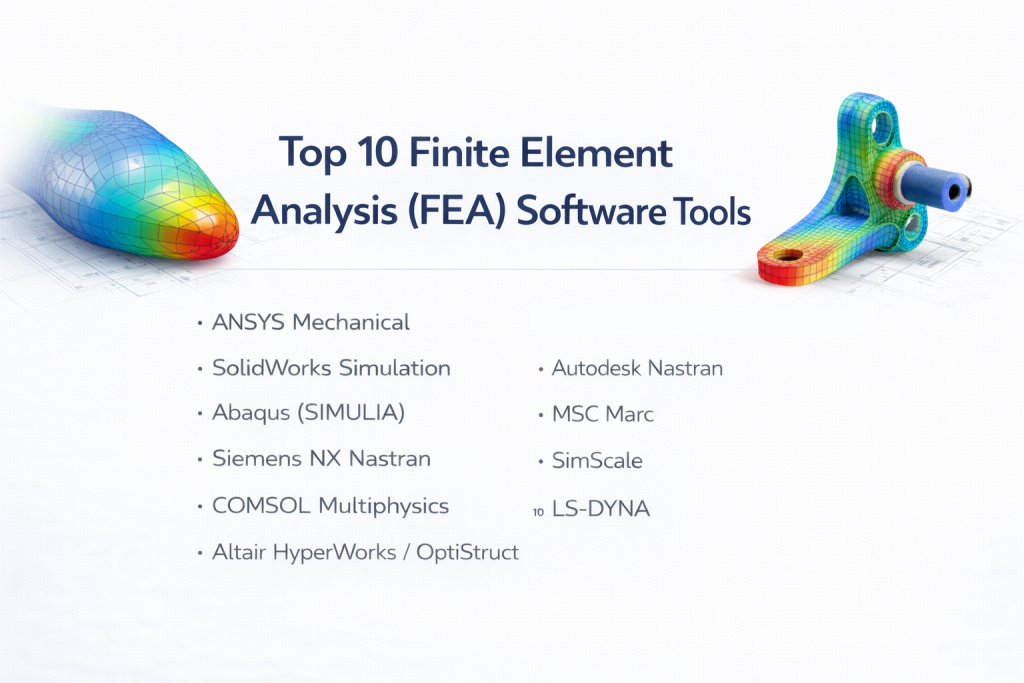
Top 10 Finite Element Analysis (FEA) Software Tools
1 — ANSYS Mechanical
Description:
ANSYS Mechanical is a powerful and widely adopted FEA tool used for structural, thermal, and coupled simulations. It is designed for engineers who need high‑fidelity analysis across a wide range of physical phenomena.
Key features:
- Advanced structural analysis (linear, nonlinear, dynamic)
- Thermal and coupled field simulations
- Automatic mesh generation with controls
- High‑performance solvers for large models
- Support for multi‑physics coupling (e.g., fluid‑structure)
- Integration with CAD and pre/post‑processing workflows
- Parametric and optimization capabilities
Pros:
- Industry‑leading solver accuracy and robustness
- Comprehensive multi‑physics support
Cons:
- Steep learning curve for new users
- Premium pricing for full capabilities
Security & compliance:
Varies / N/A
(Some enterprise setups include SSO, data encryption, and secure user management.)
Support & community:
- Extensive documentation and tutorials
- Professional support channels
- Active global user community with events and forums
2 — SolidWorks Simulation
Description:
SolidWorks Simulation is an FEA module embedded within the SolidWorks CAD environment. It is ideal for design engineers who want simulation integrated seamlessly with their modeling workflow.
Key features:
- Structural and thermal analysis
- Design validation during CAD creation
- Easy‑to‑use wizard and interface
- Contact and non‑linear analysis
- Motion simulation
- Design optimization tools
- Mesh control and refinement options
Pros:
- Native integration with SolidWorks CAD
- Intuitive and user‑friendly interface
Cons:
- Less powerful than dedicated solvers for complex multi‑physics
- Best suited for mid‑level engineering tasks
Security & compliance:
Varies / N/A
Support & community:
- Integrated help and tutorials
- Community forums tied to SolidWorks ecosystem
- Official reseller support
3 — Abaqus (SIMULIA)
Description:
Abaqus, part of the Dassault Systèmes SIMULIA suite, is a high‑end FEA tool known for advanced nonlinear, dynamic, and multi‑physics simulations. It serves industries where complex behavior modeling is critical.
Key features:
- Nonlinear material modeling (plasticity, hyperelasticity)
- Dynamic impact, crash, and vibration simulations
- Coupled thermal‑structural analysis
- Explicit and implicit solvers
- Submodeling and multi‑scale analysis
- Advanced contact algorithms
- Integration with CAD and PLM systems
Pros:
- Excellent for highly nonlinear problems
- Robust solver performance
Cons:
- Complex interface requiring dedicated training
- Cost may be prohibitive for small teams
Security & compliance:
Varies / N/A
Support & community:
- Strong documentation and training modules
- Active SIMULIA community
4 — Siemens NX Nastran
Description:
NX Nastran is a solver within the Siemens NX ecosystem, originally developed for aerospace structural analysis. It provides high‑precision solutions for linear and nonlinear problems.
Key features:
- Linear statics and dynamics
- Nonlinear analysis with contact and large deformation
- Modal and frequency response
- Buckling and fatigue predictions
- Optimization and response surface tools
- Integration with NX CAE environment
Pros:
- Trusted by aerospace and defense sectors
- Accurate and stable results
Cons:
- Interface complexity can deter beginners
- Full suite requires NX integration
Security & compliance:
Varies / N/A
Support & community:
- Siemens professional support
- Documentation and online resources
- Large industry user base
5 — COMSOL Multiphysics
Description:
COMSOL Multiphysics is a simulation platform capable of solving FEA problems alongside fluid dynamics, electromagnetics, and other physics domains. It is ideal for multi‑physics studies.
Key features:
- Multi‑physics coupling
- Parametric sweeps and optimization
- Live link with CAD and MATLAB
- Study and solver customization
- Heat transfer, structural, fluid, and electrical modules
- Visualization and result plotting
Pros:
- Unmatched multi‑physics flexibility
- Customization without scripting constraints
Cons:
- Can be overwhelming for basic structural analysis
- Modular pricing adds cost
Security & compliance:
Varies / N/A
Support & community:
- Comprehensive tutorials and examples
- Official support and community forums
6 — Altair HyperWorks / OptiStruct
Description:
Altair HyperWorks is a broad CAE suite that includes OptiStruct — a powerful FEA solver focused on structural analysis and design optimization.
Key features:
- Structural linear and nonlinear analysis
- Topology and shape optimization
- Composite material support
- Crash and impact simulations
- Integration with CAD preprocessing
- Automated workflows
Pros:
- Strong optimization capabilities
- Effective for lightweighting and composites
Cons:
- Complex setup for beginners
- Broader suite may require training
Security & compliance:
Varies / N/A
Support & community:
- Training courses available
- Official support teams
- Collaborative user forums
7 — Autodesk Nastran
Description:
Autodesk Nastran is a general‑purpose FEA solver built on the proven Nastran engine, offering strong structural, dynamic, and thermal analysis capabilities in an accessible package.
Key features:
- Linear and nonlinear structural analysis
- Dynamic response and modal analysis
- Thermal analysis
- CAD integration with Autodesk tools
- Automated meshing
- Result visualization tools
Pros:
- Trusted solver core
- Accessible compared to some enterprise systems
Cons:
- Not as feature‑rich as full NX Nastran in some areas
- Best used within Autodesk ecosystem
Security & compliance:
Varies / N/A
Support & community:
- Autodesk support channels
- Documentation and tutorials
- Active user community
8 — MSC Marc
Description:
MSC Marc is a nonlinear FEA tool used for complex deformation, contact, and material modeling problems such as crash dynamics and forming simulations.
Key features:
- Large deformation and contact analysis
- Nonlinear material models
- Failure and fracture predictions
- Coupled thermal‑structural simulations
- Dynamic analysis
Pros:
- Excellent for highly nonlinear problems
- Trusted by advanced engineering teams
Cons:
- Specialized focus may not suit all use cases
- Requires experienced users
Security & compliance:
Varies / N/A
Support & community:
- Detailed documentation
- Official support with training
- Niche user communities
9 — SimScale
Description:
SimScale is a cloud‑based FEA and CFD platform that enables browser‑based simulation. It’s ideal for teams looking for accessible simulation without heavy local hardware.
Key features:
- Browser‑based simulation environment
- Structural and thermal analysis
- Cloud computing resources
- Integrated CAD preparation tools
- Real‑time collaboration and sharing
- Predefined templates for common studies
Pros:
- No local hardware limitations
- Easy access and collaboration
Cons:
- Cloud subscription costs
- Internet‑dependent workflows
Security & compliance:
Cloud security controls (varies with plan)
Support & community:
- Online help and documentation
- Growing online user community
- Customer support tiers
10 — LS‑DYNA
Description:
LS‑DYNA is a high‑end explicit FEA solver used for crash, impact, blast, and other transient dynamic simulations. It is known for handling highly nonlinear, time‑dependent problems.
Key features:
- Explicit time integration solvers
- Crash and impact simulations
- Material failure and fracture
- High fidelity contact algorithms
- Coupled physics options
- Batch and HPC support
Pros:
- Unmatched performance for transient problems
- Widely used in automotive safety studies
Cons:
- Very specialized for explicit dynamics
- Requires expert users
Security & compliance:
Varies / N/A
Support & community:
- Extensive documentation
- Dedicated support options
- Strong user base in specific industries
Comparison Table
| Tool Name | Best For | Platform(s) Supported | Standout Feature | Rating |
|---|---|---|---|---|
| ANSYS Mechanical | Advanced multi‑physics engineering | Win, Linux | Robust solver & wide physics support | N/A |
| SolidWorks Simulation | Integrated CAD simulation | Win | Seamless CAD to simulation workflow | N/A |
| Abaqus | Nonlinear and dynamic simulations | Win, Linux | Nonlinear and contact modeling | N/A |
| NX Nastran | Aerospace and precision structural tasks | Win, Linux | Trusted solver accuracy | N/A |
| COMSOL Multiphysics | Multi‑physics coupled analyses | Win, Mac, Linux | Physics coupling flexibility | N/A |
| Altair HyperWorks | Structural optimization | Win, Linux | Design optimization tools | N/A |
| Autodesk Nastran | Accessible general FEA | Win | Proven Nastran core | N/A |
| MSC Marc | Complex nonlinear deformation | Win, Linux | Specialized nonlinear solver | N/A |
| SimScale | Cloud‑based collaboration | Web/Browsers | No hardware limits | N/A |
| LS‑DYNA | Crash and impact physics | Win, Linux | Explicit dynamics performance | N/A |
Evaluation & Scoring of Finite Element Analysis (FEA) Software
| Tool Name | Core features (25%) | Ease of use (15%) | Integrations & ecosystem (15%) | Security (10%) | Performance (10%) | Support (10%) | Price / value (15%) | Total |
|---|---|---|---|---|---|---|---|---|
| ANSYS Mechanical | 24 | 10 | 14 | 8 | 10 | 9 | 7 | 82 |
| SolidWorks Simulation | 18 | 14 | 13 | 8 | 8 | 10 | 11 | 82 |
| Abaqus | 23 | 10 | 12 | 8 | 9 | 9 | 8 | 79 |
| NX Nastran | 22 | 9 | 13 | 8 | 9 | 8 | 8 | 77 |
| COMSOL Multiphysics | 23 | 9 | 13 | 8 | 8 | 9 | 7 | 77 |
| Altair HyperWorks | 21 | 10 | 12 | 8 | 8 | 8 | 8 | 75 |
| Autodesk Nastran | 20 | 12 | 12 | 8 | 8 | 9 | 10 | 79 |
| MSC Marc | 21 | 9 | 11 | 8 | 9 | 7 | 7 | 72 |
| SimScale | 18 | 13 | 13 | 8 | 7 | 8 | 9 | 76 |
| LS‑DYNA | 22 | 8 | 10 | 8 | 10 | 8 | 7 | 73 |
Which Finite Element Analysis (FEA) Software Tool Is Right for You?
Choosing the right FEA tool depends on your budget, expertise, project complexity, and integration needs:
Solo users & SMBs:
- SolidWorks Simulation: Excellent if you already use SolidWorks CAD and need accessible FEA.
- SimScale: Great for teams without local hardware, offering scalable cloud simulation.
Mid‑market & advanced engineers:
- ANSYS Mechanical: Offers comprehensive physics and solver power.
- Autodesk Nastran: Provides a reliable core solver with accessible workflows.
Large enterprises & specialized needs:
- Abaqus: Ideal for nonlinear, crash, and complex contact problems.
- LS‑DYNA: Best for explicit, impact, and transient dynamic simulations.
- COMSOL Multiphysics: Perfect for multi‑physics challenges.
Budget‑conscious vs premium solutions:
- SimScale and SolidWorks Simulation bring good value without massive licensing costs.
- ANSYS, Abaqus, and NX Nastran serve high‑end needs but at premium price points.
Feature depth vs ease of use:
- Tools like SolidWorks Simulation and SimScale are easier to adopt.
- ANSYS and Abaqus offer deeper analytical power but require training.
Integration & scalability needs:
- If your workflow includes CAD and PLM systems, choose tools with strong integrations.
- Cloud tools like SimScale support collaboration and scalability with minimal local hardware.
Security & compliance requirements:
- Cloud platforms should be evaluated for encryption, access control, and compliance based on industry needs.
- On‑premise tools empower tighter control over intellectual property and secure data handling.
Frequently Asked Questions (FAQs)
1. What is the main advantage of using FEA software?
FEA enables engineers to simulate and analyze physical behavior before building prototypes, reducing time, cost, and risks.
2. Do I need a powerful computer for FEA?
Yes, especially for large models or complex multi‑physics simulations, strong processors, memory, and parallel computing enhance performance.
3. Can beginners learn FEA easily?
It depends on the tool. More accessible options like SolidWorks Simulation offer easier learning curves, while advanced solvers require training.
4. How does mesh quality affect results?
Mesh density and quality directly influence accuracy. Poor meshes can lead to inaccurate or unstable results.
5. What industries use FEA most?
Automotive, aerospace, civil engineering, electronics, consumer products, and biomedical manufacturing widely use FEA for design validation.
6. Is cloud‑based FEA reliable?
Yes, cloud platforms offer scalable resources and collaboration but require reliable internet and data governance plans.
7. What’s the difference between linear and nonlinear analysis?
Linear analysis assumes small deformations and proportional loads, while nonlinear handles large deformations, material nonlinearity, and complex behaviors.
8. Can FEA software simulate thermal behavior?
Yes. Many tools support thermal analysis and coupled thermal‑structural simulations for heat transfer studies.
9. What file formats are common in FEA workflows?
Common formats include neutral CAD formats and proprietary solver formats, often integrated within CAD ecosystems.
10. How do I choose the right FEA tool?
Assess your project needs, budget, CAD ecosystem, required accuracy, solver capabilities, and support resources before deciding.
Conclusion
Finite Element Analysis (FEA) software has transformed engineering design by providing digital predictions of physical performance, enabling safer, more efficient, and optimized products. From accessible tools like SolidWorks Simulation to high‑end solvers such as ANSYS Mechanical and Abaqus, the variety of options caters to designers, analysts, and engineers across industries.
When choosing a tool, consider your project complexity, integration needs, budget, team expertise, and long‑term goals. There is no one universal winner — the right tool aligns with your specific workflow, performance expectations, and organizational scale. With the insights and comparisons provided here, you are well‑equipped to make an informed decision tailored to your unique engineering challenges.