Introduction
3D Rendering & Ray Tracing tools are specialized software solutions used to generate highly realistic images and animations from 3D models. These tools simulate how light behaves in real life—how it reflects, refracts, scatters, and casts shadows—resulting in photorealistic visuals that closely match the physical world. Ray tracing, in particular, has become a defining technology for realism in modern graphics workflows.
These tools are critically important across industries such as architecture, product design, film and animation, game development, automotive visualization, and virtual reality. As visual quality becomes a competitive differentiator, accurate lighting, reflections, and materials are no longer optional—they are expected. From marketing visuals and cinematic effects to real-time simulations and digital twins, rendering and ray tracing tools power decision-making, creativity, and storytelling.
When choosing a 3D Rendering & Ray Tracing tool, users should evaluate realism quality, rendering speed, hardware support, ease of use, scalability, integration with modeling software, and support for real-time or offline rendering. Cost, learning curve, and platform compatibility also play a significant role in long-term success.
Best for:
3D artists, architects, product designers, VFX professionals, game developers, automotive engineers, and studios of all sizes that require high-quality visual output, accurate lighting simulation, and professional-grade rendering pipelines.
Not ideal for:
Users who only need basic 3D previews, simple CAD visuals, or lightweight modeling without photorealism. In such cases, basic viewport rendering or simplified visualization tools may be more cost-effective.
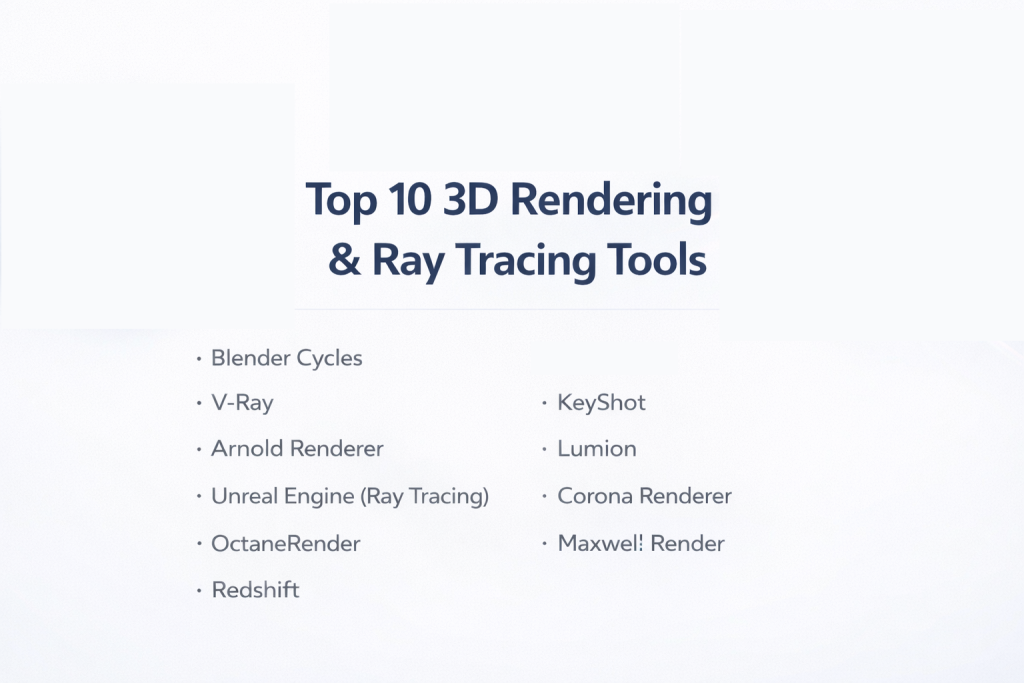
Top 10 3D Rendering & Ray Tracing Tools
1 — Blender Cycles
Short description:
Blender Cycles is a physically based path-tracing engine built into Blender, designed for artists who want realistic lighting and materials without additional software costs.
Key features:
- Physically based path tracing
- CPU and GPU rendering support
- Advanced material and shader system
- Realistic global illumination
- Denoising and light sampling controls
- Seamless integration with Blender workflows
Pros:
- Completely free and open-source
- High-quality photorealistic output
- Strong community-driven innovation
Cons:
- Steep learning curve for beginners
- Slower performance on low-end hardware
Security & compliance:
N/A (local desktop software)
Support & community:
Extensive documentation, tutorials, forums, and a very large global user community.
2 — V-Ray
Short description:
V-Ray is an industry-standard rendering engine widely used in architecture, film, and product visualization for its accuracy and reliability.
Key features:
- Advanced ray tracing and global illumination
- Physically accurate lighting and materials
- Distributed rendering support
- High-quality denoising tools
- Broad integration with 3D modeling platforms
- Production-tested rendering pipelines
Pros:
- Exceptional realism and consistency
- Trusted in professional studios
- Scales well for large projects
Cons:
- Expensive for individual users
- Requires powerful hardware
Security & compliance:
Enterprise-grade license management; compliance varies by deployment
Support & community:
Professional documentation, enterprise support plans, and a strong professional user base.
3 — Arnold Renderer
Short description:
Arnold is a physically based renderer designed for complex scenes, widely used in high-end film and animation studios.
Key features:
- Advanced Monte Carlo ray tracing
- Handles extremely complex geometry
- Predictable and stable rendering results
- Deep integration with animation pipelines
- Efficient memory management
- High-quality shading system
Pros:
- Excellent for cinematic-quality visuals
- Stable with large, complex scenes
- Industry-proven reliability
Cons:
- Long render times for final frames
- High licensing cost
Security & compliance:
N/A for local rendering; enterprise options available
Support & community:
Professional support, strong studio adoption, and extensive learning resources.
4 — Unreal Engine (Ray Tracing)
Short description:
Unreal Engine offers real-time ray tracing, enabling interactive photorealistic rendering for games, virtual production, and simulations.
Key features:
- Real-time ray tracing support
- Cinematic lighting and reflections
- Virtual production workflows
- High-performance real-time rendering
- Extensive asset and plugin ecosystem
- Cross-platform deployment
Pros:
- Real-time photorealism
- Excellent for interactive experiences
- Strong scalability
Cons:
- Complex interface for non-developers
- Hardware-dependent performance
Security & compliance:
Enterprise licensing options; compliance varies
Support & community:
Large global community, detailed documentation, and enterprise support tiers.
5 — OctaneRender
Short description:
OctaneRender is a GPU-accelerated, unbiased renderer known for speed and stunning visual output.
Key features:
- Fully GPU-based ray tracing
- Spectral light simulation
- Real-time viewport previews
- Physically accurate materials
- Network rendering support
- Cross-platform compatibility
Pros:
- Extremely fast rendering
- High-quality photorealism
- Intuitive material system
Cons:
- Requires powerful GPUs
- Limited CPU rendering options
Security & compliance:
N/A
Support & community:
Active user forums, tutorials, and professional documentation.
6 — Redshift
Short description:
Redshift is a biased GPU renderer optimized for speed and efficiency in production environments.
Key features:
- GPU-accelerated ray tracing
- Adjustable quality-performance balance
- Advanced shading and lighting controls
- Optimized memory usage
- Scalable for large scenes
- Integration with major 3D tools
Pros:
- Faster than many unbiased renderers
- Excellent control over render times
- Popular in motion graphics
Cons:
- Less physically accurate than unbiased engines
- Paid license required
Security & compliance:
N/A
Support & community:
Strong professional adoption, good documentation, and responsive support.
7 — KeyShot
Short description:
KeyShot is a user-friendly rendering tool focused on fast product visualization and marketing visuals.
Key features:
- Real-time ray tracing
- Drag-and-drop material system
- HDR lighting presets
- Fast setup and rendering
- CAD-friendly workflow
- Animation support
Pros:
- Very easy to learn
- Fast results with minimal setup
- Ideal for product designers
Cons:
- Limited advanced customization
- Less suitable for cinematic scenes
Security & compliance:
N/A
Support & community:
Clear documentation, training materials, and professional support.
8 — Lumion
Short description:
Lumion is a real-time visualization tool tailored for architects and urban designers.
Key features:
- Real-time ray tracing effects
- Architectural asset library
- Fast scene setup
- Landscape and environment tools
- Weather and lighting simulation
- Animation and walkthrough creation
Pros:
- Extremely fast architectural visualization
- Minimal learning curve
- Strong visual presets
Cons:
- Limited for non-architectural use
- High hardware requirements
Security & compliance:
N/A
Support & community:
Dedicated architectural community and official training resources.
9 — Corona Renderer
Short description:
Corona Renderer emphasizes simplicity and photorealism, popular in architectural and interior visualization.
Key features:
- Physically accurate ray tracing
- Simple material and lighting setup
- Interactive rendering
- High-quality denoising
- Stable rendering engine
- Integration with major 3D tools
Pros:
- Easy to learn
- Excellent realism
- Predictable results
Cons:
- Slower than GPU renderers
- CPU-focused rendering
Security & compliance:
N/A
Support & community:
Active forums, learning content, and professional support options.
10 — Maxwell Render
Short description:
Maxwell Render is an unbiased renderer focused on maximum physical accuracy.
Key features:
- Spectral light simulation
- Physically accurate camera model
- Real-world material definitions
- High realism for lighting
- Cross-platform support
- Scientific-grade rendering
Pros:
- Extremely accurate lighting
- Ideal for scientific visualization
- Consistent results
Cons:
- Very long render times
- Not suitable for fast turnarounds
Security & compliance:
N/A
Support & community:
Smaller but dedicated user base with detailed documentation.
Comparison Table
| Tool Name | Best For | Platform(s) Supported | Standout Feature | Rating |
|---|---|---|---|---|
| Blender Cycles | Freelancers, indie artists | Windows, macOS, Linux | Free path tracing | N/A |
| V-Ray | Architecture, studios | Multi-platform | Industry-standard realism | N/A |
| Arnold | Film & animation studios | Multi-platform | Handles complex scenes | N/A |
| Unreal Engine | Real-time rendering | Multi-platform | Interactive ray tracing | N/A |
| OctaneRender | GPU-focused artists | Multi-platform | Ultra-fast GPU rendering | N/A |
| Redshift | Motion graphics | Multi-platform | Speed-performance balance | N/A |
| KeyShot | Product designers | Windows, macOS | Ease of use | N/A |
| Lumion | Architects | Windows | Real-time arch viz | N/A |
| Corona Renderer | Interior designers | Windows | Simplicity | N/A |
| Maxwell Render | Scientific accuracy | Multi-platform | Physical realism | N/A |
Evaluation & Scoring of 3D Rendering & Ray Tracing Tools
| Criteria | Weight | Average Score |
|---|---|---|
| Core features | 25% | High |
| Ease of use | 15% | Medium |
| Integrations & ecosystem | 15% | High |
| Security & compliance | 10% | Low |
| Performance & reliability | 10% | High |
| Support & community | 10% | High |
| Price / value | 15% | Medium |
Which 3D Rendering & Ray Tracing Tool Is Right for You?
Solo users and freelancers may prioritize cost, ease of use, and flexibility, making tools like Blender Cycles or KeyShot attractive. SMBs often need faster turnaround times and reliability, where Redshift or OctaneRender excel. Mid-market studios benefit from scalable, production-ready tools like V-Ray or Corona Renderer. Large enterprises and film studios require stability, pipeline integration, and proven reliability, making Arnold or Unreal Engine strong choices.
Budget-conscious users should consider free or lower-cost solutions, while premium users can invest in high-performance GPU renderers. If deep customization and realism matter most, unbiased renderers are ideal. For speed and iteration, biased or real-time engines may be better. Integration, scalability, and compliance requirements should align with organizational standards and workflows.
Frequently Asked Questions (FAQs)
1. What is ray tracing in 3D rendering?
Ray tracing simulates the physical behavior of light to produce realistic shadows, reflections, and lighting effects.
2. Are GPU renderers better than CPU renderers?
GPU renderers are faster, but CPU renderers often handle complex scenes more reliably.
3. Do I need ray tracing for architectural visualization?
Yes, ray tracing significantly improves realism in lighting and materials for architecture.
4. Is Blender Cycles suitable for professional work?
Yes, many professionals use it for commercial projects.
5. What hardware is required for ray tracing?
Modern GPUs with ray tracing support deliver the best performance.
6. Are real-time renderers replacing offline renderers?
They complement rather than replace each other, depending on use case.
7. Which tool is best for beginners?
KeyShot and Blender Cycles are often considered beginner-friendly.
8. How important is denoising in rendering?
Denoising reduces noise and speeds up final output significantly.
9. Can these tools integrate with CAD software?
Many support CAD integrations, especially KeyShot and V-Ray.
10. What is the biggest mistake buyers make?
Choosing tools based only on popularity rather than workflow needs.
Conclusion
3D Rendering & Ray Tracing tools are essential for creating realistic, high-impact visuals across industries. While some tools focus on physical accuracy, others emphasize speed, interactivity, or ease of use. The most important factors are performance, integration, usability, and long-term value. There is no universal “best” tool—only the best fit for your specific workflow, budget, and creative goals.