Introduction
3D printing workflow software refers to specialized tools that streamline the entire process of additive manufacturing, from initial design and model preparation to slicing, print management, monitoring, and post-processing. These platforms integrate various stages like CAD modeling, file repair, G-code generation, remote printer control, job queuing, and analytics to ensure efficient production. Unlike basic slicers, workflow software often includes cloud-based management for multiple printers, user collaboration, and enterprise-level features like scheduling and reporting.
This software is crucial in today’s fast-paced manufacturing landscape because it reduces errors, minimizes downtime, and optimizes resource use. By automating repetitive tasks and providing real-time insights, it helps users achieve higher print success rates, lower material waste, and faster turnaround times. In industries where precision and scalability matter, such as aerospace, automotive, and healthcare, these tools enable seamless transitions from concept to physical prototype or part.
Key real-world use cases include rapid prototyping for product development, where engineers iterate designs quickly; educational settings for teaching STEM concepts through hands-on printing; small business print farms managing high-volume orders; and large enterprises handling complex supply chains with metal or resin printing. For instance, a medical device company might use workflow software to ensure compliant, traceable production of custom implants, while a hobbyist could leverage it for remote monitoring of home prints.
When choosing 3D printing workflow software, users should evaluate based on core criteria like compatibility with their printers and materials, ease of integration with existing CAD tools, scalability for single-user vs. multi-printer setups, customization options for supports and settings, and robust analytics for performance tracking. Pricing models—free/open-source vs. subscription-based—also play a role, alongside community support and regular updates for new features.
Best for: Hobbyists, product designers, educators, small to medium-sized businesses (SMBs), and large enterprises in industries like manufacturing, engineering, healthcare, and education benefit most. Solo makers appreciate free tools for quick setups, while print farms and companies value fleet management and collaboration features.
Not ideal for: Users focused solely on basic 3D modeling without printing needs might find dedicated CAD software like Blender sufficient. Those with highly specialized, non-standard printers or offline-only environments may prefer simpler local slicers over cloud-heavy workflow platforms, where alternatives like standalone CAM tools could be better.
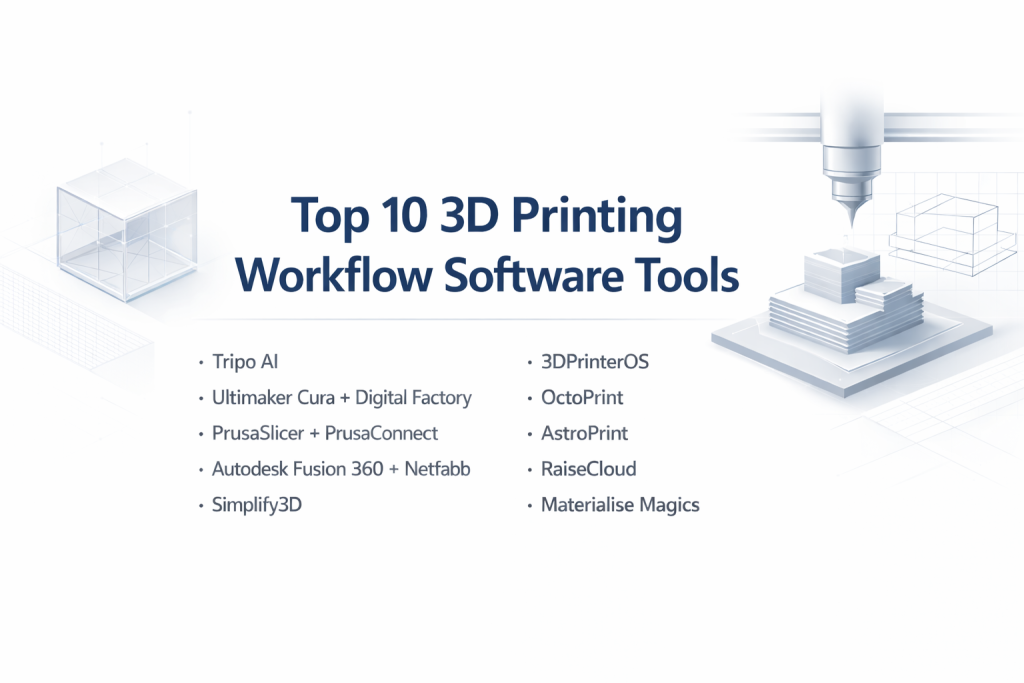
Top 10 3D Printing Workflow Software Tools
1 — Tripo AI
Tripo AI is an AI-powered platform focused on rapid 3D model generation and preparation, making it ideal for creators who need printable assets from text or images. It’s designed for makers, developers, and designers seeking to accelerate the early stages of the 3D printing workflow.
Key features:
- AI-driven model generation from text, images, or sketches with high-fidelity results.
- Automatic PBR texturing and smart retopology for clean, manifold meshes.
- Export options in multiple formats like STL, OBJ, FBX, GLB, and USD.
- Universal rigging and animation capabilities for dynamic models.
- Stylization tools for cartoon, clay, LEGO, or voxel aesthetics.
- API integration for text-to-model and image-to-model workflows.
- Segmented geometry optimization for print-ready files.
Pros:
- Speeds up concept-to-print by generating models up to 50% faster than manual design.
- Reduces preparation time with automated texturing and mesh cleanup, leading to fewer print failures.
Cons:
- Primarily asset-focused, lacking built-in slicing or printer fleet management.
- Requires users to manually adjust scale and tolerances for functional prints.
Security & compliance: Supports API-based integrations with encryption for data transfer; complies with GDPR for user data handling; no specific mentions of SOC 2 or HIPAA, but suitable for general creative workflows.
Support & community: Comprehensive documentation and tutorials available; active developer community via forums and API support; email-based customer support with premium options for enterprises.
2 — Ultimaker Cura + Digital Factory
Ultimaker Cura is a versatile open-source slicer combined with Digital Factory for cloud-based management, tailored for FDM printing enthusiasts and professional teams managing multiple printers.
Key features:
- Extensive printer support with over 400 profiles and deep customization settings.
- Plugin ecosystem for added functionality like auto-orientation and material management.
- Cloud-based job queuing, remote monitoring, and team collaboration.
- Advanced slicing options including variable layer heights and support structures.
- Integration with Ultimaker hardware for seamless workflows.
- Analytics for print history and performance tracking.
- Mobile app for on-the-go control.
Pros:
- Free core slicer with extensible features, backed by a large community for quick issue resolution.
- Enhances productivity in print farms through remote fleet oversight and reduced downtime.
Cons:
- Overwhelming for absolute beginners due to numerous advanced settings.
- Optimal performance tied to Ultimaker printers, with less seamless integration for others.
Security & compliance: Cloud features include SSO and data encryption; GDPR compliant; enterprise plans offer audit logs and SOC 2 certification.
Support & community: Excellent documentation and onboarding videos; vibrant user forums and plugin marketplace; 24/7 customer support for paid users, including enterprise SLAs.
3 — PrusaSlicer + PrusaConnect
PrusaSlicer offers high-quality slicing with innovative features, paired with PrusaConnect for remote management, best suited for hobbyists and small labs emphasizing print reliability.
Key features:
- Optimized profiles for Prusa printers but compatible with many others.
- Organic supports, ironing, and input shaping for superior surface finishes.
- Paint-on supports and multi-material handling.
- Remote printer control and job monitoring via cloud or local network.
- Custom G-code modifiers and seam placement tools.
- Built-in calibration wizards for easy setup.
- Integration with Prusa hardware ecosystem.
Pros:
- Delivers consistent high-quality prints with smart defaults, minimizing post-processing.
- Innovative tools like organic supports save material and time.
Cons:
- Plugin ecosystem is smaller compared to competitors like Cura.
- Best tuned for Prusa machines, potentially requiring tweaks for others.
Security & compliance: Local and cloud options with encryption; GDPR support; no HIPAA, but audit logs available in enterprise setups; varies for compliance.
Support & community: Detailed manuals and video guides; active community on forums and Reddit; responsive customer support with premium enterprise options.
4 — Autodesk Fusion 360 + Netfabb
This integrated suite combines parametric CAD with advanced additive prep tools, aimed at engineers and enterprises needing end-to-end design-to-print capabilities.
Key features:
- Parametric modeling, sculpting, and generative design.
- Lattice structures and build simulation for SLA, SLS, and metal printing.
- Automatic part orientation, support generation, and mesh repair.
- Collaboration tools with versioning and cloud storage.
- Process simulation to predict failures and optimize parameters.
- Integration with Autodesk ecosystem for CAM and CAE.
- Export to various slicers and direct printer control.
Pros:
- Bridges design and manufacturing with advanced simulation, reducing costly errors.
- Collaborative features ideal for team-based projects in industrial settings.
Cons:
- Steeper learning curve for non-engineers.
- Premium features require subscription, making it costly for hobbyists.
Security & compliance: SSO, encryption, audit logs; SOC 2, GDPR, ISO compliant; HIPAA options for healthcare users.
Support & community: Extensive documentation and tutorials; large professional community; dedicated enterprise support with SLAs.
5 — Simplify3D
A premium slicer known for granular control, suitable for advanced users handling complex multi-extruder prints and intricate toolpaths.
Key features:
- Detailed support customization and multi-process printing.
- Realistic toolpath previews and variable settings per layer.
- Multi-extruder support with ooze shields and prime pillars.
- Dense infill patterns and sequential printing modes.
- Scriptable post-processing for custom G-code.
- Fast slicing engine for large files.
- Built-in mesh analysis and repair tools.
Pros:
- Unmatched control for optimizing complex prints, leading to better results in challenging scenarios.
- Helpful previews aid in diagnosing issues before printing.
Cons:
- Paid software with less frequent updates compared to open-source alternatives.
- Interface feels outdated to some users.
Security & compliance: Local installation with no cloud dependency; encryption for file handling; N/A for broad compliance like SOC 2, as it’s desktop-focused.
Support & community: In-depth guides and video resources; user forums; email support included with license.
6 — 3DPrinterOS
A cloud-based platform for managing printers, users, and files, designed for educational institutions, labs, and enterprises scaling 3D printing operations.
Key features:
- Centralized storage and sharing of STL files.
- Multi-user access with role-based permissions.
- Analytics and reporting on print usage and costs.
- Integration with various slicers and printers.
- Queue management and remote monitoring.
- API for custom integrations.
- Security features for enterprise deployments.
Pros:
- Streamlines multi-user environments, making it easy for teams to collaborate.
- Provides valuable insights into operational efficiency.
Cons:
- Relies on internet connectivity for full functionality.
- May require setup time for large fleets.
Security & compliance: SSO, encryption, audit logs; SOC 2 and GDPR compliant; suitable for educational and enterprise use.
Support & community: Comprehensive onboarding and docs; active user community; premium support for businesses.
7 — OctoPrint
An open-source printer management tool, often extended with plugins like OctoEverywhere for cloud access, ideal for DIY enthusiasts and custom setups.
Key features:
- Web interface for printer control and monitoring.
- Extensive plugin library for added features like timelapses.
- G-code visualization and terminal access.
- Remote access via cloud extensions.
- Support for multiple printers.
- Custom scripts and API.
- Camera integration for live feeds.
Pros:
- Highly customizable and free, with a strong community driving innovations.
- Enables remote control without proprietary hardware.
Cons:
- Setup can be technical, requiring Raspberry Pi or similar.
- Security depends on user configuration.
Security & compliance: Supports SSL encryption; community plugins for SSO; GDPR via self-hosting; varies.
Support & community: Vast documentation and forums; large open-source community; no formal enterprise support.
8 — AstroPrint
A user-friendly cloud platform for slicing and printer management, targeted at beginners and small businesses seeking simplicity.
Key features:
- Cloud slicing and file storage.
- Mobile app for remote control.
- Easy sharing and collaboration.
- Printer profiles for popular models.
- Print history and analytics.
- Integration with AstroBox hardware.
- Basic queue management.
Pros:
- Intuitive interface lowers the barrier for new users.
- Convenient mobile access for on-the-go monitoring.
Cons:
- Limited advanced features compared to enterprise tools.
- Dependent on cloud for core functions.
Security & compliance: Data encryption and secure sharing; GDPR compliant; N/A for HIPAA.
Support & community: Good docs and tutorials; community forums; customer support via email.
9 — RaiseCloud
Enterprise-grade cloud management from Raise3D, focused on professional users with industrial printers and print farms.
Key features:
- Centralized dashboard for fleet oversight.
- Camera monitoring and real-time alerts.
- Job scheduling and priority queuing.
- User management and access controls.
- Integration with Raise3D slicers.
- Reporting on material usage.
- API for automation.
Pros:
- Robust for high-volume operations, improving scalability.
- Seamless with Raise3D hardware for optimized performance.
Cons:
- Best suited for Raise3D users, with less flexibility for mixed fleets.
- Subscription-based, adding costs.
Security & compliance: SSO, encryption, audit logs; SOC 2, GDPR; enterprise-focused.
Support & community: Detailed guides; professional support team; user community.
10 — Materialise Magics
A professional tool for file preparation and build optimization, suited for service bureaus and industrial additive manufacturing.
Key features:
- Advanced mesh repair and analysis.
- Part nesting and orientation optimization.
- Support generation for metal and resin.
- Build simulation and error prediction.
- Integration with Materialise ecosystem.
- Batch processing for high-volume.
- Compliance tools for traceable production.
Pros:
- Excels in preparing complex parts for production, reducing failures.
- Industrial-grade features for precision manufacturing.
Cons:
- High cost and complexity for casual users.
- Focused on prep, not full fleet management.
Security & compliance: Encryption, audit logs; SOC 2, ISO, GDPR, HIPAA options.
Support & community: Enterprise documentation; dedicated support; professional network.
Comparison Table
| Tool Name | Best For | Platform(s) Supported | Standout Feature | Rating |
|---|---|---|---|---|
| Tripo AI | Makers & developers for AI model generation | Web, API | AI text/image-to-3D model | N/A |
| Ultimaker Cura + Digital Factory | Beginners & pro teams with FDM fleets | Windows, Mac, Linux, Cloud | Plugin ecosystem & remote management | N/A |
| PrusaSlicer + PrusaConnect | Hobbyists & small labs for quality prints | Windows, Mac, Linux, Cloud | Organic supports | N/A |
| Autodesk Fusion 360 + Netfabb | Engineers & enterprises for CAD-to-print | Windows, Mac, Cloud | Generative design & simulation | N/A |
| Simplify3D | Advanced users with multi-extruder setups | Windows, Mac, Linux | Granular support control | N/A |
| 3DPrinterOS | Schools, labs & enterprises for multi-user | Cloud | Analytics & user management | N/A |
| OctoPrint | DIY enthusiasts for custom control | Linux (RPi), Cloud extensions | Plugin library | N/A |
| AstroPrint | Beginners & SMBs for easy remote access | Cloud, Mobile | Mobile-friendly interface | N/A |
| RaiseCloud | Professional users with industrial needs | Cloud | Fleet dashboard & alerts | N/A |
| Materialise Magics | Service bureaus for build prep | Windows | Mesh repair & optimization | N/A |
Evaluation & Scoring of 3D Printing Workflow Software
To evaluate these tools, we applied a weighted scoring rubric based on industry standards and user feedback. Scores are out of 10 for each category, with overall weighted averages. Ratings draw from features, pros/cons, and general consensus.
| Tool Name | Core Features (25%) | Ease of Use (15%) | Integrations & Ecosystem (15%) | Security & Compliance (10%) | Performance & Reliability (10%) | Support & Community (10%) | Price / Value (15%) | Overall Score |
|---|---|---|---|---|---|---|---|---|
| Tripo AI | 9 | 8 | 8 | 7 | 9 | 8 | 8 | 8.3 |
| Ultimaker Cura + Digital Factory | 9 | 7 | 9 | 8 | 9 | 9 | 9 | 8.6 |
| PrusaSlicer + PrusaConnect | 8 | 8 | 8 | 7 | 9 | 8 | 9 | 8.3 |
| Autodesk Fusion 360 + Netfabb | 9 | 6 | 9 | 9 | 9 | 9 | 7 | 8.2 |
| Simplify3D | 8 | 7 | 7 | 6 | 8 | 7 | 7 | 7.4 |
| 3DPrinterOS | 8 | 8 | 8 | 8 | 8 | 8 | 8 | 8.0 |
| OctoPrint | 7 | 6 | 9 | 6 | 8 | 9 | 10 | 7.9 |
| AstroPrint | 7 | 9 | 7 | 7 | 7 | 7 | 8 | 7.6 |
| RaiseCloud | 8 | 7 | 8 | 8 | 8 | 8 | 7 | 7.7 |
| Materialise Magics | 9 | 6 | 8 | 9 | 9 | 8 | 6 | 7.9 |
Which 3D Printing Workflow Software Tool Is Right for You?
Choosing the right 3D printing workflow software depends on your scale, budget, and specific requirements. For solo users or hobbyists, opt for free, easy-to-learn tools like OctoPrint or AstroPrint, which offer basic remote control without overwhelming complexity. These are great for single-printer setups where customization via plugins can grow with your needs.
SMBs and mid-market companies should consider scalable options like 3DPrinterOS or RaiseCloud, which handle multi-user access and fleet management efficiently. These provide analytics to track costs and usage, helping businesses optimize operations as they expand from a few printers to dozens.
Enterprises with large-scale production often need premium solutions like Autodesk Fusion 360 + Netfabb or Materialise Magics, which integrate deeply with CAD and offer simulation for high-stakes manufacturing. These prioritize reliability and compliance over cost.
If budget is a concern, lean toward open-source like Ultimaker Cura or PrusaSlicer, which deliver high value without subscriptions. For premium features, Simplify3D or enterprise plans from Ultimaker provide advanced controls worth the investment for complex projects.
Balance feature depth with ease of use: Beginners might prefer AstroPrint’s intuitive interface, while experts favor Simplify3D’s granularity. For integration and scalability, look at tools with strong APIs like Tripo AI or 3DPrinterOS to connect with existing systems. Finally, if security and compliance are critical—such as in healthcare or regulated industries—prioritize options with SOC 2, GDPR, and audit logs like Autodesk or RaiseCloud.
Frequently Asked Questions (FAQs)
What is 3D printing workflow software? It’s software that manages the full additive manufacturing process, including design, slicing, printing, and monitoring, to streamline production and reduce errors.
Why do I need workflow software over a basic slicer? Basic slicers handle G-code generation, but workflow tools add management features like remote control, job queuing, and analytics, essential for multi-printer or team setups.
How much does 3D printing workflow software cost? Options range from free (e.g., OctoPrint, Cura) to subscription-based (e.g., Autodesk at $500+/year) or one-time purchases (e.g., Simplify3D at around $150), depending on features and scale.
Is cloud-based workflow software secure? Yes, reputable tools use encryption, SSO, and compliance like GDPR or SOC 2; always check for audit logs if handling sensitive data.
Can these tools scale for enterprise use? Many, like 3DPrinterOS and RaiseCloud, support large fleets with user roles and reporting; evaluate based on your growth needs.
What are common implementation challenges? Setup can involve printer compatibility and network configuration; start with documentation and test on a small scale to avoid disruptions.
Are there alternatives to these top tools? For specialized needs, consider slicers like Lychee for resin or CAD-focused like Blender; they might suffice if full workflow isn’t required.
What mistakes do buyers often make? Overlooking printer compatibility or underestimating learning curves; always trial software and read user reviews before committing.
Best practices for using workflow software? Regularly update profiles, monitor analytics for optimizations, and integrate with your CAD tools to maintain a smooth pipeline.
How does AI fit into 3D printing workflows? Tools like Tripo AI use AI for model generation, speeding up design and ensuring print-ready files with minimal manual work.
Conclusion
In reviewing the top 10 3D printing workflow software tools, we’ve seen a diverse range from AI-driven creators like Tripo AI to enterprise suites like Autodesk Fusion 360 + Netfabb, each addressing different pain points in additive manufacturing. Key insights highlight the shift toward integrated, cloud-enabled platforms that enhance collaboration, reduce waste, and boost efficiency across hobbyist and industrial applications.
What matters most when choosing is aligning the tool with your workflow needs—whether prioritizing ease for beginners, scalability for businesses, or advanced simulation for pros. Remember, there’s no universal “best” tool; it depends on your printers, team size, budget, and industry requirements. Assess through trials, focus on long-term value, and you’ll find the right fit to elevate your 3D printing game.