Introduction
3D animation software refers to computer programs used to create moving visuals in a three‑dimensional space. These tools allow artists, designers, and developers to model, texture, rig, animate, and render digital objects and characters. In modern creative industries, 3D animation software is essential for bringing stories, products, games, simulations, and visual effects to life.
The importance of 3D animation software cannot be overstated. It powers blockbuster films, immersive video games, architectural visualizations, medical simulations, virtual training environments, and even product marketing. From the realistic movement of characters to photorealistic environments, this type of software is foundational to creative and technical storytelling.
Key real‑world use cases include:
- Entertainment & Film: Creating characters, environments, and visual effects.
- Game Development: Designing 3D assets and animations for interactive experiences.
- Product Visualization: Showcasing products with dynamic demos and simulations.
- Architecture & Engineering: Creating walkthroughs and visual plans.
- Education & Simulation: Training tools in medical, military, and industrial spaces.
When choosing a 3D animation tool, users should consider factors like usability, feature set, rendering quality, integration with other tools, performance, community support, and cost.
Best for:
Individuals and teams in film, TV, games, advertising, architecture, product design, and educational content development. Beginners to advanced professionals, small studios to large enterprises will find value.
Not ideal for:
Users whose needs are limited to simple 2D graphics, basic motion design in video editors, or non‑interactive presentation assets — where lighter, specialized tools might suffice.
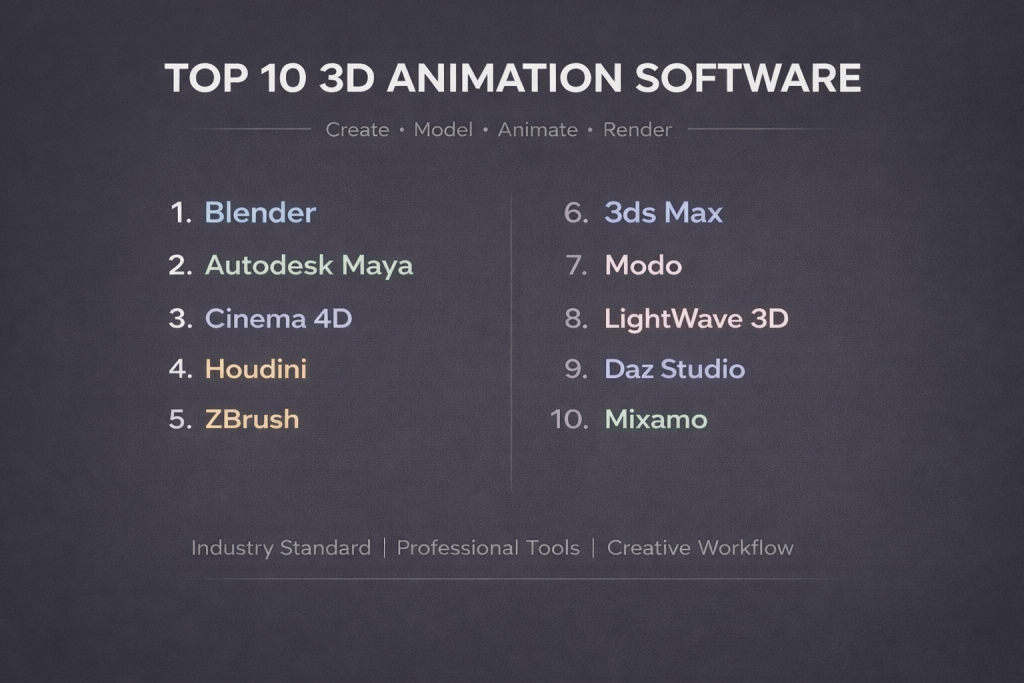
Top 10 3D Animation Software Tools
1 — Autodesk Maya
Description:
Maya is a professional‑grade 3D animation software widely used in film, TV, and game development. It provides powerful tools for modeling, animation, simulation, and rendering.
Key features:
- Advanced keyframe and procedural animation tools
- High‑end simulation (cloth, fluids, particles)
- Robust character rigging and skinning
- Integrated rendering options
- Python scripting and API extensibility
- Motion capture and animation layers
- Complex scene management and referencing
Pros:
- Industry standard for feature‑film and AAA games
- Extremely flexible and extensible
Cons:
- Steep learning curve for beginners
- Premium pricing
Security & compliance:
Varies / N/A
Support & community:
- Excellent documentation and tutorials
- Large user community with forums and user groups
- Professional support available via vendor
2 — Blender
Description:
Blender is a popular open‑source 3D creation suite supporting the entire pipeline — modeling, animation, simulation, rendering, and compositing.
Key features:
- Full‑featured modeling and sculpting tools
- Animation and rigging systems
- Real‑time viewport with powerful shading
- Physics and particle systems
- Built‑in video editor and compositor
- Python scripting for customization
- Frequent updates with community contributions
Pros:
- Free and open source
- Continuously evolving with community input
Cons:
- Workflow can feel unconventional to users from other tools
- Some advanced tools lag behind paid competitors
Security & compliance:
Varies / N/A
Support & community:
- Large global community
- Extensive free tutorials and forums
- Regular developer contributions
3 — Cinema 4D
Description:
Cinema 4D is known for its smooth, intuitive workflows and strong motion graphics capabilities. It is widely favored by broadcast and design studios.
Key features:
- Motion graphics with MoGraph toolset
- User‑friendly interface and timeline
- Procedural modeling
- Advanced rendering and shader library
- Integration with broadcast pipelines
- Node‑based materials
- Animation layering and graph editor
Pros:
- Great balance of ease of use and power
- Strong motion graphics tools
Cons:
- Not as deep in character animation as others
- License costs can be high for small studios
Security & compliance:
Varies / N/A
Support & community:
- Official support channels
- Vibrant third‑party ecosystem
- Large user community
4 — 3ds Max
Description:
3ds Max is a comprehensive 3D software application known for architectural visualization, game asset creation, and high‑end animation workflows.
Key features:
- Strong polygonal modeling tools
- Animation systems with keyframes and curves
- Rendering support
- Scripting and plugin support
- Scene management and layer systems
- Integration with architectural pipelines
Pros:
- Excellent modeling and visualization features
- Widely used in design and visualization
Cons:
- Windows‑only platform
- Less focus on character animation compared to Maya
Security & compliance:
Varies / N/A
Support & community:
- Vendor support and documentation
- Active user base
- Many third‑party tutorials
5 — Houdini
Description:
Houdini is a node‑based 3D software praised for its procedural workflows, powerful simulations, and flexibility for visual effects.
Key features:
- Procedural modeling and animation
- Advanced particle and fluid systems
- VFX‑grade simulation tools
- Python integration and scripting
- Node‑based workflows
- Rendering support with lighting tools
Pros:
- Unmatched procedural approach
- Ideal for complex simulations
Cons:
- Very steep learning curve
- Interface can be overwhelming
Security & compliance:
Varies / N/A
Support & community:
- Good documentation
- Community forums and shared assets
- Professional training available
6 — Modo
Description:
Modo is a 3D modeling, texturing, and animation suite with emphasis on creative workflows and artist‑friendly tools.
Key features:
- Flexible modeling and subdivision tools
- Sculpting and painting
- Animation systems
- Rendering and shading
- Procedural assemblies
- Collaboration tools
Pros:
- Intuitive for artists
- Strong modeling features
Cons:
- Animation tools not as extensive as some competitors
- Smaller ecosystem
Security & compliance:
Varies / N/A
Support & community:
- Solid documentation
- Moderate user community
- Dedicated customer support
7 — ZBrush
Description:
ZBrush is a digital sculpting tool focused on detailed, high‑resolution modeling used for characters and organic forms in animation pipelines.
Key features:
- High‑poly sculpting
- Dynamic topology
- Polypainting tools
- Custom brushes
- Integration with other DCC tools
- Subsurface detailing
Pros:
- Unmatched sculpting power
- Used in character creation workflows
Cons:
- Not a full animation suite
- Focused on modeling, not rigging or animation
Security & compliance:
Varies / N/A
Support & community:
- Strong community
- Many tutorials
- Official resources available
8 — LightWave 3D
Description:
LightWave 3D is a full 3D package with modeling, animation, and rendering, known for clean workflows and strong legacy use.
Key features:
- Modeling and surfacing tools
- Animation system
- Rendering engines
- Plugin support
- Scene organization tools
Pros:
- Easy to learn
- Solid rendering quality
Cons:
- Not as widely adopted
- Fewer updates compared to competitors
Security & compliance:
Varies / N/A
Support & community:
- Modest but dedicated community
- Documentation provided
9 — Daz Studio
Description:
Daz Studio focuses on character creation and ready‑to‑animate assets ideal for storytelling without deep modeling requirements.
Key features:
- Ready‑to‑use character assets
- Morphing and posing tools
- Basic animation timeline
- Rendering systems
- Asset marketplace
- Material editing
Pros:
- Quick character setup
- Great for beginners
Cons:
- Limited advanced animation features
- Less customizable than full DCC tools
Security & compliance:
Varies / N/A
Support & community:
- Active user forums
- Tutorials and guides
- Asset support community
10 — Mixamo
Description:
Mixamo provides an online platform for auto‑rigging and animation of 3D characters, designed for rapid character workflows.
Key features:
- Auto‑rigging and skinning
- Library of animation clips
- Easy export to other tools
- Simple web‑based interface
- Character customization
Pros:
- Saves time on rigging
- Easy for non‑experts
Cons:
- Animation styles limited to library
- Not a complete creation suite
Security & compliance:
Varies / N/A
Support & community:
- Web‑based help
- Community forums
Comparison Table
| Tool Name | Best For | Platform(s) | Standout Feature | Rating |
|---|---|---|---|---|
| Autodesk Maya | Film, Games, High‑end animation | Windows, Mac, Linux | Feature‑film animation | N/A |
| Blender | All‑around, free, open‑source | Windows, Mac, Linux | Full pipeline | N/A |
| Cinema 4D | Motion graphics & design | Windows, Mac | MoGraph tools | N/A |
| 3ds Max | Visualization & modeling | Windows | Modeling suite | N/A |
| Houdini | Simulations & procedural workflows | Windows, Mac, Linux | Procedural VFX | N/A |
| Modo | Modeling & creative design | Windows, Mac | Intuitive modeling | N/A |
| ZBrush | Sculpting & high‑detail models | Windows, Mac | Digital sculpting | N/A |
| LightWave 3D | Easy‑learn 3D workflows | Windows, Mac | Solid rendering | N/A |
| Daz Studio | Quick character animation | Windows, Mac | Ready‑to‑use assets | N/A |
| Mixamo | Quick rigging & animations | Web‑based | Auto‑rig and animation library | N/A |
Evaluation & Scoring of 3D Animation Software
| Tool Name | Core features (25%) | Ease of use (15%) | Integrations (15%) | Security (10%) | Performance (10%) | Support (10%) | Price/Value (15%) | Total (100%) |
|---|---|---|---|---|---|---|---|---|
| Autodesk Maya | 23 | 10 | 13 | 8 | 9 | 8 | 6 | 77 |
| Blender | 22 | 12 | 10 | 9 | 8 | 10 | 15 | 86 |
| Cinema 4D | 20 | 13 | 11 | 8 | 8 | 9 | 7 | 76 |
| 3ds Max | 21 | 11 | 10 | 8 | 8 | 8 | 6 | 72 |
| Houdini | 24 | 7 | 12 | 8 | 9 | 7 | 5 | 72 |
| Modo | 19 | 12 | 9 | 8 | 8 | 7 | 8 | 71 |
| ZBrush | 18 | 10 | 6 | 8 | 7 | 7 | 9 | 65 |
| LightWave 3D | 16 | 12 | 8 | 8 | 7 | 6 | 10 | 67 |
| Daz Studio | 14 | 13 | 8 | 9 | 6 | 8 | 12 | 70 |
| Mixamo | 12 | 14 | 7 | 9 | 7 | 7 | 13 | 69 |
Which 3D Animation Software Tool Is Right for You?
When choosing 3D animation software, consider your context and priorities:
Solo users:
- Blender if you want a free, full‑featured tool with wide community support.
- Daz Studio or Mixamo if your focus is quick character animation without deep modeling.
Small to Medium Businesses (SMBs):
- Cinema 4D for design‑centric teams.
- Modo for creative modeling workflows.
- Blender to keep costs low while accessing robust capabilities.
Mid‑market to Enterprise:
- Autodesk Maya for rigorous production pipelines.
- Houdini for procedural effects and simulations.
- 3ds Max for design and visualization teams.
Budget‑conscious vs Premium Solutions:
- Budget: Blender, Daz Studio, Mixamo offer strong value without high costs.
- Premium: Maya, Cinema 4D, Houdini provide advanced, professional‑grade tools but at higher license costs.
Feature Depth vs Ease of Use:
- Feature Depth: Maya and Houdini lead for high complexity and cinematic rigs.
- Ease of Use: Blender and Cinema 4D balance power with approachable workflows.
Integration and Scalability Needs:
- Consider Maya or Houdini for tight integration with studio pipelines and render farms.
- Blender fits well with indie workflows and cross‑platform toolchains.
Security and Compliance Requirements:
- Cloud‑linked services or studios with strict data needs should verify enterprise licensing, encryption standards, and access control.
- Many tools vary in enterprise‑grade security, so request vendor details when needed.
Frequently Asked Questions (FAQs)
1. What should I look for in 3D animation software?
Look for a tool that balances core features (modeling + animation), ease of use, ecosystem, rendering power, and support. Your specific project goals should guide which aspects matter most.
2. Is free software like Blender good enough for professional work?
Yes, Blender is used in professional environments and can support full production pipelines. Its open‑source nature and frequent updates make it a strong option.
3. Can beginners learn tools like Maya or Houdini?
Beginners can learn, but expect a steep learning curve. Starting with tutorials, basic projects, and possibly Blender first can help build foundational skills.
4. Do I need powerful hardware for 3D animation?
Yes, 3D animation benefits from strong CPUs, GPUs, ample RAM, and fast storage for rendering and real‑time previews.
5. What is rigging in 3D animation?
Rigging is creating a “skeleton” structure that allows characters or objects to move. It is essential for realistic animations.
6. Can I animate for games with these tools?
Absolutely. Most modern 3D animation software supports workflows that integrate with game engines and interactive pipelines.
7. How long does it take to become proficient?
Proficiency varies by tool and background, but developing solid skills often takes months of practice and project experience.
8. Are there industry standards for file formats?
Common formats like FBX, OBJ, Alembic, and USD help transfer assets between tools and engines.
9. Should I choose software based on industry?
Yes. Animation for feature films might prioritize Maya, while motion design might favor Cinema 4D. Blender suits generalists and adaptable studios.
10. Can 3D animation software be used for VR and AR?
Yes. Many tools support workflows exporting to real‑time engines used for VR and AR experiences.
Conclusion
Choosing the right 3D animation software depends on your goals, skill level, budget, and production needs. From industry standards like Autodesk Maya to versatile, free tools like Blender, each option offers its own strengths and trade‑offs. Evaluate your priorities — whether core feature breadth, ease of use, community support, or value — and align them with the software that best supports your creative vision and technical requirements.
Remember, there’s no one “best” tool for everyone: the perfect choice is the one that fits your unique workflow and helps you bring your ideas to life.