Introduction
Wind farm monitoring software is a digital platform that helps owners and operators keep a close eye on their wind turbines. These tools connect directly to the hardware on a wind farm to collect data about how much electricity is being made, the health of the mechanical parts, and the local weather conditions. By turning complex sensor data into easy-to-read charts and alerts, this software allows teams to manage dozens or even thousands of turbines from a single computer or mobile device.
Wind farm monitoring software serves as the “central nervous system” for renewable energy projects. It is important because wind turbines are massive, expensive machines located in remote areas or even out at sea. Without specialized software, it would be almost impossible to know if a turbine has stopped spinning or if a part is about to break until someone physically visits the site. This software helps prevent long periods of downtime, ensuring that the farm produces as much clean energy as possible.
Key real-world use cases include identifying a failing gearbox before it breaks, optimizing the angle of turbine blades to catch more wind, and creating financial reports for investors. When choosing a tool, users should look for its ability to work with different turbine brands, the speed of its real-time data updates, and how well it protects sensitive energy data. Evaluation criteria often focus on how easily the software integrates with existing power grids and the depth of its predictive maintenance features.
Best for:
This software is most beneficial for Asset Managers, Operations and Maintenance (O&M) teams, and utility companies that manage large portfolios of renewable energy sites. It is also a key tool for independent power producers who need to prove their energy output to the government or grid operators.
Not ideal for:
Small, private landowners with only one or two small turbines may find these platforms too expensive and complex. In those cases, the basic monitoring tools provided by the turbine manufacturer are usually enough. It is also not a substitute for physical inspections; it is a tool to make those inspections more efficient.
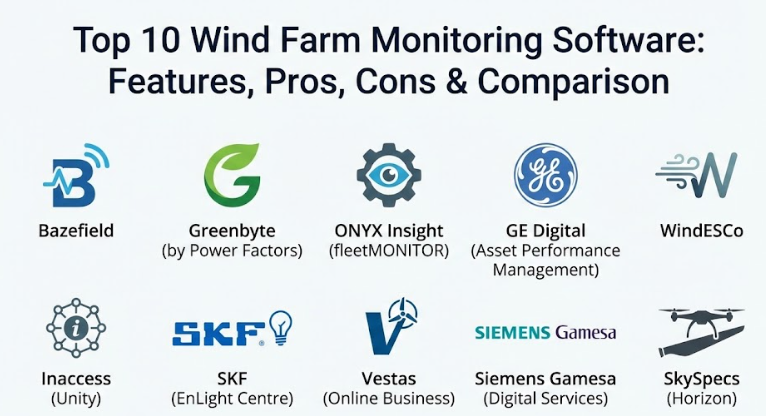
Top 10 Wind Farm Monitoring Software Tools
1 — Bazefield
Bazefield is a comprehensive operations management system designed to work with many different types of renewable energy sources. It is famous for being “vendor-independent,” meaning it can monitor turbines from many different manufacturers in one single dashboard.
- Multi-brand integration: Connects to turbines from any manufacturer without needing multiple logins.
- Real-time power curve analysis: Compares actual electricity production against what the turbine should be making.
- Automated task management: Creates work orders automatically when a fault is detected.
- Loss accounting: Tracks exactly why a turbine stopped, such as for maintenance or low wind.
- Customizable dashboards: Allows different users to see only the data that matters to their specific job.
- Mobile accessibility: Provides a secure app for technicians working in the field.
Pros:
- Excellent for companies that own a mix of different turbine brands.
- Very strong reporting features that make it easy to share data with stakeholders.
Cons:
- The setup process can be long because it requires connecting to many different data sources.
- Because it does so much, the interface can feel crowded for new users.
Security & compliance: Supports SSO (Single Sign-On), data encryption at rest and in transit, and is designed to meet strict power industry standards.
Support & community: Offers professional onboarding, a dedicated support portal, and regular training webinars for enterprise clients.
2 — Greenbyte (by Power Factors)
Greenbyte is a user-friendly cloud platform that focuses on making data easy to understand for everyone, from engineers to accountants. It is widely used for portfolio management, helping users see the big picture of their energy investments.
- Clean data visualization: Uses simple charts and maps to show how the whole fleet is performing.
- Predictive health alerts: Uses smart algorithms to warn teams about potential mechanical issues.
- Budget tracking: Allows managers to input financial goals and track them against real energy sales.
- Data cleaning services: Automatically removes “noise” from the data to ensure reports are accurate.
- API connectivity: Shares data easily with other business software like ERP or accounting systems.
- Automated reporting: Sends weekly or monthly performance summaries to your inbox.
Pros:
- One of the most modern and “human” interfaces in the industry.
- Very fast to get up and running compared to older, more technical systems.
Cons:
- Some advanced users might find the simplified views lacking in deep technical detail.
- Pricing can be high for very small portfolios.
Security & compliance: SOC 2 Type II compliant; uses high-level encryption and secure cloud hosting.
Support & community: Known for excellent customer success managers and a very active user community.
3 — ONYX Insight (fleetMONITOR)
ONYX Insight specializes in the “health” of the turbine. Their fleetMONITOR software is built by engineers who understand the deep mechanics of gearboxes and bearings, making it a leader in condition monitoring.
- Vibration analysis: Listens to the internal sounds of the turbine to find tiny cracks or wear.
- Remaining life prediction: Estimates how much longer a part will last before it needs to be replaced.
- Drivetrain focus: Provides the most detailed look at the most expensive parts of the turbine.
- Global fleet benchmarking: Compares your turbines against anonymized data from similar models worldwide.
- Independent hardware support: Can work with ONYX sensors or sensors already installed by the manufacturer.
Pros:
- Unmatched depth in predicting mechanical failures, which saves millions in repair costs.
- The software is backed by a team of engineering experts who can help analyze the data.
Cons:
- It is a specialized tool, so it may need to be used alongside a more general “output” monitoring tool.
- Requires a certain level of technical knowledge to get the most out of the vibration data.
Security & compliance: ISO 27001 certified; secure data silos for different clients.
Support & community: High-touch technical support and specialized training in turbine mechanics.
4 — GE Digital (Asset Performance Management)
GE Digital offers a powerful industrial platform that is built for reliability. It is designed for massive utility companies that need to manage wind farms alongside traditional power plants and other infrastructure.
- Digital Twin technology: Creates a virtual “twin” of your turbine to simulate how it will act in different weather.
- Advanced risk management: Helps teams prioritize which repairs are most urgent.
- Health scores: Gives every turbine a simple score from 1 to 100 so you know where to look first.
- Regulatory compliance tools: Built-in templates for reporting to energy regulators.
- Scalability: Can handle tens of thousands of data points every second without slowing down.
Pros:
- Extremely stable and powerful, capable of handling the largest energy projects on earth.
- Deep integration with GE hardware, though it does support other brands.
Cons:
- The software is very “heavy” and usually requires a dedicated IT team to manage.
- Can be significantly more expensive than smaller, cloud-native alternatives.
Security & compliance: Meets global industrial security standards including NERC CIP; features robust audit logs.
Support & community: Global enterprise support with 24/7 availability and onsite training options.
5 — WindESCo
WindESCo focuses on “optimization.” While other tools tell you what is happening, WindESCo tells you how to make it better. It is designed to find “hidden” energy losses that other software might miss.
- Yaw alignment tracking: Ensures the turbine is always facing the wind perfectly.
- Wake steering: Adjusts front turbines so they don’t block the wind for the turbines behind them.
- AEP (Annual Energy Production) boost: Specifically designed to increase the total energy made by 3% to 5%.
- Machine learning models: Learns from the specific wind patterns of your site over time.
- Component stress reduction: Balances power production with the need to keep the machine from wearing out.
Pros:
- It often pays for itself by finding extra electricity that was being “wasted” by poor settings.
- Provides very clear “action items” for site technicians.
Cons:
- The focus is more on optimization than on day-to-day administrative reporting.
- Requires very high-quality data input to provide accurate optimization tips.
Security & compliance: Varies; typically uses secure cloud protocols and encrypted data transfers.
Support & community: Specialized consulting services are usually included to help implement the software’s findings.
6 — Inaccess (Unity)
Inaccess provides a platform called Unity that acts as a bridge between the wind farm and the energy market. It is highly focused on control and communication, making it a favorite for “Smart Grid” applications.
- Real-time SCADA integration: Directly controls the turbine settings from a remote location.
- Grid set-point management: Ensures the wind farm provides exactly how much power the grid is asking for.
- Power quality monitoring: Tracks the “cleanliness” of the electricity being sent to the grid.
- Event logging: Keeps a perfect record of every command sent to the turbines for legal reasons.
- Cybersecurity focus: Built from the ground up to protect the power grid from hackers.
Pros:
- Excellent for operators who need to actively control their turbines, not just watch them.
- Very reliable in locations with poor internet connectivity.
Cons:
- The interface looks more like a traditional industrial control panel than a modern app.
- Less focus on “financial” reporting compared to tools like Greenbyte.
Security & compliance: High-level cybersecurity features; designed for critical infrastructure protection.
Support & community: Strong engineering support and long-term maintenance contracts.
7 — SKF (EnLight Centre)
SKF is a world leader in bearings, and their software reflects that expertise. The EnLight Centre is a cloud-based tool that simplifies condition monitoring so that even non-experts can understand turbine health.
- Easy-to-read “Traffic Light” system: Shows green for healthy, yellow for warning, and red for danger.
- Direct link to SKF experts: You can push a button to have an SKF engineer look at your data remotely.
- Automated diagnosis: The software automatically identifies common bearing and gear issues.
- Asset hierarchy views: Organizes data by site, then by turbine, then by specific part.
- Maintenance scheduling: Helps you plan repairs during times when the wind is not blowing.
Pros:
- Makes complex vibration data very simple for the average manager to understand.
- The “Remote Diagnostic Service” acts like an extra employee for your team.
Cons:
- Naturally biased toward SKF hardware and parts.
- Not a full “operations” suite; you will still need a tool for financial and energy reporting.
Security & compliance: ISO 27001; uses secure data centers with modern encryption.
Support & community: Access to SKF’s global network of mechanical engineers and training centers.
8 — Vestas (Online Business)
As one of the world’s largest turbine manufacturers, Vestas offers its own monitoring software. While it is built for Vestas turbines, it has been expanded to help customers manage their entire portfolio.
- Deep OEM integration: Accesses data points that third-party software sometimes cannot see.
- Active power management: Allows for precise control of energy output to meet grid requirements.
- Service history tracking: Keeps all maintenance records in the same place as the performance data.
- Spare parts integration: Allows you to order parts directly through the software when a fault is found.
- High-resolution data: Captures information at very fast intervals for detailed troubleshooting.
Pros:
- If you own Vestas turbines, this is the most powerful tool for seeing exactly what is happening inside them.
- Very reliable and supported by the manufacturer’s massive global network.
Cons:
- Can be more restrictive when trying to monitor turbines from other manufacturers (like GE or Siemens).
- Users may feel “locked in” to the Vestas ecosystem.
Security & compliance: Meets all international energy sector security standards; GDPR compliant.
Support & community: Professional support included with turbine service contracts.
9 — Siemens Gamesa (Digital Services)
Similar to Vestas, Siemens Gamesa provides a suite of digital tools designed to maximize the performance of their machines. They focus heavily on “Big Data” and using information from their thousands of installed turbines to help yours.
- Diagnostic center access: Connects your farm to a global center that watches turbines 24/7.
- Performance boosters: Software updates that can be “pushed” to the turbine to improve efficiency.
- Blade integrity monitoring: Uses sensors and software to detect cracks or lightning strikes on blades.
- Weather-based optimization: Automatically adjusts settings based on incoming storms or ice.
- Customer portal: A simple way to see all your documents, reports, and data in one place.
Pros:
- The data models are based on millions of hours of turbine operation.
- Excellent at handling the unique challenges of offshore wind farms.
Cons:
- Best features are often reserved for customers with Siemens Gamesa service agreements.
- Can be complex to navigate due to the huge amount of data available.
Security & compliance: SOC 1 and 2 compliant; uses advanced firewalls and encryption.
Support & community: 24/7 monitoring centers and dedicated account managers.
10 — SkySpecs (Horizon)
SkySpecs is a bit different because it started with drone inspections. Their Horizon software is the best in the world for managing the “outside” of the turbine—specifically the blades.
- Blade health tracking: Keeps a visual record of every scratch, crack, or dent on every blade.
- Repair prioritization: Uses AI to tell you which blade cracks need fixing now and which can wait.
- Drone data integration: Automatically uploads and analyzes photos taken by inspection drones.
- Fleet-wide blade stats: Shows you if a specific type of blade is failing more often across your sites.
- O&M planning: Helps you group repairs together to save on crane and labor costs.
Pros:
- The absolute best tool for managing blade lifetime and preventing catastrophic blade failure.
- Very easy to use and provides “at-a-glance” health maps.
Cons:
- It does not monitor the “inside” (gearbox/electricity) as well as the other tools on this list.
- You will likely need another platform to track your actual energy production.
Security & compliance: Varies; focus is on secure image and data storage for enterprise clients.
Support & community: Strong onboarding and a specialized team for blade engineering.
Comparison Table
| Tool Name | Best For | Platform(s) Supported | Standout Feature | Rating |
| Bazefield | Mixed-Brand Portfolios | Web, Mobile | Vendor-Independent SCADA | N/A |
| Greenbyte | Financial & Asset Mgmt | Web, Cloud | User-Friendly Visuals | N/A |
| ONYX Insight | Mechanical Health | Web, Desktop | Vibration Analysis | N/A |
| GE Digital | Large Utilities | Web, Enterprise | Digital Twin Modeling | N/A |
| WindESCo | Boosting Revenue | Web, Cloud | Wake Steering Optimization | N/A |
| Inaccess | Grid Control | Web, Hardware | Real-Time Grid Management | N/A |
| SKF EnLight | Bearing & Gear Health | Web, Mobile | Expert Diagnostic Link | N/A |
| Vestas Online | Vestas Owners | Web, Enterprise | Deep Manufacturer Data | N/A |
| Siemens Gamesa | Offshore & Big Data | Web, Cloud | 24/7 Diagnostic Center | N/A |
| SkySpecs | Blade Management | Web, Mobile | AI-Driven Blade Analysis | N/A |
Evaluation & Scoring of Wind Farm Monitoring Software
When we look at these tools, we weigh them based on how well they serve a professional energy team. Here is how the scoring is typically broken down.
| Criteria | Weight | Evaluation Focus |
| Core Features | 25% | Real-time tracking, alerts, and historical data depth. |
| Ease of Use | 15% | How quickly a new team member can learn to use the dashboard. |
| Integrations | 15% | How well it talks to different turbine brands and the power grid. |
| Security | 10% | Protecting the site from cyber threats and data leaks. |
| Reliability | 10% | Software uptime and the accuracy of the sensor data. |
| Support | 10% | The quality of technical help and training available. |
| Price / Value | 15% | Does the increase in energy production cover the cost of the tool? |
Which Wind Farm Monitoring Software Tool Is Right for You?
Choosing the right tool is a big decision that will affect your work for years. Here is a simple guide to help you decide.
Solo Users vs. Mid-Market vs. Enterprise
If you are a smaller company with one or two wind farms, Greenbyte or Bazefield are great because they are easy to set up and don’t require you to have your own servers. Large utility companies that own gas, coal, and wind plants should look at GE Digital or Inaccess, as these are built to handle massive, complex systems.
Budget-Conscious vs. Premium Solutions
If you want the most value for your money, Bazefield is often praised for how much it includes in the base package. If you have a larger budget and want to squeeze every last cent of profit out of your wind, a “premium” optimization tool like WindESCo can pay for itself by increasing your energy output.
Feature Depth vs. Ease of Use
If you have a team of highly technical engineers, they will love the deep data in ONYX Insight or Siemens Gamesa. However, if your team is smaller and needs to move fast, the simple, color-coded dashboards of SKF EnLight or SkySpecs will keep them from getting overwhelmed.
Integration and Scalability Needs
If you plan to buy many different types of turbines in the future, you must choose a vendor-independent tool like Bazefield. If you are sticking with one brand (like all Vestas), using the manufacturer’s own software will give you the deepest possible data.
Security and Compliance
For sites that are considered “critical infrastructure,” security is the most important thing. Make sure the software you choose has SSO, SOC 2 compliance, and a clear track record of protecting power plants from hackers.
Frequently Asked Questions (FAQs)
1. Can I monitor turbines from different companies in one app?
Yes, tools like Bazefield and Greenbyte are specifically designed to “talk” to many different brands at once, putting all the data in one place.
2. Does the software require a special internet connection?
Most use standard industrial internet connections, but some high-security sites use private satellite or fiber-optic links to ensure the software never goes offline.
3. How much can these tools increase my electricity production?
While it varies, optimization-focused tools can often increase production by 3% to 5% just by fixing small errors in how the turbines face the wind.
4. Can this software help me predict when a part will break?
Yes, this is called “Predictive Maintenance.” By looking at heat and vibration data, the software can warn you weeks or months before a part actually fails.
5. Is my data safe from hackers?
Professional tools use the same level of security as banks, including encryption and strict “Single Sign-On” rules to make sure only the right people have access.
6. Do I need to install software on my own computer?
Most modern tools are “Cloud-based,” meaning you just log in through a web browser like Chrome or Safari. You don’t need to install anything.
7. Can I see the data on my phone?
Almost all the top tools now offer mobile apps or mobile-friendly websites so technicians can check the turbines while they are standing right next to them.
8. What happens if the internet goes down at the wind farm?
The software is usually designed to “buffer” the data. It saves the information at the site and then uploads it all at once as soon as the internet comes back.
9. How long does it take to set up?
A simple setup for a small farm can take a few weeks, while a massive project with many different types of turbines can take several months to get perfectly calibrated.
10. Do these tools work for offshore wind farms?
Yes, but you should look for tools with extra features for offshore needs, like tracking boat movements and specialized weather forecasting for sea states.
Conclusion
In the world of renewable energy, information is just as valuable as the wind itself. Monitoring software turns the raw, messy data from your turbines into a clear plan for making more money and keeping your equipment safe. Whether you choose a tool that focuses on mechanical health, like ONYX Insight, or one that focuses on ease of use, like Greenbyte, the most important step is moving away from manual spreadsheets and toward real-time digital tracking.
Remember that there is no single “best” tool for everyone. The right choice depends on the size of your fleet, the brands of turbines you own, and whether you care more about mechanical depth or financial reporting. By focusing on your specific needs, you can choose a partner that will help your wind farm thrive for decades to come.