Introduction
Wayfinding software is a digital solution designed to help people navigate through large and complex indoor or outdoor spaces. Imagine walking into a massive hospital, a sprawling university campus, or a giant international airport and not knowing where to go. Wayfinding software acts like a personal digital guide, often living on a touch-screen kiosk or a mobile phone app, providing turn-by-turn directions to get you to your specific destination. It goes beyond simple static maps by offering interactive features, real-time updates, and even accessibility routes for those who might need elevators instead of stairs. These tools are built to make sure that visitors, students, or patients feel comfortable and confident from the moment they step onto a property until they reach the exact room they are looking for.
The importance of having a reliable wayfinding system cannot be overstated in our modern, fast-paced world. For businesses, it reduces the frustration that visitors feel when they are lost, which can improve overall customer satisfaction and even increase sales in retail environments. In high-stress settings like hospitals, it can literally save time during emergencies and help patients reach their appointments without added anxiety. Real-world use cases include guiding travelers to their specific gate in an airport, helping students find a new classroom in a university, or showing shoppers the quickest path to a specific store in a multi-level mall. When choosing a tool in this category, users should look for high map accuracy, ease of integration with existing mobile apps, the ability to update maps quickly when physical layouts change, and a user-friendly interface that does not require a manual to understand.
Best for: Wayfinding software is a perfect fit for facility managers, hospital administrators, and operations directors at large-scale venues. It is most beneficial for organizations with buildings over 50,000 square feet, multi-building campuses, or transit hubs like airports and train stations. Large corporate offices and shopping malls also see a huge boost in efficiency and visitor happiness by using these tools to manage their physical space.
Not ideal for: This software is likely unnecessary for small businesses, single-floor offices, or shops where a visitor can see the entire layout from the front door. If your space is easy to navigate with a simple printed sign or if the layout never changes, the cost and technical setup of wayfinding software might not be a wise investment. Organizations with very limited budgets or no IT support may also find simpler alternatives more practical.
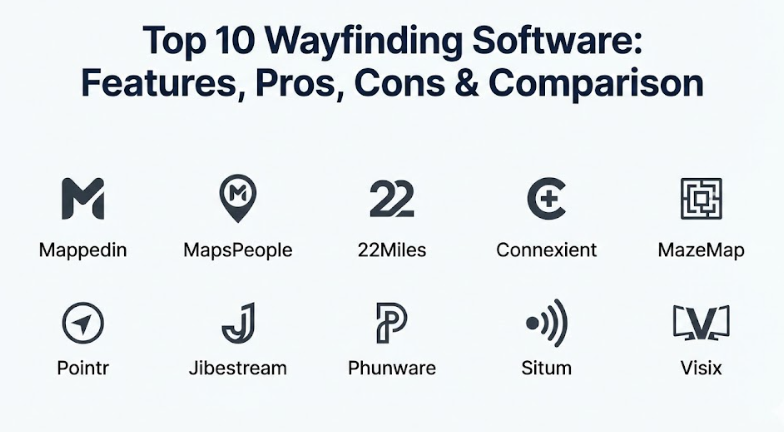
Top 10 Wayfinding Software Tools
1 — Mappedin
Mappedin is a leading digital mapping and wayfinding platform known for its focus on providing a seamless experience across web, mobile, and kiosks. It is designed for venue owners who want to create, manage, and share interactive maps that look professional and are easy to maintain. Mappedin provides a robust set of tools that allow users to manage their spatial data in one place and push updates to all their digital platforms at once.
- Key features:
- A powerful map editor that allows for quick changes to floor plans.
- Responsive web maps that work perfectly on any mobile browser.
- Multi-platform support for kiosks, mobile apps, and websites.
- Blue-dot navigation that shows the user’s live position on the map.
- Deep search functionality to find specific rooms, stores, or amenities.
- Detailed analytics to show which areas of a venue are most searched.
- Integration tools to connect the maps with third-party mobile applications.
- Pros:
- The maps are visually stunning and feel very high-quality to the end-user.
- It is incredibly easy for staff to update a map when a store moves or a room is renamed.
- The platform is highly scalable, making it great for companies with hundreds of locations.
- Cons:
- The initial setup and map digitizing process can take several weeks for large sites.
- Pricing is generally geared toward larger enterprises, which may be a barrier for smaller venues.
- Security & compliance: Mappedin provides Single Sign-On (SSO) for admin users and uses industry-standard encryption for data storage. They are compliant with GDPR and focus heavily on user privacy.
- Support & community: They offer a high-quality knowledge base with step-by-step guides for map managers. Enterprise customers receive a dedicated account manager and access to 24/7 technical support.
2 — MapsPeople (MapsIndoors)
MapsPeople offers a platform called MapsIndoors, which is built on the familiar Google Maps interface. This makes it very intuitive for users because they already know how to zoom, pan, and search just like they do on their phones every day. It is designed for businesses that want to bridge the gap between outdoor GPS navigation and indoor wayfinding, providing a smooth “door-to-door” experience.
- Key features:
- Native integration with Google Maps for a familiar user experience.
- Seamless transitions from outdoor street views to indoor floor plans.
- Support for real-time data, such as showing if a meeting room is currently busy.
- Multi-modal routing that includes options for stairs, elevators, or ramps.
- Cloud-based map management that allows for updates from any computer.
- Extensive Software Development Kits (SDKs) for building custom mobile apps.
- Support for multiple languages to help international visitors.
- Pros:
- Users love the familiar Google Maps feel, which reduces the learning curve.
- It handles complex, multi-building campus layouts better than almost any other tool.
- The ability to integrate live data (like transit times or room availability) is a major plus.
- Cons:
- Because it relies on Google Maps, some features are limited by Google’s own platform rules.
- The cost can increase significantly if you need to map a very high number of floors.
- Security & compliance: MapsPeople is ISO 27001 certified and follows strict GDPR guidelines. They offer secure API access and encryption to protect company floor plans.
- Support & community: They provide a developer portal with extensive documentation for custom builds. Their support team is global, offering help across different time zones for large clients.
3 — 22Miles
22Miles is a highly customizable wayfinding and digital signage platform that focuses on “visual communication.” It is designed for organizations that want more than just a map; they want a full-featured kiosk experience that can show news, weather, and emergency alerts alongside directions. Their 3D wayfinding technology is particularly impressive, giving users a clear view of their path across different floors.
- Key features:
- High-definition 3D wayfinding maps that show clear elevation and depth.
- A “drag-and-drop” editor for creating unique kiosk interfaces without coding.
- Smart pathfinding that automatically finds the shortest or most accessible route.
- Integration with meeting room booking systems and office calendars.
- Mobile hand-off features that let users scan a QR code to take the map with them.
- Support for voice-activated commands for a touchless experience.
- Emergency notification overrides that turn every screen into a safety sign.
- Pros:
- The visual design options are nearly limitless, allowing for perfect branding.
- The 3D maps make it much easier to understand which floor you are on.
- It is a true all-in-one tool for those who also need general digital signage.
- Cons:
- The software is very powerful, which means it can be complex to set up initially.
- Hardware requirements for 3D rendering are higher than for simple 2D maps.
- Security & compliance: 22Miles supports SSO and provides detailed audit logs for admin changes. They follow SOC 2 standards and provide secure, encrypted data transfers.
- Support & community: They offer extensive onboarding training and an online university for users. Their customer support team is available via phone, chat, and email for all enterprise users.
4 — Connexient (by CenTrak)
Connexient is a specialized wayfinding solution that is built primarily for the healthcare industry. Their “MediNav” platform is designed to handle the specific challenges of large hospital systems, such as helping patients find parking, guiding them to specific clinics, and even reminding them of where they parked their car. It focuses on the patient experience and reducing the stress of hospital visits.
- Key features:
- Blue-dot navigation with sub-meter accuracy inside complex hospitals.
- “Park-my-car” feature that saves the user’s parking spot automatically.
- Integration with hospital appointment systems to provide personalized directions.
- Accessibility routing that strictly follows ADA guidelines for wheelchairs.
- Indoor-outdoor navigation that guides patients from their home to the clinic.
- Location-based alerts that can send a welcome message when a patient arrives.
- Detailed reporting on visitor flow to help hospital admins manage staff.
- Pros:
- It is the best tool for healthcare because it understands the patient journey.
- The indoor positioning accuracy is incredibly high, even in areas with poor GPS.
- It helps reduce “late-to-appointment” issues that cost hospitals money.
- Cons:
- It is very specialized, so it might not be the best fit for a mall or airport.
- The setup requires installing physical hardware (beacons) in many cases.
- Security & compliance: Being healthcare-focused, it is fully HIPAA compliant. It also follows GDPR and uses high-level encryption to protect sensitive patient location data.
- Support & community: They provide on-site implementation support and deep training for hospital staff. Their support team is expert in the unique needs of healthcare environments.
5 — MazeMap
MazeMap is a wayfinding platform that is particularly popular in the education and research sectors. It is designed to help students and faculty navigate large university campuses with many different buildings. MazeMap focuses on being easy to use on mobile devices and provides a simple way for staff to share links to specific rooms or locations via email or calendar invites.
- Key features:
- Automatic map generation from existing CAD or BIM files.
- Simple link-sharing that lets you send a “get directions” link to anyone.
- Real-time visualization of room occupancy and study space availability.
- Support for large, multi-site campuses with thousands of rooms.
- Searchable directories for staff, faculty, and departments.
- Integration with university timetabling systems for student schedules.
- Low-maintenance maps that update automatically when source files change.
- Pros:
- It is very fast to implement because it uses existing floor plans to build the maps.
- The “shareable link” feature is a favorite for office staff and event planners.
- It works great on older mobile devices because it is very lightweight.
- Cons:
- The visual style of the maps is more functional than high-end or artistic.
- It lacks some of the advanced digital signage features found in other tools.
- Security & compliance: MazeMap follows GDPR regulations and provides secure authentication for administrators. They use standard encryption for all map data and user interactions.
- Support & community: They have a strong community within the higher education sector. Their support includes a help center and direct technical assistance for university IT teams.
6 — Pointr
Pointr is often called the “Deep Tech” company of the wayfinding world. Their platform is built on advanced computer vision and machine learning to provide high-precision indoor positioning without needing as much hardware as traditional systems. They serve giant retailers, airports, and corporate offices that need a highly technical and scalable solution for millions of users.
- Key features:
- Hardware-light indoor positioning that uses existing Wi-Fi and sensors.
- “Workplace” module for finding colleagues and booking desks in offices.
- High-scale map engine that can handle hundreds of buildings in one app.
- Detailed footfall analytics that show how people move through a store.
- Augmented Reality (AR) wayfinding that shows directions through the phone’s camera.
- Automated map creation that can digitize thousands of floors quickly.
- Support for complex routing, such as multi-stop shopping trips.
- Pros:
- It is one of the most technically advanced platforms on the market today.
- The AR wayfinding feature is a “wow” factor that users really enjoy.
- It is built to scale for the world’s largest companies with very little effort.
- Cons:
- The advanced features come with a premium price point.
- It might be more technology than a medium-sized venue actually needs.
- Security & compliance: Pointr is SOC 2 compliant and follows strict international data privacy laws. They provide enterprise-grade SSO and encrypted cloud storage.
- Support & community: They offer world-class technical support and professional services for custom integrations. Their documentation is highly detailed and geared toward developers.
7 — Jibestream (by Inpixon)
Jibestream is an enterprise-grade indoor mapping and wayfinding platform that focuses on giving developers the tools they need to build their own experiences. It is a “developer-first” platform, meaning it provides a very flexible set of APIs and SDKs. This is the choice for companies that have their own software teams and want to build a completely custom navigation experience.
- Key features:
- An extremely flexible SDK that allows for full control over the map’s look.
- Data-driven maps that can show real-time information from any source.
- Support for “Geofencing” to trigger messages based on a user’s location.
- Multi-layer routing that handles bridges, tunnels, and complex stairs.
- A central hub for managing spatial data across a global organization.
- Integration with security systems to show the location of assets or staff.
- High-performance map rendering that stays smooth on all devices.
- Pros:
- It gives a company total control over how their maps look and behave.
- The ability to integrate with industrial and security data is very powerful.
- It handles very high volumes of users without slowing down or crashing.
- Cons:
- It requires a dedicated developer or IT team to get the most out of it.
- It is not a “plug-and-play” solution like some of the other kiosk-based tools.
- Security & compliance: Jibestream offers top-tier security including ISO 27001 and SOC 2. They are compliant with GDPR and provide advanced audit logs for all data changes.
- Support & community: They offer a comprehensive developer portal and a technical support desk. Professional consulting is available for companies building complex custom apps.
8 — Phunware
Phunware provides a mobile-first wayfinding solution that is part of a much larger “Multiscreen-as-a-Service” platform. They focus heavily on the mobile app experience, providing “blue-dot” navigation that feels exactly like using a GPS in your car. Phunware is often used by high-end resorts, large hospitals, and luxury retail destinations that want to engage with their visitors via their smartphones.
- Key features:
- High-accuracy blue-dot navigation with very smooth movement.
- Location-based marketing that can send coupons when a user walks past a store.
- Integration with “Smart Building” features like lighting and temperature.
- Support for beacon-based indoor positioning for high precision.
- A mobile-first design that prioritizes the smartphone user experience.
- Advanced user analytics to track how long people stay in specific areas.
- Asset tracking to help staff find mobile equipment like wheelchairs or carts.
- Pros:
- The mobile navigation experience is incredibly polished and professional.
- It is a great tool for marketing teams who want to send targeted messages.
- The ability to track assets alongside people is a big win for operations.
- Cons:
- It relies heavily on mobile app downloads, which some visitors might avoid.
- The platform can be expensive because it includes many non-wayfinding features.
- Security & compliance: Phunware follows GDPR and CCPA privacy standards. They provide secure, encrypted data handling and offer SSO for enterprise administrators.
- Support & community: They provide full-service implementation and a dedicated support team. Their training materials are excellent for both technical and marketing staff.
9 — Situm
Situm is a wayfinding company that prides itself on high-precision indoor positioning that works with a very “light” hardware footprint. They use a clever mix of Wi-Fi, Bluetooth, and the magnetic sensors already inside every smartphone to figure out where a person is. This makes it a very cost-effective choice for venues that want high accuracy without spending a fortune on physical beacons.
- Key features:
- Multi-sensor positioning technology for high accuracy with low hardware costs.
- Real-time monitoring of staff and security teams on a central map.
- A web-based map editor that is simple enough for anyone to use.
- Support for both indoor and outdoor navigation in one single view.
- Analytics that show “heatmaps” of where most people spend their time.
- APIs that make it easy to add a map to an existing company app.
- Low battery consumption for users’ mobile phones.
- Pros:
- The low hardware requirement makes it one of the most affordable high-accuracy tools.
- It is a fantastic tool for managing a workforce (like security or janitors).
- The maps are very fast to load and respond quickly to user movements.
- Cons:
- It focuses more on the technology of positioning than on fancy kiosk designs.
- The visual design of the maps is a bit more industrial than consumer-focused.
- Security & compliance: Situm follows GDPR rules and uses secure encryption for all location data. They offer controlled access and audit logs for their management platform.
- Support & community: They provide a clear set of online documents and a responsive technical support desk. They are very active in the industrial and logistics sectors.
10 — Visix
Visix is a digital signage company that offers a dedicated wayfinding module as part of their larger software suite. They are the experts in touch-screen kiosks and large visual displays. Visix is designed for organizations that want a very impressive “reception area” experience, where visitors can walk up to a large screen and get high-quality 2D or 3D directions.
- Key features:
- Beautifully designed 2D and 3D maps that are built for large screens.
- Interactive directories for finding people, departments, or events.
- QR code “hand-off” so users can take the directions on their phones.
- Integration with event management software to show “What’s happening now.”
- Support for multi-touch gestures like pinching and zooming on kiosks.
- ADA-compliant interfaces that can lower the menu for wheelchair users.
- A powerful design engine for creating custom branded themes.
- Pros:
- The kiosk experience is top-tier and looks very impressive in a lobby.
- It is very easy to combine wayfinding with other company news and media.
- They are experts in meeting the accessibility needs of all visitors.
- Cons:
- It is less focused on “live” mobile navigation than some other tools.
- It works best as part of a larger digital signage system rather than a standalone app.
- Security & compliance: Visix offers SSO and secure data management for their cloud and on-premise servers. They follow standard industry compliance for data protection.
- Support & community: They are known for having excellent customer service and a dedicated design team to help build your maps. They offer a wealth of training webinars and guides.
Comparison Table
| Tool Name | Best For | Platform(s) Supported | Standout Feature | Rating |
| Mappedin | General Venues & Malls | Web, Kiosk, iOS, Android | Easiest map editor | 4.8 / 5 |
| MapsPeople | Large Multi-Building Sites | Web, iOS, Android | Google Maps familiarity | 4.7 / 5 |
| 22Miles | Custom Kiosk Experiences | Kiosk, Web, Mobile | 3D Visual Communication | 4.6 / 5 |
| Connexient | Healthcare & Hospitals | iOS, Android, Web | Patient journey focus | 4.8 / 5 |
| MazeMap | Universities & Research | Web, iOS, Android | Shareable map links | 4.5 / 5 |
| Pointr | High-Tech Retail & Offices | iOS, Android, Web | AR Navigation & Scaling | 4.7 / 5 |
| Jibestream | Custom Developer Builds | SDK, API, Mobile | Total developer control | 4.4 / 5 |
| Phunware | Luxury Resorts & Marketing | iOS, Android | Mobile-first Engagement | 4.6 / 5 |
| Situm | Workforce & Budget Sites | Web, iOS, Android | Low hardware requirement | 4.5 / 5 |
| Visix | Lobby Kiosks & Signage | Kiosk, Web | ADA-compliant design | 4.4 / 5 |
Evaluation & Scoring of Wayfinding Software
This evaluation is based on the most important factors that facility managers and IT leaders consider when choosing a wayfinding solution.
| Evaluation Category | Weight | What is Measured |
| Core Features | 25% | Map accuracy, routing quality, and mobile/kiosk support. |
| Ease of Use | 15% | How simple it is for visitors to use and staff to manage. |
| Integrations | 15% | Connections to calendars, booking apps, and signage. |
| Security & Compliance | 10% | Encryption, GDPR, HIPAA (for health), and SSO. |
| Performance | 10% | Load times, positioning speed, and system reliability. |
| Support & Community | 10% | Quality of help docs, training, and customer service. |
| Price / Value | 15% | Does the benefit justify the setup and subscription cost? |
Which Wayfinding Software Tool Is Right for You?
Choosing the right wayfinding software depends entirely on your specific environment and who you are trying to help. If you are a small to medium-sized venue like a library or a local museum, you should look for simplicity and low cost. Situm or MazeMap are excellent choices because they don’t require expensive hardware and are easy to set up. You don’t want a system that is so complex it takes a full-time employee just to manage the maps.
For large, complex environments like major airports or corporate headquarters, you need power and scalability. Mappedin and MapsPeople are the top choices here because they can handle hundreds of locations and offer a very professional experience for millions of users. If your primary goal is marketing and engagement, such as in a luxury resort or high-end mall, Phunware is a great pick due to its location-based messaging features.
If you are in a specialized industry like healthcare, you should almost certainly choose a tool built for that world. Connexient is the clear leader for hospitals because it understands the unique needs of patients and the high standards of HIPAA security. On the other hand, if you are a technology-driven company with your own developers, a tool like Jibestream or Pointr will give you the “under-the-hood” access you need to build something truly unique. Always remember to check for accessibility—tools like Visix are excellent for making sure your wayfinding is usable by everyone, including those with disabilities.
Frequently Asked Questions (FAQs)
How accurate is indoor wayfinding software compared to GPS?
GPS works great outdoors but is very weak inside. Wayfinding software uses Wi-Fi, Bluetooth, and internal sensors to get a “blue-dot” position that is accurate within 1 to 3 meters, which is perfect for indoor use.
Do visitors have to download an app to use the map?
Not necessarily. Most modern tools like Mappedin offer “Web-Based Wayfinding,” which means a visitor can just scan a QR code and see the map in their phone’s browser without downloading anything.
Is it hard to update the map if our office layout changes?
It depends on the tool. Modern platforms have a “Map Editor” that works like a simple drawing program. You can move walls or rename rooms, and the changes show up on all screens instantly.
Can wayfinding software work during a power outage or offline?
Most mobile-based wayfinding requires an internet connection to load the map initially. However, kiosk systems can often be set up to run on a local network so they keep working even if the external internet goes down.
What kind of hardware do I need for a wayfinding kiosk?
Usually, you need a high-quality touch-screen monitor and a small “media player” computer tucked behind it. Some software companies provide the hardware, while others let you buy your own.
Is wayfinding software safe for our building’s security?
Yes. You can choose which areas are “public” and which are “private.” Sensitive areas like server rooms or storage can be hidden from the public map but shown to employees with a secure login.
Can it help people find parking?
Yes! High-end tools like Connexient can guide a driver to a specific parking garage and then remember exactly where they left their car so they can find it easily when they leave.
Does it work for people in wheelchairs or with other disabilities?
Absolutely. Good wayfinding software has an “Accessibility Mode” that avoids stairs and only gives routes using elevators and ramps. Some even offer voice-guided directions for the visually impaired.
How much does this software typically cost?
Most companies charge a “set-up fee” to digitize your maps and then a monthly or yearly “subscription fee.” Prices vary based on the square footage and the number of features you need.
Can we put the wayfinding map on our company website?
Yes, most of these tools allow you to “embed” the map on your website so people can plan their visit and look at the layout before they even arrive at your building.
Conclusion
Selecting a wayfinding software tool is about more than just showing a map; it is about improving the human experience of your physical space. By helping people find their way quickly and easily, you are reducing their stress, increasing their productivity, and showing that you value their time. Whether you need a simple link-sharing tool for a college campus or a high-tech AR navigation system for a major airport, there is a solution on this list that will meet your needs perfectly.
When you are ready to make a decision, take the time to look at your venue from a visitor’s perspective. Think about where they get lost the most and what kind of devices they are likely to use. Start with a clear plan and choose a partner that offers the right balance of technology, ease of use, and professional support. A great wayfinding system is a long-term investment that will make your building smarter, safer, and much more welcoming for everyone who enters.