Introduction
A visitor pre-registration tool is a digital system that allows guests to provide their information before they even step foot inside your office or facility. Think of it like an online check-in for a flight; instead of standing at a front desk filling out paper forms or typing on a shared tablet, visitors receive an invitation via email. They can sign legal documents, upload their ID, and even complete safety training from the comfort of their own home or phone. This ensures that when they finally arrive, the check-in process takes only a few seconds, usually by simply scanning a QR code.
The importance of these tools cannot be overstated in a modern professional environment. They significantly improve building security by giving teams a heads-up on exactly who is coming and when. Furthermore, they create a much more polished and professional first impression for your guests. Instead of a chaotic lobby with a long line, visitors experience a smooth, high-tech welcome that shows the company values their time and safety. In the real world, these tools are used for everything from managing high-profile client meetings and contractor site visits to streamlining large-scale events where hundreds of people need to be processed quickly.
When choosing a tool in this category, you should look for several key factors. First, the user interface must be incredibly simple for both the guest and the staff. If the software is hard to navigate, people simply won’t use it. Second, you should check for deep integration capabilities with your existing calendars and communication apps so that invitations are sent automatically. Finally, consider the security features, such as the ability to check visitors against watchlists or store sensitive data in a way that meets privacy laws.
Best for: These tools are a perfect fit for office managers, facility directors, and security teams who want to modernize their front desk. They are especially beneficial for mid-sized to large companies that have a steady flow of guests, such as corporate headquarters, manufacturing plants, and healthcare facilities. Any industry that requires visitors to sign non-disclosure agreements or safety waivers before entering will see an immediate improvement in efficiency.
Not ideal for: A visitor pre-registration tool might be overkill for very small businesses that only receive one or two guests a week. In those cases, a simple physical logbook or a verbal greeting is often sufficient. It may also not be the right choice for public-facing businesses with high walk-in traffic where pre-scheduling isn’t possible, such as retail stores or small local clinics where visitors arrive unannounced.
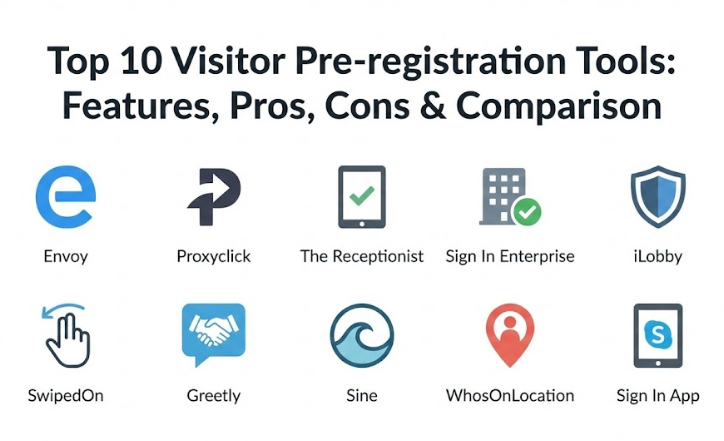
Top 10 Visitor Pre-registration Tools
1 — Envoy
Envoy is a highly popular workplace platform that focuses on creating a seamless entry experience for guests and employees alike. It is designed for modern offices that want to combine visitor management with desk booking and delivery tracking in one clean interface. Envoy makes it easy to send beautiful, branded invitations that make a great first impression.
- Key features:
- Automated pre-registration emails with custom maps and directions.
- Touchless check-in using QR codes sent to the visitor’s phone.
- Digital document signing for NDAs and safety waivers before arrival.
- Instant host notifications via Slack, Microsoft Teams, or SMS.
- Watchlist screening to flag unwanted visitors automatically.
- Health and safety questionnaires to ensure site compliance.
- Real-time dashboard to track current building occupancy.
- Pros:
- The interface is widely considered the gold standard for being modern and easy to use.
- It offers a vast library of integrations with other office software, making it very flexible.
- Cons:
- The pricing for the more advanced features can be quite high for smaller teams.
- Some users report that the initial setup of complex workflows takes a bit of time.
- Security & compliance: Supports SSO, data encryption at rest and in transit, SOC 2 Type II, and GDPR compliance.
- Support & community: Offers extensive online help guides, a responsive chat team, and dedicated success managers for enterprise-level customers.
2 — Proxyclick
Proxyclick is an enterprise-grade visitor management system that prioritizes security and global scalability. It is designed for large organizations that need to manage multiple locations across the world with a single, centralized system. Proxyclick focuses on making sure that every person entering a building is vetted and compliant with local regulations.
- Key features:
- Customizable pre-registration flows based on the type of visitor (guest, contractor, or VIP).
- Integrated ID scanning and verification to ensure guest identity.
- Advanced access control integrations to open doors or turnstiles automatically.
- Multi-language support to greet international visitors in their native tongue.
- Detailed analytics and reporting for security audits and space planning.
- Automated badge printing that triggers as soon as the visitor scans their QR code.
- Smart calendar synchronization with Outlook and Google Calendar.
- Pros:
- It is exceptionally strong in security and compliance, making it ideal for highly regulated industries.
- The system handles high volumes of traffic without slowing down or crashing.
- Cons:
- The platform has many features, which can make it feel a bit overwhelming for simple needs.
- It is a premium solution, so the cost may be out of reach for budget-conscious startups.
- Security & compliance: ISO 27001 certified, SOC 2 Type II, GDPR compliant, and supports HIPAA-level data handling.
- Support & community: Provides 24/7 global support, deep technical documentation, and an active user community for sharing best practices.
3 — The Receptionist
The Receptionist is a sleek, tablet-based solution that aims to eliminate the “clutter” of the front desk. It is designed for businesses of all sizes that want an affordable but professional way to handle guests. This tool is particularly famous for its focus on the iPad experience, making it very easy to set up in any lobby or reception area.
- Key features:
- Quick pre-registration that allows hosts to invite guests directly from their dashboard.
- Custom “buttons” on the kiosk to route different types of visitors to different teams.
- Two-way communication between the visitor at the tablet and the host.
- Batch pre-registration for large groups or school tours.
- Automatic photo capture for visitor badges to improve security.
- Email and text notifications that include the visitor’s photo.
- Cloud-based visitor logs that are easy to export for reporting.
- Pros:
- Setup is incredibly fast; most businesses can get it running in under thirty minutes.
- The pricing is very transparent and accessible for smaller companies and schools.
- Cons:
- It is primarily focused on the iPad, so it may not be ideal for teams wanting to use other types of hardware.
- The reporting features are good but not as deep as some of the high-end enterprise tools.
- Security & compliance: Includes SSO options, data encryption, and helps businesses stay compliant with ITAR and GDPR.
- Support & community: Known for having a very “human” support team that is quick to jump on a call or chat to help.
4 — Sign In Enterprise (formerly Traction Guest)
Sign In Enterprise is a powerful, low-code platform built for complex organizations that need total control over their visitor workflows. It allows companies to build highly specific entry requirements that can change based on the site or the visitor’s purpose. It is widely used by global brands to maintain a consistent security posture everywhere they operate.
- Key features:
- A visual workflow editor to drag and drop different check-in steps.
- Robust pre-registration that includes document uploads and background checks.
- Integration with major CRM platforms like Salesforce to track client visits.
- Emergency notification system to alert everyone on-site during an incident.
- Highly customizable branding across all emails and kiosk screens.
- Automated watchlist screening against government and internal lists.
- Advanced risk scoring for visitors based on their provided data.
- Pros:
- Offers the highest level of customization in the market for complex security needs.
- The ability to manage dozens of different locations from one central hub is excellent.
- Cons:
- Because it is so powerful, there is a steeper learning curve for the administrators.
- The cost is on the higher end, reflecting its status as a top-tier enterprise tool.
- Security & compliance: SOC 2 Type II, ISO 27001, GDPR, and CCPA compliant.
- Support & community: Offers professional services for custom implementation and high-level enterprise support packages.
5 — iLobby
iLobby is an all-in-one facility management tool that specializes in high-security and highly-regulated environments. It is designed to take the guesswork out of compliance by automating the screening of every person who walks through the door. iLobby is a favorite for government buildings, airports, and large manufacturing sites where security is the number one priority.
- Key features:
- Comprehensive pre-screening questionnaires to vet visitors before they arrive.
- Hardware-software bundles that include high-quality kiosks and printers.
- Real-time tracking of contractors to ensure they are only in authorized areas.
- Integration with physical security systems like cameras and badge readers.
- Automated legal document management with secure digital signatures.
- Multi-site management with localized rules for each specific building.
- Detailed audit logs that are ready for government or industry inspections.
- Pros:
- It is extremely reliable and built to handle the most demanding security environments.
- The turnkey approach means you can get both the software and the hardware from one place.
- Cons:
- The user interface is functional but lacks the modern “app-like” feel of some competitors.
- It can be a very expensive investment if you are buying the full hardware and software package.
- Security & compliance: Meets strict standards including SOC 2, GDPR, and ITAR compliance requirements.
- Support & community: Provides dedicated account management and 24/7 technical assistance for mission-critical sites.
6 — SwipedOn
SwipedOn is a simple, beautiful, and eco-friendly visitor management system that focuses on getting the basics perfectly right. It is designed for businesses that want to ditch the paper logbook in favor of a clean, digital alternative. SwipedOn is well-known for being one of the easiest tools to use for both the visitor and the person at the front desk.
- Key features:
- Pre-registration with easy-to-send email invites and QR codes.
- Employee sign-in and out tracking to keep a full headcount of the building.
- Desk and resource booking included in the same platform.
- Digital “roll call” for emergency evacuations that works on mobile devices.
- Customizable branding to make the kiosk match your office decor.
- Instant host alerts via email, text, or the dedicated companion app.
- Low-cost “add-ons” for things like catering or delivery management.
- Pros:
- It is very affordable and offers great value for the number of features included.
- The setup process is remarkably simple, and the app is very stable.
- Cons:
- It lacks some of the deep, complex security integrations found in enterprise tools.
- The customization options for the check-in flow are not as vast as other platforms.
- Security & compliance: ISO 27001 and SOC 2 certified, with full GDPR compliance features built-in.
- Support & community: Offers legendary customer support with extremely fast response times on their live chat.
7 — Greetly
Greetly is a highly flexible “digital receptionist” that is known for being incredibly adaptable to any business model. It is designed to be fully touchless and highly customizable, allowing businesses to create a check-in flow that fits their specific brand. Greetly is used by everyone from coworking spaces to military bases to manage their guest traffic.
- Key features:
- 100% touchless pre-registration and check-in options for health and safety.
- White-labeled interface where you can hide all Greetly branding.
- Voice and text notifications in over 20 different languages.
- Unlimited user and host support on every plan level.
- Integration with a wide range of tools including Slack, Teams, and Google Chat.
- Custom workflow builder to ask the right questions to the right guests.
- Cloud-based logbook with instant search and reporting capabilities.
- Pros:
- The ability to completely white-label the software is a huge plus for brand-conscious companies.
- It is very easy to scale up or down as your business needs change.
- Cons:
- Some users find the interface to be a bit basic compared to more “polished” competitors.
- The mobile app experience for hosts could be more feature-rich.
- Security & compliance: SOC 2 and GDPR compliant, with secure data hosting and audit trails.
- Support & community: Known for being very responsive and willing to help with custom setup questions.
8 — Sine (by Honeywell)
Sine, which is now part of the Honeywell family, is a modern visitor and contractor management tool that excels in the industrial and construction sectors. It is designed to manage the “who, what, and where” of people presence at your site. Sine uses smart geofencing technology to make the check-in process even faster for regular visitors and staff.
- Key features:
- Geofencing that prompts regular visitors to check in as soon as they enter the site boundary.
- Robust pre-registration for contractors that includes safety inductions and permits.
- Mobile app for visitors (Sine Pro) that stores their credentials for multiple sites.
- Automatic printing of QR-coded badges for easy entry and exit.
- Real-time communication with people on-site via the admin dashboard.
- Integration with Honeywell’s broader building management systems.
- Detailed reporting on time-on-site for billing and compliance.
- Pros:
- The geofencing feature is a major time-saver for large sites or construction projects.
- It is part of the Honeywell ecosystem, providing great stability and long-term support.
- Cons:
- The system can be a bit heavy for a simple corporate office environment.
- Some of the more advanced industrial features require a higher tier of pricing.
- Security & compliance: Supports SAML SSO, data encryption, and is fully GDPR compliant.
- Support & community: Offers professional global support and a wealth of training resources for site managers.
9 — WhosOnLocation (by MRI Software)
WhosOnLocation is a comprehensive people presence management tool that focuses on safety, security, and emergency management. It is designed for businesses that need to know exactly who is in the building at all times to meet duty-of-care requirements. This tool is often chosen by organizations in the healthcare, education, and government sectors.
- Key features:
- Advanced pre-registration that includes mandatory safety videos and quizzes.
- Integrated emergency management with real-time “who is on-site” lists.
- Tracking of specific zones within a building to see visitor movement.
- Automated expiry alerts for contractor licenses and certifications.
- Support for “kiosk-less” check-in where visitors use their own smartphones.
- Robust reporting on visitor trends and site utilization data.
- Powerful integration with access control systems to manage doors.
- Pros:
- It is one of the best tools for emergency preparedness and safety compliance.
- The system is very reliable and handles complex data sets with ease.
- Cons:
- The user interface looks a bit more traditional and less “modern” than some other apps.
- Setting up the most advanced safety workflows can be quite technical.
- Security & compliance: ISO 27001 certified, GDPR compliant, and provides deep audit logs.
- Support & community: Provides high-quality technical support and a library of webinars and training videos.
10 — Sign In App
Sign In App is a fast-growing visitor management tool that prides itself on being a “joy to use.” It is designed for schools and businesses that want a modern, affordable way to track everyone on site. Sign In App is known for its “everything included” pricing model, where you get all the features without having to pay for expensive add-ons.
- Key features:
- Pre-registration that sends a QR code and essential site info to the guest.
- Companion app for employees to sign in, book desks, and see who is visiting.
- Multi-site management with a centralized dashboard that updates in real-time.
- Support for multiple languages to ensure an inclusive welcome for everyone.
- Full control over data retention and privacy settings to meet legal rules.
- Integrated evacuations and health and safety checks.
- Easy customization of the kiosk with your own photos and videos.
- Pros:
- The pricing is very simple and honest, with no hidden costs for extra features.
- The “Companion App” for staff is highly rated for its ease of use and design.
- Cons:
- It may not have as many “industrial” features as tools like Sine or iLobby.
- The integration list is growing but not as large as the Envoy or Proxyclick ecosystems.
- Security & compliance: ISO 27001 accredited, Cyber Essentials certified, and GDPR/HIPAA compliant.
- Support & community: Offers friendly, global support and regular monthly updates to the software.
Comparison Table
| Tool Name | Best For | Platform(s) Supported | Standout Feature | Rating (Expert Review) |
| Envoy | Modern corporate offices | Web, iOS, Android, Slack | Massive Integration Ecosystem | 4.8 / 5 |
| Proxyclick | Global enterprise security | Web, iOS, Android | Multi-location Compliance | 4.7 / 5 |
| The Receptionist | Fast setup & small offices | Web, iPad | Simple “Button” Workflow | 4.7 / 5 |
| Sign In Ent. | Complex, high-security sites | Web, iOS, Android | Low-code Workflow Editor | 4.6 / 5 |
| iLobby | Regulated industries | Web, iOS, Android, Windows | Turnkey Hardware Bundles | 4.5 / 5 |
| SwipedOn | Affordable & eco-friendly | Web, iPad, Android | 24/7 Live Chat Support | 4.8 / 5 |
| Greetly | White-label branding | Web, iOS, Android | Fully Customizable Branding | 4.6 / 5 |
| Sine | Industrial & construction | Web, iOS, Android | Geofencing Auto Check-in | 4.7 / 5 |
| WhosOnLocation | Safety & emergency prep | Web, iOS, Android | Emergency “Roll Call” Tools | 4.5 / 5 |
| Sign In App | Schools & SMBs | Web, iOS, Android | All-inclusive Pricing | 4.7 / 5 |
Evaluation & Scoring of Visitor Pre-registration Tools
To help you understand how we arrived at these rankings, we used a weighted scoring rubric. This ensures that the most important aspects of the software, like core features and security, carry more weight than minor details.
| Category | Weight | What We Look For |
| Core Features | 25% | Pre-registration flows, QR codes, badge printing, and host alerts. |
| Ease of Use | 15% | How intuitive the software is for guests and administrative staff. |
| Integrations | 15% | Ability to sync with Slack, Teams, Google, and access control systems. |
| Security & Compliance | 10% | Data encryption, SOC 2/GDPR status, and watchlist screening. |
| Performance | 10% | App stability, load times, and reliable hardware connectivity. |
| Support & Community | 10% | Quality of documentation and speed of the customer support team. |
| Price / Value | 15% | Transparency of costs and the amount of features per dollar spent. |
Which Visitor Pre-registration Tool Is Right for You?
Choosing the right tool depends entirely on your specific business goals, the number of visitors you receive, and the level of security you require. Use the guide below to help narrow down your choice.
For Small Businesses and Schools
If you are looking for something that is easy on the budget and can be set up in a single afternoon, The Receptionist or Sign In App are fantastic choices. They provide a professional front-desk experience without the need for a dedicated IT team to manage the software. They focus on the essentials and offer very friendly user interfaces.
For Mid-Market and Growing Companies
If your team is growing and you want a tool that “talks” to all your other software, Envoy or SwipedOn are the top contenders. They offer a great balance of modern design and powerful integrations. These tools are excellent if you want to combine visitor management with other office needs like desk booking or delivery tracking.
For High-Security and Industrial Sites
When you are managing a construction site, a factory, or a government building, safety is everything. In these cases, Sine or iLobby are the best options. They are built to handle rougher environments and more complex compliance requirements, such as safety inductions, permits-to-work, and geofencing.
For Global Enterprises
If you have offices in multiple countries and need a single source of truth for all your visitors, Proxyclick or Sign In Enterprise are the industry leaders. They offer the deep security, scalability, and customization needed to manage thousands of entries a day while keeping every location compliant with local laws.
Frequently Asked Questions (FAQs)
1. What exactly does a pre-registration tool do?
It allows guests to enter their details and sign documents before they arrive. This saves time in the lobby and ensures that all security requirements are met in advance.
2. Is visitor pre-registration more secure than a walk-in check-in?
Yes, because it gives security teams time to screen guests against watchlists and verify their identity before they even reach the building.
3. Do these tools work for remote or unstaffed lobbies?
Absolutely. Many of these tools are designed to act as a “digital receptionist” that can notify hosts and print badges without any human staff present.
4. What kind of hardware do I need to get started?
Most systems run on standard iPads or Android tablets. You will also usually need a small label printer if you want to give visitors physical badges.
5. How do visitors know what to do?
They receive a professional invitation email with a QR code and instructions. When they arrive, they just scan the code at the kiosk and they are done.
6. Is the visitor data stored safely?
Yes, top-tier tools use high-level encryption and follow strict privacy laws like GDPR to ensure that guest information is never leaked or misused.
7. Can I customize the invitation emails?
Most platforms allow you to add your company logo, a welcome message, and even a map or parking instructions to the invitation.
8. Can I use these tools if I have multiple entrances?
Yes. You can usually connect as many tablets as you need to a single account so that all entrances are managed from one central dashboard.
9. Do these tools handle deliveries as well?
Many of them, like Envoy and SwipedOn, have specific “delivery” buttons that allow couriers to quickly drop off packages and notify the recipient.
10. What happens during a power or internet outage?
Many modern tools have an “offline mode” that allows them to continue working locally and then sync the data back to the cloud once the connection returns.
Conclusion
Finding the right visitor pre-registration tool is one of the easiest ways to instantly improve the professionalism and security of your workplace. By moving from a messy paper logbook to a clean, digital invitation system, you show your guests that you value their time and their privacy. These tools take the stress out of the front-desk experience, allowing your staff to focus on their work while the software handles the details of welcoming guests. Whether you are a small school or a global corporation, there is a solution that fits your specific needs and budget perfectly.
The most important thing to remember is that there is no “one size fits all” winner. A tool that is perfect for a tech startup might not be the right choice for a high-security manufacturing plant. You should focus on how well the tool integrates with your existing workflow and how much support your team will need during the initial setup. By prioritizing ease of use and security, you can create a welcoming environment that keeps your people and your building safe.
In the end, the “best” tool is the one that your employees and guests actually find helpful. We recommend starting with a free trial of a few different platforms to see which interface feels the most natural for your team. Investing a little time today to choose the right visitor management system will pay off for years to come through smoother check-ins, better security audits, and a much more impressive first impression for every person who walks through your door.