Introduction
Vector search tooling, often referred to as vector databases or vector engines, is a category of software designed to store and query high-dimensional data. Unlike a standard database that stores names and numbers in rows and columns, a vector search tool stores mathematical representations of data. This is important because it enables “semantic search”—the ability to find information based on intent and context. For example, if you search for “cold-weather clothing,” a vector search tool understands that a “parka” is a relevant result, even if the word “clothing” never appears in the product description.
These tools have become vital because of the explosion of “unstructured data” like PDFs, videos, and social media posts. Businesses can no longer rely on simple keyword matching to provide good user experiences. By using vector search, companies can build smarter recommendation engines, detect fraudulent activity by finding “similar” patterns of theft, and allow AI models to “remember” private company data without having to retrain the entire model.
Key Real-World Use Cases:
- Retrieval-Augmented Generation (RAG): Providing a “private library” of facts for AI chatbots to prevent them from making things up.
- Image and Video Search: Finding a specific scene in a movie or a similar-looking pair of shoes using a photo.
- Personalized Recommendations: Suggesting songs or movies based on the mathematical “vibe” of what a user previously liked.
- Anomaly Detection: Finding cybersecurity threats that look “close” to known attack patterns in mathematical space.
Evaluation Criteria:
When choosing a tool, you should look for “Latency” (how fast the search is) and “Recall” (how accurate the results are). You also need to consider whether the tool is “Cloud-Native” or if you have to manage the servers yourself. Integration with popular AI frameworks is essential, as is the ability to handle “Hybrid Search”—combining old-school keyword search with modern vector search for the best results.
Best for:
- AI Developers and Data Scientists: Who are building modern applications like chatbots or recommendation engines.
- Enterprise Tech Teams: Organizations with massive amounts of internal documents that need to be searchable by employees.
- E-commerce Platforms: Companies looking to improve product discovery and customer satisfaction.
- Cybersecurity Firms: Groups that need to find patterns in vast amounts of log data.
Not ideal for:
- Simple Administrative Apps: If you just need to store a list of names and addresses for a local club, a standard SQL database is much better.
- Teams without AI Needs: If your users are only looking for exact matches (like an ID number), vector search is unnecessary and expensive.
- Very Low-Budget Projects: While there are free versions, running a vector database at scale can be costly compared to traditional storage.
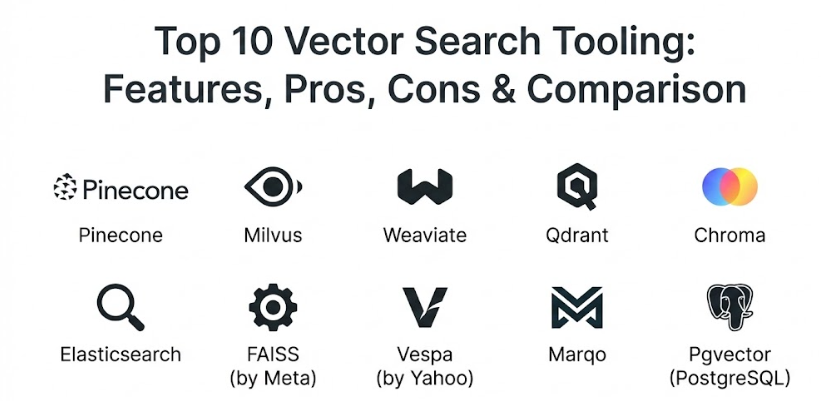
Top 10 Vector Search Tooling Tools
1 — Pinecone
Pinecone is a pioneer in the “Vector Database as a Service” world. It is a cloud-native platform designed specifically to take the “work” out of vector search. You don’t have to manage servers or install software; you simply connect to their API and start storing data. It is widely used by startups and big companies alike because it is incredibly easy to scale.
- Key Features:
- Completely managed cloud service—no infrastructure to maintain.
- Support for “Serverless” indexes that scale up and down automatically.
- Real-time index updates, so new data is searchable immediately.
- Metadata filtering to combine vector search with specific categories (like “Price” or “Date”).
- High-performance search with very low latency even at a massive scale.
- Native integrations with major AI players like OpenAI and LangChain.
- Pros:
- You can go from zero to a working search engine in minutes.
- The serverless pricing model is very friendly for projects that are just starting.
- It is built specifically for vectors, so it is optimized for speed and accuracy.
- Cons:
- It is a closed-source product, so you are tied to Pinecone as a vendor.
- It only runs in the cloud; you cannot install it on your own private office servers.
- Security & Compliance: SOC 2 Type II certified, GDPR compliant, and offers data encryption both at rest and in transit.
- Support & Community: Excellent documentation, a very active community forum, and premium support tiers for enterprise customers.
2 — Milvus
Milvus is an open-source powerhouse in the vector search world. It was built to handle billions of vectors and is favored by companies that want to run their own infrastructure, either on-premise or in their own private cloud. It is incredibly flexible and powerful but requires more technical knowledge to set up than a managed service.
- Key Features:
- Highly scalable architecture that can handle billions of data points.
- Support for multiple “Indexing” algorithms to balance speed and accuracy.
- Ability to store vectors alongside traditional “scalar” data (like text or numbers).
- Multi-language support including Python, Java, Go, and Node.js.
- “Attu” visual dashboard for managing your data and seeing how it is organized.
- Cloud-native design that works perfectly with Kubernetes.
- Pros:
- Because it is open-source, you have total control over your data and your costs.
- It is incredibly fast for high-throughput applications that need to search constantly.
- The community is massive, meaning there are many plugins and helpers available.
- Cons:
- It is complex to install and keep running—you will need a DevOps expert.
- Managing the hardware for a massive Milvus setup can be expensive and time-consuming.
- Security & Compliance: Varies based on your own setup, but the software supports RBAC (Role-Based Access Control) and TLS encryption.
- Support & Community: Huge open-source community on GitHub and Discord. Professional support is available through Zilliz (the company behind Milvus).
3 — Weaviate
Weaviate is an open-source vector search engine that focuses on making data “meaningful.” It uses a “schema-first” approach, meaning it is very good at understanding the relationships between different pieces of data. It is a favorite for developers who want a balance between ease of use and the power of open-source software.
- Key Features:
- Built-in “modules” for things like text-to-vector or image-to-vector conversion.
- GraphQL support, which makes it very easy for web developers to ask for data.
- Multi-tenancy support for keeping different customers’ data separate.
- Hybrid search that combines keyword matching with vector meaning.
- Automated data backup to cloud storage like S3 or Google Cloud.
- Ability to run as a managed service or on your own servers.
- Pros:
- The built-in modules save you from having to use 10 different tools to process data.
- It is very “developer-friendly” and feels like a modern web tool.
- Excellent at handling “complex” data where things are linked together.
- Cons:
- The performance can be slightly lower than specialized engines like Milvus for very specific tasks.
- Learning the GraphQL style can take a little bit of time if you are used to SQL.
- Security & Compliance: Supports OIDC (OpenID Connect) for secure logins and is SOC 2 compliant in its cloud-managed version.
- Support & Community: Very strong Slack community and clear, helpful documentation.
4 — Qdrant
Qdrant (pronounced “Quadrant”) is a vector similarity search engine written in Rust. Because it uses Rust, it is extremely fast and very efficient with computer memory. It is a great choice for teams that want a tool that is easy to manage but still performs at an enterprise level.
- Key Features:
- Written in Rust for high performance and low resource usage.
- Support for “Filtering” which is extremely fast and doesn’t slow down the search.
- Easy-to-use API that works over HTTP or gRPC.
- “Snapshot” feature for moving data between different servers easily.
- Support for various distance metrics (how the “closeness” of vectors is measured).
- Distributed mode for handling massive datasets across multiple machines.
- Pros:
- It is one of the easiest “self-hosted” tools to get running.
- The memory efficiency means you can store more data on a smaller, cheaper server.
- The filtering logic is very smart and prevents the search from getting “lost.”
- Cons:
- The community is a bit smaller than the “big three” (Pinecone, Milvus, Weaviate).
- It doesn’t have as many “pre-built” AI modules as Weaviate.
- Security & Compliance: Supports API keys and secure connections. SOC 2 and GDPR compliant in the cloud version.
- Support & Community: Growing Discord community and very high-quality technical documentation.
5 — Chroma
Chroma is the “new kid on the block” that has taken the AI world by storm. It is an open-source embedding database designed for one thing: simplicity. It is the go-to choice for people building their very first AI app or for researchers who want to get a project moving today without reading a 200-page manual.
- Key Features:
- Extremely simple setup—often just one line of code to get started.
- “In-memory” mode for testing on your laptop without any servers.
- Automatic handling of document storage alongside the vectors.
- Lightweight design that doesn’t bloat your application.
- Native support for popular AI tools like LangChain and LlamaIndex.
- Clean, simple Python-first API.
- Pros:
- It is the most “hassle-free” tool on this list for developers.
- Perfect for “prototyping” an idea before you commit to a big enterprise tool.
- It is completely free and open-source.
- Cons:
- It lacks some of the advanced “production” features found in Milvus or Pinecone.
- Not yet designed for handling billions of vectors at ultra-high speed.
- Security & Compliance: Basic security features; generally designed to be run inside your own secure application layer.
- Support & Community: Very enthusiastic community on Discord and GitHub. Fast-paced development with frequent updates.
6 — Elasticsearch (with Vector Support)
Elasticsearch has been the king of “search” for a long time. Recently, they added powerful vector search capabilities to their existing platform. This is a game-changer for companies that already use Elasticsearch for their website search because they can add “meaning-based” search without buying a whole new tool.
- Key Features:
- Combines world-class keyword search with modern vector search.
- Massive ecosystem of tools for visualization (Kibana) and data moving (Logstash).
- Proven to work at the largest scales in the world.
- Support for “k-NN” (k-Nearest Neighbor) search algorithms.
- Advanced security and user permissions already built-in.
- Cloud-managed version available on every major cloud provider.
- Pros:
- You can do “Hybrid Search” better than almost anyone else.
- Your team likely already knows how to use it, so there is nothing new to learn.
- It is incredibly stable and reliable for mission-critical apps.
- Cons:
- It is a “general” tool, so it might not be as fast as a tool built only for vectors.
- It can be very expensive and “memory-hungry” to run at a large scale.
- Security & Compliance: Best-in-class security. SOC 2, HIPAA, GDPR, and FedRAMP compliant.
- Support & Community: One of the largest technical communities in the world. Professional support is available directly from Elastic.
7 — FAISS (by Meta)
FAISS (Facebook AI Similarity Search) isn’t a full “database” like Pinecone; it is a library of clever math tricks for searching vectors. It was built by the AI team at Meta (Facebook) and is the engine that many other tools use under the hood. It is for “power users” who want to build their own custom search system.
- Key Features:
- Incredibly fast search algorithms optimized for CPUs and GPUs.
- Wide variety of ways to “compress” vectors to save space.
- Support for batch searching (searching for 1,000 things at once).
- Highly optimized for the most powerful computer hardware available.
- Ability to search through vectors that are too big to fit in memory.
- Completely free and open-source.
- Pros:
- It is the “gold standard” for speed and mathematical efficiency.
- You can tune it to be exactly as fast or as accurate as you want.
- Used by some of the biggest tech companies in the world.
- Cons:
- It doesn’t “store” your data; it just searches it. You have to build the storage yourself.
- It is a library for programmers, not a finished product for business users.
- Security & Compliance: N/A (It is a code library, security depends on how you use it).
- Support & Community: Managed by Meta on GitHub. Used by almost everyone in the high-end AI research world.
8 — Vespa
Vespa is a “big data” serving engine created by Yahoo. It is an extremely mature and powerful platform that handles search, recommendation, and AI processing all in one place. It is designed for the largest websites on the internet that need to make decisions in milliseconds for millions of users.
- Key Features:
- Real-time machine learning inference (running AI models) inside the database.
- Highly advanced “Ranking” features to decide which result is best.
- Support for massive datasets spread across hundreds of servers.
- Integrated keyword search, vector search, and structured data search.
- “Tensors” support for even more complex AI math than standard vectors.
- Automated data distribution and recovery if a server fails.
- Pros:
- It is a “complete” solution that handles much more than just search.
- Proven at the scale of Yahoo and other internet giants.
- Extremely powerful for building custom “AI-first” applications.
- Cons:
- It is very complex and difficult to learn—it is a “big iron” system.
- Requires a significant amount of hardware to run properly.
- Security & Compliance: Mature security features including TLS, authentication, and authorization.
- Support & Community: Strong professional support from the Vespa team and a helpful community on Slack.
9 — Marqo
Marqo is a vector search tool that focuses on “End-to-End” ease. Instead of you having to worry about how to turn an image or text into a vector, Marqo does it for you. It’s built for teams that want to focus on their application rather than the math of vectors.
- Key Features:
- Integrated “Inference”—it converts your data into vectors automatically.
- Support for “Multimodal” search (search for images using text and vice versa).
- Optimized for both CPU and GPU performance.
- Built-in tools for “Fine-tuning” how the AI understands your specific data.
- Simple API that handles the whole process from “upload” to “search.”
- Cloud-managed and open-source versions available.
- Pros:
- It saves you from having to set up separate “Embedding” servers.
- Great for search apps that use both pictures and words.
- The setup is very fast and logical for modern developers.
- Cons:
- It is a newer tool, so it has fewer “big company” success stories than Milvus.
- You have less control over the specific “math” compared to a tool like FAISS.
- Security & Compliance: Offers standard encryption and secure access. Cloud version is SOC 2 compliant.
- Support & Community: Active community on Slack and helpful, modern documentation.
10 — Pgvector (PostgreSQL Extension)
If your company already uses PostgreSQL (one of the world’s most popular databases), you might not need a new tool at all. Pgvector is an extension that adds vector search directly to PostgreSQL. It is the “safe” and “stable” choice for companies that want to move into AI without changing their entire technology stack.
- Key Features:
- Adds a “Vector” data type to standard PostgreSQL tables.
- Support for exact and approximate nearest neighbor search.
- Works perfectly with all existing PostgreSQL tools and backups.
- Simple SQL syntax that your team already knows.
- Can be used on major cloud platforms like AWS RDS or Google Cloud SQL.
- Completely free and open-source.
- Pros:
- You don’t have to learn a new tool or manage a new server.
- You can link your vectors directly to your existing customer and product data.
- It is incredibly stable and reliable.
- Cons:
- It is not as fast as specialized engines like Milvus or Pinecone for massive datasets.
- It lacks some of the “fancy” AI-specific features like automatic data conversion.
- Security & Compliance: Inherits all the world-class security of PostgreSQL (HIPAA, SOC 2, etc.).
- Support & Community: Massive global community of PostgreSQL developers.
Comparison Table
| Tool Name | Best For | Platforms | Standout Feature | Rating |
| Pinecone | Startups / Speed | Cloud Only | Managed Serverless | 4.8 |
| Milvus | High Performance | Cloud / On-Prem | Massive Scalability | 4.7 |
| Weaviate | Meaning-Focused Apps | Cloud / On-Prem | GraphQL & Modules | 4.6 |
| Qdrant | Resource Efficiency | Cloud / On-Prem | Written in Rust | 4.5 |
| Chroma | Simple Prototyping | Local / Cloud | Python-First Ease | 4.8 |
| Elasticsearch | Hybrid Search | Cloud / On-Prem | Keyword + Vector | 4.4 |
| FAISS | Math Power Users | Library (Code) | Meta-Built Speed | 4.2 |
| Vespa | Internet Giants | Cloud / On-Prem | Full AI Processing | 4.3 |
| Marqo | Multimodal Apps | Cloud / On-Prem | Built-in Inference | 4.5 |
| Pgvector | Postgres Users | Any Postgres | SQL Integration | 4.4 |
Evaluation & Scoring of Vector Search Tooling
The following table shows how we evaluate these tools based on a weighted rubric. For most businesses, “Ease of Use” and “Integrations” are the most critical factors.
| Criteria | Weight | What it measures |
| Core Features | 25% | Search speed, accuracy, and support for different data types. |
| Ease of Use | 15% | How quickly a regular developer can get a result. |
| Integrations | 15% | Connectivity to OpenAI, LangChain, and other AI tools. |
| Security | 10% | Encryption, SOC 2 compliance, and data privacy. |
| Reliability | 10% | Uptime and ability to handle server failures. |
| Support | 10% | Quality of documentation and community help. |
| Price / Value | 15% | Transparency of costs and overall ROI. |
Which Vector Search Tooling Tool Is Right for You?
Choosing a vector search tool is about matching the technology to your team’s skills and your project’s future.
Solo Users vs. SMB vs. Enterprise
If you are building your first app alone, Chroma is the best choice because it stays out of your way. For a growing business (SMB), Pinecone is fantastic because it scales without you needing to hire a server expert. If you are a global enterprise with strict data rules, Milvus or Elasticsearch provide the “Enterprise” power and control you need.
Budget-Conscious vs. Premium Solutions
If you have no budget, Pgvector or Milvus (self-hosted) are technically free. However, if you want to save on the cost of “engineering time,” a premium service like Pinecone is often cheaper in the long run because it prevents you from making expensive mistakes.
Feature Depth vs. Ease of Use
If you want a tool that “does everything for you,” Marqo and Weaviate are the leaders. If you have a team of “math geniuses” who want to build something totally unique, they will love the depth of FAISS or Vespa.
Security and Integration Needs
If your data is extremely sensitive (like medical records), look for tools with HIPAA and SOC 2 certificates. If you are already “locked in” to AWS or Google Cloud, check if your existing database (like Postgres) can already do the job before you buy a new tool.
Frequently Asked Questions (FAQs)
1. What is a vector?
A vector is a long list of numbers that represents the “meaning” of a piece of data. For example, the word “Apple” might be represented as [0.12, -0.54, 0.88…].
2. How is this different from a normal database?
A normal database looks for “exact matches” (like a name). A vector database looks for “nearest neighbors” (things that are mathematically close in meaning).
3. Do I need a vector database for my AI app?
If your app needs to “search” through a lot of information to find an answer, then yes. It is the best way to give an AI model a long-term memory.
4. What is RAG?
RAG stands for Retrieval-Augmented Generation. It is a technique where the AI looks up facts in a vector database before it answers a user’s question, so its answer is based on real data.
5. How much data can these tools handle?
High-end tools like Milvus and Pinecone can handle billions of vectors, while smaller tools like Chroma are better for thousands or millions.
6. Can I search for images using these tools?
Yes. You first use an AI model to turn the image into a vector, and then you use the tool to find other vectors that look similar.
7. Which tool is the fastest?
For pure mathematical speed, FAISS is usually the winner. For “real-world” speed in an app, Pinecone and Qdrant are top performers.
8. Are these tools open-source?
Many are (Milvus, Weaviate, Chroma), but some of the most popular managed services (Pinecone) are closed-source.
9. Can I run these tools on my own laptop?
Yes, Chroma, Qdrant, and Weaviate are very easy to run locally for testing.
10. Do I need to learn a new language like SQL?
Many tools use a simple “API” (like Python), while others use GraphQL or standard SQL. If you know Python, you will be able to use almost all of them.
Conclusion
Vector search tooling is the key that unlocks the full potential of Artificial Intelligence. By allowing computers to understand the “why” behind a search instead of just the “what,” we can build applications that feel truly intelligent. There is no single “best” tool; the winner for your project is the one that fits your data, your budget, and your team’s skills.
Whether you choose a simple extension like Pgvector, a managed cloud service like Pinecone, or a massive open-source engine like Milvus, you are taking a major step toward the future of technology. Start small, focus on the user experience, and don’t be afraid to experiment. With the right vector search tool, your application won’t just find data—it will understand it.