Introduction
A Vector Database Platform is a modern type of database that stores and manages data as “vectors”—long lists of numbers that represent the meaning of information. While traditional databases look for exact matches (like finding a specific name or a price), vector databases look for similarity. For example, if you search for “happy,” a vector database knows that “joyful” or “cheerful” are mathematically close in meaning and can find those results even if the exact word isn’t there.
These platforms are the secret engine behind modern AI like ChatGPT. They allow AI models to have a “long-term memory,” letting them store and quickly find relevant facts from millions of documents. This is essential for building smart search engines, recommendation systems (like Netflix suggesting movies), and AI-driven chatbots that need to answer questions using a company’s private data.
Key Real-World Use Cases
- AI Chatbots (RAG): Providing large language models (LLMs) with specific, updated facts to prevent them from making things up.
- Image & Video Search: Finding pictures that “look like” an uploaded photo without needing text descriptions.
- Recommendation Engines: Suggesting products or music based on the “vibe” or style of what a user previously liked.
- Anomaly Detection: Finding strange patterns in banking or security data that don’t match typical behavior.
What to Look For (Evaluation Criteria)
- Search Speed & Accuracy: How fast can it find the “nearest neighbors” and how correct are those results?
- Scalability: Can it handle moving from a few thousand items to billions of items without slowing down?
- Managed vs. Self-Hosted: Do you want to manage the servers yourself, or do you want a “cloud-native” service that handles everything for you?
- Integration: Does it play nicely with AI tools like LangChain, LlamaIndex, and OpenAI?
Best for:
These platforms are best for AI Developers, Data Scientists, and Software Engineers at companies of all sizes—from tiny startups building a new app to massive enterprises like banks and retailers. They are the backbone of any team building a “GenAI” or “Search” product.
Not ideal for:
Vector databases are not ideal for standard record-keeping. If you just need to store customer addresses, prices, or inventory counts and perform exact searches, a traditional SQL database is much cheaper and faster. They are also not needed for simple apps that don’t use AI or complex similarity searching.
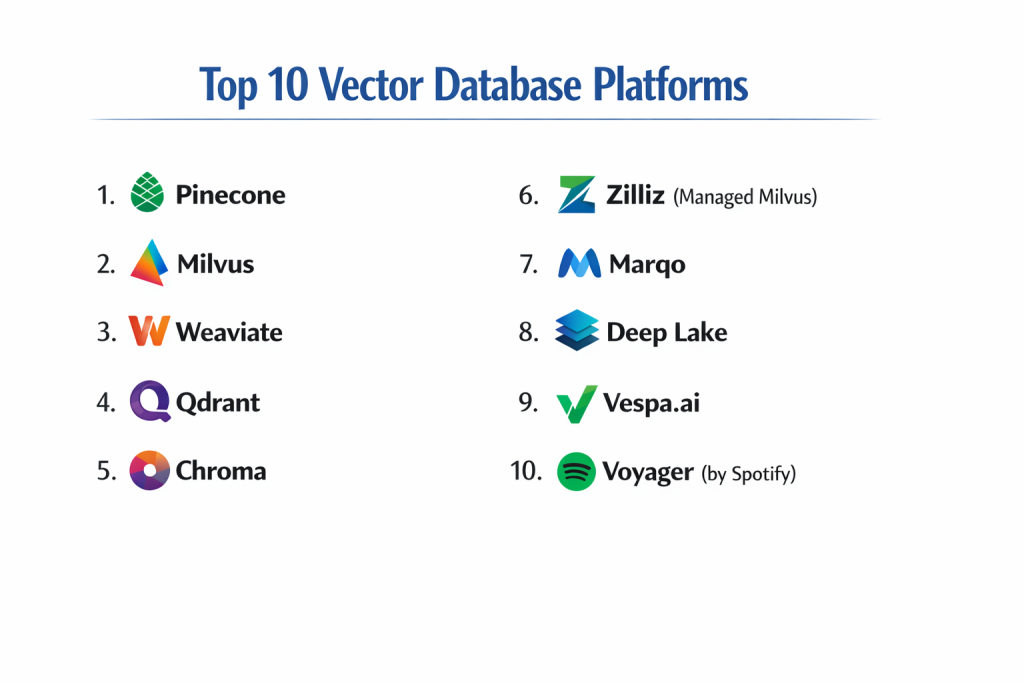
Top 10 Vector Database Platforms
1 — Pinecone
Pinecone is widely considered the leader in the “managed” vector database space. It is a cloud-only platform designed for developers who want to get an AI app running in minutes without worrying about server maintenance or complex setup.
- Key features:
- Fully Managed: No servers to install or manage; everything is handled in the cloud.
- Serverless Architecture: Automatically grows and shrinks based on how much data you use, which can save money.
- Hybrid Search: Combines “keyword” search with “vector” search for better accuracy.
- Live Updates: Changes to data are reflected in search results almost instantly.
- Metadata Filtering: Allows you to filter results by tags like “date” or “category” while performing a vector search.
- Global Scaling: Supports huge datasets with billions of vectors across multiple cloud regions.
- Pros:
- Extremely easy to start; you can have an index running with just a few lines of code.
- Excellent performance and reliability for production-grade AI apps.
- Cons:
- Cloud-Only: You cannot run it on your own private office servers; your data must stay in their cloud.
- Costs can become high as your data grows if you aren’t careful with the “Pod” settings.
- Security & compliance: High. Supports SOC 2 Type II, GDPR, and HIPAA. Offers encryption at rest and in transit.
- Support & community: Top-tier. Has a very active community, detailed guides, and responsive technical support for business customers.
2 — Milvus
Milvus is an open-source powerhouse built for massive scale. If Pinecone is the easy cloud option, Milvus is the professional choice for those who want total control over their data and infrastructure.
- Key features:
- Cloud-Native Architecture: Separates “storage” from “computing,” which makes it very efficient to scale up.
- High Performance: Optimized for the fastest possible search speeds, even on billions of items.
- Flexible Deployment: Can run on your own servers, in your private cloud, or through a managed service (Zilliz).
- GPU Support: Can use powerful graphics cards to speed up the math behind the searches.
- Multiple Index Types: Offers many different ways to organize data depending on if you want more speed or more accuracy.
- Rich Data Types: Supports vectors, text, and even JSON data in the same place.
- Pros:
- Completely free to use if you host it yourself.
- Unbeatable for companies with extremely large amounts of data (billions of vectors).
- Cons:
- Very complex to set up and manage; usually requires a “DevOps” expert.
- Requires a lot of computer memory (RAM) and power to run well.
- Security & compliance: Strong. Includes Role-Based Access Control (RBAC) and TLS encryption. Compliance depends on your hosting setup.
- Support & community: Huge. Being one of the oldest open-source vector DBs, it has a massive group of users and contributors on GitHub.
3 — Weaviate
Weaviate is an “AI-native” database that focuses on making the link between your data and AI models as simple as possible. It is famous for its “modules” that can automatically turn your text or images into vectors for you.
- Key features:
- Built-in ML Modules: Can connect directly to OpenAI, Hugging Face, or Cohere to create vectors automatically.
- GraphQL API: Uses a popular language that developers love for asking complex questions.
- Hybrid Search: Excellent at mixing vector similarity with traditional keyword matching.
- Vector & Object Storage: Stores the original data (like a paragraph of text) right alongside the vector.
- Cross-Reference: Can link different data objects together like a “Graph” database.
- Flexible Hosting: Offers open-source (self-hosted), managed cloud, and even an “embedded” version for local apps.
- Pros:
- Very developer-friendly thanks to the GraphQL interface and easy modules.
- Great balance between the simplicity of Pinecone and the power of Milvus.
- Cons:
- Can be slower than Milvus for very specific, massive-scale search tasks.
- Some of the advanced “modules” can be confusing to set up initially.
- Security & compliance: Very good. Managed version is SOC 2 compliant and supports OIDC/WCS for secure logins.
- Support & community: Excellent. Very helpful Slack community and some of the best documentation in the industry.
4 — Qdrant
Qdrant (pronounced “Quadrant”) is built with the Rust programming language, making it incredibly fast and efficient with computer resources. It is popular for being both easy to use and very high-performing.
- Key features:
- Rust-Based Engine: Optimized for speed and low memory usage.
- Advanced Filtering: Allows very complex rules (like “find similar images, but only from 2023 and costing less than $50”).
- Distributed Mode: Can spread data across many servers to handle growth.
- Payload Support: Can store extra info (JSON) with each vector for better filtering.
- Quantization: A special trick to shrink vectors so they take up 10x-40x less memory while staying accurate.
- OpenAPI Support: Easy to connect to from any programming language.
- Pros:
- Very efficient; it often needs less hardware to do the same job as its competitors.
- The API is very clean and logical, making it a favorite for developers who value good code.
- Cons:
- The community is slightly smaller than MongoDB or Milvus.
- Fewer “pre-built” integrations with some older enterprise software.
- Security & compliance: Robust. Offers API key management, TLS, and the managed cloud version is SOC 2 compliant.
- Support & community: Very active. Known for having very high-quality documentation and a helpful team on Discord.
5 — Chroma
Chroma is the “lightweight” choice for the AI community. It is designed to be the simplest way to get started with AI projects, especially for people using Python or JavaScript.
- Key features:
- Ultra-Simple Setup: You can start it with a single command; perfect for “prototypes.”
- In-Memory Option: Can run entirely inside your app’s memory for testing without a separate server.
- Open Source: Free to use and very community-driven.
- Built-in Embeddings: Can automatically turn your text into vectors using popular free models.
- LangChain Integrated: The “go-to” choice for many people learning to build AI agents.
- Logical Collections: Organizes data into “collections” that act like smart folders for your embeddings.
- Pros:
- The easiest vector database to learn for beginners.
- Perfect for research, small projects, or local AI tools.
- Cons:
- Not designed for massive, billion-vector enterprise systems yet.
- Lacks some of the advanced “production” features like complex horizontal scaling.
- Security & compliance: Basic. It relies mostly on the security of the server or computer it is running on.
- Support & community: Very fast-growing. It has a lot of “hype” and many young developers contributing to it.
6 — Zilliz (Managed Milvus)
Zilliz is the “Enterprise” version of Milvus. It takes the power of the Milvus open-source project and turns it into a fully managed cloud service with extra “bells and whistles” for big companies.
- Key features:
- Auto-Indexing: Uses AI to automatically pick the best way to organize your data for speed.
- BYOC (Bring Your Own Cloud): Can run inside your company’s own AWS or Azure account for maximum security.
- Tiered Storage: Can save money by putting “hot” data on fast disks and “cold” data on cheap storage.
- Visual Dashboard: Includes a professional “GUI” to see and manage your data without code.
- High Availability: Guaranteed uptime and automatic backups.
- Seamless Migration: Easily move from open-source Milvus to Zilliz as your company grows.
- Pros:
- The power of Milvus without the headache of managing servers.
- The “Bring Your Own Cloud” feature is a massive plus for security-conscious banks.
- Cons:
- Expensive for small projects compared to the free version of Milvus.
- You are locked into the Zilliz ecosystem for the managed features.
- Security & compliance: Enterprise-grade. SOC 2, ISO 27001, HIPAA, and GDPR.
- Support & community: Professional. Dedicated account managers and 24/7 technical help for big clients.
7 — Marqo
Marqo is unique because it is an “end-to-end” search engine. Most vector databases require you to turn your data into vectors before you upload them. Marqo does it all for you.
- Key features:
- Documents-In, Results-Out: You just give it text or an image, and it handles everything else.
- Integrated Models: Comes with AI models (like CLIP for images) already “inside” the database.
- Real-Time Indexing: New items can be searched the second they are added.
- Multi-Modal: Can search across images and text at the same time seamlessly.
- Stateless API: Easy to scale up by just adding more “Marqo” instances.
- Open Source: You can host the engine yourself for free.
- Pros:
- Saves developers massive amounts of time because they don’t have to build “embedding pipelines.”
- Excellent for e-commerce search where you have both product descriptions and photos.
- Cons:
- Less control over exactly how the vectors are created compared to other tools.
- Uses more disk space because it stores more “extra” info for you.
- Security & compliance: Varies. Managed version offers standard cloud security; self-hosted depends on your setup.
- Support & community: Growing. Known for being very helpful to developers on their Slack channel.
8 — Deep Lake
Deep Lake calls itself a “Data Lake for Deep Learning.” It isn’t just for vectors; it is designed to store images, audio, video, and text all in one place for training massive AI models.
- Key features:
- Multi-Modal Storage: Stores big files (like 4K video) and their vectors together efficiently.
- Streaming Dataloader: Can “stream” data directly into AI models (like PyTorch or TensorFlow) for training.
- Version Control: Like “Git” for your data; you can see how your dataset changed over time.
- Serverless: Can run directly from an AWS S3 bucket without needing a running database server.
- Query Engine: Supports SQL-like queries on your deep learning data.
- Visualization: Built-in tools to “see” your images and labels in the browser.
- Pros:
- The best choice for “AI Training” teams who need more than just a search engine.
- Very cost-effective because it can run “serverless” on cheap cloud storage.
- Cons:
- Might be “overkill” if you only need a simple vector search for a chatbot.
- The learning curve is steeper because it does so many different things.
- Security & compliance: Good. Inherits the security of the cloud storage (S3/GCP) you use.
- Support & community: Highly academic and professional. Used by many research labs and large AI companies.
9 — Vespa.ai
Vespa is a “veteran” platform originally from Yahoo. It is an incredibly deep and powerful engine that handles search, recommendation, and AI processing all in one.
- Key features:
- True Scalability: Used by Yahoo and others to handle billions of users and trillions of items.
- Advanced Ranking: Allows you to write your own “math formulas” for how results should be ranked.
- Tensors & Vectors: Goes beyond simple vectors to support “tensors” for complex machine learning.
- Real-Time Computation: Can do math on the data as it is being searched.
- Self-Healing: If a server breaks, Vespa automatically moves data and keeps running.
- Hybrid Search: Native support for text, structured data, and vectors.
- Pros:
- The most powerful and flexible search engine on the market for massive corporations.
- Combines the features of a database, a search engine, and an AI server.
- Cons:
- Extremely difficult to learn. It is a “beast” of a system with many moving parts.
- Setting it up for a small project is like using a rocket ship to go to the grocery store.
- Security & compliance: Enterprise-grade. Built for the high-security needs of global tech giants.
- Support & community: Very professional. Excellent documentation and a dedicated team behind it.
10 — Voyager (by Spotify)
Voyager is a newer, open-source tool created by the engineers at Spotify. It is designed specifically for “Nearest Neighbor” search that is fast enough to handle Spotify’s music recommendations.
- Key features:
- C++ Performance: Written in a very fast language for maximum efficiency.
- Python Bindings: Very easy to use if you are a Python data scientist.
- Small Footprint: Designed to be lightweight and fast to load.
- HNSW Optimized: Uses the most popular algorithm for vector search but makes it faster.
- Spotify Proven: Literally built to handle one of the world’s biggest recommendation engines.
- Thread-Safe: Can handle many different searches happening at the exact same time without crashing.
- Pros:
- Extremely fast and reliable for “search only” tasks.
- Free and open-source with the backing of a major tech company.
- Cons:
- It is a “library,” not a full database with a dashboard, backups, and security built-in.
- You have to build your own system around it to make it a real database.
- Security & compliance: N/A. It is a code library, so security is up to how you write your app.
- Support & community: Growing. Since it is new, the community is smaller than Milvus, but the Spotify name attracts many users.
Comparison Table
| Tool Name | Best For | Platform(s) Supported | Standout Feature | Rating (Gartner/Other) |
| Pinecone | Speed & Simplicity | Cloud Only (AWS/GCP/Azure) | Easiest Serverless Setup | 4.7 / 5 |
| Milvus | Massive Scale | Open Source / Cloud / On-Prem | Cloud-Native Scaling | 4.6 / 5 |
| Weaviate | AI-Native / GraphQL | Open Source / Cloud / On-Prem | Integrated AI Modules | 4.5 / 5 |
| Qdrant | Resource Efficiency | Open Source / Cloud / Docker | Rust-Powered Performance | 4.8 / 5 |
| Chroma | Prototyping | Open Source / In-Memory | One-Click Python Start | N/A |
| Zilliz | Enterprise Milvus | Cloud / BYOC | Auto-Indexing & GUI | 4.8 / 5 |
| Marqo | End-to-End Search | Open Source / Cloud | Automatic Vectorization | N/A |
| Deep Lake | AI Training / Video | Serverless / Cloud Storage | Version Control for Data | 4.9 / 5 |
| Vespa.ai | Giant Corporations | Open Source / Managed Cloud | Trillion-Scale Power | N/A |
| Voyager | High-Speed Search | C++ / Python Library | Spotify-Proven Speed | N/A |
Evaluation & Scoring of Vector Database Platforms
| Criteria | Importance | How we scored it |
| Core Features (25%) | High | Does it support hybrid search, metadata filtering, and multiple vector types? |
| Ease of Use (15%) | Medium | How fast can a new developer get it working? |
| Integrations (15%) | Medium | Does it work with LangChain, LlamaIndex, and major AI models? |
| Security (10%) | Medium | Are SOC 2, HIPAA, and encryption available? |
| Performance (10%) | Medium | Is it fast on huge datasets and low on memory? |
| Support (10%) | Medium | Is there a community or a professional team to help? |
| Price / Value (15%) | High | Is the free version good? Is the cloud version fair? |
Which Vector Database Platform Is Right for You?
Small to Mid-Market vs. Enterprise
If you are a startup or solo developer, go with Pinecone or Chroma. They get you results in minutes so you can focus on your app. Enterprises should look at Zilliz or Vespa because they need the security of “Bring Your Own Cloud” and the ability to scale to trillions of items.
Budget and Value
For zero budget, Milvus or Qdrant (self-hosted) are the champions. They give you world-class power for free. If you have a budget but want to save on hiring experts, Pinecone is the best value because it manages itself.
Technical Depth vs. Simplicity
If you love simplicity and “Clean Code,” Qdrant is a joy to work with. If you need extreme depth and want to customize every single mathematical formula in your search, Vespa is the only choice.
Integration and Scalability Needs
If you are using LangChain, almost all of these work, but Chroma and Weaviate have the deepest roots there. If you need to scale to the entire world’s data, Milvus and Vespa are the battle-tested leaders.
Security and Compliance Requirements
If you are a Bank or Hospital, you likely need Zilliz (BYOC). This allows you to keep the data inside your own AWS/Azure account while Zilliz manages it from the outside—the best of both worlds.
Frequently Asked Questions (FAQs)
1. What is a “Vector” in simple terms?
A vector is just a list of numbers (like [0.1, -0.5, 0.8]) that describes the features of a piece of data so a computer can compare it to others.
2. Do I need a vector database for a simple chatbot?
If your chatbot only needs to know a few pages of info, you might not. But if it needs to search through thousands of documents, a vector database is essential.
3. Is Pinecone better than Milvus?
Pinecone is easier to use and faster to set up. Milvus is more powerful for giant scales and offers more control because it is open-source.
4. Can I use a traditional database (like Postgres) for vectors?
Yes, there is a tool called pgvector for Postgres. It’s great for small projects, but dedicated vector databases are usually faster for very large data.
5. What is “Hybrid Search”?
It is a search that uses both “Keywords” (like a Google search) and “Vectors” (meaning search) at the same time to get the best results.
6. Does a vector database store my actual images/text?
Some do (like Weaviate and Marqo), but many only store the “vectors” and a link back to where the original file is kept.
7. How much do these platforms cost?
Many have a “Free Tier” for small projects. Professional use usually starts around $50-$100 per month and goes up based on how much data you store.
8. Is my data safe in a vector database?
Managed platforms like Pinecone and Zilliz use high-level encryption. If you are very worried, self-hosting Milvus or Qdrant keeps the data on your own servers.
9. What is “Embedding”?
Embedding is the process of using an AI model to turn a piece of text or an image into a vector (the list of numbers).
10. How long does it take to set one up?
With Pinecone or Chroma, you can have a working system in under 15 minutes. With Vespa, it might take a team of engineers several weeks.
Conclusion
The “Best” vector database depends entirely on your project’s goals. If you want speed and simplicity, Pinecone is the winner. If you need massive scale and control, Milvus is the way to go. For those building complex AI-driven apps with a focus on developer experience, Weaviate and Qdrant offer a fantastic middle ground.
As AI continues to grow, these platforms will become as common as traditional databases. The most important thing is to pick a tool that matches your team’s skills—don’t choose a complex system like Vespa if you are a solo developer, and don’t choose a simple library if you are building the next Spotify.