Introduction
Introduction
A UAV (Unmanned Aerial Vehicle) Fleet Management Platform is a specialized digital control center used to manage groups of drones and the pilots who fly them. Instead of tracking every flight on paper or in separate apps, these platforms bring everything into one dashboard. They allow a manager to see where drones are flying, check if the equipment is healthy, and ensure all flight logs are recorded correctly. Essentially, it is the “brain” behind a professional drone operation that keeps everything organized and safe.
These systems are important because they help companies scale up their drone use without increasing the risk of accidents or legal trouble. They are used in the real world for things like inspecting power lines, monitoring large construction sites, and coordinating search and rescue missions. When choosing a tool, you should look for how easily it connects to your drones, whether it tracks battery health, and how well it handles legal compliance rules. A good platform should make it easy to prove that your flights were safe and followed all local laws.
Best for: These tools are a great fit for large companies in construction, energy, and mining, as well as government agencies like fire and police departments. They are also ideal for drone service providers who manage a team of multiple pilots across different locations.
Not ideal for: They are generally not needed for hobbyists or photographers who only own one drone for fun. People who only fly occasionally for personal use will find these tools too complex and expensive for their needs.
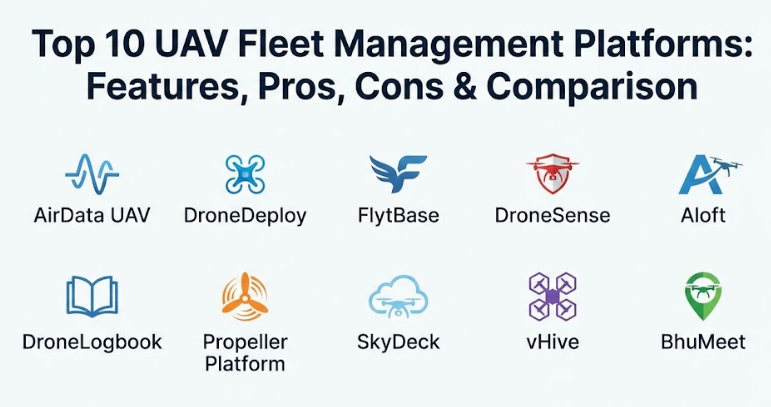
Top 10 UAV Fleet Management Platforms Tools
1 — AirData UAV
AirData is widely known as a leader in drone data analysis. It focuses heavily on the “health” of the drone hardware and the safety of the flight, making it a top choice for teams that want to avoid equipment failure.
- Automatic syncing of flight logs from many different drone brands.
- Detailed tracking of battery life and cell health to prevent crashes.
- Maintenance alerts that tell you when to change parts or perform service.
- Pilot behavior reports that show how smoothly or aggressively a drone was flown.
- Easy reporting tools to meet government and insurance requirements.
- Live streaming features so people in the office can see what the pilot sees.
- Weather tracking to help pilots decide if it is safe to take off.
Pros
- It provides the deepest level of technical data about your drone’s internal parts.
- It works with almost every major drone brand on the market today.
Cons
- The main dashboard has so much data that it can be a bit confusing at first.
- Most of the best features are only available in the higher-priced monthly plans.
Security & compliance: Uses strong encryption and offers detailed audit logs to track user activity.
Support & community: Offers a large library of help articles and a very active community of professional pilots.
2 — DroneDeploy
DroneDeploy is a very popular platform that focuses on mapping and creating 3D models of the ground. It is designed to be very easy to use, even for people who are not experts in drone technology.
- Simple tools to plan a flight just by drawing a shape on a map.
- Powerful cloud processing that turns photos into high-quality 3D maps.
- Fleet management tools that show the location of every drone in your company.
- Automated “counting” tools that can count trees, cars, or pipes in a photo.
- Sharing features that let you send maps to clients with a single link.
- Integration with many office tools like Google Drive and specialized construction software.
Pros
- It is incredibly user-friendly and has a very modern, clean design.
- The 3D models it creates are some of the most accurate in the industry.
Cons
- It is one of the more expensive options on this list.
- Some of the fleet management features feel less detailed than hardware-focused tools.
Security & compliance: SOC 2 Type II certified and offers advanced data privacy settings.
Support & community: Features a dedicated “Academy” for learning and 24/7 support for large firms.
3 — FlytBase
FlytBase is built for the future of “automated” drones. It is designed for systems where drones live in a “dock” or “box” and take off on their own without a pilot standing right next to them.
- Remote control features that let you fly a drone from a different city.
- Direct integration with “Drone-in-a-Box” hardware for automatic charging.
- Support for long-distance flights that go beyond where the pilot can see.
- Real-time video streaming with almost zero delay.
- Advanced security features to prevent unauthorized people from taking control.
- API tools that let other computer programs talk directly to the drone fleet.
Pros
- It is the best choice if you want to run a fully autonomous or “pilot-less” operation.
- The system is very flexible and can be customized for specific industrial needs.
Cons
- It requires a more technical setup than simple “plug and play” apps.
- You often need specialized hardware to get the most out of the software.
Security & compliance: Role-based access control and high-level data encryption.
Support & community: Provides professional engineering support for enterprise integrations.
4 — DroneSense
DroneSense is unique because it was built specifically for first responders like police, fire departments, and search and rescue teams. It focuses on helping teams work together during an emergency.
- A mission control center that shows all active drone feeds on one screen.
- Tools to help different departments share information during a big event.
- Custom flight controls that make it easy to use thermal (heat-sensing) cameras.
- Automatic logging that meets the strict record-keeping rules for government agencies.
- Secure live-streaming that can be sent directly to a chief’s mobile phone.
- Simple checklists to ensure every drone is ready for a life-saving mission.
Pros
- It is designed for high-stress situations where speed and clarity are everything.
- The interface is optimized for the specific cameras used in public safety.
Cons
- It is not a good fit for commercial businesses like farms or construction sites.
- It can be difficult to get access to if you are not a government agency.
Security & compliance: Complies with strict government data rules (CJIS) and uses secure servers.
Support & community: Support staff often have experience in public safety and understand the user’s needs.
5 — Aloft (Air Control)
Aloft is a leader in making sure drone flights are legal. They are a primary partner for getting instant permission to fly in restricted areas near airports.
- Instant digital approval to fly in controlled airspace (LAANC).
- Simple “check-in” tools so pilots can log their location with one tap.
- Clear maps that show exactly where it is safe and legal to fly.
- Tools to manage pilot certifications and insurance papers in one place.
- Asset management to track which drone belongs to which office or truck.
- Risk assessment forms that pilots must fill out before they start their engines.
Pros
- It is the absolute best tool for staying compliant with aviation laws.
- The mobile app is very fast and easy for pilots to use while they are out in the field.
Cons
- It does not have the advanced mapping or 3D modeling tools of other platforms.
- The “free” version is great, but the enterprise features can get expensive for large teams.
Security & compliance: SOC 2 compliant and follows strict data protection standards.
Support & community: Offers excellent training webinars and has a very large, helpful user base.
6 — DroneLogbook
DroneLogbook is a “back-office” tool. It doesn’t focus on the flying part as much as it focuses on the paperwork, insurance, and management side of a drone business.
- Extremely detailed logging for every flight, pilot, and battery.
- A place to store all company documents like pilot licenses and manuals.
- Inventory tracking to manage spare propellers, cameras, and cables.
- Project management tools to assign specific jobs to specific people.
- One-click reports for when an aviation inspector asks to see your records.
- Support for over 50 different types of flight data imports.
Pros
- It is very affordable compared to the “all-in-one” mapping platforms.
- You can customize almost every part of the software to fit your specific company.
Cons
- It does not have a native “flight app,” so you have to use a different app to actually fly.
- The design is very functional but looks a bit plain compared to newer competitors.
Security & compliance: Varies by plan, but generally includes standard data encryption.
Support & community: Known for being very responsive to email questions and feedback.
7 — Propeller Platform
Propeller is a specialized tool for people who work with dirt—like mining, landfills, and heavy construction. It is designed to measure how much material has been moved.
- High-precision volume measurements (like measuring a pile of gravel).
- Tools to compare today’s drone map against the original blueprint of the site.
- 3D visualization that lets you “walk” through a digital version of your site.
- Collaborative tools so everyone on a job site can see the same data.
- Specialized hardware (AeroPoints) that makes the maps even more accurate.
Pros
- It is the most accurate tool for surveying and volume calculations.
- It makes very complex engineering data easy for a non-expert to understand.
Cons
- It is a very specialized tool and is not useful for general drone work.
- The total cost is quite high because you often need their specialized hardware too.
Security & compliance: Offers high-level enterprise security and regional data storage.
Support & community: Every customer gets a dedicated person to help them get started.
8 — SkyDeck
SkyDeck is an all-in-one platform that handles everything from planning the flight to processing the data. It is widely used for industrial inspections like looking at power lines or cell towers.
- Automated mission planning for long-distance industrial inspections.
- Artificial Intelligence (AI) that can automatically find cracks or rust in photos.
- A central map showing the live location of every drone in a national fleet.
- Tools for teams to work together on the same project from different offices.
- Specific modules for different industries like farming or utility companies.
Pros
- It is a true “one-stop-shop” where you don’t need three different apps to get the job done.
- The AI features save a huge amount of time during the photo review process.
Cons
- Because it does so many things, it can take a while for a new user to learn it all.
- It is more popular in certain regions, so local support might vary.
Security & compliance: ISO 27001 certified for data security and privacy.
Support & community: Offers deep technical training for large corporate drone teams.
9 — vHive
vHive is a unique platform that focuses on “drone swarms.” It allows several small, inexpensive drones to work together to map a large area much faster than a single drone could.
- Control software that lets one person manage a “hive” of several drones.
- Automated flight patterns designed specifically for cell towers and buildings.
- Fast creation of “Digital Twins” (3D copies) of tall structures.
- AI tools that can identify every piece of equipment on a cell tower.
- Works with common, low-cost drones rather than requiring expensive ones.
Pros
- It is incredibly fast at mapping vertical structures like towers or buildings.
- It reduces the amount of time a pilot needs to spend on-site.
Cons
- It is a very specialized tool for towers and is not great for general mapping.
- Managing multiple drones at once requires a bit of a different mindset.
Security & compliance: GDPR compliant and uses enterprise-level data protection.
Support & community: Provides high-touch support for large companies with thousands of assets.
10 — BhuMeet
BhuMeet is a newer platform that focuses on the business side of “Drone-as-a-Service.” It is designed for people whose entire business is flying drones for other people.
- Scheduling tools to manage pilot calendars and travel.
- Automatic invoicing and billing based on the flights that were completed.
- A dashboard that shows which drones are making the most money.
- Mobile app for pilots to see their daily tasks and upload their logs.
- Tracking for pilot qualifications to ensure the right person is sent to the right job.
Pros
- It is the best choice for managing the logistics and money-making side of a drone fleet.
- It helps small drone businesses look and act more professional.
Cons
- It is newer to the market, so it has fewer “extra” features than the older tools.
- It focuses more on business management than on processing photos or maps.
Security & compliance: Secure data handling and built-in compliance logs for professional use.
Support & community: Features a very responsive customer success team for new users.
Comparison Table
| Tool Name | Best For | Platform(s) Supported | Standout Feature | Rating |
| AirData UAV | Hardware Health | Web, Mobile | Predictive maintenance | N/A |
| DroneDeploy | Easy Mapping | Web, Mobile | 3D modeling speed | 4.3/5 |
| FlytBase | Automation | Web, Cloud | Remote flight control | N/A |
| DroneSense | Public Safety | Web, Mobile | Real-time scene control | N/A |
| Aloft | Legal Compliance | Web, Mobile | Instant LAANC approval | N/A |
| DroneLogbook | Admin & Records | Web, Mobile | Deep document storage | N/A |
| Propeller | Measuring Dirt | Web | High-precision survey | 5/5 |
| SkyDeck | All-in-One | Web, Cloud | AI defect detection | N/A |
| vHive | Tower Inspection | Web, Mobile | Multi-drone swarm | N/A |
| BhuMeet | Drone Businesses | Web, Mobile | Billing & Scheduling | N/A |
Evaluation & Scoring of UAV Fleet Management Platforms
Choosing the right tool depends on your priorities. Below is how these systems are generally evaluated using a standard scoring rubric.
| Evaluation Criteria | Weight | What it Means for You |
| Core Features | 25% | How well the tool handles flight planning and mission execution. |
| Ease of Use | 15% | How quickly your team can learn to use the tool without mistakes. |
| Integrations | 15% | Does it connect to your other office software and your drones? |
| Security & Compliance | 10% | How safe your data is and how well it helps you stay legal. |
| Performance | 10% | Is the system fast, and does the video stream work without lag? |
| Support & Community | 10% | Can you get help quickly when you are stuck in the field? |
| Price / Value | 15% | Does the time saved justify the monthly cost of the tool? |
Which UAV Fleet Management Platforms Tool Is Right for You?
Selecting the right platform is all about matching the tool to the size of your team and your specific goals.
Solo Users vs SMB vs Enterprise
If you are a solo user, start with something simple and compliance-focused like Aloft. For a Small to Medium Business (SMB) with a few pilots, AirData or DroneLogbook will help you keep your equipment in top shape. Large Enterprises with hundreds of drones should look at DroneDeploy for mapping or FlytBase if they want to move toward fully automated, pilot-less flights.
Budget vs. Premium
If you are on a tight budget, look for tools that offer a “pay per use” or affordable monthly plan like DroneLogbook. If you have a larger budget and need to save as much time as possible, a premium tool like Propeller or DroneDeploy is a better investment because they do the hard work of processing data for you.
Feature Depth vs Ease of Use
If your team is very technical and wants to see every detail about a battery, AirData is the winner. However, if you have non-technical staff who just need to get a map made quickly, the ease of use of DroneDeploy or CourtFiling.net style simple wizards is much better.
Frequently Asked Questions (FAQs)
1. What is the main purpose of these platforms?
They are designed to help you manage drones, pilots, and flight data in one place to make sure your operation is safe, legal, and efficient.
2. Can I use these tools with any drone?
Most leading platforms work with major brands like DJI, Autel, and Parrot. However, always check the compatibility list for your specific drone model.
3. Do I need an internet connection to use them?
Most require internet to sync data, but many have an “offline mode” where you can plan a flight at home and then fly it in a remote area without service.
4. How does the software track my drone’s health?
It reads the “logs” created by the drone during flight. These logs contain information about battery voltage, motor speed, and sensor status.
5. Is the data stored on these platforms private?
Yes, most reputable platforms use bank-level encryption. However, if you have high security needs, look for tools that are SOC 2 compliant.
6. Can these tools help me get permission to fly near an airport?
Yes, tools like Aloft are connected to the government’s LAANC system, which can give you digital permission in just a few seconds.
7. Do I need a pilot’s license to use this software?
The software doesn’t require a license, but flying a drone for business usually does. These tools help you keep track of your license so it doesn’t expire.
8. Can I see a live video feed from my drone on these platforms?
Many platforms (like DroneSense or AirData) offer live-streaming, allowing people in a different location to watch the flight in real-time.
9. How much do these systems usually cost?
Basic logging tools can be around $10–$20 a month, while advanced mapping and enterprise platforms can cost hundreds or thousands per month.
10. Can I automate my drone to fly on its own?
Yes, platforms like FlytBase and vHive are specifically designed to allow drones to fly pre-planned paths without constant pilot input.
Conclusion
The world of professional drone flight is becoming more about data and management than just the flying itself. Choosing the right UAV fleet management platform is the key to turning a hobby into a professional, safe, and profitable operation. Whether you need the technical safety data of AirData, the mapping power of DroneDeploy, or the legal compliance of Aloft, there is a tool that fits your specific needs.
In the end, the “best” tool is the one that your team will actually use every day. It should make your job easier, not harder. By focusing on your biggest needs—whether that is legal paperwork, equipment safety, or high-end mapping—you can choose a platform that will grow with your business and keep your fleet in the air for a long time to come.