Introduction
Trust and safety moderation tools are specialized software systems designed to protect digital platforms from harmful content, abusive behavior, and illegal activities. These tools act as a sophisticated filter for everything users post—including text messages, profile images, live video streams, and audio clips. In a world where millions of pieces of content are uploaded every second, these systems provide the necessary infrastructure to identify and remove hate speech, scams, harassment, and explicit material before they can cause harm. By automating the review process, these platforms allow community managers to maintain a healthy environment without being overwhelmed by the sheer volume of data.
The importance of these tools cannot be overstated for any business that hosts user interaction. A platform that feels unsafe or toxic will quickly lose its users, and a brand’s reputation can be destroyed overnight if offensive content is allowed to spread unchecked. Beyond reputation, many regions now have strict legal requirements that force companies to take responsibility for the content they host. Key real-world use cases include social media networks flagging bullying, online marketplaces blocking fraudulent listings, and gaming communities muting toxic players in real-time. When choosing a tool, users should look for multimodal capabilities, high accuracy rates to avoid “false positives,” and the ability to customize rules based on their specific community guidelines.
Best for:
These tools are most beneficial for trust and safety officers, community managers, and product leads at companies that rely on user-generated content. This includes everything from small startup apps and dating platforms to massive enterprise social networks and global e-commerce sites. Industries like gaming, financial services, and online education find these tools essential for protecting their unique user bases.
Not ideal for:
Organizations that do not allow any public user interaction or those that only host strictly curated, professionally created content may not need a dedicated moderation system. If your website is a static information page or if your community is small enough to be managed entirely by a single human volunteer with basic blocklists, a high-end enterprise moderation tool might be an unnecessary expense.
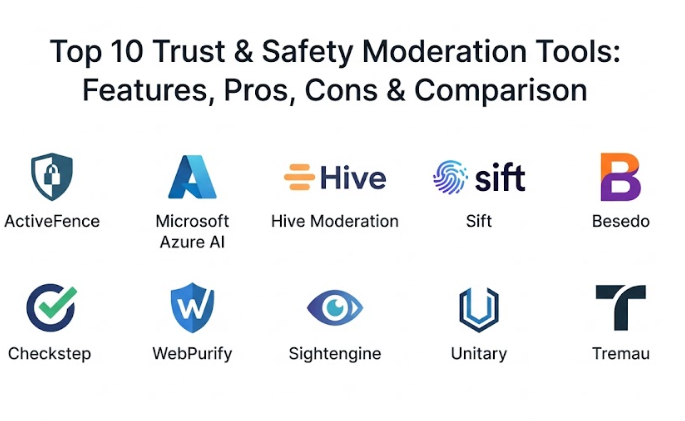
Top 10 Trust & Safety Moderation Tools
1 — ActiveFence
ActiveFence is an enterprise-grade trust and safety platform that offers a proactive approach to moderation by combining high-level threat intelligence with automated detection. It is designed to handle the most complex and sensitive risks, such as organized misinformation, extremism, and child safety issues. The platform stands out because it doesn’t just look at a single post in isolation; it tracks harmful patterns and “adversarial” actors across multiple channels. This tool is built for large-scale organizations that need a “mission control” style dashboard to manage their entire safety operation. It helps teams stay ahead of emerging threats by providing context that simpler filters might miss.
- Key features:
- Multimodal detection across text, image, video, and audio files.
- Global threat intelligence data that identifies coordinated bad actors.
- Advanced red-teaming services to find weaknesses in your safety policy.
- A unified dashboard that centralizes all moderation workflows and queues.
- Customizable risk scoring to prioritize the most dangerous content first.
- Automated policy enforcement that can ban or mute users instantly.
- Deep insights into generative AI risks and deepfake detection.
- Pros:
- Provides incredible depth for identifying high-risk and sophisticated threats.
- The combination of AI and human intelligence makes it highly accurate.
- Cons:
- It is a premium solution with pricing that may be high for smaller startups.
- The sheer number of features can require a dedicated team to manage.
- Security & compliance: SOC 2 Type II certified; GDPR compliant; features role-based access control and comprehensive audit logs.
- Support & community: Offers dedicated account managers, 24/7 technical support, and extensive onboarding for enterprise teams.
2 — Microsoft Azure AI Content Safety
Microsoft Azure AI Content Safety is a powerful, cloud-based service that provides highly scalable moderation tools for both text and images. Part of the broader Azure ecosystem, it is designed for developers who want to integrate safety features directly into their applications using simple APIs. The tool is particularly strong at identifying four main categories of harm: violence, hate speech, sexual content, and self-harm. It provides a “Content Safety Studio” where users can test different sensitivity levels and see how the AI reacts to their specific data. Because it is built on global infrastructure, it can handle massive traffic spikes without slowing down.
- Key features:
- Specialized models for detecting hate, violence, self-harm, and sexual content.
- Adjustable sensitivity levels to match different community standards.
- Multilingual support for global platforms operating in many countries.
- Real-time text analysis that can be integrated into chat and comments.
- Image moderation that identifies inappropriate visuals and text within images.
- Built-in jailbreak detection for protecting generative AI applications.
- Detailed monitoring pages to track API usage and error rates.
- Pros:
- Extremely reliable and easy to scale if you are already using the Azure cloud.
- Offers a very user-friendly testing environment for non-technical staff.
- Cons:
- It focuses on core categories and might lack some niche threat intelligence.
- Customizing the models for very specific slang or context can be limited.
- Security & compliance: ISO, SOC, and GDPR compliant; uses enterprise-grade encryption; data is handled within Microsoft’s secure cloud regions.
- Support & community: Access to the massive Microsoft developer community, detailed documentation, and tiered Azure support plans.
3 — Hive Moderation
Hive Moderation is a fast-growing tool known for its speed and its ability to handle huge volumes of visual and video content. It uses pre-trained AI models that have been taught on billions of items, making it one of the most accurate “out-of-the-box” solutions available. Hive is a favorite for streaming platforms and social apps because it can moderate live video feeds with almost no delay. The platform offers a library of specific “classifiers,” such as guns, drugs, or hate symbols, which users can turn on or off based on their needs. Its simple API makes it very easy for engineering teams to implement without a long setup period.
- Key features:
- Real-time video moderation that scans livestreams frame by frame.
- Advanced image recognition for nudity, violence, and brand logos.
- Text moderation that understands context and slang in multiple languages.
- Large-scale batch processing for cleaning up old or archived content.
- A library of specialized classifiers for niche risks like tobacco or gambling.
- Customizable confidence thresholds to balance speed and accuracy.
- A web-based dashboard for reviewing flagged content and adjusting rules.
- Pros:
- Incredible speed and accuracy for visual content and live video.
- The pre-trained models work very well without needing a lot of custom work.
- Cons:
- Some of the most advanced features can get expensive at high volumes.
- It focuses heavily on automation, which might miss very subtle cultural nuances.
- Security & compliance: SOC 2 compliant; follows GDPR standards; data is encrypted during transit and while being stored.
- Support & community: Responsive developer support, clear API documentation, and personalized onboarding for large clients.
4 — Sift (Digital Trust & Safety)
Sift is a comprehensive platform that looks at trust and safety through the lens of user behavior and fraud prevention. While many tools focus only on the content of a post, Sift looks at the “intent” of the user by analyzing their history, device info, and payment patterns. This makes it an excellent choice for platforms that struggle with scams, fake accounts, or “promo abuse” alongside standard content moderation. It helps teams distinguish between a loyal customer and a professional bad actor who is trying to disrupt the community. The system uses a global data network to spot a fraudster on your site if they have already caused trouble on another platform.
- Key features:
- A global data network that tracks bad actors across thousands of sites.
- Real-time risk scoring for every user action, from login to posting.
- Advanced content moderation that stops spam and scams automatically.
- Account takeover protection to keep user profiles secure from hackers.
- Automated workflows that can block, flag, or challenge suspicious users.
- Dynamic friction, such as asking for extra verification only when needed.
- Detailed case management tools for human review teams to investigate.
- Pros:
- Excellent for stopping sophisticated scams and professional fraud rings.
- Helps reduce “friction” for good users while staying tough on bad ones.
- Cons:
- The setup can be more complex because it requires more data integration.
- It is a broad tool, so you may pay for features you don’t strictly need.
- Security & compliance: SOC 2 Type II certified; PCI compliant; GDPR ready with strong data privacy controls.
- Support & community: High-quality customer success teams, a helpful user community, and professional training resources.
5 — Besedo
Besedo is a unique player in the trust and safety space because it focuses on a “hybrid” approach that perfectly blends automated AI with expert human review. They have been in the industry for a long time and understand that technology alone cannot always understand the nuance of human communication. Besedo provides a tool called “Implio,” which is a moderation dashboard that lets you set up rules and filters easily. They also offer the option to use their own professional moderation teams to handle the content that the AI isn’t sure about. This makes it a great “all-in-one” partner for companies that don’t want to build their own internal moderation department.
- Key features:
- The Implio dashboard for managing both AI and human moderation.
- Rule-based filters for catching obvious violations like spam or links.
- Advanced machine learning models that learn from your human decisions.
- Specialized models for marketplaces, dating apps, and gaming sites.
- Multilingual human moderation services available 24 hours a day.
- Real-time insights into your community health and moderation speed.
- Easy integration with existing platforms through a simple API.
- Pros:
- Having AI and human service in one place makes things much simpler.
- Deep expertise in specific industries like online marketplaces and dating.
- Cons:
- Managing a hybrid system can sometimes be more complex than 100% AI.
- Using their human teams adds a recurring cost that scales with volume.
- Security & compliance: GDPR compliant; secure data handling; provides detailed audit logs for every moderation decision.
- Support & community: Dedicated account managers, high-quality onboarding, and expert consulting on safety policy.
6 — Checkstep
Checkstep is a modern moderation platform that places a huge emphasis on governance, transparency, and compliance. It is designed to act as an “operating system” for trust and safety, allowing teams to connect different AI models from a marketplace and manage them all in one place. This tool is particularly useful for companies that need to meet strict new regulations, as it helps generate the transparency reports required by law. It provides a very clean interface where moderators can work quickly and policy managers can update rules without needing a developer. Checkstep aims to make the moderation process auditable and fair for all users.
- Key features:
- An AI marketplace that lets you choose and test different moderation models.
- A powerful policy engine for creating custom rules without writing code.
- Automated transparency reporting to meet global regulatory standards.
- Centralized case management for human teams to review flagged content.
- Detailed audit logs that show why every single decision was made.
- Support for text, image, video, and audio moderation in one view.
- User appeal workflows to handle complaints from blocked individuals.
- Pros:
- Excellent for teams that need to stay compliant with new legal rules.
- The ability to “swap” different AI models makes it very future-proof.
- Cons:
- It is a management layer, so you still have to choose the right AI models.
- The interface, while powerful, takes some time to master completely.
- Security & compliance: SOC 2 Type II certified; GDPR compliant; specialized tools for regional regulations like the DSA.
- Support & community: Strong focus on customer success, regular product updates, and helpful webinars on compliance.
7 — WebPurify
WebPurify is a long-standing and highly trusted name in the moderation world, known for providing reliable and high-quality services. They offer a simple suite of APIs for profanity filtering, image moderation, and video review that are used by some of the biggest brands in the world. WebPurify is famous for its “human-in-the-loop” service, where a live person reviews content that the AI finds questionable within minutes. Their profanity filter is particularly deep, covering dozens of languages and even slang or intentional misspellings. It is a great choice for organizations that want a “no-fuss” solution that has been proven over many years.
- Key features:
- A deep profanity filter that supports over 30 different languages.
- Real-time image moderation that identifies nudity, drugs, and violence.
- Human review services with an 8-hour or faster turnaround time.
- Custom “blocklists” and “allowlists” that you can manage yourself.
- Specialized moderation for the “metaverse” and virtual environments.
- Video and livestream moderation with automated and human checks.
- Simple, clear pricing that makes it easy to predict your monthly costs.
- Pros:
- It is very easy to set up and start using in just a few minutes.
- The human review team is incredibly reliable and very fast.
- Cons:
- It might lack some of the “predictive” behavioral tools of newer platforms.
- The dashboard is functional but looks a bit dated compared to modern apps.
- Security & compliance: PCI and GDPR compliant; uses secure encryption; offers clear data processing agreements.
- Support & community: Fast email and phone support, a clear knowledge base, and personal service for all clients.
8 — Sightengine
Sightengine is a developer-focused platform that provides powerful and high-performance APIs for content moderation. It is built for speed and offers one of the most comprehensive lists of “detection classes” in the industry, including things like weapons, self-harm, medical images, and even “aesthetic quality.” Sightengine is particularly popular with teams that need to validate profile pictures or check the quality of user-uploaded photos. The documentation is excellent, and the system is designed to be “plug-and-play” for any engineering team. It provides very high accuracy with low latency, making it ideal for high-traffic applications.
- Key features:
- Over 100 different moderation classes for images and video.
- Deepfake and AI-generated image detection tools.
- Advanced text moderation that identifies hate, insults, and PII.
- “Aesthetic” detection that can flag blurry or low-quality photos.
- Profile picture validation to ensure a clear face is visible.
- Near-duplicate detection to prevent spam and repeated content.
- Customizable rules that allow you to fine-tune what gets blocked.
- Pros:
- It is a dream for developers because the API is so clear and well-documented.
- The specialized models, like “image quality,” add a lot of extra value.
- Cons:
- It is a “building block” tool, so you have to build your own dashboard.
- Support for very niche international slang can be slightly behind others.
- Security & compliance: GDPR ready; uses TLS 1.3 encryption; offers SAML SSO for enterprise plans.
- Support & community: Great technical documentation, fast email support, and a simple self-service portal.
9 — Unitary
Unitary is a cutting-edge platform that specializes in understanding the “context” of video content. While older tools might just look at a few frames of a video, Unitary’s AI “watches” the video just like a human would, understanding how the images, audio, and text interact. This makes it incredibly good at identifying things like “casual” hate speech or dangerous challenges that might look innocent to a basic filter. It is an ideal choice for social video platforms and media companies that host millions of videos daily. Unitary aims to reduce the massive mental burden on human moderators by handling the most difficult video analysis automatically.
- Key features:
- Multimodal video analysis that combines visual and audio context.
- Large-scale processing capable of handling millions of videos per day.
- Specialized models for detecting “harmful challenges” and exploitation.
- High-speed performance that reduces “lag” in content publication.
- Deep integration with cloud infrastructure like AWS and EKS.
- A focus on reducing “false positives” through better context awareness.
- Detailed classification that goes beyond just “safe” or “unsafe.”
- Pros:
- Best-in-class for understanding the “vibe” and context of a video.
- Helps protect human moderators from the most upsetting content.
- Cons:
- It is a specialized tool that might be overkill for a simple text forum.
- As a newer company, their user dashboard is still evolving.
- Security & compliance: Built on secure AWS infrastructure; GDPR compliant; follows industry-standard data protection policies.
- Support & community: Expert technical support, hands-on onboarding, and active collaboration with clients.
#0 — Tremau
Tremau is a trust and safety platform that was built from the ground up to help companies navigate the complex world of global regulations. Their “Nima” platform is a low-code operating system that helps nonprofits and businesses stay compliant with laws like the Digital Services Act (DSA). Tremau is unique because they combine their software with high-level advisory services from people who used to work at major tech companies and government bodies. It is a perfect choice for organizations that are worried about huge fines and need a system that ensures they are following every legal requirement perfectly.
- Key features:
- A regulatory-first approach with built-in tools for DSA and OSA compliance.
- A low-code “strike engine” for managing user violations and bans.
- Automated transparency reporting and data exports for regulators.
- A marketplace of AI tools that you can plug into your moderation queue.
- Advanced user fingerprinting to catch bad actors using multiple accounts.
- Integrated “trusted flagger” reporting for faster response times.
- Unified processes that reduce the “clicks” needed for human review.
- Pros:
- The best tool for organizations that prioritize legal and regulatory safety.
- The advisory team provides incredible value for navigating complex laws.
- Cons:
- It is a more formal, compliance-heavy tool that might feel “stiff” for casual apps.
- Pricing is geared toward organizations with serious regulatory needs.
- Security & compliance: SOC 2 compliant; specialized in EU and UK safety regulations; features robust audit logs.
- Support & community: High-level strategic advisory, expert onboarding, and deep industry knowledge sharing.
Comparison Table
| Tool Name | Best For | Platform(s) Supported | Standout Feature | Rating |
| ActiveFence | High-level threat intel | Cloud / Web | Proactive intelligence | 4.8 / 5 |
| Microsoft Azure | Infrastructure & Scaling | Cloud / API | Content Safety Studio | 4.5 / 5 |
| Hive Moderation | Fast visual & video content | Web / API | Pre-trained Classifiers | 4.7 / 5 |
| Sift | Fraud & behavior tracking | Cloud / Web | Global Data Network | 4.6 / 5 |
| Besedo | Hybrid human + AI needs | Cloud / Web | Industry-specific teams | 4.4 / 5 |
| Checkstep | Compliance & Governance | Cloud / Web | AI Model Marketplace | 4.6 / 5 |
| WebPurify | Reliable “plug-and-play” | API / Web | Hybrid live-human review | 4.5 / 5 |
| Sightengine | Developer API & Quality | API / Cloud | Image Quality Detection | 4.7 / 5 |
| Unitary | Deep video context | API / Cloud | Multimodal Video AI | 4.6 / 5 |
| Tremau | Global regulatory safety | Cloud / Web | Low-code “Nima” OS | 4.5 / 5 |
Evaluation & Scoring of Trust & Safety Moderation Tools
We have scored these tools based on a weighted rubric to help you see which one offers the best value for a professional trust and safety operation.
| Evaluation Category | Weight | What We Looked For |
| Core Features | 25% | Accuracy in text/image/video detection and multimodal support. |
| Ease of Use | 15% | How quickly a team can learn the dashboard and set up rules. |
| Integrations | 15% | Ability to connect with other CRMs, databases, and APIs. |
| Security & Compliance | 10% | SOC 2, GDPR, and other essential data safety standards. |
| Performance | 10% | Latency, uptime, and the ability to handle large traffic spikes. |
| Support & Community | 10% | Quality of documentation and speed of technical help. |
| Price / Value | 15% | Whether the benefits provided justify the monthly or API costs. |
Which Trust & Safety Moderation Tool Is Right for You?
Choosing a tool is all about identifying your biggest “pain points” and your budget.
- Solo Users & Small Startups: If you are just starting a new app and have a small budget, WebPurify or Sightengine are excellent choices. They are easy to set up, have clear pricing, and provide professional-grade safety from day one without needing a huge team.
- Mid-Market Platforms: For growing companies that need more control, Checkstep or Besedo offer the perfect balance. They provide powerful dashboards that your team can use to manage rules and human review without needing to be technical experts.
- Enterprise & High-Risk Groups: If you handle massive amounts of data or high-risk content like political news or child safety, you need ActiveFence or Unitary. These tools provide the deep intelligence and contextual understanding required to keep a huge platform safe.
- Budget-Conscious vs. Premium: If you need to keep costs low, focus on “API-first” tools like Hive where you only pay for what you use. If you have a larger budget and need a “full service” partner, Besedo or Tremau are worth the investment.
- Compliance and Scalability: If your main worry is meeting new laws in Europe or the UK, Tremau is your best bet. If you already use the Microsoft cloud and just need a reliable way to scale, Microsoft Azure AI Content Safety is the most logical choice.
Frequently Asked Questions (FAQs)
1. What is the main difference between automated and human moderation?
Automated moderation uses AI to check content instantly, which is great for speed. Human moderation involves real people looking at content, which is better for understanding jokes, sarcasm, or cultural context.
2. Can these tools really understand sarcasm?
Sarcasm is very difficult for basic AI, but newer “multimodal” tools are getting much better at it by looking at the combination of words, images, and user history to guess the intent.
3. Is my user data safe when it is sent to these tools?
Reputable tools use strong encryption and follow laws like GDPR. Most “enterprise” tools also offer ways to process data in specific regions to keep it extra safe.
4. How much does moderation software usually cost?
It varies. Some charge a few cents for every thousand items checked, while others charge a monthly fee that can range from a few hundred to several thousand dollars depending on your size.
5. Do I need a team of developers to set this up?
Many modern tools are “low-code,” meaning a community manager can set them up. However, “API-first” tools like Sightengine will require a developer to connect them to your app.
6. Can these tools stop deepfakes?
Several newer tools like Sightengine and ActiveFence have specific features designed to detect AI-generated images and deepfakes before they go viral on your platform.
7. How do I handle a user who thinks they were wrongly blocked?
Tools like Checkstep have “appeal” workflows built-in. This lets the user send a message, and your human team can review the decision to see if the AI made a mistake.
8. Do these tools slow down my website or app?
Modern moderation APIs are designed to be extremely fast, often taking less than 100 milliseconds. This is usually so fast that your users won’t even notice it is happening.
9. Can I use multiple tools at the same time?
Yes, many companies use a “layered” approach. They might use one tool for fraud, one for text profanity, and another specialized tool for video safety.
10. What is a “false positive” in moderation?
A false positive is when a tool incorrectly flags a “good” post as “bad.” Reducing false positives is a main goal for these companies so that good users don’t get frustrated.
Conclusion
Selecting the right trust and safety moderation tool is one of the most important decisions you will make for the long-term success of your online community. A good tool does much more than just block bad words; it builds a foundation of trust that allows your users to feel safe and your brand to thrive. By moving away from manual work and toward a smart, automated system, you ensure that your platform is professional, secure, and ready to scale. Whether you need a simple filter to get started or a massive AI system to manage a global network, there is a tool on this list that can help.
The “best” tool isn’t always the one with the most features; it’s the one that fits your specific community and your team’s workflow. Always take the time to test these tools with your own data before making a final commitment. Remember that online safety is an ongoing journey, not a one-time setup. By choosing a partner that is constantly learning and evolving, you can stay ahead of bad actors and keep your digital space a place where everyone feels welcome.