Introduction
A Time Series Database Platform (TSDB) is a specialized database system architected to store and retrieve data that is indexed by time. Unlike a traditional relational database that organizes data by entities (like a customer’s name), a TSDB organizes data by sequences of values over time. Every entry has a timestamp, making it the perfect tool for tracking how variables change—whether that is the temperature in a smart warehouse, the price of a stock, or the CPU usage of a server.
In today’s digital landscape, the volume of timestamped data is exploding. From IoT sensors to high-frequency trading and system observability, the “when” of data is just as important as the “what.” TSDBs are vital because they can ingest millions of data points per second and perform complex temporal math (like moving averages or downsampling) that would crash a standard SQL database.
Key Real-World Use Cases
- IT Infrastructure Monitoring: Tracking server health, network traffic, and application performance to prevent outages.
- IoT & Industrial Telemetry: Monitoring smart grids, fleet vehicles, or manufacturing machinery for predictive maintenance.
- Financial Services: Analyzing stock market trends, cryptocurrency price movements, and high-frequency trading logs.
- Energy Management: Logging power consumption across residential and commercial grids to optimize distribution.
What to Look For (Evaluation Criteria)
- Ingestion Throughput: How many millions of data points can it handle per second without dropping information?
- Data Compression: Time-series data is massive; the platform must compress data efficiently to keep storage costs low.
- Query Language: Does it use standard SQL, or will your team need to learn a proprietary language like Flux or PromQL?
- Retention Policies: Can it automatically “roll up” old data (e.g., turning per-second data into per-hour averages) and delete the original high-resolution logs?
Best for:
These platforms are essential for DevOps Engineers, SREs (Site Reliability Engineers), Data Engineers, and IoT Architects. They are most beneficial for mid-to-large enterprises in the tech, finance, and industrial sectors that need to monitor systems in real-time.
Not ideal for:
TSDBs are not ideal for standard business record-keeping or applications requiring heavy “updates” to existing data. If you need to store customer profiles or manage an e-commerce inventory where data changes frequently but isn’t tied to a timeline, a traditional Relational or Document database is far superior.
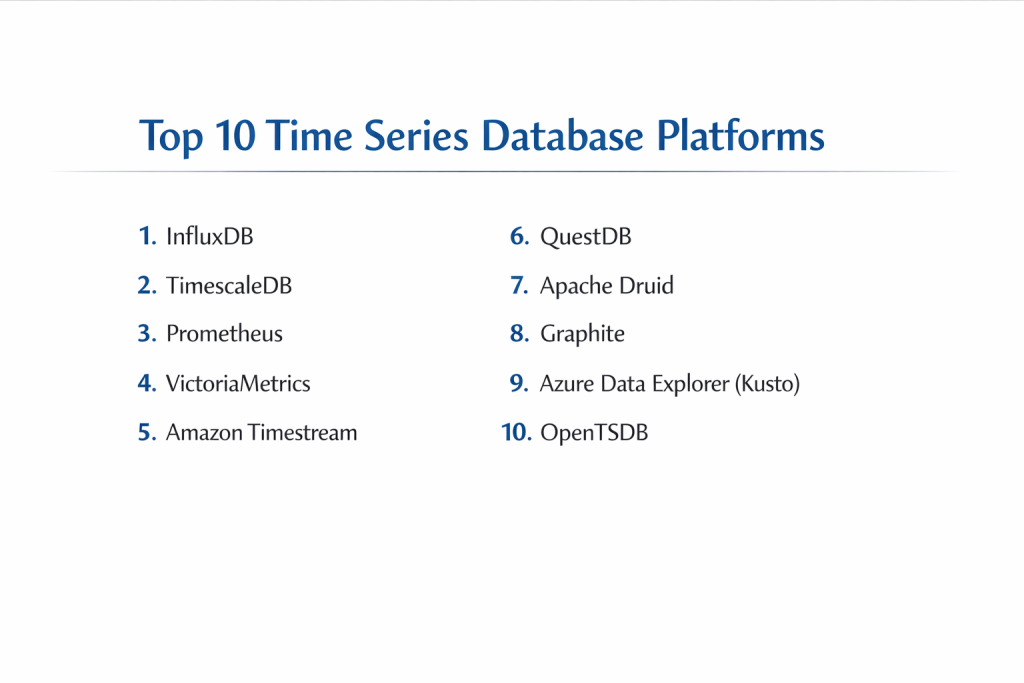
Top 10 Time Series Database Platforms
1 — InfluxDB
InfluxDB is widely considered the industry leader in the time-series space. It is a purpose-built platform designed to handle the massive volumes and high velocities of data generated by sensors, applications, and infrastructure.
- Key features:
- High-Performance Ingestion: Capable of handling millions of data points per second.
- Telegraf Integration: Access to over 300+ plugins for easy data collection.
- Flux & InfluxQL: Offers a powerful functional data scripting language (Flux) and an SQL-like alternative.
- Storage Tiering: Seamlessly move data between “hot” and “cold” storage to save costs.
- Downsampling: Automatically aggregates high-resolution data into lower-resolution summaries.
- Multi-Platform: Available as a cloud service, open-source, or enterprise on-premise.
- Pros:
- The most mature ecosystem with a massive library of integrations.
- Excellent for both real-time monitoring and historical trend analysis.
- Cons:
- Managing “high-cardinality” data (too many unique tags) can lead to memory issues.
- Flux language has a steep learning curve for those used to standard SQL.
- Security & compliance: SOC 2 Type II, GDPR, and HIPAA compliant. Offers SSO (SAML), data encryption at rest/transit, and fine-grained API tokens.
- Support & community: Top-tier. One of the largest active communities on GitHub and Slack, with extensive official documentation and professional 24/7 support for enterprise clients.
2 — TimescaleDB
TimescaleDB takes a unique approach: it is a time-series extension built on top of PostgreSQL. This allows users to get the power of time-series optimization while keeping the familiarity and reliability of a standard SQL database.
- Key features:
- Hypertables: Automatically partitions data into “chunks” across time and space for high performance.
- Standard SQL: Full support for all SQL features, including complex JOINs and window functions.
- Continuous Aggregates: Automatically updates materialized views as new data arrives.
- Native Compression: Achieves up to 90%+ disk space savings using columnar compression.
- Data Tiering: Move older data to cheap object storage like Amazon S3.
- PostgreSQL Ecosystem: Works with all existing Postgres tools, drivers, and visualization platforms.
- Pros:
- Zero learning curve for anyone who already knows SQL.
- Ideal for applications that need to combine time-series data with relational metadata.
- Cons:
- Can be slightly slower for “raw” ingestion compared to non-relational specialized engines like InfluxDB.
- Managing large clusters can become complex compared to purely “serverless” cloud options.
- Security & compliance: Inherits all PostgreSQL security features (RBAC, TLS). Managed cloud version is SOC 2 and HIPAA compliant.
- Support & community: Robust community and excellent documentation. Being based on Postgres means there is a global talent pool of experts available.
3 — Prometheus
Prometheus is the de facto standard for monitoring modern, containerized applications. It is an open-source, “pull-based” system originally developed at SoundCloud and is now part of the Cloud Native Computing Foundation (CNCF).
- Key features:
- Pull Model: Reaches out to targets to “scrape” metrics rather than waiting for them to push.
- PromQL: A highly powerful, multi-dimensional query language.
- Service Discovery: Automatically finds new containers or servers to monitor (perfect for Kubernetes).
- Alertmanager: Built-in sophisticated alerting rules and notification handling.
- Local Storage: Designed for reliability, operating independently of external network storage.
- Exporters: Hundreds of community-built exporters for everything from MySQL to Linux kernels.
- Pros:
- The best choice for Kubernetes environments and cloud-native observability.
- Extremely reliable; the database continues to work even if the rest of your infrastructure fails.
- Cons:
- Not designed for long-term data retention (usually requires a “long-term storage” sidecar like Thanos).
- Not a general-purpose database; strictly limited to numeric metrics.
- Security & compliance: Basic Auth and TLS support; enterprise-grade security (SSO/Audit logs) usually requires a managed service or proxy.
- Support & community: One of the most active open-source communities in the world. Countless tutorials and community plugins available.
4 — VictoriaMetrics
VictoriaMetrics is a fast, cost-effective, and scalable monitoring solution and time-series database. It is often used as a “drop-in” replacement for Prometheus when users need better performance and longer data retention.
- Key features:
- High Compression: Often outperforms InfluxDB and Prometheus in disk space savings.12
- MetricsQL: An improved version of PromQL that adds more powerful functions.34
- Small Footprint: Highly optimized for low CPU and RAM usa5ge.6
- Clustered Version: Supports horizontal scaling across many nod7es for massive datasets.
- Multi-tenant Support: Designed for service providers to host data for multiple clients.
- Prometheus Compatibility: Fully supports Prometheus APIs and scraping configurations.
- Pros:
- Significantly lower hardware costs compared to Prometheus or InfluxDB.
- Simple to operate as a single, statically linked binary.
- Cons:
- Smaller ecosystem of native GUI tools (mostly relies on Grafana).
- Documentation is detailed but can be more technical and less beginner-friendly.
- Security & compliance: Supports TLS and basic auth. Enterprise version adds RBAC and audit logs.
- Support & community: Strong and growing. Active Slack and GitHub community with professional support available for enterprise users.
5 — Amazon Timestream
Timestream is a fast, scalable, and fully managed time-series database service for IoT and operational applications provided by AWS. It is a “serverless” solution, meaning you don’t manage any servers at all.
- Key features:
- Serverless Architecture: Automatically scales capacity up and down based on load.
- Auto-Tiering: Automatically moves data from an in-memory store (for fast writes) to a magnetic store (for cheap long-term storage).
- Adaptive Query Engine: Accesses data across storage tiers using a single SQL statement.
- AWS Integration: Native connections with IoT Core, Kinesis, Sagemaker, and QuickSight.
- Scheduled Queries: Automatically calculates and stores aggregates to speed up dashboards.
- No Upfront Cost: Pay only for the data you ingest, store, and query.
- Pros:
- Zero maintenance; ideal for teams who don’t want to hire a Database Administrator.
- Virtually “infinite” scale without needing to reconfigure clusters.
- Cons:
- Locked into the AWS ecosystem; cannot be run on-premise or on other clouds.
- Query costs can become unpredictable if you run many large, unoptimized analytical queries.
- Security & compliance: Best-in-class. Includes KMS encryption, IAM integration, SOC 1/2/3, HIPAA, and GDPR compliance.
- Support & community: Full AWS technical support and a massive global partner network.
6 — QuestDB
QuestDB is an open-source TSDB engineered for low-latency and high-throughput. It is built in C++ and Java with a focus on “time-series speed,” making it a favorite for financial applications and real-time analytics.
- Key features:
- SQL with Time Extensions: Familiar syntax with specific keywords like
SAMPLE BYandLATEST ON. - Columnar Storage: Optimized for rapid analytical queries and aggregations.
- SIMD Instructions: Uses hardware-level optimization to process data across multiple CPU lanes.
- Postgres Wire Protocol: Works with many existing Postgres tools and libraries.
- In-Memory Buffer: Efficiently handles “out-of-order” data without slowing down ingestion.
- Zero-GC Architecture: Designed to avoid Java “Garbage Collection” pauses for predictable latency.
- SQL with Time Extensions: Familiar syntax with specific keywords like
- Pros:
- One of the fastest ingestion rates in the market for a single-node setup.
- Very low latency for real-time dashboards and high-frequency data.
- Cons:
- The open-source version lacks some advanced clustering features found in the Enterprise edition.
- Ecosystem is newer and smaller than InfluxDB or TimescaleDB.
- Security & compliance: Supports RBAC, TLS, and LDAP in the Enterprise version. Managed cloud is SOC 2 compliant.
- Support & community: Highly responsive engineering team on Slack. Documentation is clean and easy to follow.
7 — Apache Druid
Druid is a real-time analytics database designed for fast “slice-and-dice” analytics on large datasets. While not strictly a time-series database, it is widely used for time-series data because of its incredible aggregation speed.
- Key features:
- Real-time Ingestion: Can ingest and query data simultaneously from Kafka or Kinesis.
- Columnar Format: Extremely fast for “Group By” and “Filter” queries across many dimensions.
- Intelligent Indexing: Uses bitmap indexes to speed up multi-dimensional filtering.
- Automatic Summarization: Pre-aggregates data during ingestion (roll-ups) to save space.
- High Concurrency: Designed to handle thousands of users querying the database at once.
- Pros:
- The best choice for building sub-second interactive analytics dashboards for thousands of users.
- Handles very high-cardinality data better than almost any other TSDB.
- Cons:
- Very complex to set up and manage; usually requires a dedicated Big Data team.
- Not ideal for “point-in-time” raw data retrieval; optimized for aggregations.
- Security & compliance: Robust. Includes Kerberos, TLS, and fine-grained RBAC.
- Support & community: Massive. Being an Apache project, it has a global community of contributors and various commercial support vendors.
8 — Graphite
Graphite is a veteran in the monitoring world. It does two things: stores numeric time-series data and renders graphs on demand. While newer tools have more features, Graphite remains popular for its simplicity.
- Key features:
- Whisper Storage: A fixed-size database format that provides fast, reliable storage.
- Carbon & StatsD: Components for receiving and aggregating metrics.
- Graphite-Web: A built-in UI for creating graphs and dashboards.
- Metric Nesting: Uses a dot-separated hierarchy (e.g.,
servers.web-01.cpu.load). - Simple API: Very easy to send data to via a simple network socket.
- Pros:
- Extremely simple to understand and integrate into legacy systems.
- The fixed-size storage means you never run out of disk space unexpectedly.
- Cons:
- Lacks modern features like multi-dimensional tagging (uses hierarchy instead).
- The storage format (Whisper) is slower and less efficient than modern columnar engines.
- Security & compliance: Minimal built-in security; usually relies on network-level protection (firewalls/VPNs).
- Support & community: Large, legacy community with vast amounts of online documentation and blog posts.
9 — Azure Data Explorer (Kusto)
Azure Data Explorer (ADX) is a fast, fully managed data analytics service for real-time analysis on large volumes of data streams. It uses the “Kusto” query language, which is highly optimized for time-series exploration.
- Key features:
- Kusto Query Language (KQL): A highly readable, “pipe-based” language for exploring data.
- Linear Scaling: Supports up to 12 Mbps per core with the ability to scale to petabytes.
- Pattern Detection: Built-in functions for anomaly detection and forecasting.
- Schema-less Ingestion: Can ingest raw JSON and structured data without complex mapping.
- Full-Text Search: Combines time-series analytics with the ability to search logs.
- Pros:
- Incredibly fast at “exploring” unknown data to find the root cause of an issue.
- Deeply integrated with the Azure ecosystem (Monitor, Sentinel, Power BI).
- Cons:
- KQL is a proprietary language that is not used outside of the Microsoft ecosystem.
- Can be very expensive for small projects compared to open-source alternatives.
- Security & compliance: Enterprise-grade. Over 100+ compliance certifications, including HIPAA, ISO, and FedRAMP.
- Support & community: Backed by Microsoft’s global support. Documentation is excellent, though the external community is smaller than open-source tools.
10 — OpenTSDB
OpenTSDB is a scalable, distributed time-series database that runs on top of Hadoop and HBase. It is designed for massive scale and long-term storage in environments that already use Big Data infrastructure.
- Key features:
- HBase Backend: Leverages Hadoop infrastructure for high-availability storage.
- Tag-based Model: Supports multi-dimensional data for flexible querying.
- Gnuplot Integration: Built-in (though dated) graphing capabilities.
- Cluster Scaling: Can handle trillions of data points by adding more HBase nodes.
- HTTP API: Clean interface for data ingestion and retrieval.
- Pros:
- Excellent for large enterprises that are already running and managing Hadoop.
- Proven at massive scales for decades.
- Cons:
- Huge operational overhead; you must manage Hadoop, HBase, and Zookeeper just to run the database.
- Performance can be lower than “native” modern TSDBs like QuestDB or VictoriaMetrics.
- Security & compliance: Inherits security from the underlying HBase/Hadoop stack (Kerberos, ACLs).
- Support & community: Established but shrinking community as users migrate toward cloud-native or simpler C++/Go-based tools.
Comparison Table
| Tool Name | Best For | Platform(s) Supported | Standout Feature | Rating |
| InfluxDB | General Purpose / IoT | Cloud, On-Prem, Edge | Telegraf Ecosystem | 4.6 / 5 |
| TimescaleDB | SQL Lovers / Metadata | Cloud, On-Prem (Postgres) | Native SQL Support | 4.7 / 5 |
| Prometheus | Kubernetes Monitoring | Linux, Docker | Service Discovery | 4.8 / 5 |
| VictoriaMetrics | Performance / Cost | Linux, Docker, Cloud | Efficient Compression | 4.7 / 5 |
| Amazon Timestream | AWS Ecosystem | AWS Cloud Only | Serverless / Auto-tiering | 4.3 / 5 |
| QuestDB | High-Freq Trading | Linux, Mac, Win | Low Latency SQL Engine | 4.6 / 5 |
| Apache Druid | Interactive Analytics | Linux, Kubernetes | Real-time “Slice & Dice” | 4.5 / 5 |
| Graphite | Simple Legacy Apps | Linux | Whisper Fixed-size Storage | 4.1 / 5 |
| Azure Data Explorer | Azure / Log Analytics | Azure Cloud Only | Kusto Query Language | 4.7 / 5 |
| OpenTSDB | Hadoop Environments | Linux (HBase) | HBase Scalability | 3.9 / 5 |
Evaluation & Scoring of Time Series Database Platforms
| Metric | Weight | Evaluation Criteria |
| Core Features | 25% | Presence of downsampling, retention policies, and high-velocity ingestion. |
| Ease of Use | 15% | Learning curve of the query language and simplicity of installation. |
| Integrations | 15% | Native support for Grafana, Kafka, and various data collectors. |
| Security & Compliance | 10% | Availability of encryption, RBAC, and industry certifications. |
| Performance | 10% | Raw ingestion throughput and query latency for large datasets. |
| Support & Community | 10% | Documentation quality and the size of the active user base. |
| Price / Value | 15% | Hardware efficiency and cloud pricing transparency. |
Which Time Series Database Platform Is Right for You?
Small to Mid-Market vs. Enterprise
For Solo Users and SMBs, TimescaleDB or InfluxDB Cloud are the best choices. They are easy to set up and have free tiers that cover most early-stage needs. Enterprises with massive scale should look at Apache Druid for analytics or Amazon Timestream / Azure Data Explorer to minimize the overhead of managing infrastructure.
Budget-Conscious vs. Premium Solutions
If you are on a tight budget, VictoriaMetrics and QuestDB are the champions of efficiency. They require significantly less RAM and CPU to do the same job as competitors, drastically lowering your monthly cloud bill. Premium solutions like Amazon Timestream cost more but save you the significant expense of hiring a dedicated database engineer.
Technical Depth vs. Simplicity
If you want simplicity, stay with TimescaleDB (if you know SQL) or Graphite (for simple metrics). If you need extreme technical depth—such as performing sub-second aggregations on petabytes of data for thousands of users—Apache Druid is the powerhouse you need, despite its complexity.
Integration and Scalability Needs
If your stack is built on Kubernetes, Prometheus (paired with VictoriaMetrics for long-term storage) is the industry standard. If your data comes from IoT devices spread across the globe, InfluxDB’s Telegraf agent makes data collection much easier than building your own.
Security and Compliance Requirements
If you work in Healthcare or Finance, sticking to the “big three” clouds (AWS, Azure, Google) is often the easiest path to compliance. Amazon Timestream and Azure Data Explorer come with the compliance certifications (HIPAA, SOC 2) already baked in, making your audit process much smoother.
Frequently Asked Questions (FAQs)
1. Why can’t I just use MySQL or Postgres for time-series data?
You can, but they will slow down significantly as you hit millions of rows. Specialized TSDBs use “columnar storage” and “partitioning” to keep queries fast even with billions of data points.
2. What is “High Cardinality” and why is it a problem?
Cardinality is the number of unique combinations of “tags” (like Device ID + Region). If you have millions of unique devices, some TSDBs (like InfluxDB v1) can run out of memory trying to index them all.
3. Is Prometheus a database?
Yes, but it’s a “short-term” database. It is designed to keep metrics for a few weeks to help with troubleshooting, not to store your company’s data for years.
4. What is the difference between InfluxDB and TimescaleDB?
InfluxDB is built from scratch for time-series and uses its own language. TimescaleDB is an “addon” for PostgreSQL, meaning it’s a relational database with time-series superpowers.
5. How much data can these platforms handle?
The top platforms like InfluxDB, Druid, and Timestream can handle trillions of events and petabytes of data when configured in a distributed cluster.
6. Do I need to learn a new query language?
Not necessarily. TimescaleDB and QuestDB use standard SQL. However, if you use Prometheus (PromQL) or InfluxDB (Flux), you will need to learn their specific languages.
7. Can I visualize my data within these databases?
Most have basic built-in charts, but almost everyone in the industry uses Grafana as the “front-end” to see the data in beautiful dashboards.
8. What is “Downsampling”?
It’s the process of reducing data resolution. For example, taking 60 entries (one per second) and saving only the “Average” for that minute to save 98% of the storage space.
9. Is my data secure in a TSDB?
Yes, if you use an Enterprise or Managed Cloud version. Most open-source versions have basic security, but you’ll need to set up your own firewalls and encryption.
10. Which one is the fastest?
For raw ingestion on a single server, QuestDB and VictoriaMetrics are often the winners. For complex analytics on massive data, Apache Druid is typically the fastest.
Conclusion
Choosing the right Time Series Database Platform is about balancing your specific data volume with your team’s technical expertise. There is no “universal winner.”
- If you want familiarity and reliability, choose TimescaleDB.
- If you need the best ecosystem and IoT support, go with InfluxDB.
- If you are cost-conscious and need speed, look at VictoriaMetrics or QuestDB.
- If you want zero maintenance, Amazon Timestream is your best bet.
The best way to decide is to start a small “Proof of Concept” with two of these tools using your own data. What matters most is how easily you can get your data in and how quickly you can get insights out.