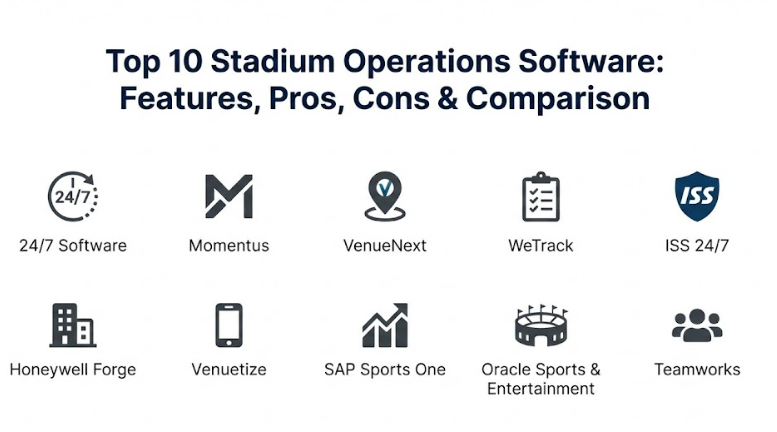
Introduction
Stadium operations software is a specialized category of digital tools designed to manage the complex, high-stakes environment of large public venues. At its core, this software acts as the “brain” of a stadium, coordinating everything from security and incident reporting to facility maintenance, staff scheduling, and even guest services. When thousands of people gather in one place, managing the flow of crowds, ensuring safety, and keeping the building running smoothly requires more than just walkie-talkies and clipboards. These platforms provide a centralized digital hub where managers can see real-time data, track issues as they happen, and ensure that every department—from cleaning crews to security teams—is working in sync.
The importance of stadium operations software lies in its ability to reduce risk and improve the fan experience simultaneously. In the real world, these tools are used to log a broken seat, report a medical emergency, track the progress of a cleaning crew after a game, or manage the massive logistics of setting up for a concert. For example, if a security guard notices a spill in section 104, they can log it on their mobile device, and a cleaning alert is immediately sent to the nearest staff member. This speed prevents accidents and keeps the venue looking professional. When choosing a tool, users should evaluate how well the mobile app works, how easily it integrates with other systems like security cameras or ticketing, and how simple it is for temporary game-day staff to learn and use without hours of training.
Best for: These tools are most beneficial for stadium general managers, operations directors, and facility heads at professional sports venues, university athletic departments, and large convention centers. They are essential for organizations that host high-attendance events and need to maintain strict safety and compliance standards. Both mid-sized regional arenas and massive international stadiums rely on these platforms to handle the sheer volume of data and tasks involved in event management.
Not ideal for: Small community parks, local high school fields, or very small event spaces may find these tools to be more than they need. If a venue only hosts a few hundred people at a time and has a very small staff, the cost and complexity of these platforms might outweigh the benefits. In those cases, basic project management apps or simple communication tools might be a more practical and affordable choice.
Top 10 Stadium Operations Software Tools
1 — 24/7 Software
24/7 Software is widely considered the industry leader in incident management and venue operations. It is designed specifically for the sports and entertainment world, focusing heavily on safety, security, and communication. The platform allows staff to report issues instantly, ensuring that nothing falls through the cracks during a busy event. It is built for professional stadiums that need a rock-solid way to track every single event that happens on-site, from a lost child to a structural repair.
- Key features:
- Real-time incident management and reporting system.
- Computer-Aided Dispatch (CAD) for coordinating security and medical teams.
- Checkpoint and guard tour tracking to ensure patrols are completed.
- Text-to-request feature allowing fans to report issues directly from their seats.
- Comprehensive maintenance management for tracking facility repairs.
- Lost and found module with a public-facing portal for guests.
- Detailed analytics and “After Action” reports for every event.
- Pros:
- The interface is designed for speed, which is critical during high-pressure game-day situations.
- It offers incredible depth in reporting, which is vital for insurance and liability protection.
- Cons:
- The software is extremely powerful, which means it can take some time to set up every module correctly.
- It is a premium solution, and the cost may be too high for smaller collegiate or minor league venues.
- Security & compliance: Offers advanced SSO integration, full data encryption, and is built to meet high enterprise security standards including SOC 2 compliance.
- Support & community: Provides excellent onboarding, a deep knowledge base, and 24/7 technical support specifically tailored to event schedules.
2 — Momentus Technologies
Formerly known as Ungerboeck, Momentus Technologies is an all-in-one venue management platform that handles everything from booking and scheduling to the actual day-of-event operations. It is designed for large-scale venues that host a variety of events, including sports, concerts, and exhibitions. While it has strong operational tools, it is particularly famous for its ability to manage the business side of a stadium, such as contracts, catering, and inventory.
- Key features:
- Comprehensive event booking and calendar management.
- Work order management to coordinate setup and teardown crews.
- Detailed inventory tracking for equipment like chairs, stages, and electronics.
- Integrated CRM and sales tools for managing luxury suite holders and sponsors.
- Financial management for tracking event costs and profitability.
- Mobile tools for staff to update task status in real-time.
- Floor plan and seating chart design tools.
- Pros:
- Having the sales, booking, and operations data in one single place prevents communication errors between departments.
- It is highly customizable, allowing stadiums to build workflows that fit their specific internal processes.
- Cons:
- The system is very large and complex, which can be intimidating for staff members who only use it occasionally.
- Initial implementation requires a significant time investment to ensure all modules are configured properly.
- Security & compliance: Enterprise-grade security with GDPR compliance, encryption, and regular security audits to protect sensitive financial and client data.
- Support & community: Offers a global user community, professional training programs, and a dedicated customer success team for large venues.
3 — VenueNext (by Shift4)
VenueNext focuses on the “Fan Experience” side of operations, specifically mobile commerce and point-of-sale integration. It is designed for modern, high-tech stadiums that want to eliminate long lines and use data to drive revenue. While it handles the retail and food side of the stadium, its operational value comes from its ability to manage the flow of people and resources based on real-time buying and movement data.
- Key features:
- Mobile ordering for food, beverages, and merchandise.
- Integrated mobile wallet for contactless payments across the entire venue.
- Real-time inventory alerts for concession stands to prevent stockouts.
- Mobile ticketing and access control integration.
- Loyalty and rewards program management built into the app.
- Heatmaps showing where people are spending money and gathering.
- Direct messaging to fans based on their location or purchase history.
- Pros:
- It significantly reduces wait times, which makes fans happier and increases total sales.
- The data provided helps managers decide where to send more staff during an event.
- Cons:
- It is heavily focused on commerce, so you will likely still need a separate tool for maintenance and security.
- Implementation requires a robust Wi-Fi or cellular network within the stadium to function correctly.
- Security & compliance: Full PCI compliance for payments, secure data encryption, and integration with major SSO providers.
- Support & community: Provides on-site support during major launches and comprehensive training for concession and retail staff.
4 — WeTrack
WeTrack is a project management and operations tool built by people who have run some of the biggest sporting events in the world. It focuses on planning, readiness, and risk management. It is designed for stadium managers who need to ensure that every step of an event’s preparation is completed on time. It excels at tracking sustainability goals and health and safety requirements, making it a favorite for major international venues.
- Key features:
- Detailed project management modules for event planning and delivery.
- Risk registers to identify and mitigate potential safety or financial issues.
- Incident management with mobile reporting for game-day staff.
- Sustainability tracking to monitor carbon footprint and waste management.
- Readiness checklists to ensure all systems are “go” before doors open.
- Strategic planning tools for long-term venue development.
- Clear dashboards that show the status of all current projects at a glance.
- Pros:
- It is very easy to use, with a clean interface that doesn’t overwhelm the user.
- The focus on “Readiness” is excellent for making sure that nothing is forgotten in the hectic hours before an event.
- Cons:
- It may lack some of the deep “Computer-Aided Dispatch” features found in more security-focused tools.
- It is more of a planning and tracking tool than a real-time POS or building management system.
- Security & compliance: Fully compliant with GDPR and uses secure cloud hosting with regular data backups.
- Support & community: Offers personalized onboarding and a very responsive support team that understands the pressure of event deadlines.
5 — ISS 24/7
ISS 24/7 (often associated with 24/7 Software but specifically branded for specific markets) is a powerful tool for incident reporting and facility management. It is designed to be a “digital logbook” for everything that happens in a venue. It is particularly strong in guest services, allowing fans to text the command center with problems. It is used by many major sports leagues to maintain a high standard of safety and guest satisfaction.
- Key features:
- Text-messaging platform for fan communication and issue reporting.
- Incident management system with automated alerts for staff.
- Facility maintenance tracking and work order generation.
- Guard tour management for security staff.
- Lost and found database with image support.
- Detailed visitor management and check-in for backstage areas.
- Mobile app for real-time status updates from the field.
- Pros:
- The fan-facing text feature is very simple for guests to use and doesn’t require them to download an app.
- The reporting is very straightforward, making it easy to generate summaries for stakeholders after a game.
- Cons:
- The interface, while functional, can feel a bit dated compared to some of the newer web-based apps.
- Customizing the reports to very specific needs can sometimes be a bit of a challenge.
- Security & compliance: Uses secure encryption for all data and offers audit logs to track who entered or changed information.
- Support & community: Known for reliable customer service and a good library of training materials for new staff.
6 — Honeywell Forge for Buildings
Honeywell Forge is a “building Internet of Things” (IoT) platform that is used by massive modern stadiums to manage the physical health of the facility. It focuses on the infrastructure: air conditioning, lighting, power, and safety systems. It is designed for facilities managers who need to reduce energy costs and ensure that the building’s physical systems are performing at their peak during an event.
- Key features:
- Real-time monitoring of HVAC, lighting, and power systems.
- Predictive maintenance that warns you before a machine fails.
- Energy optimization tools to reduce the stadium’s carbon footprint.
- Indoor air quality monitoring and automated adjustments.
- Integration with security cameras and fire safety systems.
- Centralized dashboard for managing multiple stadium locations.
- Asset health tracking for expensive stadium equipment.
- Pros:
- It can save a stadium a massive amount of money on utility bills through smart automation.
- It ensures a comfortable environment for fans by automatically adjusting temperatures based on crowd size.
- Cons:
- This is a technical facility tool, not a guest services or incident reporting platform.
- It requires a significant investment in hardware (sensors and controllers) to be fully effective.
- Security & compliance: High-level industrial security standards, encryption, and secure remote access protocols.
- Support & community: Offers global enterprise support and professional services for complex building integrations.
7 — Venuetize (by Everi)
Venuetize is a mobile platform that blends stadium operations with fan engagement. It is designed to be the “everything app” for a stadium. It manages the digital wallet, mobile ticketing, and wayfinding (maps), but it also provides back-end tools for managers to track how fans are moving through the venue. It is perfect for venues that want to use their mobile app as a tool to streamline operations.
- Key features:
- Interactive wayfinding and maps to help fans find their seats or concessions.
- Mobile wallet for secure, cashless payments.
- Integration with major ticketing providers for easy entry.
- Targeted push notifications based on a fan’s location in the stadium.
- Mobile ordering and wait-time tracking for food and drinks.
- Back-end analytics showing fan behavior and traffic patterns.
- Integration with luxury suite management systems.
- Pros:
- It makes the stadium feel high-tech and modern, which is a big draw for younger fans.
- The location-based data is incredibly helpful for managing crowd flow and security placement.
- Cons:
- It requires a heavy focus on the fan app, which might not be the priority for every operational team.
- Integrating with all the different third-party systems (ticketing, POS, parking) can be a complex process.
- Security & compliance: PCI compliant for payments and uses secure SSO for fan accounts.
- Support & community: Provides dedicated project managers and technical support for app launches and updates.
8 — SAP Sports One
SAP Sports One is a broad platform that is often used to manage the performance of teams, but it has a very strong component for venue and event management. It is designed for high-level organizations that want to use data science to improve every part of their operation. It connects the team’s data with the venue’s data, providing a unique view of how the organization is performing as a whole.
- Key features:
- Centralized event management and planning tools.
- Detailed data analytics and visualization for stadium performance.
- Collaboration tools for staff and team management.
- Integration with SAP’s massive business management ecosystem (ERP).
- Task management and tracking for administrative staff.
- Asset management for tracking team and venue equipment.
- Mobile-friendly dashboards for executive oversight.
- Pros:
- The data analysis power is unmatched, especially for organizations that already use other SAP products.
- It provides a very professional, “big picture” view that is perfect for owners and executives.
- Cons:
- It is generally too expensive and complex for anyone except the largest, most elite stadiums.
- It requires a high level of technical expertise to manage and get the most value out of the data.
- Security & compliance: Meets the highest global security standards, including GDPR and various ISO certifications.
- Support & community: Offers world-class enterprise support and a vast network of professional consultants.
9 — Oracle Sports & Entertainment
Oracle provides a powerful suite of tools, primarily focused on the hospitality and retail operations of a stadium. Their Simphony platform is used by some of the most famous stadiums in the world to manage hundreds of concession stands and luxury suites simultaneously. It is designed for venues that see high-volume sales in very short windows of time (like halftime) and cannot afford a system failure.
- Key features:
- Enterprise-grade point-of-sale (POS) system for food and retail.
- Real-time inventory management across the entire venue.
- Kitchen display systems to speed up food preparation.
- Mobile tablets for “line-busting” and in-seat service.
- Advanced reporting on sales trends and staff performance.
- Integrated payment processing that works even if the internet goes down.
- Loyalty and gift card management.
- Pros:
- The system is incredibly reliable and built to handle the “rush” periods common in stadium environments.
- The depth of the retail and food data helps managers optimize their pricing and staffing.
- Cons:
- It is a heavy system that requires specific hardware and professional installation.
- It doesn’t handle the “security” or “maintenance” side of operations, focusing only on hospitality and retail.
- Security & compliance: Full PCI compliance and enterprise-level data security backed by Oracle’s cloud infrastructure.
- Support & community: Offers 24/7 global support and extensive on-site training for vendors and staff.
10 — Teamworks
Teamworks is the premier communication and scheduling platform for athletic organizations. While it is often used for team management, it is increasingly used for venue operations because it excels at coordinating large groups of people. It is designed for the “human” side of operations—making sure the right people are in the right place at the right time. It is perfect for managing the thousands of staff members and volunteers required for a massive stadium event.
- Key features:
- Centralized scheduling for all staff, volunteers, and teams.
- Real-time messaging and file sharing to keep everyone updated.
- Mobile-first design that is very easy for temporary workers to use.
- Digital form collection for staff waivers, travel info, and health checks.
- Integration with other operational tools for a seamless data flow.
- Clear calendars and itineraries that can be updated instantly.
- Robust reporting on staff attendance and task completion.
- Pros:
- It is perhaps the most user-friendly tool on this list, requiring almost zero training for staff.
- It eliminates the need for messy email chains and group texts, keeping all communication professional.
- Cons:
- It is not a POS, a facility management tool, or a security incident platform.
- It is most effective when used for people coordination rather than building or financial tracking.
- Security & compliance: Offers SSO, high-level data encryption, and is built to protect the privacy of athletes and staff.
- Support & community: Known for legendary customer support and a deep understanding of the sports world’s unique culture.
Comparison Table
| Tool Name | Best For | Platform(s) Supported | Standout Feature | Rating |
| 24/7 Software | Security & Incidents | Web, iOS, Android | Incident Command Center | 4.8 / 5 |
| Momentus | Booking & Logistics | Web, Mobile | All-in-One Booking | 4.6 / 5 |
| VenueNext | Fan Commerce | Web, iOS, Android | Mobile Wallet Integration | 4.7 / 5 |
| WeTrack | Readiness & Risk | Web, Mobile | Event Planning Checklists | 4.5 / 5 |
| ISS 24/7 | Guest Services | Web, iOS, Android | Fan Text-to-Report | 4.4 / 5 |
| Honeywell Forge | Facility Health | Web, Mobile | Predictive Building AI | 4.3 / 5 |
| Venuetize | Fan Engagement | Web, iOS, Android | Wayfinding & Maps | 4.5 / 5 |
| SAP Sports One | Data & Executive View | Web, Mobile | ERP Ecosystem Sync | 4.2 / 5 |
| Oracle S&E | High-Volume Retail | Web, iOS, Android | Bulletproof POS | 4.6 / 5 |
| Teamworks | Staff Coordination | Web, iOS, Android | Simplified Scheduling | 4.8 / 5 |
Evaluation & Scoring of Stadium Operations Software
Choosing the right software involves balancing several different factors. Below is the weighted scoring rubric we use to evaluate these stadium-specific tools.
| Evaluation Criteria | Weight | What We Look For |
| Core Features | 25% | Incident tracking, scheduling, and real-time reporting. |
| Ease of Use | 15% | How quickly temporary game-day staff can learn the app. |
| Integrations | 15% | Ability to talk to ticketing, security cameras, and POS systems. |
| Security & Compliance | 10% | GDPR, PCI, and SOC 2 data protection standards. |
| Performance | 10% | Reliability under high-load situations (e.g., halftime rush). |
| Support & Community | 10% | Availability of support during late-night or weekend events. |
| Price / Value | 15% | Does the efficiency gain justify the monthly or annual cost? |
Which Stadium Operations Software Tool Is Right for You?
The “best” tool depends entirely on what problem you are trying to solve. Large venues often use a combination of these tools to cover all their bases.
Solo Users vs SMB vs Mid-Market vs Enterprise
- Small Arenas / SMB: If you are a small venue, look for Teamworks or WeTrack. They are easier to set up and focus on communication and planning without requiring a massive IT team.
- Mid-Market Stadiums: ISS 24/7 or VenueNext are great choices that offer professional features without the extreme complexity of an enterprise ERP system.
- Enterprise / Major League: Huge stadiums usually need 24/7 Software for security and Oracle or Momentus for the heavy-duty logistics and sales management.
Budget-Conscious vs Premium Solutions
If budget is the primary concern, focus on “Point Solutions” that solve one big problem perfectly. For example, Teamworks is very affordable for staff coordination. If you have a larger budget and want to transform the whole venue, a premium “Platform” like 24/7 Software or SAP provides more long-term value through deep data insights.
Feature Depth vs Ease of Use
If you have high staff turnover (many new volunteers every game), prioritize Ease of Use. A simple app like Teamworks or Fieldwire will be much more successful than a complex one. If you have a stable, professional team of full-time facilities managers, you can handle a tool with more Feature Depth like Honeywell Forge or Momentus.
Integration and Scalability Needs
Always check if the tool can grow with you. If you plan to add mobile ordering next year, make sure your current operations tool can talk to a POS system. If you are a global organization, ensure the tool has the high-level Security and Compliance certifications (like SOC 2) that your legal team will require.
Frequently Asked Questions (FAQs)
1. What is the most important feature of stadium software?
Real-time communication is number one. During an event, a delay of even a few minutes in reporting a security issue or a facility failure can lead to big problems.
2. Can these tools work if the stadium Wi-Fi is poor?
Many tools like 24/7 Software and Fieldwire have “offline modes” that store data on the device and sync it as soon as a connection is found, which is vital in concrete-heavy stadium environments.
3. Do fans have to download an app to report issues?
Not always. Tools like ISS 24/7 allow fans to simply send a text message to a specific number, making it much more likely that they will actually report problems.
4. How much do these platforms typically cost?
Pricing varies based on venue size and features. It can range from a few thousand dollars a year for simple staff apps to six-figure contracts for enterprise facility and POS systems.
5. How long does it take to train staff?
Simple communication apps take minutes to learn. Complex incident management or building automation platforms can require several days of professional training for the core team.
6. Can one tool manage everything?
Usually, no. Most large stadiums use a “best-of-breed” approach, combining a security tool (like 24/7 Software), a retail tool (like Oracle), and a staff tool (like Teamworks).
7. Is the data secure?
High-quality providers use enterprise-level encryption and comply with privacy laws like GDPR to ensure that fan and staff data is protected.
8. Do these tools help with insurance costs?
Yes. By providing a detailed, time-stamped log of every incident and maintenance task, stadiums can often prove they followed proper safety protocols, which can lower insurance premiums.
9. Can these tools help with sustainability goals?
Yes, platforms like WeTrack and Honeywell Forge are specifically designed to help stadiums track and reduce their energy use and waste.
10. What is “Predictive Maintenance” in a stadium?
It’s a feature in tools like Honeywell Forge that uses sensors to tell you a pump or air conditioner is about to break before it actually happens, allowing you to fix it before game day.
Conclusion
Choosing the right stadium operations software is one of the most important decisions a venue manager can make. These tools act as the central nervous system of a facility, turning a chaotic environment into a well-coordinated operation where safety and efficiency are guaranteed. By moving away from outdated paper logs and disjointed group chats, stadium leaders can ensure that every staff member has the information they need to do their job perfectly. This leads to a safer environment for fans, a more productive workday for employees, and a more profitable business for the owners.
In the end, the “best” stadium software isn’t necessarily the one with the most buttons or the highest price tag. It is the tool that your staff will actually use every single day and that gives your leadership team the data they need to make smart decisions. Whether you are looking to speed up your concession lines, improve your security response times, or reduce your energy bills, there is a specialized solution on this list that can help. Take the time to involve your key department heads in the demo process, and focus on the tools that integrate most cleanly with the systems you already have in place.
With the right technology in your pocket, managing a massive crowd becomes less of a challenge and more of a science. By investing in the right operational foundation today, you are setting your venue up for years of successful, high-energy events that keep fans coming back season after season. The future of stadium management is digital, and with these ten tools, you have everything you need to lead the way.