Introduction
Spend Analytics Tools are specialized software platforms that help businesses collect, clean, and look at their spending data. Think of it as a central hub where all the money leaving a company—whether it’s for office supplies, raw materials, or software subscriptions—is organized and analyzed. Instead of digging through thousands of messy spreadsheets or bank statements, these tools use smart technology to show exactly where the money is going, who is spending it, and where the company might be overpaying.
Using these tools is important because most businesses lose a lot of money simply because they don’t have a clear picture of their expenses. For example, a large company might find out they are buying the same service from three different vendors at three different prices. Spend analytics helps them catch these mistakes, negotiate better deals, and find “hidden” savings that they can put back into the business. In the real world, these tools are used to spot “maverick” spending (buying outside of agreed contracts), manage risks with suppliers, and ensure the company stays within its budget.
When choosing a tool, you should look for how well it cleans your data, how easily it connects to your existing systems (like your accounting software), and how simple the dashboards are for your team to use.
Who Benefits Most and Who Might Not Need It
Best for:
These tools are most helpful for Procurement Managers, CFOs, and Finance Directors. They are essential for mid-sized to large enterprises that manage complex supply chains or have thousands of transactions every month. Industries like manufacturing, retail, and healthcare, where costs are high and profit margins can be thin, find these tools particularly valuable for keeping their finances healthy.
Not ideal for:
Small businesses with very few monthly transactions or simple expenses may not need a dedicated spend analytics tool. If you only have a handful of suppliers and a clear view of your bank account, the cost and effort of setting up this software might not be worth it. Freelancers or solo entrepreneurs are also better off using basic accounting software or simple spreadsheets for their tracking.
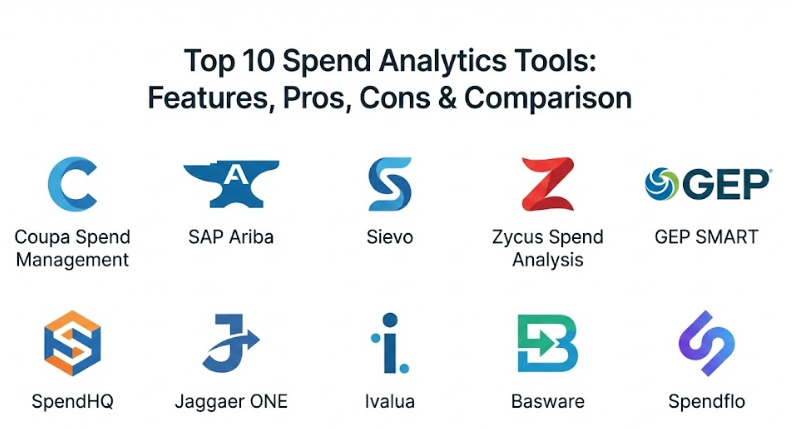
Top 10 Spend Analytics Tools
1 — Coupa Spend Management
Coupa is a well-known platform that focuses on “Business Spend Management.” It is built to give companies a complete view of their money by connecting everything from buying and invoicing to expenses and payments.
- Key features:
- Automatically categorizes spending data from multiple sources.
- Uses “Community Intelligence” to compare your prices with other companies.
- Flags suspicious spending or potential fraud in real-time.
- Provides a simple interface that feels like online shopping.
- Offers deep reports on supplier risk and diversity.
- Pros:
- Very high user adoption because the interface is easy to use.
- Excellent at finding immediate savings through community benchmarks.
- Cons:
- It can be a very expensive option for smaller firms.
- Setting up the full system can take a long time and require expert help.
- Security & compliance: SOC 2, GDPR, and ISO 27001 compliant with strong audit logs.
- Support & community: Extensive documentation, a large user community, and 24/7 enterprise support.
2 — SAP Ariba (Spend Analysis)
SAP Ariba is one of the largest procurement networks in the world. Its spend analysis tool is designed to help big companies make sense of massive amounts of global spending data.
- Key features:
- Connects directly to the Ariba Network to see thousands of suppliers.
- Uses machine learning to clean and group messy data automatically.
- Offers specialized reports for different industries.
- Tracks how well you are sticking to your contracts with vendors.
- Integrates seamlessly with other SAP products.
- Pros:
- Unmatched power for global companies with complex data needs.
- Very strong at ensuring the company stays compliant with legal rules.
- Cons:
- The interface can feel a bit old-fashioned and complex to new users.
- Works best only if you are already using other SAP software.
- Security & compliance: High-level enterprise security including GDPR and SOC compliance.
- Support & community: Massive global support network with dedicated account managers.
3 — Sievo
Sievo is a dedicated spend analytics tool that prides itself on data accuracy. It is built for procurement teams who want a “best-of-breed” solution specifically for analyzing their money.
- Key features:
- Exceptional data cleansing and “normalization” (fixing errors).
- Provides a conversational AI assistant that lets you ask questions about your data.
- Tracks “Cost Avoidance” to show money you didn’t spend.
- Includes sustainability tracking to see the carbon footprint of your purchases.
- Links your spend data directly to your signed contracts.
- Pros:
- The data quality is often higher than in larger “all-in-one” platforms.
- The AI assistant makes it very easy to find specific answers quickly.
- Cons:
- It is a specialized tool, so it doesn’t handle things like paying bills.
- Might require a separate tool for the actual buying process.
- Security & compliance: ISO 27001 certified and fully GDPR compliant.
- Support & community: High-touch customer service and regular training webinars.
4 — Zycus Spend Analysis
Zycus uses a powerful AI engine to automate the way spending is categorized. It is a great choice for companies that want to reduce the manual work of managing data.
- Key features:
- Patented AI engine for extremely fast data classification.
- Real-time tracking of commodity prices to help you time your buys.
- Automatically finds duplicate vendors that are costing you extra.
- Simple dashboards tailored for the CFO and finance leaders.
- Integrates with major ERP systems like Oracle and SAP.
- Pros:
- Very strong at finding “maverick” spend outside of contracts.
- The AI does a lot of the heavy lifting, saving your team time.
- Cons:
- Some of the advanced features can be difficult to learn at first.
- The mobile app version is not as powerful as the desktop site.
- Security & compliance: SOC 1 and SOC 2 Type II, HIPAA, and GDPR compliant.
- Support & community: Good documentation and a dedicated “customer success” team.
5 — GEP SMART
GEP SMART is a cloud-based platform that combines spend analytics with sourcing and contract management. It is designed to be a “unified” suite where everything is in one place.
- Key features:
- Native cloud design that works smoothly on any device.
- Combines historical spend data with future sourcing plans.
- Tracks supplier performance alongside spending levels.
- Provides visual dashboards that are very easy to read.
- Includes tools to help manage complex global supply chains.
- Pros:
- Having everything in one platform makes the data much cleaner.
- Very flexible for companies that are growing and changing fast.
- Cons:
- Can be a bit “overkill” if you only need the analytics part.
- Implementation requires a solid internal team to manage it.
- Security & compliance: SOC 2, ISO 27001, and robust encryption protocols.
- Support & community: 24/7 global support and an active user training academy.
6 — SpendHQ
SpendHQ focuses on being simple and fast. It is a “purpose-built” tool for finance teams that want to see their data clearly without a massive, complicated setup.
- Key features:
- Ready-to-use dashboards that don’t require custom coding.
- Focuses on “Data Clarity” by having experts verify the AI’s work.
- Quickly identifies where you can consolidate your vendors.
- Simple “Spend Cube” view to see money by category and supplier.
- Fast implementation compared to larger enterprise suites.
- Pros:
- You can see your data insights much faster than with other tools.
- The interface is very clean and doesn’t overwhelm the user.
- Cons:
- Doesn’t have as many “extra” features like invoicing or payments.
- Less advanced in terms of predictive AI compared to some rivals.
- Security & compliance: SOC 2 Type II compliant and uses modern encryption.
- Support & community: Excellent onboarding process and friendly customer support.
7 — Jaggaer ONE
Jaggaer is a platform that is very popular in the manufacturing and education sectors. It excels at managing complex spending for physical goods and materials.
- Key features:
- Specialized in “Direct Materials” (things used to make products).
- Uses AI to suggest better suppliers and lower prices.
- Deep tracking of supplier risks like financial stability.
- Provides an “Autonomous Commerce” experience to automate buys.
- Strong tools for collaborating with suppliers on price.
- Pros:
- The best choice for companies with very complex supply chains.
- Very strong at managing the “risk” side of spending.
- Cons:
- The software can feel heavy and a bit slow to navigate.
- It takes significant training to master all the different modules.
- Security & compliance: GDPR, HIPAA, and SOC 2 compliant.
- Support & community: Global support network with specialized industry expertise.
8 — Ivalua
Ivalua is famous for being highly customizable. It uses a single data model, which means all your information stays consistent across every part of the software.
- Key features:
- Highly flexible—you can change the software to fit your specific process.
- Deep analysis for both products (direct) and services (indirect).
- Tracks your environmental and social impact goals (ESG).
- Integrated “Social Network” style collaboration with suppliers.
- Very strong at managing long-term contracts and compliance.
- Pros:
- You won’t outgrow this tool because it can be customized as you grow.
- The data stays very organized because it all lives in one “brain.”
- Cons:
- Customization makes the initial setup more complex and expensive.
- Users might need more training because the tool can do so much.
- Security & compliance: ISO 27001, SOC 1/2, and FISMA compliant.
- Support & community: Extensive documentation and a large partner network for help.
9 — Basware
Basware is a leader in “e-invoicing” and automated spending. It is built for companies that want to automate the “paperwork” of finance while getting deep insights.
- Key features:
- World-class automated invoice processing and data capture.
- Connects to over 220 different ERP systems.
- Predictive analytics to help you manage your cash flow.
- Automatically checks if invoices match your purchase orders.
- Strong global compliance for tax and legal rules.
- Pros:
- If your main goal is automating invoices, this is a top choice.
- It catches errors in billing better than almost any other tool.
- Cons:
- The “spend analysis” part is often tied to the “invoicing” part.
- The interface for searching through data could be more modern.
- Security & compliance: ISO 27001, ISAE 3402, and GDPR compliant.
- Support & community: Solid technical support and a global reach for multinational firms.
10 — Spendflo
Spendflo is a modern tool specifically designed for the “SaaS” world. It helps companies manage their software subscriptions and stop wasting money on unused licenses.
- Key features:
- Automatically finds all the software your company is paying for.
- Tracks when your software renewals are coming up.
- Provides benchmarks to show if you are paying too much for apps like Slack or Zoom.
- Includes a team of experts to help you negotiate your software deals.
- Simple dashboard to see total software spend by department.
- Pros:
- Perfect for tech-heavy companies where software is a huge expense.
- The negotiation service can save you more money than the tool costs.
- Cons:
- It only focuses on software, not physical goods or other services.
- Not suitable for companies that don’t spend much on subscriptions.
- Security & compliance: SOC 2 Type II compliant and data privacy focused.
- Support & community: Very responsive, modern support via Slack and email.
Comparison Table
| Tool Name | Best For | Platform(s) Supported | Standout Feature | Rating (Gartner) |
| Coupa | User Adoption | Cloud / Web / Mobile | Community Intelligence | 4.7 / 5 |
| SAP Ariba | Global Enterprises | Cloud / Web | Network-Driven Scale | 4.5 / 5 |
| Sievo | Data Accuracy | Cloud / Web | Conversational AI (Sievo IQ) | 4.6 / 5 |
| Zycus | Automation-First | Cloud / Web | AI Classification Engine | 4.4 / 5 |
| GEP SMART | Unified S2P Suite | Cloud / Web / Mobile | Unified Data Model | 4.6 / 5 |
| SpendHQ | Fast Insights | Cloud / Web | Rapid Implementation | N/A |
| Jaggaer ONE | Manufacturing | Cloud / Web | Direct Materials Focus | 4.4 / 5 |
| Ivalua | Customization | Cloud / Web | Single Data Architecture | 4.6 / 5 |
| Basware | Invoice Automation | Cloud / Web | ERP Connectivity | 4.3 / 5 |
| Spendflo | SaaS Optimization | Cloud / Web | Negotiation Service | 4.8 / 5 |
Evaluation & Scoring of Spend Analytics Tools
The following table shows how we evaluated these tools based on a weighted system. This helps you see which areas are most important for a successful implementation.
| Evaluation Category | Weight | Industry Average Score | Weighted Score |
| Core Features | 25% | 8.5 / 10 | 2.13 |
| Ease of Use | 15% | 7.0 / 10 | 1.05 |
| Integrations & Ecosystem | 15% | 8.0 / 10 | 1.20 |
| Security & Compliance | 10% | 9.0 / 10 | 0.90 |
| Performance & Reliability | 10% | 8.5 / 10 | 0.85 |
| Support & Community | 10% | 7.5 / 10 | 0.75 |
| Price / Value | 15% | 7.0 / 10 | 1.05 |
| Total Weighted Score | 100% | N/A | 7.93 / 10 |
Which Spend Analytics Tool Is Right for You?
Choosing the right tool is a big decision. Here is a simple guide to help you find the best match for your specific situation.
Solo Users vs SMB vs Mid-Market vs Enterprise
If you are a solo user, you likely don’t need these tools. For small businesses (SMBs), a simple tool like Spendflo (for software) or SpendHQ (for general spend) is best because they are easy to start. Mid-market companies should look for a balance of power and ease, like Coupa or Sievo. Large enterprises need the “heavy hitters” like SAP Ariba or Ivalua that can handle millions of lines of data across different countries.
Budget-Conscious vs Premium Solutions
If you have a tight budget, look for tools that offer a fast ROI (return on investment). SpendHQ and Spendflo are often more affordable and show savings quickly. If you have a larger budget and want a long-term strategy, premium suites like Jaggaer or GEP SMART provide more depth and better long-term value.
Feature Depth vs Ease of Use
If your team isn’t very tech-savvy, prioritize a tool with a great user interface like Coupa. If you have a team of data experts who want to “drill down” into every penny, a feature-rich tool like SAS (often used alongside these) or Sievo is a better fit.
Integration and Scalability Needs
Check which tool connects to your accounting system. If you use SAP, using SAP Ariba might be easier. Also, think about the future—choose a tool that can grow with you. Ivalua is the best for this because it can be customized as your company changes.
Frequently Asked Questions (FAQs)
1. What is the main difference between spend analytics and basic accounting?
Accounting tracks your transactions for taxes and bookkeeping. Spend analytics looks deeper into those transactions to find patterns, supplier risks, and ways to save money.
2. How long does it take to set up these tools?
Simple tools can be ready in a few weeks. Larger enterprise systems can take several months or even a year to fully integrate with your company’s data.
3. Do these tools work with any accounting software?
Most leading tools can connect to major systems like Oracle, SAP, NetSuite, and Microsoft Dynamics through APIs or data uploads.
4. How much money can a spend analytics tool really save?
On average, companies find between 5% and 15% in savings within the first year by identifying duplicate vendors and negotiating better contracts.
5. What is “Maverick Spend”?
This happens when employees buy items from unapproved vendors or at prices higher than what the company has already negotiated in a contract.
6. Is my data safe in the cloud?
Yes, these tools use high-level encryption and follow strict security rules like SOC 2 and GDPR to ensure your financial data is protected.
7. Can these tools handle global currencies?
Yes, enterprise-level tools like SAP Ariba and Coupa are built to handle multiple currencies and convert them into one “base” currency for your reports.
8. Do I need a lot of data to start?
You don’t need “perfect” data. In fact, these tools are designed to take messy data and clean it up for you so you can start seeing insights.
9. What is “Tail Spend”?
Tail spend refers to the small, unmanaged purchases that add up to about 20% of a company’s total spend but involve 80% of its suppliers.
10. How often should I check my spend analytics?
While you can look every day, most companies do a deep review every month or quarter to track their progress against their budget.
Conclusion
Finding the right spend analytics tool can transform the way your business handles money. Instead of guessing where your budget is going, these tools give you the facts you need to make smart decisions. While there is no single “best” tool for everyone, the key is to find the one that fits your company size, your budget, and the skills of your team.
Remember that the most successful companies are the ones that use their data as a guide. By picking a tool that makes your spending clear and easy to understand, you are setting your business up for long-term financial success. Start by looking at your biggest expenses and choose the tool that helps you manage them best.