Introduction
Solar asset monitoring software is a digital platform that serves as the central brain for a solar energy system. These tools collect, track, and analyze data from solar panels, inverters, and sensors to ensure they are producing as much energy as possible. By monitoring performance in real-time, these tools allow owners and operators to spot equipment failures, shading issues, or dirt buildup immediately. In short, they turn raw electrical data into clear information that helps people protect their investment and maximize their clean energy production.
Maintaining a solar installation without monitoring software is a difficult and risky task. It is vital because it provides visibility into “hidden” problems that can’t be seen with the naked eye. In the real world, these tools are used by homeowners to track their monthly savings, by businesses to hit sustainability goals, and by utility companies to manage massive power plants that feed the grid. When choosing a tool, you should look for accurate data reporting, a simple interface, and compatibility with your specific solar hardware.
Best for: This software is most beneficial for operations and maintenance (O&M) teams, solar fleet managers, and renewable energy investors. It works best for those managing multiple systems who need a centralized way to track performance and financial ROI.
Not ideal for: It is likely not necessary for very small residential systems where the inverter already comes with a basic, free app. It is also not a replacement for physical cleaning or repairs; the software identifies the problem, but a technician still needs to fix it.
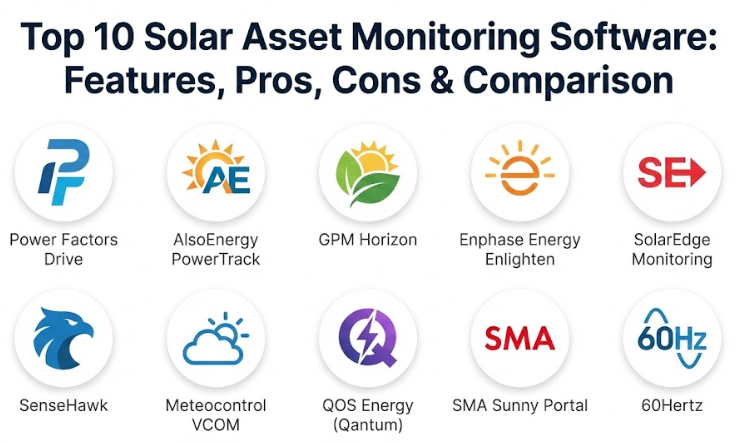
Top 10 Solar Asset Monitoring Software Tools
1 — Power Factors Drive
Power Factors Drive is a high-level platform built for large-scale utility and commercial solar projects. It is designed to handle the complexity of massive energy portfolios, focusing heavily on identifying exactly why a plant might be underperforming compared to its potential.
Key Features:
- Loss Attribution: Automatically identifies the root cause of energy losses, such as shading or hardware errors.
- Real-Time Fleet Tracking: Monitors hundreds of sites simultaneously from a single dashboard.
- Automated Alerting: Notifies the team the moment a system falls below expected performance levels.
- Financial Reporting: Links technical performance directly to revenue and financial goals.
- Event Logging: Maintains a detailed history of every maintenance action taken.
- Weather Integration: Compares actual production against local weather data for more accurate reporting.
Pros:
- Provides deep insights that help large-scale operators maximize their financial returns.
- Extremely robust and capable of handling massive amounts of data without slowing down.
Cons:
- The complexity of the tool requires professional training to use effectively.
- It is a premium, high-cost solution that is not suitable for small-scale users.
Security & compliance:
The platform offers enterprise-grade security, including data encryption and role-based access controls. It is built to meet high standards required by global energy utility companies.
Support & community:
Power Factors provides dedicated account management and professional onboarding. They offer a deep library of technical resources and have a strong presence in the global renewable energy industry.
2 — AlsoEnergy PowerTrack
AlsoEnergy PowerTrack is one of the most well-known names in solar monitoring. It is a flexible tool that is highly regarded for its “hardware agnostic” approach, meaning it can connect to almost any brand of inverter or sensor on the market.
Key Features:
- Universal Compatibility: Connects seamlessly with a wide variety of hardware manufacturers.
- Custom Dashboards: Users can easily build their own views to see the data that matters most.
- Portfolio Comparisons: Allows you to compare the performance of different sites across your fleet.
- Automated Reporting: Generates and schedules reports for stakeholders and regulatory agencies.
- Asset Management Tools: Tracks maintenance schedules and equipment warranties in one place.
- Open API: Allows the software to talk to other business and financial management tools.
Pros:
- Highly flexible and can be customized to fit the specific needs of different business models.
- Very reliable with a long track record of supporting major commercial solar projects.
Cons:
- Setting up the custom features can be time-consuming for new users.
- The design of the interface can feel a bit traditional compared to newer, app-based platforms.
Security & compliance:
Provides secure cloud hosting and follows industry-standard protocols for data privacy. It includes features like secure login and detailed user activity logs.
Support & community:
AlsoEnergy has a large support team with regional experts. They provide regular webinars and training sessions to help users get the most out of the platform.
3 — GPM Horizon (by GreenPowerMonitor)
GPM Horizon is a sophisticated energy management tool that covers the entire lifecycle of a solar asset. It is a top choice for global companies that need to manage both the technical performance and the administrative side of their solar plants.
Key Features:
- Predictive Maintenance: Uses data trends to alert you to potential failures before they happen.
- Mobile Field App: Enables technicians to update site information and logs directly from the field.
- KPI Tracking: Monitors key performance indicators like Performance Ratio in real-time.
- Grid Management: Helps operators manage how much power is being sent to the local grid.
- Document Storage: Keeps all your permits, manuals, and site maps in one central location.
- Custom Rules: Allows you to set specific parameters for what triggers an alarm or alert.
Pros:
- The predictive tools are excellent for reducing long-term maintenance costs.
- Offers a true “all-in-one” experience for managing every aspect of a solar site.
Cons:
- The platform is very detailed and can be overwhelming for teams looking for a simple solution.
- Requires a significant initial investment in setup and staff training.
Security & compliance:
Complies with major international data protection standards and offers high-level encryption for all stored data.
Support & community:
Provides high-touch customer support and professional implementation services. They work closely with large enterprise clients to ensure a smooth rollout.
4 — Enphase Energy Enlighten
Enphase Enlighten is the primary monitoring platform for systems using Enphase microinverters. It is unique because it provides data for every single panel, allowing you to see exactly how each part of your roof is performing.
Key Features:
- Panel-Level Visibility: Spots a single underperforming panel instantly, even in a large array.
- Consumer Interface: One of the most user-friendly designs in the industry, perfect for non-experts.
- Mobile App Experience: Provides a high-quality mobile app for tracking production on the go.
- Battery Tracking: Integrates with home storage systems to show battery charge and usage.
- Health Monitoring: Constantly checks the system for errors and reports them automatically.
- Consumption Monitoring: Shows how much energy the building is consuming compared to what it produces.
Pros:
- Provides a level of detail (individual panel health) that many other systems cannot match.
- Very simple and intuitive, making it a favorite for homeowners and small businesses.
Cons:
- It only works with Enphase hardware, so you cannot use it for a mixed-brand fleet.
- Not built for the massive data needs of large-scale utility power plants.
Security & compliance:
Uses modern web security standards to protect user data. It is highly secure for residential and commercial applications.
Support & community:
Has a very large and active community of installers and users. There are countless videos, guides, and forums available for help.
5 — SolarEdge Monitoring Platform
SolarEdge offers a monitoring platform that works with its own power optimizers and inverters. Like Enphase, it is built to give very detailed information at the individual module level, which is excellent for maintenance and troubleshooting.
Key Features:
- Module-Level Monitoring: Displays the real-time performance of every individual solar module.
- Remote Troubleshooting: Allows installers to diagnose and fix many issues without visiting the site.
- Installer Dashboard: A centralized screen for professionals to manage all their client sites at once.
- Safety Integration: Works with hardware safety features to shut down the system in an emergency.
- Automatic Alerts: Sends notifications to the installer and owner if the system stops producing.
- Energy Management: Includes tools for managing EV chargers and smart home devices.
Pros:
- Greatly reduces the time spent on maintenance by pinpointing exactly where a problem is located.
- Very effective for installers who manage hundreds of residential or commercial customers.
Cons:
- You are required to use SolarEdge hardware to get access to the monitoring data.
- Some advanced reporting features may require a paid subscription for professional users.
Security & compliance:
Built with secure login protocols and data encryption. It is designed to be a safe and reliable choice for both homes and businesses.
Support & community:
Offers extensive training through its professional courses and provides a dedicated support portal for certified professionals.
6 — SenseHawk
SenseHawk is a modern, visual-first platform that uses artificial intelligence and mapping technology to manage solar sites. It is especially useful for the construction and operation of very large solar farms.
Key Features:
- Map-Based View: Uses GIS technology to show a visual layout of the entire solar site.
- Drone Integration: Can import and analyze thermal images from drone flyovers to find hotspots.
- Digital Twin: Creates a virtual model of the plant to track maintenance and production trends.
- Task Management: Assigns work orders to field crews based on real-time data or visual evidence.
- Mobile Productivity: A dedicated app for field teams to log inspections and repairs.
- Asset Tracking: Keeps a clear record of every piece of equipment installed on-site.
Pros:
- The visual interface makes managing massive, multi-acre sites much easier and faster.
- Using drone data for inspections is a major advantage for large-scale operations and maintenance.
Cons:
- It is a more modern approach that might take time for traditional teams to adapt to.
- To get the full value, you need to be comfortable using advanced technology like drones.
Security & compliance:
Uses secure cloud-based infrastructure with role-based access to ensure sensitive site data is protected.
Support & community:
Provides hands-on support for implementation and works as a partner to help companies modernize their operations.
7 — Meteocontrol VCOM
Meteocontrol VCOM is a professional-grade system known for its high-quality data and precision. It is widely used by professional investors and large-scale O&M providers who need “bankable” data they can trust.
Key Features:
- High-Precision Monitoring: Collects and displays data with very high accuracy for technical analysis.
- Yield Forecasting: Predicts how much energy will be produced based on advanced weather models.
- In-Depth Analytics: Includes professional tools for finding the exact source of energy losses.
- Ticketing System: Built-in tools for managing maintenance requests and tracking repairs.
- Portfolio Management: Designed to handle sites from multiple owners in one unified portal.
- Hardware Independence: Works with a wide variety of data loggers and sensors.
Pros:
- Produces highly reliable reports that are accepted by banks and investors.
- Very stable and efficient at managing large, complex portfolios with different hardware.
Cons:
- The user interface is designed for engineers and can be difficult for non-technical users.
- The professional version can be quite expensive compared to simpler alternatives.
Security & compliance:
Follows strict data security standards, particularly high privacy requirements. It ensures that sensitive financial information is kept secure.
Support & community:
Offers world-class professional support and has a global reputation for technical excellence in solar monitoring.
8 — QOS Energy (Qantum)
QOS Energy provides a platform called Qantum that is designed to be a “universal” monitoring solution. It is unique because it can manage solar, wind, and battery storage all in the same place, making it perfect for companies with diverse energy assets.
Key Features:
- Multi-Asset Support: Manage solar, wind, and storage projects on one screen.
- Massive Library of Connectors: Over 300 pre-built integrations for different types of hardware.
- Customizable Measurement: Users can define their own performance metrics and formulas.
- Alert Control: Advanced settings to filter out minor issues and focus on critical alerts.
- Professional Reporting: Generates high-quality reports suitable for management and investors.
- Data Portability: Easy to export your data or connect it to other third-party software.
Pros:
- An excellent choice for companies that don’t want to use different software for solar and wind.
- The flexibility to create custom performance rules is a huge benefit for unique projects.
Cons:
- Because it is so flexible, it requires more effort to set up and configure initially.
- Can be more expensive than a basic, single-purpose monitoring tool.
Security & compliance:
Uses secure cloud hosting and provides robust encryption and user access controls to protect sensitive data.
Support & community:
Offers professional support and detailed documentation to help users set up complex multi-energy portfolios.
9 — SMA Sunny Portal
SMA is one of the oldest and largest inverter companies in the world, and Sunny Portal is their monitoring platform. It is designed to work perfectly with SMA hardware and is a reliable, “no-nonsense” choice for many solar owners.
Key Features:
- Native Hardware Sync: Automatically connects to SMA inverters with zero complicated setup.
- Community Comparison: Compares your system’s performance to other systems in your region.
- Yield Graphs: Provides clear, simple visuals of your daily and yearly energy production.
- Commercial Monitoring: Offers an upgraded version for managing large commercial fleets.
- Event Notifications: Sends simple email or text alerts when a system status change occurs.
- Energy Usage Tracking: Helps manage how much solar power is used within the building.
Pros:
- Extremely reliable and easy to use if you are already using SMA inverters.
- The basic version is often provided at no extra cost with the hardware purchase.
Cons:
- You lose most of the functionality if you try to use it with non-SMA hardware.
- The design and features feel more traditional and less “cutting-edge” than some newer competitors.
Security & compliance:
Backed by SMA’s long history of industrial reliability, providing secure data handling and excellent uptime.
Support & community:
Supported by a massive global network of technicians and a very deep online knowledge base.
10 — 60Hertz
60Hertz is a specialized maintenance tool designed for teams working in the field. Unlike most software that focuses on sensor data, 60Hertz focuses on the people doing the repairs, especially in remote or off-grid areas.
Key Features:
- Offline-First Design: Technicians can record data and fill out forms without an internet connection.
- Maintenance Checklists: Simplifies the process of doing regular safety and performance checks.
- Lifecycle Tracking: Keeps a complete history of every maintenance task ever performed on an asset.
- Field-Ready Interface: Designed for quick data entry on mobile devices in rugged environments.
- Task Scheduling: Allows managers to assign and track work orders for remote crews.
- Compliance Logs: Makes it easy to prove that required maintenance was done on time.
Pros:
- The absolute best choice for solar projects in remote or rural areas with poor connectivity.
- Focuses on getting actual maintenance work done, which prevents long-term equipment damage.
Cons:
- It is not a real-time energy monitoring tool; it is a maintenance management tool.
- You will still need a separate system if you want to see live energy graphs and sensor data.
Security & compliance:
Provides secure data storage and clear audit trails, which is vital for meeting safety and legal regulations.
Support & community:
Provides very hands-on support and training, specifically for organizations working in difficult environments.
Comparison Table
| Tool Name | Best For | Platform(s) Supported | Standout Feature | Rating |
| Power Factors Drive | Utility-scale fleets | Web | Advanced Loss Identification | N/A |
| AlsoEnergy PowerTrack | Mixed commercial portfolios | Web, Mobile | Works with almost any hardware | N/A |
| GPM Horizon | Global enterprise portfolios | Web, Mobile | Predictive AI for maintenance | N/A |
| Enphase Enlighten | Residential / Small Business | Mobile, Web | Detailed panel-level health | N/A |
| SolarEdge Monitoring | SolarEdge installations | Mobile, Web | Module-level troubleshooting | N/A |
| SenseHawk | Large site visual management | Web, Mobile | Drone & GIS map integration | N/A |
| Meteocontrol VCOM | Professional O&M / Investors | Web | High-precision bankable data | N/A |
| QOS Energy | Solar, Wind, and Storage | Web | Multi-asset universal platform | N/A |
| SMA Sunny Portal | SMA hardware owners | Web, Mobile | Native “one-click” setup | N/A |
| 60Hertz | Remote / Off-grid teams | Mobile (Offline) | Works without internet signal | N/A |
Evaluation & Scoring of Solar Asset Monitoring Software
To help you compare these tools fairly, we have evaluated them using a weighted system that highlights what is most important for a professional solar operation.
| Criteria | Weight | What it Measures |
| Core Features | 25% | Quality of alerts, analytics, and reporting. |
| Ease of Use | 15% | How simple the tool is for the daily user. |
| Integrations | 15% | Ability to connect to different hardware and APIs. |
| Security & Compliance | 10% | Encryption, audit logs, and meeting regulations. |
| Performance | 10% | Reliability and speed of the data platform. |
| Support & Community | 10% | Training, documentation, and help desk quality. |
| Price / Value | 15% | Overall ROI for the features provided. |
Which Solar Asset Monitoring Software Tool Is Right for You?
Choosing a tool depends entirely on the size of your system and what you want to achieve.
Solo Users and Small Teams
If you are managing a few residential or small business roofs, stick to the hardware-integrated tools. Enphase Enlighten and SolarEdge Monitoring are fantastic because they provide a lot of detail for a low cost. They are very easy to learn and look great on a smartphone.
Small to Medium Businesses (SMB)
If you have a portfolio of multiple commercial sites with different brands of equipment, you need a “universal” view. AlsoEnergy PowerTrack is a top choice for this. It lets you put everything into one portal so you don’t have to log into different websites every morning.
Mid-Market and Large Industrial Sites
For companies managing large industrial rooftops or ground-mount systems, SenseHawk or QOS Energy are excellent. They offer the scalability you need and provide more modern, visual ways to manage your assets as you grow.
Large Enterprise and Utility Companies
If you are responsible for massive amounts of power, accuracy is everything. Power Factors Drive, GPM Horizon, and Meteocontrol VCOM are the tools you need. They provide the deep technical data required to report to investors and ensure the power grid stays stable.
Budget-Conscious vs. Premium
- Budget-Conscious: Using the default software from your inverter manufacturer (like SMA or SolarEdge) is usually the most affordable path.
- Premium: High-end tools like Power Factors or Meteocontrol are an investment. They cost more, but if they help you catch a 5% performance drop on a massive solar farm, they pay for themselves almost instantly.
Frequently Asked Questions (FAQs)
1. Can I switch monitoring software if I change my solar hardware?
If you use a “hardware agnostic” tool like AlsoEnergy or QOS Energy, you can easily add new types of hardware to your existing dashboard. If you use a brand-specific tool like Enphase, you are usually locked into that specific hardware.
2. How do I know if the data in the software is accurate?
Professional tools have built-in “data validation” rules. They can spot if a sensor is giving a weird reading and will flag it as suspicious so it doesn’t mess up your reports.
3. Does this software help with solar panel cleaning?
Yes. Good software can show you when a panel’s performance is slowly dropping over time due to dirt. This helps you schedule cleaning only when it is actually needed, saving you money on maintenance.
4. Can I use these tools on my tablet or smartphone?
Most modern tools have a dedicated mobile app or a mobile-friendly website. Tools like Enphase and SolarEdge have some of the best mobile designs, while 60Hertz is specifically built for mobile use in the field.
5. Is it possible to monitor multiple sites at the same time?
Yes, that is the main purpose of “fleet management” dashboards. Platforms like PowerTrack and GPM Horizon allow you to see a map of all your sites and quickly see which ones are working and which ones need attention.
6. Do I need to pay a monthly fee for this software?
For residential users, monitoring is often free for the life of the system. For professional and commercial users, there is almost always a monthly or yearly fee based on the amount of power you are monitoring.
7. Can the software help me predict how much energy I’ll make next week?
Advanced tools like Meteocontrol and GPM Horizon use weather forecasting to predict your energy yield. This is very helpful for utilities that need to plan how much power to buy or sell.
8. What happens if my internet goes down at the solar site?
Most systems have “data loggers” that store the information locally. Once the internet connection is restored, the logger will send the saved data into the software so you don’t lose any history.
9. Can I track my energy savings in local currency?
Yes, most of these tools allow you to enter your electricity rate. The software then automatically calculates how much money you have saved each day, month, and year.
10. Is the software difficult to set up?
Simple consumer apps are very easy. Large-scale enterprise systems can take weeks or months to fully set up because they have to be carefully connected to your physical equipment and your financial systems.
Conclusion
The right solar asset monitoring software is like having a full-time expert watching over your solar panels 24 hours a day. Whether you are a homeowner wanting to see your savings grow or a utility manager overseeing a massive power plant, there is a tool on this list that fits your needs.
When choosing, remember that the “best” tool isn’t the one with the most buttons—it’s the one that gives you the specific information you need to make good decisions. Focus on ease of use, hardware compatibility, and the quality of the alerts. By picking the right software, you ensure that your solar investment stays healthy, efficient, and profitable for its entire lifespan.
Giving your solar panels the right digital attention is the best way to make sure they continue to harvest the sun’s energy for decades to come.