Introduction
Social services case management is the process of coordinating care and support for individuals and families. It involves everything from the first time a person asks for help to the moment their goals are met. In the digital world, this means using software to track case notes, set up appointments, and measure how well a program is working. It is about creating a clear path for a client to move from a place of crisis to a place of stability. By using a centralized system, every member of a care team can see exactly what has been done and what still needs to happen.
These tools are vital because they reduce the time spent on administrative tasks. When a social worker doesn’t have to spend hours looking for a file or typing the same information twice, they can spend more time sitting with a client and offering real support. Real-world examples include managing a homeless shelter’s intake, tracking the progress of children in foster care, or helping seniors find local medical resources. These systems also help in proving to donors or government officials that the programs are actually making a difference, which is essential for keeping the doors open.
When looking for a tool, it is important to think about how easy it is for your staff to use. You also want to make sure it can grow with you as your agency expands. It should be secure enough to protect sensitive personal stories while being flexible enough to report your success to the people who provide your funding. You should also consider how well it works on a mobile phone, as many social workers spend their days out in the community rather than sitting behind a desk.
Best for:
Social services tools are perfect for non-profit organizations, government human service departments, and community health clinics. They are great for team leaders who need to see the “big picture” of their impact and for frontline workers who need to manage daily tasks without getting overwhelmed by tech. They are especially helpful for agencies that manage multiple programs at once, such as a housing program and a food pantry under the same roof.
Not ideal for:
Small volunteer groups with only a handful of clients might find these systems too complex or expensive. If your work is strictly about one-time donations rather than ongoing person-to-person care, a simple donor database might be a better fit than a full case management system. Additionally, very small organizations that do not have any technical support may struggle with the more advanced systems that require regular maintenance.
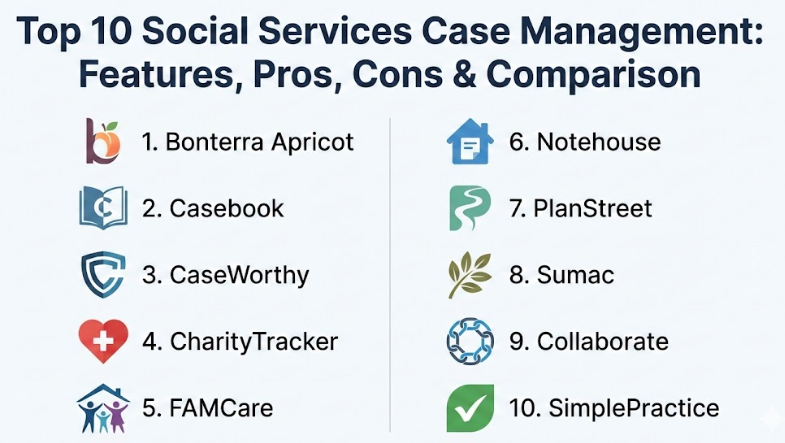
Top 10 Social Services Case Management Tools
Choosing the right platform is a big decision for any organization. Here are the top 10 tools that help social service professionals manage their work more effectively, listed with their core strengths and limitations.
1 — Bonterra Apricot
Bonterra Apricot is a very popular choice for non-profits that want to focus on data and outcomes. It is designed to help organizations see exactly how their programs are helping the community. It works well for mid-sized groups that need to report their results to get more grants. The software focuses on the “why” behind the work, helping teams turn raw numbers into stories of success that can be shared with the board of directors.
This tool is especially useful for managers who need to keep a close eye on staff performance and client progress. It allows you to build very specific forms that match your agency’s unique workflow perfectly. By using this tool, an agency can move away from just “counting heads” to actually “changing lives” by tracking long-term changes in a client’s situation.
Key features:
- Smart forms that only show the questions you need to answer, reducing clutter.
- Automated workflows that send alerts to your email when a task is due or a deadline is approaching.
- Custom dashboards that show your team’s progress in real-time with easy-to-read charts and graphs.
- Secure intake forms that clients can fill out on their own using a tablet or computer.
- Detailed reporting tools that make it easy to see long-term trends across different demographic groups.
- A client portal where people can check their own case status and see upcoming appointments.
- Role-based permissions so you can control exactly who sees sensitive information.
Pros:
- The system is very flexible and can be changed as your organization grows or as grant requirements change.
- It has excellent training resources, including a large library of videos, to help your staff get started quickly.
- The reporting engine is one of the most powerful in the industry for non-profit data analysis.
Cons:
- The initial setup can be a bit complicated and might take some time to get exactly right.
- It can feel a little overwhelming for users who are not very tech-savvy due to the number of options.
Security & compliance:
This tool is very secure. It is HIPAA compliant and has SOC 2 Type II certification. This means it follows strict rules to keep client data safe and private from hackers or unauthorized access.
Support & community:
They offer a large library of articles and videos for self-service help. There is also a dedicated support team and a community of other non-profit users who share tips and best practices through online forums.
2 — Casebook
Casebook is a modern and user-friendly platform built specifically for human services. It was created to replace old, clunky systems with something that feels like the apps we use in our daily lives. It focuses on making the intake and service planning process as smooth as possible. It is a great choice for teams that want a tool that looks nice and works fast without needing a week of training to understand.
The platform is designed to be “person-centered,” meaning all information is organized around the individual client rather than just the case number. This makes it easier for a social worker to see the full history of a person’s interactions with the agency. It is built to be fast, so workers can spend less time waiting for screens to load and more time talking to people.
Key features:
- A centralized “people” database to avoid entering the same person twice, which keeps your records clean.
- Easy drag-and-drop tools for building case plans and setting goals for your clients.
- Mobile-friendly design so workers can take notes on their phones while they are visiting a client’s home.
- Collaboration tools that let different departments work together on one case without stepping on each other’s toes.
- Customizable checklists to ensure no step in a process is missed during a busy day.
- Integrated calendars for tracking home visits, office meetings, and court dates.
- Bulk data entry tools that save time when you have a lot of information to put into the system at once.
Pros:
- The interface is very clean and easy to navigate, which saves a lot of daily frustration for staff.
- It is built with a modern mindset, keeping the focus on the individual’s journey and well-being.
- The search function is very powerful, letting you find client files in just a couple of seconds.
Cons:
- It might lack some of the deeper financial tracking and accounting features found in older, legacy systems.
- Smaller organizations may find the price a bit higher than basic, less-featured alternatives.
Security & compliance:
Casebook uses high-level encryption for all data and is fully HIPAA compliant. They also provide detailed audit logs so you can see exactly who accessed what information and at what time.
Support & community:
They provide great onboarding support to help teams move their old data into the new system. Their customer service is known for being responsive and helpful when issues arise.
3 — CaseWorthy
CaseWorthy is a heavy-duty platform designed for large organizations and government agencies. It is a “whole-person” care system that connects many different services together. It is great for groups that handle complex cases involving housing, employment, and health all at once. It is a very robust system that can handle thousands of users and millions of records without slowing down.
This tool is built for agencies that have very specific and rigid reporting requirements. If you have to answer to federal agencies or large state departments, CaseWorthy has the power to generate those complex reports automatically. It is a system designed to be the “source of truth” for a large-scale operation.
Key features:
- Multi-program tracking that allows one client to be in several programs at the same time without data errors.
- Advanced self-service analytics that allow managers to perform very deep data dives into agency performance.
- Referral management to help clients find help outside your agency and track if they actually got there.
- Barcode scanning for quick check-ins at homeless shelters, food banks, or community centers.
- Compliance templates that are already set up for common government reporting standards.
- A robust portal for partners and external service providers to share information safely.
- Advanced eligibility screening to see which programs a client qualifies for instantly.
Pros:
- It is one of the most powerful tools for handling huge amounts of data across different locations.
- The system is highly configurable, meaning it can be changed to match very specific government rules.
- It excels at helping agencies coordinate care across many different community partners.
Cons:
- Because it is so powerful and complex, it can be quite expensive to purchase and maintain.
- The learning curve is steeper than most other tools on this list, requiring significant staff training.
Security & compliance:
CaseWorthy meets a wide range of standards, including HIPAA and various high-level government security requirements. It is built for the highest level of data protection available.
Support & community:
They offer professional services to help with custom builds and complex data migrations. There is a strong user base of large agencies that provide a wealth of shared knowledge and advice.
4 — CharityTracker
CharityTracker is a simpler, more affordable option that is perfect for local communities. It is often used by groups of non-profits that want to work together to help the same people. It focuses on basic record-keeping and community collaboration. It is a wonderful tool for “Shared Communities,” where multiple churches and small non-profits use the same system to avoid “duplicate services.”
This tool is designed to be used by people who might not be experts in technology. It is straightforward and gets right to the point. It is particularly popular for tracking things like food pantry visits, utility assistance, and holiday gift programs. It helps small towns organize their resources so they can help the most people possible with a limited budget.
Key features:
- Shared community networks so different agencies can see shared cases and coordinate their efforts.
- Simple note-taking and document storage that feels as easy as writing an email.
- Alerts for “bulletins” to warn other agencies about specific client needs or community issues.
- Easy tracking of financial assistance, vouchers, and donated goods like clothing or furniture.
- Basic outcome reporting that is easy to understand and share with your local board.
- Quick-entry forms for fast-paced environments like a walk-in clinic or a food bank.
- A visual “timeline” of services so you can see a client’s history at a glance.
Pros:
- It is very affordable, making it accessible for even the smallest non-profits with tiny budgets.
- It is very easy to learn, often requiring only a few minutes of training for new volunteers or staff.
- The community-wide view is a game-changer for cities trying to solve homelessness or poverty together.
Cons:
- It lacks the advanced automation and custom logic found in the bigger, more expensive tools.
- The reporting is a bit basic for organizations that need deep, academic-level data analysis.
Security & compliance:
Even though it is simple and affordable, it is still HIPAA compliant and uses secure cloud storage to protect all client records from unauthorized viewing.
Support & community:
They are known for having very friendly and fast customer support that treats users like neighbors. The community focus is a big part of their identity.
5 — FAMCare
FAMCare is a cloud-based tool that specializes in social work and juvenile justice. It is built to help agencies reduce the time they spend on paperwork. It uses a lot of automation to help social workers stay on top of their busy schedules. It is a great choice for agencies that deal with high-stress situations and need a computer system that reminds them of what to do next.
The system is built around the idea of “best practices.” It helps ensure that every social worker is following the same set of rules and steps for every family. This is especially important in child welfare and juvenile justice, where missing a step can have serious legal consequences. FAMCare helps manage the risk that comes with this kind of sensitive work.
Key features:
- Automated “to-do” lists that are generated based on the specific type of case you are working on.
- Specialized modules for child welfare, family services, and juvenile justice programs.
- Billing and invoicing tools for agencies that need to charge for services or bill insurance.
- A robust form builder to create custom assessments and intake questionnaires for your agency.
- Outcome tracking to show how well a family is progressing toward their goals over time.
- Electronic signatures for signing documents digitally, which saves a lot of time and paper.
- Integration with state-level data systems to help with mandatory reporting.
Pros:
- The automation features are great for preventing staff burnout by handling the boring tasks.
- It is very good at handling the specific, complex needs of family-focused social work and the legal system.
- It helps maintain a high standard of care by keeping everyone on the same page.
Cons:
- The user interface can look a little bit dated compared to some of the newer, flashier apps.
- Customizing the system to fit a very unique workflow can sometimes be a slow and methodical process.
Security & compliance:
FAMCare is fully HIPAA compliant and offers role-based access. This ensures that only the right people see sensitive information about children and families, which is critical for privacy.
Support & community:
They offer personalized training and have a good track record of helping agencies transition from old-fashioned paper files to digital records.
6 — Notehouse
Notehouse is the simplest tool on this list. It was created by a social worker who was tired of complicated software that got in the way of her work. It focuses almost entirely on note-taking and basic client management. If you just want a digital version of a paper file without any bells or whistles, this is the tool for you.
This platform is perfect for small practices or brand-new non-profits. It doesn’t try to be everything for everyone. It just tries to be a safe, organized place to keep your notes. It is a “breath of fresh air” for workers who are tired of clicking through ten different screens just to write down what happened in a meeting.
Key features:
- A very simple text-based interface for writing case notes that feels like a basic word processor.
- Easy “tags” to categorize different types of notes so you can find them later.
- Secure file uploads for storing photos of IDs, medical records, or signed consent forms.
- Quick search to find any client or note in seconds by just typing a name or a keyword.
- A “no-frills” design that works perfectly on any device, from a laptop to an old smartphone.
- Easy sharing within a small team so everyone can stay updated on a client’s progress.
- A simple dashboard that shows you who you have seen recently.
Pros:
- It is incredibly easy to use; you can literally start using it in five minutes with zero training.
- The price is very low, which is perfect for solo practitioners or small non-profits on a budget.
- It keeps the technology “out of the way,” letting you focus on the person sitting in front of you.
Cons:
- It does not have advanced reporting, automated workflows, or billing features.
- It is not meant for large-scale data analysis or complex government grant reporting.
Security & compliance:
It is fully HIPAA compliant. It provides a much safer way to store notes than using basic Word documents, Google Docs, or physical paper files.
Support & community:
Since the tool is so simple, there is not much need for complex support, but they do offer email help and very clear, easy-to-read guides.
7 — PlanStreet
PlanStreet is a versatile tool that works well for social care and wellness companies. It is designed to remove manual data entry by using smart workflows. It is a good middle-ground tool for organizations that are growing and need more structure than a simple note-taking app. It is especially strong for agencies that have to deal with the medical side of social work.
The software helps bridge the gap between social services and healthcare. It includes features that help you track health outcomes and manage the financial side of providing care. It is a professional-grade tool that helps a small agency look and act like a much larger one.
Key features:
- Integrated billing and invoicing for Medicaid or private insurance, which helps your agency stay funded.
- Task management that lets managers assign work to staff and see when it is completed.
- Goal tracking to help clients reach specific milestones, with visual progress bars.
- Time tracking for workers who need to bill their hours or show how they spent their day.
- A client portal for easier communication and document sharing with the people you serve.
- Mobile access for workers in the field, including the ability to take notes offline.
- Automatic reminders for upcoming appointments and due dates for paperwork.
Pros:
- The billing features are a big plus for agencies that need to manage money and insurance claims.
- It balances being easy to use with having professional, high-end features for growing teams.
- It is very good at keeping everyone accountable for their tasks and deadlines.
Cons:
- Some users find the mobile app could be a little more powerful compared to the desktop version.
- Setting up the complex billing rules can take a little bit of expert help at the beginning.
Security & compliance:
PlanStreet is fully HIPAA compliant and uses high-grade security to protect all financial and personal data from being leaked.
Support & community:
They offer live demos and personal onboarding to make sure the system is set up correctly for your agency’s specific needs.
8 — Sumac
Sumac is known for being an “all-in-one” solution for the non-profit world. It doesn’t just do case management; it can also handle donations, volunteers, and events. This makes it a great choice for non-profits that want one single piece of software to run their entire organization. It helps break down the walls between different departments in a non-profit.
By using Sumac, you can see if a person you are helping also volunteers at your events or gives a small donation at the end of the year. This “360-degree view” helps you build stronger relationships with your community. It is a very flexible system that you can build upon as you need more features.
Key features:
- A unified database for clients, donors, and volunteers so everyone is in one place.
- Customizable “add-on” modules so you only pay for the specific features your agency needs.
- Automatic tax receipting for donations, which saves your office staff a lot of work.
- Outcome reporting for case management to show donors where their money is going.
- Integration with accounting software like QuickBooks to keep your books in order.
- Email marketing tools built right in for sending newsletters or urgent updates.
- Event management for tracking registrations and attendance at community meetings.
Pros:
- It saves money and reduces stress by replacing three or four different software programs with just one.
- It makes it easy to see the full story of how a person interacts with your entire organization.
- It is very customizable, allowing you to add new features only when you are ready for them.
Cons:
- Because it does so many different things, it can take a while for staff to learn every single part.
- The case management side is good, but maybe not quite as deep as tools built only for social work.
Security & compliance:
Sumac is HIPAA and PIPEDA compliant, which is important for agencies working in different regions and countries.
Support & community:
They are famous for their support. They even offer a service where they will build your specific forms for you to make sure everything works perfectly.
9 — Collaborate
Collaborate is a specialized tool often used by victim services, youth programs, and family centers. It is designed to handle very sensitive cases where privacy and detailed demographic reporting are required by funders. It is a system built with the idea of “collaboration” in mind, helping different experts work together on a single case safely.
This tool is particularly good at handling “aggregate data.” This means it can take a lot of individual stories and turn them into a big report that shows how a whole community is doing. It is built to meet the very specific needs of agencies that receive federal or state grants that have strict reporting rules.
Key features:
- Specialized intake for crisis centers and shelters that need to collect information quickly and safely.
- Advanced demographic reporting that is perfect for federal and state grants like VOCA or VAWA.
- Service delivery tracking to show exactly what was provided to each client and how much it cost.
- Referral tracking to follow a client’s journey through other agencies in the community.
- Role-based permissions that are very granular, ensuring total privacy for sensitive cases.
- Automated data validation to ensure there are no mistakes in your reporting.
- Custom report builders for creating unique documents for your board of directors.
Pros:
- The reporting is absolutely excellent for agencies that rely on government funding.
- It is very good at managing the extreme privacy needs of high-risk clients, like survivors of domestic violence.
- It helps agencies prove their worth to funders with very clear, data-backed evidence.
Cons:
- The interface can feel a bit technical and “dry” compared to some of the more modern, colorful apps.
- It might be more complex than what a general social service agency really needs for daily work.
Security & compliance:
It is highly secure and fully HIPAA compliant, with specific features designed for agencies that handle sensitive legal or medical data.
Support & community:
They have a dedicated team that understands the world of social work and grant funding very well, so they speak your language.
10 — SimplePractice
While often used by private therapists, SimplePractice is a great choice for small social service teams that provide counseling or direct care. It is a very polished, modern tool that makes the “business” side of care very easy to manage. If your work involves a lot of one-on-one meetings and scheduling, this tool is a top contender.
The software is designed to be “client-facing.” This means it has a lot of features that make life easier for the person getting help, such as online booking and a secure messaging app. It helps a small practice look very professional and organized, which builds trust with clients.
Key features:
- Online booking so clients can schedule their own visits without having to call the office.
- Paperless intake and digital insurance filing to reduce the amount of physical clutter.
- A very professional-looking mobile app for both the staff and the clients.
- Secure messaging for talking to clients between visits without using unsecure text messages.
- Simple billing and payment processing for agencies that collect fees or copays.
- Video tools for telehealth or remote check-ins when a client cannot come to the office.
- Automated appointment reminders that are sent via text or email to reduce no-shows.
Pros:
- It is one of the most beautiful and easy-to-use apps on the market today.
- It handles the financial, scheduling, and billing side of social work perfectly.
- It makes the client experience feel modern, professional, and very easy.
Cons:
- It is more focused on clinical care than broad, community-wide social service coordination.
- It may not have the detailed community-level or grant-specific reporting that some non-profits need.
Security & compliance:
It is fully HIPAA compliant and uses the same level of high-end security that banks use to protect your personal and financial information.
Support & community:
They have an enormous help center and a very active community of thousands of professionals who use the tool and share advice.
Comparison Table
Choosing the right tool is easier when you can see them side by side. Here is a quick look at how these tools compare to one another.
| Tool Name | Best For | Platform(s) Supported | Standout Feature | Rating |
| Bonterra Apricot | Data-driven non-profits | Web / Cloud | Outcome dashboards | 4.4 / 5 |
| Casebook | Modern teams & intake | Web / Mobile | User-friendly design | 4.6 / 5 |
| CaseWorthy | Large government agencies | Web / Cloud | Whole-person care | 4.2 / 5 |
| CharityTracker | Small local groups | Web / Cloud | Community networking | 4.8 / 5 |
| FAMCare | Family & juvenile justice | Web / Cloud | Workflow automation | 4.5 / 5 |
| Notehouse | Simple note-taking | Web / Mobile | Extreme simplicity | 4.9 / 5 |
| PlanStreet | Health & billing focus | Web / Mobile | Insurance billing | 4.3 / 5 |
| Sumac | All-in-one management | Web / Desktop | Unified database | 4.4 / 5 |
| Collaborate | Victim & youth services | Web / Cloud | Grant reporting | 4.7 / 5 |
| SimplePractice | Small clinical teams | Web / Mobile | Telehealth & booking | 4.8 / 5 |
Evaluation & Scoring
To help you decide, we have scored these tools based on what matters most to social service professionals. Each category is weighted to reflect its importance in a real-world setting.
| Category | Weight | What it Means |
| Core Features | 25% | Does it have basic notes, intake, and reporting tools? |
| Ease of Use | 15% | Can your staff and volunteers learn it quickly? |
| Integrations | 15% | Does it talk to your other software like email or accounting? |
| Security | 10% | Is it HIPAA compliant and safe from hackers? |
| Performance | 10% | Is it fast and reliable to use every single day? |
| Support | 10% | Is there a real person to help if you get stuck? |
| Price / Value | 15% | Is the monthly cost worth the features you get? |
Which Tool Is Right for You?
Finding the “best” tool really depends on your specific situation. There is no one-size-fits-all answer in the world of social services. Here is a practical guide to help you make your final decision.
For Solo Users & Small Teams:
If you are working alone or with just one or two other people, you should prioritize ease of use and low cost. You don’t want to spend all your time managing your software. Notehouse or CharityTracker are excellent choices because they don’t require a lot of setup time and get straight to the work.
For Growing Non-profits:
If your organization is getting bigger and you need to show your impact to donors to get more funding, Bonterra Apricot or Casebook are great options. They allow you to track data in a way that looks professional and impressive in your annual reports, helping you secure the future of your agency.
For Large Agencies & Government:
If you are managing hundreds or thousands of clients across many different programs and cities, you need a heavy-duty system. CaseWorthy is built for this. You will need a bigger budget and more time for setup, but the power it gives you is necessary for managing large-scale work without making mistakes.
For Budget-Conscious Groups:
If you are on a very tight budget, look for tools that offer a flat fee or low per-user costs. Notehouse and CharityTracker are usually the most affordable. Many of these companies also offer discounts for very small non-profits, so it never hurts to ask for a better price.
For Deep Feature Needs:
If you need to handle complex billing, telehealth, or detailed demographic tracking for federal grants, tools like PlanStreet or Collaborate are designed to handle those specific tasks better than a general note-taking app. They are built for specialized work.
Integration and Scalability Needs:
Think about where you want your agency to be in a few years. If you plan to add more programs or staff, choose a tool that is known for being “scalable.” Tools like Sumac are great because you can start small and add new modules as you grow, meaning you won’t have to switch software later.
Security and Compliance Requirements:
If you handle medical information or high-risk cases, security is your number one priority. Ensure that whichever tool you choose is fully HIPAA compliant and offers detailed audit logs. This protects not just your clients, but also your agency from legal trouble.
Frequently Asked Questions (FAQs)
1. Is social services case management software hard to learn?
It depends on the tool you choose. Simple tools like Notehouse can be learned in just a few minutes of playing around. More powerful and complex systems like CaseWorthy might take several days of professional training to fully understand all the features.
2. Can I use these tools on my mobile phone?
Most modern tools are “cloud-based,” which means they work through a web browser on any phone or tablet. Some tools, like Casebook and SimplePractice, even have dedicated apps that make working on the go even easier and faster.
3. Is my client data safe in the cloud?
Yes, as long as the tool is HIPAA compliant. These companies use very strong security and encryption—the same kind used by banks—to make sure that no one can see your notes except for the staff members you have authorized.
4. Can I move my old paper files into these digital systems?
Most of these tools allow you to upload scanned PDF documents directly into a client’s file. Many also have “import” tools where you can move data from an old Excel spreadsheet into the new system automatically.
5. How much does this software usually cost?
Prices vary a lot depending on the features. Some tools cost as little as $10 or $20 a month for a small team, while enterprise-level systems for large government agencies can cost thousands of dollars every year.
6. Do I need a special IT person to set this up?
For the simpler tools, you can usually set them up yourself in an afternoon. For larger and more complex systems, the software company will often provide a professional to help you move your data and set everything up correctly.
7. Can these tools help me get more grants for my non-profit?
Yes! Most grants require you to show proof of your impact. These tools make it easy to create professional reports that show exactly how many people you helped and what the specific results of your programs were.
8. What happens if I lose my internet connection?
Since most of these are cloud tools, you generally need an internet connection to save your work. However, some advanced tools allow you to take notes offline and they will automatically “sync” to the cloud later when you are back online.
9. Can I limit what my staff or volunteers can see?
Yes. All of these tools have what are called “permissions.” This means you can make sure a volunteer only sees the names of the people they are helping, while a manager can see the full files and financial data.
10. What is the most common mistake people make when buying software?
The biggest mistake is choosing a tool that is too complicated for the staff to use. If the software is too hard, workers will get frustrated and go back to using paper, which means the money spent on the tool is completely wasted.
Conclusion
Choosing a case management tool is one of the most important steps you can take to improve your social service organization. The right software doesn’t just store names and dates; it acts as a partner that helps you provide better care to the people who need it most. It removes the burden of paperwork and allows your team to focus on the human side of the work, which is why they joined this field in the first place.
When you have all your data in one place, you can see patterns that you might have missed before. You can see which programs are working best and where you might need to change your approach. This leads to a more efficient agency and, more importantly, better outcomes for the individuals and families in your community. A good tool is an investment in the people you serve.
Remember, there is no single “best” tool for every single person. The right choice for a small local food bank will be very different from the right choice for a large state child welfare agency. What matters most is that the tool fits your daily routine and makes your life easier, not harder. It should feel like a help, not a chore.
Take the time to look at your budget honestly, talk to your staff about what they find difficult in their daily work, and try out a few demos before you commit to anything. By choosing a system that is secure, simple to use, and focused on the needs of your clients, you are setting your entire team up for long-term success and making a bigger, more meaningful difference in your community every single day.