Introduction
Security Data Lake is a massive digital warehouse where a company stores every single piece of information related to its computer security. Imagine a giant library that doesn’t just keep books, but also keeps every note, every receipt, and every visitor log forever. In the world of technology, your systems generate a huge amount of “log data” every second—who logged in, which files were opened, and where your web traffic is coming from. Old systems (called SIEMs) used to get full and very expensive to run. A security data lake solves this by using modern cloud storage to keep all that data in one place without breaking the bank.
This is important because hackers are becoming very patient. They might hide inside a system for months before doing anything. If you only keep your data for thirty days, you will never find them. A data lake lets you look back months or even years to find patterns. Real-world use cases include threat hunting (looking for hidden dangers), compliance audits (proving to regulators that your data is safe), and investigating big breaches. When choosing a tool, you should look for how fast it can search through millions of records, how much it costs to store data long-term, and how easily it connects to your existing security tools.
Best for
Security data lakes are best for large enterprises, banks, healthcare providers, and technology companies that handle massive amounts of data every day. They are perfect for security analysts and “threat hunters” who need to dig deep into history to find hidden risks. Companies that have to follow strict legal rules about keeping records for years will benefit the most from these tools.
Not ideal for
These tools are not ideal for very small businesses or simple websites that don’t have a lot of traffic. If you only have ten employees, a simple security plugin or a basic log viewer is more than enough. Setting up a full security data lake requires a lot of technical knowledge and is usually too much work for a small shop that doesn’t have a dedicated security team.
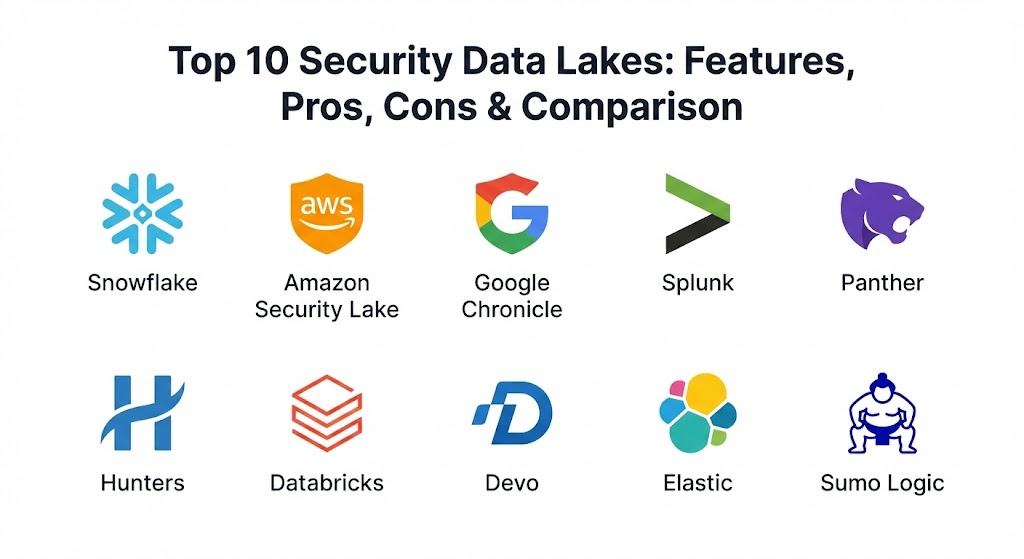
Top 10 Security Data Lakes Tools
1 — Snowflake
Snowflake is a world-famous cloud data platform that has become a top choice for security teams. It allows companies to store petabytes of data at a very low cost while still being able to search it extremely quickly.
- Key features:
- Separates “storage” from “computing” so you only pay for what you use.
- Automatically scales up to handle giant searches in seconds.
- Supports many different types of data, from simple text to complex code.
- Allows different teams to share data safely without making copies.
- Connects to almost every major security tool on the market.
- Provides a clean, web-based interface for running reports and searches.
- Pros:
- It is incredibly fast at searching through billions of rows of data.
- The cost for storing data is very low compared to traditional security tools.
- Cons:
- The pricing can be confusing because it changes based on how hard the computer is working.
- You need someone who knows how to write “SQL” (database code) to get the most out of it.
- Security & compliance: Snowflake is SOC 2 Type II, GDPR, and HIPAA compliant. It uses high-level encryption to keep all your data safe.
- Support & community: They have a massive community and offer professional support for big businesses. Their documentation is very thorough and easy to find.
2 — Amazon Security Lake
Amazon Security Lake is a specialized tool built by AWS that automatically centralizes all your security data from different sources into a single, organized place.
- Key features:
- Uses a standard called OCSF so data from different tools “speaks the same language.”
- Automatically gathers logs from your Amazon accounts and other security partners.
- Stores everything in simple Amazon S3 folders for the lowest possible cost.
- Allows you to choose which tools you want to use to analyze the data.
- Makes it very easy to keep data for years for legal reasons.
- Built-in tools to help clean and organize messy data.
- Pros:
- If you already use Amazon Web Services, this is the easiest tool to set up.
- It follows industry standards, so you aren’t “locked in” to just one brand.
- Cons:
- It is mostly focused on the Amazon ecosystem, so it might be harder if you use Google or Microsoft.
- You still need a separate tool to actually “visualize” or see the data clearly.
- Security & compliance: Meets all major Amazon security standards, including SOC and ISO certifications. It is built to handle the most sensitive data.
- Support & community: Supported by Amazon’s global help team and has a huge amount of online guides and tutorials.
3 — Google Chronicle
Chronicle is Google’s answer to security data. It uses the same “search engine” technology that Google uses for the internet, but applies it to your company’s security logs.
- Key features:
- Can search through a year of data in less than a second.
- Fixed pricing that doesn’t change even if your data grows.
- Automatically links different events together to show you a “story” of an attack.
- Uses Google’s massive database of known “bad guys” to flag threats.
- Very simple interface that feels like using a search engine.
- Stores data for a full year by default as part of the price.
- Pros:
- The speed is unmatched; it is the fastest way to search for a specific threat.
- The predictable pricing makes it much easier for bosses to plan their budget.
- Cons:
- It is not as “customizable” as Snowflake for teams that want to build their own systems.
- Some advanced features require moving to a more expensive tier.
- Security & compliance: Follows Google’s world-class security rules. It is GDPR and SOC compliant and very safe for enterprise use.
- Support & community: Professional support is available, and they have a growing community of security researchers.
4 — Splunk (with Data Lake integration)
Splunk is the “classic” choice for security logs. While it started as a SIEM, it has evolved to allow companies to use data lakes to store their older information while keeping the most important stuff ready for alerts.
- Key features:
- Excellent “dashboards” that show your security health in colorful charts.
- Powerful search language that can do almost anything with your data.
- Ability to move “cold” data to cheaper storage automatically.
- Thousands of pre-built apps to connect to your firewalls and computers.
- Real-time alerts that tell you immediately when something is wrong.
- Very strong tools for investigating a crime after it happens.
- Pros:
- It has the best visual reports and charts in the entire industry.
- Almost every security professional in the world already knows how to use it.
- Cons:
- It is traditionally very expensive, especially if you have a lot of data.
- It can be slow to search through very old data if not set up perfectly.
- Security & compliance: Top-tier security with every major certification including SOC 2, HIPAA, and ISO.
- Support & community: One of the biggest and most helpful communities in technology. There are endless forums and local user groups.
5 — Panther
Panther is a modern security platform designed for teams that like to use “code” to solve problems. It uses Python (a simple coding language) to write security rules and stores everything in a high-speed data lake.
- Key features:
- Rules are written in Python, which is much more powerful than basic filters.
- Built on top of Snowflake technology for massive scale.
- Real-time monitoring combined with long-term data storage.
- “Serverless” design, meaning you don’t have to manage any hardware.
- Very fast ingest, meaning logs appear in the system almost instantly.
- Strong focus on finding threats in cloud environments like AWS and Azure.
- Pros:
- It is a dream for “modern” security teams who know a little bit of coding.
- It is much more flexible than traditional tools for finding custom threats.
- Cons:
- If your team doesn’t know Python, there is a steep learning curve.
- It is a newer tool, so it has fewer “pre-built” charts than Splunk.
- Security & compliance: SOC 2 compliant and designed with privacy at its core. It uses encryption at every step.
- Support & community: They offer excellent direct support and have a very active Slack community for their users.
6 — Hunters
Hunters is a “Security Operations Center” (SOC) platform that acts like a brain sitting on top of your data lake. It automatically looks at all your logs and tells you which ones are actual threats.
- Key features:
- Connects directly to Snowflake or Databricks so you don’t have to move data.
- Automatically “scores” every event to show you what is most dangerous.
- Groups related alerts together into a single “incident” to save you time.
- Uses “graph” technology to see how a hacker moved through your network.
- Works across your whole company—from your email to your cloud servers.
- Pros:
- It saves your security team from “alert fatigue” by doing the hard work for them.
- It makes a raw data lake much more useful for day-to-day security.
- Cons:
- It is a separate layer, so it is an extra cost on top of your storage.
- You still need a good storage platform underneath it for it to work.
- Security & compliance: Compliant with SOC 2 and GDPR. They are very transparent about how they handle and protect your logs.
- Support & community: They provide professional onboarding and work closely with their customers to tune the system.
7 — Databricks (Security Lakehouse)
Databricks is a “Lakehouse” platform, which combines the best parts of a data lake and a traditional database. It is built for companies that want to use Artificial Intelligence (AI) to find threats.
- Key features:
- High-speed “Delta Lake” technology that ensures data is never lost.
- Built-in tools for “Machine Learning” to find patterns that humans miss.
- Supports giant datasets for the world’s largest companies.
- Allows for real-time streaming of logs while they are being saved.
- Strong collaboration tools for data scientists and security analysts.
- Pros:
- It is the best choice if you want to use advanced AI to find hidden hackers.
- It can handle “messy” data much better than almost any other tool.
- Cons:
- It is very technical and requires a team of data experts to run properly.
- It is more of a “platform” than a “ready-to-use” security tool.
- Security & compliance: Enterprise-grade security with ISO, SOC, and HIPAA compliance. It is trusted by some of the world’s biggest banks.
- Support & community: They have a massive global support team and a very professional community for data experts.
8 — Devo
Devo is a high-performance security platform that focuses on speed. It is designed to handle the massive amounts of data generated by modern digital businesses.
- Key features:
- Can ingest millions of events per second without slowing down.
- Real-time dashboards that update as fast as the data comes in.
- Very fast search speed even for data that is months old.
- Integrated “threat intelligence” to flag known bad IP addresses.
- Simple query language that is easy for analysts to learn.
- Built-in tools for managing many different clients (for service providers).
- Pros:
- It stays fast even when you are sending it incredible amounts of data.
- The user interface is very smooth and easy to move around in.
- Cons:
- It might be more expensive than building your own system on simple cloud storage.
- The reporting features are good, but not as deep as Splunk’s.
- Security & compliance: Fully compliant with GDPR and SOC 2. They have strong encryption and data protection rules.
- Support & community: They offer great customer support and have a good library of help articles and videos.
9 — Elastic (ELK Stack)
Elastic started as an open-source tool for searching text and has grown into a powerful security data lake. It is very popular because you can start using it for free.
- Key features:
- “Elasticsearch” engine which is famous for being incredibly fast.
- A visual tool called “Kibana” for making your own security charts.
- Can be run on your own servers or in the Elastic cloud.
- Huge library of “Integrations” to connect to almost any computer.
- Machine learning tools to find “anomalies” or weird behavior.
- Very flexible—you can build exactly the system you want.
- Pros:
- You can start for free, which is great for testing and small projects.
- It has a very large and helpful community where you can find any answer.
- Cons:
- It can be very complicated to manage and keep running if you do it yourself.
- The cost can grow quickly once you start using the professional features.
- Security & compliance: The cloud version is SOC 2 and HIPAA compliant. Security features are built into the core of the tool.
- Support & community: One of the best communities in the world. There are millions of users and professional support is available if you pay.
10 — Sumo Logic
Sumo Logic is a “cloud-native” platform, meaning it was built specifically to run in the cloud. It is a great choice for companies that don’t want to manage any servers.
- Key features:
- Automatically grows and shrinks based on how much data you send.
- Monitors both your security and how well your applications are running.
- A “Cloud SIEM” feature that automatically groups alerts into incidents.
- Very easy to set up for companies that use AWS, Azure, or Google Cloud.
- Benchmarking tools to show how your security compares to other companies.
- Pros:
- You never have to worry about the system “getting full” or crashing.
- It is very easy for a small team to manage because the tool does the hard work.
- Cons:
- The cost can be a bit high for long-term storage of “cold” data.
- It can be harder to do very custom data science compared to Databricks.
- Security & compliance: Highly secure with PCI, HIPAA, and SOC 2 compliance. They are a leader in cloud data safety.
- Support & community: Excellent customer service and a very clear set of training and certification courses.
Comparison Table
| Tool Name | Best For | Platform(s) Supported | Standout Feature | Rating |
| Snowflake | Cost-effective scale | AWS / Azure / GCP | Separates computing/storage | N/A |
| Amazon Lake | AWS Users | AWS | Uses OCSF Standard | N/A |
| Google Chron | Search Speed | GCP / Multi-cloud | Fixed pricing / Fast search | N/A |
| Splunk | Visual Dashboards | Cloud / On-prem | Best industry charts | N/A |
| Panther | Code-heavy Teams | AWS / Snowflake | Python-based rules | N/A |
| Hunters | SOC Automation | Cloud Agnostic | Automatic incident grouping | N/A |
| Databricks | AI / Machine Learning | AWS / Azure / GCP | Delta Lake House tech | N/A |
| Devo | High Performance | Cloud SaaS | Millions of events per sec | N/A |
| Elastic | Flexibility | Cloud / Self-host | Open-source roots | N/A |
| Sumo Logic | Cloud-native ease | Multi-cloud SaaS | Zero management effort | N/A |
Evaluation & Scoring of Security Data Lakes
| Criteria | Weight | What it means |
| Core features | 25% | Can it store, organize, and search data effectively? |
| Ease of use | 15% | Is the interface simple for a regular analyst to use? |
| Integrations | 15% | Does it connect to all your firewalls and clouds? |
| Security | 10% | Does it have the right certificates like SOC 2 and GDPR? |
| Performance | 10% | How fast can it search through a billion rows of data? |
| Support | 10% | Can you get help quickly and find good guides online? |
| Price / Value | 15% | Is it cheap enough to store data for many years? |
Which Security Data Lakes Tool Is Right for You?
Choosing a security data lake depends on three big things: your budget, your data volume, and your team’s skills.
If you are a solo user or a student, Elastic is your best bet. You can download it for free and learn how to search logs on your own computer. It is a great way to understand how security data works without spending any money.
For small and medium businesses (SMBs), Sumo Logic or Google Chronicle are excellent choices. They are “hands-off” tools. You just send your data to them, and they handle everything else. You don’t need a team of engineers to keep them running, which saves you a lot of stress.
Mid-market companies that have a few security people should look at Panther or Hunters. If your team knows a little bit of coding, Panther gives you amazing power. If your team is very busy, Hunters acts like an extra employee who does all the boring sorting and grouping for you.
Large enterprises almost always need Snowflake, Amazon Security Lake, or Databricks. When you have petabytes of data, you need a massive engine that can handle it. If you are 100% on Amazon, their Security Lake is a no-brainer. If you have data all over the place, Snowflake is the most flexible choice.
Lastly, consider security and compliance. If you are in a hospital or a bank, you must pick a tool with HIPAA or PCI compliance. Don’t just pick the cheapest one; pick the one that will make your lawyers and auditors happy.
Frequently Asked Questions (FAQs)
1. What is the main difference between a SIEM and a Data Lake?
A SIEM is for fast, immediate alerts (like a smoke alarm). A Data Lake is for storing everything cheaply and searching it later (like a giant video archive). Most companies now use both together.
2. Is it hard to move my data into a data lake?
It can be. You need “connectors” that pull data from your computers and send it to the lake. Most professional tools like Elastic or Splunk make this very easy with pre-built apps.
3. Will a data lake make my security team faster?
Yes, but only if you have a good search tool. A giant pile of data is useless if you can’t find anything. That is why tools like Google Chronicle or Snowflake are so popular—they are built for speed.
4. Can I build my own security data lake for free?
You can use open-source tools like Elastic, but you still have to pay for the “hard drives” (storage) to keep the data. For most companies, it is cheaper to use a cloud service.
5. How long should I keep my security data?
Most experts recommend at least one year. Many legal rules (like for banks) require you to keep certain records for seven years. A data lake makes this affordable.
6. What is “OCSF” and why does it matter?
It stands for Open Cybersecurity Schema Framework. It is a fancy way of saying “standardized labels.” If every tool uses the same labels, it is much easier to search across all of them.
7. Does a data lake replace my security team?
No. It is a tool that makes them much more powerful. You still need a human to look at the results and decide what to do about a threat.
8. Can hackers delete logs in a data lake?
A good data lake is “immutable,” which means once data is written, it can never be changed or deleted by a regular user. This keeps your evidence safe from hackers.
9. Is cloud storage safe for my sensitive logs?
Yes, as long as you use encryption. Modern cloud providers spend billions of dollars on security—much more than any single company can afford.
10. How much does a security data lake cost?
It varies. Simple cloud storage is very cheap (pennies per gigabyte), but the “searching” part can cost more. Most companies find they save money compared to old-fashioned SIEM tools.
Conclusion
Building a security data lake is one of the smartest things a growing company can do. It gives you a “memory” that lets you look back in time and find threats that other people miss. There is no one “perfect” tool for everyone. If you want speed, you might pick Google Chronicle. If you want a low cost for massive scale, Snowflake is a great leader. If you want the best charts, Splunk is still the king.
The most important thing is to stop throwing your data away. Even if you don’t have a perfect system yet, start saving your logs today. One year from now, if you have a security problem, you will be very glad you have that history to look back on. Pick a tool that fits your team’s skills and your budget, and you will be much safer in the long run.