Introduction
Secure Email Gateway (SEG) is a type of security software that acts like a protective filter for your company’s email system. Think of it as a security guard standing at the front door of your digital office. Every email that tries to come in or go out must pass through this guard first. The guard checks each message to see if it contains any hidden traps, like viruses, bad links, or tricks designed to steal your passwords. If an email looks dangerous or fake, the gateway stops it before it ever reaches a person’s inbox. This keeps the whole organization much safer from hackers and online scams.
Using a Secure Email Gateway is very important because email is the number one way that bad actors try to break into a business. Without this protection, one simple mistake by an employee—like clicking a link that looks like a real invoice—could let a virus take over the entire computer network. These tools are used in many real-world situations, such as stopping “phishing” attacks that pretend to be from a boss, blocking unwanted spam that clutters up the server, and making sure that private company information doesn’t accidentally get emailed to the wrong person. When you are looking for a tool like this, you should check how good it is at catching new types of threats, how easy it is for your team to use, and if it stays fast even when you get a lot of mail at once.
Best for: These tools are a great fit for businesses of all sizes, especially those in fields like banking, healthcare, and government where keeping secrets is a must. They are perfect for IT teams and security managers who want to sleep better knowing their coworkers are protected from bad emails.
Not ideal for: A single person using a personal email account probably does not need a full gateway, as most free email providers have basic filters built-in. Small teams with very basic needs might find these tools too complex or expensive if they don’t handle sensitive data.
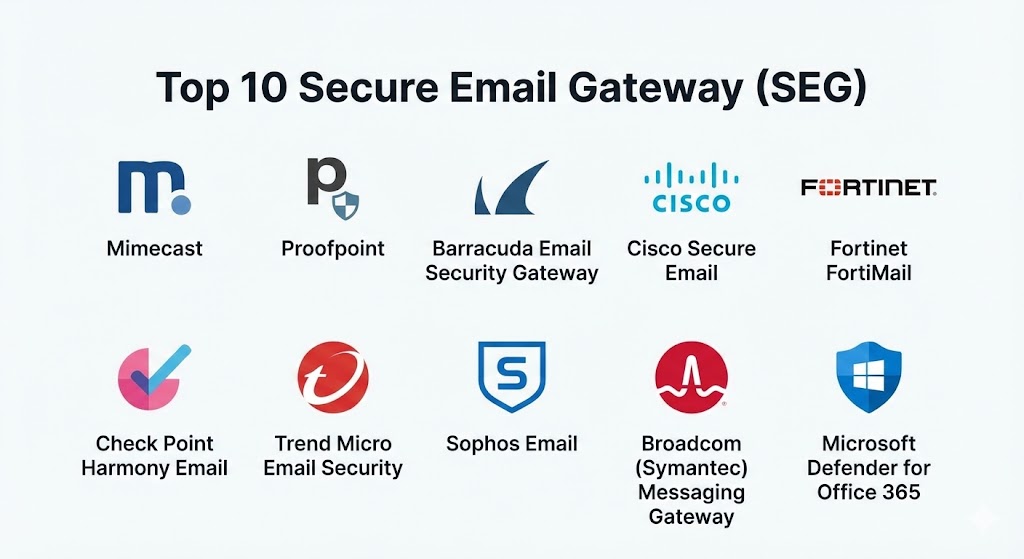
Top 10 Secure Email Gateway (SEG) Tools
1 — Mimecast
Mimecast is a very popular cloud-based security tool that focuses on making email safe for business. It is designed to stop large-scale attacks and can even help you get your email back if your main system goes down.
- Key features:
- Stops fake emails that pretend to be from famous brands or your boss.
- Scans every link in an email to make sure it doesn’t lead to a bad website.
- Checks all attachments for hidden viruses before you can open them.
- Has a “black box” feature that keeps your email working even if the server breaks.
- Protects private data from being sent outside the company by mistake.
- Offers tools to teach employees how to spot bad emails themselves.
- Provides a very detailed search tool to find old emails quickly.
- Pros:
- It is very good at catching tricky emails that other filters might miss.
- The system is very reliable and almost never goes offline.
- Cons:
- The settings can be very complicated for someone who is not an expert.
- The dashboard where you manage everything can feel a bit crowded and slow.
- Security & compliance: High levels of safety with SSO, encryption, and SOC 2 compliance. It follows rules like GDPR and HIPAA.
- Support & community: Offers excellent documentation and a very active group of users who help each other online. Professional help is available for big companies.
2 — Proofpoint
Proofpoint is known for being one of the strongest tools for very large companies. It uses smart technology to look for patterns in how people send mail to find hidden dangers that look normal to the human eye.
- Key features:
- Identifies the “Very Attacked People” in your office to give them extra protection.
- Uses smart patterns to stop emails that don’t have a virus but are still lies.
- Automatically separates bad emails into a safe folder.
- Can block emails based on which country they are coming from.
- Offers a way to send secret, encrypted emails that only the right person can read.
- Provides very deep reports on who is trying to attack your company.
- Works very well with modern cloud email systems like those from Microsoft or Google.
- Pros:
- It is incredibly accurate and catches almost every bad message.
- It provides the best information about exactly who is targeting your business.
- Cons:
- It is one of the most expensive options on the market.
- Setting it up correctly takes a lot of time and technical knowledge.
- Security & compliance: Enterprise-grade safety including ISO and GDPR standards. Audit logs are very detailed.
- Support & community: Very professional customer support and extensive guides for setting up the software.
3 — Barracuda Email Security Gateway
Barracuda is a great choice for companies that want something that is easy to understand and quick to set up. It offers both a physical box you can put in your office and a version that runs in the cloud.
- Key features:
- Blocks unwanted spam and messages that try to sell you things.
- Uses a global network to learn about new threats as they happen.
- Includes a feature to back up all your emails so you never lose them.
- Scans outgoing mail to make sure your company isn’t accidentally sending viruses.
- Simple “point and click” settings for easy management.
- Can stop attacks that try to crash your email server by sending too much mail.
- Provides a safe place to store emails for legal reasons.
- Pros:
- It is much easier to use than many of the other “big” security tools.
- The price is very fair for smaller and medium-sized businesses.
- Cons:
- It might not catch as many “super-tricky” attacks as Mimecast or Proofpoint.
- The look of the software feels a bit old compared to newer tools.
- Security & compliance: Provides standard encryption and audit logs. Varies depending on which version you buy.
- Support & community: Good customer support and a helpful library of videos and articles to show you how it works.
4 — Cisco Secure Email
Cisco is a giant in the world of computer networks, and their email security is built to work perfectly with their other tools. It is very solid and used by many of the biggest banks and hospitals in the world.
- Key features:
- Uses a huge threat intelligence group called Talos to find bad guys.
- Can “forget” or delete a bad email even after it has reached an inbox.
- Offers very strong encryption to keep your secrets safe.
- Prevents “graymail”—which is mail that isn’t a virus but is still annoying.
- Works on your own servers or in the cloud.
- Blocks links that change from “good” to “bad” after the email is sent.
- Provides a single dashboard to see your whole network’s safety.
- Pros:
- If you already use Cisco tools for your internet, this fits in perfectly.
- It is very fast and can handle a massive amount of email without slowing down.
- Cons:
- You often have to buy other Cisco products to get the most out of it.
- The license names and pricing can be very confusing.
- Security & compliance: High. Follows all major global rules like ISO and GDPR.
- Support & community: World-class support for big companies and a massive community of IT experts.
5 — Fortinet FortiMail
FortiMail is a high-speed security tool that is part of the Fortinet family. It is best known for being very fast and for having a lot of different features packed into one system.
- Key features:
- Stops “zero-day” attacks, which are brand-new viruses no one has seen before.
- Uses a special “sandbox” to open attachments safely before you see them.
- Can look for specific words in emails to stop secrets from leaking out.
- Offers a way to send large files safely through email.
- Includes a tool to verify that an email really came from who it says it did.
- Very high performance that won’t make your email feel laggy.
- Can be used as a box in your office, a virtual tool, or in the cloud.
- Pros:
- It gives you a lot of features for a lower price than some competitors.
- It is very good at stopping the very latest, newest viruses.
- Cons:
- The technical language in the settings can be very hard to understand.
- You really need to be a trained professional to manage it correctly.
- Security & compliance: Varies by setup but includes strong encryption and audit trails.
- Support & community: Good documentation and a strong network of partners who can help you set it up.
6 — Check Point Harmony Email
This tool is a bit different because it was built specifically for modern cloud systems like Microsoft 365. It focuses on catching the bad guys “inside” the system before they can do any harm.
- Key features:
- Installs in just a few minutes without changing how your mail flows.
- Scans all parts of your cloud, including shared files and chat messages.
- Uses very smart technology to spot fake “login” pages.
- Automatically cleans up bad emails from every inbox at once.
- Protects against “account takeovers” where a hacker steals a password.
- Very simple and clean look that isn’t scary for beginners.
- Provides a clear score to show you how safe your company is.
- Pros:
- It is one of the easiest tools to install and start using right away.
- It stops threats that traditional gateways might miss because it sits inside the cloud.
- Cons:
- It only works with cloud email, so it’s not for companies with their own old servers.
- It relies heavily on having a good internet connection.
- Security & compliance: SOC 2 compliant and follows standard privacy rules for data.
- Support & community: Friendly support and very clear guides for new users.
7 — Trend Micro Email Security
Trend Micro is a long-standing security company that uses a global network of sensors to find threats. Their email gateway is very smart and uses a “detective” style to find hidden dangers.
- Key features:
- Uses “computer vision” to see if a website looks like a fake bank login.
- Checks the writing style of an email to see if it sounds like the real sender.
- Protects against “Business Email Compromise,” which is a very common scam.
- Offers a single place to manage email security and computer security.
- Automatically blocks links to websites that have a bad reputation.
- Keeps your email working even if your main system has an outage.
- Includes tools to scan files that are stored in the cloud.
- Pros:
- It is very good at finding fake login pages that try to steal passwords.
- It works well for companies that already use Trend Micro for their computers.
- Cons:
- The management tool can feel a bit clunky and hard to navigate.
- Getting all the features to work together can take some effort.
- Security & compliance: Standard compliance with GDPR and other major data rules.
- Support & community: Extensive documentation and a solid support team for business users.
8 — Sophos Email
Sophos is famous for making security simple. Their email tool is built for people who want strong protection but don’t want to spend all day looking at a computer screen to manage it.
- Key features:
- Uses a very simple dashboard that anyone can learn to use quickly.
- Connects with your other Sophos tools to share information about threats.
- Automatically encrypts emails that contain sensitive data like credit cards.
- Stops “call-home” viruses that try to talk back to a hacker’s computer.
- Includes a safe place for users to check their own blocked mail.
- Very easy to add or remove users as your company grows.
- Provides a clear list of every action the gateway has taken.
- Pros:
- It is probably the most “human-friendly” tool on this entire list.
- The “Synchronized Security” feature lets your email and your firewall talk to each other.
- Cons:
- It might lack some of the very deep technical settings that big experts want.
- The reporting isn’t quite as detailed as what you get from Proofpoint.
- Security & compliance: SOC 2 compliant with strong SSO and encryption options.
- Support & community: Very helpful community and clear, simple instructions for onboarding.
9 — Broadcom (Symantec) Messaging Gateway
Symantec has been around for a very long time and is trusted by many government agencies. It is a very “heavy-duty” tool that is built to handle the toughest attacks.
- Key features:
- Provides very deep control over how mail flows through your office.
- Uses a massive global database to identify almost all known spam.
- Can block emails based on the type of file attached, even if it’s hidden.
- Offers very strong protection for companies that have their own servers.
- Includes advanced tools to stop data from being stolen.
- Very stable and can run for years without any problems.
- Can be customized to follow very specific company rules.
- Pros:
- It is a “rock solid” tool that has stood the test of time.
- It is perfect for large organizations that need total control over every email.
- Cons:
- It is not as easy to use with modern cloud systems as some newer tools.
- The software is not updated with new looks as often as others.
- Security & compliance: Very high. Trusted for years by highly regulated industries.
- Support & community: Professional enterprise support and a large network of experts.
10 — Microsoft Defender for Office 365
While many people think of this as just part of their email, the “Defender” version is a powerful gateway. It is built directly into the system that most people already use for work.
- Key features:
- Scans all links in real-time right when you click them.
- Uses “Safe Attachments” to test files in a virtual room before you get them.
- Includes very smart tools to find emails that try to trick you into sending money.
- Provides a huge amount of data about how your company is being attacked.
- Automatically links with your Windows computers to stop a virus from spreading.
- Allows you to run “fake” attacks to see if your employees are paying attention.
- Very easy to turn on if you already pay for Microsoft 365.
- Pros:
- You don’t have to install any new software or change your mail settings.
- It is updated constantly by Microsoft’s massive security team.
- Cons:
- Hackers often test their tricks specifically to see if they can beat Microsoft.
- Sometimes it can be too “aggressive” and block real emails by mistake.
- Security & compliance: World-class. Follows every major rule and regulation globally.
- Support & community: Massive amount of help online and direct support from Microsoft.
Comparison Table
| Tool Name | Best For | Platform(s) Supported | Standout Feature | Rating |
| Mimecast | High Reliability | Cloud | Email Continuity | 4.6 / 5.0 |
| Proofpoint | Large Enterprise | Cloud, Hybrid | People-Centric View | 4.7 / 5.0 |
| Barracuda | SMBs / Simplicity | Cloud, Hardware | Easy Setup | 4.3 / 5.0 |
| Cisco Secure | Existing Cisco Users | Cloud, Hardware | Talos Threat Intel | 4.4 / 5.0 |
| FortiMail | Speed & Performance | Cloud, Hardware | Zero-Day Protection | 4.3 / 5.0 |
| Harmony Email | Cloud-Native Teams | Cloud | Inside-the-Cloud Scan | 4.5 / 5.0 |
| Trend Micro | Fraud Detection | Cloud | Computer Vision | 4.2 / 5.0 |
| Sophos Email | Non-Tech Teams | Cloud | Synchronized Security | 4.4 / 5.0 |
| Broadcom | High-Control Teams | Hardware, Virtual | Legacy Stability | 4.1 / 5.0 |
| MS Defender | Office 365 Users | Cloud | Built-in Integration | 4.5 / 5.0 |
Evaluation & Scoring of Secure Email Gateway (SEG)
To help you understand how we picked these tools, we used a scoring system. This table shows what we looked for and how much each part matters.
| Category | Weight | What it Means |
| Core features | 25% | How good is it at stopping spam, viruses, and phishing? |
| Ease of use | 15% | Can a normal person understand the dashboard and settings? |
| Integrations | 15% | Does it work well with other tools like Microsoft or Google? |
| Security & compliance | 10% | Does it keep data safe and follow the law? |
| Performance | 10% | Does it work fast without slowing down your email? |
| Support & community | 10% | Is there someone to help you if you have a problem? |
| Price / value | 15% | Is the cost fair for the protection you get? |
Which Secure Email Gateway (SEG) Tool Is Right for You?
Choosing a tool is all about matching it to your specific situation. Here is a simple guide to help you decide.
Solo Users vs SMB vs Enterprise
If you are a very small business (SMB), you should look at Barracuda or Sophos. They are easy to use and don’t require you to be a computer genius. If you are a very large company (Enterprise) with thousands of people, you need something like Proofpoint or Mimecast. These tools can handle a lot of mail and give you the deep information you need to stay safe.
Budget-conscious vs Premium
If you want the very best protection and have the money to spend, Proofpoint is the gold standard. However, if you are trying to save money, Microsoft Defender is often the best deal because you might already be paying for it as part of your work software. FortiMail also offers a lot of power for a very fair price.
Feature Depth vs Ease of Use
If you want total control over every tiny setting, Broadcom or Cisco are great. But if you want to set it up once and forget about it, Check Point Harmony or Sophos are much better choices. They do most of the work for you automatically.
Integration and Scalability
If your company is growing very fast, you need a cloud tool like Mimecast or Proofpoint that can grow with you easily. If you use a lot of different security tools, picking one from a company you already use (like Cisco or Fortinet) will help everything work together better.
Security and Compliance
If you work in a field like healthcare or law where you must follow very strict rules, make sure the tool you pick has strong “DLP” (Data Loss Prevention) features. Mimecast and Proofpoint are world leaders in making sure your company stays compliant with the law.
Frequently Asked Questions (FAQs)
1. What is the difference between a normal email filter and a gateway?
A normal filter is like a small net that catches easy things like spam. A gateway is a whole security system that looks at links, attachments, and the way people talk to find very dangerous and hidden attacks.
2. Can I use these tools with Gmail or Outlook?
Yes. Almost all of these tools are built to work perfectly with modern systems like Google Workspace and Microsoft 365. They just act as an extra layer of protection.
3. Will these tools slow down my email?
Most modern cloud gateways are very fast. You usually won’t notice any delay at all, or it might be just a few seconds while the tool scans a large file.
4. Are these tools hard to set up?
Some are very easy and can be turned on in minutes (like Check Point). Others, especially those for very big companies, can take several days to configure correctly.
5. How much do these tools cost?
The price is usually based on how many people work at your company. It can range from a few dollars per person per month to much more for enterprise features.
6. Do I still need antivirus software on my computer?
Yes. While the gateway stops things in your email, you still need antivirus to protect your computer from other things like USB drives or bad websites you visit.
7. Can these tools stop a hacker from stealing my password?
They are very good at stopping the fake emails that try to steal your password. But if you use the same password for everything, a gateway can’t stop a hacker from guessing it.
8. What happens if the gateway blocks a real email?
Most tools have a “quarantine” folder. If a real email is blocked by mistake, your IT team (or sometimes you) can look in that folder and let the email through.
9. Which tool is the best for a small team?
Sophos or Barracuda are usually the favorites for small teams because they are simple, friendly, and don’t cost as much as the giant enterprise tools.
10. What is the biggest mistake people make?
The biggest mistake is setting up the tool but never checking the reports. You should look at your security dashboard once in a while to see who is attacking you and why.
Conclusion
In simple terms, there is no single “best” Secure Email Gateway for everyone. The right choice for you depends on how big your company is, how much money you want to spend, and how much time you have to manage it. If you are a big company that needs the very best, Proofpoint or Mimecast are excellent. If you want things to be simple and easy, Sophos or Check Point are the way to go.
The most important thing to remember is that having some protection is always better than having none at all. Email is the front door to your business, and a good gateway acts as a strong lock for that door. When you pick a tool, focus on one that your team finds easy to use and that catches the types of threats you worry about most.
By picking the right Secure Email Gateway, you are taking a huge step toward keeping your company, your employees, and your customers safe from the dangers of the internet. It is an investment in peace of mind that pays off every time a bad email is stopped before it can do any harm.