Introduction
A Search Indexing Pipeline is the specialized technical workflow that transforms raw, unorganized data into a structured format that a search engine can understand and retrieve instantly. Think of it as the process of building the index at the back of a massive book, but for the digital world. These pipelines take information from various sources—like databases, PDFs, websites, and cloud storage—clean it, break it down into searchable “tokens,” and store it in an optimized database. Without an efficient indexing pipeline, a search bar would be forced to scan through every single file every time a user types a word, which would be impossibly slow.
The importance of these pipelines has surged with the rise of Big Data and AI. They are vital for E-commerce (helping customers find products), Internal Knowledge Bases (helping employees find documents), and Customer Support (powering chatbots). When choosing a tool in this category, you should evaluate its ability to handle “Real-time Indexing” (updating results as soon as data changes), its support for various file types, the quality of its text-cleaning algorithms, and how easily it integrates with your existing data storage.
Best for: These tools are essential for Software Engineers, Data Architects, and Product Managers in tech-driven companies of all sizes. They are particularly beneficial for sectors like e-commerce, media, legal research, and enterprise software. Not ideal for: Small businesses with static websites that only have a few dozen pages, or organizations where a simple database query (like SQL) is fast enough to find information without a specialized search engine.
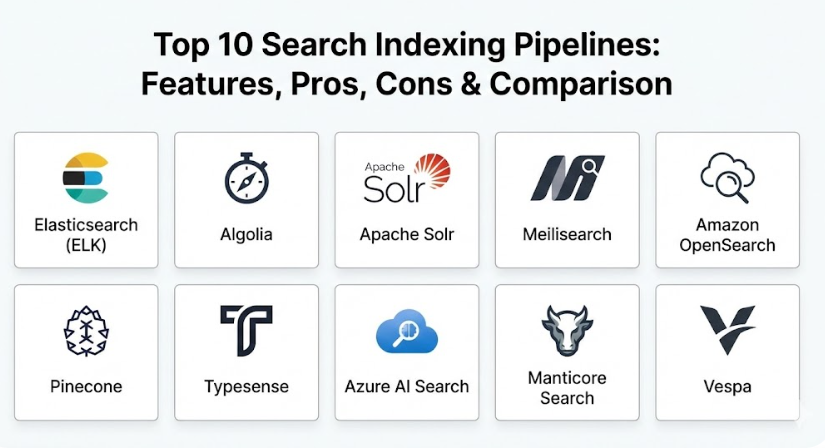
Top 10 Search Indexing Pipelines Tools
1 — Elasticsearch (ELK Stack)
Elasticsearch is the industry giant of search indexing. It is a distributed, multitenant-capable full-text search engine that provides a sophisticated pipeline for ingesting and indexing massive volumes of data in near real-time.
- Logstash Integration: Uses a dedicated data processing pipeline to collect, parse, and transform data before indexing.
- Distributed Architecture: Indexes are split into “shards” across multiple servers for high speed and reliability.
- Inference APIs: Allows you to integrate machine learning models directly into the indexing path.
- Mapping and Analysis: Offers deep control over how text is broken down into searchable parts.
- Beats Platform: Lightweight data shippers that push data from edge devices into the pipeline.
- RESTful API: Every action in the pipeline can be controlled through standard web requests.
Pros:
- Unmatched scalability; it can handle billions of documents without breaking a sweat.
- A massive ecosystem of plugins and integrations exists for almost every data source.
Cons:
- Extremely complex to manage; you often need a dedicated engineer just to keep it running smoothly.
- High memory and hardware requirements can lead to significant cloud costs.
Security & compliance: SOC 2, HIPAA, GDPR compliant; features SSO, field-level security, and audit logging.
Support & community: World-class documentation, a huge global community, and professional enterprise support through Elastic.co.
2 — Algolia
Algolia is a “Search-as-a-Service” platform that focuses on speed and ease of use. It provides a managed indexing pipeline that allows developers to get a professional search bar running in minutes without managing servers.
- Managed Crawlers: Automatically visits your website and builds an index based on the content it finds.
- Instant Search UI: Provides pre-built components to display results as fast as a user can type.
- Global Distributed Network: Your index is replicated across 70+ data centers to ensure low latency.
- Dictionary Management: Allows you to easily handle synonyms and plurals in the indexing process.
- A/B Testing: You can test different indexing strategies to see which leads to more clicks.
- Rules Engine: Fine-tune how specific items are ranked or highlighted during the indexing phase.
Pros:
- The fastest “time-to-market” for a high-quality search experience.
- Removes the burden of server maintenance and scaling from your team.
Cons:
- Can become very expensive as your data volume and number of searches grow.
- Less flexibility for complex data transformations compared to open-source tools.
Security & compliance: SOC 3, ISO 27001, HIPAA, and GDPR compliant; supports encryption and SSO.
Support & community: Excellent developer documentation, interactive tutorials, and responsive email/phone support.
3 — Apache Solr
Apache Solr is a battle-tested, open-source search platform built on Apache Lucene. It is known for its stability and its ability to handle complex, heavy-duty enterprise indexing tasks.
- Data Import Handler: A powerful tool for pulling data from SQL databases directly into the search index.
- Schema Flexibility: Supports both “Schemaless” indexing and strictly defined data structures.
- Rich Document Handling: Uses Apache Tika to extract and index text from PDFs, Word docs, and Excel files.
- Near Real-Time Indexing: Ensures that updates are visible to users within seconds.
- Extensible Plugins: Allows for custom-coded “analyzers” to process data in unique ways.
- Advanced Faceting: Optimized for building complex navigation filters (like those on shopping sites).
Pros:
- Completely free to use and very stable for long-term enterprise projects.
- Excellent for indexing complex, unstructured documents like legal or academic papers.
Cons:
- The user interface and configuration feel dated compared to modern cloud tools.
- Scaling the system (SolrCloud) requires a deep understanding of ZooKeeper and cluster management.
Security & compliance: Supports Kerberos, basic auth, and SSL; compliance depends on the host environment.
Support & community: Mature community with over a decade of forum posts and high-quality technical books.
4 — Meilisearch
Meilisearch is a modern, lightning-fast search engine designed for the end-user experience. It is built in Rust and focuses on being simple to set up while providing “instant” search results.
- Automatic Typo Tolerance: The indexing pipeline is optimized to handle user spelling mistakes out of the box.
- Fast Indexing Speeds: Designed to process updates and refreshes much faster than traditional engines.
- Developer-First Design: Features a very clean and intuitive API that doesn’t require complex JSON.
- On-Premise or Cloud: Can be run on your own tiny server or used as a managed service.
- Stop-word Management: Easily ignores common words like “the” or “and” to keep the index clean.
- Ranking Rules: Simple, human-readable rules to determine which results are most important.
Pros:
- Perfect for small-to-mid-sized apps where you want “Algolia-like” speed without the high price tag.
- Extremely easy to install and run on local developer machines.
Cons:
- Not designed for “Big Data” scales (billions of documents) like Elasticsearch.
- Lacks some of the deep analytical features required by large enterprise IT teams.
Security & compliance: Supports API keys, tenant tokens, and encryption; SOC 2 and GDPR compliant in the Cloud version.
Support & community: Very active Discord community and high-quality, modern documentation.
5 — Amazon OpenSearch Service
OpenSearch is a community-driven, open-source fork of Elasticsearch managed by AWS. It provides a familiar indexing pipeline for those used to ELK but with AWS-native security and integration.
- Seamless Ingestion: Works natively with AWS services like Kinesis, S3, and DynamoDB.
- Integrated Dashboards: Includes tools for visualizing the health of your indexing pipeline.
- Automated Backups: Uses S3 to ensure your search index is never lost.
- Trace Analytics: Helps developers find bottlenecks in the data pipeline that might be slowing down indexing.
- Cold Storage: Allows you to keep older data searchable at a lower cost without deleting it.
- ML Commons: Built-in support for vector search and machine learning during indexing.
Pros:
- If your data is already in AWS, this is the easiest “Big Data” search tool to implement.
- Provides the power of Elasticsearch without the licensing restrictions of the newer versions.
Cons:
- The AWS management console can be overwhelming for beginners.
- It can be expensive to run small clusters due to the baseline cost of the managed service.
Security & compliance: HIPAA eligible, SOC 1/2/3, ISO certified, and PCI DSS compliant.
Support & community: Backed by AWS enterprise support and a growing open-source community.
6 — Pinecone
Pinecone is a specialized “Vector Database” designed for the modern AI era. It provides an indexing pipeline specifically for “embeddings”—the mathematical representations of data used by ChatGPT and other AI models.
- Vector Indexing: Optimized for “Nearest Neighbor” searches rather than just keyword matching.
- Managed Infrastructure: A completely serverless experience; you don’t manage any databases.
- Real-time Updates: Your AI index is updated instantly as you add new vectors.
- High Dimensionality: Can handle vectors with thousands of dimensions for complex AI tasks.
- Metadata Filtering: Combines traditional keyword filters with AI-powered vector search.
- Easy Scaling: Automatically expands to handle millions of vectors as your AI app grows.
Pros:
- The best-in-class tool for building AI-powered recommendation engines or chatbots.
- Removes the extreme mathematical complexity of managing vector data yourself.
Cons:
- Not a “general purpose” search engine; it’s not the best choice for simple blog or product search.
- Requires your team to have some knowledge of AI and data “embeddings.”
Security & compliance: SOC 2 Type II, GDPR, and HIPAA compliant with enterprise encryption.
Support & community: Excellent documentation for AI developers and a very helpful support team.
7 — Typesense
Typesense is an open-source, “batteries-included” search engine that aims to provide the perfect balance between the power of Elasticsearch and the simplicity of Meilisearch.
- In-Memory Speed: Stores the search index in RAM for the fastest possible response times.
- Geo-Search: Built-in support for indexing and searching by location (latitude and longitude).
- Federated Search: Allows you to index and search across multiple collections in one go.
- High Availability: Uses “Raft” consensus to ensure the search index stays online even if a server fails.
- Curation Tools: Manually “pin” certain results to the top of the search for specific keywords.
- Dynamic Scoping: Optimized for building complex sidebars and filters for e-commerce.
Pros:
- Incredibly fast and stable, with a focus on “sane defaults” so you don’t have to tweak 100 settings.
- Much more affordable than Algolia while offering a very similar feature set.
Cons:
- Because it is in-memory, you need enough RAM to hold your entire index, which can be expensive for massive data.
- Smaller third-party plugin ecosystem compared to Elasticsearch or Solr.
Security & compliance: SOC 2 Type II compliant in the cloud version; features SSL and API key security.
Support & community: Very responsive founders on GitHub and a growing library of community tutorials.
8 — Azure AI Search
Azure AI Search (formerly Azure Cognitive Search) is a managed service from Microsoft that focuses on “Enrichment.” It uses AI to read images and documents during the indexing phase to make them searchable.
- AI Skills: Can automatically perform OCR on images or translate text during the indexing process.
- Knowledge Store: Saves the AI-enriched data into a separate storage for further analysis.
- Native Connectors: Deep integration with Azure SQL, Cosmos DB, and Azure Blob Storage.
- Semantic Search: Uses Microsoft’s AI to understand the meaning behind a user’s search query.
- Incremental Indexing: Smart enough to only update the parts of the index that have changed.
- Language Support: Offers advanced natural language processing for over 50 languages.
Pros:
- Incredible for “Unstructured Data”—it can turn a folder of random images and PDFs into a searchable goldmine.
- Seamless for organizations already invested in the Microsoft Azure ecosystem.
Cons:
- The AI enrichment features can significantly increase the cost of indexing.
- Can feel slower than “in-memory” engines like Typesense for simple keyword searches.
Security & compliance: HIPAA, SOC 2, ISO, and GDPR compliant with world-class Microsoft security.
Support & community: Enterprise-grade Microsoft support and extensive documentation for corporate IT.
9 — Manticore Search
Manticore Search is a high-performance, open-source search engine that was born as a fork of the famous Sphinx Search. It is designed for speed and very low memory usage.
- SQL Native: You can talk to the indexing pipeline using standard SQL commands, making it easy for database admins.
- Very Low Footprint: Uses much less RAM than Elasticsearch for the same amount of data.
- Real-time & Batch: Supports both instant updates and massive batch imports from disk.
- Distributed Search: Can combine indexes across multiple servers for horizontal scaling.
- JSON Field Support: Allows you to index and search through complex, nested data structures.
- PHP and Python Clients: Simple libraries for the most common web development languages.
Pros:
- One of the most “resource-efficient” tools; you can run a large index on a very small, cheap server.
- The SQL interface makes it very easy for developers to get started without learning a new language.
Cons:
- The documentation can be more technical and less “beginner-friendly” than tools like Algolia.
- Lacks the fancy visual dashboards found in the ELK stack or Azure.
Security & compliance: Supports SSL and basic authentication; compliance depends on the host server.
Support & community: Small but dedicated community of high-performance engineering experts.
10 — Vespa
Vespa is a massive, open-source search and AI engine created by Yahoo. It is designed for “Large-Scale” applications where search, recommendation, and AI processing must happen in one pipeline.
- Tensor Computing: Allows for complex mathematical calculations during the indexing and ranking phase.
- Highly Scalable: Powers some of the world’s largest websites with hundreds of billions of documents.
- Real-time Everything: Updates to data and machine learning models are applied instantly.
- Custom Ranking: You can write actual code to determine exactly how results are ordered.
- Multi-stage Processing: Efficiently narrows down billions of results to the top 10 in milliseconds.
- Hybrid Search: Natively combines traditional text search with AI vector search.
Pros:
- The “ultimate” tool for giant tech companies who need to combine search and AI at a massive scale.
- Completely free and open-source, despite being powerful enough for a multi-billion dollar company.
Cons:
- The learning curve is extremely steep; it is not a tool for a weekend project or a small team.
- Requires a sophisticated infrastructure (Kubernetes or similar) to run effectively.
Security & compliance: Comprehensive enterprise security features; SOC 2 and GDPR compliant in the Vespa Cloud version.
Support & community: High-quality documentation and professional support from the creators at Vespa.ai.
Comparison Table
| Tool Name | Best For | Platform(s) Supported | Standout Feature | Rating |
| Elasticsearch | Big Data / Analytics | Any (Java-based) | Massive Ecosystem (ELK) | N/A |
| Algolia | E-commerce / Speed | Managed Cloud | Instant Search UI Components | N/A |
| Apache Solr | Enterprise Documents | Any (Java-based) | Complex Document Ingestion | N/A |
| Meilisearch | Small-to-Mid Apps | Any (Rust-based) | Easy Typo Tolerance | N/A |
| Amazon OpenSearch | AWS Environments | Managed AWS | Built-in ML & Cold Storage | N/A |
| Pinecone | AI / Chatbots | Managed Cloud | Vector Indexing for AI | N/A |
| Typesense | Modern Web Apps | Any (C++ based) | High-Speed In-Memory Search | N/A |
| Azure AI Search | Unstructured Data | Managed Azure | AI-Powered Data Enrichment | N/A |
| Manticore | High Performance | Linux / Windows | SQL-based Search Pipeline | N/A |
| Vespa | Massive Global Apps | Any (Java/C++) | Integrated Tensor AI Search | N/A |
Evaluation & Scoring of Search Indexing Pipelines
We evaluate these pipelines based on their ability to handle the “three pillars” of search: Ingestion, Analysis, and Retrieval.
| Evaluation Category | Weight | What We Look For |
| Core Features | 25% | Quality of text analysis, typo tolerance, and vector support. |
| Ease of Use | 15% | How quickly a developer can build a working index and search bar. |
| Integrations | 15% | Number of pre-built “connectors” to databases and cloud storage. |
| Security & Compliance | 10% | Support for SSO, field-level security, and privacy laws (GDPR). |
| Performance | 10% | Search latency and the speed of updating the index (indexing throughput). |
| Support & Community | 10% | Availability of expert help, documentation, and community forums. |
| Price / Value | 15% | Transparency of cost and return on investment for the organization. |
Which Search Indexing Pipelines Tool Is Right for You?
The “best” pipeline is the one that fits your data volume and your team’s engineering capacity.
Solo Users vs SMB vs Mid-Market vs Enterprise
- Solo Users/Startups: Start with Meilisearch or Typesense. They are free (if you host them) and give you a professional experience with almost zero configuration.
- SMBs (High Growth): Algolia is the standard choice here. It allows you to focus on building your product rather than managing a search database.
- Mid-Market: Amazon OpenSearch or Elastic Cloud provide the balance of power and managed ease that a growing team needs.
- Global Enterprise: Elasticsearch, Solr, or Vespa are the only tools that can handle the massive complexity and volume of a world-class corporation.
Budget-Conscious vs Premium Solutions
If budget is your primary concern, Manticore or Typesense allow you to run a very fast search index on a $5-a-month server. If your company values “Time-to-Market” above all else, a premium service like Algolia or Azure AI Search will save you months of development time.
Feature Depth vs Ease of Use
If you just need a search bar for a blog, Meilisearch is the winner for ease of use. If you need to index millions of PDFs and have an AI summarize them during the indexing phase, you need the feature depth of Azure AI Search or Elasticsearch.
Integration and Scalability Needs
Always check where your data “lives.” If your data is in Azure Blob Storage, using Azure AI Search is much easier than trying to move that data into a different tool. If you plan to grow from 1,000 to 1,000,000,000 documents, ensure you choose a distributed engine like Elasticsearch or Vespa from the start.
Frequently Asked Questions (FAQs)
1. What is the difference between a database and a search engine?
A database (like MySQL) is built to store data safely. A search engine (like Elasticsearch) is built to analyze that data and find it instantly using complex text logic that standard databases can’t handle.
2. Can I use these tools for AI and ChatGPT?
Yes, especially “Vector” tools like Pinecone and Vespa. They allow you to store the data your AI needs and retrieve the most relevant bits to help the AI answer questions correctly.
3. Does indexing happen in real-time?
Most modern tools like Meilisearch and Algolia update the index in “near real-time” (usually within a second). Older enterprise tools might take a few minutes to process a large batch of new data.
4. How do these tools handle different languages?
Most use “Tokenizers” and “Stemmers” specifically for each language. For example, they know that in English, “run” and “running” are the same, and they have similar rules for dozens of other languages.
5. How much data can a search index hold?
There is virtually no limit if you use a “distributed” engine. Sites like eBay or Yahoo use these tools to index hundreds of billions of items across thousands of servers.
6. Is my data safe in a search index?
Yes, but you must configure it correctly. Most tools allow you to hide certain results based on who is searching, which is essential for internal company documents.
7. Do I need a specialized developer to set this up?
For Algolia or Meilisearch, a standard web developer can do it easily. For Elasticsearch or Solr, you usually need an engineer with experience in “Search” or “Big Data.”
8. Can I index my website automatically?
Yes, tools like Algolia and Azure offer “Crawlers” that visit your site like Google does and build the index for you without you writing any code.
9. What is a “Vector” in search indexing?
A vector is a list of numbers that represents the meaning of a piece of text. It allows an AI to find things that are related by topic, even if they don’t use the same exact words.
10. How much do these tools cost?
Open-source tools are free. Managed cloud services start around $30–$50 per month. Large-scale enterprise search can cost thousands of dollars per month in hardware or service fees.
Conclusion
In conclusion, a Search Indexing Pipeline is the invisible engine that makes modern digital life possible. Whether you choose the user-friendly simplicity of Meilisearch, the AI-powered enrichment of Azure AI Search, or the massive scalability of Elasticsearch, your goal is to make information findable.
When choosing your tool, remember that search is an “evergreen” project. Your index will grow, your users will misspell things, and your data types will change. Prioritize flexibility and speed. Start with a small sample of your data, test how the tool handles typos and synonyms, and ensure the indexing speed matches your business needs. By building a solid pipeline today, you are ensuring that your users can always find exactly what they need, exactly when they need it.