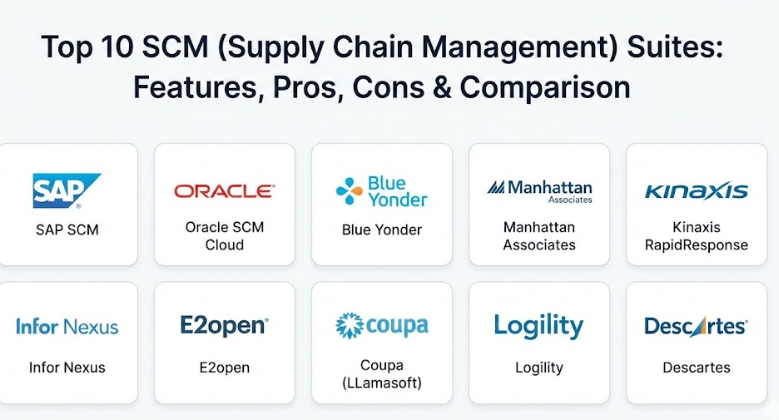
Introduction
Supply Chain Management (SCM) Suites are integrated software platforms designed to manage the entire flow of goods, data, and finances related to a product or service. In simple terms, these tools help a business track everything from the moment a raw material is purchased until the finished product reaches the customer’s doorstep. An SCM suite brings together different tasks like ordering parts, managing warehouse space, predicting how many items people will buy, and choosing the best way to ship those items.
Using an SCM suite is important because modern business is fast and global. If a company does not know exactly where its inventory is or how long a shipment will take, it can lose a lot of money or end up with unhappy customers. These tools provide “visibility,” which is a fancy way of saying they let you see every step of the process in real-time. Key real-world use cases include a retail giant managing seasonal inventory across thousands of stores, a manufacturer coordinating parts from different countries to build a car, or a food company tracking shipments to ensure products stay fresh. When choosing a tool, you should look for how well it predicts future demand, how easily it connects with your other business software, and whether it is simple enough for your team to use every day without constant help.
Best for: Large-scale manufacturers, global retailers, logistics providers, and distributors who manage high volumes of inventory. It is especially helpful for Supply Chain Directors, Procurement Managers, and Operations Leads at mid-sized to enterprise-level companies.
Not ideal for: Very small local businesses or freelancers who only handle a handful of orders a week. If your business is simple enough that you can track everything on a single sheet of paper or a basic spreadsheet, a full SCM suite might be too expensive and complicated for your needs.
Top 10 SCM (Supply Chain Management) Suites Tools
1 — SAP SCM
SAP is one of the most well-known names in business software. Their Supply Chain Management suite is built to handle the most complex global operations, connecting everything from product design to delivery in one giant system.
- Key features:
- Real-time tracking of goods across the entire global network.
- Advanced forecasting that uses data to guess what customers will want.
- Integrated tools for managing relationships with thousands of suppliers.
- Specialized modules for warehouse management and yard logistics.
- Transportation management to find the cheapest and fastest shipping routes.
- “Digital Twin” technology to test changes in the supply chain virtually.
- Automated alerts that tell you if a shipment is delayed or if stock is low.
- Pros:
- It is incredibly powerful and can handle almost any business scenario.
- Since so many companies use SAP, it is easy to find experts who know how to run it.
- Cons:
- It is very expensive to set up and keep running.
- The software is famous for being difficult to learn for the average employee.
- Security & compliance: Offers top-tier security including SSO, data encryption, and full audit logs. It is compliant with GDPR, ISO standards, and SOC 2.
- Support & community: Massive global community, extensive online documentation, and 24/7 enterprise support availability.
2 — Oracle SCM Cloud
Oracle provides a modern, cloud-based suite that focuses on being agile. It is designed to help companies react quickly when things go wrong, like when a shipping port closes or a supplier runs out of material.
- Key features:
- A unified platform where all data is shared across the whole company.
- Built-in artificial intelligence to help make decisions faster.
- Tools for “smart manufacturing” that connect directly to factory machines.
- Inventory management that works across multiple locations.
- Order management that tracks a purchase from a website all the way to delivery.
- Product Lifecycle Management (PLM) to track a product’s history.
- Mobile-friendly dashboards that let managers check status on their phones.
- Pros:
- Being in the cloud means it is easier to update than old-fashioned software.
- The user interface is cleaner and more modern than many older competitors.
- Cons:
- Moving all your data to the Oracle cloud can be a long and painful process.
- Some of the more advanced features require an extra fee.
- Security & compliance: Uses advanced encryption and identity management. Compliant with HIPAA, GDPR, and SOC 1/2/3.
- Support & community: Large user group network, detailed training “universities,” and dedicated customer success managers for large clients.
3 — Blue Yonder (formerly JDA Software)
Blue Yonder is a leader in using “machine learning” to run supply chains. They are particularly popular with grocery stores and retailers who need to be very precise about how much stock they keep on shelves.
- Key features:
- Luminate Platform that predicts market changes before they happen.
- Specialized tools for retail “category management” and floor planning.
- Warehouse management that optimizes how workers move through the aisles.
- Labor management to make sure you have enough staff during busy times.
- End-to-end visibility into the “last mile” of delivery to the customer.
- Automated replenishment that orders more stock without human help.
- Scenario planning to see how a strike or weather event will affect sales.
- Pros:
- Its ability to predict demand is considered some of the best in the world.
- Very strong focus on the specific needs of retail and grocery businesses.
- Cons:
- The software can feel like a “black box” where it is hard to see why the computer made a certain choice.
- Integration with non-Blue Yonder software can sometimes be tricky.
- Security & compliance: Robust security framework including multi-factor authentication and encryption. Complies with major international data laws.
- Support & community: Strong professional services team and a large annual user conference for networking.
4 — Manhattan Associates
Manhattan Associates is often the first choice for companies that focus heavily on “fulfillment”—which is just a way of saying getting orders picked, packed, and shipped out of a warehouse.
- Key features:
- Manhattan Active WM (Warehouse Management) which never needs to be shut down for updates.
- Specialized tools for “Omni-channel” retail (selling online and in stores).
- Slotting optimization to put the most popular items near the shipping dock.
- Advanced transportation management for planning truck loads.
- Labor management tools to track worker productivity in the warehouse.
- Inventory tracking that is accurate down to the specific bin or shelf.
- Returns management to handle when customers send items back.
- Pros:
- Their warehouse management software is widely viewed as the best in the industry.
- The “Active” version stays updated automatically, so you are never on an old version.
- Cons:
- It is very focused on logistics; it might not be the best for heavy manufacturing.
- It is a premium product with a price tag to match.
- Security & compliance: High-level security with SOC 2 Type II compliance and robust data encryption practices.
- Support & community: Dedicated support portals, extensive training videos, and a very loyal user base.
5 — Kinaxis RapidResponse
Kinaxis is different because it focuses on “concurrent planning.” Instead of one person planning shipping and another planning manufacturing, everyone sees the same data at the exact same time.
- Key features:
- Real-time collaboration tools for different departments.
- “What-if” analysis that lets you see the result of a change in seconds.
- Supply chain visibility that reaches deep into your suppliers’ networks.
- S&OP (Sales and Operations Planning) tools to align sales goals with production.
- Inventory optimization to reduce the money tied up in extra stock.
- Capacity planning to make sure your factories aren’t overworked.
- Automated “balancing” that moves stock from where it is extra to where it is needed.
- Pros:
- It is much faster at recalculating plans than traditional SCM suites.
- Great for companies that deal with constant changes and surprises.
- Cons:
- It is a specialized planning tool; you might still need other software for the actual shipping.
- The setup requires a lot of “data cleaning” to make sure the computer has the right info.
- Security & compliance: ISO 27001 certified, SOC 2 compliant, and follows strict GDPR data protection rules.
- Support & community: Excellent “Kinaxis Learning” center and a very helpful community of professional planners.
6 — Infor Nexus
Infor Nexus is a platform that focuses heavily on the “network” aspect. It connects businesses, logistics providers, and banks into one digital ecosystem to help money and goods flow together.
- Key features:
- Multi-enterprise network that connects you directly to your partners.
- Supply chain finance tools to help pay suppliers faster.
- Real-time tracking for ocean, air, and road freight.
- Digital “Control Tower” that shows all problems on one screen.
- Automated document handling for international trade (customs, etc.).
- Tools for managing “In-Transit” inventory that is still on a boat or truck.
- Collaborative forecasting with suppliers.
- Pros:
- Excellent for companies that do a lot of international shipping across oceans.
- The financial tools help keep small suppliers happy and in business.
- Cons:
- The interface can be a bit overwhelming because there is so much data.
- Smaller suppliers might find it difficult to connect their own systems to it.
- Security & compliance: SSAE 16 compliant, uses advanced encryption, and meets global standards for electronic data interchange (EDI).
- Support & community: Strong enterprise support and a wide network of global logistics partners who already use the system.
7 — E2open
E2open is another “network-based” suite. It is designed to take data from many different places—like your suppliers, your customers, and your shippers—and put it into one clear picture.
- Key features:
- Demand sensing that looks at real-time sales to predict what to make.
- Global trade management for navigating complex laws and taxes.
- Channel shaping tools to help sell more through partners.
- Logistics orchestration to manage many different shipping companies at once.
- “Single-pane-of-glass” visibility across the whole supply chain.
- AI-driven analytics to find hidden ways to save money.
- Supplier collaboration portals for sharing plans and orders.
- Pros:
- Very good at “cleaning” data so that information from different companies looks the same.
- It handles the legal side of international trade very well.
- Cons:
- The company has grown by buying other companies, so some parts of the software feel different than others.
- Implementation can be complex because it involves connecting so many different partners.
- Security & compliance: SOC 2 Type II, ISO 27001, and HIPAA compliant.
- Support & community: Robust global support and specialized consulting teams to help with the initial setup.
8 — Coupa (formerly LLamasoft)
Coupa’s supply chain tools are famous for “design and modeling.” This is the software you use if you want to decide where to build a new warehouse or how to completely change your delivery routes to save fuel.
- Key features:
- Digital Supply Chain Twin to model your entire business.
- Network optimization to find the best locations for buildings.
- Transportation modeling to test new shipping methods.
- Risk modeling to see how sensitive your business is to price changes.
- Demand modeling that uses external data like weather or economic trends.
- Integrated “spend management” to see where every dollar is going.
- Sustainability tools to track and reduce your carbon footprint.
- Pros:
- Best-in-class tools for making big, long-term strategic decisions.
- It helps you find millions of dollars in savings by optimizing your routes.
- Cons:
- It is a “thinking” tool; you might need other software for the “doing” (like printing shipping labels).
- Requires users who are very good with data and math.
- Security & compliance: SOC 1 and SOC 2 compliant, GDPR ready, and uses enterprise-level encryption.
- Support & community: Very strong community of “data scientists” and supply chain experts.
9 — Logility
Logility is a suite that focuses on “Digital Supply Chain Optimization.” It is built to be a bit more approachable than the giant ERP systems, while still offering very deep planning capabilities.
- Key features:
- AI-driven demand planning that learns over time.
- Inventory optimization to find the perfect “safety stock” level.
- Supply planning that balances factory schedules with material arrivals.
- Specialized tools for the fashion and retail industries (managing sizes/colors).
- Quality tracking to ensure products meet standards before shipping.
- Vendor management to track how well your suppliers are performing.
- S&OP tools that are easy for executives to read.
- Pros:
- Known for being faster to set up than the massive suites from SAP or Oracle.
- Very strong for “consumer goods” companies that have many different types of products.
- Cons:
- Not as widely known as the bigger brands, so there are fewer independent consultants.
- The reporting tools could be more customizable.
- Security & compliance: SOC 2 compliant and uses standard industry encryption for cloud data.
- Support & community: High customer satisfaction ratings for their support team and good online training resources.
10 — Descartes
Descartes is the specialist for “logistics and high-volume shipping.” If your business is mostly about moving trucks, planes, and ships, Descartes provides the network to make that happen.
- Key features:
- Global Logistics Network (GLN) that connects thousands of carriers.
- Route planning and GPS tracking for delivery fleets.
- Customs and security filing for international air and ocean freight.
- Forwarder and broker software to manage paperwork.
- E-commerce shipping tools that connect to websites like Shopify.
- Warehouse management specifically for logistics providers.
- Real-time visibility into where your shipments are anywhere in the world.
- Pros:
- The connectivity to shipping companies is second to none.
- It is the “gold standard” for companies that focus strictly on transportation.
- Cons:
- It does not have deep tools for manufacturing or factory planning.
- The interface for some of their older tools can be difficult to use.
- Security & compliance: Fully compliant with global customs and transportation security regulations.
- Support & community: Strong technical support for the “network” and a large community of logistics professionals.
Comparison Table
| Tool Name | Best For | Platform(s) Supported | Standout Feature | Rating |
| SAP SCM | Large Global Enterprises | Cloud / On-Premise | End-to-end integration | 4.2 / 5 |
| Oracle SCM Cloud | Agile, Cloud-first firms | Cloud | Built-in AI & ML | 4.3 / 5 |
| Blue Yonder | Retail & Grocery | Cloud | Demand forecasting | 4.1 / 5 |
| Manhattan Assoc. | Warehouse & Fulfillment | Cloud / SaaS | Top-tier WM system | 4.5 / 5 |
| Kinaxis | Fast-paced Planning | Cloud | Concurrent planning | 4.4 / 5 |
| Infor Nexus | International Shipping | Cloud / Network | Supply chain finance | 4.0 / 5 |
| E2open | Partner Collaboration | Cloud | Multi-enterprise network | 4.1 / 5 |
| Coupa (LLamasoft) | Strategic Modeling | Desktop / Cloud | Supply chain design | 4.4 / 5 |
| Logility | Consumer Goods | Cloud | Approachable planning | 4.2 / 5 |
| Descartes | Logistics & Transport | Cloud / Network | Global carrier network | 4.0 / 5 |
Evaluation & Scoring of SCM Suites
We have evaluated these tools using a weighted scoring system to help you see where each one shines.
| Category | Weight | What it measures |
| Core Features | 25% | The depth of planning, tracking, and warehouse tools. |
| Ease of Use | 15% | How simple it is for a regular employee to learn and use. |
| Integrations | 15% | How well it talks to your existing ERP or accounting tools. |
| Security & Compliance | 10% | Encryption, audit logs, and meeting laws like GDPR. |
| Performance | 10% | How fast the system is and how often it crashes. |
| Support & Community | 10% | The quality of help you get when something breaks. |
| Price / Value | 15% | If the tool is worth the high cost of setup. |
Which SCM Suites Tool Is Right for You?
Choosing a tool depends on the size of your company and what part of the supply chain you care about most.
Small vs. Mid-Market vs. Enterprise
If you are a smaller company that is starting to outgrow spreadsheets, look for “approachable” tools like Logility or the smaller modules of Oracle SCM Cloud. Mid-market companies that focus on shipping should look at Descartes. Large, global enterprises that have thousands of employees and complex factories will almost always need the heavy power of SAP or Oracle.
Budget-Conscious vs. Premium
None of these tools are “cheap,” but some are more affordable than others. Logility and E2open often offer more flexible pricing. Premium solutions like Manhattan Associates and SAP are very expensive, but they offer features that can save a large company millions of dollars in efficiency, which makes them a better “value” for giant firms.
Feature Depth vs. Ease of Use
If you want the most detailed warehouse management in the world, Manhattan Associates is the winner, even if it takes a while to learn. If you want something that your team can learn quickly and that looks like a modern website, Kinaxis or Oracle Cloud are better choices.
Integration and Scalability
If you already use SAP or Oracle for your accounting, it is almost always best to stick with their SCM tools because they will “talk” to each other perfectly. If you use many different types of software and need a “bridge” between them, E2open and Infor Nexus are built specifically to connect different systems together.
Frequently Asked Questions (FAQs)
1. What is the difference between ERP and SCM software?
An ERP (Enterprise Resource Planning) system handles everything in a business, like HR and accounting. An SCM suite is a specialist tool that focuses specifically on the physical movement of products and planning for inventory.
2. How long does it take to set up an SCM suite?
For a large company, it usually takes between 6 months and 2 years. Smaller, cloud-based tools can be set up in 3 to 6 months, depending on how “clean” your data is.
3. Do these tools work on mobile phones?
Most modern suites like Oracle, SAP, and Blue Yonder have mobile apps or web versions so that managers can track shipments or approve orders while they are away from their desks.
4. Can SCM software help with sustainability?
Yes. Tools like Coupa and SAP now include features that track carbon emissions from trucks and help you choose “greener” suppliers to meet environmental goals.
5. Is my data safe in an SCM suite?
Professional SCM suites use very strong encryption and security. Because this data is vital to a company, these software providers spend millions of dollars every year to prevent hacking.
6. What is “Demand Sensing”?
It is a technology that looks at very recent data—like today’s weather or a sudden trend on social media—to predict what people will buy tomorrow, rather than just looking at what they bought last year.
7. Can a small business use SAP?
SAP has a version for smaller businesses called “Business One,” but the main SAP SCM suite described here is generally too complex and expensive for a very small shop.
8. What happens if the internet goes down?
Most cloud SCM suites have “offline” modes for warehouses so that workers can keep scanning items. The data then syncs back to the main system as soon as the connection returns.
9. Do I need to hire a consultant to install this?
Almost always, yes. These systems are very complex, and most companies hire a specialized “implementation partner” to help them set up the software and train their employees.
10. Can these tools help during a global crisis?
Yes. Tools like Kinaxis and Blue Yonder are designed to run “what-if” scenarios. During a crisis, they help you find a new supplier or a different shipping route in minutes instead of days.
Conclusion
Finding the right SCM suite is about balancing what your business does today with where you want it to be in the future. The most important thing to remember is that the software is only as good as the data you put into it.
If your main problem is a messy warehouse, Manhattan Associates might be your savior. If you are constantly surprised by market changes, Kinaxis or Blue Yonder will give you the “vision” you need. There is no one-size-fits-all winner; the best tool is the one that fits your industry, matches your budget, and is easy enough for your team to actually use. Take the time to demo these tools with your real data before making a final choice.