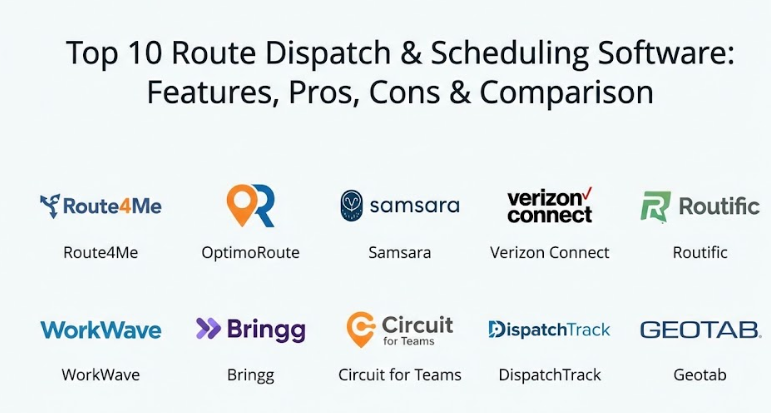
Introduction
Route dispatch and scheduling software is a digital tool that helps businesses plan the best paths for their vehicles and workers to take. At its most basic level, it takes a list of stops and figures out the quickest way to get from point A to point B while considering things like traffic, distance, and time. Instead of a person sitting with a paper map trying to guess the best route, this software uses smart math to do it in seconds. It also helps managers see where their drivers are in real-time and sends updates to customers about when their delivery or service will arrive. These tools act as the brain of a delivery or field service operation, making sure that every mile driven is necessary and every minute is used wisely.
Using this kind of software is important because it saves a huge amount of money on fuel and vehicle wear and tear. When drivers follow better routes, they can finish their jobs faster, which means they can often fit more stops into a single day. This makes the business more profitable and keeps the workers from getting frustrated by bad directions or heavy traffic that could have been avoided. Beyond just saving money, it helps create a much better experience for the customer. People today expect to know exactly when a service person will show up or when a package will land on their doorstep, and this software provides that accuracy. It turns a chaotic day of driving into a smooth, organized process that everyone can follow easily.
Route dispatch and scheduling software is the primary tool used by businesses to manage their moving assets, whether those are delivery vans, repair trucks, or service vehicles. By centralizing all data about stops, driver availability, and vehicle capacity, these platforms remove the guesswork from daily operations. In the past, dispatchers had to rely on local knowledge and manual logs, which often led to overlapping routes and wasted time. Modern software changes this by providing a digital map where everything is visible at once. This ensures that the closest driver is sent to a new job and that no two trucks are driving to the same neighborhood unnecessarily.
Real-world use cases for these tools are found in almost every industry that involves driving. For a local furniture store, it might be used to schedule deliveries so that the truck doesn’t have to crisscross the city five times. For a plumbing company, it helps dispatch the nearest technician to an emergency leak. Even non-profit organizations use these tools to plan food delivery routes for those in need. When choosing a tool, you should look at how easily it handles sudden changes—like a driver calling in sick or a customer canceling an appointment—and how well it communicates with the drivers’ phones.
Evaluating these tools requires looking at how they handle “constraints.” This means things like the size of the truck, the specific hours a customer is home, or the specialized skills a worker needs for a job. A good tool will balance all these factors automatically. You also want a platform that provides clear reports so you can see if you are actually saving money on fuel over time. Security is another major factor, as these systems hold sensitive data about customer addresses and employee locations.
Best for:
- Delivery Businesses: Companies that move packages, food, or retail goods and need to hit specific time windows.
- Field Service Providers: Plumbers, electricians, and landscapers who need to manage multiple appointments across a large area.
- Logistics Managers: Professionals at large companies who oversee fleets of trucks and need to track efficiency and safety.
- Waste Management and Utilities: Organizations that follow regular, repeating routes but need to optimize them for fuel savings.
Not ideal for:
- Very Small Local Shops: If you only have one van and three stops a day, the cost and setup time might be more than the benefit.
- Fixed-Route Services: Public buses or shuttles that follow the exact same path every day regardless of traffic or demand.
- Businesses with No Moving Parts: If your work is done entirely in an office or online, you won’t have a use for dispatching tools.
Top 10 Route Dispatch & Scheduling Software Tools
1 — Route4Me
Route4Me is a highly flexible platform that is known for being one of the most downloaded routing apps in the world. It is designed to scale from a single driver to a massive fleet with thousands of vehicles. It focuses on taking a list of addresses and turning it into an optimized path in less than a minute. The software is built for speed and ease of use, making it a favorite for businesses that need to get on the road quickly every morning.
- Key features:
- Quick upload of thousands of addresses via spreadsheets or files.
- Real-time driver tracking so dispatchers can see progress on a map.
- Mobile app for drivers that provides turn-by-turn directions.
- Proof of delivery features including signatures and photos.
- Ability to handle “what-if” scenarios for planning future growth.
- Automated customer notifications via text or email.
- Detailed analytics to track fuel usage and driver performance.
- Pros:
- Very easy to start using even if you are not a tech expert.
- Offers a very wide range of add-on features so you only pay for what you need.
- Cons:
- The pricing can get complicated because of the many different add-on modules.
- Some users find the interface feels a bit dated compared to newer apps.
- Security & compliance: Uses standard encryption for data, offers SSO for larger teams, and is GDPR compliant.
- Support & community: Provides a large library of help videos, a community forum, and 24/7 phone support for enterprise clients.
2 — OptimoRoute
OptimoRoute is a powerful tool that specializes in complex scheduling and routing. It is designed for businesses that have very specific needs, such as a worker needing a certain tool or a delivery needing a refrigerated truck. The software is excellent at balancing the workload between drivers so that no one is overworked while others are idle. It focuses on maximizing the number of orders you can complete in a single shift.
- Key features:
- Automated planning that considers driver skills and vehicle types.
- Support for multi-day long-haul routing for bigger logistics jobs.
- Live tracking and “breadcrumbing” to see where a driver has been.
- Easy adjustment of routes even after the driver has started their day.
- Workload balancing to ensure fair distribution of stops.
- Customer feedback tools to measure satisfaction after a job.
- Integration with various third-party apps through a clean API.
- Pros:
- Handles complex constraints (like specific time windows) better than most tools.
- The user interface is very clean and easy to navigate for dispatchers.
- Cons:
- Does not have as many “built-in” integrations as some of the larger platforms.
- The mobile app can occasionally be slow on older smartphones.
- Security & compliance: Data is encrypted in transit and at rest, and the platform follows standard privacy laws.
- Support & community: High-quality onboarding support and a very responsive email help desk.
3 — Samsara
Samsara is a comprehensive platform that combines software with hardware, like dash cams and GPS trackers. It is designed for large fleets that want a total view of their operations, including driver safety and vehicle health. While it does great routing, its biggest strength is the “connected” nature of the vehicle data. It is a top choice for industries where safety and compliance with government driving rules are a priority.
- Key features:
- Real-time GPS tracking with incredibly high accuracy.
- Integration with dash cams to monitor driver behavior and safety.
- Automated maintenance alerts based on actual engine data.
- Electronic Logging Device (ELD) compliance built right in.
- Smart routing that adjusts for live traffic and weather conditions.
- Open API for connecting to warehouse and inventory systems.
- Tools to monitor fuel efficiency and reduce idling time.
- Pros:
- Provides a massive amount of data about every aspect of the vehicle and driver.
- The hardware and software work together perfectly with very little setup effort.
- Cons:
- Requires a long-term contract which might be a turn-off for smaller shops.
- It is one of the more expensive options because it involves physical hardware.
- Security & compliance: SOC 2 Type II, HIPAA compliant, and follows strict data privacy standards.
- Support & community: Dedicated account managers for large fleets and a very deep online knowledge base.
4 — Verizon Connect
Verizon Connect is an enterprise-grade solution that is used by some of the largest fleets in the world. It is built for reliability and massive scale, offering deep insights into fleet management. The platform is designed to help businesses reduce costs by identifying wasteful habits and finding the most efficient paths possible. It is a very stable and well-supported choice for businesses that cannot afford any downtime.
- Key features:
- Advanced fleet tracking with detailed historical reporting.
- Robust scheduling tools that can handle hundreds of vehicles at once.
- Driver safety scoring to help coach workers on better habits.
- Asset tracking for expensive equipment that isn’t a vehicle.
- Geofencing alerts to let you know when a truck enters or leaves an area.
- Roadside assistance and maintenance tracking features.
- Multi-user permissions for large dispatching teams.
- Pros:
- Extremely reliable with the backing of a major global telecommunications brand.
- The reporting features are incredibly detailed and customizable.
- Cons:
- The software can feel heavy and a bit complex for a small business owner.
- The sales process is traditional and can take a long time to finalize.
- Security & compliance: Very high level of security including SSO and enterprise-grade encryption.
- Support & community: Global support network with 24/7 help and on-site training availability.
5 — Routific
Routific is a tool that focuses heavily on “last-mile” delivery. It is designed to be the simplest and most beautiful routing software on the market. It is a favorite for small businesses like bakeries, flower shops, and local couriers who don’t want to spend hours learning a new system. The software focuses on being helpful and human, making the complex task of routing feel much lighter.
- Key features:
- A very intuitive drag-and-drop interface for moving stops around.
- Automated SMS notifications for customers with live tracking links.
- Driver app that works on any smartphone with no extra hardware.
- “Smart” load planning to ensure trucks are packed in the best order.
- Proof of delivery with photos and digital signatures.
- One-click dispatching that sends routes to all drivers at once.
- Clear visibility into “missed” stops or delays as they happen.
- Pros:
- The design is excellent and makes it very pleasant to use every day.
- Pricing is very transparent and friendly for growing small businesses.
- Cons:
- Lacks some of the deep engine diagnostics found in hardware-based tools.
- Not designed for long-haul trucking or extremely large industrial fleets.
- Security & compliance: GDPR compliant and uses industry-standard security protocols for data.
- Support & community: Friendly email and chat support with a great collection of “how-to” guides.
6 — WorkWave
WorkWave is a specialized tool for field service industries like pest control, lawn care, and HVAC. It is designed to handle the entire lifecycle of a customer, from the first call to the final invoice. The routing and dispatching features are built into a larger system that manages appointments and billing. It is perfect for businesses that want one single app to run their entire office and their field teams.
- Key features:
- Integrated scheduling and dispatching for service appointments.
- Lead management and customer relationship tools (CRM).
- Mobile app that allows workers to take payments in the field.
- Automated marketing tools to remind customers of their next visit.
- Robust reporting on profit-per-route and technician performance.
- Inventory management to track parts used during service calls.
- Drag-and-drop calendar for easy appointment booking.
- Pros:
- You don’t need a separate app for billing or customer records.
- Specifically built for the unique needs of service technicians.
- Cons:
- Can be overwhelming because it does so many different things.
- The setup process is longer because you have to move all your customer data into it.
- Security & compliance: SOC 2 compliant and offers secure payment processing features.
- Support & community: Provides extensive training and has a dedicated support team for technical issues.
7 — Bringg
Bringg is an advanced delivery orchestration platform that is built for retailers and big logistics providers. It is designed to manage complex delivery networks, including third-party couriers and internal fleets. The software focuses on the “customer experience,” ensuring that every delivery feels professional and high-tech. It is a great choice for companies that want to compete with giant online retailers by offering amazing delivery speed.
- Key features:
- Management of both internal drivers and external delivery partners.
- Highly branded customer tracking pages for a professional look.
- Automated dispatching based on real-time driver availability.
- Inventory tracking from the warehouse to the customer’s door.
- Advanced data analytics to find bottlenecks in the delivery process.
- Mobile app with integrated chat between drivers and dispatchers.
- Support for “white glove” services that require extra time and care.
- Pros:
- Excellent for managing a mix of different types of delivery people.
- The focus on branding helps businesses stand out to their customers.
- Cons:
- It is a high-end tool with a price tag that reflects its power.
- Requires a significant amount of time to fully integrate with your existing systems.
- Security & compliance: ISO 27001 certified and fully compliant with international data laws.
- Support & community: Enterprise-level support with dedicated account managers and technical teams.
8 — Circuit for Teams
Circuit for Teams is a driver-focused routing tool that is built on the success of their popular individual driver app. It is designed for small to medium-sized teams that want a “no-fuss” solution. The software focuses on getting the routes right and making sure the drivers have exactly what they need on their phones. It is very simple to manage and doesn’t require any special training for the office staff or the drivers.
- Key features:
- Instant route optimization for multiple drivers at once.
- Dispatcher view to see exactly where drivers are on their routes.
- Priority stop settings for urgent deliveries that must come first.
- Simple driver app that is very light on battery usage.
- Proof of delivery with photos and notes for every stop.
- Automated customer notifications for arrival times.
- Easy import of spreadsheets for daily planning.
- Pros:
- Drivers usually love this tool because it is so easy to use on their phones.
- It is very affordable and perfect for teams that are just starting out.
- Cons:
- Lacks some of the advanced “business management” features like billing.
- Not a good fit for heavy industrial fleets that need engine monitoring.
- Security & compliance: Standard data encryption and follows basic privacy regulations.
- Support & community: Responsive chat support and a helpful set of online tutorials.
9 — DispatchTrack
DispatchTrack is a leader in “last-mile” delivery, specifically for big items like appliances and furniture. It is designed to handle the complexity of scheduling two-person teams and managing customer expectations for large deliveries. The platform focuses on transparency, ensuring that everyone from the warehouse to the end customer knows exactly what is happening. It is a robust choice for retailers who deal with high-value goods.
- Key features:
- Specialized scheduling for complex, multi-person delivery teams.
- Automated customer communication through the entire delivery journey.
- High-resolution tracking so customers see the truck moving on a map.
- Post-delivery surveys to capture customer satisfaction immediately.
- Electronic proof of delivery with damage reporting features.
- Mobile app that guides drivers through complex installation tasks.
- Integration with major retail and inventory management software.
- Pros:
- The best tool on the market for “big and bulky” delivery management.
- Very strong at reducing the number of “failed” deliveries.
- Cons:
- The interface can be a bit dense because of the many features it offers.
- More expensive than general-purpose routing apps.
- Security & compliance: SOC 2 Type II compliant and offers strong data protection.
- Support & community: High-quality onboarding and proactive customer success managers.
10 — Geotab
Geotab is a data-driven fleet management tool that is famous for its “plug-and-play” hardware. It is designed for businesses that want deep technical insights into how their vehicles are being used. While it offers great routing, its main focus is on “telematics”—the data about speed, fuel, and engine health. It is a fantastic choice for companies that want to improve their safety record and keep their vehicles in top shape for as long as possible.
- Key features:
- Massive marketplace of Add-Ins to customize the software.
- Real-time engine diagnostics and fault code reporting.
- Driver coaching features that provide in-cab alerts for speeding.
- Robust routing that integrates with the vehicle’s actual location.
- Fuel management tools to track usage and prevent theft.
- Support for electric vehicles including range and charging tracking.
- Highly secure data platform used by government fleets.
- Pros:
- The most expandable platform with hundreds of third-party integrations.
- Provides the most accurate data about the physical health of the vehicle.
- Cons:
- The software can feel a bit technical for a non-technical user.
- Requires buying or leasing a small device for every vehicle.
- Security & compliance: FIPS 140-2 validated and highly focused on cybersecurity.
- Support & community: Global network of resellers and a very large developer community.
Comparison Table
| Tool Name | Best For | Platform(s) Supported | Standout Feature | Rating |
| Route4Me | Rapid scale and growth | Web, iOS, Android | Modular Add-on System | N/A |
| OptimoRoute | Complex schedules | Web, iOS, Android | Workload Balancing | N/A |
| Samsara | Total fleet safety | Web, Mobile, Hardware | Dash Cam Integration | N/A |
| Verizon Connect | Large enterprise fleets | Web, Desktop, Mobile | Detailed Fleet Analytics | N/A |
| Routific | Small local deliveries | Web, iOS, Android | Simple, Clean Design | N/A |
| WorkWave | Field service pros | Web, iOS, Android | Integrated Billing/CRM | N/A |
| Bringg | Retailer delivery exp | Web, iOS, Android | Multi-fleet Management | N/A |
| Circuit for Teams | Simple team routing | Web, iOS, Android | Driver-First App | N/A |
| DispatchTrack | Big and bulky items | Web, iOS, Android | Post-Delivery Surveys | N/A |
| Geotab | Vehicle health and data | Web, Mobile, Hardware | Marketplace of Add-ins | N/A |
Evaluation & Scoring of Route Dispatch & Scheduling Software
| Criteria | Weight | Content Focus |
| Core Features | 25% | Quality of the routing engine, live tracking, and proof of delivery tools. |
| Ease of Use | 15% | How quickly dispatchers and drivers can learn to use the system. |
| Integrations | 15% | How well it talks to your existing apps like billing, CRM, or inventory. |
| Security | 10% | Data encryption, SSO support, and compliance with privacy laws. |
| Reliability | 10% | System uptime and how well the mobile app works in areas with poor signal. |
| Support | 10% | The speed and quality of customer help and onboarding materials. |
| Price / Value | 15% | Whether the fuel and time savings justify the monthly cost. |
Which Route Dispatch & Scheduling Software Tool Is Right for You?
Choosing the right tool is a big decision that depends on the size of your fleet and what you are delivering. If you are a solo user or a very small business with just one or two vans, you should prioritize ease of use and price. Tools like Circuit for Teams or Routific are perfect because they don’t require expensive hardware and you can start using them in about five minutes. They give you exactly what you need—better routes and happy customers—without any extra “fluff” that might confuse you.
For Small to Medium-sized Businesses (SMBs) that are growing fast, you need a tool that can grow with you. Route4Me is a great choice because you can start with a basic plan and add more features as you hire more drivers. If you are in a specialized trade like plumbing or pest control, WorkWave is likely your best bet because it handles your billing and customer records alongside your routing. It saves you from having to pay for three different apps when one can do it all.
If you are a mid-market or enterprise company with a large fleet, your priorities change to safety, data, and reliability. Samsara and Verizon Connect are the leaders here because they provide deep insights into driver behavior and vehicle health. While they cost more and usually require a contract, the amount of money they save a large fleet on fuel and maintenance is massive. For big retailers moving furniture or appliances, DispatchTrack is the industry standard for ensuring those complex deliveries go perfectly.
Lastly, consider your integration and security needs. If you already have a complex system for managing your warehouse or your customers, you need a tool with a “good API”—this means it is easy for developers to connect the two systems. Tools like Bringg and Geotab are excellent for this. Also, if you handle sensitive information, make sure to pick a tool with high security ratings like SOC 2. Always take advantage of a free trial before you commit, as the “feel” of the software is just as important as the list of features.
Frequently Asked Questions (FAQs)
1. Does route software really save that much money?
Yes. Most businesses find that they save between 10% and 20% on fuel and time almost immediately. By reducing the miles driven, you also save on expensive vehicle repairs and tires over the long run.
2. Do I need to buy special GPS devices for my trucks?
Not always. Many modern tools like Routific or Circuit work perfectly using just the smartphones your drivers already have. Only high-end tools like Samsara or Geotab require you to plug a small device into the truck.
3. Will my drivers be upset about being tracked?
Some might be at first, but most drivers end up liking the software because it gives them better directions and proves they are doing their job well. It also protects them if a customer wrongly claims a delivery wasn’t made.
4. Can the software handle sudden traffic jams?
Yes, the best tools use live traffic data to adjust routes on the fly. If there is a major accident, the software can often suggest a new path to help the driver stay on schedule.
5. How long does it take to set up?
For simple apps, you can be ready in minutes. For enterprise systems that involve hardware or complex data moves, it can take a few weeks to get everything perfectly configured for your team.
6. Is it hard to move my customer list into the software?
No, most tools allow you to simply upload a spreadsheet (Excel or CSV file) with your addresses. The software then reads the list and places them on the map automatically.
7. Can I use these tools for a mix of cars and big trucks?
Yes. Good software allows you to enter the “profile” of each vehicle. This ensures a large truck isn’t sent down a narrow road or under a bridge that is too low for it.
8. Do these tools work in areas with bad cell service?
Most driver apps are designed to work “offline.” This means the driver can still see their route and take photos even if they lose their signal. The data then syncs back to the office once they have a signal again.
9. Can I send my customers a link to see where the driver is?
Yes, this is a very popular feature. Tools like Routific and DispatchTrack can send a text to the customer with a live map, making the service feel much more professional.
10. What happens if a customer cancels a stop mid-day?
You can simply remove that stop from the dispatcher view. The software will then “re-optimize” the rest of the day and send the updated list to the driver’s phone instantly.
Conclusion
In summary, choosing a route dispatch and scheduling software is one of the smartest moves any business with a fleet can make. These tools remove the stress of daily planning and replace it with a clear, data-driven process that saves time and money. Whether you are a local shop with two vans or a national carrier with thousands of trucks, there is a solution that fits your specific needs and budget. The right software doesn’t just draw lines on a map; it builds a foundation for a more professional and efficient business that can grow without the usual growing pains.
What matters most when choosing is to find a tool that your team—both the dispatchers in the office and the drivers on the road—will actually enjoy using. A tool that is too complex will be ignored, and a tool that is too simple might not save you the money you need. Focus on the features that solve your biggest headaches, whether that is customer communication, fuel costs, or driver safety. By taking the time to pick the right platform, you are investing in a smoother workday for everyone and a much better experience for your customers.
It is also worth remembering that the “best” tool is the one that fits your current size but can also handle where you want to be in a year. Don’t be afraid to start small with a simple app and move to a more complex system later as your needs grow. The goal is to get away from paper and guesswork and move toward a future where every mile is planned and every customer is kept in the loop. This change is often the biggest turning point for a service or delivery business, leading to much higher profits and a much more relaxed management team.
Finally, remember that the technology is there to support your people, not replace their good judgment. Use the data from these tools to coach your drivers and reward your most efficient workers. When your team sees that the software makes their lives easier by giving them better routes and less stress, they will become your biggest supporters. It is a win-win for everyone involved, from the person driving the van to the customer waiting at home for their delivery.