Introduction
Risk-based Authentication (RBA) is a smart security method that adjusts the requirements for logging in based on how risky a specific attempt seems. Instead of asking every single user for the same password and extra code every time, RBA looks at the “context” of the login. It asks questions behind the scenes: Is this the usual device? Is the user in a new country? Is it 3:00 AM when they usually log in at 9:00 AM? If everything looks normal, the user gets in easily. If something looks suspicious, the tool triggers a “step-up” challenge, like asking for a fingerprint or a one-time code.
This technology is incredibly important because it balances security with a good user experience. It stops hackers who might have stolen a password but are trying to use it from a different continent, while also making life easier for honest employees by not bothering them with constant security checks when they are at their desks. Real-world use cases include protecting bank accounts from unauthorized transfers, securing remote work access for employees, and preventing “bot” attacks on shopping websites. When choosing an RBA tool, you should look for how fast it makes decisions, how many different signals it can track (like location and typing speed), and how easily it connects to the software you already use.
- Best for: Companies in the finance, healthcare, and e-commerce sectors that handle sensitive customer data. It is also a perfect fit for any business with a remote workforce where security needs to be tight but not annoying for the staff.
- Not ideal for: Very small, offline businesses or basic personal websites that do not store sensitive information. If your software does not connect to the internet or only has a few users who always log in from the same office computer, a simple password might be all you need.
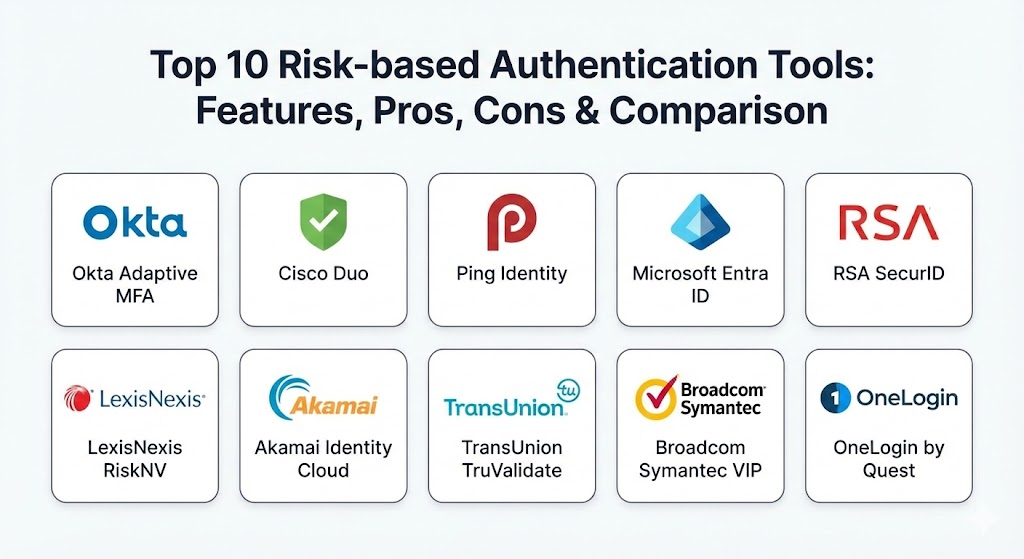
Top 10 Risk-based Authentication Tools
1 — Okta Adaptive MFA
Okta is a leader in the identity space, and its Adaptive Multi-Factor Authentication (MFA) is designed to give companies total control over how they verify users. It uses a powerful risk engine to analyze every login attempt in real-time.
- Key Features:
- Contextual access policies based on device, location, and network.
- Integration with Okta FastPass for password-less entry.
- Impossible travel detection (spotting logins from two distant places too quickly).
- Known malicious IP blocking using a global database.
- Behavioral detection that learns how a specific user normally acts.
- Automatic “step-up” authentication only when risk scores are high.
- Pros:
- The user interface is very clean and easy for employees to understand.
- It connects to thousands of other apps almost instantly.
- Cons:
- The pricing can get quite high for smaller businesses.
- Setting up very complex rules requires a good amount of technical knowledge.
- Security & compliance: SSO, AES-256 encryption, SOC 2 Type II, GDPR, HIPAA, and ISO 27001.
- Support & community: Top-tier documentation, a massive user forum, and 24/7 phone support for enterprise clients.
2 — Cisco Duo
Duo is famous for being one of the most user-friendly security tools on the market. Owned by Cisco, it focuses on “Device Trust,” ensuring that only healthy, recognized devices can access company data.
- Key Features:
- Detailed device visibility to check if phones or laptops are up to date.
- Risk-based policies that look at the security health of the device.
- Location-based restrictions to block entire countries.
- Anonymized network detection to spot logins from “VPNs” or “Tor.”
- Duo Trust Monitor which finds anomalies in access patterns.
- Easy “Push” notifications that allow users to approve logins with one tap.
- Pros:
- Extremely fast to set up and get running for a whole company.
- Users generally love it because the mobile app is so simple to use.
- Cons:
- It has fewer “behavioral” tracking features than some of the more advanced competitors.
- Some advanced reporting features are locked behind the most expensive plans.
- Security & compliance: FIPS 140-2, SOC 2, GDPR, HIPAA, and ISO 27001.
- Support & community: Excellent onboarding guides, a large community site, and strong enterprise support.
3 — Ping Identity
Ping Identity is a heavy-duty tool built for large organizations with complex needs. It specializes in “Intelligent Orchestration,” which means it can create very detailed paths for how a user is verified.
- Key Features:
- PingOne DaVinci for designing visual “flows” of authentication.
- Deep behavioral biometrics (tracking how a user moves their mouse).
- Risk scoring based on historical data and machine learning.
- API-based integration for custom-built company software.
- Support for “Hybrid” setups (some data in the cloud, some in an office).
- Identity verification that can check real IDs and passports.
- Pros:
- Incredible flexibility for companies that have very unusual or strict security rules.
- Great at handling millions of users without slowing down.
- Cons:
- It is quite complex and usually requires a dedicated IT team to manage.
- The setup process takes longer than the “plug-and-play” style tools.
- Security & compliance: SOC 2, GDPR, HIPAA, ISO 27001, and FedRAMP authorized.
- Support & community: Professional training programs, detailed technical docs, and global support.
4 — Microsoft Entra ID (formerly Azure AD)
Microsoft Entra ID is the natural choice for businesses that already use Windows, Office 365, or Azure. Its “Conditional Access” feature is one of the most widely used RBA systems in the world.
- Key Features:
- Conditional Access policies that act as “If-Then” statements for security.
- Identity Protection that flags leaked passwords found on the dark web.
- Real-time risk scoring for both users and individual sessions.
- Seamless integration with Windows Hello for face or fingerprint login.
- Automatic blocking of “legacy” (old and weak) authentication methods.
- Global threat intelligence powered by Microsoft’s massive data network.
- Pros:
- If you already pay for Microsoft 365, you might already have these features.
- It works perfectly with all other Microsoft products.
- Cons:
- It can be difficult to use with software that is not made by Microsoft.
- The management dashboard is very crowded and can be confusing.
- Security & compliance: SOC 1/2/3, GDPR, HIPAA, ISO 27001, and many government-specific standards.
- Support & community: Huge amount of online tutorials, community help, and paid Microsoft support.
5 — RSA SecurID
RSA is one of the oldest names in the security business. While they are famous for their hardware “fobs” with rotating numbers, their modern platform is a full-featured RBA system.
- Key Features:
- Identity Assurance levels that change based on what the user is trying to do.
- Machine learning engine that builds a “profile” for every user.
- Support for physical hardware keys, mobile apps, and SMS.
- On-premise deployment for companies that don’t want to use the cloud.
- Threat intelligence that spots “impossible travel” and new devices.
- Governance features to see exactly who has access to what.
- Pros:
- Very high trust level for government and military-grade security.
- Excellent for companies that are not yet ready to move everything to the cloud.
- Cons:
- The technology can feel a bit “old fashioned” compared to newer startups.
- It is generally more expensive to maintain over the long term.
- Security & compliance: FIPS 140-2, SOC 2, GDPR, and ISO 27001.
- Support & community: Strong professional services, dedicated account managers, and long-standing user groups.
6 — LexisNexis RiskNV
LexisNexis is not just a software company; they are a data company. Their RBA tool is unique because it uses a massive database of real-world identity data to decide if a user is who they say they are.
- Key Features:
- Digital Identity Network that tracks billions of transactions globally.
- LexID technology that links different devices to one real person.
- Bot detection to stop automated scripts from trying to log in.
- Behavioral biometrics to watch for “non-human” typing or swiping.
- High-accuracy geolocation to spot “GPS spoofing.”
- Fraud scores that help banks decide if a login is a criminal attempt.
- Pros:
- Unmatched at stopping professional fraud and identity theft.
- It has information about bad actors that other companies simply don’t have.
- Cons:
- It is a very “heavy” tool focused on fraud, rather than just simple employee login.
- The privacy requirements for handling this much data are very strict.
- Security & compliance: SOC 2, GDPR, HIPAA, and specialized banking compliance.
- Support & community: High-touch corporate support and deep technical documentation.
7 — Akamai Identity Cloud
Akamai is one of the companies that helps the internet run smoothly. Their Identity Cloud is built to handle millions of customers for giant websites like airlines or retail stores.
- Key Features:
- Highly scalable “Customer Identity” management (CIAM).
- Risk-based triggers that look at “Bot” behavior across the web.
- Data privacy management to help users control their own info.
- Integrates with Akamai’s web security to block attacks at the edge.
- Social login support (log in with Google/Facebook) with added risk checks.
- Detailed analytics on how people are logging in and where they fail.
- Pros:
- It can handle a massive number of users at once without ever crashing.
- Great for global brands that have customers in every country.
- Cons:
- It is a very large platform that might be too much for a mid-sized company.
- The focus is more on “customers” than on “employees.”
- Security & compliance: ISO 27001, SOC 2, GDPR, HIPAA, and PCI DSS.
- Support & community: 24/7 global support and professional services for setup.
8 — TransUnion TruValidate
TruValidate (formerly Iovation) is another tool that focuses heavily on “Device Reputation.” It keeps a record of millions of devices and knows which ones have been used for fraud in the past.
- Key Features:
- Device fingerprinting that identifies a laptop or phone perfectly.
- Risk-based authentication that looks at the “history” of a device.
- Anomalous behavior detection to spot account takeovers.
- A global blacklist of devices known to be used by hackers.
- Flexible “Rules Engine” to decide when to challenge a user.
- Identity proofing to verify a person’s real identity during signup.
- Pros:
- Incredible at stopping “repeat offenders” who use the same device to attack different sites.
- The global data sharing between users helps everyone stay safer.
- Cons:
- It can sometimes flag honest users if they buy a “used” phone that was once used for fraud.
- Requires a good understanding of data analytics to use effectively.
- Security & compliance: SOC 2, GDPR, and ISO 27001.
- Support & community: Strong enterprise support and technical implementation guides.
9 — Broadcom Symantec VIP
Symantec (now owned by Broadcom) has a long history in antivirus and security. Their VIP (Validation and ID Protection) tool is a cloud-based service that adds risk-based layers to any login.
- Key Features:
- Intellectual property protection for high-value company secrets.
- Risk engine that looks at device, network, and user behavior.
- Support for hundreds of different types of hardware and software tokens.
- Cloud-based setup that doesn’t require any hardware in your office.
- JavaScript-based risk checking for web applications.
- Policy management to set different rules for different departments.
- Pros:
- A very reliable and stable tool that has been tested for many years.
- Good for companies that already use other Symantec security products.
- Cons:
- The interface looks a bit dated compared to modern apps like Okta or Duo.
- It can be slower to add new features than the younger, agile competitors.
- Security & compliance: SOC 2, GDPR, HIPAA, and FIPS.
- Support & community: Large corporate support network and extensive documentation.
10 — OneLogin by Quest
OneLogin is often seen as the primary competitor to Okta. It offers a very capable RBA system called “SmartFactor Authentication” that is popular with mid-sized companies.
- Key Features:
- SmartFactor Authentication that uses machine learning to score risk.
- Vigilance AI that watches for suspicious login patterns 24/7.
- One-click access to thousands of apps via a simple portal.
- Detailed reports on which users are being challenged for risk.
- Mobile app with “Push” and “OTP” (one-time password) support.
- Desktop agent to protect logins to the actual computer.
- Pros:
- Generally more affordable than Okta for many businesses.
- Very fast to set up and very easy for the IT team to manage daily.
- Cons:
- The library of integrated apps is slightly smaller than Okta’s.
- It has had some security incidents in the past, though they have improved since then.
- Security & compliance: SOC 2 Type II, GDPR, HIPAA, and ISO 27001.
- Support & community: Good knowledge base, active community, and professional support tiers.
Comparison Table
| Tool Name | Best For | Platform(s) Supported | Standout Feature | Rating |
| Okta Adaptive MFA | Modern Enterprises | Cloud, Web, Mobile | Huge App Integration | N/A |
| Cisco Duo | Ease of Use | Cloud, Web, Mobile | Device Health Checks | N/A |
| Ping Identity | Complex Workflows | Cloud, Hybrid, On-Prem | Visual Orchestration | N/A |
| Microsoft Entra ID | Microsoft Users | Windows, Azure, Cloud | Conditional Access | N/A |
| RSA SecurID | High-Security Orgs | Cloud, On-Premise | Hybrid Reliability | N/A |
| LexisNexis RiskNV | Fraud Prevention | Web, API | Global Identity Data | N/A |
| Akamai Identity | Large Consumer Sites | Web, Cloud | Scalable CIAM | N/A |
| TransUnion TruVal | Device Reputation | Web, Mobile, API | Device Blacklisting | N/A |
| Broadcom VIP | Stable Reliability | Cloud, Web | Proven Longevity | N/A |
| OneLogin | Mid-Market SMB | Cloud, Web, Mobile | SmartFactor AI | N/A |
Evaluation & Scoring of Risk-based Authentication Tools
To help you compare these fairly, we have evaluated them using a weighted system. This scoring looks at what matters most to a business trying to stay secure while keeping things simple for users.
| Evaluation Category | Weight | Description |
| Core Features | 25% | The depth of the risk engine, behavioral tracking, and MFA options. |
| Ease of Use | 15% | How simple the app is for users and the dashboard for IT staff. |
| Integrations | 15% | How many other apps (like Slack, Salesforce) it connects to easily. |
| Security & Compliance | 10% | Presence of SOC 2, ISO, and other vital legal certifications. |
| Performance | 10% | How fast the tool makes a “Risk” decision during login. |
| Support & Community | 10% | Quality of documentation and availability of expert help. |
| Price / Value | 15% | Whether the features you get are worth the monthly cost. |
Which Risk-based Authentication Tool Is Right for You?
Choosing a tool is not just about picking the one with the most features; it is about finding the one that fits your company’s daily life.
Solo Users vs SMB vs Mid-market vs Enterprise
- Solo Users: If you are a one-person shop, you likely don’t need a full RBA platform. The built-in security in your email or cloud storage is usually enough.
- Small Businesses (SMB): OneLogin and Cisco Duo are excellent choices. They don’t require a giant team to manage, and they won’t break your bank account while still providing great safety.
- Mid-market: Okta and Microsoft Entra ID are the standard here. They provide a massive amount of power and can grow with you as you hire more people.
- Enterprise: Ping Identity and RSA SecurID are built for the giant companies that have thousands of employees and very strict legal requirements.
Budget-conscious vs Premium Solutions
If you are on a tight budget, Microsoft Entra ID is often the winner if you already pay for Office 365. If you want a premium, “best-in-class” experience and have the budget to spend, Okta is widely considered the top choice.
Feature Depth vs Ease of Use
- If you need Feature Depth (meaning you want to track mouse movements and typing speed), go with Ping Identity or LexisNexis.
- If you need Ease of Use (meaning you want it to work today with zero training), Cisco Duo is the winner.
Integration and Scalability Needs
If you have a global website with millions of customers, Akamai Identity Cloud is built for that level of scale. If you just have a few hundred employees using a lot of different cloud apps, Okta has the most “out-of-the-box” integrations.
Security and Compliance Requirements
For companies working with the government, ensure you pick a tool that is FedRAMP authorized, such as Ping Identity. For healthcare, almost all on this list are HIPAA ready, but RSA is particularly well-known for on-premise compliance.
Frequently Asked Questions (FAQs)
1. Does Risk-based Authentication slow down the login process? Usually, it does not. Modern RBA tools make their decisions in milliseconds. For most users, the process is actually faster because the tool realizes they are safe and doesn’t ask for an extra code at all.
2. Is RBA better than standard Multi-Factor Authentication (MFA)? RBA is a “smarter” version of MFA. Standard MFA asks everyone for a code every time. RBA only asks for a code when it sees a reason to be worried. This makes users happier while keeping security just as strong.
3. Can these tools be fooled by a VPN? Many RBA tools can detect if a user is using a VPN. They can see that the IP address belongs to a data center rather than a home or office, and they might trigger a security check because of that.
4. What happens if the RBA tool makes a mistake (False Positive)? If a tool thinks a safe user is risky, the user will simply be asked to provide an extra form of ID, like a mobile code. It is a small annoyance but it doesn’t lock them out completely.
5. How hard is it to switch from one tool to another? It can be quite a project. You have to move all your users, reset their MFA settings, and reconnect all your apps. It is best to choose a tool you can stay with for at least 3 to 5 years.
6. Do these tools store my employees’ personal data? They do store some data, like login locations and device types. It is important to check the “Privacy Policy” of the tool to ensure it matches your company’s rules and laws like GDPR.
7. Can RBA stop “Phishing” attacks? Yes, it is very good at this. Even if a user accidentally gives their password to a fake site, the RBA tool will see the hacker trying to use that password from a new location and will block them.
8. What is “Impossible Travel”? It is a common risk rule. If you log in from New York at 1:00 PM and then someone tries to log in with your account from London at 2:00 PM, the tool knows it’s “impossible” for you to have traveled that fast and will block the second login.
9. Do I need special hardware to use these tools? Most modern tools use smartphone apps or fingerprints. However, some companies still prefer “Hardware Tokens” (small plastic keys with numbers) for employees who don’t have company phones. RSA and Duo both support these.
10. How much do these tools typically cost? Most charge “per user, per month.” Prices usually range from $2 to $15 per person. Many companies offer discounts if you have thousands of employees.
Conclusion
Choosing the right Risk-based Authentication Tool is one of the best moves you can make for your company’s safety. These tools are the perfect answer to the problem of “security fatigue,” where users get tired of constant checks and start finding ways to bypass them. By being smart about when to ask for a code, you keep your users happy and your data safe.
There is no single “best” tool for everyone. If you want simplicity, go with Duo. If you want the most powerful cloud system, go with Okta. If you are a Microsoft shop, stick with Entra ID. The key is to start with a tool that fits your current size and has the integrations you need for your most important apps. As hackers get smarter, having a tool that can think and adapt is no longer just a luxury—it is a necessity.