Introduction
Responsible AI Tooling is a set of software programs that help people build and use artificial intelligence in a way that is fair and safe. Think of these tools as a “safety check” for computer programs. Just like a mechanic checks a car to make sure the brakes work and the engine is safe before you drive it, these tools check AI models to make sure they aren’t making unfair decisions or hurting anyone by mistake.
These tools are very important because AI can sometimes be hard to understand. Sometimes, a computer program might start treating people differently based on where they live or who they are without the developers even realizing it. Responsible AI tools find these problems and explain them in simple terms so that humans can fix them. This helps businesses build trust with their customers and follow the rules set by the government.
Key Real-World Use Cases
- Job Hiring: Making sure that software used to read resumes doesn’t accidentally ignore great workers because of their background.
- Bank Loans: Checking that AI systems used to approve loans are being fair to everyone who applies.
- Doctor’s Advice: Helping medical AI give the right health tips to patients of all ages and ethnicities.
- Chatting Online: Ensuring that the robots we talk to on websites stay polite and don’t give out wrong or harmful information.
What to Look For When Choosing Tools
When you are picking a tool to help manage your AI, look for something that is easy to read. You want a tool that gives you clear reports rather than just a bunch of confusing numbers. It should also be able to work with the software you already use and have strong security to keep your information private.
Best for: Large companies that use a lot of AI, developers who want to make sure their work is ethical, and legal teams who need to show that the company is following safety laws.
Not ideal for: People who are just using basic AI for fun or very small shops that don’t build their own custom computer models.
Top 10 Responsible AI Tooling Tools
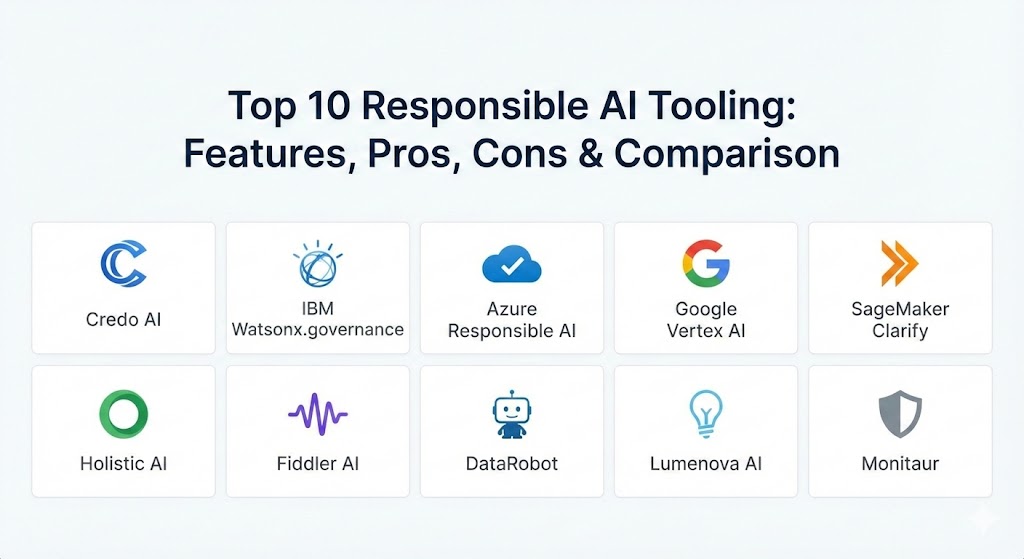
Below are ten of the best tools available to help you keep your AI systems safe, fair, and easy to understand.
1 — Credo AI
Credo AI is a platform that helps different teams in a company work together to manage AI risks. It is designed to help the people who write the code and the people who make the business rules stay on the same page.
- Key Features:
- A central dashboard to see all AI projects at once.
- Step-by-step guides to help you follow safety rules.
- Easy reports that you can show to your boss or a lawyer.
- Alerts that tell you if an AI model is becoming risky.
- Tools to help teams agree on what “fairness” means for their project.
- Pros:
- Great for keeping the whole company organized.
- Very clear layout that is easy for non-tech people to navigate.
- Cons:
- It does not go as deep into the technical code as some other tools.
- It might be too much software for a tiny team with only one AI model.
- Security & compliance: Includes audit logs and SSO; helps with GDPR and local privacy rules.
- Support & community: Offers professional onboarding and very detailed help documents.
2 — IBM Watsonx.governance
This tool helps businesses automate how they watch over their AI. It keeps a record of everything the AI does, which is very helpful if you ever need to explain a decision to a customer or a regulator.
- Key Features:
- Automated “fact sheets” that explain how a model works.
- Real-time checks to see if the AI is becoming biased.
- Tracking of where data came from and how it was used.
- Integration with many different types of cloud storage.
- Tools that explain the “why” behind every AI answer.
- Pros:
- Saves a lot of time by doing the paperwork for you.
- Excellent for very large companies with thousands of employees.
- Cons:
- Can be a bit complicated to set up at first.
- Works best if you are already using other IBM products.
- Security & compliance: SOC 2 and HIPAA ready; uses strong encryption for all data.
- Support & community: Large global support team and many training videos available.
3 — Azure Responsible AI Dashboard
Microsoft built this tool directly into their Azure cloud system. It is meant to help developers find mistakes in their AI and see if the program is being unfair to certain groups of people.
- Key Features:
- Visual charts that show where the AI is making errors.
- Tools to test “what would happen if” a piece of data changed.
- Fairness scores to compare how different people are treated.
- Easy-to-read scorecards that summarize the AI’s health.
- Helpful tips on how to fix errors found in the code.
- Pros:
- Very easy to start using if you already have a Microsoft account.
- The charts make it very easy for humans to see patterns of mistakes.
- Cons:
- You mostly have to stay inside the Microsoft system to use it.
- Some of the deeper features still require a bit of math knowledge.
- Security & compliance: Follows high-level international security standards and GDPR.
- Support & community: Huge community of users and very clear instruction manuals.
4 — Google Vertex AI Safety Tools
Google offers these features to help people who build chatbots or image-making AI. These tools focus on making sure the AI doesn’t say things that are mean, dangerous, or wrong.
- Key Features:
- Automatic filters that stop the AI from using bad language.
- Tests to make sure the AI isn’t showing bias in pictures.
- “Red teaming” tools that try to “trick” the AI to find its weak spots.
- Clear reports on what data the AI was trained on.
- Fast checks that happen as the AI is talking to users.
- Pros:
- Top-tier tech for keeping modern chatbots safe.
- Very fast and doesn’t slow down your website.
- Cons:
- The costs can add up if you use it for a very busy app.
- It is updated very often, so you have to keep learning new features.
- Security & compliance: High-level cloud security and compliance with global data laws.
- Support & community: Professional tech support and deep documentation for experts.
5 — Amazon SageMaker Clarify
Amazon provides this tool to help developers see into the “black box” of AI. It gives you a detailed look at which pieces of information the AI cares about the most when it makes a choice.
- Key Features:
- Checks for bias before, during, and after the AI is built.
- Detailed lists showing what data influenced the AI the most.
- Alerts that pop up if the AI’s accuracy starts to drop.
- A way to compare several different AI models side-by-side.
- Automated reports that you can download as a PDF.
- Pros:
- Gives very deep and knowledgeable technical data.
- Part of the most popular cloud system in the world.
- Cons:
- The screens can look a bit “busy” and hard for beginners to read.
- Requires a good understanding of how Amazon’s cloud works.
- Security & compliance: SOC 1, 2, and 3; HIPAA and ISO certified.
- Support & community: Largest community of AI developers to ask for help.
6 — Holistic AI
Holistic AI is focused on “AI Auditing.” This means it helps you prove that your AI is following the law and being ethical. It is great for companies that need to show their work to outside inspectors.
- Key Features:
- A full list (inventory) of every AI tool your company uses.
- Risk scores that show you which AI needs the most help.
- Audit trails that show exactly how decisions were made.
- Mapping to show which laws in which countries you are following.
- A shared space where auditors can look at your data safely.
- Pros:
- Very helpful for legal and compliance teams.
- The language used in the tool is very simple and professional.
- Cons:
- It might not have as many “gadgets” for the technical developers.
- Smaller company means fewer online forums than the big giants.
- Security & compliance: Built with privacy as the main goal; strong data protection.
- Support & community: High-quality personal support and expert advice.
7 — Fiddler AI
Fiddler is a tool that “watches” your AI while it is working in the real world. It is excellent at catching problems that only show up after people start using the software.
- Key Features:
- Real-time monitoring to catch bias as it happens.
- Explanations for why a specific person got a specific AI result.
- “Drift” detection to see if the AI is getting “outdated” or making more errors.
- Root cause analysis to find out exactly why the AI broke.
- Dashboards that can be customized for different departments.
- Pros:
- Excellent at explaining complex AI choices to normal humans.
- Very good at catching problems before they become big scandals.
- Cons:
- You usually need another tool to build the AI first.
- Can be pricey for businesses that have a lot of users.
- Security & compliance: SOC 2 Type II certified; very secure data handling.
- Support & community: Very helpful support staff and active online user groups.
8 — DataRobot
DataRobot is a large platform for building AI that has safety features “baked in.” It is designed to be used by people who might not be master programmers.
- Key Features:
- Automatic paperwork that describes your AI for you.
- Guardrails that stop a “bad” or “unfair” AI from being used.
- Tests to see how the AI handles weird or unexpected data.
- One central place to store and manage all your AI models.
- Simple buttons that explain every chart in plain English.
- Pros:
- Very easy for beginners to pick up and use quickly.
- Handles everything from start to finish in one place.
- Cons:
- Can be more expensive than using free open-source tools.
- You might be paying for features you don’t actually need.
- Security & compliance: Enterprise security with full audit logs and access controls.
- Support & community: Excellent learning materials and a great university program.
9 — Lumenova AI
Lumenova AI is a newer tool that is perfect for businesses using modern chatbots. It focuses on the specific risks that come with AI that writes text or makes art.
- Key Features:
- Checks for private information (like names or addresses) leaking out of the AI.
- Risk checks specifically for Large Language Models (LLMs).
- Tracking to see what AI tools your employees are using.
- A system to get official approval before using a new AI model.
- Benchmarking to see how your AI compares to industry standards.
- Pros:
- Built for the newest types of AI that are popular right now.
- Very modern and clean interface.
- Cons:
- Less focus on older, traditional types of computer models.
- Newer company, so they are still adding some features.
- Security & compliance: Designed to meet the latest international AI safety standards.
- Support & community: Growing library of help guides and great personal onboarding.
10 — Monitaur
Monitaur is a platform that helps businesses govern their AI, especially in fields like insurance or banking where there are many strict rules.
- Key Features:
- Connects your company’s ethics rules directly to the AI data.
- Creates audit records that cannot be changed or deleted.
- Checks for fairness and accuracy in one single view.
- Workflows that help engineers and legal teams work together.
- Templates that help you test for specific industry risks.
- Pros:
- Highly trusted by companies that have a lot of government oversight.
- Very professional and focuses on making AI “defensible” in court.
- Cons:
- The tool is very serious and data-heavy, which might not be for everyone.
- Not as focused on “creative” AI like image generators.
- Security & compliance: Built for high-security business needs; very strong auditing.
- Support & community: Experts on staff who understand insurance and finance rules.
Comparison Table
| Tool Name | Best For | Platform(s) Supported | Standout Feature | Rating |
| Credo AI | Managing Company Risks | Cloud / SaaS | Policy-driven dashboards | N/A |
| IBM Watsonx.gov | Huge Enterprises | IBM Cloud / Hybrid | Automated “nutrition labels” | 4.1 |
| Azure Responsible AI | Microsoft Users | Azure | Visual error charts | 4.5 |
| Google Vertex AI | Chatbot Safety | Google Cloud | Real-time safety filters | 4.3 |
| SageMaker Clarify | Technical Data Scientists | AWS | Deep bias tracking | 4.5 |
| Holistic AI | Legal Auditing | Cloud / On-premise | Third-party audit tools | N/A |
| Fiddler AI | Watching Live AI | Cloud / SaaS | Real-time explanations | 4.8 |
| DataRobot | Beginners / Fast Building | Cloud / SaaS | One-click compliance reports | 4.5 |
| Lumenova AI | Modern Chatbot Risks | SaaS | LLM privacy checks | N/A |
| Monitaur | Banking & Insurance | SaaS / Private Cloud | Permanent audit trails | N/A |
Evaluation & Scoring of Responsible AI Tooling
We have looked at these tools based on what matters most to businesses today. This table shows how we weighed the different categories to come up with a fair score.
| Category | Weight | What it Means |
| Core Features | 25% | Can it find bias and explain AI choices well? |
| Ease of Use | 15% | Is the software simple and human-friendly? |
| Integrations | 15% | Does it work with the other software you use? |
| Security | 10% | Does it keep your data safe and private? |
| Performance | 10% | Is it fast and reliable when handling big data? |
| Support | 10% | Are there good manuals and people to help you? |
| Price / Value | 15% | Is the price worth the benefits you get? |
Which Responsible AI Tooling Tool Is Right for You?
The best tool for you depends on how big your company is and how you use AI.
Individual Users and Tiny Teams
If you are working by yourself, you don’t need to spend thousands of dollars on a big platform. Your best choice is to use the built-in safety tools inside Azure or AWS. They are often free or very cheap for small amounts of data, and they will give you the basic safety checks you need.
Small to Medium Businesses (SMBs)
If you have a growing business, you want a tool that saves you time. DataRobot or Lumenova AI are excellent because they are “user-friendly” and do a lot of the work automatically. You won’t need to hire a whole team of experts just to run the safety software.
Large Corporations
Large companies need to be very careful about the law. Tools like IBM Watsonx.governance, Credo AI, or Monitaur are the right choice here. They provide the deep “audit trails” that big companies need to prove they are being responsible.
Budget vs. Premium
If you are on a tight budget, stick with open-source libraries or the tools that come with your cloud provider. If you are in a high-stakes industry like medicine or finance, it is worth paying for a premium tool like Fiddler AI. The cost of the software is much smaller than the cost of a legal problem or a mistake that hurts a customer.
Frequently Asked Questions (FAQs)
1. What does Responsible AI really mean?
It means making sure that computer programs are fair to everyone and that a human can always understand why the computer made a certain choice.
2. Is this software hard to learn?
Some technical tools take time to learn, but many modern tools (like Credo AI) are designed to be as easy to use as a standard business website.
3. Do I need these tools if I only use ChatGPT?
Yes, if you use AI to talk to customers or handle data, tools like Lumenova AI can help make sure the AI isn’t sharing secrets or being rude.
4. Can these tools fix my AI automatically?
They usually show you where the problem is and suggest how to fix it, but a human still needs to make the final change to ensure it is correct.
5. How much do these tools cost?
The price varies a lot. Some basic cloud tools are very cheap, while big enterprise platforms for large companies can cost several thousand dollars a month.
6. Will these tools slow down my website?
Most modern tools are built to be very fast and will not have a noticeable impact on how fast your website or app runs.
7. Do I need a degree in math to use these?
No. While some tools are for experts, many are made for business managers and legal teams to use without needing to know any complex math.
8. What is a “Model Fact Sheet”?
It is like a “nutrition label” for your AI. It tells you where the data came from, what the AI is supposed to do, and where its weak spots might be.
9. Can these tools help me follow the law?
Yes. They create the reports and records that government inspectors look for to make sure you are protecting people’s privacy and rights.
10. What is “Bias” in AI?
Bias is when an AI treats one group of people better or worse than another group because of the data it was given. These tools find and highlight that unfairness.
Conclusion
Finding the right tool for Responsible AI is an important step in building a modern business. It is not just about following rules; it is about making sure that the technology we build is helpful and fair for everyone. When you use these tools, you are showing your customers that you care about their safety and their privacy.
The most important thing to remember is that the “best” tool is the one that your team will actually use. If you are a small team, pick something simple. If you are a large company, pick something that keeps you organized. By choosing the right safety checks today, you are making sure your AI stays a helpful tool rather than a risky one.