Introduction
Remote sensing and satellite image analysis are terms used to describe the process of looking at the Earth from a distance, usually from space or a high-flying plane. Imagine taking a very high-quality photo of a farm or a city from a satellite and then using a computer to understand what is happening in that picture. These tools allow us to “see” things that the human eye cannot, such as the heat coming off a building or the health of a forest. By using special software, people can turn these pictures into useful maps and data that help solve real-world problems. It is a way of gathering information about our planet without actually having to touch the ground.
These tools are incredibly important because they help us keep track of how the world is changing. Whether it is a government trying to see how much a city has grown, or a farmer checking if their crops need more water, satellite analysis provides the answers. Without these tools, we would have to send people out into the field to measure everything by hand, which would take way too much time and money. Remote sensing gives us a “big picture” view that helps in protecting the environment, planning new roads, and even responding to natural disasters like floods or fires. It is the best way to get accurate data quickly across large areas of land.
In the real world, you will see these tools being used in many different ways. Scientists use them to track melting ice in the mountains, while city planners use them to see where new houses are being built. They are also used for monitoring illegal logging in rainforests and helping search and rescue teams find people after a hurricane. When you are looking for a tool in this category, you should think about how much data you need to process and how easy the software is to learn. You should also check if the tool can handle different types of images, like radar or thermal pictures, and if it can automate tasks to save you time.
Best for: These tools are perfect for environmental scientists, urban planners, government agencies, and large farming companies. They are also highly beneficial for university researchers and non-profit organizations that track climate change or wildlife habitats. If your job involves making maps or analyzing large pieces of land, these tools are built exactly for you.
Not ideal for: These tools are not really meant for casual users who just want to look at a map of their neighborhood for fun. If you only need to see where a store is located, a simple map app on your phone is much better. They are also not ideal for small businesses that don’t have anyone on staff with technical training in geography or computer science, as the learning curve can be quite high.
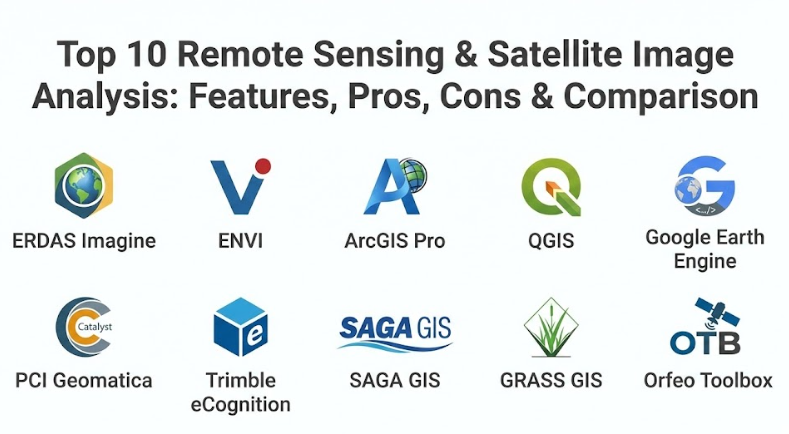
Top 10 Remote Sensing & Satellite Image Analysis Tools
1 — ERDAS Imagine
ERDAS Imagine is often called the “powerhouse” of the industry because it can handle almost any kind of geographic data you throw at it. It is a very deep and professional software suite that lets you process massive satellite images and turn them into detailed 3D models or maps. This tool is designed for people who need to do heavy-duty work and want a system that stays stable even with huge files.
Key features:
- Spatial Modeler: This lets you build your own workflows by connecting icons on a screen, which means you don’t have to write code to automate tasks.
- Point Cloud Processing: It is excellent at handling LiDAR data, which is a way of using lasers to map the height of trees and buildings.
- Radar Analysis: The tool has specific features for looking at radar images, which can “see” through clouds and rain.
- Image Classification: It can automatically group pixels together to identify forests, water, and urban areas with high accuracy.
- Batch Processing: You can set the software to work on hundreds of images at once while you do other things.
- Machine Learning: It includes modern tools that help the computer “learn” how to identify objects like cars or houses in a picture.
Pros:
- It is extremely reliable and can handle files that are much larger than what most other programs can open.
- The visual workflow builder is a massive time-saver for experts who want to automate their daily tasks.
Cons:
- It is very expensive, making it a difficult choice for individuals or small startups.
- The software only works on Windows, so users with Mac or Linux computers are left out.
Security & compliance: The tool is built for high-level government and enterprise use. It supports secure logins (SSO) and maintains detailed logs of who used the software and what they did.
Support & community: There is a very strong community of professional users and a massive library of training videos and manuals. They also offer direct help for big companies that need technical assistance.
2 — ENVI
ENVI is a tool that focuses on getting very specific details out of images. It is particularly famous for its ability to work with “hyperspectral” imagery, which means it looks at hundreds of different colors that the human eye can’t see to identify materials like specific minerals or types of plants. It is a smart piece of software that uses modern technology to make complex data look simple.
Key features:
- Spectral Libraries: It comes with a built-in list of “fingerprints” for different materials, so the software can tell you exactly what is on the ground.
- Deep Learning Tools: It uses advanced computer intelligence to find and count things like swimming pools or oil tanks in satellite photos.
- Atmospheric Correction: This feature removes the “haze” from pictures caused by dust or clouds so you get a clear view of the Earth.
- Integration with ArcGIS: It is designed to work perfectly alongside other popular mapping software, making it easy to share your work.
- Automated Workflows: You can create “one-click” solutions for tasks that you have to do every day.
- Target Detection: It is very good at finding small, specific objects in a large landscape based on their color and heat.
Pros:
- It is arguably the best tool in the world for identifying specific materials and chemicals from space.
- The interface is modern and a bit easier to navigate than some of the older, traditional tools.
Cons:
- Like other professional tools, it comes with a high price tag that might be out of reach for some.
- It requires a powerful computer with a lot of memory to run smoothly, especially for the deep learning features.
Security & compliance: ENVI takes data safety seriously and follows standard industry protocols for encryption. It is widely used by defense and intelligence agencies around the world.
Support & community: They provide excellent onboarding for new users and have a dedicated team for customer support. There are also many university courses that teach students how to use ENVI.
3 — ArcGIS Pro (with Image Analyst)
ArcGIS Pro is perhaps the most famous mapping software in the world. When you add the “Image Analyst” extension, it becomes a world-class tool for satellite image analysis. It is designed for people who want to do everything—mapping, data management, and image study—in one single program.
Key features:
- Stereo Mapping: This allows you to look at images in 3D to measure the height of mountains or the depth of valleys accurately.
- Voxel Layers: It can create 4D models that show how things change over time, like how a cloud of pollution moves through the air.
- Motion Imagery: It can analyze video feeds from drones or planes just as easily as it analyzes still photos from satellites.
- Seamless Cloud Connection: You can save your work to the web and share it with teammates instantly with no extra steps.
- Pixel Editor: If there is a mistake in a map, you can manually fix individual pixels to make the data more accurate.
- Massive Library: It gives you access to a huge collection of “ready-to-use” maps and satellite data from around the world.
Pros:
- It is an all-in-one solution, so you don’t have to keep switching between different software programs to finish a project.
- The documentation is the best in the industry, with thousands of articles and tutorials available for free.
Cons:
- It is very resource-intensive and will slow down a computer that isn’t built for high-end gaming or engineering.
- The licensing can be confusing because you often have to pay extra for specific tools like the Image Analyst extension.
Security & compliance: It is fully compliant with all major security standards, including GDPR for privacy and SOC 2 for data management.
Support & community: It has the largest user community in the world. If you have a question, someone has likely already answered it on an online forum.
4 — QGIS (with SCP Plugin)
QGIS is a free and open-source tool, which means anyone can download and use it for any reason. While the basic version is a map-maker, you can add “plugins” like the Semi-Automatic Classification Plugin (SCP) to turn it into a high-powered remote sensing tool. It is the favorite choice for students and researchers on a budget.
Key features:
- Plugin System: There are thousands of free tools created by other users that you can add to QGIS to make it do exactly what you want.
- Multi-Platform: It works perfectly on Windows, Mac, and Linux, which is rare for this kind of software.
- Raster Analysis: It has a built-in “calculator” that lets you perform math on your images to find things like plant health.
- Database Support: It can connect to almost any type of data storage system, making it very flexible for large teams.
- Custom Scripting: If you know how to write simple code (Python), you can make QGIS do almost anything.
Pros:
- It is completely free, saving organizations thousands of dollars in licensing fees every year.
- It is very light and can run on older or less powerful computers better than the big commercial tools.
Cons:
- Because it is made by volunteers, the interface can sometimes feel a bit messy or “clunky.”
- There is no official “customer support” phone number to call if things break; you have to rely on the community.
Security & compliance: Since it is open-source, you have to manage your own security. However, it is transparent, and experts can check the code for any safety issues.
Support & community: The community is massive and very helpful. There are countless blogs, YouTube videos, and forums dedicated to helping QGIS users.
5 — Google Earth Engine
Google Earth Engine is a bit different because it lives entirely on the internet. Instead of using your computer to process images, you use Google’s massive supercomputers. It gives you access to petabytes of satellite data from the last several decades instantly.
Key features:
- Cloud Processing: You can analyze the entire world’s forests in just a few minutes using Google’s servers.
- Massive Data Archive: It contains images from almost every major satellite ever launched, all ready to be used.
- JavaScript & Python API: You use simple coding to tell the system what to do, which makes it very powerful for big science projects.
- Time-Lapse Creation: You can easily see how a piece of land has changed over 30 or 40 years.
- Collaboration: You can share your code and results with anyone in the world with a simple link.
Pros:
- You don’t need an expensive computer because all the hard work happens in the cloud.
- It is free for researchers and scientists, making it the top choice for global environmental studies.
Cons:
- It requires an internet connection at all times; you cannot work offline.
- You need to know at least a little bit of computer coding to get the best results out of it.
Security & compliance: It uses Google’s world-class security. Your data is encrypted and kept private unless you choose to share it.
Support & community: There is a very active community of scientists and developers who share their code and help each other with complex problems.
6 — PCI Geomatica (Catalyst)
PCI Geomatica, now known under the brand Catalyst, is a specialist tool that focuses on speed and accuracy. It is widely used for “orthorectification,” which is a fancy way of saying it makes sure satellite pictures line up perfectly with the ground. It is the tool you use when your measurements must be perfect.
Key features:
- Atmospheric Correction: It has some of the most accurate tools in the world for clearing up blurry satellite photos.
- SAR Processing: It is a leader in handling radar data, which is essential for looking through clouds in tropical areas.
- Automation: It is built to be “hands-off,” so it can process thousands of images automatically while you sleep.
- High-Speed Processing: It is optimized to use every bit of power in your computer to finish jobs faster.
- Satellite Support: It supports over 100 different types of satellites, so you are never stuck without an option.
Pros:
- It is incredibly fast and accurate, especially for making sure images are in the right spot on the map.
- It is great for companies that need to produce high-quality maps at a very large scale.
Cons:
- The software can be difficult for beginners to learn because it uses a lot of technical language.
- It can be quite expensive, especially if you need all the advanced modules for radar or automation.
Security & compliance: It meets all standard corporate security requirements and is used by many high-security government mapping agencies.
Support & community: They offer excellent training and technical support for their customers, though the user community is a bit more specialized and smaller than others.
7 — Trimble eCognition
Trimble eCognition is unique because it doesn’t just look at individual pixels; it looks at “objects.” This is called Object-Based Image Analysis (OBIA). Instead of just seeing a green pixel, the software understands that a group of pixels forms a “tree” or a “house.”
Key features:
- Object Recognition: It identifies shapes and patterns, not just colors, which makes it much more accurate for city mapping.
- Rule-Based Classification: You can tell the software “if it is brown and square, it is a building,” and it will find all of them for you.
- Data Integration: It can combine satellite images with LiDAR and map data to get a better understanding of the world.
- Accuracy Assessment: It has built-in tools to tell you exactly how sure it is about its findings.
- Workflow Automation: You can build complex sets of rules once and apply them to any new image you get.
Pros:
- It is much smarter than traditional tools at identifying complex things like urban sprawl or specific crop types.
- It saves a huge amount of time because it “thinks” more like a human than a basic computer program.
Cons:
- It is one of the most expensive tools on this list, making it a “premium” choice for big organizations.
- The learning curve is very steep; you usually need to take a professional course to use it well.
Security & compliance: It follows high security standards and is often used in industries like mining and forestry where data privacy is key.
Support & community: Trimble offers great support and has a dedicated user base in the professional mapping world.
8 — SAGA GIS
SAGA GIS stands for “System for Automated Geoscientific Analyses.” It is a free tool that was originally built by scientists to study soil and water. It is very simple to look at but contains a massive number of powerful scientific tools under the hood.
Key features:
- Terrain Analysis: It has some of the best tools in the world for studying mountains, slopes, and how water flows over land.
- Large Library: It comes with hundreds of different “modules” for doing everything from climate modeling to image classification.
- Simple Interface: It doesn’t have a lot of fancy graphics, which makes it fast and easy to navigate for people who know what they are doing.
- Open Source: Like QGIS, it is free and anyone can see how the software works.
- High Performance: It is built to process data very quickly without needing a high-end computer.
Pros:
- It is completely free and excellent for researchers who specialize in environmental science or hydrology.
- It is very lightweight and can be carried on a USB stick to be used on any computer.
Cons:
- The interface looks very old-fashioned, which can be off-putting for some modern users.
- It is not as good at making “pretty” maps as other tools; it is more for data analysis than cartography.
Security & compliance: As with most open-source tools, security is basic, but there are no hidden parts of the code, which makes it trustworthy for scientists.
Support & community: There is a dedicated group of scientific users who help each other, but you won’t find a big corporate support team here.
9 — GRASS GIS
GRASS GIS is one of the oldest and most respected tools in the world. It has been used by the US Army and NASA for decades. It is a professional-grade free tool that is built for serious scientific research and high-quality data processing.
Key features:
- Ecosystem Modeling: It is great at simulating how things like forest fires or floods will spread over a piece of land.
- 3D Visualization: It has powerful tools for flying through your maps in 3D to see the landscape from different angles.
- Python Support: Experts can write their own code to make the software perform complex math on satellite images.
- Temporal Framework: It is designed to handle data that changes over time, like the growth of a city over 20 years.
- Network Analysis: It can help plan roads and utility lines based on the terrain it sees in satellite photos.
Pros:
- It is incredibly powerful and completely free, making it a great alternative to expensive commercial software.
- It is very stable and has been tested by some of the smartest scientists in the world for over 40 years.
Cons:
- It is very hard to learn; the language it uses is more for engineers than for average people.
- The interface can be confusing and takes a long time to get used to.
Security & compliance: It is very secure and is often used by government agencies that have strict rules about how data is handled.
Support & community: There is a loyal community of experts and a long history of documentation available online for anyone who is willing to study.
10 — Orfeo Toolbox (OTB)
Orfeo Toolbox is a library of tools specifically for looking at high-resolution satellite images. It was created by the French Space Agency to help people get the most out of their expensive satellite data. It is a “no-nonsense” tool for image processing.
Key features:
- Fast Image Display: It is optimized to show huge pictures very quickly without making the computer freeze.
- Machine Learning: It has simple tools for training the computer to find things like different types of crops or trees.
- Radar Tools: It includes specific math for working with SAR data, which is great for monitoring the ground in any weather.
- C++ Library: Developers can use the “brains” of this software to build their own custom apps.
- Geometric Correction: It ensures that every pixel in your satellite image is in exactly the right spot on Earth.
Pros:
- It is free and focuses on high-speed performance for very large datasets.
- It can be used inside other programs like QGIS, making it even more useful.
Cons:
- It doesn’t have many tools for making pretty maps; it is strictly for processing the data.
- It can be intimidating for beginners because it focuses more on the math and science of images.
Security & compliance: It is a professional, open-source tool that is trusted by space agencies across Europe.
Support & community: It has a smaller but very dedicated community of experts and researchers who provide help through online forums.
Comparison Table
| Tool Name | Best For | Platform(s) Supported | Standout Feature | Rating |
| ERDAS Imagine | Heavy-duty professional use | Windows | Visual Spatial Modeler | N/A |
| ENVI | Identifying minerals & plants | Windows | Hyperspectral analysis | N/A |
| ArcGIS Pro | All-in-one mapping & analysis | Windows | Deep library & 3D maps | N/A |
| QGIS | Students & budget users | Win, Mac, Linux | Massive free plugin system | N/A |
| Google Earth Engine | Global scale studies | Web-based | Cloud-based processing | N/A |
| PCI Geomatica | Precision & large-scale work | Windows | High-speed orthorectification | N/A |
| Trimble eCognition | Urban & complex mapping | Windows | Object-based analysis | N/A |
| SAGA GIS | Hydrology & terrain science | Win, Mac, Linux | Scientific terrain modules | N/A |
| GRASS GIS | Scientific research | Win, Mac, Linux | Stability & ecosystem modeling | N/A |
| Orfeo Toolbox | High-speed image math | Win, Mac, Linux | Large data handling speed | N/A |
Evaluation & Scoring of Remote Sensing Tools
| Criteria | Weight | Content & Evaluation |
| Core Features | 25% | Evaluates the ability to process images, classify land, and handle different sensors. |
| Ease of Use | 15% | How simple the interface is and how much training you need to start working. |
| Integrations | 15% | How well the tool connects to other software and cloud storage systems. |
| Security & Compliance | 10% | Ensuring data is encrypted and meet government standards for privacy. |
| Performance | 10% | The speed of processing large images and the stability of the software. |
| Support & Community | 10% | The quality of the help you can get when you run into a problem. |
| Price / Value | 15% | Whether the cost of the software is worth the benefits it provides your team. |
Which Remote Sensing Tool Is Right for You?
Choosing the right tool depends mostly on your budget and what you are trying to find in your images. If you are a solo user or a student, you should almost certainly start with QGIS. It is free, works on any computer, and can do 90% of what the expensive tools do. If you need to do a project that covers a whole country or the entire planet, Google Earth Engine is your best bet because it handles the massive computing for you for free.
For small to medium businesses (SMBs), the choice is often about time. If you don’t have time to learn a complex free tool, paying for ArcGIS Pro or ENVI might be worth it because they are more polished and have better technical support. These tools also make it easier to share your results with clients in a professional-looking way. You should also consider whether you have a fast internet connection; if your internet is slow, you should avoid cloud-based tools and stick to software that runs on your local computer.
Mid-market and large enterprise companies usually need a tool that can grow with them. In these cases, ERDAS Imagine or PCI Geomatica are excellent because they are built for handling thousands of files and automating the work. If your company focuses on building things in cities, Trimble eCognition is worth the high price because its “object-based” thinking is much better at identifying buildings and streets than any other software.
Finally, always think about security and compliance. If you are working on a government contract, you will likely be required to use a tool that is certified for high security, like ArcGIS or ENVI. If your project is purely for academic research, an open-source tool like GRASS GIS or SAGA GIS is often preferred because scientists like to see exactly how the software is calculating its answers. Always try a free trial or the “community version” of a tool before spending any money to make sure it works on your computer.
Frequently Asked Questions (FAQs)
What exactly is “Remote Sensing”?
It is the science of getting information about the Earth from a distance. Usually, this means using satellites or planes to take pictures and then using a computer to study what is in those pictures.
Do I need a supercomputer to run these tools?
Not necessarily, but for professional work, you will want a computer with a good processor and a lot of RAM. If your computer is old, using a cloud tool like Google Earth Engine is a great way to skip buying new hardware.
Are all satellite images free?
Many images from government satellites like Landsat and Sentinel are completely free for everyone to use. However, if you want very high-resolution images where you can see individual cars, you usually have to pay a company to buy them.
Can these tools see through clouds?
Standard cameras on satellites cannot see through clouds. However, “Radar” or “SAR” satellites use special signals that can go right through clouds and rain to see the ground clearly.
Is it hard to learn satellite image analysis?
It can be quite challenging because it involves both geography and computer science. However, tools like QGIS and ArcGIS have thousands of free tutorials that can help you learn at your own pace.
Which tool is the best for a total beginner?
ArcGIS Pro is generally considered the most user-friendly of the high-end tools, while QGIS is the best place to start if you don’t want to spend any money. Both have great menus and lots of help articles.
Can I use these tools on my phone or tablet?
Most of these are “heavy” programs meant for desktop computers. However, some cloud-based platforms like ArcGIS Online or Google Earth Engine allow you to see your results and do basic tasks from a web browser on a tablet.
Why is “Object-Based Analysis” better than pixel analysis?
Pixel analysis only looks at one tiny dot at a time. Object-based analysis groups those dots together into shapes like “forests” or “parking lots,” which makes it much more accurate for mapping complex areas like cities.
What is the “Chain of Custody” in satellite data?
This is a record that proves the image you are looking at is the original one from the satellite and hasn’t been changed. This is very important if you are using the image as evidence in a legal case or for a government report.
Can these tools tell me how healthy my plants are?
Yes, by looking at the “Near-Infrared” light reflected by plants, these tools can calculate something called the NDVI. This tells you exactly how much chlorophyll is in the leaves and whether the crops need more water or fertilizer.
Conclusion
Remote sensing and satellite image analysis are powerful tools that give us a unique view of our world. Whether you choose a free tool like QGIS or a high-end professional system like ERDAS Imagine, the goal is the same: to turn pictures from space into real answers that can help people and the planet.
The most important things to remember when picking a tool are your budget, your computer’s power, and exactly what you need to measure. There is no one “perfect” tool for everyone; the best one is simply the one that fits your specific project and that you feel comfortable using every day. By using these tools wisely, we can make better decisions about how to use our land, protect our forests, and build safer, smarter cities for the future.