Introduction
Quote-to-Cash (Q2C) platforms are specialized business software systems that manage the entire lifecycle of a sales transaction. This process starts from the moment a sales representative creates a quote for a potential customer and ends only after the payment has been received and recorded in the company’s financial books. It essentially bridges the gap between the Sales and Finance departments, ensuring that what was promised in a contract is accurately billed and collected.
The importance of Q2C platforms lies in their ability to eliminate manual errors and speed up the “sales velocity.” Without these tools, businesses often struggle with disjointed data, where a sales team might promise a discount that the billing team doesn’t know about, or an invoice might get sent with the wrong tax calculation. Real-world use cases include automating complex subscription renewals, managing tiered pricing for software services, and ensuring that physical products are only shipped once a credit check is passed.
When choosing a Q2C tool, you should evaluate it based on its ability to handle complex pricing rules, the strength of its integration with your existing CRM (Customer Relationship Management) and ERP (Enterprise Resource Planning) systems, and how well it automates revenue recognition. A good platform should make the buying process invisible and effortless for the customer while providing perfect data for the finance team.
Who Benefits Most and Who Might Not Need It
Best for:
These platforms are ideal for mid-sized to large enterprises that deal with complex product configurations, high volumes of contracts, or subscription-based business models. Sales Operations Managers, Finance Directors, and Legal teams benefit the most as these tools automate contract generation and revenue tracking. Industries like SaaS (Software as a Service), Telecommunications, and Manufacturing—where pricing can change based on volume or bundles—find these tools essential.
Not ideal for:
Small businesses or solo entrepreneurs with a very simple sales process (e.g., selling a single product at a fixed price) likely do not need the complexity of a full Q2C suite. If your invoicing can be handled by a simple accounting tool or a manual spreadsheet without causing errors, the high cost and setup time of a Q2C platform might not be justified. Retail businesses with point-of-sale transactions also wouldn’t benefit from these systems.
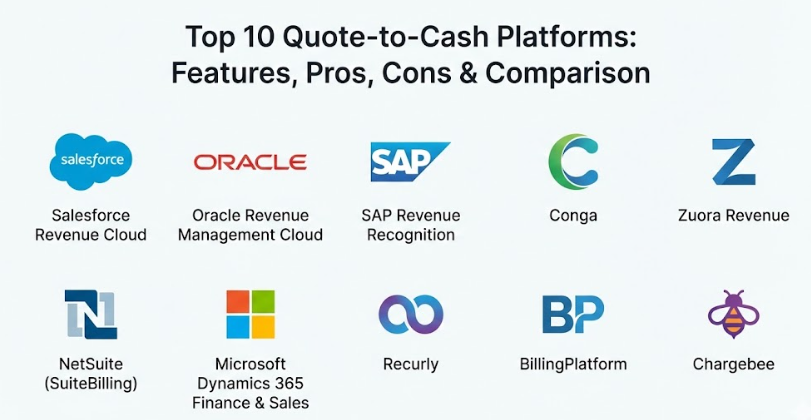
Top 10 Quote-to-Cash Platforms
1 — Salesforce Revenue Cloud
Salesforce Revenue Cloud combines CPQ (Configure, Price, Quote) and Billing into a single platform. It is designed for businesses that already use Salesforce CRM and want to create a seamless path from lead to revenue.
- Key features:
- Unified data model that connects sales, partner, and finance teams.
- Advanced CPQ for complex product bundling and guided selling.
- Automated billing and multi-variant invoice generation.
- Real-time revenue recognition reporting.
- Flexible ordering for subscriptions and one-time purchases.
- Pros:
- Unmatched integration for companies already using the Salesforce ecosystem.
- Highly scalable for global enterprises with complex needs.
- Cons:
- The implementation process is notoriously long and expensive.
- Requires a dedicated administrator to manage the complexity.
- Security & compliance: SOC 2, GDPR, HIPAA, and ISO 27001 compliant with robust audit logs.
- Support & community: Massive global community, extensive documentation (Trailhead), and 24/7 premium enterprise support.
2 — Oracle Revenue Management Cloud
Part of the Oracle ERP suite, this platform is built for large-scale organizations that need to manage high-volume transactions with extreme financial precision.
- Key features:
- Sophisticated rule-based engine for revenue recognition.
- Direct integration with Oracle Financials and Supply Chain.
- Automated contract creation from sales quotes.
- Support for global tax regulations and multi-currency transactions.
- Advanced analytics for forecasting future revenue.
- Pros:
- Best-in-class for financial compliance and auditability.
- Powerful enough to handle millions of transactions without slowing down.
- Cons:
- The user interface can feel dated and less intuitive than newer cloud apps.
- Extremely high barrier to entry in terms of cost and technical setup.
- Security & compliance: Government-grade security, GDPR, and SOC 2 compliance.
- Support & community: Global enterprise support and a large network of certified consultants.
3 — SAP Revenue Recognition
SAP provides a robust Q2C solution that is deeply embedded in its S/4HANA ecosystem. it focuses on ensuring that sales and finance are always in sync.
- Key features:
- Real-time integration between sales orders and financial ledgers.
- Automated handling of IFRS 15 and ASC 606 standards.
- Flexible billing models for usage-based or milestone-based payments.
- Deep visibility into the “Order-to-Cash” lifecycle.
- Support for complex international trade and logistics.
- Pros:
- Exceptional for manufacturing and companies with complex supply chains.
- Provides a single “source of truth” for all company data.
- Cons:
- Can be overwhelming for teams that only need simple sales tools.
- Updates and customizations can be slow and require specialized help.
- Security & compliance: ISO 27001, GDPR, and enterprise-level encryption.
- Support & community: Massive corporate support structure and extensive training academies.
4 — Conga (formerly Apttus)
Conga offers an end-to-end Q2C suite that focuses heavily on document automation and contract lifecycle management (CLM).
- Key features:
- Market-leading contract management and digital signature integration.
- Advanced CPQ with AI-driven pricing recommendations.
- Automated renewals and upsell tracking.
- Unified platform for quotes, contracts, and invoices.
- High-quality document generation for professional proposals.
- Pros:
- The best choice for organizations where the legal contract is the most complex part of the sale.
- Strong AI features that help identify potential revenue leaks.
- Cons:
- Integration with non-Salesforce CRMs can sometimes be tricky.
- Performance can vary based on the complexity of the rules applied.
- Security & compliance: SOC 2 Type II, GDPR, and HIPAA compliant.
- Support & community: Good documentation and a dedicated customer success model.
5 — Zuora Revenue
Zuora is a pioneer in the “Subscription Economy.” Its platform is specifically designed for businesses that rely on recurring revenue rather than one-time sales.
- Key features:
- Specialized billing for thousands of subscription variations.
- Automated revenue recognition for complex multi-element arrangements.
- Subscription metrics dashboard (Churn, MRR, LTV).
- Global payment gateway integrations.
- Automated dunning and collections management.
- Pros:
- The gold standard for SaaS and subscription-based companies.
- Very flexible for changing pricing plans on the fly.
- Cons:
- Not ideal for traditional “one-off” product manufacturing.
- Can be complex to set up if your billing cycles aren’t standard.
- Security & compliance: PCI Level 1, SOC 1 & 2, and GDPR compliant.
- Support & community: Active user community (Zuora Community) and extensive online resources.
6 — NetSuite (SuiteBilling)
NetSuite’s SuiteBilling is an integrated part of their ERP, providing a unified view of the customer from the first quote to the final payment.
- Key features:
- Unified billing for products, services, and subscriptions.
- Real-time financial reporting and consolidated invoicing.
- Automated revenue recognition and deferred revenue tracking.
- Direct link to inventory and fulfillment modules.
- Multi-currency and multi-entity support.
- Pros:
- Excellent for mid-market companies that want everything in one system.
- Eliminates the need for complex integrations between different software.
- Cons:
- The CPQ features are not as deep as specialized tools like Salesforce.
- Annual licensing costs can grow significantly as you add modules.
- Security & compliance: SOC 1/2, PCI DSS, and ISO 27001.
- Support & community: Large user base and plenty of third-party implementation partners.
7 — Microsoft Dynamics 365 Finance & Sales
Microsoft offers a powerful Q2C workflow by connecting its Sales (CRM) and Finance (ERP) modules into a unified cloud experience.
- Key features:
- Seamless flow of data between Microsoft Outlook, Sales, and Finance.
- AI-driven insights for cash flow forecasting.
- Automated invoice processing with built-in OCR.
- Flexible pricing and discount management.
- Strong support for project-based services and billing.
- Pros:
- Best choice for companies already using the Microsoft 365 / Azure suite.
- Familiar interface makes it easier for employees to learn.
- Cons:
- Requires significant customization to handle very complex CPQ needs.
- Licensing can be confusing with many different tiers and add-ons.
- Security & compliance: Azure-backed security, GDPR, and HIPAA compliance.
- Support & community: Extensive documentation and global partner network.
8 — Recurly
Recurly is a “best-of-breed” billing platform that focuses on making the subscription and payment part of Q2C as efficient as possible.
- Key features:
- Advanced churn management and automated payment retries.
- Simple but powerful subscription plan management.
- Support for dozens of international payment gateways.
- Automated tax calculation and compliance.
- Clean, modern API for custom integrations.
- Pros:
- Extremely fast to set up and easy for small teams to manage.
- Excellent at recovering “lost” revenue from credit card failures.
- Cons:
- Lacks built-in CPQ and heavy contract management features.
- You will likely need to integrate it with a separate CRM for the “Quote” phase.
- Security & compliance: PCI-DSS Level 1, SOC 2, and GDPR.
- Support & community: Very responsive support and clear developer documentation.
9 — BillingPlatform
BillingPlatform is a highly flexible, cloud-based system designed to handle any type of billing model, from simple subscriptions to complex usage-based pricing.
- Key features:
- “No-code” configuration for creating custom billing rules.
- Automated revenue recognition and financial closing tools.
- Support for high-volume data processing (IOT and Telecom).
- Integrated customer portal for payments and account management.
- Flexible mediation engine to process usage data.
- Pros:
- Incredibly flexible—can handle business models that other tools can’t.
- Modern, cloud-native architecture that is easy to update.
- Cons:
- Because it is so flexible, it requires a clear strategy before setup.
- Not as much “name recognition” as giants like SAP or Oracle.
- Security & compliance: SOC 1 & 2, PCI Level 1, and GDPR.
- Support & community: Personalized customer support and detailed implementation guides.
10 — Chargebee
Chargebee is a popular revenue management platform that excels at helping fast-growing startups automate their Q2C processes.
- Key features:
- Automated invoicing and recurring billing.
- Self-service customer portal for plan changes and payments.
- Revenue recognition and deferred revenue reporting.
- Built-in experiment engine for testing new pricing strategies.
- Over 100 integrations with CRMs, helpdesks, and accounting tools.
- Pros:
- Very user-friendly and great for non-technical teams.
- Scales beautifully from small startups to large enterprises.
- Cons:
- CPQ features for very complex physical products are limited.
- Reporting can become a bit slow as your data volume grows.
- Security & compliance: SOC 1 & 2 Type II, ISO 27001, and GDPR.
- Support & community: Excellent onboarding and a helpful knowledge base.
Comparison Table
| Tool Name | Best For | Platform(s) Supported | Standout Feature | Rating (TrustReviewnow) |
| Salesforce Revenue | Salesforce Users | Cloud / Web | Unified CRM/Billing Model | 4.6 / 5 |
| Oracle Revenue | Large Global Groups | Cloud / On-prem | Financial Compliance | 4.4 / 5 |
| SAP Revenue | Manufacturing | Hybrid / Cloud | S/4HANA Integration | 4.3 / 5 |
| Conga | Complex Contracts | Cloud / Web | AI Contract Management | 4.5 / 5 |
| Zuora Revenue | Subscription Models | Cloud / SaaS | Churn & MRR Analytics | 4.7 / 5 |
| NetSuite | Mid-Market ERP | Cloud / Web | Full ERP Integration | 4.4 / 5 |
| Dynamics 365 | Microsoft Ecosystem | Cloud / Web | Outlook/Office Sync | 4.5 / 5 |
| Recurly | High-Growth SaaS | Cloud / API | Churn Recovery AI | 4.6 / 5 |
| BillingPlatform | Usage-based Pricing | Cloud-Native | No-Code Configuration | 4.7 / 5 |
| Chargebee | Startups & SMBs | Cloud / SaaS | Pricing Experiment Engine | 4.8 / 5 |
Evaluation & Scoring of Quote-to-Cash Platforms
The following scoring rubric reflects the industry average for high-performing Q2C platforms. Use this to compare how well a potential tool meets these key standards.
| Evaluation Category | Weight | Industry Average Score | Weighted Score |
| Core Features | 25% | 8.5 / 10 | 2.13 |
| Ease of Use | 15% | 7.0 / 10 | 1.05 |
| Integrations & Ecosystem | 15% | 8.5 / 10 | 1.28 |
| Security & Compliance | 10% | 9.5 / 10 | 0.95 |
| Performance & Reliability | 10% | 9.0 / 10 | 0.90 |
| Support & Community | 10% | 8.0 / 10 | 0.80 |
| Price / Value | 15% | 7.5 / 10 | 1.13 |
| Total Weighted Score | 100% | N/A | 8.24 / 10 |
Which Quote-to-Cash Platform Is Right for You?
Selecting the right platform depends on your company’s growth stage and the complexity of what you sell.
Solo Users vs SMB vs Mid-Market vs Enterprise
Solo users should avoid these platforms as they are too complex. SMBs and startups should look at Chargebee or Recurly because they are easy to set up and focus on growth. Mid-market companies that want a total business solution should consider NetSuite. Enterprises with thousands of employees and global rules must look at Salesforce Revenue Cloud, Oracle, or SAP.
Budget-Conscious vs Premium Solutions
If you have a limited budget, look for “plug-and-play” tools like Chargebee which have lower initial setup fees. Premium solutions like Salesforce or Conga require a bigger investment but provide the deep customization needed to save millions in leaked revenue for large corporations.
Feature Depth vs Ease of Use
If your priority is making your sales team happy with a simple interface, Salesforce or Dynamics 365 are strong contenders. If your priority is perfect accounting and compliance for a complex supply chain, Oracle or BillingPlatform offer the deepest feature sets, even if they are harder to learn.
Integration and Scalability Needs
Always pick a tool that “talks” to the software you already use. If you are a “Microsoft shop,” choose Dynamics. If you live in Salesforce, stick to their Revenue Cloud. Also, ensure the platform can scale; it is much harder to switch Q2C platforms later than it is to pick a scalable one now.
Frequently Asked Questions (FAQs)
1. What is the difference between CPQ and Q2C?
CPQ (Configure, Price, Quote) is just one part of the process. It focuses on creating the quote. Q2C (Quote-to-Cash) includes CPQ but also covers contracts, billing, and collecting the payment.
2. How long does a typical implementation take?
For a simple SaaS tool, it can take 1 to 3 months. For a large enterprise ERP-based system, it can take 6 to 18 months.
3. Do these tools help with revenue recognition?
Yes. Most modern Q2C platforms automatically follow accounting rules (like ASC 606) to ensure that revenue is only counted when it is actually earned.
4. Can these platforms handle physical products and services together?
Yes, many enterprise tools (like NetSuite or Salesforce) are designed to handle “mixed” orders where you sell a physical machine along with a monthly service contract.
5. What is “Revenue Leakage”?
This happens when a company fails to bill for something they promised, forgets to apply a price increase, or allows a contract to expire without a renewal. Q2C tools stop this.
6. Are these systems secure for credit card data?
Yes, top-tier platforms are PCI-compliant, meaning they follow the highest security standards for handling customer payment information.
7. Can I use a Q2C platform if I have a global business?
Absolutely. Tools like SAP and Oracle are built specifically to handle different taxes, currencies, and languages across many different countries.
8. Do I need to hire a developer to run these?
For enterprise tools, you usually need a specialized consultant for setup. Once running, they can usually be managed by a trained business administrator.
9. What is “Dunning”?
Dunning is the process of communicating with customers to collect past-due payments. Most Q2C tools automate this by sending emails when a credit card fails.
10. Is the investment in Q2C worth it for a startup?
If you are growing fast and have a recurring revenue model, yes. Automating early prevents you from having to hire a massive finance team just to manually send invoices.
Conclusion
The Quote-to-Cash process is the heartbeat of any business. If this process is slow or broken, the company loses money and frustrates customers. Choosing the right platform means finding the balance between what your sales team needs to close deals and what your finance team needs to stay organized.
There is no single “perfect” tool for everyone. A startup might find Salesforce too heavy, while a global manufacturer would find Chargebee too light. The key is to evaluate your specific complexity—whether that is in your contracts, your pricing, or your global reach—and choose the partner that solves your biggest headache. By automating the path from quote to cash, you free up your team to focus on growing the business rather than chasing paperwork.