Introduction
In the world of emergency services, a Public Safety Dispatch system is the core technology that makes response possible. When an emergency call comes in, the dispatcher uses this software to create an “incident.” The system then suggests which units should be sent based on their location and the type of equipment they have. It is important because it reduces the time it takes for a dispatcher to think and act, which can save lives in critical situations. These systems also ensure that the data collected is accurate, which is vital for legal records and for planning how a city uses its resources. Without a strong CAD system, emergency response would be slow, disorganized, and much more dangerous for both the public and the responders.
Key real-world use cases include managing a car accident on a busy highway, coordinating a response to a house fire, or sending an ambulance to someone having a medical emergency. The software can also be used for smaller things, like tracking a noise complaint or a lost pet. When choosing a tool in this category, users should look for things like how easy the map is to read, how fast the system responds, and how well it connects with other tools like the radio system or the records management software. You want a system that feels natural to use so that a dispatcher does not have to fight with the software while they are trying to help someone on the phone.
The best systems are the ones that fade into the background and let the workers do their jobs without distraction. Reliability is probably the most important factor because these systems cannot afford to go down even for a minute. If the software crashes, help might not get to the right place. Users also look for good mobile features so that officers in the field can see the same information as the people in the office. A good system should also be able to grow with a city as it gets bigger and its needs change.
Best for:
- Emergency Communications Centers: Large cities and small towns alike that need to manage 911 calls.
- Police and Sheriff Departments: Officers who need real-time data about the calls they are heading to.
- Fire and EMS Services: Crews that need to know the fastest route and any hazards at a scene.
- Government Leaders: People who need to see data on how safe their community is and where money needs to be spent.
Not ideal for:
- Small Private Security: If you only have a few people watching a single building, a full CAD system is probably too much work and too expensive.
- Administrative Offices: If you do not have to send people out to emergencies in real-time, simple record-keeping software is a better choice.
- Non-Emergency Transport: Companies that move people around but do not deal with life-or-death calls might find these systems too complex.
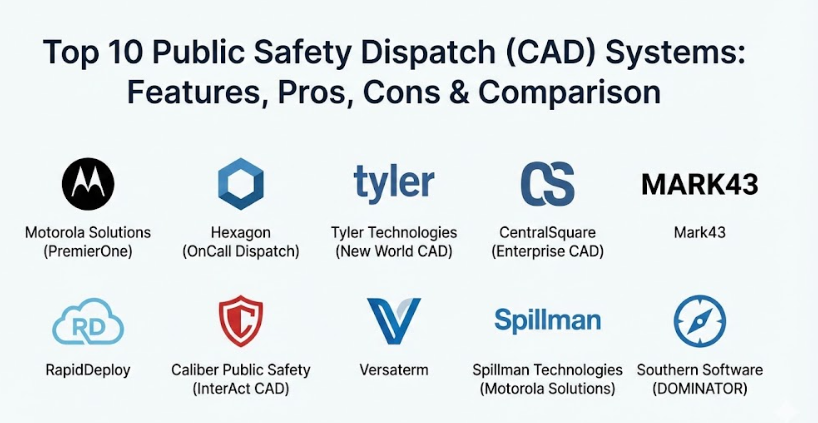
Top 10 Public Safety Dispatch (CAD) Systems Tools
1 — Motorola Solutions (PremierOne)
Motorola PremierOne is a very strong and well-known system designed for large cities and counties that have a lot of emergency calls. It is built to handle a huge amount of data and many users at the same time without slowing down. This tool is part of a bigger family of products that include radios and records systems, making it very easy for everything to work together. It is used in some of the busiest dispatch centers in the world where hundreds of people work at the same time. The software is designed to never crash because people’s lives depend on it. It works closely with the handheld radios that officers carry, making sure the dispatcher can see who is talking. It also keeps a record of everything that happens for later use in court or for reports.
- Key features:
- Unified view that puts all the important info on one screen.
- Advanced mapping that shows exactly where every officer and truck is located.
- Direct connection to Motorola radios for instant communication.
- Smart search that helps find past addresses or names quickly.
- Automatic suggestions for which units are the best fit for a call.
- High-level data sharing between different cities or counties.
- Mobile app that lets officers see call details on their laptops or phones.
- Pros:
- It is incredibly reliable and rarely has any technical problems.
- The way it connects to other Motorola products is much better than most competitors.
- Cons:
- It is very expensive and might be too much for a small town budget.
- The software is complex and takes a long time for people to learn how to use it.
- Security & compliance: Offers very high security with SSO, strong encryption, and follows all CJIS and HIPAA rules.
- Support & community: Has a massive support team and a large community of users who share tips and ideas.
2 — Hexagon (OnCall Dispatch)
Hexagon OnCall is a modern and visually impressive CAD system that is used by public safety agencies all over the world. It is known for having some of the best mapping tools in the industry, which helps dispatchers see the “big picture” of what is happening in their area. The system is designed to be very fast and can be used on a regular computer or even a web browser. It focuses on making sure the right information gets to the right person at the right time. This system is very flexible and can be changed to fit the specific needs of a small police department or a giant fire service. It also has a strong focus on using data to predict where emergencies might happen next.
- Key features:
- Web-based interface that looks and feels like a modern website.
- Incredible mapping tools that can show 3D buildings and layers of data.
- Flexible workflows that can be customized for any type of emergency.
- Real-time collaboration tools that let different agencies work together.
- Smart routing that shows the fastest way to get through traffic.
- Integrated messaging so dispatchers can talk to officers without using the radio.
- Powerful reporting tools to show how the agency is performing.
- Pros:
- The mapping is top-tier and helps people understand the scene much better.
- It is very easy to change the system to fit your specific way of working.
- Cons:
- Because it has so many features, it can feel a bit overwhelming at first.
- The setup process can take a long time to get everything just right.
- Security & compliance: Fully compliant with ISO standards and uses modern encryption to keep data safe.
- Support & community: Offers excellent training and a very helpful customer support portal.
3 — Tyler Technologies (New World CAD)
Tyler Technologies is a leader in providing software for local governments, and their New World CAD system is a favorite for many agencies. It is built to be a “one-stop-shop” where the dispatch system is perfectly linked to the police records and the jail system. This means that if an officer goes to a call, they can see right away if the person they are talking to has a history with the police. It helps keep officers safer by giving them more information before they even arrive. The software is designed to be easy to read with big buttons and clear colors. It is a very stable system that has been used by thousands of people for a long time.
- Key features:
- Deep integration between dispatch, records, and mobile devices.
- Simple and clean user interface that is easy on the eyes during long shifts.
- Advanced unit recommendations based on real-time traffic and distance.
- Embedded mapping that updates instantly as vehicles move.
- Custom alerts that pop up when a dangerous person or location is found.
- Automatic reporting that saves time for the officers after a call.
- Strong focus on data accuracy and keeping records organized.
- Pros:
- The way it shares data between the office and the field is very smooth.
- It is very stable and has a long history of working well for agencies of all sizes.
- Cons:
- Updating the software can sometimes be a bit of a slow process.
- Some users feel that the mapping could be a little more modern-looking.
- Security & compliance: SOC 2 compliant and follows all major government data security rules.
- Support & community: Large user groups and a very responsive customer service team.
4 — CentralSquare (Enterprise CAD)
CentralSquare Enterprise CAD is one of the most widely used systems in North America, serving agencies of all different sizes. It is built to be very fast and can handle complex situations where multiple departments need to respond to the same event. The system is designed to reduce the number of clicks a dispatcher has to make, which helps them stay focused on the caller. It also has very strong mobile features, so firefighters and paramedics can see the map and call details on their tablets in the truck. This tool is great for counties where many different towns need to share the same system to save money.
- Key features:
- High-speed data entry that lets dispatchers type and send help in seconds.
- Cross-agency communication that lets police and fire work together seamlessly.
- Advanced mapping with layers for things like fire hydrants or security cameras.
- Automatic vehicle location (AVL) that updates every few seconds.
- Customizable dashboards for every user so they see what they need.
- Reliable mobile tools for tablets and laptops in emergency vehicles.
- Built-in tools for managing medical calls with pre-set questions.
- Pros:
- It is built to handle a very high volume of calls without any lag.
- The mobile experience for officers and medics is very well-designed.
- Cons:
- The interface can look a bit old-fashioned compared to newer cloud-based tools.
- Customer support can sometimes take a little while to answer complex questions.
- Security & compliance: Fully CJIS compliant with strong audit logs to see who accessed what data.
- Support & community: Offers a large knowledge base and annual user conferences.
5 — Mark43
Mark43 is a newer company that has changed how CAD systems work by building everything in the “cloud.” This means that agencies do not have to buy and maintain their own expensive servers in the basement. Instead, the software runs on the internet, which makes it very easy to update and access from anywhere. It has a very modern and clean design that looks like the apps people use on their phones every day. This makes it much easier for new workers to learn the system quickly. It is designed to be very simple but powerful, focusing on getting rid of the clutter that slows down emergency response.
- Key features:
- Cloud-native platform that updates automatically without any downtime.
- Modern and intuitive design that is very easy for new people to learn.
- Seamless integration with the Mark43 records management system.
- Real-time data sharing that works across different devices and locations.
- Fast search tools that can find info across the entire history of the agency.
- Built-in collaboration tools for dispatchers and responders.
- Mobile-first approach that ensures field units have the best info.
- Pros:
- The system is very easy to use and does not feel like old corporate software.
- Since it is in the cloud, agencies save a lot of money on IT and servers.
- Cons:
- It requires a very strong and reliable internet connection to work best.
- Some older agencies might be nervous about keeping their data on the internet.
- Security & compliance: FedRAMP authorized and SOC 2 Type 2 compliant, providing very high security.
- Support & community: Known for very friendly and modern customer support.
6 — RapidDeploy
RapidDeploy is another cloud-based system that focuses heavily on data and mapping. Their goal is to give dispatchers a “super-powered” map that shows not just where the caller is, but also things like live video from nearby cameras or health info from the caller’s phone. It is designed to be very easy to set up and can be used on almost any computer with an internet connection. This system is great for agencies that want to use the latest technology to get more data about a call before help even arrives. It feels very futuristic and is focused on the next generation of 911 services.
- Key features:
- Next-generation mapping that includes live traffic and weather data.
- Ability to see a caller’s exact location using their smartphone GPS.
- Integration with live video feeds and building floor plans.
- Cloud-based setup that can be deployed in just a few days.
- Real-time translation tools to help callers who speak different languages.
- Simple dashboard that highlights the most important info.
- Low cost of entry since there is no heavy hardware to buy.
- Pros:
- The mapping and location tracking are some of the best available today.
- It is very fast to set up and very easy to keep updated.
- Cons:
- It may not have as many deep features for police records as some older tools.
- Like all cloud tools, it depends completely on a good internet connection.
- Security & compliance: Uses the Microsoft Azure cloud for high security and is fully CJIS compliant.
- Support & community: Offers very modern support and a growing community of forward-thinking users.
7 — Caliber Public Safety (InterAct CAD)
Caliber Public Safety provides a very solid and reliable CAD system that is used by many mid-sized cities and counties. It is known for being very stable and for having a very loyal group of users. The system is designed to be a “workhorse” that gets the job done every single day without any fuss. It has all the important features like mapping, unit tracking, and incident logging, but it keeps things simple so that dispatchers can work quickly. It is a great choice for agencies that want a system that is proven to work and is not overly complicated.
- Key features:
- Reliable dispatching engine that has been tested over many years.
- Integrated mapping that is clear and easy to navigate.
- Strong mobile tools for police, fire, and EMS units.
- Automated alerts for dangerous locations or people.
- Easy-to-use search tools for looking up past calls.
- Flexible reporting that helps agencies track their response times.
- Good integration with a variety of radio and phone systems.
- Pros:
- It is a very stable and dependable system that rarely has bugs.
- The support team is known for being very knowledgeable and helpful.
- Cons:
- It might not have some of the newest “fancy” features found in cloud tools.
- The user interface can feel a bit older compared to some of the competition.
- Security & compliance: Fully compliant with all major public safety data rules and encryption standards.
- Support & community: Has a very strong and active user community that meets regularly.
8 — Versaterm
Versaterm is a company that is famous for having some of the happiest customers in the public safety industry. Their CAD system is built with a focus on quality and customer service. The software is designed to be very clean and easy to use, with a focus on getting rid of unnecessary steps. It is often chosen by agencies that want a long-term partner rather than just a software seller. The system works very well for both police and fire services and is known for being very consistent. It is a great choice for agencies that value a smooth and friendly experience for their workers.
- Key features:
- Very clean and modern user interface that is designed for speed.
- Deep integration with records management and mobile field reporting.
- High-level mapping with advanced vehicle tracking features.
- Customizable workflows that can adapt to different agency sizes.
- Strong data sharing tools for agencies that work together.
- Robust reporting that makes it easy to see agency stats.
- Excellent mobile tools that work well on laptops and tablets.
- Pros:
- The customer support is world-class and very personal.
- The software is very well-made and easy to use every day.
- Cons:
- It can be more expensive than some of the smaller systems.
- They are a bit more selective about which agencies they work with.
- Security & compliance: SOC 2 Type 2 compliant with a very high focus on data privacy.
- Support & community: Known for having a very tight-knit and satisfied user community.
9 — Spillman Technologies (Motorola Solutions)
Spillman, which is now owned by Motorola, is one of the most famous names in the CAD and records industry. It is known for having a “unified database,” which means that everything is kept in one big pile of data that everyone can access. If a dispatcher types an address, they can instantly see every time the police have been there in the last twenty years. This is incredibly helpful for keeping officers safe and for solving crimes. The system is used by thousands of small to mid-sized agencies and is known for being a very reliable partner for a long time.
- Key features:
- Unified database that connects dispatch, records, and jail data.
- Very powerful search tools that can find anything in the system quickly.
- Robust mapping that is built into every part of the software.
- Advanced mobile tools that let officers do their work in the car.
- Customizable alerts for almost anything you can think of.
- Strong focus on data organization and record-keeping.
- Huge library of features that can be added as an agency grows.
- Pros:
- The way it organizes data is better than almost any other system.
- It has a very large and helpful community of users to learn from.
- Cons:
- The software can be quite complex to set up and manage.
- The look of the system is functional but not very modern.
- Security & compliance: Fully CJIS and HIPAA compliant with very strong security controls.
- Support & community: Offers extensive training and has a very loyal user base.
10 — Southern Software (DOMINATOR)
Southern Software is a company that focuses on being “user-friendly” and provides a system called DOMINATOR. It is specifically designed for smaller agencies that do not have a huge IT department to help them. The software is built to be simple, reliable, and easy to learn. They are famous for their friendly customer support, where you can often talk to the same person every time you call. It is a great choice for small towns and rural counties that need a solid system that just works without being overly fancy or expensive.
- Key features:
- Simple and straightforward design that is very easy to learn.
- Reliable dispatching tools that cover all the basics perfectly.
- Good mapping tools that are easy for anyone to read.
- Integrated messaging between dispatchers and field units.
- Strong focus on customer support and being a helpful partner.
- Built-in tools for managing medical and fire call scripts.
- Mobile tools that work well on laptops in police cars.
- Pros:
- The customer support is some of the friendliest in the industry.
- It is very affordable and perfect for small agencies on a budget.
- Cons:
- It does not have as many advanced “high-end” features as the big systems.
- It might not be fast enough for a giant city with thousands of calls.
- Security & compliance: Follows all major safety data rules and provides secure backups.
- Support & community: Very personal support and a close relationship with their users.
Comparison Table
| Tool Name | Best For | Platform(s) Supported | Standout Feature | Rating |
| Motorola PremierOne | Large, high-volume cities | Desktop, Mobile | Motorola Ecosystem | N/A |
| Hexagon OnCall | Advanced map visualization | Web, Desktop, Mobile | 3D Mapping Layers | N/A |
| Tyler New World | Integrated government data | Desktop, Mobile | Records Connectivity | N/A |
| CentralSquare Enterprise | High-speed busy centers | Desktop, Mobile | High-Volume Speed | N/A |
| Mark43 | Modern, IT-light agencies | Web (Cloud), Mobile | Cloud-Native UI | N/A |
| RapidDeploy | Next-gen phone data/video | Web (Cloud), Mobile | Smartphone Location | N/A |
| Caliber InterAct | Mid-sized steady agencies | Desktop, Mobile | Proven Stability | N/A |
| Versaterm | High worker satisfaction | Desktop, Mobile | Clean Interface | N/A |
| Spillman Technologies | Deep unified data search | Desktop, Mobile | Unified Database | N/A |
| Southern Software | Small towns and rural areas | Desktop, Mobile | Friendly Support | N/A |
Evaluation & Scoring of Public Safety Dispatch (CAD) Systems
| Criteria | Weight | Content Focus |
| Core Features | 25% | Mapping, call logging, unit tracking, and dispatching speed. |
| Ease of Use | 15% | How simple it is for new dispatchers to learn and use. |
| Integrations | 15% | Connection to radios, records, and other agency tools. |
| Security & Compliance | 10% | CJIS compliance, encryption, and data privacy controls. |
| Performance & Reliability | 10% | Uptime, system speed, and lack of technical bugs. |
| Support & Community | 10% | Quality of help, training, and user group activity. |
| Price / Value | 15% | Total cost compared to the features and benefits received. |
Which Public Safety Dispatch (CAD) System Tool Is Right for You?
Choosing a CAD system is a huge decision because your agency will likely use it for many years. The first thing to think about is the size of your agency. If you are a very large city, you need something powerful like Motorola PremierOne or CentralSquare. These systems can handle a lot of traffic at once. If you are a small town, you might prefer something like Southern Software because it is easier to manage and the people who sell it are very friendly and easy to reach.
Budget is also a big factor. If you do not have a lot of money up front for servers and computers, a cloud-based system like Mark43 or RapidDeploy might be better. You pay a monthly fee instead of buying a big system all at once, and they handle all the technical updates for you. This is a great way for mid-sized towns to get the latest technology without needing a huge team of computer experts in the basement.
Think about what other software you use. If you already use Tyler Technologies for your city billing or taxes, their New World CAD might be the best choice because it will work well with your other systems. If you use Motorola radios, staying with their software makes sense. You want all your tools to “talk” to each other so that your workers do not have to type the same thing into two different computers.
Finally, look at the user interface. This is what your workers will be staring at for eight or twelve hours a day. It needs to be easy to read and simple to use. If it is too complicated, people will make mistakes when they are stressed. Ask for a demonstration and let your actual dispatchers try the software. They will know better than anyone which one feels right and which one is going to help them save lives more effectively.
Frequently Asked Questions (FAQs)
1. What does CAD stand for in public safety?
It stands for Computer-Aided Dispatch. It is the software used by 911 dispatchers to track calls and send out police, fire, or ambulance crews.
2. Why is a unified database important?
A unified database means that all the information (dispatch, records, jail) is in one place. It lets officers see the history of a person or address instantly, which keeps them safer.
3. What is the difference between on-premise and cloud CAD?
On-premise means the servers are in your building and you have to fix them. Cloud means the software runs on the internet and the company handles the technical stuff for you.
4. How does the system know which police car is closest?
It uses something called AVL, or Automatic Vehicle Location. A GPS device in the car tells the map exactly where it is every few seconds.
5. Can CAD systems share info between different towns?
Yes, many modern systems allow different agencies to share data so they can help each other during big emergencies that cross town lines.
6. Is it hard to learn how to use these systems?
It can be. Modern systems like Mark43 are easier to learn, while older systems can take weeks or months of training to master all the buttons.
7. How much does a CAD system cost?
It varies widely. It can cost thousands for a small town or millions of dollars for a big city, plus ongoing fees for support and updates.
8. Can a CAD system help with medical emergencies?
Yes, most have built-in “scripts” that tell the dispatcher exactly what questions to ask and how to give life-saving instructions over the phone.
9. What happens if the CAD system crashes?
Agencies have backup plans, like using paper logs and radios, but it is much slower. This is why reliability is the number one priority for these tools.
10. Can I see call data on my phone?
Many modern systems have mobile apps that let supervisors or officers see the live dispatch screen on their smartphones or tablets.
Conclusion
In summary, choosing the right Public Safety Dispatch (CAD) system is one of the most important decisions an agency can make. It is the tool that sits at the center of every emergency response, helping to turn a call for help into a saved life. Whether you need a massive, robust system for a giant city or a simple, friendly tool for a small town, there is a software solution that can meet your needs. The industry is changing fast, with new cloud-based tools making it easier than ever for agencies to get the best technology without a huge IT budget.
The key to a successful choice is to focus on what matters most to your team. For some, that is the mapping and being able to see where everyone is at once. For others, it is the ability to search deep records to keep their officers safe. Reliability should always be your top priority, followed closely by how easy the system is for your dispatchers to use every day. Remember that a CAD system is not just a piece of software; it is a partner that helps your agency do its best work when things are at their most stressful.
By taking the time to research these top tools and understanding how they compare, you can make a choice that will serve your community well for a long time. These systems are getting smarter every day, offering more data and better ways to communicate. Investing in the right one will help your dispatchers move faster, your officers stay safer, and your community feel more secure. It is a big responsibility, but with the right technology at your fingertips, your agency can face any challenge with confidence.
Technology is a partner in public safety, and the right CAD system makes that partnership stronger. As you look toward the future, think about how these tools can help you not just today, but also as your city grows. A good system is one that can adapt and keep providing high-quality service for years to come. Choose a partner that values your mission as much as you do, and you will have a foundation for success in every emergency.