Introduction
Probation and Parole Case Management refers to specialized software designed to help community corrections officers track, supervise, and support individuals who have been released into the community under court-ordered supervision. These tools centralize everything from basic contact information and court dates to complex risk assessments, drug test results, and GPS tracking data. By automating routine paperwork and providing real-time alerts, these platforms allow officers to spend less time behind a desk and more time conducting meaningful interventions with clients.
The importance of these tools cannot be overstated. In an era where “evidence-based practices” (EBP) are the standard, agencies need data to prove that their methods are reducing recidivism. Real-world use cases include managing daily check-ins, tracking the completion of court-ordered community service, monitoring electronic tether data, and generating automated reports for judges. When choosing a tool in this category, users should evaluate the platform based on its ease of use in the field, its ability to integrate with other justice systems (like local courts or police databases), its mobile capabilities, and its adherence to strict security standards.
Best for: These tools are primarily designed for state and county departments of corrections, juvenile justice departments, and specialty courts (such as drug or veteran courts). They benefit parole officers, case managers, administrative supervisors, and data analysts who need to track outcomes at a high level.
Not ideal for: General law firms or corporate legal departments typically do not need these tools, as they lack the specific “offender lifecycle” features required for community supervision. Similarly, very small non-profit organizations that do not have a government contract for supervision may find these systems too complex and might be better served by a standard social work case management platform.
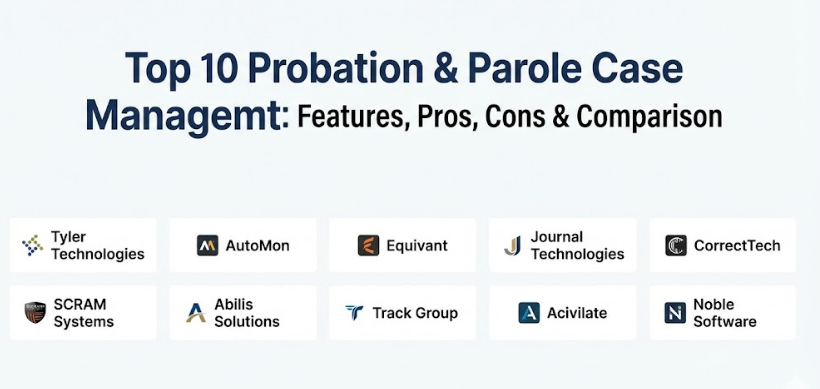
Top 10 Probation & Parole Case Management Tools
1 — Tyler Technologies (Enterprise Supervision)
Tyler Technologies provides one of the most comprehensive “end-to-end” justice solutions on the market. Their Enterprise Supervision module is designed to manage the entire lifecycle of an individual under supervision, from initial intake to final discharge.
- Key features:
- Highly configurable workflow engine that adapts to specific state or county laws.
- Integrated Evidence-Based Practices (EBP) tools to guide officer decision-making.
- Real-time dashboard for caseload management and officer productivity.
- Comprehensive document management with automated template generation.
- Built-in risk and needs assessment integration.
- Mobile accessibility for officers working in the field.
- Pros:
- Unrivaled scalability, making it a top choice for massive statewide implementations.
- Deep integration with Tyler’s broader “Justice Solutions” ecosystem.
- Cons:
- The high degree of customizability can lead to a long and complex implementation phase.
- The interface can feel overwhelming for smaller agencies.
- Security & compliance: CJIS compliant, SOC 2 Type II, multi-factor authentication (MFA), and robust audit logs.
- Support & community: Offers 24/7 enterprise-level support, a dedicated user portal, and annual user conferences.
2 — AutoMon (Ce-CheckIn & Caseload)
AutoMon is a leader in the community corrections space, known specifically for its focus on modernizing how officers and clients interact. Their “Caseload” platform is built specifically for the unique demands of probation and parole.
- Key features:
- Ce-CheckIn kiosks and mobile apps for automated client reporting.
- Comprehensive case notes and narrative tracking.
- Integrated scheduling for office visits, home visits, and court dates.
- Automated text and email reminders for clients.
- Robust reporting tools for tracking recidivism and program success.
- Financial modules for tracking court costs, fines, and restitution.
- Pros:
- The automated check-in features significantly reduce the burden of low-risk cases.
- Clean, user-friendly interface that requires less training time than legacy systems.
- Cons:
- Integration with older, legacy court systems can sometimes be challenging.
- Some advanced reporting features may require additional training.
- Security & compliance: CJIS aligned, data encryption at rest and in transit, and role-based access controls.
- Support & community: Strong reputation for customer service and regular software updates based on user feedback.
3 — Equivant (Supervision)
Equivant is deeply rooted in the science of corrections. Their supervision tool is built around the idea of data-driven decision-making and is famous for integrating the COMPAS risk and needs assessment.
- Key features:
- Direct integration with the COMPAS assessment suite.
- Dynamic case planning that changes as the client’s risk level fluctuates.
- Waitlist management for treatment programs and community service.
- Integrated court reporting and document imaging.
- Officer safety features, including home visit logs and location tracking.
- Comprehensive audit trails to ensure data integrity.
- Pros:
- Strongest focus on Evidence-Based Practices (EBP) in the industry.
- Excellent for agencies that prioritize research and data-driven outcomes.
- Cons:
- The software can feel academic to some front-line officers.
- Legacy versions may lack the modern UI of newer cloud-native competitors.
- Security & compliance: CJIS compliant, HIPAA compliant (where medical data is stored), and regular security audits.
- Support & community: Extensive academic community and regular training webinars focused on the science of supervision.
4 — Journal Technologies (eSupervision)
Journal Technologies offers eSupervision, a browser-based platform designed to bridge the gap between the courtroom and the probation office.
- Key features:
- A “single point of truth” data model shared across courts and probation.
- Rules-based workflow automation that triggers tasks based on court orders.
- Electronic filing and digital signature capabilities.
- Public and attorney portals for better communication.
- Integrated financial management for restitution and fees.
- Multi-agency data sharing capabilities.
- Pros:
- Seamless transition of data from the judge’s bench to the probation officer’s file.
- Highly flexible and customizable to match specific local court rules.
- Cons:
- Requires a significant “discovery” phase during setup to map complex workflows.
- Can be expensive for smaller jurisdictions.
- Security & compliance: CJIS compliant, SSO (Single Sign-On) integration, and SOC 2 compliance.
- Support & community: Enterprise-grade support with dedicated project managers for implementation.
5 — CorrectTech
CorrectTech is built specifically for community corrections centers, halfway houses, and probation agencies that require a high level of daily client interaction.
- Key features:
- Integrated “Manager’s Dashboard” for real-time facility oversight.
- Client self-service modules for updating employment and residency.
- Evidence-Based Practice (EBP) implementation tracking.
- Integrated staff training and competency tracking.
- Automated notification system for non-compliance and violations.
- Financial tracking for resident accounts and agency billing.
- Pros:
- Extremely high level of detail for residential and community-based programs.
- Designed specifically to help agencies achieve accreditation (like ACA or PREA).
- Cons:
- The interface can feel dense because of the sheer amount of data collected.
- May be more than what is needed for simple parole offices.
- Security & compliance: CJIS compliant, encrypted databases, and granular user permissions.
- Support & community: Strong focus on user group meetings and collaborative development.
6 — SCRAM Systems (Nexus)
While SCRAM is famous for its monitoring hardware, their Nexus software is a powerful case management platform designed to unify hardware data with traditional case supervision.
- Key features:
- Direct integration with GPS, alcohol, and house arrest monitoring data.
- Decision support tools to manage violations based on evidence.
- Mobile officer app for real-time alerts on the go.
- Automated client notification system (text/voice).
- Simplified reporting for court appearances and violation hearings.
- Caseload analytics to identify at-risk individuals quickly.
- Pros:
- The best choice for agencies that rely heavily on electronic monitoring.
- Reduces alarm fatigue by filtering and prioritizing monitoring alerts.
- Cons:
- May feel less robust in areas unrelated to electronic monitoring.
- Works best when paired with SCRAM-branded hardware.
- Security & compliance: CJIS compliant, SOC 2, and FIPS-validated encryption.
- Support & community: 24/7 monitoring support center and comprehensive onsite training.
7 — Abilis Solutions (CORIS)
Abilis Solutions offers CORIS, an offender management system used internationally to handle complex, large-scale correctional environments.
- Key features:
- Modular design covering jail to community supervision.
- Advanced inmate management and community supervision integration.
- Sophisticated search and reporting engines using Business Intelligence.
- Integrated health and pharmacy management modules.
- External portal for victims and community stakeholders.
- Multi-language support for diverse jurisdictions.
- Pros:
- Ideal for agencies managing both prisons and community parole in one system.
- Excellent for data-heavy agencies that need deep analytics.
- Cons:
- Can be overkill for a small county department.
- Implementation requires significant IT resources.
- Security & compliance: CJIS compliant, ISO 27001 certified, and GDPR compliant.
- Support & community: High-level enterprise support and long-term maintenance contracts.
8 — Track Group (Intrepid)
Track Group’s Intrepid platform is a cloud-based solution that emphasizes real-time management for officers in the field.
- Key features:
- Real-time device tracking and case management in a single view.
- Dynamic geo-fencing and inclusion/exclusion zone management.
- Officer mobile app with full case file access and biometric security.
- Integrated two-way communication between officer and client.
- Automated “Smart-Alert” system to reduce false positives.
- Cloud-native architecture for fast performance on any device.
- Pros:
- Very fast and responsive UI; feels like a modern consumer app.
- Exceptional for high-risk supervision where location data is critical.
- Cons:
- Reporting features for counseling progress are less developed than competitors.
- Pricing can be higher due to integrated tracking tech.
- Security & compliance: CJIS compliant, AES-256 encryption, and secure cloud hosting.
- Support & community: Rapid-response technical support and video-based training modules.
9 — Acivilate (Pokket)
Acivilate takes a collaborative approach with its Pokket platform, designed to improve the relationship between the officer, the client, and service providers.
- Key features:
- Shared “Case Plan” viewable by both the officer and the client.
- Integrated directory of local service providers (housing, jobs, etc.).
- Document vault where clients can store IDs and certificates.
- Check-in and task tracking for clients.
- Messaging system that keeps communication within the legal record.
- Progress tracking through milestones rather than just violations.
- Pros:
- The best tool for agencies focused on reentry and client success.
- Empowers clients to take ownership of their own rehabilitation.
- Cons:
- Lacks some heavy “law enforcement” features of larger systems.
- Requires clients to have some level of digital access.
- Security & compliance: CJIS aligned, HIPAA compliant, and follows strict privacy protocols.
- Support & community: Mission-driven support team and collaboration with reentry non-profits.
10 — Noble Software
Noble Software specializes in the assessments side of case management, helping agencies determine the best path for an individual.
- Key features:
- Massive library of validated risk, need, and responsivity assessments.
- Automated scoring and narrative report generation.
- Integrated case planning based on criminogenic needs.
- Dashboard for monitoring assessment completion rates.
- Integration capabilities with larger management systems.
- Training tracking for staff on assessment fidelity.
- Pros:
- The gold standard for ensuring assessments are done correctly and fairly.
- Greatly reduces the manual work involved in scoring and reporting.
- Cons:
- Not a full end-to-end management system.
- Most agencies will need to pair it with another tool for daily notes.
- Security & compliance: CJIS compliant, SOC 2, and secure cloud data storage.
- Support & community: Expert-led training sessions and a focus on fidelity to research-based models.
Comparison Table
| Tool Name | Best For | Platform(s) Supported | Standout Feature | Rating |
| Tyler Technologies | Large Statewide Agencies | Web, iOS, Android | Full Justice Ecosystem Integration | 4.8 / 5 |
| AutoMon | Mid-size & Large Counties | Web, Kiosks, Mobile | Automated Client Check-Ins | 4.6 / 5 |
| Equivant | Evidence-Based (EBP) Focus | Web, Windows | COMPAS Assessment Integration | 4.5 / 5 |
| Journal Tech | Court-Probation Integration | Web (Browser-based) | Single Point of Truth (Justice Cloud) | N/A |
| CorrectTech | Residential & Halfway Houses | Web | Accreditation & EBP Fidelity | 4.4 / 5 |
| SCRAM Nexus | Electronic Monitoring Users | Web, iOS, Android | Unified Monitoring & Case Notes | 4.5 / 5 |
| Abilis CORIS | Comprehensive Jail & Parole | Web, Enterprise Cloud | All-in-One Offender Lifecycle | 4.3 / 5 |
| Track Group | Real-Time Field Operations | Cloud, iOS, Android | High-Speed Tracking & Geo-fencing | 4.7 / 5 |
| Acivilate Pokket | Reentry & Client Engagement | Web, iOS, Android | Collaborative Client/Officer Vault | 4.2 / 5 |
| Noble Software | Pre-Trial & Risk Assessment | Web | Validated Assessment Library | N/A |
Evaluation & Scoring of Probation & Parole Case Management
To help you decide, we have evaluated the general performance of these top-tier tools using a weighted scoring rubric.
| Category | Weight | Score (Avg.) | Description |
| Core Features | 25% | 9 / 10 | Includes case notes, risk assessments, and document generation. |
| Ease of Use | 15% | 7 / 10 | The learning curve for front-line officers and field staff. |
| Integrations | 15% | 8 / 10 | How well the tool talks to courts, labs, and police systems. |
| Security & Compliance | 10% | 10 / 10 | Adherence to CJIS, SOC 2, and local government standards. |
| Performance | 10% | 9 / 10 | Speed, mobile responsiveness, and offline capabilities. |
| Support & Community | 10% | 8 / 10 | Onboarding, documentation, and user group activity. |
| Price / Value | 15% | 7 / 10 | Initial cost vs. long-term recidivism reduction and ROI. |
Which Probation & Parole Case Management Tool Is Right for You?
Choosing the right software is a high-stakes decision that can transform an agency’s culture.
Solo Users vs. SMB vs. Enterprise
- Small Agencies: If you are a small county, look for SaaS models like Track Group or AutoMon. These don’t require your own IT servers and can be managed through a browser.
- Mid-Market: Agencies with 50-200 officers should prioritize tools that offer a balance of feature depth and ease of use, such as Equivant or CorrectTech.
- Enterprise: Large states need the heavy hitters like Tyler Technologies or Abilis Solutions that can handle millions of records reliably.
Budget-Conscious vs. Premium
- Budget-Conscious: Consider modular tools like Noble Software or Acivilate that can be implemented as add-ons to save on a full overhaul.
- Premium: If you have the budget, go for an integrated ecosystem like Journal Technologies. The upfront cost is higher, but the reduction in manual data entry provides massive value.
Feature Depth vs. Ease of Use
If your officers need a simple, fast interface, a modern UI like Track Group is essential. However, if your agency is highly research-focused, you may choose the deep data capabilities of Equivant even if the interface is more complex.
Integration and Scalability Needs
Ensure the tool is “Cloud-Native” for better scalability. For integration, look for tools with open APIs so you can connect to your local court’s specific database without custom coding every time.
Security and Compliance Requirements
Never compromise on CJIS compliance. This is the non-negotiable standard for the industry. Verify that the vendor has current SOC 2 reports and utilizes multi-factor authentication.
Frequently Asked Questions (FAQs)
1. What is CJIS compliance and why does it matter?
CJIS stands for Criminal Justice Information Services. It is a set of security standards from the FBI that governs how criminal justice data must be protected. Any software used by probation or parole must be CJIS compliant to prevent data breaches.
2. Can these tools really help reduce recidivism?
Yes. By using built-in risk/needs assessments, the software helps officers focus their time on high-risk individuals while providing resources to low-risk individuals, a proven strategy for reducing re-offending.
3. How long does it take to implement a new system?
For a small agency, it may take 3-6 months. For a large statewide agency, the process can take 12-24 months due to the complexity of data migration and staff training.
4. Do these tools work on mobile phones?
Most modern platforms have dedicated mobile apps or responsive websites that allow officers to enter notes and view client locations while they are out in the field.
5. How much does probation software typically cost?
Pricing is usually based on the number of users or active cases. It can range from $50 per officer per month for simple tools to millions of dollars for statewide enterprise licenses.
6. Can the software track drug test results?
Yes. Most of these tools have a module where results can be imported directly from testing facilities, triggering an automatic alert if a client tests positive.
7. Is it possible to integrate with local court systems?
Integration is possible through APIs. Tools like Journal Technologies are specifically designed to make this “court-to-probation” link seamless.
8. What is a “Self-Service Kiosk”?
A kiosk is a physical machine placed in a lobby where low-risk clients can check in and update their address without needing to see an officer.
9. Can these systems help with restitution payments?
Yes, most have a financial module that tracks how much money a client owes to victims and automatically distributes those funds according to court orders.
10. What is a typical mistake agencies make when buying software?
The biggest mistake is buying a generic case management tool that wasn’t built for corrections. These tools often lack the specific legal workflows and security that officers need.
Conclusion
Choosing a Probation and Parole Case Management tool is about finding a partner that understands the high-stakes world of community corrections. Whether you prioritize research, scale, or client reentry, the goal remains the same: better outcomes for the community and the individual.
The “best” tool is ultimately the one that fits your agency’s specific size and philosophy. By focusing on mobile accessibility, security compliance, and data-driven insights, you can ensure that your officers have the tools they need to make a real difference.