Introduction
Online fundraising tools are digital platforms that help people and groups collect money for causes they care about. These tools make it easy for donors to give money using their phones or computers without having to write checks or carry cash. They act as a bridge between the person who wants to help and the organization that needs the funds. By using these platforms, charities can reach a much wider audience than they ever could with traditional methods. These tools handle the “heavy lifting” of payment processing, sending tax receipts, and tracking donor information, which allows organizations to focus on their actual work rather than paperwork.
Having the right tool is very important because it builds trust with your supporters. When a donation page looks professional and works smoothly, people feel safe entering their credit card details. These tools also allow for creative ways to raise money, such as selling t-shirts, running online auctions, or letting supporters create their own “peer-to-peer” pages to raise money on your behalf. Real-world examples include a local animal shelter raising money for new cages or a global charity collecting funds for disaster relief. When choosing a tool, you should look at how easy it is to use, what kind of fees it charges, and if it connects with the other software you already use.
Best for: These tools are perfect for nonprofit organizations of all sizes, community groups, and individual organizers. They are especially helpful for development directors and social media managers who need to launch campaigns quickly. Small grassroots groups that want to look professional and large international foundations that need to manage millions of dollars will find these solutions essential.
Not ideal for: A person who is just collecting a few dollars from a couple of friends for a pizza party does not need a full fundraising platform. If you are a purely for-profit business looking to sell products rather than raise money for a cause, traditional e-commerce tools are usually a better fit. Additionally, very small organizations that do not have any digital presence at all might find the learning curve for advanced platforms a bit too steep at first.
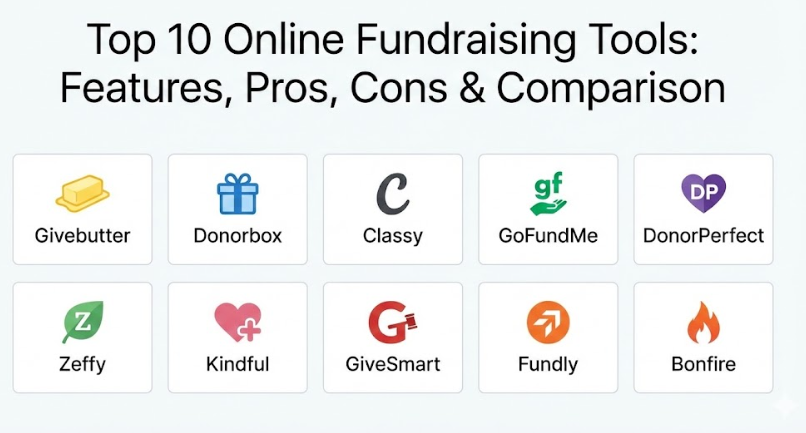
Top 10 Online Fundraising Tools
1 — Givebutter
Givebutter is an all-in-one fundraising platform that focuses on making the giving experience social and fun. It is designed for nonprofits that want to combine traditional donation forms with modern features like event ticketing, auctions, and peer-to-peer campaigns. The platform is known for its “free” model where donors can choose to leave a tip to cover the costs, allowing the organization to keep more of the money. It is a great choice for teams that want a modern look without paying a high monthly subscription fee.
- Key features:
- Social Giving Feeds: Volunteers and donors can leave comments and pictures to cheer each other on.
- Text-to-Give: Supporters can donate simply by sending a text message with a specific keyword.
- Modern Donation Forms: Forms that look great on any device and support Apple Pay and Venmo.
- Event & Ticket Management: A built-in system to sell tickets and check guests in at the door.
- Peer-to-Peer Pages: Allows your supporters to create their own pages to raise money for you.
- Interactive Auctions: A way to host silent or live auctions where people can bid from their phones.
- Supporter CRM: A basic database to keep track of everyone who has given to your cause.
- Pros:
- Very Affordable: The optional tip model means you can often use the full platform for zero monthly cost.
- All-in-One Power: You don’t need three different tools to handle auctions, tickets, and donations.
- Cons:
- Donor Tip Prompt: Some organizations worry that asking donors for a tip might distract them.
- Simplified CRM: While helpful, the donor database is not as deep as specialized management systems.
- Security & compliance: Uses secure encryption, PCI-compliant payment processing, and follows GDPR standards.
- Support & community: Offers a very helpful online knowledge base, live chat during business hours, and a growing community of nonprofit users.
2 — Donorbox
Donorbox is a specialized tool that focuses on making recurring donations very easy to set up. It is built for nonprofits that want to grow a stable base of monthly supporters who give small amounts over a long time. The platform is very lightweight and can be embedded directly onto any existing website in just a few minutes. It is a favorite for organizations that already have a website they love and just need a powerful “donate now” button that works perfectly. It supports multiple currencies and languages, making it a good fit for international causes.
- Key features:
- Recurring Donation Focus: Very clear options for donors to choose weekly, monthly, or annual gifts.
- Company Gift Matching: Integrates with services that check if a donor’s employer will match their gift.
- Quick Embed Forms: Small forms that sit right on your website without taking up too much space.
- Donor Portal: A private area where donors can manage their own monthly gifts and download receipts.
- Multi-Currency Support: Accepts money from all over the world and handles the conversion automatically.
- Goal Meters: A visual bar that shows how close you are to reaching your fundraising target.
- Guest Checkout: Allows people to give quickly without having to create a new account first.
- Pros:
- High Conversion Rate: The forms are designed to be so simple that very few people quit halfway through.
- International Ready: Excellent tools for organizations that have supporters in many different countries.
- Cons:
- Platform Fees: As your donations grow, the platform fees can add up compared to “tip-based” models.
- Limited Event Tools: It is not built for complex event ticketing or managing physical auctions.
- Security & compliance: Highly secure with SSL encryption and 2FA options for admin accounts. PCI Level 1 compliant.
- Support & community: Provides 24/5 email support and an extensive library of video tutorials and blog advice.
3 — Classy
Classy is a high-end fundraising platform built for larger nonprofits that need a very polished and professional look. It is known as an “engagement” platform because it focuses on the entire journey a donor takes with your brand. The software provides beautiful templates that make your campaigns look like they were designed by a big marketing agency. It is a very powerful tool that can handle massive traffic during huge national events or Giving Tuesday. Because it is a premium solution, it is best suited for established organizations with a dedicated budget for technology.
- Key features:
- World-Class Design: Templates that are widely considered the most beautiful in the fundraising industry.
- Classy Live: A special tool for managing live events with virtual and in-person components.
- Advanced Reporting: Very deep data tools to help you understand exactly who is giving and why.
- Flexible Peer-to-Peer: The most advanced system for letting supporters run their own creative fundraisers.
- Salesforce Integration: A very strong connection to the world’s most popular nonprofit database.
- Infusion of AI: Uses smart technology to suggest the best donation amounts to your supporters.
- Mobile App for Staff: Allows your team to manage donors and check data while they are away from the office.
- Pros:
- Professional Reputation: Using Classy tells your donors that you are a serious and well-run organization.
- Exceptional Stability: The system is built to never crash, even when thousands of people are giving at once.
- Cons:
- Premium Pricing: It is one of the more expensive tools on the list, often requiring a yearly contract.
- Complex Setup: Because it has so many features, it takes longer to set up your first campaign correctly.
- Security & compliance: Enterprise-grade security including SOC 2 compliance, GDPR, and advanced fraud protection.
- Support & community: Offers dedicated account managers for large plans and a high-level customer success team.
4 — GoFundMe
GoFundMe is the most famous name in crowdfunding and is the top choice for individual people or small community groups. It is built to be extremely simple so that anyone can start a fundraiser in under five minutes. While it is often used for personal medical bills or emergencies, it also has tools specifically for registered charities. Its biggest strength is its social reach; because everyone knows the brand, they feel comfortable clicking on a link shared on Facebook or Instagram. It is a “viral” platform that works best for causes that have a very strong emotional story to tell.
- Key features:
- Instant Setup: You only need a title, a story, and a picture to start raising money immediately.
- Viral Sharing Tools: Built-in buttons that make it very easy to share your cause on every social network.
- Mobile App: A top-rated app that lets you manage your fundraiser and thank donors from your phone.
- Trust & Safety Team: A large team that works to prevent fraud and ensure money goes to the right place.
- Beneficiary Invites: You can raise money for someone else and then “invite” them to securely withdraw it.
- Comment Section: Allows your community to post words of encouragement along with their donations.
- No Signup Fee: There is no cost to start a page; they only take a small fee from each donation.
- Pros:
- Brand Trust: Almost everyone has heard of GoFundMe, which makes them more willing to give.
- Ease of Use: It is likely the simplest tool in the world for a person who is not good with technology.
- Cons:
- Lack of Data Control: You do not “own” the donor data in the same way you do with a private nonprofit tool.
- Limited Branding: Every page looks mostly like a GoFundMe page, with very little room for your own style.
- Security & compliance: Industry-leading fraud protection and a “Giving Guarantee” that protects donors’ money.
- Support & community: A huge help center and a responsive email support team available at all hours.
5 — DonorPerfect
DonorPerfect is more than just a donation button; it is a complete system for managing all your relationships with your supporters. It is designed for nonprofits that have grown out of simple spreadsheets and need a way to track every interaction with a donor. The tool helps you keep track of who has given, how much they gave, and when they were last contacted. It is very strong on the “admin” side, making it easy to send out mass mailings, track grants, and run detailed financial reports for your accountant. It is a workhorse for organizations that value data and organization above everything else.
- Key features:
- Complete Donor Database: Stores every detail about your supporters in one organized place.
- Automated Receipting: Sends out thank-you letters and tax receipts automatically as soon as a gift arrives.
- Grant Tracking: A specialized area to keep track of applications and deadlines for foundation money.
- Custom Reporting: Build almost any report you can think of to show your fundraising progress.
- Integrated Online Forms: Donation forms that send data directly into your database without extra work.
- Wealth Screening: Tools that help you identify which of your donors might be able to give larger gifts.
- Mobile App: Allows staff to look up a donor’s phone number or giving history while at an event.
- Pros:
- Deep Organization: It ensures that you never lose a donor’s information or forget to thank them.
- Saves Admin Time: The automation of letters and reports saves hours of manual office work every week.
- Cons:
- Outdated Design: The interface looks a bit like an older business program compared to modern apps.
- Learning Curve: It takes some serious training to learn how to use all the advanced reporting tools.
- Security & compliance: PCI compliant, secure data centers, and advanced user permissions to protect sensitive info.
- Support & community: Excellent phone support, a community forum, and many live training webinars.
6 — Zeffy
Zeffy is a unique platform because it is 100% free for nonprofits, meaning they don’t even charge a credit card processing fee. They fund their operations entirely through optional “tips” that donors can choose to leave. This makes it a perfect choice for small or medium-sized nonprofits that want to ensure every single penny of a donation goes directly to their mission. Despite being free, it offers a surprisingly wide range of features, including event ticketing and membership management. It is a “no-frills” but high-quality solution for organizations that are very careful with their spending.
- Key features:
- Zero Fees: The only platform that covers the credit card fees for you so you get 100% of the gift.
- Membership Management: Tools to sign up and track members who pay monthly or yearly dues.
- Event Ticketing: Create pages to sell tickets for dinners, concerts, or workshops.
- Raffle Tools: Specialized features to sell raffle tickets and track the winners.
- Peer-to-Peer Pages: Allows your volunteers to raise money for you using their own pages.
- Simple CRM: A basic dashboard to see your donors and download their contact information.
- eCommerce Store: A simple way to sell t-shirts or merchandise to support your cause.
- Pros:
- Unbeatable Cost: You literally cannot find a cheaper way to raise money online.
- Surprisingly Robust: For a free tool, it has more features than many paid competitors.
- Cons:
- Tip Dependent: Your donors will see a request for a tip, which might be confusing for some.
- Basic Features: It lacks the very advanced AI and deep data tools found in premium software.
- Security & compliance: Uses secure Stripe processing, follows GDPR rules, and ensures safe data storage.
- Support & community: Friendly chat and email support with a focus on helping smaller nonprofits succeed.
7 — Kindful
Kindful is a platform that was built with the goal of making donor management feel “kind” and simple. It is now part of the Bloomerang family, but it still maintains its own identity as an easy-to-use tool for teams that hate complicated software. The platform is famous for its clean “dashboard” that gives you a quick visual look at your fundraising health. It is very good at connecting with other tools, like your email marketing software or your accounting program. It is the best choice for a nonprofit that wants a professional database but doesn’t have a “tech expert” on their staff to manage it.
- Key features:
- Beautiful Dashboard: A clear screen that shows you exactly how much money you’ve raised today.
- Activity Feed: See a live list of every donation and email interaction as it happens.
- Wealth Insights: Basic tools to see which donors have the potential to give more significant amounts.
- Simple Integrations: Connects with tools like QuickBooks and Mailchimp in just a few clicks.
- Branded Giving Pages: Online forms that match your website’s colors and look very trustworthy.
- Supporter Profiles: Rich profiles that show you a donor’s social media and giving history.
- Automated Tasks: Set reminders for yourself to call a donor on their birthday or after a big gift.
- Pros:
- Intuitive Design: You can figure out how to use most of the features without ever reading a manual.
- Great Connections: It acts as the “hub” for all your other software, keeping everything in sync.
- Cons:
- Pricing Tiers: The cost goes up as you add more donors to your list, which can get expensive as you grow.
- Support Times: Sometimes it can take a day to get a response from their support team during busy seasons.
- Security & compliance: Strong data encryption, PCI compliance, and regular security audits.
- Support & community: Offers a large library of articles, video training, and email-based help.
8 — GiveSmart
GiveSmart is a high-powered platform that is the leader in “all-in-one” event fundraising. It is the tool you see used at big charity galas where people are bidding on items using their phones. It is designed for organizations that run high-energy events and want to maximize the money raised in a single night. The software handles everything from checking people in at the door to managing a live auction and collecting the final payments. It is an “enterprise” solution, meaning it is built for large, professional teams that need a tool that can handle thousands of people at a single venue.
- Key features:
- Mobile Bidding: Allows guests to bid on auction items from their seats using their own phones.
- On-Site Check-in: A fast system for registering guests as they arrive at your gala or dinner.
- Silent Auction Management: Tools to track items, set starting bids, and notify winners.
- Text Alerts: Send out “outbid” notices or event updates to everyone’s phone instantly.
- Donation Appeals: A “fund-a-need” tool that shows a live progress bar on a big screen at your event.
- Sponsor Recognition: Special areas on the app and website to highlight the companies that support you.
- Post-Event Analytics: Detailed data on which auction items were the most popular and who bid the most.
- Pros:
- Maximizes Revenue: The “competitive” nature of mobile bidding often leads to much higher auction totals.
- Complete Event Solution: You don’t need any other software to run a professional 500-person gala.
- Cons:
- Steep Price: It is an expensive tool that is usually only worth it if you are raising a large amount of money.
- Specialized Use: It is amazing for events, but a bit too much “power” for a simple monthly donation button.
- Security & compliance: Very high level of security, SOC 2 compliant, and safe processing for large transactions.
- Support & community: Offers “on-site” support options where a professional from the company helps you run your event.
9 — Fundly
Fundly is a “social-first” fundraising tool that focuses on the power of storytelling. It is designed to be very visual, allowing you to build a campaign page that looks more like a blog or a news story than a traditional donation form. It is very easy to use and is a great middle-ground between a personal GoFundMe page and a professional nonprofit tool. It works well for schools, sports teams, and local clubs that need a fast way to raise money for a specific project. It is particularly good at “peer-to-peer” fundraising, making it easy for team members to each have their own page that rolls up into a grand total.
- Key features:
- Visual Storytelling: A beautiful layout that emphasizes large photos and videos of your cause.
- Social Media Feed: Integrates with Facebook so your updates show up in your supporters’ newsfeeds.
- Team Fundraising: Let your volunteers compete against each other to see who can raise the most money.
- Mobile App: A very simple app that lets you post updates and pictures directly to your campaign page.
- Automated Emails: Set up a series of emails to thank donors and keep them updated on your progress.
- Easy Withdrawal: A simple process for getting your money into your bank account quickly.
- Comment Wall: A place for supporters to share why they care about your mission.
- Pros:
- High Engagement: The visual nature of the pages keeps people interested and reading your story.
- Great for Teams: The best choice for a group of people (like a sports team) who are all raising money together.
- Cons:
- Transaction Fees: Their fees are a bit higher than some of the “free” or “tip-based” models.
- No CRM: It does not include a long-term database for managing donors after the campaign ends.
- Security & compliance: Standard web security and secure payment processing. PCI compliant.
- Support & community: Good online help desk and email support, though they don’t have phone support for everyone.
10 — Bonfire
Bonfire is a unique fundraising tool because it doesn’t just ask for money—it sells custom t-shirts and apparel to raise funds. It is a “risk-free” way to raise money because they handle all the printing and shipping for you. You simply design a shirt, set a price, and launch a campaign. When people buy a shirt, the profit goes directly to your cause. This is an incredible way to build awareness for your organization because your supporters literally “wear your mission” on their chest. It is perfect for nonprofits that want to provide a physical “thank you” to their donors without having to manage boxes of inventory.
- Key features:
- Free Design Tool: A very easy-to-use website where you can create a professional t-shirt design.
- Zero Inventory Risk: They only print the shirts that are actually ordered, so you never lose money.
- Direct Shipping: Bonfire ships the shirts directly to the donors, so you don’t have to go to the post office.
- Verified Nonprofit Badge: A special symbol on your page that shows donors you are a real charity.
- Campaign Storefronts: A beautiful page to show off all the different shirt styles and colors you are selling.
- Social Sharing: Optimized tools to share your shirt design on Instagram and TikTok.
- Donation Upsells: Allows people to add an extra cash donation to their cart when they buy a shirt.
- Pros:
- Free to Use: There is no cost to start a campaign, making it a great way to raise “extra” money.
- Marketing Value: Every shirt sold acts as a walking billboard for your organization.
- Cons:
- Lower Profits: Because Bonfire has to cover the cost of the shirt and shipping, your profit per donor is lower.
- Slow Results: It takes a few weeks for shirts to be printed and shipped, so it’s not “instant” money.
- Security & compliance: Secure payment processing and verified status for registered nonprofits.
- Support & community: Excellent customer service for both the organization and the people buying the shirts.
Comparison Table
| Tool Name | Best For | Platform(s) Supported | Standout Feature | Rating |
| Givebutter | Social & P2P Giving | Web, iOS, Android | Free with optional tips | 4.8 / 5 |
| Donorbox | Monthly Recurring Gifts | Web (Embeddable) | Multi-Currency Support | 4.7 / 5 |
| Classy | Enterprise Experience | Web, iOS, Android | Beautiful Agency-Grade Design | 4.6 / 5 |
| GoFundMe | Individual Crowdfunding | Web, iOS, Android | Massive Viral Reach | 4.5 / 5 |
| DonorPerfect | Donor Management | Web, iOS, Android | Deep Relationship Database | 4.4 / 5 |
| Zeffy | 100% Free Fundraising | Web | No Transaction Fees | 4.8 / 5 |
| Kindful | Simple Data Management | Web | Intuitive Admin Dashboard | 4.7 / 5 |
| GiveSmart | Gala & Auction Events | Web, Mobile App | Mobile Bidding & Check-in | 4.6 / 5 |
| Fundly | Visual Storytelling | Web, iOS, Android | Team-Based Competition | 4.3 / 5 |
| Bonfire | T-Shirt Fundraising | Web | Zero-Risk Merch Sales | 4.7 / 5 |
Evaluation & Scoring of Online Fundraising Tools
The following table shows how we evaluate these tools to ensure they meet the needs of a modern nonprofit. We use a weighted system where features and value for money are the most important factors.
| Category | Weight | What We Look For |
| Core Features | 25% | Can it handle donations, recurring gifts, and basic reports? |
| Ease of Use | 15% | Can a non-tech person set up a campaign in an hour? |
| Integrations | 15% | Does it talk to other apps like Mailchimp or QuickBooks? |
| Security | 10% | Is it PCI compliant and does it have fraud protection? |
| Reliability | 10% | Does the site stay up during high-traffic times? |
| Support | 10% | Is there a human you can talk to if something goes wrong? |
| Price / Value | 15% | Is the cost fair for the features you are getting? |
Which Online Fundraising Tool Is Right for You?
Choosing the right tool depends mostly on who you are and what you are trying to achieve. Here is a practical guide to help you decide.
Solo Users vs SMB vs Mid-Market vs Enterprise
- Individual/Solo: If you are just one person raising money for a friend, GoFundMe is the clear winner. You don’t need a complex database; you just need a link you can share.
- Small Nonprofit (SMB): If you are a small team, look at Zeffy or POINT. These tools give you the power you need without a big monthly bill.
- Mid-Market: For growing teams that need a real database, Kindful or Givebutter provide the perfect balance of ease and power.
- Enterprise: Large foundations with thousands of donors should choose Classy or DonorPerfect. These systems can handle massive data and complex reporting needs.
Budget-Conscious vs Premium Solutions
- If your board of directors is worried about costs, Zeffy is the only “truly free” option. Givebutter is also excellent because it uses a tip model that costs the organization almost nothing.
- If you have a budget and want the absolute best design and donor experience, Classy is worth the investment. You pay more, but you get a tool that makes your brand look world-class.
Feature Depth vs Ease of Use
- If you need every “bell and whistle,” including auctions and text-to-give, Givebutter or GiveSmart are the top choices.
- If you just want something that is so simple a volunteer can use it without training, Donorbox or Fundly are better because they have fewer menus to get lost in.
Frequently Asked Questions (FAQs)
1. Are these tools safe for my donors’ credit cards?
Yes. Every tool on this list uses high-level encryption and is PCI compliant. This means they follow the same safety rules as major banks to ensure that financial data is never stolen.
2. How long does it take to get the money in my bank?
It usually takes between 2 and 7 business days. Some platforms like GoFundMe allow for very fast withdrawals, while others might wait until the end of a campaign to send a bulk payment.
3. Do I need to be a tech expert to set these up?
No. Most of these tools are designed for “regular” people. They use “drag and drop” builders where you just click buttons to add pictures and text. If you can use Facebook, you can use these tools.
4. Can I use these if I am not a registered charity?
Some platforms (like Zeffy or GiveLively) are only for registered nonprofits. However, tools like GoFundMe, Fundly, and Bonfire are open to anyone who wants to raise money for a good cause.
5. What is “Peer-to-Peer” fundraising?
This is when you let your supporters create their own mini-fundraising pages for you. For example, a supporter might ask for donations to your charity instead of birthday presents.
6. Do these tools work on mobile phones?
Yes, all of them are “mobile-responsive,” which means the donation pages will automatically shrink to fit a smartphone screen perfectly. This is vital because most people give from their phones.
7. Can I collect recurring (monthly) donations?
Yes, almost every tool on this list (especially Donorbox and Givebutter) allows donors to set up a gift that automatically repeats every month.
8. Will the software send out tax receipts?
Most of the nonprofit-specific tools (like DonorPerfect and Zeffy) will automatically email a professional tax receipt to the donor as soon as they give.
9. Can I sell tickets to an event with these tools?
Yes, Givebutter, Zeffy, and GiveSmart are all excellent at selling tickets and managing guest lists for dinners, walks, or galas.
10. What are “donor tips”?
This is a newer way to pay for software. Instead of the nonprofit paying a fee, the donor is asked if they want to add a small amount (like 5%) to their gift to help keep the software free for the charity.
Conclusion
Finding the right online fundraising tool is one of the most important steps toward your organization’s success. When you move away from manual tracking and use a modern platform, you are opening the door to more donors and bigger gifts. These tools take the stress out of the technical side of fundraising, allowing you to spend your time telling your story and changing the world.
The most important thing to remember is that there is no “best” tool for everyone. The right choice depends on your specific needs, your budget, and how much time you have to manage the software. Whether you need a simple “donate” button for your website or a high-tech system for a 500-person gala, there is a solution on this list that will work for you. Start by thinking about your biggest challenge—is it finding new donors, or is it managing the ones you already have? Once you know that, the perfect tool will become clear.