Introduction
An online form builder is a digital tool that allows you to create, publish, and manage forms on the internet without needing to know how to write computer code. Think of it as a virtual drag-and-drop workshop where you can build anything from a simple contact form for a website to a complex survey or even a checkout page for an online shop. These tools handle the technical side of things, such as making sure the form looks good on a phone and safely storing the information people type into it. Instead of using paper and pen, you send a link, and the data comes back to you in a neat, organized way that is easy to read.
The importance of these tools lies in how much time and effort they save. In the past, creating a form required a web developer, but now anyone can do it in minutes. This speed allows businesses to react quickly to customer feedback, sign up new members, or collect registrations for an event. Real-world use cases are everywhere: a local bakery taking custom cake orders, a large company conducting an anonymous employee satisfaction survey, or a non-profit collecting donations. By making data collection simple and professional, these tools help organizations make better decisions based on actual information rather than just guessing.
When you are looking for the right tool, you should evaluate it based on a few key criteria. First, consider the “logic” of the form—can it hide or show questions based on a user’s previous answer? Second, look at the design options; you want a form that matches your brand and looks professional. Third, check the integrations, which are the ways the form talks to other apps like your email list or your spreadsheet. Finally, price is always a factor, as some tools are free for basic use while others require a monthly subscription for advanced features.
Best for: These tools are a lifesaver for marketing teams, human resources professionals, event planners, and small business owners. They are perfect for companies of all sizes, from a one-person startup to a massive global corporation. Industries like education, healthcare, and e-commerce benefit the most because they constantly need to collect and organize information from students, patients, or customers.
Not ideal for: You might not need a dedicated form builder if you only need to collect very simple information once in a while; in that case, a basic email might work. They are also not ideal for people building highly complex, custom software applications that require a deep, permanent database structure that goes beyond what a standard form can offer. If you need a full-scale customer relationship management system, a simple form builder might only be one small part of your solution.
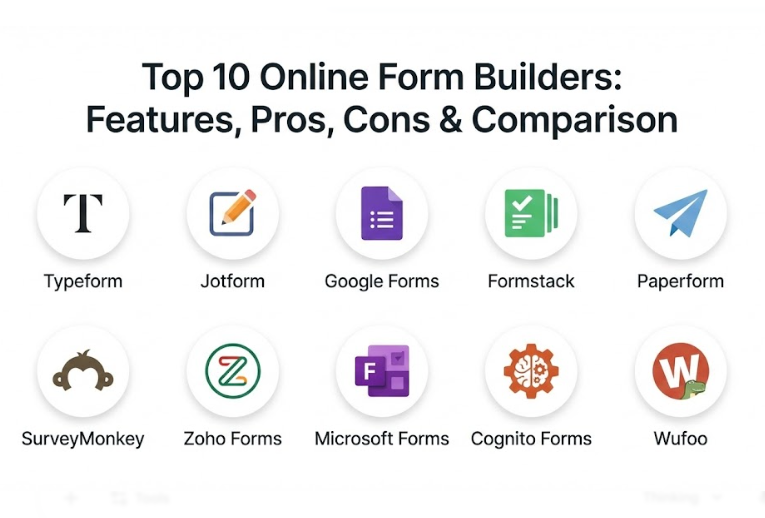
Top 10 Online Form Builders Tools
1 — Typeform
Typeform is a high-end form builder that focuses on the user experience by showing only one question at a time. This approach makes the form feel more like a friendly conversation than a boring test. It is designed for brands that want to look modern, stylish, and professional while keeping their audience engaged throughout the entire process.
- Key features:
- One-question-at-a-time interface to reduce overwhelm.
- Huge library of beautiful themes and high-quality images.
- Conditional logic that changes questions based on previous answers.
- Built-in video and photo support for interactive forms.
- Direct integrations with tools like Slack, Mailchimp, and HubSpot.
- Detailed “Drop-off” analytics to see where people stop filling out the form.
- Ability to embed forms directly into websites or as a popup.
- Pros:
- It has one of the highest completion rates because the forms are fun to fill out.
- The design is so polished that it makes even simple forms look like they were made by a professional agency.
- Cons:
- The monthly price is higher than many other tools, which can be tough for small budgets.
- The unique “one question” style doesn’t work well for very long forms that need a bird’s-eye view.
- Security & compliance: Supports SSO, data encryption, and is GDPR and SOC 2 compliant.
- Support & community: Strong help center, community forums, and priority support for higher-tier plans.
2 — Jotform
Jotform is a powerful and highly flexible form builder known for its massive library of templates and advanced widgets. It is designed for users who need their forms to do more than just collect text, such as taking payments, collecting digital signatures, or even acting as a mini-app for a business.
- Key features:
- Over 10,000 ready-to-use templates for almost every industry.
- Easy drag-and-drop builder with a wide variety of form fields.
- Integrated payment gateways like PayPal, Stripe, and Square.
- Advanced features like PDF generation and automated approval flows.
- Mobile app that allows for offline data collection.
- Tables and Report Builder to visualize the data you collect.
- “Store Builder” to create simple e-commerce pages without a website.
- Pros:
- It offers more features on its free plan than almost any other competitor.
- The flexibility is unmatched; if you can imagine a form, you can probably build it here.
- Cons:
- The interface can feel a bit cluttered because there are so many options to choose from.
- Some of the older templates look a bit dated compared to the newer, modern tools.
- Security & compliance: Offers HIPAA compliance (on specific plans), GDPR, SOC 2, and high-level encryption.
- Support & community: 24/7 support team, a very active user forum, and extensive video tutorials.
3 — Google Forms
Google Forms is a completely free, web-based tool that is part of the Google Workspace suite. It is designed for simplicity and speed, making it the go-to choice for students, teachers, and small teams who need to gather information quickly without any cost or complicated setup.
- Key features:
- 100% free with no limits on the number of forms or responses.
- Instant integration with Google Sheets for data analysis.
- Simple “drag-and-drop” interface that anyone can learn in minutes.
- Basic logic branching to send users to different sections.
- Collaborative editing so multiple people can work on a form at once.
- Ability to add photos and YouTube videos to questions.
- Automatic summaries with charts and graphs for quick insights.
- Pros:
- It is completely free, making it accessible to everyone regardless of their budget.
- Because it lives inside the Google ecosystem, it is very reliable and easy to share.
- Cons:
- The design options are very limited; all forms look very similar.
- It lacks advanced features like payment collection or complex “if-this-then-that” logic.
- Security & compliance: Follows Google’s standard security protocols, GDPR compliant, and supports SSO.
- Support & community: Basic help documentation and a massive community of users who share tips online.
4 — Formstack
Formstack is an enterprise-grade form builder that focuses on secure data collection and automated workflows. It is designed for large organizations and highly regulated industries, like healthcare or finance, that need to ensure every piece of information is handled with extreme care and passed through the right approval steps.
- Key features:
- High-level workflow automation to move data between departments.
- Digital signature collection that is legally binding.
- A dedicated “Document” feature to turn form data into professional PDFs.
- Advanced “A/B testing” to see which version of a form performs better.
- Offline data capture for field workers using a mobile device.
- Deep integrations with enterprise software like Salesforce and Microsoft Dynamics.
- “Form Conversion” tools to help increase the number of people who finish.
- Pros:
- It is one of the most secure options available, specifically built for high-stakes data.
- The ability to automate entire business processes—not just the form—is a huge time-saver.
- Cons:
- It is one of the most expensive tools on the market, aimed at businesses rather than individuals.
- The builder can be a bit more technical to set up than the simpler, fun tools.
- Security & compliance: HIPAA, GDPR, SOC 2, and PCI compliance are core parts of the platform.
- Support & community: Dedicated account managers for enterprise users and high-quality technical support.
5 — Paperform
Paperform is a creative form builder that feels more like writing a document than building a technical form. It is designed for creators, small businesses, and designers who want to create beautiful “landing pages” that can collect information, sell products, and tell a story all at the same time.
- Key features:
- Free-text interface where you can type anywhere and insert forms in between.
- Excellent support for high-quality images, videos, and custom fonts.
- Integrated e-commerce features for selling products and subscriptions.
- Advanced scheduling features to book appointments directly on the form.
- Calculation fields for custom quotes and pricing.
- Over 3,000 integrations through third-party tools like Zapier.
- Ability to create “Guided” or “Standard” form layouts.
- Pros:
- It gives you more creative freedom than almost any other tool; your forms can look like beautiful websites.
- The “all-in-one” feel makes it great for selling services or booking time without extra software.
- Cons:
- There is a slight learning curve because the “document-style” builder is different from others.
- It doesn’t have a free-forever plan, though it offers a trial period.
- Security & compliance: Data encryption, GDPR compliant, and supports secure payment processing.
- Support & community: Very responsive chat support and a library of “how-to” guides.
6 — SurveyMonkey
SurveyMonkey is a world leader in market research and feedback. While it can build simple forms, it is specifically designed for deep surveys that require professional-grade analysis. It is the best choice for organizations that need to understand customer sentiment, employee engagement, or academic research.
- Key features:
- Huge bank of professionally written questions to avoid bias.
- Advanced logic features like “randomization” and “looping.”
- Powerful data analysis tools with sentiment analysis and word clouds.
- Benchmarking tools to compare your results against industry standards.
- Multiple ways to send surveys, including web, email, social media, and offline.
- “Panel” services where you can pay to have specific groups of people fill out your survey.
- Team collaboration features for large-scale research projects.
- Pros:
- The data analysis tools are the best in the business, helping you make sense of thousands of answers.
- It is a trusted brand name, which can help increase the trust of people filling out your surveys.
- Cons:
- It can be very expensive if you only need a simple contact form.
- The free version is very limited, only allowing you to see a few responses.
- Security & compliance: HIPAA, GDPR, SOC 2 compliant, with enterprise-grade security features.
- Support & community: 24/7 email support and a massive library of research best practices.
7 — Zoho Forms
Zoho Forms is a versatile and affordable form builder that is part of the larger Zoho business suite. It is designed for businesses that want a solid, reliable tool that integrates perfectly with their CRM (customer relationship management) and other office apps without breaking the bank.
- Key features:
- Simple drag-and-drop builder with a mobile-friendly design.
- Tasks and approval workflows to keep the team organized.
- QR code generation for easy form sharing in the physical world.
- Built-in “Google Maps” field for collecting location data.
- Email and SMS notifications for both the admin and the user.
- Ability to pre-fill forms with data you already have in your CRM.
- Multi-page forms with progress bars to keep users on track.
- Pros:
- The pricing is very competitive, offering a lot of power for a lower monthly cost.
- If you already use other Zoho apps, the integration is seamless and very helpful.
- Cons:
- The interface is functional but lacks the “wow” factor of more design-focused tools.
- Some of the advanced styling options require a bit of technical knowledge.
- Security & compliance: GDPR compliant, supports SSO, and uses high-level data encryption.
- Support & community: Good documentation and a helpful customer support team.
8 — Microsoft Forms
Microsoft Forms is a straightforward and secure tool included in the Microsoft 365 suite. It is designed for businesses and schools that already use Microsoft products and need a simple way to create quizzes, surveys, and registration forms within a secure environment.
- Key features:
- Deep integration with Excel, Teams, and OneNote.
- “Ideas” feature that uses AI to suggest themes and question types.
- Built-in “Quiz” mode with automatic grading for teachers.
- Simple “Branching” logic to guide users through the form.
- Real-time charts that show results as they come in.
- Support for “Multilingual” forms to reach a global audience.
- Ability to restrict forms to people only inside your own organization.
- Pros:
- It is very secure and easy to manage for companies that already use Microsoft’s IT systems.
- The interface is clean, fast, and very easy for beginners to understand.
- Cons:
- It lacks advanced features like payment collection or deep design customization.
- You must have a Microsoft account to use it, which might not fit every team.
- Security & compliance: Highly secure, meeting global standards like GDPR and HIPAA (depending on your license).
- Support & community: Extensive help docs and integration with the broader Microsoft support network.
9 — Cognito Forms
Cognito Forms is a robust and technical form builder that specializes in advanced data handling and logic. It is designed for users who need their forms to act like small pieces of software, handling complex calculations, repeating sections, and detailed data management.
- Key features:
- Repeating sections for collecting lists of items (like family members or job history).
- Powerful “Calculation” fields that can handle math and text logic.
- “Save and Resume” feature so users can finish a long form later.
- Conditional logic that can be applied to almost every part of the form.
- Entry management tools that allow you to edit and update responses.
- Ability to pre-fill forms via URL parameters.
- Payment integration with various providers.
- Pros:
- It offers some of the most advanced logic features for the price.
- The “Repeating Sections” feature is much better handled here than in most other tools.
- Cons:
- The design interface is a bit basic; it takes work to make the forms look very pretty.
- The logic builder can be a bit intimidating for people who aren’t used to technical tools.
- Security & compliance: HIPAA, GDPR, and PCI compliant options are available.
- Support & community: Reliable email support and a very detailed user guide.
10 — Wufoo
Wufoo is one of the oldest and most reliable form builders on the web. It is designed for people who want a “no-nonsense” tool that is easy to set up and has been battle-tested for years. It is a favorite for users who want something that is simple, predictable, and works every single time.
- Key features:
- Award-winning “Form Gallery” for inspiration and quick starts.
- Simple “Theme Designer” to add your own colors and logos.
- Integration with over 1,000 other apps via third-party services.
- Real-time notifications so you know the moment a form is filled.
- Basic “Rule Builder” for logic and branching.
- Ability to attach files and collect payments.
- “Report Builder” to see trends in your data.
- Pros:
- It is extremely stable and dependable; it just works without any surprises.
- The interface is very straightforward and doesn’t change every week, which many users appreciate.
- Cons:
- The visual design of the builder and the forms can look a bit “old school” compared to modern competitors.
- It lacks some of the newer, cutting-edge features like AI-assisted building or deep mobile apps.
- Security & compliance: Uses high-level encryption and is GDPR compliant.
- Support & community: Helpful support team and a long history of user tutorials.
Comparison Table
| Tool Name | Best For | Platform(s) Supported | Standout Feature | Rating (Gartner) |
| Typeform | High-end design & UX | Web, Mobile | One-Question-at-a-Time | 4.7 |
| Jotform | Flexibility & templates | Web, Mobile, iOS, Android | 10,000+ Templates | 4.6 |
| Google Forms | 100% free use | Web, Mobile | Completely Free | 4.7 |
| Formstack | Secure workflows | Web, Mobile | HIPAA & Enterprise Security | 4.4 |
| Paperform | Landing page style forms | Web, Mobile | Document-Style Editor | 4.8 |
| SurveyMonkey | Market research | Web, Mobile, iOS, Android | Advanced Data Analysis | 4.4 |
| Zoho Forms | Small business & CRM | Web, Mobile, iOS, Android | CRM Integration & Price | 4.4 |
| Microsoft Forms | Corporate & education | Web, Mobile, Teams | Microsoft 365 Ecosystem | 4.4 |
| Cognito Forms | Advanced technical logic | Web, Mobile | Repeating Sections & Logic | 4.6 |
| Wufoo | Simple, reliable use | Web, Mobile | Battle-tested Stability | 4.2 |
Evaluation & Scoring of Online Form Builders
Choosing the right tool requires a fair way to compare them. We have used a weighted scoring system to look at the areas that matter most for business and personal use.
| Evaluation Category | Weight | Description |
| Core Features | 25% | Includes logic, payment support, and template variety. |
| Ease of Use | 15% | How quickly a beginner can build a professional form. |
| Integrations | 15% | How well it talks to other apps like Sheets, Slack, and CRM. |
| Security & Compliance | 10% | Standards like GDPR, HIPAA, and data encryption. |
| Performance | 10% | How fast the forms load and how reliable the site is. |
| Support & Community | 10% | Quality of documentation and speed of the help team. |
| Price / Value | 15% | The balance between the cost and what you actually get. |
Which Online Form Builders Tool Is Right for You?
Selecting the right tool depends on your specific goals and your technical comfort level. Here is a practical guide to help you decide.
Solo Users vs. Enterprise
If you are working alone or in a very small team, Google Forms or the free version of Jotform are often plenty. They get the job done without costing a dime. However, if you are an enterprise with hundreds of employees, you will need the security and management features of Formstack or Microsoft Forms to keep your data safe and organized across the whole company.
Budget-Conscious vs. Premium
If you have zero budget, Google Forms is the only real choice. If you have a small budget and want great value, Zoho Forms or Cognito Forms offer a lot of power for a low price. If you want the absolute best design and don’t mind paying for it, Typeform or Paperform are the premium “luxury” choices that will make your brand look amazing.
Feature Depth vs. Ease of Use
If you want something that takes five minutes to learn, go with Google Forms or Microsoft Forms. If you need a form that can do complex math, manage repeating lists, and follow deep “if-then” rules, you will need to spend a little more time learning a technical tool like Cognito Forms or Jotform.
Integrations and Security
Check what apps you already use. If your life is in Google Sheets, use Google Forms. If you use Salesforce, Formstack is the winner. For those in highly regulated fields like healthcare, you must choose a tool that offers HIPAA compliance, which usually means Jotform or Formstack.
Frequently Asked Questions (FAQs)
1. Can I collect payments through an online form?
Yes, most builders like Jotform, Typeform, and Paperform allow you to connect to payment services like PayPal or Stripe to sell products safely.
2. Are online forms mobile-friendly?
Most modern form builders automatically adjust their design so they look great and are easy to fill out on a smartphone or tablet.
3. Is my data safe in an online form?
Top-tier tools use high-level encryption to protect data. Always look for “GDPR compliant” labels if you are collecting info from people in Europe.
4. Can I put a form on my own website?
Yes, almost all form builders give you a small piece of code that you can copy and paste directly into your website so the form appears there.
5. What is “conditional logic”?
It is a feature that allows the form to change. For example, if someone clicks “Yes” to a question, it can show more details, but if they click “No,” it can skip to the end.
6. Can I use these tools for free?
Many have a free version, like Google Forms. Others, like Jotform, have a free tier that limits how many responses you can get each month.
7. Do I need to know how to code?
No. These tools are designed for people with no technical skills. You just drag and drop the fields you want and type in your questions.
8. Can I send a form via email?
Yes. Every form you build will have a unique link that you can copy and paste into an email, a text message, or even a social media post.
9. Can I get a notification when someone fills out my form?
Yes, you can usually set it up so that you receive an email or even a Slack message the moment someone hits the “submit” button.
10. Can people upload files to my form?
Most advanced builders like Jotform or Cognito Forms allow you to add a “File Upload” button so people can send you photos, PDFs, or resumes.
Conclusion
Finding the right online form builder is all about balancing what you need with what you are willing to spend. These tools have changed the way we collect information, making it possible for anyone to gather data in a professional and organized way. Whether you are building a simple quiz for your friends or a complex registration system for a global event, there is a tool on this list that will make your life easier and your data more useful.
The most important thing to remember is that you don’t always need the most expensive or complicated tool. Sometimes, the simplest option—like Google Forms—is the best choice because it is fast and reliable. However, if your brand depends on looking modern and sleek, a tool like Typeform can make a huge difference in how your customers see you. Taking a few minutes to think about your goals before you start building will save you a lot of time in the long run.
The “best” tool really does depend on your specific needs. We recommend trying out a few of the free versions or trials to see which interface feels the most natural to you. Once you find the right fit, you will find that collecting and managing information becomes one of the easiest parts of your day. With the right form builder in your toolkit, you can spend less time struggling with technology and more time acting on the great insights your audience provides.